# Unsloth Docs
Train your own model with Unsloth, an open-source framework for LLM fine-tuning and reinforcement learning.
At [Unsloth](https://app.gitbook.com/o/HpyELzcNe0topgVLGCZY/s/xhOjnexMCB3dmuQFQ2Zq/), our mission is to make AI as accurate and accessible as possible. Train, run, evaluate and save gpt-oss, Llama, DeepSeek, TTS, Qwen, Mistral, Gemma LLMs 2x faster with 70% less VRAM.
Our docs will guide you through running & training your own model locally.
Get startedOur GitHub
### 🦥 Why Unsloth?
* Unsloth streamlines model training locally and on Colab/Kaggle, covering loading, quantization, training, evaluation, saving, exporting, and integration with inference engines like Ollama, llama.cpp, and vLLM.
* We directly collaborate with teams behind [gpt-oss](https://docs.unsloth.ai/new/gpt-oss-how-to-run-and-fine-tune#unsloth-fixes-for-gpt-oss), [Qwen3](https://www.reddit.com/r/LocalLLaMA/comments/1kaodxu/qwen3_unsloth_dynamic_ggufs_128k_context_bug_fixes/), [Llama 4](https://github.com/ggml-org/llama.cpp/pull/12889), [Mistral](https://docs.unsloth.ai/models/tutorials-how-to-fine-tune-and-run-llms/devstral-how-to-run-and-fine-tune), [Google (Gemma 1–3)](https://news.ycombinator.com/item?id=39671146) and [Phi-4](https://unsloth.ai/blog/phi4), where we’ve **fixed critical bugs** in models that greatly improved model accuracy.
* Unsloth is the only training framework to support all model types: [vision](https://docs.unsloth.ai/basics/vision-fine-tuning), [text-to-speech (TTS)](https://docs.unsloth.ai/basics/text-to-speech-tts-fine-tuning), BERT, [reinforcement learning (RL)](https://docs.unsloth.ai/get-started/reinforcement-learning-rl-guide) while remaining highly customizable with flexible chat templates, dataset formatting and ready-to-use notebooks.
### ⭐ Key Features
* Supports **full-finetuning**, pretraining, 4-bit, 16-bit and **8-bit** training.
* The most efficient RL library, using 80% less VRAM. Supports GRPO, GSPO etc.
* Supports **all models**: [TTS,](https://docs.unsloth.ai/basics/text-to-speech-tts-fine-tuning) multimodal, [BERT](https://docs.unsloth.ai/get-started/unsloth-notebooks#other-important-notebooks) and more. Any model that works in transformers works in Unsloth.
* **0% loss in accuracy** - no approximation methods - all exact.
* [MultiGPU](https://docs.unsloth.ai/basics/multi-gpu-training-with-unsloth) works already but a much better version is coming!
* Unsloth supports Linux, Windows, Colab, Kaggle, **NVIDIA** and [**AMD**](https://docs.unsloth.ai/new/fine-tuning-llms-on-amd-gpus-with-unsloth) & **Intel**. See:
{% content-ref url="beginner-start-here/unsloth-requirements" %}
[unsloth-requirements](https://docs.unsloth.ai/get-started/beginner-start-here/unsloth-requirements)
{% endcontent-ref %}
### Quickstart
**Install locally with pip (recommended)** for Linux or WSL devices:
```
pip install unsloth
```
Use our official **Docker image**: `unsloth/unsloth`. Read our [**Docker guide**](https://docs.unsloth.ai/get-started/install-and-update/docker)**.**
For Windows install instructions, see [here](https://docs.unsloth.ai/get-started/install-and-update/windows-installation).
{% content-ref url="install-and-update" %}
[install-and-update](https://docs.unsloth.ai/get-started/install-and-update)
{% endcontent-ref %}
### What is Fine-tuning and RL? Why?
[**Fine-tuning** an LLM](https://docs.unsloth.ai/get-started/fine-tuning-llms-guide) customizes its behavior, enhances domain knowledge, and optimizes performance for specific tasks. By fine-tuning a pre-trained model (e.g. Llama-3.1-8B) on a dataset, you can:
* **Update Knowledge**: Introduce new domain-specific information.
* **Customize Behavior**: Adjust the model’s tone, personality, or response style.
* **Optimize for Tasks**: Improve accuracy and relevance for specific use cases.
[**Reinforcement Learning (RL)**](https://docs.unsloth.ai/get-started/reinforcement-learning-rl-guide) is where an "agent" learns to make decisions by interacting with an environment and receiving **feedback** in the form of **rewards** or **penalties**.
* **Action:** What the model generates (e.g. a sentence).
* **Reward:** A signal indicating how good or bad the model's action was (e.g. did the response follow instructions? was it helpful?).
* **Environment:** The scenario or task the model is working on (e.g. answering a user’s question).
**Example use-cases of fine-tuning or RL:**
* Train LLM to predict if a headline impacts a company positively or negatively.
* Use historical customer interactions for more accurate and custom responses.
* Train LLM on legal texts for contract analysis, case law research, and compliance.
You can think of a fine-tuned model as a specialized agent designed to do specific tasks more effectively and efficiently. **Fine-tuning can replicate all of RAG's capabilities**, but not vice versa.
{% content-ref url="beginner-start-here/faq-+-is-fine-tuning-right-for-me" %}
[faq-+-is-fine-tuning-right-for-me](https://docs.unsloth.ai/get-started/beginner-start-here/faq-+-is-fine-tuning-right-for-me)
{% endcontent-ref %}
{% content-ref url="reinforcement-learning-rl-guide" %}
[reinforcement-learning-rl-guide](https://docs.unsloth.ai/get-started/reinforcement-learning-rl-guide)
{% endcontent-ref %}
# Beginner? Start here!
If you're a beginner, here might be the first questions you'll ask before your first fine-tune. You can also always ask our community by joining our [Reddit page](https://www.reddit.com/r/unsloth/).
# Unsloth Requirements
Here are Unsloth's requirements including system and GPU VRAM requirements.
## System Requirements
* **Operating System**: Works on Linux and Windows.
* Supports NVIDIA GPUs since 2018+ including [Blackwell RTX 50](https://docs.unsloth.ai/basics/fine-tuning-llms-with-blackwell-rtx-50-series-and-unsloth) and [**DGX Spark**](https://docs.unsloth.ai/basics/fine-tuning-llms-with-nvidia-dgx-spark-and-unsloth).
Minimum CUDA Capability 7.0 (V100, T4, Titan V, RTX 20 & 50, A100, H100, L40 etc) [Check your GPU!](https://developer.nvidia.com/cuda-gpus) GTX 1070, 1080 works, but is slow.
* The official [Unsloth Docker image](https://hub.docker.com/r/unsloth/unsloth) `unsloth/unsloth` is available on Docker Hub.
* Unsloth works on [AMD](https://docs.unsloth.ai/new/fine-tuning-llms-on-amd-gpus-with-unsloth) and [Intel](https://github.com/unslothai/unsloth/pull/2621) GPUs! Apple/Silicon/MLX is in the works.
* If you have different versions of torch, transformers etc., `pip install unsloth` will automatically install all the latest versions of those libraries so you don't need to worry about version compatibility.
* Your device should have `xformers`, `torch`, `BitsandBytes` and `triton` support.
{% hint style="info" %}
Python 3.13 is now supported!
{% endhint %}
## Fine-tuning VRAM requirements:
How much GPU memory do I need for LLM fine-tuning using Unsloth?
{% hint style="info" %}
A common issue when you OOM or run out of memory is because you set your batch size too high. Set it to 1, 2, or 3 to use less VRAM.
**For context length benchmarks, see** [**here**](https://docs.unsloth.ai/basics/unsloth-benchmarks#context-length-benchmarks)**.**
{% endhint %}
Check this table for VRAM requirements sorted by model parameters and fine-tuning method. QLoRA uses 4-bit, LoRA uses 16-bit. Keep in mind that sometimes more VRAM is required depending on the model so these numbers are the absolute minimum:
| Model parameters | QLoRA (4-bit) VRAM | LoRA (16-bit) VRAM |
| ---------------- | ------------------ | ------------------ |
| 3B | 3.5 GB | 8 GB |
| 7B | 5 GB | 19 GB |
| 8B | 6 GB | 22 GB |
| 9B | 6.5 GB | 24 GB |
| 11B | 7.5 GB | 29 GB |
| 14B | 8.5 GB | 33 GB |
| 27B | 22GB | 64GB |
| 32B | 26 GB | 76 GB |
| 40B | 30GB | 96GB |
| 70B | 41 GB | 164 GB |
| 81B | 48GB | 192GB |
| 90B | 53GB | 212GB |
| 405B | 237 GB | 950 GB |
# FAQ + Is Fine-tuning Right For Me?
If you're stuck on if fine-tuning is right for you, see here! Learn about fine-tuning misconceptions, how it compared to RAG and more:
## Understanding Fine-Tuning
Fine-tuning an LLM customizes its behavior, deepens its domain expertise, and optimizes its performance for specific tasks. By refining a pre-trained model (e.g. *Llama-3.1-8B*) with specialized data, you can:
* **Update Knowledge** – Introduce new, domain-specific information that the base model didn’t originally include.
* **Customize Behavior** – Adjust the model’s tone, personality, or response style to fit specific needs or a brand voice.
* **Optimize for Tasks** – Improve accuracy and relevance on particular tasks or queries your use-case requires.
Think of fine-tuning as creating a specialized expert out of a generalist model. Some debate whether to use Retrieval-Augmented Generation (RAG) instead of fine-tuning, but fine-tuning can incorporate knowledge and behaviors directly into the model in ways RAG cannot. In practice, combining both approaches yields the best results - leading to greater accuracy, better usability, and fewer hallucinations.
### Real-World Applications of Fine-Tuning
Fine-tuning can be applied across various domains and needs. Here are a few practical examples of how it makes a difference:
* **Sentiment Analysis for Finance** – Train an LLM to determine if a news headline impacts a company positively or negatively, tailoring its understanding to financial context.
* **Customer Support Chatbots** – Fine-tune on past customer interactions to provide more accurate and personalized responses in a company’s style and terminology.
* **Legal Document Assistance** – Fine-tune on legal texts (contracts, case law, regulations) for tasks like contract analysis, case law research, or compliance support, ensuring the model uses precise legal language.
## The Benefits of Fine-Tuning
Fine-tuning offers several notable benefits beyond what a base model or a purely retrieval-based system can provide:
#### Fine-Tuning vs. RAG: What’s the Difference?
Fine-tuning can do mostly everything RAG can - but not the other way around. During training, fine-tuning embeds external knowledge directly into the model. This allows the model to handle niche queries, summarize documents, and maintain context without relying on an outside retrieval system. That’s not to say RAG lacks advantages as it is excels at accessing up-to-date information from external databases. It is in fact possible to retrieve fresh data with fine-tuning as well, however it is better to combine RAG with fine-tuning for efficiency.
#### Task-Specific Mastery
Fine-tuning deeply integrates domain knowledge into the model. This makes it highly effective at handling structured, repetitive, or nuanced queries, scenarios where RAG-alone systems often struggle. In other words, a fine-tuned model becomes a specialist in the tasks or content it was trained on.
#### Independence from Retrieval
A fine-tuned model has no dependency on external data sources at inference time. It remains reliable even if a connected retrieval system fails or is incomplete, because all needed information is already within the model’s own parameters. This self-sufficiency means fewer points of failure in production.
#### Faster Responses
Fine-tuned models don’t need to call out to an external knowledge base during generation. Skipping the retrieval step means they can produce answers much more quickly. This speed makes fine-tuned models ideal for time-sensitive applications where every second counts.
#### Custom Behavior and Tone
Fine-tuning allows precise control over how the model communicates. This ensures the model’s responses stay consistent with a brand’s voice, adhere to regulatory requirements, or match specific tone preferences. You get a model that not only knows *what* to say, but *how* to say it in the desired style.
#### Reliable Performance
Even in a hybrid setup that uses both fine-tuning and RAG, the fine-tuned model provides a reliable fallback. If the retrieval component fails to find the right information or returns incorrect data, the model’s built-in knowledge can still generate a useful answer. This guarantees more consistent and robust performance for your system.
## Common Misconceptions
Despite fine-tuning’s advantages, a few myths persist. Let’s address two of the most common misconceptions about fine-tuning:
### Does Fine-Tuning Add New Knowledge to a Model?
**Yes - it absolutely can.** A common myth suggests that fine-tuning doesn’t introduce new knowledge, but in reality it does. If your fine-tuning dataset contains new domain-specific information, the model will learn that content during training and incorporate it into its responses. In effect, fine-tuning *can and does* teach the model new facts and patterns from scratch.
### Is RAG Always Better Than Fine-Tuning?
**Not necessarily.** Many assume RAG will consistently outperform a fine-tuned model, but that’s not the case when fine-tuning is done properly. In fact, a well-tuned model often matches or even surpasses RAG-based systems on specialized tasks. Claims that “RAG is always better” usually stem from fine-tuning attempts that weren’t optimally configured - for example, using incorrect [LoRA parameters](https://docs.unsloth.ai/get-started/fine-tuning-llms-guide/lora-hyperparameters-guide) or insufficient training.
Unsloth takes care of these complexities by automatically selecting the best parameter configurations for you. All you need is a good-quality dataset, and you'll get a fine-tuned model that performs to its fullest potential.
### Is Fine-Tuning Expensive?
**Not at all!** While full fine-tuning or pretraining can be costly, these are not necessary (pretraining is especially not necessary). In most cases, LoRA or QLoRA fine-tuning can be done for minimal cost. In fact, with Unsloth’s [free notebooks](https://docs.unsloth.ai/get-started/unsloth-notebooks) for Colab or Kaggle, you can fine-tune models without spending a dime. Better yet, you can even fine-tune locally on your own device.
## FAQ:
### Why You Should Combine RAG & Fine-Tuning
Instead of choosing between RAG and fine-tuning, consider using **both** together for the best results. Combining a retrieval system with a fine-tuned model brings out the strengths of each approach. Here’s why:
* **Task-Specific Expertise** – Fine-tuning excels at specialized tasks or formats (making the model an expert in a specific area), while RAG keeps the model up-to-date with the latest external knowledge.
* **Better Adaptability** – A fine-tuned model can still give useful answers even if the retrieval component fails or returns incomplete information. Meanwhile, RAG ensures the system stays current without requiring you to retrain the model for every new piece of data.
* **Efficiency** – Fine-tuning provides a strong foundational knowledge base within the model, and RAG handles dynamic or quickly-changing details without the need for exhaustive re-training from scratch. This balance yields an efficient workflow and reduces overall compute costs.
### LoRA vs. QLoRA: Which One to Use?
When it comes to implementing fine-tuning, two popular techniques can dramatically cut down the compute and memory requirements: **LoRA** and **QLoRA**. Here’s a quick comparison of each:
* **LoRA (Low-Rank Adaptation)** – Fine-tunes only a small set of additional “adapter” weight matrices (in 16-bit precision), while leaving most of the original model unchanged. This significantly reduces the number of parameters that need updating during training.
* **QLoRA (Quantized LoRA)** – Combines LoRA with 4-bit quantization of the model weights, enabling efficient fine-tuning of very large models on minimal hardware. By using 4-bit precision where possible, it dramatically lowers memory usage and compute overhead.
We recommend starting with **QLoRA**, as it’s one of the most efficient and accessible methods available. Thanks to Unsloth’s [dynamic 4-bit](https://unsloth.ai/blog/dynamic-4bit) quants, the accuracy loss compared to standard 16-bit LoRA fine-tuning is now negligible.
### Experimentation is Key
There’s no single “best” approach to fine-tuning - only best practices for different scenarios. It’s important to experiment with different methods and configurations to find what works best for your dataset and use case. A great starting point is **QLoRA (4-bit)**, which offers a very cost-effective, resource-friendly way to fine-tune models without heavy computational requirements.
{% content-ref url="../fine-tuning-llms-guide/lora-hyperparameters-guide" %}
[lora-hyperparameters-guide](https://docs.unsloth.ai/get-started/fine-tuning-llms-guide/lora-hyperparameters-guide)
{% endcontent-ref %}
# Unsloth Notebooks
Explore our catalog of Unsloth notebooks:
Also see our GitHub repo for our notebooks: [github.com/unslothai/notebooks](https://github.com/unslothai/notebooks/)
GRPO (RL)Text-to-speechVisionUse-caseKaggle
### Colab notebooks
#### Standard notebooks:
* [**gpt-oss (20b)**](https://colab.research.google.com/github/unslothai/notebooks/blob/main/nb/gpt-oss-(20B)-Fine-tuning.ipynb) • [Inference](https://colab.research.google.com/github/unslothai/notebooks/blob/main/nb/GPT_OSS_MXFP4_(20B)-Inference.ipynb) • [Fine-tuning](https://colab.research.google.com/github/unslothai/notebooks/blob/main/nb/gpt-oss-(20B)-Fine-tuning.ipynb)
* [**DeepSeek-OCR**](https://colab.research.google.com/github/unslothai/notebooks/blob/main/nb/Deepseek_OCR_(3B).ipynb) **- new**
* [Qwen3 (14B)](https://colab.research.google.com/github/unslothai/notebooks/blob/main/nb/Qwen3_(14B)-Reasoning-Conversational.ipynb) • [**Qwen3-VL (8B)**](https://colab.research.google.com/github/unslothai/notebooks/blob/main/nb/Qwen3_VL_(8B)-Vision.ipynb) **- new**
* [**Qwen3-2507-4B**](https://docs.unsloth.ai/models/qwen3-how-to-run-and-fine-tune/qwen3-2507) • [Thinking](https://colab.research.google.com/github/unslothai/notebooks/blob/main/nb/Qwen3_(4B)-Thinking.ipynb) • [Instruct](https://colab.research.google.com/github/unslothai/notebooks/blob/main/nb/Qwen3_(4B)-Instruct.ipynb)
* [Gemma 3n (E4B)](https://colab.research.google.com/github/unslothai/notebooks/blob/main/nb/Gemma3N_(4B)-Conversational.ipynb) • [Text](https://colab.research.google.com/github/unslothai/notebooks/blob/main/nb/Gemma3N_(4B)-Conversational.ipynb) • [Vision](https://colab.research.google.com/github/unslothai/notebooks/blob/main/nb/Gemma3N_(4B)-Vision.ipynb) • [Audio](https://colab.research.google.com/github/unslothai/notebooks/blob/main/nb/Gemma3N_(4B)-Audio.ipynb)
* [IBM Granite-4.0-H](https://colab.research.google.com/github/unslothai/notebooks/blob/main/nb/Granite4.0.ipynb) - new
* [Gemma 3 (4B)](https://colab.research.google.com/github/unslothai/notebooks/blob/main/nb/Gemma3_(4B).ipynb) • [Text](https://colab.research.google.com/github/unslothai/notebooks/blob/main/nb/Gemma3_(4B).ipynb) • [Vision](https://colab.research.google.com/github/unslothai/notebooks/blob/main/nb/Gemma3_(4B)-Vision.ipynb) • [270M](https://colab.research.google.com/github/unslothai/notebooks/blob/main/nb/Gemma3_(270M).ipynb) - new
* [Phi-4 (14B)](https://colab.research.google.com/github/unslothai/notebooks/blob/main/nb/Phi_4-Conversational.ipynb)
* [Llama 3.1 (8B)](https://colab.research.google.com/github/unslothai/notebooks/blob/main/nb/Llama3.1_(8B)-Alpaca.ipynb) • [Llama 3.2 (1B + 3B)](https://colab.research.google.com/github/unslothai/notebooks/blob/main/nb/Llama3.2_(1B_and_3B)-Conversational.ipynb)
#### GRPO (Reasoning RL) notebooks:
* [**gpt-oss-20b**](https://colab.research.google.com/github/unslothai/notebooks/blob/main/nb/gpt-oss-(20B)-GRPO.ipynb) (automatic kernels creation) - new
* [**gpt-oss-20b**](https://colab.research.google.com/github/unslothai/notebooks/blob/main/nb/gpt_oss_(20B)_Reinforcement_Learning_2048_Game.ipynb) (auto win 2048 game) - new
* [**Qwen3-VL (8B)**](https://colab.research.google.com/github/unslothai/notebooks/blob/main/nb/Qwen3_VL_(8B)-Vision-GRPO.ipynb) - Vision **GSPO** - new
* [Qwen3 (4B)](https://colab.research.google.com/github/unslothai/notebooks/blob/main/nb/Qwen3_(4B)-GRPO.ipynb) **-** Advanced GRPO LoRA
* [Gemma 3 (4B)](https://colab.research.google.com/github/unslothai/notebooks/blob/main/nb/Gemma3_(4B)-Vision-GRPO.ipynb) - Vision GSPO - new
* [**DeepSeek-R1-0528-Qwen3 (8B)**](https://colab.research.google.com/github/unslothai/notebooks/blob/main/nb/DeepSeek_R1_0528_Qwen3_(8B)_GRPO.ipynb) (for multilingual usecase)
* [Gemma 3 (1B)](https://colab.research.google.com/github/unslothai/notebooks/blob/main/nb/Gemma3_(1B)-GRPO.ipynb)
* [Llama 3.2 (3B)](https://colab.research.google.com/github/unslothai/notebooks/blob/main/nb/Advanced_Llama3_2_(3B)_GRPO_LoRA.ipynb) - Advanced GRPO LoRA
* [Llama 3.1 (8B)](https://colab.research.google.com/github/unslothai/notebooks/blob/main/nb/Llama3.1_(8B)-GRPO.ipynb)
* [Phi-4 (14B)](https://colab.research.google.com/github/unslothai/notebooks/blob/main/nb/Phi_4_(14B)-GRPO.ipynb)
* [Mistral v0.3 (7B)](https://colab.research.google.com/github/unslothai/notebooks/blob/main/nb/Mistral_v0.3_(7B)-GRPO.ipynb)
#### Text-to-Speech (TTS) notebooks:
* [Sesame-CSM (1B)](https://colab.research.google.com/github/unslothai/notebooks/blob/main/nb/Sesame_CSM_(1B)-TTS.ipynb) - new
* [Orpheus-TTS (3B)](https://colab.research.google.com/github/unslothai/notebooks/blob/main/nb/Orpheus_(3B)-TTS.ipynb)
* [Whisper Large V3](https://colab.research.google.com/github/unslothai/notebooks/blob/main/nb/Whisper.ipynb) - Speech-to-Text (STT)
* [Llasa-TTS (1B)](https://colab.research.google.com/github/unslothai/notebooks/blob/main/nb/Llasa_TTS_(1B).ipynb)
* [Spark-TTS (0.5B)](https://colab.research.google.com/github/unslothai/notebooks/blob/main/nb/Spark_TTS_(0_5B).ipynb)
* [Oute-TTS (1B)](https://colab.research.google.com/github/unslothai/notebooks/blob/main/nb/Oute_TTS_(1B).ipynb)
**Speech-to-Text (SST) notebooks:**
* [Whisper-Large-V3](https://colab.research.google.com/github/unslothai/notebooks/blob/main/nb/Whisper.ipynb)
* [Gemma 3n (E4B)](https://colab.research.google.com/github/unslothai/notebooks/blob/main/nb/Gemma3N_(4B)-Audio.ipynb) - Audio
#### Vision (Multimodal) notebooks:
* [**Qwen3-VL (8B)**](https://colab.research.google.com/github/unslothai/notebooks/blob/main/nb/Qwen3_VL_(8B)-Vision.ipynb) **- new**
* [**DeepSeek-OCR**](https://colab.research.google.com/github/unslothai/notebooks/blob/main/nb/Deepseek_OCR_(3B).ipynb) **- new**
* [Gemma 3 (4B)](https://colab.research.google.com/github/unslothai/notebooks/blob/main/nb/Gemma3_(4B)-Vision.ipynb) - vision
* [Gemma 3n (E4B)](https://colab.research.google.com/github/unslothai/notebooks/blob/main/nb/Gemma3N_(4B)-Conversational.ipynb) - vision
* [Llama 3.2 Vision (11B)](https://colab.research.google.com/github/unslothai/notebooks/blob/main/nb/Llama3.2_(11B)-Vision.ipynb)
* [Qwen2.5-VL (7B)](https://colab.research.google.com/github/unslothai/notebooks/blob/main/nb/Qwen2.5_VL_(7B)-Vision.ipynb)
* [Pixtral (12B) 2409](https://colab.research.google.com/github/unslothai/notebooks/blob/main/nb/Pixtral_(12B)-Vision.ipynb)
* [Qwen3-VL](https://colab.research.google.com/github/unslothai/notebooks/blob/main/nb/Qwen3_VL_(8B)-Vision-GRPO.ipynb) - Vision GSPO - new
* [Qwen2.5-VL](https://colab.research.google.com/github/unslothai/notebooks/blob/main/nb/Qwen2_5_7B_VL_GRPO.ipynb) - Vision GSPO
* [Gemma 3 (4B)](https://colab.research.google.com/github/unslothai/notebooks/blob/main/nb/Gemma3_(4B)-Vision-GRPO.ipynb) - Vision GSPO - new
#### Large LLM notebooks:
**Notebooks for large models:** These exceed Colab’s free 15 GB VRAM tier. With Colab’s new 80 GB GPUs, you can fine-tune 120B parameter models.
{% hint style="info" %}
Colab subscription or credits are required. We **don't** earn anything from these notebooks.
{% endhint %}
* [gpt-oss-120b ](https://colab.research.google.com/github/unslothai/notebooks/blob/main/nb/gpt-oss-(120B)_A100-Fine-tuning.ipynb)- new
* [Qwen3 (32B)](https://colab.research.google.com/github/unslothai/notebooks/blob/main/nb/Qwen3_(32B)_A100-Reasoning-Conversational.ipynb) - new
* [Llama 3.3 (70B)](https://colab.research.google.com/github/unslothai/notebooks/blob/main/nb/Llama3.3_(70B)_A100-Conversational.ipynb) - new
* [Gemma 3 (27B)](https://colab.research.google.com/github/unslothai/notebooks/blob/main/nb/Gemma3_(27B)_A100-Conversational.ipynb) - new
#### Other important notebooks:
* [**Customer support agent**](https://colab.research.google.com/github/unslothai/notebooks/blob/main/nb/Granite4.0.ipynb) **- new**
* [**Automatic Kernel Creation**](https://colab.research.google.com/github/unslothai/notebooks/blob/main/nb/gpt-oss-(20B)-GRPO.ipynb) with RL **- new**
* [**ModernBERT-large**](https://colab.research.google.com/github/unslothai/notebooks/blob/main/nb/bert_classification.ipynb) **- new** as of Aug 19
* [**Synthetic Data Generation Llama 3.2 (3B)**](https://colab.research.google.com/github/unslothai/notebooks/blob/main/nb/Meta_Synthetic_Data_Llama3_2_(3B).ipynb) - new
* [**Tool Calling**](https://colab.research.google.com/github/unslothai/notebooks/blob/main/nb/Qwen2.5_Coder_(1.5B)-Tool_Calling.ipynb) **- new**
* [**Customer support agent**](https://colab.research.google.com/github/unslothai/notebooks/blob/main/nb/Granite4.0.ipynb) **- new**
* [Mistral v0.3 Instruct (7B)](https://colab.research.google.com/github/unslothai/notebooks/blob/main/nb/Mistral_v0.3_(7B)-Conversational.ipynb)
* [Ollama](https://colab.research.google.com/github/unslothai/notebooks/blob/main/nb/Llama3_(8B)-Ollama.ipynb)
* [ORPO](https://colab.research.google.com/github/unslothai/notebooks/blob/main/nb/Llama3_(8B)-ORPO.ipynb)
* [Continued Pretraining](https://colab.research.google.com/github/unslothai/notebooks/blob/main/nb/Mistral_v0.3_(7B)-CPT.ipynb)
* [DPO Zephyr](https://colab.research.google.com/github/unslothai/notebooks/blob/main/nb/Zephyr_(7B)-DPO.ipynb)
* [***Inference only***](https://colab.research.google.com/github/unslothai/notebooks/blob/main/nb/Llama3.1_(8B)-Inference.ipynb)
* [Llama 3 (8B)](https://colab.research.google.com/github/unslothai/notebooks/blob/main/nb/Llama3_(8B)-Alpaca.ipynb)
#### Specific use-case notebooks:
* [**Customer support agent**](https://colab.research.google.com/github/unslothai/notebooks/blob/main/nb/Granite4.0.ipynb) **- new**
* [**Automatic Kernel Creation**](https://colab.research.google.com/github/unslothai/notebooks/blob/main/nb/gpt-oss-(20B)-GRPO.ipynb) with RL **- new**
* [DPO Zephyr](https://colab.research.google.com/github/unslothai/notebooks/blob/main/nb/Zephyr_(7B)-DPO.ipynb)
* [**BERT - Text Classification**](https://colab.research.google.com/github/timothelaborie/text_classification_scripts/blob/main/unsloth_classification.ipynb) **- new as of Aug 19**
* [Ollama](https://colab.research.google.com/github/unslothai/notebooks/blob/main/nb/Llama3_(8B)-Ollama.ipynb)
* [**Tool Calling**](https://colab.research.google.com/github/unslothai/notebooks/blob/main/nb/Qwen2.5_Coder_(1.5B)-Tool_Calling.ipynb) **- new**
* [Continued Pretraining (CPT)](https://colab.research.google.com/github/unslothai/notebooks/blob/main/nb/Mistral_v0.3_(7B)-CPT.ipynb)
* [Multiple Datasets](https://colab.research.google.com/drive/1njCCbE1YVal9xC83hjdo2hiGItpY_D6t?usp=sharing) by Flail
* [KTO](https://colab.research.google.com/drive/1MRgGtLWuZX4ypSfGguFgC-IblTvO2ivM?usp=sharing) by Jeffrey
* [Inference chat UI](https://colab.research.google.com/github/unslothai/notebooks/blob/main/nb/Unsloth_Studio.ipynb)
* [Conversational](https://colab.research.google.com/github/unslothai/notebooks/blob/main/nb/Llama3.2_(1B_and_3B)-Conversational.ipynb)
* [ChatML](https://colab.research.google.com/drive/15F1xyn8497_dUbxZP4zWmPZ3PJx1Oymv?usp=sharing)
* [Text Completion](https://colab.research.google.com/github/unslothai/notebooks/blob/main/nb/Mistral_(7B)-Text_Completion.ipynb)
#### Rest of notebooks:
* [Qwen2.5 (3B)](https://colab.research.google.com/github/unslothai/notebooks/blob/main/nb/Qwen2.5_(3B)-GRPO.ipynb)
* [Gemma 2 (9B)](https://colab.research.google.com/github/unslothai/notebooks/blob/main/nb/Gemma2_(9B)-Alpaca.ipynb)
* [Mistral NeMo (12B)](https://colab.research.google.com/github/unslothai/notebooks/blob/main/nb/Mistral_Nemo_(12B)-Alpaca.ipynb)
* [Phi-3.5 (mini)](https://colab.research.google.com/github/unslothai/notebooks/blob/main/nb/Phi_3.5_Mini-Conversational.ipynb)
* [Phi-3 (medium)](https://colab.research.google.com/github/unslothai/notebooks/blob/main/nb/Phi_3_Medium-Conversational.ipynb)
* [Gemma 2 (2B)](https://colab.research.google.com/github/unslothai/notebooks/blob/main/nb/Gemma2_(2B)-Alpaca.ipynb)
* [Qwen 2.5 Coder (14B)](https://colab.research.google.com/github/unslothai/notebooks/blob/main/nb/Qwen2.5_Coder_(14B)-Conversational.ipynb)
* [Mistral Small (22B)](https://colab.research.google.com/github/unslothai/notebooks/blob/main/nb/Mistral_Small_(22B)-Alpaca.ipynb)
* [TinyLlama](https://colab.research.google.com/github/unslothai/notebooks/blob/main/nb/TinyLlama_(1.1B)-Alpaca.ipynb)
* [CodeGemma (7B)](https://colab.research.google.com/github/unslothai/notebooks/blob/main/nb/CodeGemma_(7B)-Conversational.ipynb)
* [Mistral v0.3 (7B)](https://colab.research.google.com/github/unslothai/notebooks/blob/main/nb/Mistral_v0.3_(7B)-Alpaca.ipynb)
* [Qwen2 (7B)](https://colab.research.google.com/github/unslothai/notebooks/blob/main/nb/Qwen2_(7B)-Alpaca.ipynb)
### Kaggle notebooks
#### Standard notebooks:
* [**gpt-oss (20B)**](https://www.kaggle.com/notebooks/welcome?src=https://github.com/unslothai/notebooks/blob/main/nb/Kaggle-gpt-oss-(20B)-Fine-tuning.ipynb&accelerator=nvidiaTeslaT4) **- new**
* [Gemma 3n (E4B)](https://www.kaggle.com/code/danielhanchen/gemma-3n-4b-multimodal-finetuning-inference)
* [Qwen3 (14B)](https://www.kaggle.com/notebooks/welcome?src=https%3A%2F%2Fgithub.com%2Funslothai/notebooks/blob/main/nb/Kaggle-Qwen3_(14B).ipynb)
* [Magistral-2509 (24B)](https://www.kaggle.com/notebooks/welcome?src=https://github.com/unslothai/notebooks/blob/main/nb/Kaggle-Magistral_(24B)-Reasoning-Conversational.ipynb&accelerator=nvidiaTeslaT4) - new
* [Gemma 3 (4B)](https://www.kaggle.com/notebooks/welcome?src=https%3A%2F%2Fgithub.com%2Funslothai/notebooks/blob/main/nb/Kaggle-Gemma3_(4B).ipynb)
* [Phi-4 (14B)](https://www.kaggle.com/notebooks/welcome?src=https%3A%2F%2Fgithub.com%2Funslothai/notebooks/blob/main/nb/Kaggle-Phi_4-Conversational.ipynb)
* [Llama 3.1 (8B)](https://www.kaggle.com/notebooks/welcome?src=https%3A%2F%2Fgithub.com%2Funslothai/notebooks/blob/main/nb/Kaggle-Llama3.1_(8B)-Alpaca.ipynb)
* [Llama 3.2 (1B + 3B)](https://www.kaggle.com/notebooks/welcome?src=https%3A%2F%2Fgithub.com%2Funslothai/notebooks/blob/main/nb/Kaggle-Llama3.2_(1B_and_3B)-Conversational.ipynb)
* [Qwen 2.5 (7B)](https://www.kaggle.com/notebooks/welcome?src=https%3A%2F%2Fgithub.com%2Funslothai/notebooks/blob/main/nb/Kaggle-Qwen2.5_(7B)-Alpaca.ipynb)
#### GRPO (Reasoning) notebooks:
* [**Qwen2.5-VL**](https://www.kaggle.com/notebooks/welcome?src=https://github.com/unslothai/notebooks/blob/main/nb/Kaggle-Qwen2_5_7B_VL_GRPO.ipynb&accelerator=nvidiaTeslaT4) - Vision GRPO - new
* [Qwen3 (4B)](https://www.kaggle.com/notebooks/welcome?src=https://github.com/unslothai/notebooks/blob/main/nb/Kaggle-Qwen3_(4B)-GRPO.ipynb&accelerator=nvidiaTeslaT4)
* [Gemma 3 (1B)](https://www.kaggle.com/notebooks/welcome?src=https%3A%2F%2Fgithub.com%2Funslothai/notebooks/blob/main/nb/Kaggle-Gemma3_(1B)-GRPO.ipynb)
* [Llama 3.1 (8B)](https://www.kaggle.com/notebooks/welcome?src=https%3A%2F%2Fgithub.com%2Funslothai/notebooks/blob/main/nb/Kaggle-Llama3.1_(8B)-GRPO.ipynb)
* [Phi-4 (14B)](https://www.kaggle.com/notebooks/welcome?src=https%3A%2F%2Fgithub.com%2Funslothai/notebooks/blob/main/nb/Kaggle-Phi_4_(14B)-GRPO.ipynb)
* [Qwen 2.5 (3B)](https://www.kaggle.com/notebooks/welcome?src=https%3A%2F%2Fgithub.com%2Funslothai/notebooks/blob/main/nb/Kaggle-Qwen2.5_(3B)-GRPO.ipynb)
#### Text-to-Speech (TTS) notebooks:
* [Sesame-CSM (1B)](https://www.kaggle.com/notebooks/welcome?src=https%3A%2F%2Fgithub.com%2Funslothai/notebooks/blob/main/nb/Kaggle-Sesame_CSM_(1B)-TTS.ipynb)
* [Orpheus-TTS (3B)](https://www.kaggle.com/notebooks/welcome?src=https%3A%2F%2Fgithub.com%2Funslothai/notebooks/blob/main/nb/Kaggle-Orpheus_(3B)-TTS.ipynb)
* [Whisper Large V3](https://www.kaggle.com/notebooks/welcome?src=https%3A%2F%2Fgithub.com%2Funslothai/notebooks/blob/main/nb/Kaggle-Whisper.ipynb) – Speech-to-Text
* [Llasa-TTS (1B)](https://www.kaggle.com/notebooks/welcome?src=https%3A%2F%2Fgithub.com%2Funslothai/notebooks/blob/main/nb/Kaggle-Llasa_TTS_(1B).ipynb)
* [Spark-TTS (0.5B)](https://www.kaggle.com/notebooks/welcome?src=https%3A%2F%2Fgithub.com%2Funslothai/notebooks/blob/main/nb/Kaggle-Spark_TTS_(0_5B).ipynb)
* [Oute-TTS (1B)](https://www.kaggle.com/notebooks/welcome?src=https%3A%2F%2Fgithub.com%2Funslothai/notebooks/blob/main/nb/Kaggle-Oute_TTS_(1B).ipynb)
#### Vision (Multimodal) notebooks:
* [Llama 3.2 Vision (11B)](https://www.kaggle.com/notebooks/welcome?src=https%3A%2F%2Fgithub.com%2Funslothai/notebooks/blob/main/nb/Kaggle-Llama3.2_(11B)-Vision.ipynb)
* [Qwen 2.5-VL (7B)](https://www.kaggle.com/notebooks/welcome?src=https%3A%2F%2Fgithub.com%2Funslothai/notebooks/blob/main/nb/Kaggle-Qwen2.5_VL_(7B)-Vision.ipynb)
* [Pixtral (12B) 2409](https://www.kaggle.com/notebooks/welcome?src=https%3A%2F%2Fgithub.com%2Funslothai/notebooks/blob/main/nb/Kaggle-Pixtral_(12B)-Vision.ipynb)
#### Specific use-case notebooks:
* [Tool Calling](https://www.kaggle.com/notebooks/welcome?src=https://github.com/unslothai/notebooks/blob/main/nb/Kaggle-Qwen2.5_Coder_(1.5B)-Tool_Calling.ipynb&accelerator=nvidiaTeslaT4)
* [ORPO](https://www.kaggle.com/notebooks/welcome?src=https%3A%2F%2Fgithub.com%2Funslothai/notebooks/blob/main/nb/Kaggle-Llama3_(8B)-ORPO.ipynb)
* [Continued Pretraining](https://www.kaggle.com/notebooks/welcome?src=https%3A%2F%2Fgithub.com%2Funslothai/notebooks/blob/main/nb/Kaggle-Mistral_v0.3_(7B)-CPT.ipynb)
* [DPO Zephyr](https://www.kaggle.com/notebooks/welcome?src=https%3A%2F%2Fgithub.com%2Funslothai/notebooks/blob/main/nb/Kaggle-Zephyr_(7B)-DPO.ipynb)
* [Inference only](https://www.kaggle.com/notebooks/welcome?src=https%3A%2F%2Fgithub.com%2Funslothai/notebooks/blob/main/nb/Kaggle-Llama3.1_(8B)-Inference.ipynb)
* [Ollama](https://www.kaggle.com/notebooks/welcome?src=https%3A%2F%2Fgithub.com%2Funslothai/notebooks/blob/main/nb/Kaggle-Llama3_(8B)-Ollama.ipynb)
* [Text Completion](https://www.kaggle.com/notebooks/welcome?src=https%3A%2F%2Fgithub.com%2Funslothai/notebooks/blob/main/nb/Kaggle-Mistral_(7B)-Text_Completion.ipynb)
* [CodeForces-cot (Reasoning)](https://www.kaggle.com/notebooks/welcome?src=https%3A%2F%2Fgithub.com%2Funslothai/notebooks/blob/main/nb/Kaggle-CodeForces-cot-Finetune_for_Reasoning_on_CodeForces.ipynb)
* [Unsloth Studio (chat UI)](https://www.kaggle.com/notebooks/welcome?src=https%3A%2F%2Fgithub.com%2Funslothai/notebooks/blob/main/nb/Kaggle-Unsloth_Studio.ipynb)
#### Rest of notebooks:
* [Gemma 2 (9B)](https://www.kaggle.com/notebooks/welcome?src=https%3A%2F%2Fgithub.com%2Funslothai/notebooks/blob/main/nb/Kaggle-Gemma2_(9B)-Alpaca.ipynb)
* [Gemma 2 (2B)](https://www.kaggle.com/notebooks/welcome?src=https%3A%2F%2Fgithub.com%2Funslothai/notebooks/blob/main/nb/Kaggle-Gemma2_(2B)-Alpaca.ipynb)
* [CodeGemma (7B)](https://www.kaggle.com/notebooks/welcome?src=https%3A%2F%2Fgithub.com%2Funslothai/notebooks/blob/main/nb/Kaggle-CodeGemma_(7B)-Conversational.ipynb)
* [Mistral NeMo (12B)](https://www.kaggle.com/notebooks/welcome?src=https%3A%2F%2Fgithub.com%2Funslothai/notebooks/blob/main/nb/Kaggle-Mistral_Nemo_(12B)-Alpaca.ipynb)
* [Mistral Small (22B)](https://www.kaggle.com/notebooks/welcome?src=https%3A%2F%2Fgithub.com%2Funslothai/notebooks/blob/main/nb/Kaggle-Mistral_Small_(22B)-Alpaca.ipynb)
* [TinyLlama (1.1B)](https://www.kaggle.com/notebooks/welcome?src=https%3A%2F%2Fgithub.com%2Funslothai/notebooks/blob/main/nb/Kaggle-TinyLlama_(1.1B)-Alpaca.ipynb)
To view a complete list of all our Kaggle notebooks, [click here](https://github.com/unslothai/notebooks#-kaggle-notebooks).
{% hint style="info" %}
Feel free to contribute to the notebooks by visiting our [repo](https://github.com/unslothai/notebooks)!
{% endhint %}
# All Our Models
Unsloth model catalog for all our [Dynamic](https://docs.unsloth.ai/basics/unsloth-dynamic-2.0-ggufs) GGUF, 4-bit, 16-bit models on Hugging Face.
{% tabs %}
{% tab title="• GGUF + 4-bit" %} DeepSeekLlamaGemmaQwenMistralPhi
**GGUFs** let you run models in tools like Ollama, Open WebUI, and llama.cpp.
**Instruct (4-bit)** safetensors can be used for inference or fine-tuning.
### New & recommended models:
| Model | Variant | GGUF | Instruct (4-bit) |
| ------------------------------------------------------------------------------------------ | ---------------------- | ------------------------------------------------------------------------------- | ------------------------------------------------------------------------------------------- |
| [**gpt-oss** ](https://docs.unsloth.ai/models/gpt-oss-how-to-run-and-fine-tune) | 120b | [link](https://huggingface.co/unsloth/gpt-oss-120b-GGUF) | [link](https://huggingface.co/unsloth/gpt-oss-120b-unsloth-bnb-4bit) |
| | 20b | [link](https://huggingface.co/unsloth/gpt-oss-20b-GGUF) | [link](https://huggingface.co/unsloth/gpt-oss-20b-unsloth-bnb-4bit) |
| [**DeepSeek-V3.1**](https://docs.unsloth.ai/models/deepseek-v3.1-how-to-run-locally) | Terminus | [link](https://huggingface.co/unsloth/DeepSeek-V3.1-Terminus-GGUF) | — |
| | V3.1 | [link](https://huggingface.co/unsloth/DeepSeek-V3.1-GGUF) | — |
| [**Qwen3-VL**](https://docs.unsloth.ai/models/qwen3-vl-how-to-run-and-fine-tune) | 2B-Instruct | [link](https://huggingface.co/unsloth/Qwen3-VL-2B-Instruct-GGUF) | [link](https://huggingface.co/unsloth/Qwen3-VL-2B-Instruct-unsloth-bnb-4bit) |
| | 2B-Thinking | [link](https://huggingface.co/unsloth/Qwen3-VL-2B-Thinking-GGUF) | [link](https://huggingface.co/unsloth/Qwen3-VL-2B-Thinking-unsloth-bnb-4bit) |
| | 4B-Instruct | [link](https://huggingface.co/unsloth/Qwen3-VL-4B-Instruct-GGUF) | [link](https://huggingface.co/unsloth/Qwen3-VL-4B-Instruct-unsloth-bnb-4bit) |
| | 4B-Thinking | [link](https://huggingface.co/unsloth/Qwen3-VL-4B-Thinking-GGUF) | [link](https://huggingface.co/unsloth/Qwen3-VL-4B-Thinking-unsloth-bnb-4bit) |
| | 8B-Instruct | [link](https://huggingface.co/unsloth/Qwen3-VL-8B-Instruct-GGUF) | [link](https://huggingface.co/unsloth/Qwen3-VL-8B-Instruct-unsloth-bnb-4bit) |
| | 8B-Thinking | [link](https://huggingface.co/unsloth/Qwen3-VL-8B-Thinking-GGUF) | [link](https://huggingface.co/unsloth/Qwen3-VL-8B-Thinking-unsloth-bnb-4bit) |
| | 30B-A3B-Instruct | [link](https://huggingface.co/unsloth/Qwen3-VL-30B-A3B-Instruct-GGUF) | — |
| | 30B-A3B-Thinking | [link](https://huggingface.co/unsloth/Qwen3-VL-30B-A3B-Thinking-GGUF) | — |
| | 32B-Instruct | [link](https://huggingface.co/unsloth/Qwen3-VL-32B-Instruct-GGUF) | [link](https://huggingface.co/unsloth/Qwen3-VL-32B-Instruct-unsloth-bnb-4bit) |
| | 32B-Thinking | [link](https://huggingface.co/unsloth/Qwen3-VL-32B-Thinking-GGUF) | [link](https://huggingface.co/unsloth/Qwen3-VL-32B-Thinking-unsloth-bnb-4bit) |
| | 235B-A22B-Instruct | [link](https://huggingface.co/unsloth/Qwen3-VL-235B-A22B-Instruct-GGUF) | — |
| | 235B-A22B-Thinking | [link](https://huggingface.co/unsloth/Qwen3-VL-235B-A22B-Thinking-GGUF) | — |
| [**Qwen3-2507**](https://docs.unsloth.ai/models/qwen3-how-to-run-and-fine-tune/qwen3-2507) | 30B-A3B-Instruct | [link](https://huggingface.co/unsloth/Qwen3-30B-A3B-Instruct-2507-GGUF) | — |
| | 30B-A3B-Thinking | [link](https://huggingface.co/unsloth/Qwen3-30B-A3B-Thinking-2507-GGUF) | — |
| | 235B-A22B-Thinking | [link](https://huggingface.co/unsloth/Qwen3-235B-A22B-Thinking-2507-GGUF/) | — |
| | 235B-A22B-Instruct | [link](https://huggingface.co/unsloth/Qwen3-235B-A22B-Instruct-2507-GGUF/) | — |
| **Qwen3-Coder** | 30B-A3B | [link](https://huggingface.co/unsloth/Qwen3-Coder-30B-A3B-Instruct-GGUF) | — |
| | 480B-A35B | [link](https://huggingface.co/unsloth/Qwen3-Coder-480B-A35B-Instruct-GGUF) | — |
| **Granite-4.0 (new)** | H-Small | [link](https://huggingface.co/unsloth/granite-4.0-h-small-GGUF) | [link](https://huggingface.co/unsloth/granite-4.0-h-small-unsloth-bnb-4bit) |
| **GLM (new)** | 4.6 | [link](https://huggingface.co/unsloth/GLM-4.6-GGUF) | — |
| | 4.5-Air | [link](https://huggingface.co/unsloth/GLM-4.5-Air-GGUF) | — |
| **Kimi-K2-0905** | 1T | [link](https://huggingface.co/unsloth/Kimi-K2-Instruct-0905-GGUF) | — |
| **Gemma 3n** | E2B | [link](https://huggingface.co/unsloth/gemma-3n-E2B-it-GGUF) | [link](https://huggingface.co/unsloth/gemma-3n-E2B-it-unsloth-bnb-4bit) |
| | E4B | [link](https://huggingface.co/unsloth/gemma-3n-E4B-it-GGUF) | [link](https://huggingface.co/unsloth/gemma-3n-E4B-it-unsloth-bnb-4bit) |
| **DeepSeek-R1-0528** | R1-0528-Qwen3-8B | [link](https://huggingface.co/unsloth/DeepSeek-R1-0528-Qwen3-8B-GGUF) | [link](https://huggingface.co/unsloth/DeepSeek-R1-0528-Qwen3-8B-unsloth-bnb-4bit) |
| | R1-0528 | [link](https://huggingface.co/unsloth/DeepSeek-R1-0528-GGUF) | — |
| **Mistral** | Magistral Small (2509) | [link](https://huggingface.co/unsloth/Magistral-Small-2509-GGUF) | [link](https://huggingface.co/unsloth/Magistral-Small-2509-unsloth-bnb-4bit) |
| | Magistral Small (2507) | [link](https://huggingface.co/unsloth/Magistral-Small-2507-GGUF) | [link](https://huggingface.co/unsloth/Magistral-Small-2507-unsloth-bnb-4bit) |
| | Small 3.2 24B (2506) | [link](https://huggingface.co/unsloth/Mistral-Small-3.2-24B-Instruct-2506-GGUF) | [link](https://huggingface.co/unsloth/Mistral-Small-3.2-24B-Instruct-2506-unsloth-bnb-4bit) |
| FLUX.1 | Kontext-dev | [link](https://huggingface.co/unsloth/FLUX.1-Kontext-dev-GGUF) | — |
| **Qwen3** | 0.6 B | [link](https://huggingface.co/unsloth/Qwen3-0.6B-GGUF) | [link](https://huggingface.co/unsloth/Qwen3-0.6B-unsloth-bnb-4bit) |
| | 1.7 B | [link](https://huggingface.co/unsloth/Qwen3-1.7B-GGUF) | [link](https://huggingface.co/unsloth/Qwen3-1.7B-unsloth-bnb-4bit) |
| | 4 B | [link](https://huggingface.co/unsloth/Qwen3-4B-GGUF) | [link](https://huggingface.co/unsloth/Qwen3-4B-unsloth-bnb-4bit) |
| | 8 B | [link](https://huggingface.co/unsloth/Qwen3-8B-GGUF) | [link](https://huggingface.co/unsloth/Qwen3-8B-unsloth-bnb-4bit) |
| | 14 B | [link](https://huggingface.co/unsloth/Qwen3-14B-GGUF) | [link](https://huggingface.co/unsloth/Qwen3-14B-unsloth-bnb-4bit) |
| | 30B-A3B | [link](https://huggingface.co/unsloth/Qwen3-30B-A3B-GGUF) | [link](https://huggingface.co/unsloth/Qwen3-30B-A3B-bnb-4bit) |
| | 32 B | [link](https://huggingface.co/unsloth/Qwen3-32B-GGUF) | [link](https://huggingface.co/unsloth/Qwen3-32B-unsloth-bnb-4bit) |
| | 235B-A22B | [link](https://huggingface.co/unsloth/Qwen3-235B-A22B-GGUF) | — |
| **Llama 4** | Scout 17B 16E | [link](https://huggingface.co/unsloth/Llama-4-Scout-17B-16E-Instruct-GGUF) | [link](https://huggingface.co/unsloth/Llama-4-Scout-17B-16E-Instruct-unsloth-bnb-4bit) |
| | Maverick 17B 128E | [link](https://huggingface.co/unsloth/Llama-4-Maverick-17B-128E-Instruct-GGUF) | — |
| **Grok 2** | 270B | [link](https://huggingface.co/unsloth/grok-2-GGUF) | — |
| **Qwen-2.5 Omni** | 3 B | [link](https://huggingface.co/unsloth/Qwen2.5-Omni-3B-GGUF) | — |
| | 7 B | [link](https://huggingface.co/unsloth/Qwen2.5-Omni-7B-GGUF) | — |
| **Phi-4** | Reasoning-plus | [link](https://huggingface.co/unsloth/Phi-4-reasoning-plus-GGUF) | [link](https://huggingface.co/unsloth/Phi-4-reasoning-plus-unsloth-bnb-4bit) |
| | Reasoning | [link](https://huggingface.co/unsloth/Phi-4-reasoning-GGUF) | [link](https://huggingface.co/unsloth/phi-4-reasoning-unsloth-bnb-4bit) |
### DeepSeek models:
| Model | Variant | GGUF | Instruct (4-bit) |
| ----------------- | ---------------------- | ------------------------------------------------------------------------- | ------------------------------------------------------------------------------------- |
| **DeepSeek-V3.1** | Terminus | [link](https://huggingface.co/unsloth/DeepSeek-V3.1-Terminus-GGUF) | |
| | V3.1 | [link](https://huggingface.co/unsloth/DeepSeek-V3.1-GGUF) | |
| **DeepSeek-V3** | V3-0324 | [link](https://huggingface.co/unsloth/DeepSeek-V3-0324-GGUF) | — |
| | V3 | [link](https://huggingface.co/unsloth/DeepSeek-V3-GGUF) | — |
| **DeepSeek-R1** | R1-0528 | [link](https://huggingface.co/unsloth/DeepSeek-R1-0528-GGUF) | — |
| | R1-0528-Qwen3-8B | [link](https://huggingface.co/unsloth/DeepSeek-R1-0528-Qwen3-8B-GGUF) | [link](https://huggingface.co/unsloth/DeepSeek-R1-0528-Qwen3-8B-unsloth-bnb-4bit) |
| | R1 | [link](https://huggingface.co/unsloth/DeepSeek-R1-GGUF) | — |
| | R1 Zero | [link](https://huggingface.co/unsloth/DeepSeek-R1-Zero-GGUF) | — |
| | Distill Llama 3 8 B | [link](https://huggingface.co/unsloth/DeepSeek-R1-Distill-Llama-8B-GGUF) | [link](https://huggingface.co/unsloth/DeepSeek-R1-Distill-Llama-8B-unsloth-bnb-4bit) |
| | Distill Llama 3.3 70 B | [link](https://huggingface.co/unsloth/DeepSeek-R1-Distill-Llama-70B-GGUF) | [link](https://huggingface.co/unsloth/DeepSeek-R1-Distill-Llama-70B-bnb-4bit) |
| | Distill Qwen 2.5 1.5 B | [link](https://huggingface.co/unsloth/DeepSeek-R1-Distill-Qwen-1.5B-GGUF) | [link](https://huggingface.co/unsloth/DeepSeek-R1-Distill-Qwen-1.5B-unsloth-bnb-4bit) |
| | Distill Qwen 2.5 7 B | [link](https://huggingface.co/unsloth/DeepSeek-R1-Distill-Qwen-7B-GGUF) | [link](https://huggingface.co/unsloth/DeepSeek-R1-Distill-Qwen-7B-unsloth-bnb-4bit) |
| | Distill Qwen 2.5 14 B | [link](https://huggingface.co/unsloth/DeepSeek-R1-Distill-Qwen-14B-GGUF) | [link](https://huggingface.co/unsloth/DeepSeek-R1-Distill-Qwen-14B-unsloth-bnb-4bit) |
| | Distill Qwen 2.5 32 B | [link](https://huggingface.co/unsloth/DeepSeek-R1-Distill-Qwen-32B-GGUF) | [link](https://huggingface.co/unsloth/DeepSeek-R1-Distill-Qwen-32B-bnb-4bit) |
### Llama models:
| Model | Variant | GGUF | Instruct (4-bit) |
| ------------- | ------------------- | ------------------------------------------------------------------------------ | -------------------------------------------------------------------------------------- |
| **Llama 4** | Scout 17 B-16 E | [link](https://huggingface.co/unsloth/Llama-4-Scout-17B-16E-Instruct-GGUF) | [link](https://huggingface.co/unsloth/Llama-4-Scout-17B-16E-Instruct-unsloth-bnb-4bit) |
| | Maverick 17 B-128 E | [link](https://huggingface.co/unsloth/Llama-4-Maverick-17B-128E-Instruct-GGUF) | — |
| **Llama 3.3** | 70 B | [link](https://huggingface.co/unsloth/Llama-3.3-70B-Instruct-GGUF) | [link](https://huggingface.co/unsloth/Llama-3.3-70B-Instruct-bnb-4bit) |
| **Llama 3.2** | 1 B | [link](https://huggingface.co/unsloth/Llama-3.2-1B-Instruct-GGUF) | [link](https://huggingface.co/unsloth/Llama-3.2-1B-Instruct-bnb-4bit) |
| | 3 B | [link](https://huggingface.co/unsloth/Llama-3.2-3B-Instruct-GGUF) | [link](https://huggingface.co/unsloth/Llama-3.2-3B-Instruct-bnb-4bit) |
| | 11 B Vision | — | [link](https://huggingface.co/unsloth/Llama-3.2-11B-Vision-Instruct-unsloth-bnb-4bit) |
| | 90 B Vision | — | [link](https://huggingface.co/unsloth/Llama-3.2-90B-Vision-Instruct-bnb-4bit) |
| **Llama 3.1** | 8 B | [link](https://huggingface.co/unsloth/Llama-3.1-8B-Instruct-GGUF) | [link](https://huggingface.co/unsloth/Meta-Llama-3.1-8B-Instruct-bnb-4bit) |
| | 70 B | — | [link](https://huggingface.co/unsloth/Meta-Llama-3.1-70B-Instruct-bnb-4bit) |
| | 405 B | — | [link](https://huggingface.co/unsloth/Meta-Llama-3.1-405B-Instruct-bnb-4bit) |
| **Llama 3** | 8 B | — | [link](https://huggingface.co/unsloth/llama-3-8b-Instruct-bnb-4bit) |
| | 70 B | — | [link](https://huggingface.co/unsloth/llama-3-70b-bnb-4bit) |
| **Llama 2** | 7 B | — | [link](https://huggingface.co/unsloth/llama-2-7b-chat-bnb-4bit) |
| | 13 B | — | [link](https://huggingface.co/unsloth/llama-2-13b-bnb-4bit) |
| **CodeLlama** | 7 B | — | [link](https://huggingface.co/unsloth/codellama-7b-bnb-4bit) |
| | 13 B | — | [link](https://huggingface.co/unsloth/codellama-13b-bnb-4bit) |
| | 34 B | — | [link](https://huggingface.co/unsloth/codellama-34b-bnb-4bit) |
### Gemma models:
| Model | Variant | GGUF | Instruct (4-bit) |
| ------------ | ------------- | ------------------------------------------------------------ | ---------------------------------------------------------------------------- |
| **Gemma 3n** | E2B | [link](https://huggingface.co/unsloth/gemma-3n-E2B-it-GGUF) | [link](https://huggingface.co/unsloth/gemma-3n-E2B-it-unsloth-bnb-4bit) |
| | E4B | [link](https://huggingface.co/unsloth/gemma-3n-E4B-it-GGUF) | [link](https://huggingface.co/unsloth/gemma-3n-E4B-it-unsloth-bnb-4bit) |
| **Gemma 3** | 270M | [link](https://huggingface.co/unsloth/gemma-3-270m-it-GGUF) | [link](https://huggingface.co/unsloth/gemma-3-270m-it) |
| | 1 B | [link](https://huggingface.co/unsloth/gemma-3-1b-it-GGUF) | [link](https://huggingface.co/unsloth/gemma-3-1b-it-unsloth-bnb-4bit) |
| | 4 B | [link](https://huggingface.co/unsloth/gemma-3-4b-it-GGUF) | [link](https://huggingface.co/unsloth/gemma-3-4b-it-unsloth-bnb-4bit) |
| | 12 B | [link](https://huggingface.co/unsloth/gemma-3-12b-it-GGUF) | [link](https://huggingface.co/unsloth/gemma-3-12b-it-unsloth-bnb-4bit) |
| | 27 B | [link](https://huggingface.co/unsloth/gemma-3-27b-it-GGUF) | [link](https://huggingface.co/unsloth/gemma-3-27b-it-unsloth-bnb-4bit) |
| **MedGemma** | 4 B (vision) | [link](https://huggingface.co/unsloth/medgemma-4b-it-GGUF) | [link](https://huggingface.co/unsloth/medgemma-4b-it-unsloth-bnb-4bit) |
| | 27 B (vision) | [link](https://huggingface.co/unsloth/medgemma-27b-it-GGUF) | [link](https://huggingface.co/unsloth/medgemma-27b-text-it-unsloth-bnb-4bit) |
| **Gemma 2** | 2 B | [link](https://huggingface.co/unsloth/gemma-2-it-GGUF) | [link](https://huggingface.co/unsloth/gemma-2-2b-it-bnb-4bit) |
| | 9 B | — | [link](https://huggingface.co/unsloth/gemma-2-9b-it-bnb-4bit) |
| | 27 B | — | [link](https://huggingface.co/unsloth/gemma-2-27b-it-bnb-4bit) |
### Qwen models:
| Model | Variant | GGUF | Instruct (4-bit) |
| -------------------------- | ---------- | ---------------------------------------------------------------------------- | ------------------------------------------------------------------------------- |
| **Qwen 3** | 0.6 B | [link](https://huggingface.co/unsloth/Qwen3-0.6B-GGUF) | [link](https://huggingface.co/unsloth/Qwen3-0.6B-unsloth-bnb-4bit) |
| | 1.7 B | [link](https://huggingface.co/unsloth/Qwen3-1.7B-GGUF) | [link](https://huggingface.co/unsloth/Qwen3-1.7B-unsloth-bnb-4bit) |
| | 4 B | [link](https://huggingface.co/unsloth/Qwen3-4B-GGUF) | [link](https://huggingface.co/unsloth/Qwen3-4B-unsloth-bnb-4bit) |
| | 8 B | [link](https://huggingface.co/unsloth/Qwen3-8B-GGUF) | [link](https://huggingface.co/unsloth/Qwen3-8B-unsloth-bnb-4bit) |
| | 14 B | [link](https://huggingface.co/unsloth/Qwen3-14B-GGUF) | [link](https://huggingface.co/unsloth/Qwen3-14B-unsloth-bnb-4bit) |
| | 30 B-A3B | [link](https://huggingface.co/unsloth/Qwen3-30B-A3B-GGUF) | [link](https://huggingface.co/unsloth/Qwen3-30B-A3B-bnb-4bit) |
| | 32 B | [link](https://huggingface.co/unsloth/Qwen3-32B-GGUF) | [link](https://huggingface.co/unsloth/Qwen3-32B-unsloth-bnb-4bit) |
| | 235 B-A22B | [link](https://huggingface.co/unsloth/Qwen3-235B-A22B-GGUF) | — |
| **Qwen 2.5 Omni** | 3 B | [link](https://huggingface.co/unsloth/Qwen2.5-Omni-3B-GGUF) | — |
| | 7 B | [link](https://huggingface.co/unsloth/Qwen2.5-Omni-7B-GGUF) | — |
| **Qwen 2.5 VL** | 3 B | [link](https://huggingface.co/unsloth/Qwen2.5-VL-3B-Instruct-GGUF) | [link](https://huggingface.co/unsloth/Qwen2.5-VL-3B-Instruct-unsloth-bnb-4bit) |
| | 7 B | [link](https://huggingface.co/unsloth/Qwen2.5-VL-7B-Instruct-GGUF) | [link](https://huggingface.co/unsloth/Qwen2.5-VL-7B-Instruct-unsloth-bnb-4bit) |
| | 32 B | [link](https://huggingface.co/unsloth/Qwen2.5-VL-32B-Instruct-GGUF) | [link](https://huggingface.co/unsloth/Qwen2.5-VL-32B-Instruct-unsloth-bnb-4bit) |
| | 72 B | [link](https://huggingface.co/unsloth/Qwen2.5-VL-72B-Instruct-GGUF) | [link](https://huggingface.co/unsloth/Qwen2.5-VL-72B-Instruct-unsloth-bnb-4bit) |
| **Qwen 2.5** | 0.5 B | — | [link](https://huggingface.co/unsloth/Qwen2.5-0.5B-Instruct-bnb-4bit) |
| | 1.5 B | — | [link](https://huggingface.co/unsloth/Qwen2.5-1.5B-Instruct-bnb-4bit) |
| | 3 B | — | [link](https://huggingface.co/unsloth/Qwen2.5-3B-Instruct-bnb-4bit) |
| | 7 B | — | [link](https://huggingface.co/unsloth/Qwen2.5-7B-Instruct-bnb-4bit) |
| | 14 B | — | [link](https://huggingface.co/unsloth/Qwen2.5-14B-Instruct-bnb-4bit) |
| | 32 B | — | [link](https://huggingface.co/unsloth/Qwen2.5-32B-Instruct-bnb-4bit) |
| | 72 B | — | [link](https://huggingface.co/unsloth/Qwen2.5-72B-Instruct-bnb-4bit) |
| **Qwen 2.5 Coder (128 K)** | 0.5 B | [link](https://huggingface.co/unsloth/Qwen2.5-Coder-0.5B-Instruct-128K-GGUF) | [link](https://huggingface.co/unsloth/Qwen2.5-Coder-0.5B-Instruct-bnb-4bit) |
| | 1.5 B | [link](https://huggingface.co/unsloth/Qwen2.5-Coder-1.5B-Instruct-128K-GGUF) | [link](https://huggingface.co/unsloth/Qwen2.5-Coder-1.5B-Instruct-bnb-4bit) |
| | 3 B | [link](https://huggingface.co/unsloth/Qwen2.5-Coder-3B-Instruct-128K-GGUF) | [link](https://huggingface.co/unsloth/Qwen2.5-Coder-3B-Instruct-bnb-4bit) |
| | 7 B | [link](https://huggingface.co/unsloth/Qwen2.5-Coder-7B-Instruct-128K-GGUF) | [link](https://huggingface.co/unsloth/Qwen2.5-Coder-7B-Instruct-bnb-4bit) |
| | 14 B | [link](https://huggingface.co/unsloth/Qwen2.5-Coder-14B-Instruct-128K-GGUF) | [link](https://huggingface.co/unsloth/Qwen2.5-Coder-14B-Instruct-bnb-4bit) |
| | 32 B | [link](https://huggingface.co/unsloth/Qwen2.5-Coder-32B-Instruct-128K-GGUF) | [link](https://huggingface.co/unsloth/Qwen2.5-Coder-32B-Instruct-bnb-4bit) |
| **QwQ** | 32 B | [link](https://huggingface.co/unsloth/QwQ-32B-GGUF) | [link](https://huggingface.co/unsloth/QwQ-32B-unsloth-bnb-4bit) |
| **QVQ (preview)** | 72 B | — | [link](https://huggingface.co/unsloth/QVQ-72B-Preview-bnb-4bit) |
| **Qwen 2 (chat)** | 1.5 B | — | [link](https://huggingface.co/unsloth/Qwen2-1.5B-Instruct-bnb-4bit) |
| | 7 B | — | [link](https://huggingface.co/unsloth/Qwen2-7B-Instruct-bnb-4bit) |
| | 72 B | — | [link](https://huggingface.co/unsloth/Qwen2-72B-Instruct-bnb-4bit) |
| **Qwen 2 VL** | 2 B | — | [link](https://huggingface.co/unsloth/Qwen2-VL-2B-Instruct-unsloth-bnb-4bit) |
| | 7 B | — | [link](https://huggingface.co/unsloth/Qwen2-VL-7B-Instruct-unsloth-bnb-4bit) |
| | 72 B | — | [link](https://huggingface.co/unsloth/Qwen2-VL-72B-Instruct-bnb-4bit) |
### Mistral models:
# Updating
To update or use an old version of Unsloth, follow the steps below:
## Standard Updating (recommended):
```bash
pip install --upgrade unsloth unsloth_zoo
```
### Updating without dependency updates:
## To use an old version of Unsloth:
```bash
pip install --force-reinstall --no-cache-dir --no-deps unsloth==2025.1.5
```
'2025.1.5' is one of the previous old versions of Unsloth. Change it to a specific release listed on our [Github here](https://github.com/unslothai/unsloth/releases).
# Pip Install
To install Unsloth locally via Pip, follow the steps below:
## **Recommended installation:**
**Install with pip (recommended) for the latest pip release:**
```bash
pip install unsloth
```
**To install the latest main branch of Unsloth:**
```bash
pip uninstall unsloth unsloth_zoo -y && pip install --no-deps git+https://github.com/unslothai/unsloth_zoo.git && pip install --no-deps git+https://github.com/unslothai/unsloth.git
```
If you're installing Unsloth in Jupyter, Colab, or other notebooks, be sure to prefix the command with `!`. This isn't necessary when using a terminal
{% hint style="info" %}
Python 3.13 is now supported!
{% endhint %}
## Uninstall + Reinstall
If you're still encountering dependency issues with Unsloth, many users have resolved them by forcing uninstalling and reinstalling Unsloth:
```bash
pip install --upgrade --force-reinstall --no-cache-dir --no-deps git+https://github.com/unslothai/unsloth.git
pip install --upgrade --force-reinstall --no-cache-dir --no-deps git+https://github.com/unslothai/unsloth-zoo.git
```
***
## Advanced Pip Installation
{% hint style="warning" %}
Do **NOT** use this if you have [Conda](https://docs.unsloth.ai/get-started/install-and-update/conda-install).
{% endhint %}
Pip is a bit more complex since there are dependency issues. The pip command is different for `torch 2.2,2.3,2.4,2.5` and CUDA versions.
For other torch versions, we support `torch211`, `torch212`, `torch220`, `torch230`, `torch240` and for CUDA versions, we support `cu118` and `cu121` and `cu124`. For Ampere devices (A100, H100, RTX3090) and above, use `cu118-ampere` or `cu121-ampere` or `cu124-ampere`.
For example, if you have `torch 2.4` and `CUDA 12.1`, use:
```bash
pip install --upgrade pip
pip install "unsloth[cu121-torch240] @ git+https://github.com/unslothai/unsloth.git"
```
Another example, if you have `torch 2.5` and `CUDA 12.4`, use:
```bash
pip install --upgrade pip
pip install "unsloth[cu124-torch250] @ git+https://github.com/unslothai/unsloth.git"
```
And other examples:
```bash
pip install "unsloth[cu121-ampere-torch240] @ git+https://github.com/unslothai/unsloth.git"
pip install "unsloth[cu118-ampere-torch240] @ git+https://github.com/unslothai/unsloth.git"
pip install "unsloth[cu121-torch240] @ git+https://github.com/unslothai/unsloth.git"
pip install "unsloth[cu118-torch240] @ git+https://github.com/unslothai/unsloth.git"
pip install "unsloth[cu121-torch230] @ git+https://github.com/unslothai/unsloth.git"
pip install "unsloth[cu121-ampere-torch230] @ git+https://github.com/unslothai/unsloth.git"
pip install "unsloth[cu121-torch250] @ git+https://github.com/unslothai/unsloth.git"
pip install "unsloth[cu124-ampere-torch250] @ git+https://github.com/unslothai/unsloth.git"
```
Or, run the below in a terminal to get the **optimal** pip installation command:
```bash
wget -qO- https://raw.githubusercontent.com/unslothai/unsloth/main/unsloth/_auto_install.py | python -
```
Or, run the below manually in a Python REPL:
```python
try: import torch
except: raise ImportError('Install torch via `pip install torch`')
from packaging.version import Version as V
v = V(torch.__version__)
cuda = str(torch.version.cuda)
is_ampere = torch.cuda.get_device_capability()[0] >= 8
if cuda != "12.1" and cuda != "11.8" and cuda != "12.4": raise RuntimeError(f"CUDA = {cuda} not supported!")
if v <= V('2.1.0'): raise RuntimeError(f"Torch = {v} too old!")
elif v <= V('2.1.1'): x = 'cu{}{}-torch211'
elif v <= V('2.1.2'): x = 'cu{}{}-torch212'
elif v < V('2.3.0'): x = 'cu{}{}-torch220'
elif v < V('2.4.0'): x = 'cu{}{}-torch230'
elif v < V('2.5.0'): x = 'cu{}{}-torch240'
elif v < V('2.6.0'): x = 'cu{}{}-torch250'
else: raise RuntimeError(f"Torch = {v} too new!")
x = x.format(cuda.replace(".", ""), "-ampere" if is_ampere else "")
print(f'pip install --upgrade pip && pip install "unsloth[{x}] @ git+https://github.com/unslothai/unsloth.git"')
```
# Docker
Install Unsloth using our official Docker container
Learn how to use our Docker containers with all dependencies pre-installed for immediate installation. No setup required, just run and start training!
Unsloth Docker image: [**`unsloth/unsloth`**](https://hub.docker.com/r/unsloth/unsloth)
{% hint style="success" %}
You can now use our main Docker image `unsloth/unsloth` for Blackwell and 50-series GPUs - no separate image needed.
{% endhint %}
### ⚡ Quickstart
{% stepper %}
{% step %}
#### Install Docker and NVIDIA Container Toolkit.
Install Docker via [Linux](https://docs.docker.com/engine/install/) or [Desktop](https://docs.docker.com/desktop/) (other).
Then install [NVIDIA Container Toolkit](https://docs.nvidia.com/datacenter/cloud-native/container-toolkit/latest/install-guide.html#installation):
{% endstep %}
{% step %}
#### Run the container.
[**`unsloth/unsloth`**](https://hub.docker.com/r/unsloth/unsloth) is Unsloth's only Docker image. For Blackwell and 50-series GPUs, use this same image - no separate one needed.
```bash
docker run -d -e JUPYTER_PASSWORD="mypassword"
-p 8888:8888 -p 2222:22
-v $(pwd)/work:/workspace/work
--gpus all
unsloth/unsloth
```
{% endstep %}
{% step %}
#### Access Jupyter Lab
Go to [http://localhost:8888](http://localhost:8888/) and open Unsloth.
Access the `unsloth-notebooks` tabs to see Unsloth notebooks.
{% endstep %}
{% step %}
#### Start training with Unsloth
If you're new, follow our step-by-step [Fine-tuning Guide](https://docs.unsloth.ai/get-started/fine-tuning-llms-guide), [RL Guide](https://docs.unsloth.ai/get-started/reinforcement-learning-rl-guide) or just save/copy any of our premade [notebooks](https://docs.unsloth.ai/get-started/unsloth-notebooks).
{% endstep %}
{% endstepper %}
#### 📂 Container Structure
* `/workspace/work/` — Your mounted work directory
* `/workspace/unsloth-notebooks/` — Example fine-tuning notebooks
* `/home/unsloth/` — User home directory
### 📖 Usage Example
#### Full Example
```bash
docker run -d -e JUPYTER_PORT=8000
-e JUPYTER_PASSWORD="mypassword"
-e "SSH_KEY=$(cat ~/.ssh/container_key.pub)"
-e USER_PASSWORD="unsloth2024"
-p 8000:8000 -p 2222:22
-v $(pwd)/work:/workspace/work
--gpus all
unsloth/unsloth
```
#### Setting up SSH Key
If you don't have an SSH key pair:
```bash
# Generate new key pair
ssh-keygen -t rsa -b 4096 -f ~/.ssh/container_key
# Use the public key in docker run
-e "SSH_KEY=$(cat ~/.ssh/container_key.pub)"
# Connect via SSH
ssh -i ~/.ssh/container_key -p 2222 unsloth@localhost
```
### 🦥Why Unsloth Containers?
* **Reliable**: Curated environment with stable & maintained package versions. Just 7 GB compressed (vs. 10–11 GB elsewhere)
* **Ready-to-use**: Pre-installed notebooks in `/workspace/unsloth-notebooks/`
* **Secure**: Runs safely as a non-root user
* **Universal**: Compatible with all transformer-based models (TTS, BERT, etc.)
### ⚙️ Advanced Settings
```bash
# Generate SSH key pair
ssh-keygen -t rsa -b 4096 -f ~/.ssh/container_key
# Connect to container
ssh -i ~/.ssh/container_key -p 2222 unsloth@localhost
```
| Variable | Description | Default |
| ------------------ | ---------------------------------- | --------- |
| `JUPYTER_PASSWORD` | Jupyter Lab password | `unsloth` |
| `JUPYTER_PORT` | Jupyter Lab port inside container | `8888` |
| `SSH_KEY` | SSH public key for authentication | `None` |
| `USER_PASSWORD` | Password for `unsloth` user (sudo) | `unsloth` |
```bash
-p :
```
* Jupyter Lab: `-p 8000:8888`
* SSH access: `-p 2222:22`
{% hint style="warning" %}
**Important**: Use volume mounts to preserve your work between container runs.
{% endhint %}
```bash
-v :
```
```bash
docker run -d -e JUPYTER_PORT=8000
-e JUPYTER_PASSWORD="mypassword"
-e "SSH_KEY=$(cat ~/.ssh/container_key.pub)"
-e USER_PASSWORD="unsloth2024"
-p 8000:8000 -p 2222:22
-v $(pwd)/work:/workspace/work
--gpus all
unsloth/unsloth
```
### **🔒 Security Notes**
* Container runs as non-root `unsloth` user by default
* Use `USER_PASSWORD` for sudo operations inside container
* SSH access requires public key authentication
# Windows Installation
See how to install Unsloth on Windows with or without WSL.
For Windows, `pip install unsloth` now works, however you must have Pytorch previously installed.
## Method #1 - Docker:
Docker might be the easiest way for Windows users to get started with Unsloth as there is no setup needed or dependency issues. [**`unsloth/unsloth`**](https://hub.docker.com/r/unsloth/unsloth) is Unsloth's only Docker image. For [Blackwell](https://docs.unsloth.ai/basics/fine-tuning-llms-with-blackwell-rtx-50-series-and-unsloth) and 50-series GPUs, use this same image - no separate image needed.
For installation instructions, please follow our [Docker guide](https://docs.unsloth.ai/new/how-to-fine-tune-llms-with-unsloth-and-docker), otherwise here is a quickstart guide:
{% stepper %}
{% step %}
#### Install Docker and NVIDIA Container Toolkit.
Install Docker via [Linux](https://docs.docker.com/engine/install/) or [Desktop](https://docs.docker.com/desktop/) (other). Then install [NVIDIA Container Toolkit](https://docs.nvidia.com/datacenter/cloud-native/container-toolkit/latest/install-guide.html#installation):
{% endstep %}
{% step %}
#### Run the container.
[**`unsloth/unsloth`**](https://hub.docker.com/r/unsloth/unsloth) is Unsloth's only Docker image.
```bash
docker run -d -e JUPYTER_PASSWORD="mypassword"
-p 8888:8888 -p 2222:22
-v $(pwd)/work:/workspace/work
--gpus all
unsloth/unsloth
```
{% endstep %}
{% step %}
#### Access Jupyter Lab
Go to [http://localhost:8888](http://localhost:8888/) and open Unsloth. Access the `unsloth-notebooks` tabs to see Unsloth notebooks.
{% endstep %}
{% step %}
#### Start training with Unsloth
If you're new, follow our step-by-step [Fine-tuning Guide](https://docs.unsloth.ai/get-started/fine-tuning-llms-guide), [RL Guide](https://docs.unsloth.ai/get-started/reinforcement-learning-rl-guide) or just save/copy any of our premade [notebooks](https://docs.unsloth.ai/get-started/unsloth-notebooks).
{% endstep %}
{% endstepper %}
## Method #2 - Windows directly:
{% hint style="info" %}
Python 3.13 now works with Unsloth!
{% endhint %}
{% stepper %}
{% step %}
**Install NVIDIA Video Driver**
You should install the latest version of your GPUs driver. Download drivers here: [NVIDIA GPU Drive](https://www.nvidia.com/Download/index.aspx)
{% endstep %}
{% step %}
**Install Visual Studio C++**
You will need Visual Studio, with C++ installed. By default, C++ is not installed with Visual Studio, so make sure you select all of the C++ options. Also select options for Windows 10/11 SDK.
* Launch the Installer here: [Visual Studio Community Edition](https://visualstudio.microsoft.com/vs/community/)
* In the installer, navigate to individual components and select all the options listed here:
* **.NET Framework 4.8 SDK**
* **.NET Framework 4.7.2 targeting pack**
* **C# and Visual Basic Roslyn compilers**
* **MSBuild**
* **MSVC v143 - VS 2022 C++ x64/x86 build tools**
* **C++ 2022 Redistributable Update**
* **C++ CMake tools for Windows**
* **C++/CLI support for v143 build tools (Latest)**
* **MSBuild support for LLVM (clang-cl) toolset**
* **C++ Clang Compiler for Windows (19.1.1)**
* **Windows 11 SDK (10.0.22621.0)**
* **Windows Universal CRT SDK**
* **C++ 2022 Redistributable MSMs**
**Easier method:** Or you can open an elevated Command Prompt or PowerShell:
* Search for "cmd" or "PowerShell", right-click it, and choose "Run as administrator."
* Paste and run this command (update the Visual Studio path if necessary):
```
"C:Program Files (x86)Microsoft Visual StudioInstallervs_installer.exe" modify ^
--installPath "C:Program FilesMicrosoft Visual Studio2022Community" ^
--add Microsoft.Net.Component.4.8.SDK ^
--add Microsoft.Net.Component.4.7.2.TargetingPack ^
--add Microsoft.VisualStudio.Component.Roslyn.Compiler ^
--add Microsoft.Component.MSBuild ^
--add Microsoft.VisualStudio.Component.VC.Tools.x86.x64 ^
--add Microsoft.VisualStudio.Component.VC.Redist.14.Latest ^
--add Microsoft.VisualStudio.Component.VC.CMake.Project ^
--add Microsoft.VisualStudio.Component.VC.CLI.Support ^
--add Microsoft.VisualStudio.Component.VC.Llvm.Clang ^
--add Microsoft.VisualStudio.ComponentGroup.ClangCL ^
--add Microsoft.VisualStudio.Component.Windows11SDK.22621 ^
--add Microsoft.VisualStudio.Component.Windows10SDK.19041 ^
--add Microsoft.VisualStudio.Component.UniversalCRT.SDK ^
--add Microsoft.VisualStudio.Component.VC.Redist.MSM
```
{% endstep %}
{% step %}
**Install Python and CUDA Toolkit**
Follow the instructions to install [CUDA Toolkit](https://developer.nvidia.com/cuda-toolkit-archive).
Then install Miniconda (which has Python) here: [https://www.anaconda.com/docs/getting-started/miniconda/install](https://www.anaconda.com/docs/getting-started/miniconda/install#quickstart-install-instructions)
{% endstep %}
{% step %}
**Install PyTorch**
You will need the correct version of PyTorch that is compatible with your CUDA drivers, so make sure to select them carefully. [Install PyTorch](https://pytorch.org/get-started/locally/)
{% endstep %}
{% step %}
**Install Unsloth**
Open Conda command prompt or your terminal with Python and run the command:
```
pip install "unsloth[windows] @ git+https://github.com/unslothai/unsloth.git"
```
{% endstep %}
{% endstepper %}
{% hint style="warning" %}
If you're using GRPO or plan to use vLLM, currently vLLM does not support Windows directly but only via WSL or Linux.
{% endhint %}
### **Notes**
To run Unsloth directly on Windows:
* Install Triton from this Windows fork and follow the instructions [here](https://github.com/woct0rdho/triton-windows) (be aware that the Windows fork requires PyTorch >= 2.4 and CUDA 12)
* In the SFTTrainer, set `dataset_num_proc=1` to avoid a crashing issue:
```python
trainer = SFTTrainer(
dataset_num_proc=1,
...
)
```
### **Advanced/Troubleshooting**
For **advanced installation instructions** or if you see weird errors during installations:
1. Install `torch` and `triton`. Go to to install it. For example `pip install torch torchvision torchaudio triton`
2. Confirm if CUDA is installated correctly. Try `nvcc`. If that fails, you need to install `cudatoolkit` or CUDA drivers.
3. Install `xformers` manually. You can try installing `vllm` and seeing if `vllm` succeeds. Check if `xformers` succeeded with `python -m xformers.info` Go to . Another option is to install `flash-attn` for Ampere GPUs.
4. Double check that your versions of Python, CUDA, CUDNN, `torch`, `triton`, and `xformers` are compatible with one another. The [PyTorch Compatibility Matrix](https://github.com/pytorch/pytorch/blob/main/RELEASE.md#release-compatibility-matrix) may be useful.
5. Finally, install `bitsandbytes` and check it with `python -m bitsandbytes`
## Method #3 - Windows using PowerShell:
#### **Step 1: Install Prerequisites**
1. **Install NVIDIA CUDA Toolkit**:
* Download and install the appropriate version of the **NVIDIA CUDA Toolkit** from [CUDA Downloads](https://developer.nvidia.com/cuda-downloads).
* Reboot your system after installation if prompted.
* **Note**: No additional setup is required after installation for Unsloth.
2. **Install Microsoft C++ Build Tools**:
* Download and install **Microsoft Build Tools for Visual Studio** from the [official website](https://visualstudio.microsoft.com/visual-cpp-build-tools/).
* During installation, select the **C++ build tools** workload.
Ensure the **MSVC compiler toolset** is included.
3. **Set Environment Variables for the C++ Compiler**:
* Open the **System Properties** window (search for "Environment Variables" in the Start menu).
* Click **"Environment Variables…"**.
* Add or update the following under **System variables**:
* **CC**:
Path to the `cl.exe` C++ compiler.
Example (adjust if your version differs):
```plaintext
C:Program FilesMicrosoft Visual Studio2022BuildToolsVCToolsMSVC14.34.31933binHostx64x64cl.exe
```
* **CXX**:
Same path as `CC`.
* Click **OK** to save changes.
* Verify: Open a new terminal and type `cl`. It should show version info.
4. **Install Conda**
1. Download and install **Miniconda** from the [official website](https://docs.anaconda.com/miniconda/install/#quick-command-line-install)
2. Follow installation instruction from the website
3. To check whether `conda` is already installed, you can test it with `conda` in your PowerShell
#### **Step 2: Run the Unsloth Installation Script**
1. **Download the** [**unsloth_windows.ps1**](https://github.com/unslothai/notebooks/blob/main/unsloth_windows.ps1) **PowerShell script by going through this link**.
2. **Open PowerShell as Administrator**:
* Right-click Start and select **"Windows PowerShell (Admin)"**.
3. **Navigate to the script’s location** using `cd`:
```powershell
cd pathtoscriptfolder
```
4. **Run the script**:
```powershell
powershell.exe -ExecutionPolicy Bypass -File .unsloth_windows.ps1
```
#### **Step 3: Using Unsloth**
Activate the environment after the installation completes:
```powershell
conda activate unsloth_env
```
**Unsloth and its dependencies are now ready!**
***
## Method #4 - Windows via WSL:
WSL is Window's subsystem for Linux.
1. Install python though [Python's official site](https://www.python.org/downloads/windows/).
2. Start WSL (Should already be preinstalled). Open command prompt as admin then run:
```
wsl -d ubuntu
```
Optional: If WSL is not preinstalled, go to the Microsoft store and search "Ubuntu" and the app that says Ubuntu will be WSL. Install it and run it and continue from there.
3. Update WSL:
```
sudo apt update && sudo apt upgrade -y
```
4. Install pip:
```
sudo apt install python3-pip
```
5. Install unsloth:
```
pip install unsloth
```
6. Optional: Install Jupyter Notebook to run in a Colab like environment:
```
pip3 install notebook
```
7. Launch Jupyter Notebook:
jupyter notebook
8. Download any Colab notebook from Unsloth, import it into your Jupyter Notebook, adjust the parameters as needed, and execute the script.
# AMD
Fine-tune with Unsloth on AMD GPUs.
Unsloth supports Radeon RX, MI300X's (192GB) GPUs and more.
{% stepper %}
{% step %}
**Make a new isolated environment (Optional)**
To not break any system packages, you can make an isolated pip environment. Reminder to check what Python version you have! It might be `pip3`, `pip3.13`, `python3`, `python.3.13` etc.
{% code overflow="wrap" %}
```bash
apt install python3.10-venv python3.11-venv python3.12-venv python3.13-venv -y
python -m venv unsloth_env
source unsloth_env/bin/activate
```
{% endcode %}
{% endstep %}
{% step %}
**Install PyTorch**
Install the latest PyTorch, TorchAO, Xformers from
{% code overflow="wrap" %}
```bash
pip install --upgrade torch==2.8.0 pytorch-triton-rocm torchvision torchaudio torchao==0.13.0 xformers --index-url https://download.pytorch.org/whl/rocm6.4
```
{% endcode %}
{% endstep %}
{% step %}
**Install Unsloth**
Install Unsloth's dedicated AMD branch
{% code overflow="wrap" %}
```bash
pip install --no-deps unsloth unsloth-zoo
pip install --no-deps git+https://github.com/unslothai/unsloth-zoo.git
pip install "unsloth[amd] @ git+https://github.com/unslothai/unsloth"
```
{% endcode %}
{% endstep %}
{% endstepper %}
And that's it! Try some examples in our [**Unsloth Notebooks**](https://docs.unsloth.ai/get-started/unsloth-notebooks) page!
### :1234:Reinforcement Learning on AMD GPUs
You can use our :ledger:[gpt-oss RL auto win 2048](https://github.com/unslothai/notebooks/blob/main/nb/gpt_oss_(20B)_Reinforcement_Learning_2048_Game_BF16.ipynb) example on a MI300X (192GB) GPU. The goal is to play the 2048 game automatically and win it with RL. The LLM (gpt-oss 20b) auto devises a strategy to win the 2048 game, and we calculate a high reward for winning strategies, and low rewards for failing strategies.
{% columns %}
{% column %}
{% endcolumn %}
{% column %}
The reward over time is increasing after around 300 steps or so!
The goal for RL is to maximize the average reward to win the 2048 game.
{% endcolumn %}
{% endcolumns %}
We used an AMD MI300X machine (192GB) to run the 2048 RL example with Unsloth, and it worked well!
You can also use our :ledger:[automatic kernel gen RL notebook](https://github.com/unslothai/notebooks/blob/main/nb/gpt_oss_(20B)_GRPO_BF16.ipynb) also with gpt-oss to auto create matrix multiplication kernels in Python. The notebook also devices multiple methods to counteract reward hacking.
{% columns %}
{% column width="50%" %}
The RL process learns for example how to apply the Strassen algorithm for faster matrix multiplication inside of Python.
The prompt we used to auto create these kernels was:
{% code overflow="wrap" %}
````
Create a new fast matrix multiplication function using only native Python code.
You are given a list of list of numbers.
Output your new function in backticks using the format below:
```python
def matmul(A, B):
return ...
```
````
{% endcode %}
{% endcolumn %}
{% column width="50%" %}
{% endcolumn %}
{% endcolumns %}
##
### :tools:Troubleshooting
**As of October 2025, bitsandbytes in AMD is under development** - you might get `HSA_STATUS_ERROR_EXCEPTION: An HSAIL operation resulted in a hardware exception` errors. We disabled bitsandbytes internally in Unsloth automatically until a fix is provided for versions `0.48.2.dev0` and above. This means `load_in_4bit = True` will instead use 16bit LoRA. Full finetuning also works via `full_finetuning = True`
To force 4bit, you need to specify the actual model name like `unsloth/gemma-3-4b-it-unsloth-bnb-4bit` and set `use_exact_model_name = True` as an extra argument within `FastLanguageModel.from_pretrained` etc.
AMD GPUs also need the bitsandbytes `blocksize` to be 128 and not 64 - this also means our pre-quantized models (for example [unsloth/Llama-3.2-1B-Instruct-unsloth-bnb-4bit](https://huggingface.co/unsloth/Llama-3.2-1B-Instruct-bnb-4bit)) from [HuggingFace](https://huggingface.co/unsloth) for now will not work - we auto switch to downloading the full BF16 weights, then quantize on the fly if we detect an AMD GPU.
# Conda Install
To install Unsloth locally on Conda, follow the steps below:
{% hint style="warning" %}
Only use Conda if you have it. If not, use [Pip](https://docs.unsloth.ai/get-started/install-and-update/pip-install).
{% endhint %}
Select either `pytorch-cuda=11.8,12.1` for CUDA 11.8 or CUDA 12.1. We support `python=3.10,3.11,3.12`.
```bash
conda create --name unsloth_env
python=3.11
pytorch-cuda=12.1
pytorch cudatoolkit xformers -c pytorch -c nvidia -c xformers
-y
conda activate unsloth_env
pip install unsloth
```
If you're looking to install Conda in a Linux environment, [read here](https://docs.anaconda.com/miniconda/), or run the below:
```bash
mkdir -p ~/miniconda3
wget https://repo.anaconda.com/miniconda/Miniconda3-latest-Linux-x86_64.sh -O ~/miniconda3/miniconda.sh
bash ~/miniconda3/miniconda.sh -b -u -p ~/miniconda3
rm -rf ~/miniconda3/miniconda.sh
~/miniconda3/bin/conda init bash
~/miniconda3/bin/conda init zsh
```
# Google Colab
To install and run Unsloth on Google Colab, follow the steps below:
If you have never used a Colab notebook, a quick primer on the notebook itself:
1. **Play Button at each "cell".** Click on this to run that cell's code. You must not skip any cells and you must run every cell in chronological order. If you encounter errors, simply rerun the cell you did not run. Another option is to click CTRL + ENTER if you don't want to click the play button.
2. **Runtime Button in the top toolbar.** You can also use this button and hit "Run all" to run the entire notebook in 1 go. This will skip all the customization steps, but is a good first try.
3. **Connect / Reconnect T4 button.** T4 is the free GPU Google is providing. It's quite powerful!
The first installation cell looks like below: Remember to click the PLAY button in the brackets [ ]. We grab our open source Github package, and install some other packages.
### Colab Example Code
Unsloth example code to fine-tune gpt-oss-20b:
```python
from unsloth import FastLanguageModel, FastModel
import torch
from trl import SFTTrainer, SFTConfig
from datasets import load_dataset
max_seq_length = 2048 # Supports RoPE Scaling internally, so choose any!
# Get LAION dataset
url = "https://huggingface.co/datasets/laion/OIG/resolve/main/unified_chip2.jsonl"
dataset = load_dataset("json", data_files = {"train" : url}, split = "train")
# 4bit pre quantized models we support for 4x faster downloading + no OOMs.
fourbit_models = [
"unsloth/gpt-oss-20b-unsloth-bnb-4bit", #or choose any model
] # More models at https://huggingface.co/unsloth
model, tokenizer = FastModel.from_pretrained(
model_name = "unsloth/gpt-oss-20b",
max_seq_length = 2048, # Choose any for long context!
load_in_4bit = True, # 4-bit quantization. False = 16-bit LoRA.
load_in_8bit = False, # 8-bit quantization
load_in_16bit = False, # [NEW!] 16-bit LoRA
full_finetuning = False, # Use for full fine-tuning.
# token = "hf_...", # use one if using gated models
)
# Do model patching and add fast LoRA weights
model = FastLanguageModel.get_peft_model(
model,
r = 16,
target_modules = ["q_proj", "k_proj", "v_proj", "o_proj",
"gate_proj", "up_proj", "down_proj",],
lora_alpha = 16,
lora_dropout = 0, # Supports any, but = 0 is optimized
bias = "none", # Supports any, but = "none" is optimized
# [NEW] "unsloth" uses 30% less VRAM, fits 2x larger batch sizes!
use_gradient_checkpointing = "unsloth", # True or "unsloth" for very long context
random_state = 3407,
max_seq_length = max_seq_length,
use_rslora = False, # We support rank stabilized LoRA
loftq_config = None, # And LoftQ
)
trainer = SFTTrainer(
model = model,
train_dataset = dataset,
tokenizer = tokenizer,
args = SFTConfig(
max_seq_length = max_seq_length,
per_device_train_batch_size = 2,
gradient_accumulation_steps = 4,
warmup_steps = 10,
max_steps = 60,
logging_steps = 1,
output_dir = "outputs",
optim = "adamw_8bit",
seed = 3407,
),
)
trainer.train()
# Go to https://docs.unsloth.ai for advanced tips like
# (1) Saving to GGUF / merging to 16bit for vLLM
# (2) Continued training from a saved LoRA adapter
# (3) Adding an evaluation loop / OOMs
# (4) Customized chat templates
```
# Fine-tuning LLMs Guide
Learn all the basics and best practices of fine-tuning. Beginner-friendly.
## 1. Understand Fine-tuning
Fine-tuning an LLM customizes its behavior, enhances + injects knowledge, and optimizes performance for domains/specific tasks. For example:
* **GPT-4** serves as a base model; however, OpenAI fine-tuned it to better comprehend instructions and prompts, leading to the creation of ChatGPT-4 which everyone uses today.
* **DeepSeek-R1-Distill-Llama-8B** is a fine-tuned version of Llama-3.1-8B. DeepSeek utilized data generated by DeepSeek-R1, to fine-tune Llama-3.1-8B. This process, known as distillation (a subcategory of fine-tuning), injects the data into the Llama model to learn reasoning capabilities.
With [Unsloth](https://github.com/unslothai/unsloth), you can fine-tune for free on Colab, Kaggle, or locally with just 3GB VRAM by using our [notebooks](https://docs.unsloth.ai/get-started/unsloth-notebooks). By fine-tuning a pre-trained model (e.g. Llama-3.1-8B) on a specialized dataset, you can:
* **Update + Learn New Knowledge**: Inject and learn new domain-specific information.
* **Customize Behavior**: Adjust the model’s tone, personality, or response style.
* **Optimize for Tasks**: Improve accuracy and relevance for specific use cases.
**Example usecases**:
* Train LLM to predict if a headline impacts a company positively or negatively.
* Use historical customer interactions for more accurate and custom responses.
* Fine-tune LLM on legal texts for contract analysis, case law research, and compliance.
You can think of a fine-tuned model as a specialized agent designed to do specific tasks more effectively and efficiently. **Fine-tuning can replicate all of RAG's capabilities**, but not vice versa.
#### Fine-tuning misconceptions:
You may have heard that fine-tuning does not make a model learn new knowledge or RAG performs better than fine-tuning. That is **false**. Read more FAQ + misconceptions [here](https://docs.unsloth.ai/beginner-start-here/faq-+-is-fine-tuning-right-for-me#fine-tuning-vs.-rag-whats-the-difference):
{% content-ref url="beginner-start-here/faq-+-is-fine-tuning-right-for-me" %}
[faq-+-is-fine-tuning-right-for-me](https://docs.unsloth.ai/get-started/beginner-start-here/faq-+-is-fine-tuning-right-for-me)
{% endcontent-ref %}
## 2. Choose the Right Model + Method
If you're a beginner, it is best to start with a small instruct model like Llama 3.1 (8B) and experiment from there. You'll also need to decide between QLoRA and LoRA training:
* **LoRA:** Fine-tunes small, trainable matrices in 16-bit without updating all model weights.
* **QLoRA:** Combines LoRA with 4-bit quantization to handle very large models with minimal resources.
You can change the model name to whichever model you like by matching it with model's name on Hugging Face e.g. 'unsloth/llama-3.1-8b-unsloth-bnb-4bit'.
We recommend starting with **Instruct models**, as they allow direct fine-tuning using conversational chat templates (ChatML, ShareGPT etc.) and require less data compared to **Base models** (which uses Alpaca, Vicuna etc). Learn more about the differences between [instruct and base models here](https://docs.unsloth.ai/get-started/what-model-should-i-use#instruct-or-base-model).
* Model names ending in **`unsloth-bnb-4bit`** indicate they are [**Unsloth dynamic 4-bit**](https://unsloth.ai/blog/dynamic-4bit) **quants**. These models consume slightly more VRAM than standard BitsAndBytes 4-bit models but offer significantly higher accuracy.
* If a model name ends with just **`bnb-4bit`**, without "unsloth", it refers to a standard BitsAndBytes 4-bit quantization.
* Models with **no suffix** are in their original **16-bit or 8-bit formats**. While they are the original models from the official model creators, we sometimes include important fixes - such as chat template or tokenizer fixes. So it's recommended to use our versions when available.
There are other settings which you can toggle:
* **`max_seq_length = 2048`** – Controls context length. While Llama-3 supports 8192, we recommend 2048 for testing. Unsloth enables 4× longer context fine-tuning.
* **`dtype = None`** – Defaults to None; use `torch.float16` or `torch.bfloat16` for newer GPUs.
* **`load_in_4bit = True`** – Enables 4-bit quantization, reducing memory use 4× for fine-tuning. Disabling it enables LoRA 16-bit fine-tuning. You can also enable 16-bit LoRA with `load_in_16bit = True`
* To enable full fine-tuning (FFT), set `full_finetuning = True`. For 8-bit fine-tuning, set `load_in_8bit = True`.
* **Note:** Only one training method can be set to `True` at a time.
We recommend starting with QLoRA, as it is one of the most accessible and effective methods for training models. Our [dynamic 4-bit](https://unsloth.ai/blog/dynamic-4bit) quants, the accuracy loss for QLoRA compared to LoRA is now largely recovered.
You can also do [Text-to-speech (TTS)](https://docs.unsloth.ai/basics/text-to-speech-tts-fine-tuning), [reasoning (GRPO)](https://docs.unsloth.ai/get-started/reinforcement-learning-rl-guide), [vision](https://docs.unsloth.ai/basics/vision-fine-tuning), [reinforcement learning](https://docs.unsloth.ai/get-started/reinforcement-learning-rl-guide/reinforcement-learning-dpo-orpo-and-kto) (DPO, ORPO, KTO), [continued pretraining](https://docs.unsloth.ai/basics/continued-pretraining), text completion and other training methodologies with Unsloth.
Read our detailed guide on choosing the right model:
{% content-ref url="fine-tuning-llms-guide/what-model-should-i-use" %}
[what-model-should-i-use](https://docs.unsloth.ai/get-started/fine-tuning-llms-guide/what-model-should-i-use)
{% endcontent-ref %}
## 3. Your Dataset
For LLMs, datasets are collections of data that can be used to train our models. In order to be useful for training, text data needs to be in a format that can be tokenized.
* You will need to create a dataset usually with 2 columns - question and answer. The quality and amount will largely reflect the end result of your fine-tune so it's imperative to get this part right.
* You can [synthetically generate data](https://docs.unsloth.ai/get-started/datasets-guide#synthetic-data-generation) and structure your dataset (into QA pairs) using ChatGPT or local LLMs.
* You can also use our new Synthetic Dataset notebook which automatically parses documents (PDFs, videos etc.), generates QA pairs and auto cleans data using local models like Llama 3.2. [Access the notebook here.](https://colab.research.google.com/github/unslothai/notebooks/blob/main/nb/Meta_Synthetic_Data_Llama3_2_(3B).ipynb)
* Fine-tuning can learn from an existing repository of documents and continuously expand its knowledge base, but just dumping data alone won’t work as well. For optimal results, curate a well-structured dataset, ideally as question-answer pairs. This enhances learning, understanding, and response accuracy.
* But, that's not always the case, e.g. if you are fine-tuning a LLM for code, just dumping all your code data can actually enable your model to yield significant performance improvements, even without structured formatting. So it really depends on your use case.
***Read more about creating your dataset:***
{% content-ref url="fine-tuning-llms-guide/datasets-guide" %}
[datasets-guide](https://docs.unsloth.ai/get-started/fine-tuning-llms-guide/datasets-guide)
{% endcontent-ref %}
For most of our notebook examples, we utilize the [Alpaca dataset](https://docs.unsloth.ai/basics/tutorial-how-to-finetune-llama-3-and-use-in-ollama#id-6.-alpaca-dataset) however other notebooks like Vision will use different datasets which may need images in the answer ouput as well.
## 4. Understand Training Hyperparameters
Learn how to choose the right [hyperparameters](https://docs.unsloth.ai/get-started/fine-tuning-llms-guide/lora-hyperparameters-guide) using best practices from research and real-world experiments - and understand how each one affects your model's performance.
**For a complete guide on how hyperparameters affect training, see:**
{% content-ref url="fine-tuning-llms-guide/lora-hyperparameters-guide" %}
[lora-hyperparameters-guide](https://docs.unsloth.ai/get-started/fine-tuning-llms-guide/lora-hyperparameters-guide)
{% endcontent-ref %}
## 5. Installing + Requirements
We would recommend beginners to utilise our pre-made [notebooks](https://docs.unsloth.ai/get-started/unsloth-notebooks) first as it's the easiest way to get started with guided steps. However, if installing locally is a must, you can install and use Unsloth via [docker](https://docs.unsloth.ai/get-started/install-and-update/docker "mention") or `pip install unsloth` - just make sure you have all the right requirements necessary. Also depending on the model and quantization you're using, you'll need enough VRAM and resources. See all the details here:
{% content-ref url="beginner-start-here/unsloth-requirements" %}
[unsloth-requirements](https://docs.unsloth.ai/get-started/beginner-start-here/unsloth-requirements)
{% endcontent-ref %}
Next, you'll need to install Unsloth. Unsloth currently only supports Windows and Linux devices. Once you install Unsloth, you can copy and paste our notebooks and use them in your own local environment. We have many installation methods:
{% content-ref url="install-and-update" %}
[install-and-update](https://docs.unsloth.ai/get-started/install-and-update)
{% endcontent-ref %}
## 6. Training + Evaluation
Once you have everything set, it's time to train! If something's not working, remember you can always change hyperparameters, your dataset etc.
You’ll see a log of numbers during training. This is the training loss, which shows how well the model is learning from your dataset. For many cases, a loss around 0.5 to 1.0 is a good sign, but it depends on your dataset and task. If the loss is not going down, you might need to adjust your settings. If the loss goes to 0, that could mean overfitting, so it's important to check validation too.
The training loss will appear as numbers
We generally recommend keeping the default settings unless you need longer training or larger batch sizes.
* **`per_device_train_batch_size = 2`** – Increase for better GPU utilization but beware of slower training due to padding. Instead, increase `gradient_accumulation_steps` for smoother training.
* **`gradient_accumulation_steps = 4`** – Simulates a larger batch size without increasing memory usage.
* **`max_steps = 60`** – Speeds up training. For full runs, replace with `num_train_epochs = 1` (1–3 epochs recommended to avoid overfitting).
* **`learning_rate = 2e-4`** – Lower for slower but more precise fine-tuning. Try values like `1e-4`, `5e-5`, or `2e-5`.
### Evaluation
In order to evaluate, you could do manually evaluation by just chatting with the model and see if it's to your liking. You can also enable evaluation for Unsloth, but keep in mind it can be time-consuming depending on the dataset size. To speed up evaluation you can: reduce the evaluation dataset size or set `evaluation_steps = 100`.
For testing, you can also take 20% of your training data and use that for testing. If you already used all of the training data, then you have to manually evaluate it. You can also use automatic eval tools like EleutherAI’s [lm-evaluation-harness](https://github.com/EleutherAI/lm-evaluation-harness). Keep in mind that automated tools may not perfectly align with your evaluation criteria.
## 7. Running + Saving the model
Now let's run the model after we completed the training process! You can edit the yellow underlined part! In fact, because we created a multi turn chatbot, we can now also call the model as if it saw some conversations in the past like below:
Reminder Unsloth itself provides **2x faster inference** natively as well, so always do not forget to call `FastLanguageModel.for_inference(model)`. If you want the model to output longer responses, set `max_new_tokens = 128` to some larger number like 256 or 1024. Notice you will have to wait longer for the result as well!
### Saving the model
For saving and using your model in desired inference engines like Ollama, vLLM, Open WebUI, we can have more information here:
{% content-ref url="../basics/running-and-saving-models" %}
[running-and-saving-models](https://docs.unsloth.ai/basics/running-and-saving-models)
{% endcontent-ref %}
We can now save the finetuned model as a small 100MB file called a LoRA adapter like below. You can instead push to the Hugging Face hub as well if you want to upload your model! Remember to get a Hugging Face token via: and add your token!
After saving the model, we can again use Unsloth to run the model itself! Use `FastLanguageModel` again to call it for inference!
## 8. We're done!
You've successfully fine-tuned a language model and exported it to your desired inference engine with Unsloth!
To learn more about fine-tuning tips and tricks, head over to our blogs which provide tremendous and educational value:
If you need any help on fine-tuning, you can also join our Discord server [here](https://discord.gg/unsloth) or [Reddit r/unsloth](https://www.reddit.com/r/unsloth/). Thanks for reading and hopefully this was helpful!
# What Model Should I Use?
## Llama, Qwen, Mistral, Phi or?
When preparing for fine-tuning, one of the first decisions you'll face is selecting the right model. Here's a step-by-step guide to help you choose:
{% stepper %}
{% step %}
#### Choose a model that aligns with your usecase
* E.g. For image-based training, select a vision model such as *Llama 3.2 Vision*. For code datasets, opt for a specialized model like *Qwen Coder 2.5*.
* **Licensing and Requirements**: Different models may have specific licensing terms and [system requirements](https://docs.unsloth.ai/beginner-start-here/unsloth-requirements#system-requirements). Be sure to review these carefully to avoid compatibility issues.
{% endstep %}
{% step %}
#### **Assess your storage, compute capacity and dataset**
* Use our [VRAM guideline](https://docs.unsloth.ai/beginner-start-here/unsloth-requirements#approximate-vram-requirements-based-on-model-parameters) to determine the VRAM requirements for the model you’re considering.
* Your dataset will reflect the type of model you will use and amount of time it will take to train
{% endstep %}
{% step %}
#### **Select a Model and Parameters**
* We recommend using the latest model for the best performance and capabilities. For instance, as of January 2025, the leading 70B model is *Llama 3.3*.
* You can stay up to date by exploring our [model catalog](https://docs.unsloth.ai/get-started/all-our-models) to find the newest and relevant options.
{% endstep %}
{% step %}
#### **Choose Between Base and Instruct Models**
Further details below:
{% endstep %}
{% endstepper %}
## Instruct or Base Model?
When preparing for fine-tuning, one of the first decisions you'll face is whether to use an instruct model or a base model.
### Instruct Models
Instruct models are pre-trained with built-in instructions, making them ready to use without any fine-tuning. These models, including GGUFs and others commonly available, are optimized for direct usage and respond effectively to prompts right out of the box. Instruct models work with conversational chat templates like ChatML or ShareGPT.
### **Base Models**
Base models, on the other hand, are the original pre-trained versions without instruction fine-tuning. These are specifically designed for customization through fine-tuning, allowing you to adapt them to your unique needs. Base models are compatible with instruction-style templates like [Alpaca or Vicuna](https://docs.unsloth.ai/basics/chat-templates), but they generally do not support conversational chat templates out of the box.
### Should I Choose Instruct or Base?
The decision often depends on the quantity, quality, and type of your data:
* **1,000+ Rows of Data**: If you have a large dataset with over 1,000 rows, it's generally best to fine-tune the base model.
* **300–1,000 Rows of High-Quality Data**: With a medium-sized, high-quality dataset, fine-tuning the base or instruct model are both viable options.
* **Less than 300 Rows**: For smaller datasets, the instruct model is typically the better choice. Fine-tuning the instruct model enables it to align with specific needs while preserving its built-in instructional capabilities. This ensures it can follow general instructions without additional input unless you intend to significantly alter its functionality.
* For information how how big your dataset should be, [see here](https://docs.unsloth.ai/get-started/datasets-guide#how-big-should-my-dataset-be)
## Fine-tuning models with Unsloth
You can change the model name to whichever model you like by matching it with model's name on Hugging Face e.g. 'unsloth/llama-3.1-8b-unsloth-bnb-4bit'.
We recommend starting with **Instruct models**, as they allow direct fine-tuning using conversational chat templates (ChatML, ShareGPT etc.) and require less data compared to **Base models** (which uses Alpaca, Vicuna etc). Learn more about the differences between [instruct and base models here](#instruct-or-base-model).
* Model names ending in **`unsloth-bnb-4bit`** indicate they are [**Unsloth dynamic 4-bit**](https://unsloth.ai/blog/dynamic-4bit) **quants**. These models consume slightly more VRAM than standard BitsAndBytes 4-bit models but offer significantly higher accuracy.
* If a model name ends with just **`bnb-4bit`**, without "unsloth", it refers to a standard BitsAndBytes 4-bit quantization.
* Models with **no suffix** are in their original **16-bit or 8-bit formats**. While they are the original models from the official model creators, we sometimes include important fixes - such as chat template or tokenizer fixes. So it's recommended to use our versions when available.
### Experimentation is Key
{% hint style="info" %}
We recommend experimenting with both models when possible. Fine-tune each one and evaluate the outputs to see which aligns better with your goals.
{% endhint %}
# Datasets Guide
Learn how to create & prepare a dataset for fine-tuning.
## What is a Dataset?
For LLMs, datasets are collections of data that can be used to train our models. In order to be useful for training, text data needs to be in a format that can be tokenized. You'll also learn how to [use datasets inside of Unsloth](#applying-chat-templates-with-unsloth).
One of the key parts of creating a dataset is your [chat template](https://docs.unsloth.ai/basics/chat-templates) and how you are going to design it. Tokenization is also important as it breaks text into tokens, which can be words, sub-words, or characters so LLMs can process it effectively. These tokens are then turned into embeddings and are adjusted to help the model understand the meaning and context.
### Data Format
To enable the process of tokenization, datasets need to be in a format that can be read by a tokenizer.
Format
Description
Training Type
Raw Corpus
Raw text from a source such as a website, book, or article.
Continued Pretraining (CPT)
Instruct
Instructions for the model to follow and an example of the output to aim for.
Supervised fine-tuning (SFT)
Conversation
Multiple-turn conversation between a user and an AI assistant.
Supervised fine-tuning (SFT)
RLHF
Conversation between a user and an AI assistant, with the assistant's responses being ranked by a script, another model or human evaluator.
Reinforcement Learning (RL)
{% hint style="info" %}
It's worth noting that different styles of format exist for each of these types.
{% endhint %}
## Getting Started
Before we format our data, we want to identify the following:
{% stepper %}
{% step %} Purpose of dataset
Knowing the purpose of the dataset will help us determine what data we need and format to use.
The purpose could be, adapting a model to a new task such as summarization or improving a model's ability to role-play a specific character. For example:
* Chat-based dialogues (Q&A, learn a new language, customer support, conversations).
* Structured tasks ([classification](https://colab.research.google.com/github/timothelaborie/text_classification_scripts/blob/main/unsloth_classification.ipynb), summarization, generation tasks).
* Domain-specific data (medical, finance, technical).
{% endstep %}
{% step %} Style of output
The style of output will let us know what sources of data we will use to reach our desired output.
For example, the type of output you want to achieve could be JSON, HTML, text or code. Or perhaps you want it to be Spanish, English or German etc.
{% endstep %}
{% step %} Data source
When we know the purpose and style of the data we need, we need to analyze the quality and [quantity](#how-big-should-my-dataset-be) of the data. Hugging Face and Wikipedia are great sources of datasets and Wikipedia is especially useful if you are looking to train a model to learn a language.
The Source of data can be a CSV file, PDF or even a website. You can also [synthetically generate](#synthetic-data-generation) data but extra care is required to make sure each example is high quality and relevant.
{% endstep %}
{% endstepper %}
{% hint style="success" %}
One of the best ways to create a better dataset is by combining it with a more generalized dataset from Hugging Face like ShareGPT to make your model smarter and diverse. You could also add [synthetically generated data](#synthetic-data-generation).
{% endhint %}
## Formatting the Data
When we have identified the relevant criteria, and collected the necessary data, we can then format our data into a machine readable format that is ready for training.
### Common Data Formats for LLM Training
For [**continued pretraining**](https://docs.unsloth.ai/basics/continued-pretraining), we use raw text format without specific structure:
```json
"text": "Pasta carbonara is a traditional Roman pasta dish. The sauce is made by mixing raw eggs with grated Pecorino Romano cheese and black pepper. The hot pasta is then tossed with crispy guanciale (cured pork cheek) and the egg mixture, creating a creamy sauce from the residual heat. Despite popular belief, authentic carbonara never contains cream or garlic. The dish likely originated in Rome in the mid-20th century, though its exact origins are debated..."
```
This format preserves natural language flow and allows the model to learn from continuous text.
If we are adapting a model to a new task, and intend for the model to output text in a single turn based on a specific set of instructions, we can use **Instruction** format in [Alpaca style](https://docs.unsloth.ai/basics/tutorial-how-to-finetune-llama-3-and-use-in-ollama#id-6.-alpaca-dataset)
```json
"Instruction": "Task we want the model to perform."
"Input": "Optional, but useful, it will essentially be the user's query."
"Output": "The expected result of the task and the output of the model."
```
When we want multiple turns of conversation we can use the ShareGPT format:
```json
{
"conversations": [
{
"from": "human",
"value": "Can you help me make pasta carbonara?"
},
{
"from": "gpt",
"value": "Would you like the traditional Roman recipe, or a simpler version?"
},
{
"from": "human",
"value": "The traditional version please"
},
{
"from": "gpt",
"value": "The authentic Roman carbonara uses just a few ingredients: pasta, guanciale, eggs, Pecorino Romano, and black pepper. Would you like the detailed recipe?"
}
]
}
```
The template format uses the "from"/"value" attribute keys and messages alternates between `human`and `gpt`, allowing for natural dialogue flow.
The other common format is OpenAI's ChatML format and is what Hugging Face defaults to. This is probably the most used format, and alternates between `user` and `assistant`
```
{
"messages": [
{
"role": "user",
"content": "What is 1+1?"
},
{
"role": "assistant",
"content": "It's 2!"
},
]
}
```
### Applying Chat Templates with Unsloth
For datasets that usually follow the common chatml format, the process of preparing the dataset for training or finetuning, consists of four simple steps:
* Check the chat templates that Unsloth currently supports:\
```
from unsloth.chat_templates import CHAT_TEMPLATES
print(list(CHAT_TEMPLATES.keys()))
```
This will print out the list of templates currently supported by Unsloth. Here is an example output:\
```
['unsloth', 'zephyr', 'chatml', 'mistral', 'llama', 'vicuna', 'vicuna_old', 'vicuna old', 'alpaca', 'gemma', 'gemma_chatml', 'gemma2', 'gemma2_chatml', 'llama-3', 'llama3', 'phi-3', 'phi-35', 'phi-3.5', 'llama-3.1', 'llama-31', 'llama-3.2', 'llama-3.3', 'llama-32', 'llama-33', 'qwen-2.5', 'qwen-25', 'qwen25', 'qwen2.5', 'phi-4', 'gemma-3', 'gemma3']
```
\
* Use `get_chat_template` to apply the right chat template to your tokenizer:\
```
from unsloth.chat_templates import get_chat_template
tokenizer = get_chat_template(
tokenizer,
chat_template = "gemma-3", # change this to the right chat_template name
)
```
\
* Define your formatting function. Here's an example:\
```
def formatting_prompts_func(examples):
convos = examples["conversations"]
texts = [tokenizer.apply_chat_template(convo, tokenize = False, add_generation_prompt = False) for convo in convos]
return { "text" : texts, }
```
This function loops through your dataset applying the chat template you defined to each sample.\
* Finally, let's load the dataset and apply the required modifications to our dataset: \
```
# Import and load dataset
from datasets import load_dataset
dataset = load_dataset("repo_name/dataset_name", split = "train")
# Apply the formatting function to your dataset using the map method
dataset = dataset.map(formatting_prompts_func, batched = True,)
```
If your dataset uses the ShareGPT format with "from"/"value" keys instead of the ChatML "role"/"content" format, you can use the `standardize_sharegpt` function to convert it first. The revised code will now look as follows:
\
```
# Import dataset
from datasets import load_dataset
dataset = load_dataset("mlabonne/FineTome-100k", split = "train")
# Convert your dataset to the "role"/"content" format if necessary
from unsloth.chat_templates import standardize_sharegpt
dataset = standardize_sharegpt(dataset)
# Apply the formatting function to your dataset using the map method
dataset = dataset.map(formatting_prompts_func, batched = True,)
```
### Formatting Data Q&A
**Q:** How can I use the Alpaca instruct format?
**A:** If your dataset is already formatted in the Alpaca format, then follow the formatting steps as shown in the Llama3.1 [notebook ](https://colab.research.google.com/github/unslothai/notebooks/blob/main/nb/Llama3.1_(8B)-Alpaca.ipynb#scrollTo=LjY75GoYUCB8). If you need to convert your data to the Alpaca format, one approach is to create a Python script to process your raw data. If you're working on a summarization task, you can use a local LLM to generate instructions and outputs for each example.
**Q:** Should I always use the standardize_sharegpt method?
**A:** Only use the standardize_sharegpt method if your target dataset is formatted in the sharegpt format, but your model expect a ChatML format instead.
**Q:** Why not use the apply_chat_template function that comes with the tokenizer.
**A:** The `chat_template` attribute when a model is first uploaded by the original model owners sometimes contains errors and may take time to be updated. In contrast, at Unsloth, we thoroughly check and fix any errors in the `chat_template` for every model when we upload the quantized versions to our repositories. Additionally, our `get_chat_template` and `apply_chat_template` methods offer advanced data manipulation features, which are fully documented on our Chat Templates documentation [page](https://docs.unsloth.ai/basics/chat-templates).
**Q:** What if my template is not currently supported by Unsloth?
**A:** Submit a feature request on the unsloth github issues [forum](https://github.com/unslothai/unsloth). As a temporary workaround, you could also use the tokenizer's own apply_chat_template function until your feature request is approved and merged.
## Synthetic Data Generation
You can also use any local LLM like Llama 3.3 (70B) or OpenAI's GPT 4.5 to generate synthetic data. Generally, it is better to use a bigger like Llama 3.3 (70B) to ensure the highest quality outputs. You can directly use inference engines like vLLM, Ollama or llama.cpp to generate synthetic data but it will require some manual work to collect it and prompt for more data. There's 3 goals for synthetic data:
* Produce entirely new data - either from scratch or from your existing dataset
* Diversify your dataset so your model does not [overfit](https://docs.unsloth.ai/get-started/lora-hyperparameters-guide#avoiding-overfitting-and-underfitting) and become too specific
* Augment existing data e.g. automatically structure your dataset in the correct chosen format
### Synthetic Dataset Notebook
We collaborated with Meta to launch a free notebook for creating Synthetic Datasets automatically using local models like Llama 3.2. [Access the notebook here.](https://colab.research.google.com/github/unslothai/notebooks/blob/main/nb/Meta_Synthetic_Data_Llama3_2_(3B).ipynb)
What the notebook does:
* Auto-parses PDFs, websites, YouTube videos and more
* Uses Meta’s Synthetic Data Kit + Llama 3.2 (3B) to generate QA pairs
* Cleans and filters the data automatically
* Fine-tunes the dataset with Unsloth + Llama
* Notebook is fully done locally with no API calling necessary
### Using a local LLM or ChatGPT for synthetic data
Your goal is to prompt the model to generate and process QA data that is in your specified format. The model will need to learn the structure that you provided and also the context so ensure you at least have 10 examples of data already. Examples prompts:
* **Prompt for generating more dialogue on an existing dataset**:
Using the dataset example I provided, follow the structure and generate conversations based on the examples.
* **Prompt if you no have dataset**:
{% code overflow="wrap" %}
```
Create 10 examples of product reviews for Coca-Coca classified as either positive, negative, or neutral.
```
{% endcode %}
* **Prompt for a dataset without formatting**:
{% code overflow="wrap" %}
```
Structure my dataset so it is in a QA ChatML format for fine-tuning. Then generate 5 synthetic data examples with the same topic and format.
```
{% endcode %}
It is recommended to check the quality of generated data to remove or improve on irrelevant or poor-quality responses. Depending on your dataset it may also have to be balanced in many areas so your model does not overfit. You can then feed this cleaned dataset back into your LLM to regenerate data, now with even more guidance.
## Dataset FAQ + Tips
### How big should my dataset be?
We generally recommend using a bare minimum of at least 100 rows of data for fine-tuning to achieve reasonable results. For optimal performance, a dataset with over 1,000 rows is preferable, and in this case, more data usually leads to better outcomes. If your dataset is too small you can also add synthetic data or add a dataset from Hugging Face to diversify it. However, the effectiveness of your fine-tuned model depends heavily on the quality of the dataset, so be sure to thoroughly clean and prepare your data.
### How should I structure my dataset if I want to fine-tune a reasoning model?
If you want to fine-tune a model that already has reasoning capabilities like the distilled versions of DeepSeek-R1 (e.g. DeepSeek-R1-Distill-Llama-8B), you will need to still follow question/task and answer pairs however, for your answer you will need to change the answer so it includes reasoning/chain-of-thought process and the steps it took to derive the answer.
For a model that does not have reasoning and you want to train it so that it later encompasses reasoning capabilities, you will need to utilize a standard dataset but this time without reasoning in its answers. This is training process is known as [Reinforcement Learning and GRPO](https://docs.unsloth.ai/get-started/reinforcement-learning-rl-guide).
### Multiple datasets
If you have multiple datasets for fine-tuning, you can either:
* Standardize the format of all datasets, combine them into a single dataset, and fine-tune on this unified dataset.
* Use the [Multiple Datasets](https://colab.research.google.com/drive/1njCCbE1YVal9xC83hjdo2hiGItpY_D6t?usp=sharing) notebook to fine-tune on multiple datasets directly.
### Can I fine-tune the same model multiple times?
You can fine-tune an already fine-tuned model multiple times, but it's best to combine all the datasets and perform the fine-tuning in a single process instead. Training an already fine-tuned model can potentially alter the quality and knowledge acquired during the previous fine-tuning process.
## Using Datasets in Unsloth
### Alpaca Dataset
See an example of using the Alpaca dataset inside of Unsloth on Google Colab:
We will now use the Alpaca Dataset created by calling GPT-4 itself. It is a list of 52,000 instructions and outputs which was very popular when Llama-1 was released, since it made finetuning a base LLM be competitive with ChatGPT itself.
You can access the GPT4 version of the Alpaca dataset [here](https://huggingface.co/datasets/vicgalle/alpaca-gpt4.). Below shows some examples of the dataset:
You can see there are 3 columns in each row - an instruction, and input and an output. We essentially combine each row into 1 large prompt like below. We then use this to finetune the language model, and this made it very similar to ChatGPT. We call this process **supervised instruction finetuning**.
### Multiple columns for finetuning
But a big issue is for ChatGPT style assistants, we only allow 1 instruction / 1 prompt, and not multiple columns / inputs. For example in ChatGPT, you can see we must submit 1 prompt, and not multiple prompts.
This essentially means we have to "merge" multiple columns into 1 large prompt for finetuning to actually function!
For example the very famous Titanic dataset has many many columns. Your job was to predict whether a passenger has survived or died based on their age, passenger class, fare price etc. We can't simply pass this into ChatGPT, but rather, we have to "merge" this information into 1 large prompt.
For example, if we ask ChatGPT with our "merged" single prompt which includes all the information for that passenger, we can then ask it to guess or predict whether the passenger has died or survived.
Other finetuning libraries require you to manually prepare your dataset for finetuning, by merging all your columns into 1 prompt. In Unsloth, we simply provide the function called `to_sharegpt` which does this in 1 go!
Now this is a bit more complicated, since we allow a lot of customization, but there are a few points:
* You must enclose all columns in curly braces `{}`. These are the column names in the actual CSV / Excel file.
* Optional text components must be enclosed in `[[]]`. For example if the column "input" is empty, the merging function will not show the text and skip this. This is useful for datasets with missing values.
* Select the output or target / prediction column in `output_column_name`. For the Alpaca dataset, this will be `output`.
For example in the Titanic dataset, we can create a large merged prompt format like below, where each column / piece of text becomes optional.
For example, pretend the dataset looks like this with a lot of missing data:
| Embarked | Age | Fare |
| -------- | --- | ---- |
| S | 23 | |
| | 18 | 7.25 |
Then, we do not want the result to be:
1. The passenger embarked from S. Their age is 23. Their fare is **EMPTY**.
2. The passenger embarked from **EMPTY**. Their age is 18. Their fare is $7.25.
Instead by optionally enclosing columns using `[[]]`, we can exclude this information entirely.
1. [[The passenger embarked from S.]] [[Their age is 23.]] [[Their fare is **EMPTY**.]]
2. [[The passenger embarked from **EMPTY**.]] [[Their age is 18.]] [[Their fare is $7.25.]]
becomes:
1. The passenger embarked from S. Their age is 23.
2. Their age is 18. Their fare is $7.25.
### Multi turn conversations
A bit issue if you didn't notice is the Alpaca dataset is single turn, whilst remember using ChatGPT was interactive and you can talk to it in multiple turns. For example, the left is what we want, but the right which is the Alpaca dataset only provides singular conversations. We want the finetuned language model to somehow learn how to do multi turn conversations just like ChatGPT.
So we introduced the `conversation_extension` parameter, which essentially selects some random rows in your single turn dataset, and merges them into 1 conversation! For example, if you set it to 3, we randomly select 3 rows and merge them into 1! Setting them too long can make training slower, but could make your chatbot and final finetune much better!
Then set `output_column_name` to the prediction / output column. For the Alpaca dataset dataset, it would be the output column.
We then use the `standardize_sharegpt` function to just make the dataset in a correct format for finetuning! Always call this!
## Vision Fine-tuning
The dataset for fine-tuning a vision or multimodal model also includes image inputs. For example, the [Llama 3.2 Vision Notebook](https://colab.research.google.com/github/unslothai/notebooks/blob/main/nb/Llama3.2_(11B)-Vision.ipynb#scrollTo=vITh0KVJ10qX) uses a radiography case to show how AI can help medical professionals analyze X-rays, CT scans, and ultrasounds more efficiently.
We'll be using a sampled version of the ROCO radiography dataset. You can access the dataset [here](https://www.google.com/url?q=https%3A%2F%2Fhuggingface.co%2Fdatasets%2Funsloth%2FRadiology_mini). The dataset includes X-rays, CT scans and ultrasounds showcasing medical conditions and diseases. Each image has a caption written by experts describing it. The goal is to finetune a VLM to make it a useful analysis tool for medical professionals.
Let's take a look at the dataset, and check what the 1st example shows:
```
Dataset({
features: ['image', 'image_id', 'caption', 'cui'],
num_rows: 1978
})
```
| Image | Caption |
| ------------------------------------------------------------------------------------------------------------------------------------------------------------------------------------------------------------------------------------------------------------------------------------------------------------ | --------------------------------------------------------------------------------------------------------------------------------------------- |
|
| Panoramic radiography shows an osteolytic lesion in the right posterior maxilla with resorption of the floor of the maxillary sinus (arrows). |
To format the dataset, all vision finetuning tasks should be formatted as follows:
```python
[
{ "role": "user",
"content": [{"type": "text", "text": instruction}, {"type": "image", "image": image} ]
},
{ "role": "assistant",
"content": [{"type": "text", "text": answer} ]
},
]
```
We will craft an custom instruction asking the VLM to be an expert radiographer. Notice also instead of just 1 instruction, you can add multiple turns to make it a dynamic conversation.
```notebook-python
instruction = "You are an expert radiographer. Describe accurately what you see in this image."
def convert_to_conversation(sample):
conversation = [
{ "role": "user",
"content" : [
{"type" : "text", "text" : instruction},
{"type" : "image", "image" : sample["image"]} ]
},
{ "role" : "assistant",
"content" : [
{"type" : "text", "text" : sample["caption"]} ]
},
]
return { "messages" : conversation }
pass
```
Let's convert the dataset into the "correct" format for finetuning:
```notebook-python
converted_dataset = [convert_to_conversation(sample) for sample in dataset]
```
The first example is now structured like below:
```notebook-python
converted_dataset[0]
```
{% code overflow="wrap" %}
```
{'messages': [{'role': 'user',
'content': [{'type': 'text',
'text': 'You are an expert radiographer. Describe accurately what you see in this image.'},
{'type': 'image',
'image': }]},
{'role': 'assistant',
'content': [{'type': 'text',
'text': 'Panoramic radiography shows an osteolytic lesion in the right posterior maxilla with resorption of the floor of the maxillary sinus (arrows).'}]}]}
```
{% endcode %}
Before we do any finetuning, maybe the vision model already knows how to analyse the images? Let's check if this is the case!
```notebook-python
FastVisionModel.for_inference(model) # Enable for inference!
image = dataset[0]["image"]
instruction = "You are an expert radiographer. Describe accurately what you see in this image."
messages = [
{"role": "user", "content": [
{"type": "image"},
{"type": "text", "text": instruction}
]}
]
input_text = tokenizer.apply_chat_template(messages, add_generation_prompt = True)
inputs = tokenizer(
image,
input_text,
add_special_tokens = False,
return_tensors = "pt",
).to("cuda")
from transformers import TextStreamer
text_streamer = TextStreamer(tokenizer, skip_prompt = True)
_ = model.generate(**inputs, streamer = text_streamer, max_new_tokens = 128,
use_cache = True, temperature = 1.5, min_p = 0.1)
```
And the result:
```
This radiograph appears to be a panoramic view of the upper and lower dentition, specifically an Orthopantomogram (OPG).
* The panoramic radiograph demonstrates normal dental structures.
* There is an abnormal area on the upper right, represented by an area of radiolucent bone, corresponding to the antrum.
**Key Observations**
* The bone between the left upper teeth is relatively radiopaque.
* There are two large arrows above the image, suggesting the need for a closer examination of this area. One of the arrows is in a left-sided position, and the other is in the right-sided position. However, only
```
For more details, view our dataset section in the [notebook here](https://colab.research.google.com/github/unslothai/notebooks/blob/main/nb/Llama3.2_(11B)-Vision.ipynb#scrollTo=vITh0KVJ10qX).
# LoRA Hyperparameters Guide
Optimal lora rank. alpha, number of epochs, batch size & gradient accumulation, QLoRA vs LoRA, target modules and more!
LoRA hyperparameters are adjustable parameters that control how Low-Rank Adaptation (LoRA) fine-tunes LLMs. With many options (such as learning rate and epochs) and millions of possible combinations, selecting the right values is crucial for achieving accuracy, stability, quality, and fewer hallucinations during fine-tuning.
You'll learn the best practices for these parameters, based on insights from hundreds of research papers and experiments, and see how they impact the model. **While we recommend using Unsloth's defaults**, understanding these concepts will give you full control.
The goal is to change hyperparameter numbers to increase accuracy while counteracting [**overfitting or underfitting**](#overfitting-poor-generalization-too-specialized). Overfitting occurs when the model memorizes the training data, harming its ability to generalize to new, unseen inputs. The objective is a model that generalizes well, not one that simply memorizes.
{% columns %}
{% column %}
### :question:But what is LoRA?
In LLMs, we have model weights. Llama 70B has 70 billion numbers. Instead of changing all 70b numbers, we instead add thin matrices A and B to each weight, and optimize those. This means we only optimize 1% of weights.
{% endcolumn %}
{% column %}
Instead of optimizing Model Weights (yellow), we optimize 2 thin matrices A and B.
{% endcolumn %}
{% endcolumns %}
## :1234: Key Fine-tuning Hyperparameters
### **Learning Rate**
Defines how much the model’s weights are adjusted during each training step.
* **Higher Learning Rates**: Lead to faster initial convergence but can cause training to become unstable or fail to find an optimal minimum if set too high.
* **Lower Learning Rates**: Result in more stable and precise training but may require more epochs to converge, increasing overall training time. While low learning rates are often thought to cause underfitting, they actually can lead to **overfitting** or even prevent the model from learning.
* **Typical Range**: `2e-4` (0.0002) to `5e-6` (0.000005).
:green_square: ***For normal LoRA/QLoRA Fine-tuning***, *we recommend* **`2e-4`** *as a starting point.*
:blue_square: ***For Reinforcement Learning** (DPO, GRPO etc.), we recommend* **`5e-6` .**
:white_large_square: ***For Full Fine-tuning,** lower learning rates are generally more appropriate.*
### **Epochs**
The number of times the model sees the full training dataset.
* **More Epochs:** Can help the model learn better, but a high number can cause it to **memorize the training data**, hurting its performance on new tasks.
* **Fewer Epochs:** Reduces training time and can prevent overfitting, but may result in an undertrained model if the number is insufficient for the model to learn the dataset's underlying patterns.
* **Recommended:** 1-3 epochs. For most instruction-based datasets, training for more than 3 epochs offers diminishing returns and increases the risk of overfitting.
### **LoRA or QLoRA**
LoRA uses 16-bit precision, while QLoRA is a 4-bit fine-tuning method.
* **LoRA:** 16-bit fine-tuning. It's slightly faster and slightly more accurate, but consumes significantly more VRAM (4× more than QLoRA). Recommended for 16-bit environments and scenarios where maximum accuracy is required.
* **QLoRA:** 4-bit fine-tuning. Slightly slower and marginally less accurate, but uses much less VRAM (4× less).
:sloth: *70B LLaMA fits in <48GB VRAM with QLoRA in Unsloth -* [*more details here*](https://unsloth.ai/blog/llama3-3)*.*
### Hyperparameters & Recommendations:
Hyperparameter
Function
Recommended Settings
LoRA Rank (r)
Controls the number of trainable parameters in the LoRA adapter matrices. A higher rank increases model capacity but also memory usage.
8, 16, 32, 64, 128
Choose 16 or 32
LoRA Alpha (lora_alpha)
Scales the strength of the fine-tuned adjustments in relation to the rank (r).
A regularization technique that randomly sets a fraction of LoRA activations to zero during training to prevent overfitting. Not that useful, so we default set it to 0.
0 (default) to 0.1
Weight Decay
A regularization term that penalizes large weights to prevent overfitting and improve generalization. Don't use too large numbers!
0.01 (recommended) - 0.1
Warmup Steps
Gradually increases the learning rate at the start of training.
5-10% of total steps
Scheduler Type
Adjusts the learning rate dynamically during training.
linear or cosine
Seed (random_state)
A fixed number to ensure reproducibility of results.
Any integer (e.g., 42, 3407)
Target Modules
Specify which parts of the model you want to apply LoRA adapters to — either the attention, the MLP, or both.
Attention: q_proj, k_proj, v_proj, o_proj
MLP: gate_proj, up_proj, down_proj
Recommended to target all major linear layers: q_proj, k_proj, v_proj, o_proj, gate_proj, up_proj, down_proj.
## :deciduous_tree: Gradient Accumulation and Batch Size equivalency
### Effective Batch Size
Correctly configuring your batch size is critical for balancing training stability with your GPU's VRAM limitations. This is managed by two parameters whose product is the **Effective Batch Size**.
**Effective Batch Size** = `batch_size * gradient_accumulation_steps`
* A **larger Effective Batch Size** generally leads to smoother, more stable training.
* A **smaller Effective Batch Size** may introduce more variance.
While every task is different, the following configuration provides a great starting point for achieving a stable **Effective Batch Size** of 16, which works well for most fine-tuning tasks on modern GPUs.
| Parameter | Description | Recommended Setting |
| --------------------------------------------------------- | ------------------------------------------------------------------------------------------------------------------------------------------------------------------------------------------------------------------------------------------------------------------------------- | ----------------------------------------------- |
| **Batch Size** (`batch_size`) |
The number of samples processed in a single forward/backward pass on one GPU.
Primary Driver of VRAM Usage. Higher values can improve hardware utilization and speed up training, but only if they fit in memory.
The number of micro-batches to process before performing a single model weight update.
Primary Driver of Training Time. Allows simulation of a larger batch_size to conserve VRAM. Higher values increase training time per epoch.
| 8 |
| **Effective Batch Size** (Calculated) | The true batch size used for each gradient update. It directly influences training stability, quality, and final model performance. |
4 to 16 Recommended: 16 (from 2 * 8)
|
### The VRAM & Performance Trade-off
Assume you want 32 samples of data per training step. Then you can use any of the following configurations:
* `batch_size = 32, gradient_accumulation_steps = 1`
* `batch_size = 16, gradient_accumulation_steps = 2`
* `batch_size = 8, gradient_accumulation_steps = 4`
* `batch_size = 4, gradient_accumulation_steps = 8`
* `batch_size = 2, gradient_accumulation_steps = 16`
* `batch_size = 1, gradient_accumulation_steps = 32`
While all of these are equivalent for the model's weight updates, they have vastly different hardware requirements.
The first configuration (`batch_size = 32`) uses the **most VRAM** and will likely fail on most GPUs. The last configuration (`batch_size = 1`) uses the **least VRAM,** but at the cost of slightly slower training**.** To avoid OOM (out of memory) errors, always prefer to set a smaller `batch_size` and increase `gradient_accumulation_steps` to reach your target **Effective Batch Size**.
### :sloth: Unsloth Gradient Accumulation Fix
Gradient accumulation and batch sizes **are now fully equivalent in Unsloth** due to our bug fixes for gradient accumulation. We have implemented specific bug fixes for gradient accumulation that resolve a common issue where the two methods did not produce the same results. This was a known challenge in the wider community, but for Unsloth users, the two methods are now interchangeable.
[Read our blog post](https://unsloth.ai/blog/gradient) for more details.
Prior to our fixes, combinations of `batch_size` and `gradient_accumulation_steps` that yielded the same **Effective Batch Size** (i.e., `batch_size × gradient_accumulation_steps = 16`) did not result in equivalent training behavior. For example, configurations like `b1/g16`, `b2/g8`, `b4/g4`, `b8/g2`, and `b16/g1` all have an **Effective Batch Size** of 16, but as shown in the graph, the loss curves did not align when using standard gradient accumulation:
(Before - Standard Gradient Accumulation)
After applying our fixes, the loss curves now align correctly, regardless of how the **Effective Batch Size** of 16 is achieved:
(After - 🦥 Unsloth Gradient Accumulation)
## 🦥 **LoRA Hyperparameters in Unsloth**
The following demonstrates a standard configuration. **While Unsloth provides optimized defaults**, understanding these parameters is key to manual tuning.
1. ```python
r = 16, # Choose any number > 0 ! Suggested 8, 16, 32, 64, 128
```
The rank (`r`) of the fine-tuning process. A larger rank uses more memory and will be slower, but can increase accuracy on complex tasks. We suggest ranks like 8 or 16 (for fast fine-tunes) and up to 128. Using a rank that is too large can cause overfitting and harm your model's quality.\
2. ```python
target_modules = ["q_proj", "k_proj", "v_proj", "o_proj",
"gate_proj", "up_proj", "down_proj",],
```
For optimal performance, **LoRA should be applied to all major linear layers**. [Research has shown](#lora-target-modules-and-qlora-vs-lora) that targeting all major layers is crucial for matching the performance of full fine-tuning. While it's possible to remove modules to reduce memory usage, we strongly advise against it to preserve maximum quality as the savings are minimal.\
3. ```python
lora_alpha = 16,
```
A scaling factor that controls the strength of the fine-tuned adjustments. Setting it equal to the rank (`r`) is a reliable baseline. A popular and effective heuristic is to set it to double the rank (`r * 2`), which makes the model learn more aggressively by giving more weight to the LoRA updates. [More details here](#lora-alpha-and-rank-relationship).\
4. ```python
lora_dropout = 0, # Supports any, but = 0 is optimized
```
A regularization technique that helps [prevent overfitting](#overfitting-poor-generalization-too-specialized) by randomly setting a fraction of the LoRA activations to zero during each training step. [Recent research suggests](https://arxiv.org/abs/2410.09692) that for **the short training runs** common in fine-tuning, `lora_dropout` may be an unreliable regularizer.
🦥 *Unsloth's internal code can optimize training when* `lora_dropout = 0`*, making it slightly faster, but we recommend a non-zero value if you suspect overfitting.*\
5. ```python
bias = "none", # Supports any, but = "none" is optimized
```
Leave this as `"none"` for faster training and reduced memory usage. This setting avoids training the bias terms in the linear layers, which adds trainable parameters for little to no practical gain.\
6. ```python
use_gradient_checkpointing = "unsloth", # True or "unsloth" for very long context
```
Options are `True`, `False`, and `"unsloth"`.
🦥 *We recommend* `"unsloth"` *as it reduces memory usage by an extra 30% and supports extremely long context fine-tunes. You can read more on* [*our blog post about long context training*](https://unsloth.ai/blog/long-context)*.*\
7. ```python
random_state = 3407,
```
The seed to ensure deterministic, reproducible runs. Training involves random numbers, so setting a fixed seed is essential for consistent experiments.\
8. ```python
use_rslora = False, # We support rank stabilized LoRA
```
An advanced feature that implements [**Rank-Stabilized LoRA**](https://arxiv.org/abs/2312.03732). If set to `True`, the effective scaling becomes `lora_alpha / sqrt(r)` instead of the standard `lora_alpha / r`. This can sometimes improve stability, particularly for higher ranks. [More details here](#lora-alpha-and-rank-relationship).\
9. ```python
loftq_config = None, # And LoftQ
```
An advanced technique, as proposed in [**LoftQ**](https://arxiv.org/abs/2310.08659), initializes LoRA matrices with the top 'r' singular vectors from the pretrained weights. This can improve accuracy but may cause a significant memory spike at the start of training.
### **Verifying LoRA Weight Updates:**
When validating that **LoRA** adapter weights have been updated after fine-tuning, avoid using **np.allclose()** for comparison. This method can miss subtle but meaningful changes, particularly in **LoRA A**, which is initialized with small Gaussian values. These changes may not register as significant under loose numerical tolerances. Thanks to [contributors](https://github.com/unslothai/unsloth/issues/3035) for this section.
To reliably confirm weight updates, we recommend:
* Using **checksum or hash comparisons** (e.g., MD5)
* Computing the **sum of absolute differences** between tensors
* Inspecting t**ensor statistics** (e.g., mean, variance) manually
* Or using **np.array_equal()** if exact equality is expected
## :triangular_ruler:LoRA Alpha and Rank relationship
{% hint style="success" %}
It's best to set `lora_alpha = 2 * lora_rank` or `lora_alpha = lora_rank`
{% endhint %}
{% columns %}
{% column width="50%" %}
$$
hat{W} = W + frac{alpha}{text{rank}} times AB
$$
rsLoRA other scaling options. sqrt(r) is the best.
$$
hat{W}_{text{rslora}} = W + frac{alpha}{sqrt{text{rank}}} times AB
$$
{% endcolumn %}
{% column %}
The formula for LoRA is on the left. We need to scale the thin matrices A and B by alpha divided by the rank. **This means we should keep alpha/rank at least = 1**.
According to the [rsLoRA (rank stabilized lora) paper](https://arxiv.org/abs/2312.03732), we should instead scale alpha by the sqrt of the rank. Other options exist, but theoretically this is the optimum. The left plot shows other ranks and their perplexities (lower is better). To enable this, set `use_rslora = True` in Unsloth.
Our recommendation is to set the **alpha to equal to the rank, or at least 2 times the rank.** This means alpha/rank = 1 or 2.
{% endcolumn %}
{% endcolumns %}
## :dart: LoRA Target Modules and QLoRA vs LoRA
{% hint style="success" %}
Use:
`target_modules = ["q_proj", "k_proj", "v_proj", "o_proj", "gate_proj", "up_proj", "down_proj",]` to target both **MLP** and **attention** layers to increase accuracy.
**QLoRA uses 4-bit precision**, reducing VRAM usage by over 75%.
**LoRA (16-bit)** is slightly more accurate and faster.
{% endhint %}
According to empirical experiments and research papers like the original [QLoRA paper](https://arxiv.org/pdf/2305.14314), it's best to apply LoRA to both attention and MLP layers.
{% columns %}
{% column %}
{% endcolumn %}
{% column %}
The chart shows RougeL scores (higher is better) for different target module configurations, comparing LoRA vs QLoRA.
The first 3 dots show:
1. **QLoRA-All:** LoRA applied to all FFN/MLP and Attention layers.
:fire: *This performs best overall.*
2. **QLoRA-FFN**: LoRA only on FFN.
Equivalent to: `gate_proj`, `up_proj`, `down_proj.`
3. **QLoRA-Attention**: LoRA applied only to Attention layers.
Equivalent to: `q_proj`, `k_proj`, `v_proj`, `o_proj`.
{% endcolumn %}
{% endcolumns %}
## :sunglasses: Training on completions only, masking out inputs
The [QLoRA paper](https://arxiv.org/pdf/2305.14314) shows that masking out inputs and **training only on completions** (outputs or assistant messages) can further **increase accuracy** by a few percentage points (*1%*). Below demonstrates how this is done in Unsloth:
{% columns %}
{% column %}
**NOT** training on completions only:
**USER:** Hello what is 2+2?
**ASSISTANT:** The answer is 4.
**USER:** Hello what is 3+3?
**ASSISTANT:** The answer is 6.
{% endcolumn %}
{% column %}
**Training** on completions only:
**USER:** ~~Hello what is 2+2?~~
**ASSISTANT:** The answer is 4.
**USER:** ~~Hello what is 3+3?~~
**ASSISTANT:** The answer is 6**.**
{% endcolumn %}
{% endcolumns %}
The QLoRA paper states that **training on completions only** increases accuracy by quite a bit, especially for multi-turn conversational finetunes! We do this in our [conversational notebooks here](https://colab.research.google.com/github/unslothai/notebooks/blob/main/nb/Llama3.2_(1B_and_3B)-Conversational.ipynb).
To enable **training on completions** in Unsloth, you will need to define the instruction and assistant parts. :sloth: *We plan to further automate this for you in the future!*
For Llama 3, 3.1, 3.2, 3.3 and 4 models, you define the parts as follows:
```python
from unsloth.chat_templates import train_on_responses_only
trainer = train_on_responses_only(
trainer,
instruction_part = "usernn",
response_part = "assistantnn",
)
```
For Gemma 2, 3, 3n models, you define the parts as follows:
```python
from unsloth.chat_templates import train_on_responses_only
trainer = train_on_responses_only(
trainer,
instruction_part = "usern",
response_part = "modeln",
)
```
## :key: **Avoiding Overfitting & Underfitting**
### **Overfitting** (Poor Generalization/Too Specialized)
The model memorizes the training data, including its statistical noise, and consequently fails to generalize to unseen data.
{% hint style="success" %}
If your training loss drops below 0.2, your model is likely **overfitting** — meaning it may perform poorly on unseen tasks.
One simple trick is LoRA alpha scaling — just multiply the alpha value of each LoRA matrix by 0.5. This effectively scales down the impact of fine-tuning.
**This is closely related to merging / averaging weights.**
You can take the original base (or instruct) model, add the LoRA weights, then divide the result by 2. This gives you an averaged model — which is functionally equivalent to reducing the `alpha` by half.
{% endhint %}
**Solution:**
* **Adjust the learning rate:** A high learning rate often leads to overfitting, especially during short training runs. For longer training, a higher learning rate may work better. It’s best to experiment with both to see which performs best.
* **Reduce the number of training epochs**. Stop training after 1, 2, or 3 epochs.
* **Increase** `weight_decay`. A value of `0.01` or `0.1` is a good starting point.
* **Increase** `lora_dropout`. Use a value like `0.1` to add regularization.
* **Increase batch size or gradient accumulation steps**.
* **Dataset expansion** - make your dataset larger by combining or concatenating open source datasets with your dataset. Choose higher quality ones.
* **Evaluation early stopping** - enable evaluation and stop when the evaluation loss increases for a few steps.
* **LoRA Alpha Scaling** - scale the alpha down after training and during inference - this will make the finetune less pronounced.
* **Weight averaging** - literally add the original instruct model and the finetune and divide the weights by 2.
### **Underfitting** (Too Generic)
The model fails to capture the underlying patterns in the training data, often due to insufficient complexity or training duration.
**Solution:**
* **Adjust the Learning Rate:** If the current rate is too low, increasing it may speed up convergence, especially for short training runs. For longer runs, try lowering the learning rate instead. Test both approaches to see which works best.
* **Increase Training Epochs:** Train for more epochs, but monitor validation loss to avoid overfitting.
* **Increase LoRA Rank** (`r`) and alpha: Rank should at least equal to the alpha number, and rank should be bigger for smaller models/more complex datasets; it usually is between 4 and 64.
* **Use a More Domain-Relevant Dataset**: Ensure the training data is high-quality and directly relevant to the target task.
* **Decrease batch size to 1**. This will cause the model to update more vigorously.
{% hint style="success" %}
Fine-tuning has no single "best" approach, only best practices. Experimentation is key to finding what works for your specific needs. Our notebooks automatically set optimal parameters based on many papers research and our experiments, giving you a great starting point. Happy fine-tuning!
{% endhint %}
***Acknowledgements:** A huge thank you to* [*Eyera*](https://huggingface.co/Orenguteng) *for contributing to this guide!*
# Tutorial: How to Finetune Llama-3 and Use In Ollama
Beginner's Guide for creating a customized personal assistant (like ChatGPT) to run locally on Ollama
By the end of this tutorial, you will create a custom chatbot by **finetuning Llama-3** with [**Unsloth**](https://github.com/unslothai/unsloth) for free. It can run locally via [**Ollama**](https://github.com/ollama/ollama) on your PC, or in a free GPU instance through [**Google Colab**](https://colab.research.google.com/github/unslothai/notebooks/blob/main/nb/Llama3_(8B)-Ollama.ipynb). You will be able to interact with the chatbot interactively like below:
**Unsloth** makes finetuning much easier, and can automatically export the finetuned model to **Ollama** with integrated automatic `Modelfile` creation! If you need help, you can join our Discord server:
{% hint style="warning" %}
**If you’d like to copy or save the code, everything is available in our** [**Ollama Colab notebook**](https://colab.research.google.com/github/unslothai/notebooks/blob/main/nb/Llama3_(8B)-Ollama.ipynb)**. You can use it directly there or adapt it for your local setup:** [**https://colab.research.google.com/github/unslothai/notebooks/blob/main/nb/Llama3_(8B)-Ollama.ipynb**](https://colab.research.google.com/github/unslothai/notebooks/blob/main/nb/Llama3_(8B)-Ollama.ipynb)
{% endhint %}
## 1. What is Unsloth?
[Unsloth](https://github.com/unslothai/unsloth) makes finetuning LLMs like Llama-3, Mistral, Phi-3 and Gemma 2x faster, use 70% less memory, and with no degradation in accuracy! We will be using Google Colab which provides a free GPU during this tutorial. You can access our free notebooks below:
* [Ollama Llama-3 Alpaca](https://colab.research.google.com/github/unslothai/notebooks/blob/main/nb/Llama3_(8B)-Ollama.ipynb) (notebook which we will be using)
* [CSV/Excel Ollama Guide](https://colab.research.google.com/drive/1VYkncZMfGFkeCEgN2IzbZIKEDkyQuJAS?usp=sharing)
#### ***You will also need to login into your Google account!***
## 2. What is Ollama?
[Ollama ](https://github.com/ollama/ollama)allows you to run language models from your own computer in a quick and simple way! It quietly launches a program which can run a language model like Llama-3 in the background. If you suddenly want to ask the language model a question, you can simply submit a request to Ollama, and it'll quickly return the results to you! We'll be using Ollama as our inference engine!
## 3. Install Unsloth
If you have never used a Colab notebook, a quick primer on the notebook itself:
1. **Play Button at each "cell".** Click on this to run that cell's code. You must not skip any cells and you must run every cell in chronological order. If you encounter any errors, simply rerun the cell you did not run before. Another option is to click CTRL + ENTER if you don't want to click the play button.
2. **Runtime Button in the top toolbar.** You can also use this button and hit "Run all" to run the entire notebook in 1 go. This will skip all the customization steps, and can be a good first try.
3. **Connect / Reconnect T4 button.** You can click here for more advanced system statistics.
The first installation cell looks like below: Remember to click the PLAY button in the brackets [ ]. We grab our open source Github package, and install some other packages.
## 4. Selecting a model to finetune
Let's now select a model for finetuning! We defaulted to Llama-3 from Meta / Facebook which was trained on a whopping 15 trillion "tokens". Assume a token is like 1 English word. That's approximately 350,000 thick Encyclopedias worth! Other popular models include Mistral, Phi-3 (trained using GPT-4 output) and Gemma from Google (13 trillion tokens!).
Unsloth supports these models and more! In fact, simply type a model from the Hugging Face model hub to see if it works! We'll error out if it doesn't work.
There are 3 other settings which you can toggle:
1. ```
max_seq_length = 2048
```
This determines the context length of the model. Gemini for example has over 1 million context length, whilst Llama-3 has 8192 context length. We allow you to select ANY number - but we recommend setting it 2048 for testing purposes. Unsloth also supports very long context finetuning, and we show we can provide 4x longer context lengths than the best.
2. ```
dtype = None
```
Keep this as None, but you can select torch.float16 or torch.bfloat16 for newer GPUs.
3. ```
load_in_4bit = True
```
We do finetuning in 4 bit quantization. This reduces memory usage by 4x, allowing us to actually do finetuning in a free 16GB memory GPU. 4 bit quantization essentially converts weights into a limited set of numbers to reduce memory usage. A drawback of this is there is a 1-2% accuracy degradation. Set this to False on larger GPUs like H100s if you want that tiny extra accuracy.
If you run the cell, you will get some print outs of the Unsloth version, which model you are using, how much memory your GPU has, and some other statistics. Ignore this for now.
## 5. Parameters for finetuning
Now to customize your finetune, you can edit the numbers above, but you can ignore it, since we already select quite reasonable numbers.
The goal is to change these numbers to increase accuracy, but also **counteract over-fitting**. Over-fitting is when you make the language model memorize a dataset, and not be able to answer novel new questions. We want to a final model to answer unseen questions, and not do memorization.
1. ```
r = 16, # Choose any number > 0 ! Suggested 8, 16, 32, 64, 128
```
The rank of the finetuning process. A larger number uses more memory and will be slower, but can increase accuracy on harder tasks. We normally suggest numbers like 8 (for fast finetunes), and up to 128. Too large numbers can causing over-fitting, damaging your model's quality.
2. ```
target_modules = ["q_proj", "k_proj", "v_proj", "o_proj",
"gate_proj", "up_proj", "down_proj",],
```
We select all modules to finetune. You can remove some to reduce memory usage and make training faster, but we highly do not suggest this. Just train on all modules!
3. ```
lora_alpha = 16,
```
The scaling factor for finetuning. A larger number will make the finetune learn more about your dataset, but can promote over-fitting. We suggest this to equal to the rank `r`, or double it.
4. ```notebook-python
lora_dropout = 0, # Supports any, but = 0 is optimized
```
Leave this as 0 for faster training! Can reduce over-fitting, but not that much.
5. ```
bias = "none", # Supports any, but = "none" is optimized
```
Leave this as 0 for faster and less over-fit training!
6. ```
use_gradient_checkpointing = "unsloth", # True or "unsloth" for very long context
```
Options include `True`, `False` and `"unsloth"`. We suggest `"unsloth"` since we reduce memory usage by an extra 30% and support extremely long context finetunes.You can read up here: for more details.
7. ```
random_state = 3407,
```
The number to determine deterministic runs. Training and finetuning needs random numbers, so setting this number makes experiments reproducible.
8. ```
use_rslora = False, # We support rank stabilized LoRA
```
Advanced feature to set the `lora_alpha = 16` automatically. You can use this if you want!
9. ```
loftq_config = None, # And LoftQ
```
Advanced feature to initialize the LoRA matrices to the top r singular vectors of the weights. Can improve accuracy somewhat, but can make memory usage explode at the start.
## 6. Alpaca Dataset
We will now use the Alpaca Dataset created by calling GPT-4 itself. It is a list of 52,000 instructions and outputs which was very popular when Llama-1 was released, since it made finetuning a base LLM be competitive with ChatGPT itself.
You can access the GPT4 version of the Alpaca dataset here: . An older first version of the dataset is here: . Below shows some examples of the dataset:
You can see there are 3 columns in each row - an instruction, and input and an output. We essentially combine each row into 1 large prompt like below. We then use this to finetune the language model, and this made it very similar to ChatGPT. We call this process **supervised instruction finetuning**.
## 7. Multiple columns for finetuning
But a big issue is for ChatGPT style assistants, we only allow 1 instruction / 1 prompt, and not multiple columns / inputs. For example in ChatGPT, you can see we must submit 1 prompt, and not multiple prompts.
This essentially means we have to "merge" multiple columns into 1 large prompt for finetuning to actually function!
For example the very famous Titanic dataset has many many columns. Your job was to predict whether a passenger has survived or died based on their age, passenger class, fare price etc. We can't simply pass this into ChatGPT, but rather, we have to "merge" this information into 1 large prompt.
For example, if we ask ChatGPT with our "merged" single prompt which includes all the information for that passenger, we can then ask it to guess or predict whether the passenger has died or survived.
Other finetuning libraries require you to manually prepare your dataset for finetuning, by merging all your columns into 1 prompt. In Unsloth, we simply provide the function called `to_sharegpt` which does this in 1 go!
To access the Titanic finetuning notebook or if you want to upload a CSV or Excel file, go here:
Now this is a bit more complicated, since we allow a lot of customization, but there are a few points:
* You must enclose all columns in curly braces `{}`. These are the column names in the actual CSV / Excel file.
* Optional text components must be enclosed in `[[]]`. For example if the column "input" is empty, the merging function will not show the text and skip this. This is useful for datasets with missing values.
* Select the output or target / prediction column in `output_column_name`. For the Alpaca dataset, this will be `output`.
For example in the Titanic dataset, we can create a large merged prompt format like below, where each column / piece of text becomes optional.
For example, pretend the dataset looks like this with a lot of missing data:
| Embarked | Age | Fare |
| -------- | --- | ---- |
| S | 23 | |
| | 18 | 7.25 |
Then, we do not want the result to be:
1. The passenger embarked from S. Their age is 23. Their fare is **EMPTY**.
2. The passenger embarked from **EMPTY**. Their age is 18. Their fare is $7.25.
Instead by optionally enclosing columns using `[[]]`, we can exclude this information entirely.
1. [[The passenger embarked from S.]] [[Their age is 23.]] [[Their fare is **EMPTY**.]]
2. [[The passenger embarked from **EMPTY**.]] [[Their age is 18.]] [[Their fare is $7.25.]]
becomes:
1. The passenger embarked from S. Their age is 23.
2. Their age is 18. Their fare is $7.25.
## 8. Multi turn conversations
A bit issue if you didn't notice is the Alpaca dataset is single turn, whilst remember using ChatGPT was interactive and you can talk to it in multiple turns. For example, the left is what we want, but the right which is the Alpaca dataset only provides singular conversations. We want the finetuned language model to somehow learn how to do multi turn conversations just like ChatGPT.
So we introduced the `conversation_extension` parameter, which essentially selects some random rows in your single turn dataset, and merges them into 1 conversation! For example, if you set it to 3, we randomly select 3 rows and merge them into 1! Setting them too long can make training slower, but could make your chatbot and final finetune much better!
Then set `output_column_name` to the prediction / output column. For the Alpaca dataset dataset, it would be the output column.
We then use the `standardize_sharegpt` function to just make the dataset in a correct format for finetuning! Always call this!
## 9. Customizable Chat Templates
We can now specify the chat template for finetuning itself. The very famous Alpaca format is below:
But remember we said this was a bad idea because ChatGPT style finetunes require only 1 prompt? Since we successfully merged all dataset columns into 1 using Unsloth, we essentially can create the below style chat template with 1 input column (instruction) and 1 output:
We just require you must put a `{INPUT}` field for the instruction and an `{OUTPUT}` field for the model's output field. We in fact allow an optional `{SYSTEM}` field as well which is useful to customize a system prompt just like in ChatGPT. For example, below are some cool examples which you can customize the chat template to be:
For the ChatML format used in OpenAI models:
Or you can use the Llama-3 template itself (which only functions by using the instruct version of Llama-3): We in fact allow an optional `{SYSTEM}` field as well which is useful to customize a system prompt just like in ChatGPT.
Or in the Titanic prediction task where you had to predict if a passenger died or survived in this Colab notebook which includes CSV and Excel uploading:
## 10. Train the model
Let's train the model now! We normally suggest people to not edit the below, unless if you want to finetune for longer steps or want to train on large batch sizes.
We do not normally suggest changing the parameters above, but to elaborate on some of them:
1. ```
per_device_train_batch_size = 2,
```
Increase the batch size if you want to utilize the memory of your GPU more. Also increase this to make training more smooth and make the process not over-fit. We normally do not suggest this, since this might make training actually slower due to padding issues. We normally instead ask you to increase `gradient_accumulation_steps` which just does more passes over the dataset.
2. ```
gradient_accumulation_steps = 4,
```
Equivalent to increasing the batch size above itself, but does not impact memory consumption! We normally suggest people increasing this if you want smoother training loss curves.
3. ```
max_steps = 60, # num_train_epochs = 1,
```
We set steps to 60 for faster training. For full training runs which can take hours, instead comment out `max_steps`, and replace it with `num_train_epochs = 1`. Setting it to 1 means 1 full pass over your dataset. We normally suggest 1 to 3 passes, and no more, otherwise you will over-fit your finetune.
4. ```
learning_rate = 2e-4,
```
Reduce the learning rate if you want to make the finetuning process slower, but also converge to a higher accuracy result most likely. We normally suggest 2e-4, 1e-4, 5e-5, 2e-5 as numbers to try.
You’ll see a log of numbers during training. This is the training loss, which shows how well the model is learning from your dataset. For many cases, a loss around 0.5 to 1.0 is a good sign, but it depends on your dataset and task. If the loss is not going down, you might need to adjust your settings. If the loss goes to 0, that could mean overfitting, so it's important to check validation too.
## 11. Inference / running the model
Now let's run the model after we completed the training process! You can edit the yellow underlined part! In fact, because we created a multi turn chatbot, we can now also call the model as if it saw some conversations in the past like below:
Reminder Unsloth itself provides **2x faster inference** natively as well, so always do not forget to call `FastLanguageModel.for_inference(model)`. If you want the model to output longer responses, set `max_new_tokens = 128` to some larger number like 256 or 1024. Notice you will have to wait longer for the result as well!
## 12. Saving the model
We can now save the finetuned model as a small 100MB file called a LoRA adapter like below. You can instead push to the Hugging Face hub as well if you want to upload your model! Remember to get a Hugging Face token via and add your token!
After saving the model, we can again use Unsloth to run the model itself! Use `FastLanguageModel` again to call it for inference!
## 13. Exporting to Ollama
Finally we can export our finetuned model to Ollama itself! First we have to install Ollama in the Colab notebook:
Then we export the finetuned model we have to llama.cpp's GGUF formats like below:
Reminder to convert `False` to `True` for 1 row, and not change every row to `True`, or else you'll be waiting for a very time! We normally suggest the first row getting set to `True`, so we can export the finetuned model quickly to `Q8_0` format (8 bit quantization). We also allow you to export to a whole list of quantization methods as well, with a popular one being `q4_k_m`.
Head over to to learn more about GGUF. We also have some manual instructions of how to export to GGUF if you want here:
You will see a long list of text like below - please wait 5 to 10 minutes!!
And finally at the very end, it'll look like below:
Then, we have to run Ollama itself in the background. We use `subprocess` because Colab doesn't like asynchronous calls, but normally one just runs `ollama serve` in the terminal / command prompt.
## 14. Automatic `Modelfile` creation
The trick Unsloth provides is we automatically create a `Modelfile` which Ollama requires! This is a just a list of settings and includes the chat template which we used for the finetune process! You can also print the `Modelfile` generated like below:
We then ask Ollama to create a model which is Ollama compatible, by using the `Modelfile`
## 15. Ollama Inference
And we can now call the model for inference if you want to do call the Ollama server itself which is running on your own local machine / in the free Colab notebook in the background. Remember you can edit the yellow underlined part.
## 16. Interactive ChatGPT style
But to actually run the finetuned model like a ChatGPT, we have to do a bit more! First click the terminal icon and a Terminal will pop up. It's on the left sidebar.
Then, you might have to press ENTER twice to remove some weird output in the Terminal window. Wait a few seconds and type `ollama run unsloth_model` then hit ENTER.
And finally, you can interact with the finetuned model just like an actual ChatGPT! Hit CTRL + D to exit the system, and hit ENTER to converse with the chatbot!
## You've done it!
You've successfully finetuned a language model and exported it to Ollama with Unsloth 2x faster and with 70% less VRAM! And all this for free in a Google Colab notebook!
If you want to learn how to do reward modelling, do continued pretraining, export to vLLM or GGUF, do text completion, or learn more about finetuning tips and tricks, head over to our [Github](https://github.com/unslothai/unsloth#-finetune-for-free).
If you need any help on finetuning, you can also join our Discord server [here](https://discord.gg/unsloth). If you want help with Ollama, you can also join their server [here](https://discord.gg/ollama).
And finally, we want to thank you for reading and following this far! We hope this made you understand some of the nuts and bolts behind finetuning language models, and we hope this was useful!
To access our Alpaca dataset example click [here](https://colab.research.google.com/drive/1WZDi7APtQ9VsvOrQSSC5DDtxq159j8iZ?usp=sharing), and our CSV / Excel finetuning guide is [here](https://colab.research.google.com/drive/1VYkncZMfGFkeCEgN2IzbZIKEDkyQuJAS?usp=sharing).
# Reinforcement Learning (RL) Guide
Learn all about Reinforcement Learning (RL) and how to train your own DeepSeek-R1 reasoning model with Unsloth using GRPO. A complete guide from beginner to advanced.
Reinforcement Learning is where an "agent" learns to make decisions by interacting with an environment and receiving **feedback** in the form of **rewards** or **penalties**.
* **Action:** What the model generates (e.g. a sentence).
* **Reward:** A signal indicating how good or bad the model's action was (e.g. did the response follow instructions? was it helpful?).
* **Environment:** The scenario or task the model is working on (e.g. answering a user’s question).
{% hint style="success" %}
For **advanced GRPO** documentation on batching, generation and training parameters, [read our guide!](https://docs.unsloth.ai/get-started/reinforcement-learning-rl-guide/advanced-rl-documentation)
{% endhint %}
### :sloth:What you will learn
1. What is RL? RLVR? PPO? GRPO? RLHF? RFT? Is **"Luck is All You Need?"** for RL?
2. What is an environment? Agent? Action? Reward function? Rewards?
This article covers everything (from beginner to advanced) you need to know about GRPO, Reinforcement Learning (RL) and reward functions, along with tips, and the basics of using GRPO with [Unsloth](https://github.com/unslothai/unsloth). If you're looking for a step-by-step tutorial for using GRPO, see our guide [here](https://docs.unsloth.ai/get-started/reinforcement-learning-rl-guide/tutorial-train-your-own-reasoning-model-with-grpo).
## :question:What is Reinforcement Learning (RL)?
The goal of RL is to:
1. **Increase the chance of seeing ****"good"**** outcomes.**
2. **Decrease the chance of seeing ****"bad"**** outcomes.**
**That's it!** There are intricacies on what "good" and "bad" means, or how do we go about "increasing" or "decreasing" it, or what even "outcomes" means.
{% columns %}
{% column width="50%" %}
For example, in the **Pacman game**:
1. The **environment** is the game world.
2. The **actions** you can take are UP, LEFT, RIGHT and DOWN.
3. The **rewards** are good if you eat a cookie, or bad if you hit one of the squiggly enemies.
4. In RL, you can't know the "best action" you can take, but you can observe intermediate steps, or the final game state (win or lose)
{% endcolumn %}
{% column %}
{% endcolumn %}
{% endcolumns %}
{% columns %}
{% column width="50%" %}
{% endcolumn %}
{% column %}
Another example is imagine you are given the question: **"What is 2 + 2?"** (4) An unaligned language model will spit out 3, 4, C, D, -10, literally anything.
1. Numbers are better than C or D right?
2. Getting 3 is better than say 8 right?
3. Getting 4 is definitely correct.
We just designed a **reward function**!
{% endcolumn %}
{% endcolumns %}
### :person_running:From RLHF, PPO to GRPO and RLVR
{% columns %}
{% column %}
{% endcolumn %}
{% column %}
OpenAI popularized the concept of [RLHF](https://en.wikipedia.org/wiki/Reinforcement_learning_from_human_feedback) (Reinforcement Learning from Human Feedback), where we train an **"agent"** to produce outputs to a question (the **state**) that are rated more useful by human beings.
The thumbs up and down in ChatGPT for example can be used in the RLHF process.
{% endcolumn %}
{% endcolumns %}
{% columns %}
{% column %}
PPO formula
The clip(..., 1-e, 1+e) term is used to force PPO not to take too large changes. There is also a KL term with beta set to > 0 to force the model not to deviate too much away.
{% endcolumn %}
{% column %}
In order to do RLHF, [**PPO**](https://en.wikipedia.org/wiki/Proximal_policy_optimization) (Proximal policy optimization) was developed. The **agent** is the language model in this case. In fact it's composed of 3 systems:
1. The **Generating Policy (current trained model)**
2. The **Reference Policy (original model)**
3. The **Value Model (average reward estimator)**
We use the **Reward Model** to calculate the reward for the current environment, and our goal is to **maximize this**!
The formula for PPO looks quite complicated because it was designed to be stable. Visit our [AI Engineer talk](https://docs.unsloth.ai/ai-engineers-2025) we gave in 2025 about RL for more in depth maths derivations about PPO.
{% endcolumn %}
{% endcolumns %}
{% columns %}
{% column %}
{% endcolumn %}
{% column %}
DeepSeek developed [**GRPO**](https://unsloth.ai/blog/grpo) (Group Relative Policy Optimization) to train their R1 reasoning models. The key differences to PPO are:
1. The **Value Model is removed,** replaced with statistics from calling the reward model multiple times.
2. The **Reward Model is removed** and replaced with just custom reward function which **RLVR** can be used.
{% endcolumn %}
{% endcolumns %}
This means GRPO is extremely efficient. Previously PPO needed to train multiple models - now with the reward model and value model removed, we can save memory and speed up everything.
**RLVR (Reinforcement Learning with Verifiable Rewards)** allows us to reward the model based on tasks with easy to verify solutions. For example:
1. Maths equations can be easily verified. Eg 2+2 = 4.
2. Code output can be verified as having executed correctly or not.
3. Designing verifiable reward functions can be tough, and so most examples are math or code.
4. Use-cases for GRPO isn’t just for code or math—its reasoning process can enhance tasks like email automation, database retrieval, law, and medicine, greatly improving accuracy based on your dataset and reward function - the trick is to define a **rubric - ie a list of smaller verifiable rewards, and not a final all consuming singular reward.** OpenAI popularized this in their [reinforcement learning finetuning (RFT)](https://platform.openai.com/docs/guides/reinforcement-fine-tuning) offering for example.
{% columns %}
{% column %} **Why "Group Relative"?**
GRPO removes the value model entirely, but we still need to estimate the **"average reward"** given the current state.
The **trick is to sample the LLM**! We then calculate the average reward through statistics of the sampling process across multiple different questions.
{% endcolumn %}
{% column %}
{% endcolumn %}
{% endcolumns %}
{% columns %}
{% column %}
For example for "What is 2+2?" we sample 4 times. We might get 4, 3, D, C. We then calculate the reward for each of these answers, then calculate the **average reward** and **standard deviation**, then **Z-score standardize** this!
This creates the **advantages A**, which we will use in replacement of the value model. This saves a lot of memory!
{% endcolumn %}
{% column %}
GRPO advantage calculation
{% endcolumn %}
{% endcolumns %}
### :fingers_crossed:Luck (well Patience) Is All You Need
The trick of RL is you need 2 things only:
1. A question or instruction eg "What is 2+2?" "Create a Flappy Bird game in Python"
2. A reward function and verifier to verify if the output is good or bad.
With only these 2, we can essentially **call a language model an infinite times** until we get a good answer. For example for "What is 2+2?", an untrained bad language model will output:
***0, cat, -10, 1928, 3, A, B, 122, 17, 182, 172, A, C, BAHS, %$, #, 9, -192, 12.31**** ****then suddenly 4****.***
***The reward signal was 0, 0, 0, 0, 0, 0, 0, 0, 0, 0, 0, 0, 0, 0, 0**** ****then suddenly 1.***
So by luck and by chance, RL managed to find the correct answer across multiple **rollouts**. Our goal is we want to see the good answer 4 more, and the rest (the bad answers) much less.
**So the goal of RL is to be patient - in the limit, if the probability of the correct answer is at least a small number (not zero), it's just a waiting game - you will 100% for sure encounter the correct answer in the limit.**
**So I like to call it as "Luck Is All You Need" for RL.**
**Well a better phrase is "Patience is All You Need" for RL.**
RL essentially provides us a trick - instead of simply waiting for infinity, we do get "bad signals" ie bad answers, and we can essentially "guide" the model to already try not generating bad solutions. This means although you waited very long for a "good" answer to pop up, the model already has been changed to try its best not to output bad answers.
In the "What is 2+2?" example - ***0, cat, -10, 1928, 3, A, B, 122, 17, 182, 172, A, C, BAHS, %$, #, 9, -192, 12.31**** ****then suddenly 4****.***
Since we got bad answers, RL will influence the model to try NOT to output bad answers. This means over time, we are carefully "pruning" or moving the model's output distribution away from bad answers. This means RL is **efficient**, since we are NOT just waiting for infinity, but we are actively trying to "push" the model to go as much as possible to the "correct answer space".
{% hint style="danger" %}
**If the probability is always 0, then RL will never work**. This is also why people like to do RL from an already instruction finetuned model, which can partially follow instructions reasonably well - this boosts the probability most likely above 0.
{% endhint %}
## :sloth:What Unsloth offers for RL
* With 15GB VRAM, Unsloth allows you to transform any model up to 17B parameters like Llama 3.1 (8B), Phi-4 (14B), Mistral (7B) or Qwen2.5 (7B) into a reasoning model
* **Unsloth now supports** [**RL for Vision/multimodal**](https://docs.unsloth.ai/new/vision-reinforcement-learning-vlm-rl) **models!**
* **Minimum requirement:** Just 5GB VRAM is enough to train your own reasoning model locally (for any model with 1.5B parameters or less)
{% content-ref url="reinforcement-learning-rl-guide/tutorial-train-your-own-reasoning-model-with-grpo" %}
[tutorial-train-your-own-reasoning-model-with-grpo](https://docs.unsloth.ai/get-started/reinforcement-learning-rl-guide/tutorial-train-your-own-reasoning-model-with-grpo)
{% endcontent-ref %}
### GRPO notebooks:
| [**gpt-oss-20b**](https://colab.research.google.com/github/unslothai/notebooks/blob/main/nb/gpt-oss-(20B)-GRPO.ipynb) **GSPO -** new | [**Qwen3-VL-8B**](https://colab.research.google.com/github/unslothai/notebooks/blob/main/nb/Qwen3_VL_(8B)-Vision-GRPO.ipynb) - Vision **GSPO** - new | [Gemma 3 (4B)](https://colab.research.google.com/github/unslothai/notebooks/blob/main/nb/Gemma3_(4B)-Vision-GRPO.ipynb) - Vision GSPO - new |
| -------------------------------------------------------------------------------------------------------------------------------------- | ------------------------------------------------------------------------------------------------------------------------------------------------------ | ----------------------------------------------------------------------------------------------------------------------------------------------- |
| [**Qwen3 (4B)**](https://colab.research.google.com/github/unslothai/notebooks/blob/main/nb/Qwen3_(4B)-GRPO.ipynb) - Advanced | [**DeepSeek-R1-0528-Qwen3-8B**](https://colab.research.google.com/github/unslothai/notebooks/blob/main/nb/DeepSeek_R1_0528_Qwen3_(8B)_GRPO.ipynb) | [Llama 3.2 (3B)](https://colab.research.google.com/github/unslothai/notebooks/blob/main/nb/Advanced_Llama3_2_(3B)_GRPO_LoRA.ipynb) - Advanced |
| [Gemma 3 (1B)](https://colab.research.google.com/github/unslothai/notebooks/blob/main/nb/Gemma3_(1B)-GRPO.ipynb) | [Phi-4 (14B)](https://colab.research.google.com/github/unslothai/notebooks/blob/main/nb/Phi_4_(14B)-GRPO.ipynb) | [Qwen2.5 (3B)](https://colab.research.google.com/github/unslothai/notebooks/blob/main/nb/Qwen2.5_(3B)-GRPO.ipynb) |
| [Mistral v0.3 (7B)](https://colab.research.google.com/github/unslothai/notebooks/blob/main/nb/Mistral_v0.3_(7B)-GRPO.ipynb) | [Llama 3.1 (8B)](https://colab.research.google.com/github/unslothai/notebooks/blob/main/nb/Llama3.1_(8B)-GRPO.ipynb) | |
{% hint style="success" %}
**NEW!** We now support [**GSPO**](https://docs.unsloth.ai/get-started/reinforcement-learning-rl-guide/gspo-reinforcement-learning) and most other new GRPO techniques. You can play with the following arguments in GRPOConfig to enable:
```python
epsilon=0.2,
epsilon_high=0.28, # one sided
delta=1.5 # two sided
loss_type='gspo',
# or:
loss_type='grpo',
# or:
loss_type='dr_grpo',
mask_truncated_completions=True,
```
{% endhint %}
* If you're not getting any reasoning, make sure you have enough training steps and ensure your [reward function/verifier](#reward-functions-verifier) is working. We provide examples for reward functions [here](#reward-function-examples).
* Previous demonstrations show that you could achieve your own "aha" moment with Qwen2.5 (3B) - but it required 2xA100 GPUs (160GB VRAM). Now, with Unsloth, you can achieve the same "aha" moment using just a single 5GB VRAM GPU.
* Previously, GRPO was only supported for full fine-tuning, but we've made it work with QLoRA and LoRA
* On [**20K context lengths**](#grpo-requirement-guidelines) for example with 8 generations per prompt, Unsloth uses only 54.3GB of VRAM for Llama 3.1 (8B), whilst standard implementations (+ Flash Attention 2) take **510.8GB (90% less for Unsloth)**.
* Please note, this isn’t fine-tuning DeepSeek’s R1 distilled models or using distilled data from R1 for tuning which Unsloth already supported. This is converting a standard model into a full-fledged reasoning model using GRPO.
In a test example, even though we only trained Phi-4 with 100 steps using GRPO, the results are already clear. The model without GRPO does not have the thinking token, whilst the one trained with GRPO does and also has the correct answer.
## :computer:Training with GRPO
For a tutorial on how to transform any open LLM into a reasoning model using Unsloth & GRPO, [see here](https://docs.unsloth.ai/get-started/reinforcement-learning-rl-guide/tutorial-train-your-own-reasoning-model-with-grpo).
{% hint style="success" %}
For **advanced GRPO** documentation on batching, generation and training parameters, [read our guide!](https://docs.unsloth.ai/get-started/reinforcement-learning-rl-guide/advanced-rl-documentation)
{% endhint %}
### **How GRPO Trains a Model**
1. For each question-answer pair, the model generates multiple possible responses (e.g., 8 variations).
2. Each response is evaluated using reward functions.
3. Training Steps:
* If you have 300 rows of data, that's 300 training steps (or 900 steps if trained for 3 epochs).
* You can increase the number of generated responses per question (e.g., from 8 to 16).
4. The model learns by updating its weights every step.
{% hint style="warning" %}
If you're having issues with your GRPO model not learning, we'd highly recommend to use our [Advanced GRPO notebooks](https://docs.unsloth.ai/unsloth-notebooks#grpo-reasoning-notebooks) as it has a much better reward function and you should see results much faster and frequently.
{% endhint %}
### Basics/Tips
* Wait for at least **300 steps** for the reward to actually increase. In order to get decent results, you may need to trade for a minimum of 12 hours (this is how GRPO works), but keep in mind this isn't compulsory as you can stop at anytime.
* For optimal results have at least **500 rows of data**. You can try with even 10 rows of data but it's better to have more.
* Each training run will always be different depending on your model, data, reward function/verifier etc. so though 300 steps is what we wrote as the minimum, sometimes it might be 1000 steps or more. So, it depends on various factors.
* If you're using GRPO with Unsloth locally, please "pip install diffusers" as well if you get an error. Please also use the latest version of vLLM.
* It’s advised to apply GRPO to a model at least **1.5B in parameters** to correctly generate thinking tokens as smaller models may not.
* For GRPO's [**GPU VRAM requirements**](#grpo-requirement-guidelines) **for QLoRA 4-bit**, the general rule is the model parameters = the amount of VRAM you will need (you can use less VRAM but this just to be safe). The more context length you set, the more VRAM. LoRA 16-bit will use at minimum 4x more VRAM.
* **Continuous fine-tuning is** possible and you can just leave GRPO running in the background.
* In the example notebooks, we use the [**GSM8K dataset**](#gsm8k-reward-functions), the current most popular choice for R1-style training.
* If you’re using a base model, ensure you have a chat template.
* The more you train with GRPO the better. The best part of GRPO is you don't even need that much data. All you need is a great reward function/verifier and the more time spent training, the better your model will get. Expect your reward vs step to increase as time progresses like this:
* Training loss tracking for GRPO is now built directly into Unsloth, eliminating the need for external tools like wandb etc. It contains full logging details for all reward functions now including the total aggregated reward function itself.
## :clipboard:Reward Functions / Verifiers
In Reinforcement Learning a **Reward Function** and a **Verifier** serve distinct roles in evaluating a model’s output. In general, you could interpret them as the same thing however, technically they're not but it does not matter as much as they are usually used in conjunction with each other.
**Verifier**:
* Determines whether the generated response is correct or incorrect.
* It does not assign a numerical score—it simply verifies correctness.
* Example: If a model generates "5" for "2+2", the verifier checks and labels it as "wrong" (since the correct answer is 4).
* Verifiers can also execute code (e.g., in Python) to validate logic, syntax, and correctness without needing manual evaluation.
**Reward Function**:
* Converts verification results (or other criteria) into a numerical score.
* Example: If an answer is wrong, it might assign a penalty (-1, -2, etc.), while a correct answer could get a positive score (+1, +2).
* It can also penalize based on criteria beyond correctness, such as excessive length or poor readability.
**Key Differences**:
* A **Verifier** checks correctness but doesn’t score.
* A **Reward Function** assigns a score but doesn’t necessarily verify correctness itself.
* A Reward Function *can* use a Verifier, but they are technically not the same.
### **Understanding Reward Functions**
GRPO's primary goal is to maximize reward and learn how an answer was derived, rather than simply memorizing and reproducing responses from its training data.
* With every training step, GRPO **adjusts model weights** to maximize the reward. This process fine-tunes the model incrementally.
* **Regular fine-tuning** (without GRPO) only **maximizes next-word prediction probability** but does not optimize for a reward. GRPO **optimizes for a reward function** rather than just predicting the next word.
* You can **reuse data** across multiple epochs.
* **Default reward functions** can be predefined to be used on a wide array of use cases or you can ask ChatGPT/local model to generate them for you.
* There’s no single correct way to design reward functions or verifiers - the possibilities are endless. However, they must be well-designed and meaningful, as poorly crafted rewards can unintentionally degrade model performance.
### :coin:Reward Function Examples
You can refer to the examples below. You can input your generations into an LLM like ChatGPT 4o or Llama 3.1 (8B) and design a reward function and verifier to evaluate it. For example, feed your generations into a LLM of your choice and set a rule: "If the answer sounds too robotic, deduct 3 points." This helps refine outputs based on quality criteria
#### **Example #1: Simple Arithmetic Task**
* **Question:** `"2 + 2"`
* **Answer:** `"4"`
* **Reward Function 1:**
* If a number is detected → **+1**
* If no number is detected → **-1**
* **Reward Function 2:**
* If the number matches the correct answer → **+3**
* If incorrect → **-3**
* **Total Reward:** *Sum of all reward functions*
#### **Example #2: Email Automation Task**
* **Question:** Inbound email
* **Answer:** Outbound email
* **Reward Functions:**
* If the answer contains a required keyword → **+1**
* If the answer exactly matches the ideal response → **+1**
* If the response is too long → **-1**
* If the recipient's name is included → **+1**
* If a signature block (phone, email, address) is present → **+1**
### Unsloth Proximity-Based Reward Function
If you’ve checked out our [**Advanced GRPO Colab Notebook**](#grpo-notebooks), you’ll notice we’ve created a **custom proximity-based reward function** built completely from scratch, which is designed to reward answers that are closer to the correct one. This flexible function can be applied across a wide range of tasks.
* In our examples, we enable reasoning in Qwen3 (Base) and guide it toward specific tasks
* Apply Pre-finetuning strategies to avoid GRPO’s default tendency to just learn formatting
* Boost evaluation accuracy with regex-based matching
* Create custom GRPO templates beyond generic prompts like `think`, e.g., ``
* Apply proximity-based scoring — models get more reward for closer answers (e.g., predicting 9 instead of 10 is better than 3) while outliers are penalized
#### GSM8K Reward Functions
In our other examples, we use existing GSM8K reward functions by [@willccbb](https://x.com/willccbb) which is popular and shown to be quite effective:
* **correctness_reward_func** – Rewards exact label matches.
* **int_reward_func** – Encourages integer-only answers.
* **soft_format_reward_func** – Checks structure but allows minor newline mismatches.
* **strict_format_reward_func** – Ensures response structure matches the prompt, including newlines.
* **xmlcount_reward_func** – Ensures exactly one of each XML tag in the response.
## :abacus:Using vLLM
You can now use [vLLM](https://github.com/vllm-project/vllm/) directly in your finetuning stack, which allows for much more throughput and allows you to finetune and do inference on the model at the same time! On 1x A100 40GB, expect 4000 tokens / s or so with Unsloth’s dynamic 4bit quant of Llama 3.2 3B Instruct. On a 16GB Tesla T4 (free Colab GPU), you can get 300 tokens / s.
We also magically removed double memory usage when loading vLLM and Unsloth together, allowing for savings of 5GB or so for Llama 3.1 8B and 3GB for Llama 3.2 3B. Unsloth could originally finetune Llama 3.3 70B Instruct in 1x 48GB GPU with Llama 3.3 70B weights taking 40GB of VRAM. If we do not remove double memory usage, then we’ll need >= 80GB of VRAM when loading Unsloth and vLLM together.
But with Unsloth, you can still finetune and get the benefits of fast inference in one package in under 48GB of VRAM! To use fast inference, first install vllm, and instantiate Unsloth with fast_inference:
```
pip install unsloth vllm
from unsloth import FastLanguageModel
model, tokenizer = FastLanguageModel.from_pretrained(
model_name = "unsloth/Llama-3.2-3B-Instruct",
fast_inference = True,
)
model.fast_generate(["Hello!"])
```
## :white_check_mark:GRPO Requirement Guidelines
When you’re using Unsloth to do GRPO, we smartly reduce VRAM usage by over 90% when compared to standard implementations with Flash Attention 2 by using multiple tricks! On 20K context lengths for example with 8 generations per prompt, Unsloth uses only **54.3GB of VRAM for Llama 3.1 8B**, whilst standard implementations take **510.8GB (90% less for Unsloth)**.
1. For GRPO's **GPU VRAM requirements for QLoRA 4-bit**, the general rule is the model parameters = the amount of VRAM you will need (you can use less VRAM but this just to be safe). The more context length you set, the more VRAM. LoRA 16-bit will use at minimum 4x more VRAM.
2. Our new memory efficient linear kernels for GRPO slashes memory usage by 8x or more. This shaves 68.5GB of memory, whilst being actually faster through the help of torch.compile!
3. We leverage our smart [Unsloth gradient checkpointing](https://unsloth.ai/blog/long-context) algorithm which we released a while ago. It smartly offloads intermediate activations to system RAM asynchronously whilst being only 1% slower. This shaves 52GB of memory.
4. Unsloth also uses the same GPU / CUDA memory space as the underlying inference engine (vLLM), unlike implementations in other packages. This shaves 16GB of memory.
| Metrics | Unsloth | Standard + FA2 |
| ---------------------------------------------- | ------------------ | -------------- |
| Training Memory Cost (GB) | 42GB | 414GB |
| GRPO Memory Cost (GB) | 9.8GB | 78.3GB |
| Inference Cost (GB) | 0GB | 16GB |
| Inference KV Cache for 20K context length (GB) | 2.5GB | 2.5GB |
| Total Memory Usage | 54.33GB (90% less) | 510.8GB |
In typical standard GRPO implementations, you need to create 2 logits of size (8. 20K) to calculate the GRPO loss. This takes 2 * 2 bytes * 8 (num generations) * 20K (context length) * 128256 (vocabulary size) = 78.3GB in VRAM.
Unsloth shaves 8x memory usage for long context GRPO, so we need only an extra 9.8GB in extra VRAM for 20K context lengths!
We also need to from the KV Cache in 16bit. Llama 3.1 8B has 32 layers, and both K and V are 1024 in size. So memory usage for 20K context length = 2 * 2 bytes * 32 layers * 20K context length * 1024 = 2.5GB per batch. We would set the batch size for vLLM to 8, but we shall leave it at 1 for our calculations to save VRAM. Otherwise you will need 20GB for the KV cache.
## 🎥 Unsloth RL 3 hour Workshop Video
{% embed url="" %}
## :mortar_board:Further Reading
1. Nathan Lambert's RLHF Book is a must!
2. Yannic Kilcher's GRPO Youtube video is also a must!
3. We did a 3 hour workshop at AI Engineer World's Fair 2025. Slides are other material are at
4. Advanced GRPO notebook via Unsloth.
5. GRPO from a base model notebook:
# Tutorial: Train your own Reasoning model with GRPO
Beginner's Guide to transforming a model like Llama 3.1 (8B) into a reasoning model by using Unsloth and GRPO.
DeepSeek developed [GRPO](https://unsloth.ai/blog/grpo) (Group Relative Policy Optimization) to train their R1 reasoning models.
### Quickstart
These instructions are for our pre-made Google Colab [notebooks](https://docs.unsloth.ai/get-started/unsloth-notebooks). If you are installing Unsloth locally, you can also copy our notebooks inside your favorite code editor. We'll be using any of these notebooks:
| [**gpt-oss-20b**](https://colab.research.google.com/github/unslothai/notebooks/blob/main/nb/gpt-oss-(20B)-GRPO.ipynb) **-** GSPO | [**Qwen2.5-VL**](https://colab.research.google.com/github/unslothai/notebooks/blob/main/nb/Qwen2_5_7B_VL_GRPO.ipynb) - Vision GSPO | [Gemma 3 (4B)](https://colab.research.google.com/github/unslothai/notebooks/blob/main/nb/Gemma3_(4B)-Vision-GRPO.ipynb) - Vision GSPO |
| ---------------------------------------------------------------------------------------------------------------------------------- | --------------------------------------------------------------------------------------------------------------------------------------------------- | ----------------------------------------------------------------------------------------------------------------------------------------------- |
| [**Qwen3 (4B)**](https://colab.research.google.com/github/unslothai/notebooks/blob/main/nb/Qwen3_(4B)-GRPO.ipynb) - Advanced | [**DeepSeek-R1-0528-Qwen3-8B**](https://colab.research.google.com/github/unslothai/notebooks/blob/main/nb/DeepSeek_R1_0528_Qwen3_(8B)_GRPO.ipynb) | [Llama 3.2 (3B)](https://colab.research.google.com/github/unslothai/notebooks/blob/main/nb/Advanced_Llama3_2_(3B)_GRPO_LoRA.ipynb) - Advanced |
{% stepper %}
{% step %}
### Install Unsloth
If you're using our Colab notebook, click **Runtime > Run all**. We'd highly recommend you checking out our [Fine-tuning Guide](https://docs.unsloth.ai/get-started/fine-tuning-llms-guide) before getting started.
If installing locally, ensure you have the correct [requirements](https://docs.unsloth.ai/get-started/beginner-start-here/unsloth-requirements) and use `pip install unsloth` on Linux or follow our [Windows install ](https://docs.unsloth.ai/get-started/install-and-update/windows-installation)instructions.
{% endstep %}
{% step %}
### Learn about GRPO & Reward Functions
Before we get started, it is recommended to learn more about GRPO, reward functions and how they work. Read more about them including [tips & tricks](https://docs.unsloth.ai/get-started/reinforcement-learning-rl-guide/..#basics-tips)[ here](https://docs.unsloth.ai/get-started/reinforcement-learning-rl-guide/..#basics-tips).
You will also need enough VRAM. In general, model parameters = amount of VRAM you will need. In Colab, we are using their free 16GB VRAM GPUs which can train any model up to 16B in parameters.
{% endstep %}
{% step %}
### Configure desired settings
We have pre-selected optimal settings for the best results for you already and you can change the model to whichever you want listed in our [supported models](https://docs.unsloth.ai/get-started/all-our-models). Would not recommend changing other settings if you're a beginner.
{% hint style="success" %}
For **advanced GRPO** documentation on batching, generation and training parameters, [read our guide!](https://docs.unsloth.ai/get-started/reinforcement-learning-rl-guide/advanced-rl-documentation)
{% endhint %}
{% endstep %}
{% step %}
### Data preparation
We have pre-selected OpenAI's [GSM8K](https://huggingface.co/datasets/openai/gsm8k) dataset which contains grade school math problems but you could change it to your own or any public one on Hugging Face. You can read more about [datasets here](https://docs.unsloth.ai/get-started/fine-tuning-llms-guide/datasets-guide).
Your dataset should still have at least 2 columns for question and answer pairs. However the answer must not reveal the reasoning behind how it derived the answer from the question. See below for an example:
We'll structure the data to prompt the model to articulate its reasoning before delivering an answer. To start, we'll establish a clear format for both prompts and responses.
```
# Define the system prompt that instructs the model to use a specific format
SYSTEM_PROMPT = """
Respond in the following format:
...
...
"""
XML_COT_FORMAT = """
{reasoning}
{answer}
"""
```
Now, to prepare the dataset:
```
import re
from datasets import load_dataset, Dataset
# Helper functions to extract answers from different formats
def extract_xml_answer(text: str) -> str:
answer = text.split("")[-1]
answer = answer.split("")[0]
return answer.strip()
def extract_hash_answer(text: str) -> str | None:
if "####" not in text:
return None
return text.split("####")[1].strip()
# Function to prepare the GSM8K dataset
def get_gsm8k_questions(split="train") -> Dataset:
data = load_dataset("openai/gsm8k", "main")[split]
data = data.map(
lambda x: {
"prompt": [
{"role": "system", "content": SYSTEM_PROMPT},
{"role": "user", "content": x["question"]},
],
"answer": extract_hash_answer(x["answer"]),
}
)
return data
dataset = get_gsm8k_questions()
```
The dataset is prepared by extracting the answers and formatting them as structured strings.
{% endstep %}
{% step %}
### Reward Functions/Verifier
[Reward Functions/Verifiers](https://docs.unsloth.ai/get-started/reinforcement-learning-rl-guide/..#reward-functions-verifier) lets us know if the model is doing well or not according to the dataset you have provided. Each generation run will be assessed on how it performs to the score of the average of the rest of generations. You can create your own reward functions however we have already pre-selected them for you with [Will's GSM8K](https://docs.unsloth.ai/get-started/reinforcement-learning-rl-guide/..#gsm8k-reward-functions) reward functions. With this, we have 5 different ways which we can reward each generation.
You can input your generations into an LLM like ChatGPT 4o or Llama 3.1 (8B) and design a reward function and verifier to evaluate it. For example, feed your generations into a LLM of your choice and set a rule: "If the answer sounds too robotic, deduct 3 points." This helps refine outputs based on quality criteria. **See examples** of what they can look like [here](https://docs.unsloth.ai/get-started/reinforcement-learning-rl-guide/..#reward-function-examples).
**Example Reward Function for an Email Automation Task:**
* **Question:** Inbound email
* **Answer:** Outbound email
* **Reward Functions:**
* If the answer contains a required keyword → **+1**
* If the answer exactly matches the ideal response → **+1**
* If the response is too long → **-1**
* If the recipient's name is included → **+1**
* If a signature block (phone, email, address) is present → **+1**
{% endstep %}
{% step %}
### Train your model
We have pre-selected hyperparameters for the most optimal results however you could change them. Read all about [parameters here](https://docs.unsloth.ai/get-started/fine-tuning-llms-guide/lora-hyperparameters-guide). For **advanced GRPO** documentation on batching, generation and training parameters, [read our guide!](https://docs.unsloth.ai/get-started/reinforcement-learning-rl-guide/advanced-rl-documentation)
The **GRPOConfig** defines key hyperparameters for training:
* `use_vllm`: Activates fast inference using vLLM.
* `learning_rate`: Determines the model's learning speed.
* `num_generations`: Specifies the number of completions generated per prompt.
* `max_steps`: Sets the total number of training steps.
{% hint style="success" %}
**NEW!** We now support DAPO, Dr. GRPO and most other new GRPO techniques. You can play with the following arguments in GRPOConfig to enable:
```python
epsilon=0.2,
epsilon_high=0.28, # one sided
delta=1.5 # two sided
loss_type='bnpo',
# or:
loss_type='grpo',
# or:
loss_type='dr_grpo',
# or:
loss_type='dapo',
mask_truncated_completions=True,
```
{% endhint %}
You should see the reward increase overtime. We would recommend you train for at least 300 steps which may take 30 mins however, for optimal results, you should train for longer.
{% hint style="warning" %}
If you're having issues with your GRPO model not learning, we'd highly recommend to use our [Advanced GRPO notebooks](https://docs.unsloth.ai/unsloth-notebooks#grpo-reasoning-notebooks) as it has a much better reward function and you should see results much faster and frequently.
{% endhint %}
You will also see sample answers which allows you to see how the model is learning. Some may have steps, XML tags, attempts etc. and the idea is as trains it's going to get better and better because it's going to get scored higher and higher until we get the outputs we desire with long reasoning chains of answers.
{% endstep %}
{% step %}
### Run & Evaluate your model
Run your model by clicking the play button. In the first example, there is usually no reasoning in the answer and in order to see the reasoning, we need to first save the LoRA weights we just trained with GRPO first using:
model.save_lora("grpo_saved_lora")
The first inference example run has no reasoning. You must load the LoRA and test it to reveal the reasoning.
Then we load the LoRA and test it. Our reasoning model is much better - it's not always correct, since we only trained it for an hour or so - it'll be better if we extend the sequence length and train for longer!
You can then save your model to GGUF, Ollama etc. by following our [guide here](https://docs.unsloth.ai/fine-tuning-llms-guide#id-7.-running--saving-the-model).
If you are still not getting any reasoning, you may have either trained for too less steps or your reward function/verifier was not optimal.
{% endstep %}
{% step %}
### Save your model
We have multiple options for saving your fine-tuned model, but we’ll focus on the easiest and most popular approaches which you can read more about [here](https://docs.unsloth.ai/basics/running-and-saving-models)
**Saving in 16-bit Precision**
You can save the model with 16-bit precision using the following command:
```python
# Save to 16-bit precision
model.save_pretrained_merged("model", tokenizer, save_method="merged_16bit")
```
#### **Pushing to Hugging Face Hub**
To share your model, we’ll push it to the Hugging Face Hub using the `push_to_hub_merged` method. This allows saving the model in multiple quantization formats.
```python
# Push to Hugging Face Hub (requires a token)
model.push_to_hub_merged(
"your-username/model-name", tokenizer, save_method="merged_16bit", token="your-token"
)
```
#### **Saving in GGUF Format for llama.cpp**
Unsloth also supports saving in **GGUF format**, making it compatible with **llama.cpp** and **Ollama**.
```python
model.push_to_hub_gguf(
"your-username/model-name",
tokenizer,
quantization_method=["q4_k_m", "q8_0", "q5_k_m"],
token="your-token",
)
```
Once saved in GGUF format, the model can be easily deployed in lightweight environments using **llama.cpp** or used in other inference engines.
{% endstep %}
{% endstepper %}
## Video Tutorials
Here are some video tutorials created by amazing YouTubers who we think are fantastic!
{% embed url="" %}
Local GRPO on your own device
{% endembed %}
{% embed url="" %}
Great to learn about how to prep your dataset and explanations behind Reinforcement Learning + GRPO basics
{% endembed %}
{% embed url="" %}
{% embed url="" %}
# Advanced RL Documentation
Advanced documentation settings when using Unsloth with GRPO.
Detailed guides on doing GRPO with Unsloth for Batching, Generation & Training Parameters:
## Training Parameters
* **`beta`** *(float, default 0.0)*: KL coefficient.
* `0.0` ⇒ no reference model loaded (lower memory, faster).
* Higher `beta` constrains the policy to stay closer to the ref policy.
* **`num_iterations`** *(int, default 1)*: PPO epochs per batch (μ in the algorithm).
Replays data within each gradient accumulation step; e.g., `2` = two forward passes per accumulation step.
* **`epsilon`** *(float, default 0.2)*: Clipping value for token-level log-prob ratios (typical ratio range ≈ [-1.2, 1.2] with default ε).
* **`delta`** *(float, optional)*: Enables **upper** clipping bound for **two-sided GRPO** when set. If `None`, standard GRPO clipping is used. Recommended `> 1 + ε` when enabled (per INTELLECT-2 report).
* **`epsilon_high`** *(float, optional)*: Upper-bound epsilon; defaults to `epsilon` if unset. DAPO recommends **0.28**.
* **`importance_sampling_level`** *(“token” | “sequence”, default "token")*:
* `"token"`: raw per-token ratios (one weight per token).
* `"sequence"`: average per-token ratios to a single sequence-level ratio.
GSPO shows sequence-level sampling often gives more stable training for sequence-level rewards.
* **`reward_weights`** *(list[float], optional)*: One weight per reward. If `None`, all weights = 1.0.
* **`scale_rewards`** *(str|bool, default "group")*:
* `True` or `"group"`: scale by **std within each group** (unit variance in group).
* `"batch"`: scale by **std across the entire batch** (per PPO-Lite).
* `False` or `"none"`: **no scaling**. Dr. GRPO recommends not scaling to avoid difficulty bias from std scaling.
* **`loss_type`** *(str, default "dapo")*:
* `"grpo"`: normalizes over sequence length (length bias; not recommended).
* `"dr_grpo"`: normalizes by a **global constant** (introduced in Dr. GRPO; removes length bias). Constant ≈ `max_completion_length`.
* `"dapo"` **(default)**: normalizes by **active tokens in the global accumulated batch** (introduced in DAPO; removes length bias).
* `"bnpo"`: normalizes by **active tokens in the local batch** only (results can vary with local batch size; equals GRPO when `per_device_train_batch_size == 1`).
* **`mask_truncated_completions`** *(bool, default False)*:
When `True`, truncated completions are excluded from loss (recommended by DAPO for stability).
**Note**: There are some KL issues with this flag, so we recommend to disable it.
```python
# If mask_truncated_completions is enabled, zero out truncated completions in completion_mask
if self.mask_truncated_completions:
truncated_completions = ~is_eos.any(dim=1)
completion_mask = completion_mask * (~truncated_completions).unsqueeze(1).int()
```
This can zero out all `completion_mask` entries when many completions are truncated, making `n_mask_per_reward = 0` and causing KL to become NaN. [See](https://github.com/unslothai/unsloth-zoo/blob/e705f7cb50aa3470a0b6e36052c61b7486a39133/unsloth_zoo/rl_replacements.py#L184)
* **`vllm_importance_sampling_correction`** *(bool, default True)*:
Applies **Truncated Importance Sampling (TIS)** to correct off-policy effects when generation (e.g., vLLM / fast_inference) differs from training backend.
In Unsloth, this is **auto-set to True** if you’re using vLLM/fast_inference; otherwise **False**.
* **`vllm_importance_sampling_cap`** *(float, default 2.0)*:
Truncation parameter **C** for TIS; sets an upper bound on the importance sampling ratio to improve stability.
## Generation Parameters
* `temperature (float, defaults to 1.0):`
Temperature for sampling. The higher the temperature, the more random the completions. Make sure you use a relatively high (1.0) temperature to have diversity in generations which helps learning.
* `top_p (float, optional, defaults to 1.0):`
Float that controls the cumulative probability of the top tokens to consider. Must be in (0, 1]. Set to 1.0 to consider all tokens.
* `top_k (int, optional):`
Number of highest probability vocabulary tokens to keep for top-k-filtering. If None, top-k-filtering is disabled and all tokens are considered.
* `min_p (float, optional):`
Minimum token probability, which will be scaled by the probability of the most likely token. It must be a value between 0.0 and 1.0. Typical values are in the 0.01-0.2 range.
* `repetition_penalty (float, optional, defaults to 1.0):`
Float that penalizes new tokens based on whether they appear in the prompt and the generated text so far. Values > 1.0 encourage the model to use new tokens, while values 2** for GRPO to work.
### GRPO Batch Examples
The tables below illustrate how batches flow through steps, when optimizer updates occur, and how new batches are generated.
#### Example 1
```
num_gpus = 1
per_device_train_batch_size = 3
gradient_accumulation_steps = 2
steps_per_generation = 4
effective_batch_size = 4 * 3 * 1 = 12
num_generations = 3
```
**Generation cycle A**
| Step | Batch | Notes |
| ---: | -------- | -------------------------------------- |
| 0 | [0,0,0] | |
| 1 | [1,1,1] | → optimizer update (accum = 2 reached) |
| 2 | [2,2,2] | |
| 3 | [3,3,3] | optimizer update |
**Generation cycle B**
| Step | Batch | Notes |
| ---: | -------- | -------------------------------------- |
| 0 | [4,4,4] | |
| 1 | [5,5,5] | → optimizer update (accum = 2 reached) |
| 2 | [6,6,6] | |
| 3 | [7,7,7] | optimizer update |
#### Example 2
```
num_gpus = 1
per_device_train_batch_size = 3
steps_per_generation = gradient_accumulation_steps = 4
effective_batch_size = 4 * 3 * 1 = 12
num_generations = 3
```
**Generation cycle A**
| Step | Batch | Notes |
| ---: | -------- | ------------------------------------ |
| 0 | [0,0,0] | |
| 1 | [1,1,1] | |
| 2 | [2,2,2] | |
| 3 | [3,3,3] | optimizer update (accum = 4 reached) |
**Generation cycle B**
| Step | Batch | Notes |
| ---: | -------- | ------------------------------------ |
| 0 | [4,4,4] | |
| 1 | [5,5,5] | |
| 2 | [6,6,6] | |
| 3 | [7,7,7] | optimizer update (accum = 4 reached) |
#### Example 3
```
num_gpus = 1
per_device_train_batch_size = 3
steps_per_generation = gradient_accumulation_steps = 4
effective_batch_size = 4 * 3 * 1 = 12
num_generations = 4
unique_prompts = effective_batch_size / num_generations = 3
```
**Generation cycle A**
| Step | Batch | Notes |
| ---: | -------- | ------------------------------------ |
| 0 | [0,0,0] | |
| 1 | [0,1,1] | |
| 2 | [1,1,3] | |
| 3 | [3,3,3] | optimizer update (accum = 4 reached) |
**Generation cycle B**
| Step | Batch | Notes |
| ---: | -------- | ------------------------------------ |
| 0 | [4,4,4] | |
| 1 | [4,5,5] | |
| 2 | [5,5,6] | |
| 3 | [6,6,6] | optimizer update (accum = 4 reached) |
#### Example 4
```
num_gpus = 1
per_device_train_batch_size = 6
steps_per_generation = gradient_accumulation_steps = 2
effective_batch_size = 2 * 6 * 1 = 12
num_generations = 3
unique_prompts = 4
```
**Generation cycle A**
| Step | Batch | Notes |
| ---: | --------------- | ------------------------------------ |
| 0 | [0,0,0, 1,1,1] | |
| 1 | [2,2,2, 3,3,3] | optimizer update (accum = 2 reached) |
**Generation cycle B**
| Step | Batch | Notes |
| ---: | --------------- | ------------------------------------ |
| 0 | [4,4,4, 5,5,5] | |
| 1 | [6,6,6, 7,7,7] | optimizer update (accum = 2 reached) |
### Quick Formula Reference
```
effective_batch_size = steps_per_generation * num_processes * train_batch_size
optimizer_steps_per_generation = steps_per_generation / gradient_accumulation_steps
unique_prompts = effective_batch_size / num_generations # must be > 2
```
# Memory Efficient RL
We're excited to introduce more efficient reinforcement learning (RL) in Unsloth with multiple algorithmic advancements:
* **1.2 to 1.7x increased context lengths** with no slowdown and no extra memory usage!
* **10% faster RL training runs** with revamped kernels and async data movements
* **2x faster `torch.compile` times** during model loading
Unsloth **already** increases RL training speed, context window and reduces VRAM usage by 50–90% vs. all other setups with FA2, but now [**Unsloth's Standby**](#unsloth-standby) improves this even further. Our Standby feature uniquely limits speed degradation compared to other implementations and sometimes makes training even faster!
Now, Qwen3-32B LoRA 16-bit can attain 6,144 context lengths vs 3,600 (**1.7x longer**) before on 1xH100 80GB GPU. Llama-3.1-8B QLoRA 4bit can attain 47,500 lengths vs 42,000 before (1.13x longer).
We made RL runs 10% faster through various kernel optimizations, and removed the LoRA communication channel between the CPU and GPU when switching from training to inference mode. Finally, we used custom `torch.compile` flags to make vLLM's rollout faster by 10%, and reduced compilation time by 2x.
## :sparkles:How to enable optimizations
To enable **Unsloth's Standby** feature, set the environment variable `UNSLOTH_VLLM_STANDBY` before any Unsloth import. Then set `gpu_memory_utilization = 0.95` and that's it!
```python
import os
os.environ["UNSLOTH_VLLM_STANDBY"] = "1"
from unsloth import FastLanguageModel
import torch
model, tokenizer = FastLanguageModel.from_pretrained(
model_name = "unsloth/Qwen3-8B-Base",
max_seq_length = 2048, # Can increase for longer reasoning traces
load_in_4bit = False, # False for LoRA 16bit
fast_inference = True,
max_lora_rank = 32, # Larger rank = smarter, but slower
gpu_memory_utilization = 0.95,
)
```
## :mortar_board:No more `gpu_memory_utilization`!
With Unsloth's new RL improvements, you NEVER have to worry about tuning or setting `gpu_memory_utilization` ever again - simply set it to 90% or 95% of GPU utilization - 100% sadly won't work since some space is needed for small tensors. Previously one had to tune it from 30% to 95% - no more now! Set it to the maximum and Unsloth will handle the rest!
## :interrobang:Why does RL use so much memory?
GRPO (and many RL variants) rely heavily on generation which is primarily powered by vLLM. But this comes comes with a steep cost since it requires constant **GPU memory for weights, activations, and the KV Cache**.
{% columns %}
{% column width="41.66666666666667%" %}
Inference takes a lot of VRAM
{% endcolumn %}
{% column width="58.33333333333333%" %}
Whilst Training also uses VRAM!
{% endcolumn %}
{% endcolumns %}
This means RL needs to keep 2 sets of VRAM / memory on the GPU at the same time:
1. Inference engine (has model weights, KV cache)
2. Training engine (has model weights, activations, gradients, optimizer states)
Current RL frameworks have to split 50/50 for a 80GB GPU with 50% for inference and 50% for training. And moving weights from training mode to inference mode can take quite some time.
80GB GPU
Inference Engine (50%)
Training Engine (50%)
Model Weights
16GB
16GB
KV Cache
24GB
Activations, Gradients, Optimizer States
24GB
Previous Unsloth versions already smartly optimizes the above, as we **share vLLM's weight space directly which removes the double memory usage of the model weights**. This frees up 16GB of space for example which can be used to increase context length or the speed of generation. Also, we don't need to do memory movements, which makes training faster.
| 80GB GPU | Inference Engine (50%) | Training Engine (50%) |
| ---------------------------------------- | -------------------------------------------------------------------- | ------------------------------------------------------------------- |
| Model Weights | **16GB SHARED** | **<<< SHARED** |
| KV Cache | 24GB + 8GB= **32GB** | |
| Activations, Gradients, Optimizer States | | 24GB + 8GB=**32GB** |
## 🦥Unsloth Standby
But we can go further - we first note RL does inference then training then inference then training etc.
This means the memory space for inference and training can in theory be re-used, since inference and training are separate modes - this is where [vLLM's sleep mode feature](https://docs.vllm.ai/en/latest/features/sleep_mode.html#rlhf-weight-updates) comes in, which has 2 options:
1. `level = 1` copies weights to the CPU and deletes KV cache
2. `level = 2` deletes weights and deletes KV cache
But reminder in Unsloth we share vLLM's memory space for the weights - this means we need a new way to delete the KV cache, and ignore deletion of the weights, and we call this Unsloth Standby.
| 80GB GPU | Inference Engine | Training Engine |
| ------------------------------------------------------------------------------------------------------------------------------------------------------------------- | --------------------------------------------------------------- | -------------------------------------------------------------- |
| Model Weights | **16GB SHARED** | **<<< SHARED** |
|
Multi-purpose
64GB space
| KV Cache | Activations, Gradients, Optimizer States |
To enable this, simply add the below to all RL / GRPO training runs before any Unsloth import:
```python
import os
os.environ["UNSLOTH_VLLM_STANDBY"] = "1"
```
## 🧪Performance Experiments
Here you will find out how we benchmarked memory usage and context length for GRPO. Note that we do **2 generations per prompt because for GRPO to work**, we need at least 2 generations for which to calculate the sample mean and variance. **Without 2 generations, the standard deviation of one sample is 0**. This causes the advantages which uses this: (reward - mean)/std **to be undefined**.
$$
Z=frac{r_i - mu}{sqrt{frac{1}{n}sum(r_i-mu)^2}} \
Z_{n=1}=frac{r_1 - mu}{sqrt{frac{1}{1}sum(r_1-mu)^2}}=frac{0}{0}=text{undefined}
$$
This means for GRPO specifically, a maximum context length of 6,144 for Qwen-3 32B is actually 6,144 multiplied by 2 generations ie 12,288 in length.
We provide experiments for Llama-3.1 8B on both LoRA (16bit) and QLoRA (4bit) below:
**If you notice any training time differences, it isn’t much**. In our apples to apples comparison we noticed <1% training time slowdowns or even speedups which can be attributed to margin of error.
We also theorize speedups are possible due to reduced memory pressure, so there might be less memory cleanup on the CUDA memory allocator side.
In the above image, you see the difference between baseline and standby mode on a single T4 GPU for Qwen 3 4B. **We can stretch the vllm's**** ****`gpu_memory_utilisation`**** ****to as high as 0.95 without worrying that it'd affect training**. This means you can fit higher context length sequences and more sequences can be processed. In the first case, for example, we have enough memory to fit and process 32K length sequences provided training allows where as previously, any inputs longer than 2K would potentially not fit in and end up causing OOMs (out of memory).
At the same config, we save 2GiB aka 15% memory here. Can be higher for longer sequences
### H100 Experiments
| Model | GPU | Seq Len | Num Generations | Grad Acc Steps |
| -------------------- | --------------------- | ------- | --------------- | -------------- |
| Qwen2.5-14B-Instruct | NVIDIA H100 80GB PCIe | 32,768 | 8 | 4 |
In our collapsible results below, you can see there is a 9GiB difference in the peak memory used (note that 90% of the time, the GPU memory usage is equal to the peak memory in our case). **To put things into perspective, using TRL and LoRA we were able to only fine-tune an 8B parameter model with a context length of 1024 at max (32x less).** Anything with higher sequence length (with similar configuration) results in the process failing with OOM.
Click for Unsloth Standby Mode vs. no Standby Benchmarks
```
Standy mode enabled:
|===========================================================================|
| PyTorch CUDA memory summary, device ID 0 |
|---------------------------------------------------------------------------|
| CUDA OOMs: 0 | cudaMalloc retries: 0 |
|===========================================================================|
| Metric | Cur Usage | Peak Usage | Tot Alloc | Tot Freed |
|---------------------------------------------------------------------------|
| Allocated memory | 32249 MiB | 43042 MiB | 128336 GiB | 128305 GiB |
| from large pool | 31415 MiB | 42165 MiB | 127204 GiB | 127173 GiB |
| from small pool | 834 MiB | 1184 MiB | 1132 GiB | 1131 GiB |
|---------------------------------------------------------------------------|
| Active memory | 32249 MiB | 43042 MiB | 128336 GiB | 128305 GiB |
| from large pool | 31415 MiB | 42165 MiB | 127204 GiB | 127173 GiB |
| from small pool | 834 MiB | 1184 MiB | 1132 GiB | 1131 GiB |
|---------------------------------------------------------------------------|
| Requested memory | 32199 MiB | 42987 MiB | 128176 GiB | 128145 GiB |
| from large pool | 31364 MiB | 42110 MiB | 127047 GiB | 127016 GiB |
| from small pool | 834 MiB | 1184 MiB | 1129 GiB | 1128 GiB |
|---------------------------------------------------------------------------|
| GPU reserved memory | 37644 MiB | 47504 MiB | 705806 MiB | 668162 MiB |
| from large pool | 36376 MiB | 46588 MiB | 682818 MiB | 646442 MiB |
| from small pool | 1268 MiB | 1284 MiB | 22988 MiB | 21720 MiB |
|---------------------------------------------------------------------------|
| Non-releasable memory | 713142 KiB | 4633 MiB | 103206 GiB | 103205 GiB |
| from large pool | 525312 KiB | 4594 MiB | 101923 GiB | 101922 GiB |
| from small pool | 187830 KiB | 250 MiB | 1283 GiB | 1283 GiB |
|---------------------------------------------------------------------------|
| Allocations | 3460 | 4809 | 15606 K | 15603 K |
| from large pool | 395 | 563 | 2812 K | 2811 K |
| from small pool | 3065 | 4270 | 12794 K | 12791 K |
|---------------------------------------------------------------------------|
| Active allocs | 3460 | 4809 | 15606 K | 15603 K |
| from large pool | 395 | 563 | 2812 K | 2811 K |
| from small pool | 3065 | 4270 | 12794 K | 12791 K |
|---------------------------------------------------------------------------|
| GPU reserved segments | 913 | 920 | 13260 | 12347 |
| from large pool | 279 | 305 | 1766 | 1487 |
| from small pool | 634 | 642 | 11494 | 10860 |
|---------------------------------------------------------------------------|
| Non-releasable allocs | 422 | 628 | 4766 K | 4765 K |
| from large pool | 66 | 92 | 1290 K | 1289 K |
| from small pool | 356 | 555 | 3476 K | 3475 K |
|---------------------------------------------------------------------------|
| Oversize allocations | 0 | 0 | 0 | 0 |
|---------------------------------------------------------------------------|
| Oversize GPU segments | 0 | 0 | 0 | 0 |
|===========================================================================|
Without Standby:
|===========================================================================|
| PyTorch CUDA memory summary, device ID 0 |
|---------------------------------------------------------------------------|
| CUDA OOMs: 0 | cudaMalloc retries: 0 |
|===========================================================================|
| Metric | Cur Usage | Peak Usage | Tot Alloc | Tot Freed |
|---------------------------------------------------------------------------|
| Allocated memory | 32711 MiB | 52084 MiB | 142756 GiB | 142724 GiB |
| from large pool | 31877 MiB | 51207 MiB | 141499 GiB | 141467 GiB |
| from small pool | 834 MiB | 1184 MiB | 1257 GiB | 1256 GiB |
|---------------------------------------------------------------------------|
| Active memory | 32711 MiB | 52084 MiB | 142756 GiB | 142724 GiB |
| from large pool | 31877 MiB | 51207 MiB | 141499 GiB | 141467 GiB |
| from small pool | 834 MiB | 1184 MiB | 1257 GiB | 1256 GiB |
|---------------------------------------------------------------------------|
| Requested memory | 32572 MiB | 51658 MiB | 141898 GiB | 141866 GiB |
| from large pool | 31738 MiB | 50780 MiB | 140644 GiB | 140613 GiB |
| from small pool | 833 MiB | 1184 MiB | 1253 GiB | 1252 GiB |
|---------------------------------------------------------------------------|
| GPU reserved memory | 49552 MiB | 52188 MiB | 86354 MiB | 36802 MiB |
| from large pool | 48320 MiB | 51300 MiB | 84740 MiB | 36420 MiB |
| from small pool | 1232 MiB | 1232 MiB | 1614 MiB | 382 MiB |
|---------------------------------------------------------------------------|
| Non-releasable memory | 0 B | 0 B | 0 B | 0 B |
| from large pool | 0 B | 0 B | 0 B | 0 B |
| from small pool | 0 B | 0 B | 0 B | 0 B |
|---------------------------------------------------------------------------|
| Allocations | 3460 | 4809 | 17440 K | 17437 K |
| from large pool | 395 | 564 | 2742 K | 2741 K |
| from small pool | 3065 | 4270 | 14698 K | 14695 K |
|---------------------------------------------------------------------------|
| Active allocs | 3460 | 4809 | 17440 K | 17437 K |
| from large pool | 395 | 564 | 2742 K | 2741 K |
| from small pool | 3065 | 4270 | 14698 K | 14695 K |
|---------------------------------------------------------------------------|
| GPU reserved segments | 0 | 0 | 0 | 0 |
| from large pool | 0 | 0 | 0 | 0 |
| from small pool | 0 | 0 | 0 | 0 |
|---------------------------------------------------------------------------|
| Non-releasable allocs | 0 | 0 | 0 | 0 |
| from large pool | 0 | 0 | 0 | 0 |
| from small pool | 0 | 0 | 0 | 0 |
|---------------------------------------------------------------------------|
| Oversize allocations | 0 | 0 | 0 | 0 |
|---------------------------------------------------------------------------|
| Oversize GPU segments | 0 | 0 | 0 | 0 |
|===========================================================================|
```
The image below shows how standby compares against non standby training with Unsloth. It is averaged over 3 runs to make sure the metrics aren’t noisy. In fact, if you zoom in close enough, you’d see that enabling standby makes it faster as well, probably due to less memory pressure as discussed before.
### Previous A100 40GB experiments
In our previous experiments on A100 40GB GPU with Qwen-2.5-3b-instruct and 8 generations per sample, we observed that without standby, the GRPO training (model loaded in 16bit, LoRA, only weights trainable), we could only fit 6K sequence lengths. With our standby feature, we were able to fit 10K and beyond! **For comparison TRL can only give you context lengths of up to 1K while holding the same batch size.**
## :tada:Other optimizations
We now select better compilation flags and reduce compile times by 50% or more. We also managed to dynamically patch any vLLM version to handle `gc.collect` better for backwards compatibility reasons, as inspired from this [vLLM pull request](https://github.com/vllm-project/vllm/pull/21146). This reduces compilation times from 2 minutes to under 40 seconds.
We also optimized `torch.compile` flags and tried turning on some flags - unfortunately `combo_kernels` and `multi_kernel` could not function correctly on vLLM 0.10 and Torch 2.8/2.9 nightly and `coordinate_descent_tuning` made autotuning all kernels dramatically slower. It used to compile in under a minute, but enabling it took over 13 minutes and more, with minimal performance gains.
## :books:GRPO Notebooks
All our GRPO notebooks have Unsloth Standby on by default and all optimizations! See for all our GRPO notebooks, or try the below:
* [**Qwen3 (4B)**](https://colab.research.google.com/github/unslothai/notebooks/blob/main/nb/Qwen3_(4B)-GRPO.ipynb) **-** Advanced GRPO LoRA
* [**DeepSeek-R1-0528-Qwen3 (8B)**](https://colab.research.google.com/github/unslothai/notebooks/blob/main/nb/DeepSeek_R1_0528_Qwen3_(8B)_GRPO.ipynb) (for multilingual usecases)
* [Gemma 3 (1B)](https://colab.research.google.com/github/unslothai/notebooks/blob/main/nb/Gemma3_(1B)-GRPO.ipynb)
* [Llama 3.2 (3B)](https://colab.research.google.com/github/unslothai/notebooks/blob/main/nb/Advanced_Llama3_2_(3B)_GRPO_LoRA.ipynb) - Advanced GRPO LoRA
* [Llama 3.1 (8B)](https://colab.research.google.com/github/unslothai/notebooks/blob/main/nb/Llama3.1_(8B)-GRPO.ipynb)
* [Phi-4 (14B)](https://colab.research.google.com/github/unslothai/notebooks/blob/main/nb/Phi_4_(14B)-GRPO.ipynb)
* [Mistral v0.3 (7B)](https://colab.research.google.com/github/unslothai/notebooks/blob/main/nb/Mistral_v0.3_(7B)-GRPO.ipynb)
* [Qwen2.5 (3B)](https://colab.research.google.com/github/unslothai/notebooks/blob/main/nb/Qwen2.5_(3B)-GRPO.ipynb)
# RL Reward Hacking
Learn what is Reward Hacking in Reinforcement Learning and how to counter it.
The ultimate goal of RL is to maximize some reward (say speed, revenue, some metric). But RL can **cheat.** When the RL algorithm learns a trick or exploits something to increase the reward, without actually doing the task at end, this is called "**Reward Hacking**".
It's the reason models learn to modify unit tests to pass coding challenges, and these are critical blockers for real world deployment. Some other good examples are from [Wikipedia](https://en.wikipedia.org/wiki/Reward_hacking).
**Can you counter reward hacking? Yes!** In our [free gpt-oss RL notebook](https://colab.research.google.com/github/unslothai/notebooks/blob/main/nb/gpt-oss-(20B)-GRPO.ipynb) we explore how to counter reward hacking in a code generation setting and showcase tangible solutions to common error modes. We saw the model edit the timing function, outsource to other libraries, cache the results, and outright cheat. After countering, the result is our model generates genuinely optimized matrix multiplication kernels, not clever cheats.
## :trophy: Reward Hacking Overview
Some common examples of reward hacking during RL include:
#### Laziness
RL learns to use Numpy, Torch, other libraries, which calls optimized CUDA kernels. We can stop the RL algorithm from calling optimized code by inspecting if the generated code imports other non standard Python libraries.
#### Caching & Cheating
RL learns to cache the result of the output and RL learns to find the actual output by inspecting Python global variables.
We can stop the RL algorithm from using cached data by wiping the cache with a large fake matrix. We also have to benchmark carefully with multiple loops and turns.
#### Cheating
RL learns to edit the timing function to make it output 0 time as passed. We can stop the RL algorithm from using global or cached variables by restricting it's `locals` and `globals`. We are also going to use `exec` to create the function, so we have to save the output to an empty dict. We also disallow global variable access via `types.FunctionType(f.__code__, {})`\
# GSPO Reinforcement Learning
Train with GSPO (Group Sequence Policy Optimization) RL in Unsloth.
We're introducing GSPO which is a variant of [GRPO](https://docs.unsloth.ai/get-started/reinforcement-learning-rl-guide/..#from-rlhf-ppo-to-grpo-and-rlvr) made by the Qwen team at Alibaba. They noticed the observation that when GRPO takes importance weights for each token, even though inherently advantages do not scale or change with each token. This lead to the creation of GSPO, which now assigns the importance on the sequence likelihood rather than the individual token likelihoods of the tokens.
* Use our free GSPO notebooks for: [**gpt-oss-20b**](https://colab.research.google.com/github/unslothai/notebooks/blob/main/nb/gpt-oss-(20B)-GRPO.ipynb) and [**Qwen2.5-VL**](https://colab.research.google.com/github/unslothai/notebooks/blob/main/nb/Qwen2_5_7B_VL_GRPO.ipynb)
Enable GSPO in Unsloth by setting `importance_sampling_level = "sequence"` in the GRPO config. The difference between these two algorithms can be seen below, both from the GSPO paper from Qwen and Alibaba:
In Equation 1, it can be seen that the advantages scale each of the rows into the token logprobs before that tensor is sumed. Essentially, each token is given the same scaling even though that scaling was given to the entire sequence rather than each individual token. A simple diagram of this can be seen below:
GRPO Logprob Ratio row wise scaled with advantages
Equation 2 shows that the logprob ratios for each sequence is summed and exponentiated after the Logprob ratios are computed, and only the resulting now sequence ratios get row wise multiplied by the advantages.
GSPO Sequence Ratio row wise scaled with advantages
Enabling GSPO is simple, all you need to do is set the `importance_sampling_level = "sequence"` flag in the GRPO config.
```python
training_args = GRPOConfig(
output_dir = "vlm-grpo-unsloth",
per_device_train_batch_size = 8,
gradient_accumulation_steps = 4,
learning_rate = 5e-6,
adam_beta1 = 0.9,
adam_beta2 = 0.99,
weight_decay = 0.1,
warmup_ratio = 0.1,
lr_scheduler_type = "cosine",
optim = "adamw_8bit",
# beta = 0.00,
epsilon = 3e-4,
epsilon_high = 4e-4,
num_generations = 8,
max_prompt_length = 1024,
max_completion_length = 1024,
log_completions = False,
max_grad_norm = 0.1,
temperature = 0.9,
# report_to = "none", # Set to "wandb" if you want to log to Weights & Biases
num_train_epochs = 2, # For a quick test run, increase for full training
report_to = "none"
# GSPO is below:
importance_sampling_level = "sequence",
# Dr GRPO / GAPO etc
loss_type = "dr_grpo",
)
```
# Reinforcement Learning - DPO, ORPO & KTO
To use the reward modelling functions for DPO, GRPO, ORPO or KTO with Unsloth, follow the steps below:
DPO (Direct Preference Optimization), ORPO (Odds Ratio Preference Optimization), PPO, KTO Reward Modelling all work with Unsloth.
We have Google Colab notebooks for reproducing GRPO, ORPO, DPO Zephyr, KTO and SimPO:
* [GRPO notebooks](https://docs.unsloth.ai/unsloth-notebooks#grpo-reasoning-rl-notebooks)
* [ORPO notebook](https://colab.research.google.com/github/unslothai/notebooks/blob/main/nb/Llama3_(8B)-ORPO.ipynb)
* [DPO Zephyr notebook](https://colab.research.google.com/github/unslothai/notebooks/blob/main/nb/Zephyr_(7B)-DPO.ipynb)
* [KTO notebook](https://colab.research.google.com/drive/1MRgGtLWuZX4ypSfGguFgC-IblTvO2ivM?usp=sharing)
* [SimPO notebook](https://colab.research.google.com/drive/1Hs5oQDovOay4mFA6Y9lQhVJ8TnbFLFh2?usp=sharing)
We're also in 🤗Hugging Face's official docs! We're on the [SFT docs](https://huggingface.co/docs/trl/main/en/sft_trainer#accelerate-fine-tuning-2x-using-unsloth) and the [DPO docs](https://huggingface.co/docs/trl/main/en/dpo_trainer#accelerate-dpo-fine-tuning-using-unsloth).
## DPO Code
```python
python
import os
os.environ["CUDA_VISIBLE_DEVICES"] = "0" # Optional set GPU device ID
from unsloth import FastLanguageModel, PatchDPOTrainer
from unsloth import is_bfloat16_supported
PatchDPOTrainer()
import torch
from transformers import TrainingArguments
from trl import DPOTrainer
model, tokenizer = FastLanguageModel.from_pretrained(
model_name = "unsloth/zephyr-sft-bnb-4bit",
max_seq_length = max_seq_length,
dtype = None,
load_in_4bit = True,
)
# Do model patching and add fast LoRA weights
model = FastLanguageModel.get_peft_model(
model,
r = 64,
target_modules = ["q_proj", "k_proj", "v_proj", "o_proj",
"gate_proj", "up_proj", "down_proj",],
lora_alpha = 64,
lora_dropout = 0, # Supports any, but = 0 is optimized
bias = "none", # Supports any, but = "none" is optimized
# [NEW] "unsloth" uses 30% less VRAM, fits 2x larger batch sizes!
use_gradient_checkpointing = "unsloth", # True or "unsloth" for very long context
random_state = 3407,
max_seq_length = max_seq_length,
)
dpo_trainer = DPOTrainer(
model = model,
ref_model = None,
args = TrainingArguments(
per_device_train_batch_size = 4,
gradient_accumulation_steps = 8,
warmup_ratio = 0.1,
num_train_epochs = 3,
fp16 = not is_bfloat16_supported(),
bf16 = is_bfloat16_supported(),
logging_steps = 1,
optim = "adamw_8bit",
seed = 42,
output_dir = "outputs",
),
beta = 0.1,
train_dataset = YOUR_DATASET_HERE,
# eval_dataset = YOUR_DATASET_HERE,
tokenizer = tokenizer,
max_length = 1024,
max_prompt_length = 512,
)
dpo_trainer.train()
```
# DeepSeek-OCR: How to Run & Fine-tune
Guide on how to run and fine-tune DeepSeek-OCR locally.
**DeepSeek-OCR** is a 3B-parameter vision model for OCR and document understanding. It uses *context optical compression* to convert 2D layouts into vision tokens, enabling efficient long-context processing.
Capable of handling tables, papers, and handwriting, DeepSeek-OCR achieves 97% precision while using 10× fewer vision tokens than text tokens - making it 10× more efficient than text-based LLMs.
You can fine-tune DeepSeek-OCR to enhance its vision or language performance. In our Unsloth [**free fine-tuning notebook**](https://colab.research.google.com/github/unslothai/notebooks/blob/main/nb/Deepseek_OCR_(3B).ipynb), we demonstrated a [88.26% improvement](#fine-tuning-deepseek-ocr) for language understanding.
Running DeepSeek-OCRFine-tuning DeepSeek-OCR
> **Our model upload that enables fine-tuning + more inference support:** [**DeepSeek-OCR**](https://huggingface.co/unsloth/DeepSeek-OCR)
## 🖥️ **Running DeepSeek-OCR**
To run the model in [vLLM](#vllm-run-deepseek-ocr-tutorial) or [Unsloth](#unsloth-run-deepseek-ocr-tutorial), here are the recommended settings:
### :gear: Recommended Settings
DeepSeek recommends these settings:
* **Temperature = 0.0**
* `max_tokens = 8192`
* `ngram_size = 30`
* `window_size = 90`
### 📖 vLLM: Run DeepSeek-OCR Tutorial
1. Obtain the latest `vLLM` via:
```bash
uv venv
source .venv/bin/activate
# Until v0.11.1 release, you need to install vLLM from nightly build
uv pip install -U vllm --pre --extra-index-url https://wheels.vllm.ai/nightly
```
2. Then run the following code:
{% code overflow="wrap" %}
```python
from vllm import LLM, SamplingParams
from vllm.model_executor.models.deepseek_ocr import NGramPerReqLogitsProcessor
from PIL import Image
# Create model instance
llm = LLM(
model="unsloth/DeepSeek-OCR",
enable_prefix_caching=False,
mm_processor_cache_gb=0,
logits_processors=[NGramPerReqLogitsProcessor]
)
# Prepare batched input with your image file
image_1 = Image.open("path/to/your/image_1.png").convert("RGB")
image_2 = Image.open("path/to/your/image_2.png").convert("RGB")
prompt = "nFree OCR."
model_input = [
{
"prompt": prompt,
"multi_modal_data": {"image": image_1}
},
{
"prompt": prompt,
"multi_modal_data": {"image": image_2}
}
]
sampling_param = SamplingParams(
temperature=0.0,
max_tokens=8192,
# ngram logit processor args
extra_args=dict(
ngram_size=30,
window_size=90,
whitelist_token_ids={128821, 128822}, # whitelist:
,
),
skip_special_tokens=False,
)
# Generate output
model_outputs = llm.generate(model_input, sampling_param)
# Print output
for output in model_outputs:
print(output.outputs[0].text)
```
{% endcode %}
### 🦥 Unsloth: Run DeepSeek-OCR Tutorial
1. Obtain the latest `unsloth` via `pip install --upgrade unsloth` . If you already have Unsloth, update it via `pip install --upgrade --force-reinstall --no-deps --no-cache-dir unsloth unsloth_zoo`
2. Then use the code below to run DeepSeek-OCR:
{% code overflow="wrap" %}
```python
from unsloth import FastVisionModel
import torch
from transformers import AutoModel
import os
os.environ["UNSLOTH_WARN_UNINITIALIZED"] = '0'
from huggingface_hub import snapshot_download
snapshot_download("unsloth/DeepSeek-OCR", local_dir = "deepseek_ocr")
model, tokenizer = FastVisionModel.from_pretrained(
"./deepseek_ocr",
load_in_4bit = False, # Use 4bit to reduce memory use. False for 16bit LoRA.
auto_model = AutoModel,
trust_remote_code = True,
unsloth_force_compile = True,
use_gradient_checkpointing = "unsloth", # True or "unsloth" for long context
)
prompt = "nFree OCR. "
image_file = 'your_image.jpg'
output_path = 'your/output/dir'
res = model.infer(tokenizer, prompt=prompt, image_file=image_file, output_path = output_path, base_size = 1024, image_size = 640, crop_mode=True, save_results = True, test_compress = False)
```
{% endcode %}
## 🦥 **Fine-tuning DeepSeek-OCR**
Unsloth supports fine-tuning of DeepSeek-OCR. Since the default model isn’t fine-tunable, we added changes from the [Stranger Vision HF](https://huggingface.co/strangervisionhf) team, to then enable fine-tuning. As usual, Unsloth trains DeepSeek-OCR 1.4x faster with 40% less VRAM and 5x longer context lengths - no accuracy degradation.
We created two free DeepSeek-OCR Colab notebooks (with and without eval):
* DeepSeek-OCR: [Fine-tuning only notebook](https://colab.research.google.com/github/unslothai/notebooks/blob/main/nb/Deepseek_OCR_(3B).ipynb)
* DeepSeek-OCR: [Fine-tuning + Evaluation notebook](https://colab.research.google.com/github/unslothai/notebooks/blob/main/nb/Deepseek_OCR_(3B)-Eval.ipynb) (A100)
Fine-tuning DeepSeek-OCR on a 200K sample Persian dataset resulted in substantial gains in Persian text detection and understanding. We evaluated the base model against our fine-tuned version on 200 Persian transcript samples, observing an **88.26% absolute improvement** in Character Error Rate (CER). After only 60 training steps (batch size = 8), the mean CER decreased from **149.07%** to a mean of **60.81%**. This means the fine-tuned model is **57%** more accurate at understanding Persian.
You can replace the Persian dataset with your own to improve DeepSeek-OCR for other use-cases.
For replica-table eval results, use our eval notebook above. For detailed eval results, see below:
### Fine-tuned Evaluation Results:
{% columns fullWidth="true" %}
{% column %}
#### DeepSeek-OCR Baseline
Mean Baseline Model Performance: 149.07% CER for this eval set!
```
============================================================
Baseline Model Performance
============================================================
Number of samples: 200
Mean CER: 149.07%
Median CER: 80.00%
Std Dev: 310.39%
Min CER: 0.00%
Max CER: 3500.00%
============================================================
Best Predictions (Lowest CER):
Sample 5024 (CER: 0.00%)
Reference: چون هستی خیلی زیاد...
Prediction: چون هستی خیلی زیاد...
Sample 3517 (CER: 0.00%)
Reference: تو ایران هیچوقت از اینها وجود نخواهد داشت...
Prediction: تو ایران هیچوقت از اینها وجود نخواهد داشت...
Sample 9949 (CER: 0.00%)
Reference: کاش میدونستم هیچی بیخیال...
Prediction: کاش میدونستم هیچی بیخیال...
Worst Predictions (Highest CER):
Sample 11155 (CER: 3500.00%)
Reference: خسو...
Prediction: [ text{CH}_3text{CH}_2text{CH}_2text{CH}_2text{CH}_2text{CH}_2text{CH}_2text{CH}_2text{CH}...
Sample 13366 (CER: 1900.00%)
Reference: مشو...
Prediction: [begin{align*}underline{mathfrak{su}}_0end{align*}]...
Sample 10552 (CER: 1014.29%)
Reference: هیییییچ...
Prediction: e
```
{% endcolumn %}
{% column %}
#### DeepSeek-OCR Fine-tuned
With 60 steps, we reduced CER from 149.07% to 60.43% (89% CER improvement)
============================================================
Fine-tuned Model Performance
============================================================
Number of samples: 200
Mean CER: 60.43%
Median CER: 50.00%
Std Dev: 80.63%
Min CER: 0.00%
Max CER: 916.67%
============================================================

 Best Predictions (Lowest CER):

Sample 301 (CER: 0.00%)
Reference:  باشه بابا تو لاکچری، تو خاص، تو خفن...
Prediction: باشه بابا تو لاکچری، تو خاص، تو خفن...

Sample 2512 (CER: 0.00%)
Reference:  از شخص حاج عبدالله زنجبیلی میگیرنش...
Prediction: از شخص حاج عبدالله زنجبیلی میگیرنش...

Sample 2713 (CER: 0.00%)
Reference:  نمی دونم والا تحمل نقد ندارن ظاهرا...
Prediction: نمی دونم والا تحمل نقد ندارن ظاهرا...

 Worst Predictions (Highest CER):

Sample 14270 (CER: 916.67%)
Reference:  ۴۳۵۹۴۷۴۷۳۸۹۰...
Prediction: پروپریپریپریپریپریپریپریپریپریپریپریپریپریپریپریپریپریپریپیپریپریپریپریپریپریپریپریپریپریپریپریپریپر...

Sample 3919 (CER: 380.00%)
Reference:  ۷۵۵۰۷۱۰۶۵۹...
Prediction: وادووووووووووووووووووووووووووووووووووو...

Sample 3718 (CER: 333.33%)
Reference:  ۳۲۶۷۲۲۶۵۵۸۴۶...
Prediction: پُپُسوپُسوپُسوپُسوپُسوپُسوپُسوپُسوپُسوپُ...
{% endcolumn %}
{% endcolumns %}
An example from the 200K Persian dataset we used (you may use your own), showing the image on the left and the corresponding text on the right.
# How to Fine-tune LLMs with Unsloth & Docker
Learn how to fine-tune LLMs or do Reinforcement Learning (RL) with Unsloth's Docker image.
Local training can be complex due to dependency hell or breaking environments. Unsloth’s [Docker image](https://hub.docker.com/r/unsloth/unsloth) can bypass these issues. No setup is needed: pull and run the image and start training.
* **Unsloth official Docker image:** [**`unsloth/unsloth`**](https://hub.docker.com/r/unsloth/unsloth)
**Why Use Unsloth & Docker?**
Unsloth’s Docker image is stable, up-to-date and works in [supported setups](https://docs.unsloth.ai/get-started/beginner-start-here/unsloth-requirements#system-requirements) like Windows.
* Fully contained dependencies keep your system clean. Runs safely without root.
* Use locally or on any platform with pre-installed notebooks.
{% hint style="success" %}
You can now use our main Docker image `unsloth/unsloth` for Blackwell and 50-series GPUs - no separate image needed.
{% endhint %}
### ⚡ Step-by-Step Tutorial
{% stepper %}
{% step %}
#### Install Docker and NVIDIA Container Toolkit.
Install Docker via [Linux](https://docs.docker.com/engine/install/) or [Desktop](https://docs.docker.com/desktop/) (other).
Then install [NVIDIA Container Toolkit](https://docs.nvidia.com/datacenter/cloud-native/container-toolkit/latest/install-guide.html#installation):
{% endstep %}
{% step %}
#### Run the container.
[**`unsloth/unsloth`**](https://hub.docker.com/r/unsloth/unsloth) is Unsloth's only Docker image. For [Blackwell](https://docs.unsloth.ai/basics/fine-tuning-llms-with-blackwell-rtx-50-series-and-unsloth) and 50-series GPUs, use this same image - no separate image needed. If using DGX Spark, you'll need to follow our [DGX guide](https://docs.unsloth.ai/basics/fine-tuning-llms-with-nvidia-dgx-spark-and-unsloth).
```bash
docker run -d -e JUPYTER_PASSWORD="mypassword"
-p 8888:8888 -p 2222:22
-v $(pwd)/work:/workspace/work
--gpus all
unsloth/unsloth
```
{% endstep %}
{% step %}
#### Access Jupyter Lab
Go to [http://localhost:8888](http://localhost:8888/) and open Unsloth.
Access the `unsloth-notebooks` tabs to see Unsloth notebooks.
{% endstep %}
{% step %}
#### Start training with Unsloth
If you're new, follow our step-by-step [Fine-tuning Guide](https://docs.unsloth.ai/get-started/fine-tuning-llms-guide), [RL Guide](https://docs.unsloth.ai/get-started/reinforcement-learning-rl-guide) or just save/copy any of our premade [notebooks](https://docs.unsloth.ai/get-started/unsloth-notebooks).
{% endstep %}
{% endstepper %}
#### 📂 Container Structure
* `/workspace/work/` — Your mounted work directory
* `/workspace/unsloth-notebooks/` — Example fine-tuning notebooks
* `/home/unsloth/` — User home directory
### 📖 Usage Example
#### Full Example
```bash
docker run -d -e JUPYTER_PORT=8000
-e JUPYTER_PASSWORD="mypassword"
-e "SSH_KEY=$(cat ~/.ssh/container_key.pub)"
-e USER_PASSWORD="unsloth2024"
-p 8000:8000 -p 2222:22
-v $(pwd)/work:/workspace/work
--gpus all
unsloth/unsloth
```
#### Setting up SSH Key
If you don't have an SSH key pair:
```bash
# Generate new key pair
ssh-keygen -t rsa -b 4096 -f ~/.ssh/container_key
# Use the public key in docker run
-e "SSH_KEY=$(cat ~/.ssh/container_key.pub)"
# Connect via SSH
ssh -i ~/.ssh/container_key -p 2222 unsloth@localhost
```
### ⚙️ Advanced Settings
| Variable | Description | Default |
| ------------------ | ---------------------------------- | --------- |
| `JUPYTER_PASSWORD` | Jupyter Lab password | `unsloth` |
| `JUPYTER_PORT` | Jupyter Lab port inside container | `8888` |
| `SSH_KEY` | SSH public key for authentication | `None` |
| `USER_PASSWORD` | Password for `unsloth` user (sudo) | `unsloth` |
```bash
-p :
```
* Jupyter Lab: `-p 8000:8888`
* SSH access: `-p 2222:22`
{% hint style="warning" %}
**Important**: Use volume mounts to preserve your work between container runs.
{% endhint %}
```bash
-v :
```
```bash
docker run -d -e JUPYTER_PORT=8000
-e JUPYTER_PASSWORD="mypassword"
-e "SSH_KEY=$(cat ~/.ssh/container_key.pub)"
-e USER_PASSWORD="unsloth2024"
-p 8000:8000 -p 2222:22
-v $(pwd)/work:/workspace/work
--gpus all
unsloth/unsloth
```
### **🔒 Security Notes**
* Container runs as non-root `unsloth` user by default
* Use `USER_PASSWORD` for sudo operations inside container
* SSH access requires public key authentication
# Vision Reinforcement Learning (VLM RL)
Train Vision/multimodal models via GRPO and RL with Unsloth!
Unsloth now supports vision/multimodal RL with [Qwen3-VL](https://docs.unsloth.ai/models/qwen3-vl-how-to-run-and-fine-tune), [Gemma 3](https://docs.unsloth.ai/models/gemma-3-how-to-run-and-fine-tune) and more. Due to Unsloth's unique [weight sharing](https://docs.unsloth.ai/get-started/reinforcement-learning-rl-guide#what-unsloth-offers-for-rl) and custom kernels, Unsloth makes VLM RL **1.5–2× faster,** uses **90% less VRAM**, and enables **15× longer context** lengths than FA2 setups, with no accuracy loss. This update also introduces Qwen's [GSPO](#gspo-rl) algorithm.
Unsloth can train Qwen3-VL-8B with GSPO/GRPO on a free Colab T4 GPU. Other VLMs work too, but may need larger GPUs. Gemma requires newer GPUs than T4 because vLLM [restricts to Bfloat16](https://docs.unsloth.ai/models/gemma-3-how-to-run-and-fine-tune#unsloth-fine-tuning-fixes), thus we recommend NVIDIA L4 on Colab. Our notebooks solve numerical math problems involving images and diagrams:
* **Qwen-3 VL-8B** (vLLM inference)**:** [Colab](https://colab.research.google.com/github/unslothai/notebooks/blob/main/nb/Qwen3_VL_(8B)-Vision-GRPO.ipynb)
* **Qwen-2.5 VL-7B** (vLLM inference)**:** [Colab](https://colab.research.google.com/github/unslothai/notebooks/blob/main/nb/Qwen2_5_7B_VL_GRPO.ipynb) •[ Kaggle](https://www.kaggle.com/notebooks/welcome?src=https://github.com/unslothai/notebooks/blob/main/nb/Kaggle-Qwen2_5_7B_VL_GRPO.ipynb&accelerator=nvidiaTeslaT4)
* **Gemma-3-4B** (Unsloth inference): [Colab](https://colab.research.google.com/github/unslothai/notebooks/blob/main/nb/Gemma3_(4B)-Vision-GRPO.ipynb)
We have also added vLLM VLM integration into Unsloth natively, so all you have to do to use vLLM inference is enable the `fast_inference=True` flag when initializing the model. Special thanks to [Sinoué GAD](https://github.com/unslothai/unsloth/pull/2752) for providing the [first notebook](https://github.com/GAD-cell/vlm-grpo/blob/main/examples/VLM_GRPO_basic_example.ipynb) that made integrating VLM RL easier!
This VLM support also integrates our latest update for even more memory efficient + faster RL including our [Standby feature](https://docs.unsloth.ai/get-started/reinforcement-learning-rl-guide/memory-efficient-rl#unsloth-standby), which uniquely limits speed degradation compared to other implementations.
{% hint style="info" %}
You can only use `fast_inference` for VLMs supported by vLLM. Some models, like Llama 3.2 Vision thus only can run without vLLM, but they still work in Unsloth.
{% endhint %}
```python
os.environ['UNSLOTH_VLLM_STANDBY'] = '1' # To enable memory efficient GRPO with vLLM
model, tokenizer = FastVisionModel.from_pretrained(
model_name = "Qwen/Qwen2.5-VL-7B-Instruct",
max_seq_length = 16384, #Must be this large to fit image in context
load_in_4bit = True, # False for LoRA 16bit
fast_inference = True, # Enable vLLM fast inference
gpu_memory_utilization = 0.8, # Reduce if out of memory
)
```
It is also important to note, that vLLM does not support LoRA for vision/encoder layers, thus set `finetune_vision_layers = False` when loading a LoRA adapter.
However you CAN train the vision layers as well if you use inference via transformers/Unsloth.
```python
# Add LoRA adapter to the model for parameter efficient fine tuning
model = FastVisionModel.get_peft_model(
model,
finetune_vision_layers = False,# fast_inference doesn't support finetune_vision_layers yet :(
finetune_language_layers = True, # False if not finetuning language layers
finetune_attention_modules = True, # False if not finetuning attention layers
finetune_mlp_modules = True, # False if not finetuning MLP layers
r = lora_rank, # Choose any number > 0 ! Suggested 8, 16, 32, 64, 128
lora_alpha = lora_rank*2, # *2 speeds up training
use_gradient_checkpointing = "unsloth", # Reduces memory usage
random_state = 3407,
)
```
## :butterfly:Qwen 2.5 VL Vision RL Issues and Quirks
During RL for Qwen 2.5 VL, you might see the following inference output:
{% code overflow="wrap" %}
```
addCriterion
n addCriterionnn addCriterionnn addCriterionnn addCriterionnn addCriterionnn addCriterionnn addCriterionnn addCriterionnn addCriterionnn addCriterionnnn addCriterionnn 自动生成nn addCriterionnn addCriterionnn addCriterionnn addCriterionnn addCriterionnn addCriterionnn addCriterionnn addCriterionnnn addCriterionnnnnnnnnnnnnnnnnnnnnnnnnnnnnnnnnnnnnnnnnnnnnnnnnn
```
{% endcode %}
This was [reported](https://github.com/QwenLM/Qwen2.5-VL/issues/759) as well in Qwen2.5-VL-7B-Instruct output unexpected results "addCriterion". In fact we see this as well! We tried both non Unsloth, bfloat16 and float16 machines and other things, but it appears still. For example item 165 ie `train_dataset[165]` from the [AI4Math/MathVista](https://huggingface.co/datasets/AI4Math/MathVista) dataset is below:
{% code overflow="wrap" %}
```
Figure is an overhead view of the path taken by a race car driver as his car collides with the racetrack wall. Just before the collision, he is traveling at speed $v_i=70 mathrm{~m} / mathrm{s}$ along a straight line at $30^{circ}$ from the wall. Just after the collision, he is traveling at speed $v_f=50 mathrm{~m} / mathrm{s}$ along a straight line at $10^{circ}$ from the wall. His mass $m$ is $80 mathrm{~kg}$. The collision lasts for $14 mathrm{~ms}$. What is the magnitude of the average force on the driver during the collision?
```
{% endcode %}
And then we get the above gibberish output. One could add a reward function to penalize the addition of addCriterion, or penalize gibberish outputs. However, the other approach is to train it for longer. For example only after 60 steps ish do we see the model actually learning via RL:
{% hint style="success" %}
Forcing `` during generation will reduce the occurrences of these gibberish results as expected since this is an Instruct model, however it's still best to add a reward function to penalize bad generations, as described in the next section.
{% endhint %}
## :medal:Reward Functions to reduce gibberish
To penalize `addCriterion` and gibberish outputs, we edited the reward function to penalize too much of `addCriterion` and newlines.
```python
def formatting_reward_func(completions,**kwargs):
import re
thinking_pattern = f'{REASONING_START}(.*?){REASONING_END}'
answer_pattern = f'{SOLUTION_START}(.*?){SOLUTION_END}'
scores = []
for completion in completions:
score = 0
thinking_matches = re.findall(thinking_pattern, completion, re.DOTALL)
answer_matches = re.findall(answer_pattern, completion, re.DOTALL)
if len(thinking_matches) == 1:
score += 1.0
if len(answer_matches) == 1:
score += 1.0
# Fix up addCriterion issues
# See https://docs.unsloth.ai/new/vision-reinforcement-learning-vlm-rl#qwen-2.5-vl-vision-rl-issues-and-quirks
# Penalize on excessive addCriterion and newlines
if len(completion) != 0:
removal = completion.replace("addCriterion", "").replace("n", "")
if (len(completion)-len(removal))/len(completion) >= 0.5:
score -= 2.0
scores.append(score)
return scores
```
## :checkered_flag:GSPO Reinforcement Learning
This update in addition adds GSPO ([Group Sequence Policy Optimization](https://arxiv.org/abs/2507.18071)) which is a variant of GRPO made by the Qwen team at Alibaba. They noticed that GRPO implicitly results in importance weights for each token, even though explicitly advantages do not scale or change with each token.
This lead to the creation of GSPO, which now assigns the importance on the sequence likelihood rather than the individual token likelihoods of the tokens. The difference between these two algorithms can be seen below, both from the GSPO paper from Qwen and Alibaba:
In Equation 1, it can be seen that the advantages scale each of the rows into the token logprobs before that tensor is sumed. Essentially, each token is given the same scaling even though that scaling was given to the entire sequence rather than each individual token. A simple diagram of this can be seen below:
GRPO Logprob Ratio row wise scaled with advantages
Equation 2 shows that the logprob ratios for each sequence is summed and exponentiated after the Logprob ratios are computed, and only the resulting now sequence ratios get row wise multiplied by the advantages.
GSPO Sequence Ratio row wise scaled with advantages
Enabling GSPO is simple, all you need to do is set the `importance_sampling_level = "sequence"` flag in the GRPO config.
```python
training_args = GRPOConfig(
output_dir = "vlm-grpo-unsloth",
per_device_train_batch_size = 8,
gradient_accumulation_steps = 4,
learning_rate = 5e-6,
adam_beta1 = 0.9,
adam_beta2 = 0.99,
weight_decay = 0.1,
warmup_ratio = 0.1,
lr_scheduler_type = "cosine",
optim = "adamw_8bit",
# beta = 0.00,
epsilon = 3e-4,
epsilon_high = 4e-4,
num_generations = 8,
max_prompt_length = 1024,
max_completion_length = 1024,
log_completions = False,
max_grad_norm = 0.1,
temperature = 0.9,
# report_to = "none", # Set to "wandb" if you want to log to Weights & Biases
num_train_epochs = 2, # For a quick test run, increase for full training
report_to = "none"
# GSPO is below:
importance_sampling_level = "sequence",
# Dr GRPO / GAPO etc
loss_type = "dr_grpo",
)
```
Overall, Unsloth now with VLM vLLM fast inference enables for both 90% reduced memory usage but also 1.5-2x faster speed with GRPO and GSPO!
If you'd like to read more about reinforcement learning, check out out RL guide:
[reinforcement-learning-rl-guide](https://docs.unsloth.ai/get-started/reinforcement-learning-rl-guide "mention")
***Authors:** A huge thank you to* [*Keith*](https://www.linkedin.com/in/keith-truongcao-7bb84a23b/) *and* [*Datta*](https://www.linkedin.com/in/datta0/) *for contributing to this article!*
# gpt-oss Reinforcement Learning
You can now train OpenAI [gpt-oss](https://docs.unsloth.ai/models/gpt-oss-how-to-run-and-fine-tune) with RL and GRPO via [Unsloth](https://github.com/unslothai/unsloth). Unsloth now offers the **fastest inference** (3x faster), **lowest VRAM usage** (50% less) and **longest context** (8x longer) for gpt-oss RL vs. any implementation - with no accuracy degradation.
Since reinforcement learning (RL) on gpt-oss isn't yet vLLM compatible, we had to rewrite the inference code from Transformers code to deliver 3x faster inference for gpt-oss at ~21 tokens/s. For BF16, Unsloth also achieves the fastest inference (~30 tokens/s), especially relative to VRAM usage, using 50% less VRAM vs. any other RL implementation. We plan to support our [50% weight sharing feature](https://docs.unsloth.ai/get-started/reinforcement-learning-rl-guide/memory-efficient-rl) once vLLM becomes compatible with RL.
* **Free notebook:** [**gpt-oss-20b GRPO Colab notebook**](https://colab.research.google.com/github/unslothai/notebooks/blob/main/nb/gpt-oss-(20B)-GRPO.ipynb)
This notebook automatically creates **faster matrix multiplication kernels** and uses 4 new Unsloth reward functions. We also show how to [counteract reward-hacking](#can-we-counter-reward-hacking) which is one of RL's biggest challenges.\
With Unsloth, you can train gpt-oss-20b with GRPO on 15GB VRAM and for **free** on Colab. We introduced embedding offloading which reduces usage by 1GB as well via `offload_embeddings`. Unloth's new inference runs faster on **any** GPU including A100, H100 and old T4's. gpt-oss-120b fits nicely on a 120GB VRAM GPU.
Unsloth is the only framework to support 4-bit RL for gpt-oss. All performance gains are due to Unsloth's unique [weight sharing](https://docs.unsloth.ai/get-started/reinforcement-learning-rl-guide#what-unsloth-offers-for-rl), [Flex Attention](https://docs.unsloth.ai/get-started/reinforcement-learning-rl-guide/memory-efficient-rl), [Standby](https://docs.unsloth.ai/get-started/reinforcement-learning-rl-guide/memory-efficient-rl#unsloth-standby) and custom kernels.
{% hint style="warning" %}
Reminder: **Flash Attention 3 (FA3) is** [**unsuitable for gpt-oss**](https://docs.unsloth.ai/models/gpt-oss-how-to-run-and-fine-tune/long-context-gpt-oss-training#introducing-unsloth-flex-attention-support) **training** since it currently does not support the backward pass for attention sinks, causing **incorrect training losses**. If you’re **not** using Unsloth, FA3 may be enabled by default, so please double-check it’s not in use!
Disabling FA3 will incur **O(N^2)** memory usage as well, so Unsloth is the only RL framework to offer **O(N)** memory usage for gpt-oss via our Flex attention implementation.
{% endhint %}
## ⚡Making Inference Much Faster
Inference is crucial in RL training, since we need it to generate candidate solutions before maximizing some reward function ([see here](https://docs.unsloth.ai/get-started/reinforcement-learning-rl-guide) for a more detailed explanation). To achieve the fastest inference speed for gpt-oss without vLLM, we rewrote Transformers inference code and integrated many innovations including custom algorithms like Unsloth [Flex Attention](https://docs.unsloth.ai/models/gpt-oss-how-to-run-and-fine-tune/long-context-gpt-oss-training#introducing-unsloth-flex-attention-support), using special flags within `torch.compile` (like combo kernels). Our new inference code for gpt-oss was evaluated against an already optimized baseline (2x faster than native Transformers).
vLLM does not support RL for gpt-oss since it lacks BF16 training and LoRA support for gpt-oss. Without Unsloth, only training via full precision BF16 works, making memory use **800%+ higher**. Most frameworks enable FA3 (Flash Attention 3) by default (which reduces VRAM use & increases speed) **but this causes incorrect training loss**. See [Issue 1797](https://github.com/Dao-AILab/flash-attention/issues/1797) in the FA3 repo. You must disable FA3 though, since it'll prevent long-context training since FA3 uses O(N) memory usage, whilst naive attention will balloon with O(N^2) usage. So to enable attention sinks to be differentiable, we implemented [Unsloth Flex Attention](https://docs.unsloth.ai/models/gpt-oss-how-to-run-and-fine-tune/long-context-gpt-oss-training).
We evaluated gpt-oss RL inference by benchmarking BitsandBytes 4-bit and also did separate tests for BF16. Unsloth’s 4-bit inference is ~4x faster, and BF16 is also more efficient, especially in VRAM use.
The best part about Unsloth's gpt-oss RL is that it can work on any GPU, even those that do not support BF16. Our free gpt-oss-20b Colab notebooks use older 15GB T4 GPUs, so the inference examples work well!
## 🛠️ gpt-oss Flex Attention Issues and Quirks
We had to change our implementation for attention sinks as [described here](https://docs.unsloth.ai/models/gpt-oss-how-to-run-and-fine-tune/long-context-gpt-oss-training) to allow generation to work with left padding. We had to get the logsumexp and apply the sigmoid activation to alter the attention weights like below:
$$
A(X) = sigma bigg( frac{1}{sqrt{d}}QK^T bigg)V \
A(X) = frac{exp{frac{1}{sqrt{d}}QK^T}}{sum{exp{frac{1}{sqrt{d}}QK^T}}}V \
text{LSE} = log{sum{exp{frac{1}{sqrt{d}}QK^T}}} \
A_{sinks}(X) = A(X) odot sigma (text{LSE} - text{sinks})
$$
Left padded masking during inference was also a tricky issue to deal with in gpt-oss. We found that we had to not only account for KV Cache prefill during generations of tokens, but also account for a unique amount of pad tokens in each prompt for batch generations which would change the way we would need to store the block mask. Example of such and example can be seen below:
**Normal Causal Mask:**
```
k0 k1 k2 k3 k4 <-- keys
q0 X
q1 X X
q2 X X X
q3 X X X X
q4 X X X X X *Quote from* [*https://github.com/meta-pytorch/attention-gym/issues/15#issuecomment-2284148665*](https://github.com/meta-pytorch/attention-gym/issues/15#issuecomment-2284148665)
>
> You need to call this with _compile=True. We essentially map your block mask over a full Q_LEN x KV_LEN matrix in order to produce the block mask. Without compile, we need to materialize this full thing, and it can cause OOMs on long sequences.
>
> As well, you need to run `flex_attention = torch.compile(flex_attention)`. Without compile, flex falls back to a non-fused eager implementation that is great for debugging, but it is much slower and materializes the full scores matrix.
Ultimately, the mask must dynamically handle prefill vs decode with the KV Cache, batch and padding tokens per sequence, remain `torch.compile` friendly, and support sliding windows.
### 🔍 Flash Attention Investigation
Another interesting direction we explored was trying to integrate Flash Attention. Its advantages are widely recognized, but one limitation is that it does not support attention sinks during the backward pass for gpt-oss. To work around this, we restructured the attention mechanism so that it operates solely on the attention output and the logsumexp values that FlashAttention readily provides. Given these benefits, it seemed like an obvious choice to try.
However, we soon began noticing issues. While the first few layers behaved as expected, the later layers, particularly layers 18 through 24, produced outputs that diverged significantly from the eager-mode implementation in transformers. Importantly, this discrepancy cannot be attributed to error accumulation, since the inputs to each method are identical at every layer. For further validation, we also compared the results against Unsloth **FlexAttention**.
This needs further investigation into why only the last few layers show such a drastic difference between flash attention implementation vs. the others.
{% hint style="danger" %}
#### Flash Attention 3 doesn't support the backwards pass for attention sinks
FA3 is often enabled by default for most training packages (not Unsloth), but this is incorrect for gpt-oss. Using FA3 will make training loss completely wrong as FA3 doesn’t support gpt-oss backward passes for attention sinks. Many people are still unaware of this so please be cautious!
{% endhint %}
## ⚠️ Can We Counter Reward Hacking?
The ultimate goal of RL is to maximize some reward (say speed, revenue, some metric). But RL can **cheat.** When the RL algorithm learns a trick or exploits something to increase the reward, without actually doing the task at end, this is called "**Reward Hacking**".
It's the reason models learn to modify unit tests to pass coding challenges, and these are critical blockers for real world deployment. Some other good examples are from [Wikipedia](https://en.wikipedia.org/wiki/Reward_hacking).
In our [free gpt-oss RL notebook](https://colab.research.google.com/github/unslothai/notebooks/blob/main/nb/gpt-oss-(20B)-GRPO.ipynb) we explore how to counter reward hacking in a code generation setting and showcase tangible solutions to common error modes. We saw the model edit the timing function, outsource to other libraries, cache the results, and outright cheat. After countering, the result is our model generates genuinely optimized matrix multiplication kernels, not clever cheats.
## :trophy:Reward Hacking
Some common examples of reward hacking during RL include:
#### Laziness
RL learns to use Numpy, Torch, other libraries, which calls optimized CUDA kernels. We can stop the RL algorithm from calling optimized code by inspecting if the generated code imports other non standard Python libraries.
#### Caching & Cheating
RL learns to cache the result of the output and RL learns to find the actual output by inspecting Python global variables.
We can stop the RL algorithm from using cached data by wiping the cache with a large fake matrix. We also have to benchmark carefully with multiple loops and turns.
#### Cheating
RL learns to edit the timing function to make it output 0 time as passed. We can stop the RL algorithm from using global or cached variables by restricting it's `locals` and `globals`. We are also going to use `exec` to create the function, so we have to save the output to an empty dict. We also disallow global variable access via `types.FunctionType(f.__code__, {})`\
## Tutorial: How to Train gpt-oss with RL
LLMs often struggle with tasks that involve complex environments. However, by applying [reinforcement learning](https://docs.unsloth.ai/get-started/reinforcement-learning-rl-guide) (RL) and designing a custom [reward function](https://docs.unsloth.ai/get-started/reinforcement-learning-rl-guide#reward-functions-verifiers), these challenges can be overcome.
RL can be adapted for tasks such as auto kernel or strategy creation. This tutorial shows how to train **gpt-oss** with [**GRPO**](https://docs.unsloth.ai/get-started/reinforcement-learning-rl-guide#from-rlhf-ppo-to-grpo-and-rlvr) and Unsloth to autonomously beat 2048.
Our notebooks include step-by-step guides on how to navigate the whole process already.
| [2048 notebook](https://colab.research.google.com/github/openai/gpt-oss/blob/main/examples/reinforcement-fine-tuning.ipynb) (Official OpenAI example) | [Kernel generation notebook](https://colab.research.google.com/github/unslothai/notebooks/blob/main/nb/gpt-oss-(20B)-GRPO.ipynb) |
| ----------------------------------------------------------------------------------------------------------------------------------------------------- | ---------------------------------------------------------------------------------------------------------------------------------- |
**What you’ll build:**
* Train gpt-oss-20b so the model can automatically win 2048
* Create a minimal 2048 environment the model can interact with
* Define **reward functions** that:
1. Check the generated strategy compiles and runs,
2. Prevent reward hacking (disallow external imports), and
3. Reward actual game success
* Run inference and export the model (MXFP4 4‑bit or merged FP16)
{% hint style="info" %}
**Hardware:** The 2048 example runs on a free Colab T4, but training will be slow. A100/H100 is much faster. 4‑bit loading + LoRA lets you fit a 20B model into modest VRAM
{% endhint %}
# Tutorial: How to Train gpt-oss with RL
Learn to train OpenAI gpt-oss with GRPO to autonomously beat 2048 locally or on Colab.
LLMs often struggle with tasks that involve complex environments. However, by applying [reinforcement learning](https://docs.unsloth.ai/get-started/reinforcement-learning-rl-guide) (RL) and designing a custom [reward function](https://docs.unsloth.ai/get-started/reinforcement-learning-rl-guide#reward-functions-verifiers), these challenges can be overcome.
RL can be adapted for tasks such as auto kernel or strategy creation. This tutorial shows how to train **gpt-oss** with [**GRPO**](https://docs.unsloth.ai/get-started/reinforcement-learning-rl-guide#from-rlhf-ppo-to-grpo-and-rlvr) and Unsloth to autonomously beat 2048.
| [2048 notebook](https://colab.research.google.com/github/openai/gpt-oss/blob/main/examples/reinforcement-fine-tuning.ipynb) (Official OpenAI example) | [Kernel generation notebook](https://colab.research.google.com/github/unslothai/notebooks/blob/main/nb/gpt-oss-(20B)-GRPO.ipynb) |
| ----------------------------------------------------------------------------------------------------------------------------------------------------- | ---------------------------------------------------------------------------------------------------------------------------------- |
**What you’ll build:**
* Train gpt-oss-20b so the model can automatically win 2048
* Create a minimal 2048 environment the model can interact with
* Define **reward functions** that:
1. Check the generated strategy compiles and runs,
2. Prevent reward hacking (disallow external imports), and
3. Reward actual game success
* Run inference and export the model (MXFP4 4‑bit or merged FP16)
{% hint style="info" %}
**Hardware:** The 2048 example runs on a free Colab T4, but training will be slow. A100/H100 is much faster. 4‑bit loading + LoRA lets you fit a 20B model into modest VRAM.
{% endhint %}
{% stepper %}
{% step %}
### Install Unsloth
Run this cell at the top of a notebook (works on Colab).
```bash
!pip install --upgrade -qqq uv
try: import numpy; get_numpy = f"numpy=={numpy.__version__}"
except: get_numpy = "numpy"
!uv pip install -qqq
"torch>=2.8.0" "triton>=3.4.0" {get_numpy} torchvision bitsandbytes "transformers==4.56.2"
"unsloth_zoo[base] @ git+https://github.com/unslothai/unsloth-zoo"
"unsloth[base] @ git+https://github.com/unslothai/unsloth"
git+https://github.com/triton-lang/triton.git@05b2c186c1b6c9a08375389d5efe9cb4c401c075#subdirectory=python/triton_kernels
!uv pip install --upgrade --no-deps transformers==4.56.2 tokenizers
!uv pip install --no-deps trl==0.22.2
```
{% endstep %}
{% step %}
### Load gpt-oss with Unsloth
Load the 20B model in 4‑bit QLoRA for memory efficiency, then wrap it with a LoRA adapter. You can also train it in 16-bit LoRA but it will use 4x more memory. For more settings view our [configuration guide](https://docs.unsloth.ai/get-started/fine-tuning-llms-guide#id-2.-choose-the-right-model--method).
```python
from unsloth import FastLanguageModel
import torch
max_seq_length = 768 # Increase if your task needs longer outputs
lora_rank = 4 # Higher rank → better but more VRAM/compute
model, tokenizer = FastLanguageModel.from_pretrained(
model_name = "unsloth/gpt-oss-20b", # or unsloth/gpt-oss-20b-BF16 on H100
max_seq_length = max_seq_length,
load_in_4bit = True, # False for 16‑bit
offload_embedding = True, # saves ~1GB VRAM
)
model = FastLanguageModel.get_peft_model(
model,
r = lora_rank,
target_modules = [
"q_proj", "k_proj", "v_proj", "o_proj",
"gate_proj", "up_proj", "down_proj",
],
lora_alpha = lora_rank * 2,
use_gradient_checkpointing = "unsloth", # big memory saver
random_state = 3407,
)
```
{% hint style="info" %}
If you hit OOM, try lowering `max_seq_length`, `lora_rank`, or `num_generations` (later), and keep `load_in_4bit=True`.
{% endhint %}
{% endstep %}
{% step %}
### 2048 game environment (minimal)
* A `GameBoard` class supporting **W/A/S/D** moves
* Merge/score logic
* `execute_with_time_limit` wrapper so poorly written strategies can’t hang the kernel
You can quickly smoke‑test with a trivial policy:
```python
def always_move_left(board):
return "W"
steps, outcome = execute_strategy(always_move_left, GameBoard(size=8, seed=42, target=2048, probability_fours=0.10))
```
{% endstep %}
{% step %}
### Safe code execution & anti‑cheat checks
Generated strategies are **Python functions**. To keep execution safe and prevent reward hacking:
* **Module whitelist check** — only allow Python stdlib symbols:
```python
from unsloth import check_python_modules
ok, info = check_python_modules("""
def strategy(board):
import math
from typing import Callable
return "W"
""")
# ok == True means only Python‑level imports were used
```
* **Block disallowed imports** (e.g., NumPy):
```python
sample = """
def strategy(board):
from numpy import matmul
return "W"
"""
ok, info = check_python_modules(sample) # ok => False
```
* **Lock down execution** to a sandboxed function:
```python
from unsloth import create_locked_down_function
function = """
def add(a, b):
def adder(a):
return a + b
return adder(b) + b
"""
f = create_locked_down_function(function) # errors if globals / imports are used
```
* **Enforce a hard wall‑clock limit** on strategy runs:
```python
from unsloth import execute_with_time_limit
@execute_with_time_limit(2)
def execute_strategy(strategy, game):
# loop until game ends or timeout
...
```
{% endstep %}
{% step %}
### Prompt & dataset
We prompt the model to **emit a short strategy function** inside triple backticks:
````
Create a new short 2048 strategy using only native Python code.
You are given a list of list of numbers for the current board state.
Output one action for "W", "A", "S", "D" on what is the optimal next step.
Output your new short function in backticks using the format below:
```python
def strategy(board):
return "W" # Example
````
All helper functions should be inside def strategy. Only output the short function `strategy`.
````
Create a tiny synthetic dataset (reusing the same prompt) and compute the prompt length so GRPO knows how many completion tokens to sample:
```python
from datasets import Dataset
prompt = ... # as above
maximum_length = len(tokenizer.apply_chat_template(
[{"role": "user", "content": prompt}], add_generation_prompt=True
))
dataset = Dataset.from_list([
{"prompt": [{"role": "user", "content": prompt}], "answer": 0, "reasoning_effort": "low"}
] * 1000)
````
{% hint style="info" %}
You can replace this dataset with real prompts for your own RL task.
{% endhint %}
{% endstep %}
{% step %}
### Reward function time!
1. **Extract the code block** from the model’s reply:
````python
def extract_function(text):
if text.count("```") >= 2:
first = text.find("```") + 3
second = text.find("```", first)
fx = text[first:second].strip()
fx = fx.removeprefix("pythonn")
fx = fx[fx.find("def"):]
if fx.startswith("def strategy(board):"):
return fx
return None
````
2. **`function_works`** - Does it compile & create a callable?
```python
from unsloth import create_locked_down_function, check_python_modules
def function_works(completions, **kwargs):
scores = []
for completion in completions:
response = completion[0]["content"]
function = extract_function(response)
if function is None:
scores.append(-2.0)
continue
ok, info = check_python_modules(function)
if "error" in info:
scores.append(-2.0)
continue
try:
_ = create_locked_down_function(function)
scores.append(1.0)
except Exception:
scores.append(-0.5)
return scores
```
3. **`no_cheating`** - No non‑stdlib imports allowed:
```python
def no_cheating(completions, **kwargs):
scores = []
for completion in completions:
response = completion[0]["content"]
function = extract_function(response)
if function is None:
scores.append(-1.0)
continue
ok, _ = check_python_modules(function)
scores.append(1.0 if ok else -20.0) # heavy penalty if cheating
return scores
```
4. **`strategy_succeeds`** - Play a random board; reward success:
```python
import numpy as np
PRINTER = 0 # occasionally print for debugging
def strategy_succeeds(completions, **kwargs):
global PRINTER
scores = []
seed = np.random.randint(10000)
for completion in completions:
response = completion[0]["content"]
function = extract_function(response)
if function is None:
scores.append(-2.0)
continue
try:
new_strategy = create_locked_down_function(function)
except Exception:
scores.append(0.0)
continue
try:
game = GameBoard(size=6, seed=seed, target=2048, probability_fours=0.10)
steps, state = execute_strategy(new_strategy, game)
if PRINTER % 5 == 0:
print(function)
print(f"Steps={steps} State={state}")
print(game.board().pretty())
PRINTER += 1
if state == "success":
scores.append(20.0)
else:
scores.append(2.0) # worked but didn’t reach 2048
except TimeoutError:
scores.append(-1.0) # timed out
except Exception:
scores.append(-3.0) # crashed
return scores
```
{% endstep %}
{% step %}
### Configure GRPO
We will use the **GRPOTrainer**. Set the prompt/completion lengths, then build a `GRPOConfig`. Keep in mind you could also set the RL algorithm type to others such as [GSPO](https://docs.unsloth.ai/get-started/reinforcement-learning-rl-guide/gspo-reinforcement-learning) or Dr. GRPO.
```python
from trl import GRPOConfig, GRPOTrainer
max_prompt_length = maximum_length + 1
max_completion_length = max_seq_length - max_prompt_length
training_args = GRPOConfig(
temperature=1.0,
learning_rate=5e-5,
weight_decay=0.01,
warmup_ratio=0.1,
lr_scheduler_type="linear",
optim="adamw_8bit",
logging_steps=1,
per_device_train_batch_size=1,
gradient_accumulation_steps=1, # bump to 4 for smoother reward signals
num_generations=2, # lower if you OOM
max_prompt_length=max_prompt_length,
max_completion_length=max_completion_length,
max_steps=1000, # or set num_train_epochs=1
save_steps=100,
report_to="none",
output_dir="outputs",
)
trainer = GRPOTrainer(
model=model,
processing_class=tokenizer,
reward_funcs=[function_works, no_cheating, strategy_succeeds],
args=training_args,
train_dataset=dataset,
# Optional eval split:
# train_dataset=new_dataset["train"],
# eval_dataset=new_dataset["test"],
)
```
{% hint style="info" %}
**Reading logs:** Look at `reward` and `reward_std`. It’s normal to see low/zero rewards early (first ~100–200 steps on small GPUs).
{% endhint %}
{% endstep %}
{% step %}
### Train your model
```python
trainer.train()
```
This launches the full RL loop: sample completions → score with your rewards → optimize the policy (LoRA).
{% endstep %}
{% step %}
### Inference (after training)
Generate a fresh strategy with the trained adapter:
```python
from transformers import TextStreamer
text = tokenizer.apply_chat_template(
[{"role": "user", "content": prompt}],
tokenize=False,
add_generation_prompt=True,
reasoning_effort="low",
)
_ = model.generate(
**tokenizer(text, return_tensors="pt").to("cuda"),
temperature=1.0,
max_new_tokens=1024,
streamer=TextStreamer(tokenizer, skip_prompt=False)
```
{% endstep %}
{% step %}
### Save / Export your fine-tuned mode
* **Merge & save 4‑bit (MXFP4)**
```python
model.save_pretrained_merged("finetuned_model", tokenizer, save_method="mxfp4")
# or push
model.push_to_hub_merged("/", tokenizer, token="", save_method="mxfp4")
```
* **Merge & save 16‑bit**
```python
model.save_pretrained_merged("finetuned_model", tokenizer, save_method="merged_16bit")
# or push
model.push_to_hub_merged("/", tokenizer, token="", save_method="merged_16bit")
```
{% endstep %}
{% step %}
### Troubleshooting & tips
* **OOM / slow**: reduce `max_seq_length`, `num_generations`, `lora_rank`; keep 4‑bit; try A100 if available.
* **No reward improvement**: increase training steps, soften penalties, or add curriculum (start with smaller boards / lower targets).
* **Reward hacking**: keep `check_python_modules` strict; validate strategy behavior across multiple random seeds.
* **Unstable training**: raise `gradient_accumulation_steps` to smooth updates; lower `learning_rate` (e.g., 2e‑5).
* **Long hangs**: ensure `execute_with_time_limit` wraps any strategy execution.
{% endstep %}
{% step %}
### Adapt to your own RL task
* Replace the 2048 env with your own environment and **three rewards**: (a) syntax/compilation, (b) anti‑cheat/safety, (c) task success.
* Update the **prompt** to request the kind of function or output you need.
* Keep the same Unsloth + GRPO scaffolding; only swap the env and rewards.
{% endstep %}
{% endstepper %}
# Unsloth Dynamic GGUFs on Aider Polyglot
Performance of Unsloth Dynamic GGUFs on Aider Polyglot Benchmarks
We’re excited to share that Unsloth Dynamic GGUFs shows how it's possible to quantize LLMs like [DeepSeek-V3.1](https://docs.unsloth.ai/models/deepseek-v3.1-how-to-run-locally) (671B) down to just **1-bit** or **3-bit**, and still be able to outperform SOTA models like **GPT-4.5, GPT-4.1** (April 2025) and **Claude-4-Opus** (May 2025).
Previously, [we demonstrated](https://docs.unsloth.ai/basics/unsloth-dynamic-2.0-ggufs) how Unsloth Dynamic GGUFs outperform other quantization methods on 5-shot MMLU and KL Divergence. Now, we’re showcasing their performance on independent third-party evaluations using the **Aider Polyglot** **benchmark.**
Thinking Aider Benchmarks
No Thinking Aider Benchmarks
### ⭐**Key results**
* Our **1-bit** Unsloth Dynamic GGUF shrinks DeepSeek-V3.1 from **671GB → 192GB (-75% size)** and no-thinking mode greatly outperforms GPT-4.1 (Apr 2025), GPT-4.5, and DeepSeek-V3-0324.
* **3-bit** Unsloth DeepSeek-V3.1 (thinking) GGUF: Outperforms Claude-4-Opus-20250514 (thinking).
* **5-bit** Unsloth DeepSeek-V3.1 (non-thinking) GGUF: Matches Claude-4-Opus-20250514 (non-thinking) performance.
* Unsloth Dynamic GGUFs perform consistently better than other non-Unsloth Dynamic imatrix GGUFs
* Other non-Unsloth 1-bit and 2-bit DeepSeek-V3.1 quantizations, as well as standard 1-bit quantization without selective layer quantization, either failed to load or produced gibberish and looping outputs. This highlights how Unsloth Dynamic GGUFs are able to largely retain accuracy whereas other methods do not even function.
**Why the** [**Aider Polyglot**](https://aider.chat/docs/leaderboards/) **benchmark?** Aider is one of the most comprehensive measures of how well LLMs can write, code, follow instructions, and apply changes without human intervention, making it one of the hardest and most valuable benchmarks for real-world use.
{% hint style="success" %}
The **key advantage** of using the Unsloth package and models is our active role in ***fixing critical bugs*** in major models. We've collaborated directly with teams behind [Qwen3](https://www.reddit.com/r/LocalLLaMA/comments/1kaodxu/qwen3_unsloth_dynamic_ggufs_128k_context_bug_fixes/), [Meta (Llama 4)](https://github.com/ggml-org/llama.cpp/pull/12889), [Mistral (Devstral)](https://app.gitbook.com/o/HpyELzcNe0topgVLGCZY/s/xhOjnexMCB3dmuQFQ2Zq/~/changes/618/basics/tutorials-how-to-fine-tune-and-run-llms/devstral-how-to-run-and-fine-tune), [Google (Gemma 1–3)](https://news.ycombinator.com/item?id=39671146) and [Microsoft (Phi-3/4)](https://simonwillison.net/2025/Jan/11/phi-4-bug-fixes), contributing essential fixes that significantly boost accuracy.
{% endhint %}
## 🦥Unsloth Dynamic Quantization
{% hint style="success" %}
**Dynamic 1 bit makes important layers in 8 or 16 bits and un-important layers in 1,2,3,4,5 or 6bits.**
{% endhint %}
In Nov 2024, our [4-bit Dynamic](https://unsloth.ai/blog/dynamic-4bit) Quants showcased how you could largely restore QLoRA fine-tuning & model accuracy by just **selectively quantizing layers**. We later studied [DeepSeek-R1](https://docs.unsloth.ai/models/tutorials-how-to-fine-tune-and-run-llms/deepseek-r1-how-to-run-locally)'s architecture and applied this similar methodology, where we quantized some layers to as low as 1-bit and important layers to higher bits (6, 8-bit). This approach quickly gained popularity and has proven especially effective for MoE models, making dynamic quantization the de facto for MoE quantization.
Our Dynamic GGUFs are even more effective when paired with our [imatrix calibration dataset](https://docs.unsloth.ai/basics/unsloth-dynamic-2.0-ggufs#whats-new-in-dynamic-v2.0), designed for chat and coding performance. All of this enabled extreme LLM compression without catastrophic loss in quality.
For example in Qwen2-VL-2B-Instruct, naively quantizing all layers to 4bit causes the model to fail understanding the image below. It's a train, not a coastal scene!
{% columns %}
{% column width="33.33333333333333%" %}
{% endcolumn %}
{% column width="66.66666666666667%" %}
{% endcolumn %}
{% endcolumns %}
We also showed dynamic benchmarks in for Gemma 3 and Llama 4 Scout, showing how effective our methodology is:
{% columns %}
{% column %}
{% endcolumn %}
{% column %}
{% endcolumn %}
{% endcolumns %}
### ⚙️Benchmark setup
For our DeepSeek-V3.1 experiments, we compared different bits of **Unsloth Dynamic GGUFs** against:
* **Full-precision, unquantized LLMs** including GPT 4.5, 4.1, Claude-4-Opus, DeepSeek-V3-0324 etc.
* ***Other***** dynamic imatrix V3.1 GGUFs**
* ***Semi-*****dynamic** (some selective layer quantization) imatrix V3.1 GGUFs for **ablation purposes**.
Benchmark experiments were mainly conducted by [David Sluys](https://www.linkedin.com/in/david-sluys-231348208/) (neolithic5452 on [Aider Discord](https://discord.com/channels/1131200896827654144/1408293692074360914)), a trusted community contributor to Aider Polyglot evaluations. Tests were run ~3 times and averaged for a median score, and the Pass-2 accuracy is reported as by convention. There are some reproducible benchmark code snippets in Aider's Discord.
Expand for Reasoning model Aider benchmarks
| Model | Accuracy |
| --------------------------------- | -------- |
| GPT-5 | 86.7 |
| Gemini 2.5 Pro (June) | 83.1 |
| o3 | 76.9 |
| DeepSeek V3.1 | 76.1 |
| **(3 bit) DeepSeek V3.1 Unsloth** | **75.6** |
| Claude-4-Opus (May) | 72 |
| o4-mini (High) | 72 |
| DeepSeek R1 0528 | 71.4 |
| **(2 bit) DeepSeek V3.1 Unsloth** | **66.7** |
| Claude-3.7-Sonnet (Feb) | 64.9 |
| **(1 bit) DeepSeek V3.1 Unsloth** | **57.8** |
| DeepSeek R1 | 56.9 |
Expand for Non Reasoning model Aider benchmarks
| Model | Accuracy |
| --------------------------------- | -------- |
| DeepSeek V3.1 | 71.6 |
| Claude-4-Opus (May) | 70.7 |
| **(5 bit) DeepSeek V3.1 Unsloth** | **70.7** |
| **(4 bit) DeepSeek V3.1 Unsloth** | **69.7** |
| **(3 bit) DeepSeek V3.1 Unsloth** | **68.4** |
| **(2 bit) DeepSeek V3.1 Unsloth** | **65.8** |
| Qwen3 235B A22B | 59.6 |
| Kimi K2 | 59.1 |
| **(1 bit) DeepSeek V3.1 Unsloth** | **55.7** |
| DeepSeek V3-0324 | 55.1 |
| GPT-4.1 (April, 2025) | 52.4 |
| ChatGPT 4o (March, 2025) | 45.3 |
| GPT-4.5 | 44.9 |
DeepSeek V3.1 has both a reasoning and a non reasoning mode, and we test both. For non reasoning, we see a clear trend of how our dynamic quantizations perform below. dynamic 5-bit attains 70.7% on Aider Pass-2, whilst dynamic 1-bit attains 55.7%. In terms of size and accuracy, the 3 and 4bit are extremely powerful!
## :sparkler:Comparison to other quants
We also run the Aider Polyglot benchmark on other dynamic imatrix GGUFs from the community and compare it to ours. To ensure a **fair comparison**, we do the following:
1. We select similar sized files and bit types to each Unsloth quant.
2. We use our **fixed chat template** if the community quant fails to execute the benchmark. We found some community quants `{"code":500,"message":"split method must have between 1 and 1 positional arguments and between 0 and 0 keyword arguments at row 3, column 1908"}`, and this gets fixed by using our fixed chat template.
We see Unsloth dynamic quants doing remarkably well when compared to other community quantization for the same model size and quant type!
Expand for raw numerical data comparison to other quants
Quant
Quant Size (GB)
Unsloth Accuracy %
Comparison Accuracy %
IQ2_XXS
164
43.6
TQ1_0
170
50.7
IQ1_M
206
55.7
IQ2_M
215
56.6
IQ2_XXS
225
61.2
IQ2_M
235
64.3
Q2_K_L
239
64.0
Q2_K_XL
255
65.8
IQ3_XXS
268
65.6
65.6
IQ3_XXS
279
66.8
Q3_K_S
293
65.2
Q3_K_XL
300
68.4
IQ4_XS
357
69.2
IQ4_XS
360
66.3
Q4_K_XL
387
69.7
Q4_K_M
405
69.7
Q4_K_M
409
67.7
Q5_K_M
478
68.9
Q5_K_XL
484
70.7
### :cake:Dynamic quantization ablations
We did some ablations as well to confirm if our calibration dataset and our dynamic quantization methodology actually works. The trick of Unsloth's dynamic method is to quantize **important layers to higher bits** say 8bits, whilst **un-important layers are left in lower bis like 2bits**.
To test our method, we leave specific tensors in lower precision like 4bit vs higher precision. For example below we leave `attn_k_b` tensors in 4bit (semi-dynamic) vs 8bit (Unsloth current), and by increasing the quant size by only ~100MB or so (<0.1%), accuracy shoots up dramatically!
{% hint style="success" %}
`attn_k_b` and other tensors in DeepSeek V3.1 are highly important / sensitive to quantization and should left in higher precision to retain accuracy!
{% endhint %}
### :bug:Chat Template Bug Fixes
During testing of DeepSeek-V3.1 quants, we found some lower bit quants not enclosing ` ` properly or doing some weird formatting. This caused some community quants to not work on lower bits, and so this caused unfair comparisons. We found llama.cpp's usage of minja (a simpler version of jinja) does not accept positional argument in `.split`. We had to change:
```
{%- set content = content.split("", 1)[1] -%}
```
to the below:
```
{%- set splitted = content.split("") -%}
{%- set content = splitted[1:] | join("") -%}
```
See [here](https://huggingface.co/unsloth/DeepSeek-V3.1-GGUF?chat_template=default&format=true) for our fixed chat template or [here](https://huggingface.co/unsloth/DeepSeek-V3.1/raw/main/chat_template.jinja) for a raw jinja file.
### :bar_chart:Pass Rate 1
Aider is reported mainly on pass rate 2. We also report pass rate 1 to compare community quants of the same size. We see our dynamic quants do much better than other community quants of similar sizes especially on smaller than 2 bit and larger than 4bits. 3 and 4 bit perform similarly well.
## :computer:Run DeepSeek V3.1 Dynamic quants
Head over to our [DeepSeek V3.1 guide](https://docs.unsloth.ai/models/tutorials-how-to-fine-tune-and-run-llms/deepseek-r1-how-to-run-locally/deepseek-r1-dynamic-1.58-bit) or to quickly get the dynamic 2bit version, do:
```bash
apt-get update
apt-get install pciutils build-essential cmake curl libcurl4-openssl-dev -y
git clone https://github.com/ggml-org/llama.cpp
cmake llama.cpp -B llama.cpp/build
-DBUILD_SHARED_LIBS=OFF -DGGML_CUDA=ON -DLLAMA_CURL=ON
cmake --build llama.cpp/build --config Release -j --clean-first --target llama-quantize llama-cli llama-gguf-split llama-mtmd-cli llama-server
cp llama.cpp/build/bin/llama-* llama.cpp
```
then use `llama.cpp` to directly download the weights. We set the optimal suggested parameters like temperature, the chat template etc already as well:
```bash
export LLAMA_CACHE="unsloth/DeepSeek-V3.1-GGUF"
./llama.cpp/llama-cli
-hf unsloth/DeepSeek-V3.1-GGUF:Q2_K_XL
--jinja
--n-gpu-layers 99
--temp 0.6
--top_p 0.95
--min_p 0.01
--ctx-size 8192
--seed 3407
-ot ".ffn_.*_exps.=CPU"
```
# Qwen3-VL: How to Run & Fine-tune
Learn to fine-tune and run Qwen3-VL locally with Unsloth.
Qwen3-VL is Qwen’s new vision models with **instruct** and **thinking** versions. The 2B, 4B, 8B and 32B models are dense, while 30B and 235B are MoE. The 235B thinking LLM delivers SOTA vision and coding performance rivaling GPT-5 (high) and Gemini 2.5 Pro.
Qwen3-VL has vision, video and OCR capabilities as well as 256K context (can be extended to 1M).
[Unsloth](https://github.com/unslothai/unsloth) supports **Qwen3-VL fine-tuning and** [**RL**](https://docs.unsloth.ai/new/vision-reinforcement-learning-vlm-rl). Train Qwen3-VL (8B) for free with our [notebooks](#fine-tuning-qwen3-vl).
Running Qwen3-VLFine-tuning Qwen3-VL
#### **Qwen3-VL Unsloth uploads**:
Qwen3-VL is now supported for GGUFs by llama.cpp as of 30th October 2025, so you can run them locally!
| Dynamic GGUFs (to run) | 4-bit BnB Unsloth Dynamic | 16-bit full-precision |
| ----------------------------------------------------------------------------------------------------------------------------------------------------------------------------------------------------------------------------------------------------------------------------------------------------------------------------------------------------------------------------------------------------------------------------------------------------------------------------------------------------------------------------------------------------------------------------------------------------------------------------------------------------------------------------------------------------------------------------------------------------------------------------------------------------------------------------------------------------------------------------------------------------------------------------------------------------------------------------------------------------------------------------------------------------------------------------------------------------------------------------------------------------------------------------------------- | --------------------------------------------------------------------------------------------------------------------------------------------------------------------------------------------------------------------------------------------------------------------------------------------------------------------------------------------------------------------------------------------------------------------------------------------------------------------------------------------------------------------------------------------------------------------------------------------------------------------------------------------------------------------------------------------------------------------------------------------------------------------------------------------------------------------------------------------------------------------- | --------------------------------------------------------------------------------------------------------------------------------------------------------------------------------------------------------------------------------------------------------------------------------------------------------------------------------------------------------------------------------------------------------------------------------------------------------------------------------------------------------------------------------------------------------------------------------------------------------------------------------------------------------------------------------------------------------------------------------------------------------------------------------------------------------------------------------------------------------------------------------------------------------------------------------------------------------------------------------------------------------------------------------------- |
|
|
## 🖥️ **Running Qwen3-VL**
To run the model in llama.cpp, vLLM, Ollama etc., here are the recommended settings:
### :gear: Recommended Settings
Qwen recommends these settings for both models (they're a bit different for Instruct vs Thinking):
| Instruct Settings: | Thinking Settings: |
| ------------------------------------------------------------------------ | ------------------------------------------------------------------------ |
| **Temperature = 0.7** | **Temperature = 1.0** |
| **Top_P = 0.8** | **Top_P = 0.95** |
| **presence_penalty = 1.5** | **presence_penalty = 0.0** |
| Output Length = 32768 (up to 256K) | Output Length = 40960 (up to 256K) |
| Top_K = 20 | Top_K = 20 |
Qwen3-VL also used the below settings for their benchmarking numbers, as mentioned [on GitHub](https://github.com/QwenLM/Qwen3-VL/tree/main?tab=readme-ov-file#generation-hyperparameters).
{% columns %}
{% column %}
Instruct Settings:
```bash
export greedy='false'
export seed=3407
export top_p=0.8
export top_k=20
export temperature=0.7
export repetition_penalty=1.0
export presence_penalty=1.5
export out_seq_length=32768
```
{% endcolumn %}
{% column %}
Thinking Settings:
```bash
export greedy='false'
export seed=1234
export top_p=0.95
export top_k=20
export temperature=1.0
export repetition_penalty=1.0
export presence_penalty=0.0
export out_seq_length=40960
```
{% endcolumn %}
{% endcolumns %}
### :bug:Chat template bug fixes
At Unsloth, we care about accuracy the most, so we investigated why after the 2nd turn of running the Thinking models, llama.cpp would break, as seen below:
{% columns %}
{% column %}
{% endcolumn %}
{% column %}
The error code:
```
terminate called after throwing an instance of 'std::runtime_error'
what(): Value is not callable: null at row 63, column 78:
{%- if '' in content %}
{%- set reasoning_content = ((content.split('')|first).rstrip('n').split('')|last).lstrip('n') %}
^
```
{% endcolumn %}
{% endcolumns %}
We have successfully fixed the Thinking chat template for the VL models so we re-uploaded all Thinking quants and Unsloth's quants. They should now all work after the 2nd conversation - **other quants will fail to load after the 2nd conversation.**
### 📖 Llama.cpp: Run Qwen3-VL Tutorial
1. Obtain the latest `llama.cpp` on [GitHub here](https://github.com/ggml-org/llama.cpp). You can follow the build instructions below as well. Change `-DGGML_CUDA=ON` to `-DGGML_CUDA=OFF` if you don't have a GPU or just want CPU inference.
```bash
apt-get update
apt-get install pciutils build-essential cmake curl libcurl4-openssl-dev -y
git clone https://github.com/ggml-org/llama.cpp
cmake llama.cpp -B llama.cpp/build
-DBUILD_SHARED_LIBS=OFF -DGGML_CUDA=ON -DLLAMA_CURL=ON
cmake --build llama.cpp/build --config Release -j --clean-first
cp llama.cpp/build/bin/llama-* llama.cpp
```
2. **Let's first get an image!** You can also upload images as well. We shall use , which is just our mini logo showing how finetunes are made with Unsloth:
3. Let's download this image
{% code overflow="wrap" %}
```bash
wget https://raw.githubusercontent.com/unslothai/unsloth/refs/heads/main/images/unsloth%20made%20with%20love.png -O unsloth.png
```
{% endcode %}
4. Let's get the 2nd image at
{% code overflow="wrap" %}
```bash
wget https://files.worldwildlife.org/wwfcmsprod/images/Sloth_Sitting_iStock_3_12_2014/story_full_width/8l7pbjmj29_iStock_000011145477Large_mini__1_.jpg -O picture.png
```
{% endcode %}
5. Then, let's use llama.cpp's auto model downloading feature, try this for the 8B Instruct model:
```bash
./llama.cpp/llama-mtmd-cli
-hf unsloth/Qwen3-VL-8B-Instruct-GGUF:UD-Q4_K_XL
--n-gpu-layers 99
--jinja
--top-p 0.8
--top-k 20
--temp 0.7
--min-p 0.0
--flash-attn on
--presence-penalty 1.5
--ctx-size 8192
```
6. Once in, you will see the below screen:
7. Load up the image via `/image PATH` ie `/image unsloth.png` then press ENTER
8. When you hit ENTER, it'll say "unsloth.png image loaded"
9. Now let's ask a question like "What is this image?":
10. Now load in picture 2 via `/image picture.png` then hit ENTER and ask "What is this image?"
11. And finally let's ask how are both images are related (it works!)
{% code overflow="wrap" %}
```
The two images are directly related because they both feature the **tree sloth**, which is the central subject of the "made with unsloth" project.
- The first image is the **official logo** for the "made with unsloth" project. It features a stylized, cartoonish tree sloth character inside a green circle, with the text "made with unsloth" next to it. This is the visual identity of the project.
- The second image is a **photograph** of a real tree sloth in its natural habitat. This photo captures the animal's physical appearance and behavior in the wild.
The relationship between the two images is that the logo (image 1) is a digital representation or symbol used to promote the "made with unsloth" project, while the photograph (image 2) is a real-world depiction of the actual tree sloth. The project likely uses the character from the logo as an icon or mascot, and the photograph serves to illustrate what the tree sloth looks like in its natural environment.
```
{% endcode %}
12. You can also download the model via (after installing `pip install huggingface_hub hf_transfer` ) HuggingFace's `snapshot_download` which is useful for large model downloads, **since llama.cpp's auto downloader might lag.** You can choose Q4_K_M, or other quantized versions.
```python
# !pip install huggingface_hub hf_transfer
import os
os.environ["HF_HUB_ENABLE_HF_TRANSFER"] = "1"
from huggingface_hub import snapshot_download
snapshot_download(
repo_id = "unsloth/Qwen3-VL-8B-Instruct-GGUF", # Or "unsloth/Qwen3-VL-8B-Thinking-GGUF"
local_dir = "unsloth/Qwen3-VL-8B-Instruct-GGUF", # Or "unsloth/Qwen3-VL-8B-Thinking-GGUF"
allow_patterns = ["*UD-Q4_K_XL*"],
)
```
13. Run the model and try any prompt. **For Instruct:**
```bash
./llama.cpp/llama-mtmd-cli
--model unsloth/Qwen3-VL-8B-Instruct-GGUF/Qwen3-VL-8B-Instruct-UD-Q4_K_XL.gguf
--mmproj unsloth/Qwen3-VL-8B-Instruct-GGUF/mmproj-F16.gguf
--n-gpu-layers 99
--jinja
--top-p 0.8
--top-k 20
--temp 0.7
--min-p 0.0
--flash-attn on
--presence-penalty 1.5
--ctx-size 8192
```
14. **For Thinking**:
```bash
./llama.cpp/llama-mtmd-cli
--model unsloth/Qwen3-VL-8B-Thinking-GGUF/Qwen3-VL-8B-Thinking-UD-Q4_K_XL.gguf
--mmproj unsloth/Qwen3-VL-8B-Thinking-GGUF/mmproj-F16.gguf
--n-gpu-layers 99
--jinja
--top-p 0.95
--top-k 20
--temp 1.0
--min-p 0.0
--flash-attn on
--presence-penalty 0.0
--ctx-size 8192
```
### :magic_wand:Running Qwen3-VL-235B-A22B and Qwen3-VL-30B-A3B
For Qwen3-VL-235B-A22B, we will use llama.cpp for optimized inference and a plethora of options.
1. We're following similar steps to above however this time we'll also need to perform extra steps because the model is so big.
2. Download the model via (after installing `pip install huggingface_hub hf_transfer` ). You can choose UD-Q2_K_XL, or other quantized versions..
```python
# !pip install huggingface_hub hf_transfer
import os
os.environ["HF_HUB_ENABLE_HF_TRANSFER"] = "1"
from huggingface_hub import snapshot_download
snapshot_download(
repo_id = "unsloth/Qwen3-VL-235B-A22B-Instruct-GGUF",
local_dir = "unsloth/Qwen3-VL-235B-A22B-Instruct-GGUF",
allow_patterns = ["*UD-Q2_K_XL*"],
)
```
3. Run the model and try a prompt. Set the correct parameters for Thinking vs. Instruct.
**Instruct:**
{% code overflow="wrap" %}
```bash
./llama.cpp/llama-mtmd-cli
--model unsloth/Qwen3-VL-235B-A22B-Instruct-GGUF/UD-Q2_K_XL/Qwen3-VL-235B-A22B-Instruct-UD-Q2_K_XL-00001-of-00002.gguf
--mmproj unsloth/Qwen3-VL-235B-A22B-Instruct-GGUF/mmproj-F16.gguf
--n-gpu-layers 99
--jinja
--top-p 0.8
--top-k 20
--temp 0.7
--min-p 0.0
--flash-attn on
--presence-penalty 1.5
--ctx-size 8192
-ot ".ffn_.*_exps.=CPU"
```
{% endcode %}
**Thinking:**
{% code overflow="wrap" %}
```bash
./llama.cpp/llama-mtmd-cli
--model unsloth/Qwen3-VL-235B-A22B-Thinking-GGUF/UD-Q2_K_XL/Qwen3-VL-235B-A22B-Thinking-UD-Q2_K_XL-00001-of-00002.gguf
--mmproj unsloth/Qwen3-VL-235B-A22B-Thinking-GGUF/mmproj-F16.gguf
--n-gpu-layers 99
--jinja
--top-p 0.95
--top-k 20
--temp 1.0
--min-p 0.0
--flash-attn on
--presence-penalty 0.0
--ctx-size 8192
-ot ".ffn_.*_exps.=CPU"
```
{% endcode %}
4. Edit, `--ctx-size 16384` for context length, `--n-gpu-layers 99` for GPU offloading on how many layers. Try adjusting it if your GPU goes out of memory. Also remove it if you have CPU only inference.
{% hint style="success" %}
Use `-ot ".ffn_.*_exps.=CPU"` to offload all MoE layers to the CPU! This effectively allows you to fit all non MoE layers on 1 GPU, improving generation speeds. You can customize the regex expression to fit more layers if you have more GPU capacity.
{% endhint %}
### 🐋 Docker: Run Qwen3-VL
If you already have Docker desktop, to run Unsloth's models from Hugging Face, run the command below and you're done:
```bash
docker model pull hf.co/unsloth/Qwen3-VL-8B-Instruct-GGUF:UD-Q4_K_XL
```
Or you can run Docker's uploaded Qwen3-VL models:
```bash
docker model run ai/qwen3-vl
```
## 🦥 **Fine-tuning Qwen3-VL**
Unsloth supports fine-tuning and reinforcement learning (RL) Qwen3-VL including the larger 32B and 235B models. This includes support for fine-tuning for video and object detection. As usual, Unsloth makes Qwen3-VL models train 1.7x faster with 60% less VRAM and 8x longer context lengths with no accuracy degradation.
We made two Qwen3-VL (8B) training notebooks which you can train free on Colab:
* [Normal SFT fine-tuning notebook](https://colab.research.google.com/github/unslothai/notebooks/blob/main/nb/Qwen3_VL_(8B)-Vision.ipynb)
* [GRPO/GSPO RL notebook](https://colab.research.google.com/github/unslothai/notebooks/blob/main/nb/Qwen3_VL_(8B)-Vision-GRPO.ipynb)
{% hint style="success" %}
**Saving Qwen3-VL to GGUF now works as llama.cpp just supported it!**
If you want to use any other Qwen3-VL model, just change the 8B model to the 2B, 32B etc. one.
{% endhint %}
The goal of the GRPO notebook is to make a vision language model solve maths problems via RL given an image input like below:
This Qwen3-VL support also integrates our latest update for even more memory efficient + faster RL including our [Standby feature](https://docs.unsloth.ai/get-started/reinforcement-learning-rl-guide/memory-efficient-rl#unsloth-standby), which uniquely limits speed degradation compared to other implementations. You can read more about how to train vision LLMs with RL with our [VLM GRPO guide](https://docs.unsloth.ai/new/vision-reinforcement-learning-vlm-rl).
### Multi-image training
In order to fine-tune or train Qwen3-VL with multi-images the most straightforward change is to swap
```python
ds_converted = ds.map(
convert_to_conversation,
)
```
with:
```python
ds_converted = [convert_to_converation(sample) for sample in dataset]
```
Using map kicks in dataset standardization and arrow processing rules which can be strict and more complicated to define.
# gpt-oss: How to Run & Fine-tune
Run & fine-tune OpenAI's new open-source models!
OpenAI releases '**gpt-oss-120b'** and '**gpt-oss-20b'**, two SOTA open language models under the Apache 2.0 license. Both 128k context models outperform similarly sized open models in reasoning, tool use, and agentic tasks. You can now run & fine-tune them locally with Unsloth!
Run gpt-oss-20bRun gpt-oss-120bFine-tune gpt-oss
{% hint style="success" %}
[**Aug 28 update**](https://docs.unsloth.ai/models/long-context-gpt-oss-training#new-saving-to-gguf-vllm-after-gpt-oss-training)**:** You can now export/save your QLoRA fine-tuned gpt-oss model to llama.cpp, vLLM, HF etc.
We also introduced [Unsloth Flex Attention](https://docs.unsloth.ai/models/long-context-gpt-oss-training#introducing-unsloth-flex-attention-support) which enables **>8× longer context lengths**, **>50% less VRAM usage** and **>1.5× faster training** vs. all implementations. [Read more here](https://docs.unsloth.ai/models/long-context-gpt-oss-training#introducing-unsloth-flex-attention-support)
{% endhint %}
> [**Fine-tune**](#fine-tuning-gpt-oss-with-unsloth) **gpt-oss-20b for free with our** [**Colab notebook**](https://colab.research.google.com/github/unslothai/notebooks/blob/main/nb/gpt-oss-(20B)-Fine-tuning.ipynb)
Trained with [RL](https://docs.unsloth.ai/get-started/reinforcement-learning-rl-guide), **gpt-oss-120b** rivals o4-mini and **gpt-oss-20b** rivals o3-mini. Both excel at function calling and CoT reasoning, surpassing o1 and GPT-4o.
#### **gpt-oss - Unsloth GGUFs:**
{% hint style="success" %}
**Includes Unsloth's** [**chat template fixes**](#unsloth-fixes-for-gpt-oss)**. For best results, use our uploads & train with Unsloth!**
{% endhint %}
* 20B: [gpt-oss-**20B**](https://huggingface.co/unsloth/gpt-oss-20b-GGUF)
* 120B: [gpt-oss-**120B**](https://huggingface.co/unsloth/gpt-oss-120b-GGUF)
## :scroll:Unsloth fixes for gpt-oss
OpenAI released a standalone parsing and tokenization library called [Harmony](https://github.com/openai/harmony) which allows one to tokenize conversations to OpenAI's preferred format for gpt-oss. The official OpenAI [cookbook article](https://app.gitbook.com/o/HpyELzcNe0topgVLGCZY/s/xhOjnexMCB3dmuQFQ2Zq/) provides many more details on how to use the Harmony library.
Inference engines generally use the jinja chat template instead and not the Harmony package, and we found some issues with them after comparing with Harmony directly. If you see below, the top is the correct rendered form as from Harmony. The below is the one rendered by the current jinja chat template. There are quite a few differences!
We also made some functions to directly allow you to use OpenAI's Harmony library directly without a jinja chat template if you desire - you can simply parse in normal conversations like below:
```python
messages = [
{"role" : "user", "content" : "What is 1+1?"},
{"role" : "assistant", "content" : "2"},
{"role": "user", "content": "What's the temperature in San Francisco now? How about tomorrow? Today's date is 2024-09-30."},
{"role": "assistant", "content": "User asks: 'What is the weather in San Francisco?' We need to use get_current_temperature tool.", "thinking" : ""},
{"role": "assistant", "content": "", "tool_calls": [{"name": "get_current_temperature", "arguments": '{"location": "San Francisco, California, United States", "unit": "celsius"}'}]},
{"role": "tool", "name": "get_current_temperature", "content": '{"temperature": 19.9, "location": "San Francisco, California, United States", "unit": "celsius"}'},
]
```
Then use the `encode_conversations_with_harmony` function from Unsloth:
```python
from unsloth_zoo import encode_conversations_with_harmony
def encode_conversations_with_harmony(
messages,
reasoning_effort = "medium",
add_generation_prompt = True,
tool_calls = None,
developer_instructions = None,
model_identity = "You are ChatGPT, a large language model trained by OpenAI.",
)
```
The harmony format includes multiple interesting things:
1. `reasoning_effort = "medium"` You can select low, medium or high, and this changes gpt-oss's reasoning budget - generally the higher the better the accuracy of the model.
2. `developer_instructions` is like a system prompt which you can add.
3. `model_identity` is best left alone - you can edit it, but we're unsure if custom ones will function.
We find multiple issues with current jinja chat templates (there exists multiple implementations across the ecosystem):
1. Function and tool calls are rendered with `tojson`, which is fine it's a dict, but if it's a string, speech marks and other **symbols become backslashed**.
2. There are some **extra new lines** in the jinja template on some boundaries.
3. Tool calling thoughts from the model should have the **`analysis` tag and not `final` tag**.
4. Other chat templates seem to not utilize `final` at all - one should use this for the final assistant message. You should not use this for thinking traces or tool calls.
Our chat templates for the GGUF, our BnB and BF16 uploads and all versions are fixed! For example when comparing both ours and Harmony's format, we get no different characters:
### :1234: Precision issues
We found multiple precision issues in Tesla T4 and float16 machines primarily since the model was trained using BF16, and so outliers and overflows existed. MXFP4 is not actually supported on Ampere and older GPUs, so Triton provides `tl.dot_scaled` for MXFP4 matrix multiplication. It upcasts the matrices to BF16 internaly on the fly.
We made a [MXFP4 inference notebook](https://colab.research.google.com/github/unslothai/notebooks/blob/main/nb/GPT_OSS_MXFP4_(20B)-Inference.ipynb) as well in Tesla T4 Colab!
{% hint style="info" %}
[Software emulation](https://triton-lang.org/main/python-api/generated/triton.language.dot_scaled.html) enables targeting hardware architectures without native microscaling operation support. Right now for such case, microscaled lhs/rhs are upcasted to `bf16` element type beforehand for dot computation,
{% endhint %}
We found if you use float16 as the mixed precision autocast data-type, you will get infinities after some time. To counteract this, we found doing the MoE in bfloat16, then leaving it in either bfloat16 or float32 precision. If older GPUs don't even have bfloat16 support (like T4), then float32 is used.
We also change all precisions of operations (like the router) to float32 for float16 machines.
## 🖥️ **Running gpt-oss**
Below are guides for the [20B](#run-gpt-oss-20b) and [120B](#run-gpt-oss-120b) variants of the model.
{% hint style="info" %}
Any quant smaller than F16, including 2-bit has minimal accuracy loss, since only some parts (e.g., attention layers) are lower bit while most remain full-precision. That’s why sizes are close to the F16 model; for example, the 2-bit (11.5 GB) version performs nearly the same as the full 16-bit (14 GB) one. Once llama.cpp supports better quantization for these models, we'll upload them ASAP.
{% endhint %}
The `gpt-oss` models from OpenAI include a feature that allows users to adjust the model's "reasoning effort." This gives you control over the trade-off between the model's performance and its response speed (latency) which by the amount of token the model will use to think.
The `gpt-oss` models offer three distinct levels of reasoning effort you can choose from:
* **Low**: Optimized for tasks that need very fast responses and don't require complex, multi-step reasoning.
* **Medium**: A balance between performance and speed.
* **High**: Provides the strongest reasoning performance for tasks that require it, though this results in higher latency.
### :gear: Recommended Settings
OpenAI recommends these inference settings for both models:
`temperature=1.0`, `top_p=1.0`, `top_k=0`
* **Temperature of 1.0**
* Top_K = 0 (or experiment with 100 for possible better results)
* Top_P = 1.0
* Recommended minimum context: 16,384
* Maximum context length window: 131,072
**Chat template:**
```
systemYou are ChatGPT, a large language model trained by OpenAI.nKnowledge cutoff: 2024-06nCurrent date: 2025-08-05nnReasoning: mediumnn# Valid channels: analysis, commentary, final. Channel must be included for every message.userHelloassistantfinalHi there!userWhat is 1+1?assistant
```
The end of sentence/generation token: EOS is ``
### Run gpt-oss-20B
To achieve inference speeds of 6+ tokens per second for our Dynamic 4-bit quant, have at least **14GB of unified memory** (combined VRAM and RAM) or **14GB of system RAM** alone. As a rule of thumb, your available memory should match or exceed the size of the model you’re using. GGUF Link: [unsloth/gpt-oss-20b-GGUF](https://huggingface.co/unsloth/gpt-oss-20b-GGUF)
**NOTE:** The model can run on less memory than its total size, but this will slow down inference. Maximum memory is only needed for the fastest speeds.
{% hint style="info" %}
Follow the [**best practices above**](#recommended-settings). They're the same as the 120B model.
{% endhint %}
You can run the model on Google Colab, Docker, LM Studio or llama.cpp for now. See below:
> **You can run gpt-oss-20b for free with our** [**Google Colab notebook**](https://colab.research.google.com/github/unslothai/notebooks/blob/main/nb/GPT_OSS_MXFP4_(20B)-Inference.ipynb)
#### 🐋 Docker: Run gpt-oss-20b Tutorial
If you already have Docker desktop, all you need to do is run the command below and you're done:
```bash
docker model pull hf.co/unsloth/gpt-oss-20b-GGUF:F16
```
#### :sparkles: Llama.cpp: Run gpt-oss-20b Tutorial
1. Obtain the latest `llama.cpp` on [GitHub here](https://github.com/ggml-org/llama.cpp). You can follow the build instructions below as well. Change `-DGGML_CUDA=ON` to `-DGGML_CUDA=OFF` if you don't have a GPU or just want CPU inference.
```bash
apt-get update
apt-get install pciutils build-essential cmake curl libcurl4-openssl-dev -y
git clone https://github.com/ggml-org/llama.cpp
cmake llama.cpp -B llama.cpp/build
-DBUILD_SHARED_LIBS=OFF -DGGML_CUDA=ON -DLLAMA_CURL=ON
cmake --build llama.cpp/build --config Release -j --clean-first --target llama-cli llama-gguf-split
cp llama.cpp/build/bin/llama-* llama.cpp
```
2. You can directly pull from Hugging Face via:
```
./llama.cpp/llama-cli
-hf unsloth/gpt-oss-20b-GGUF:F16
--jinja -ngl 99 --threads -1 --ctx-size 16384
--temp 1.0 --top-p 1.0 --top-k 0
```
3. Download the model via (after installing `pip install huggingface_hub hf_transfer` ).
```python
# !pip install huggingface_hub hf_transfer
import os
os.environ["HF_HUB_ENABLE_HF_TRANSFER"] = "1"
from huggingface_hub import snapshot_download
snapshot_download(
repo_id = "unsloth/gpt-oss-20b-GGUF",
local_dir = "unsloth/gpt-oss-20b-GGUF",
allow_patterns = ["*F16*"],
)
```
### Run gpt-oss-120b:
To achieve inference speeds of 6+ tokens per second for our 1-bit quant, we recommend at least **66GB of unified memory** (combined VRAM and RAM) or **66GB of system RAM** alone. As a rule of thumb, your available memory should match or exceed the size of the model you’re using. GGUF Link: [unsloth/gpt-oss-120b-GGUF](https://huggingface.co/unsloth/gpt-oss-120b-GGUF)
**NOTE:** The model can run on less memory than its total size, but this will slow down inference. Maximum memory is only needed for the fastest speeds.
{% hint style="info" %}
Follow the [**best practices above**](#recommended-settings). They're the same as the 20B model.
{% endhint %}
#### 📖 Llama.cpp: Run gpt-oss-120b Tutorial
For gpt-oss-120b, we will specifically use Llama.cpp for optimized inference.
{% hint style="success" %}
If you want a **full precision unquantized version**, use our `F16` versions!
{% endhint %}
1. Obtain the latest `llama.cpp` on [GitHub here](https://github.com/ggml-org/llama.cpp). You can follow the build instructions below as well. Change `-DGGML_CUDA=ON` to `-DGGML_CUDA=OFF` if you don't have a GPU or just want CPU inference.
```bash
apt-get update
apt-get install pciutils build-essential cmake curl libcurl4-openssl-dev -y
git clone https://github.com/ggml-org/llama.cpp
cmake llama.cpp -B llama.cpp/build
-DBUILD_SHARED_LIBS=OFF -DGGML_CUDA=ON -DLLAMA_CURL=ON
cmake --build llama.cpp/build --config Release -j --clean-first --target llama-cli llama-gguf-split
cp llama.cpp/build/bin/llama-* llama.cpp
```
2. You can directly use llama.cpp to download the model but I normally suggest using `huggingface_hub` To use llama.cpp directly, do:
{% code overflow="wrap" %}
```bash
./llama.cpp/llama-cli
-hf unsloth/gpt-oss-120b-GGUF:F16
--threads -1
--ctx-size 16384
--n-gpu-layers 99
-ot ".ffn_.*_exps.=CPU"
--temp 1.0
--min-p 0.0
--top-p 1.0
--top-k 0.0
```
{% endcode %}
3. Or, download the model via (after installing `pip install huggingface_hub hf_transfer` ). You can choose UD-Q2_K_XL, or other quantized versions..
```python
# !pip install huggingface_hub hf_transfer
import os
os.environ["HF_HUB_ENABLE_HF_TRANSFER"] = "0" # Can sometimes rate limit, so set to 0 to disable
from huggingface_hub import snapshot_download
snapshot_download(
repo_id = "unsloth/gpt-oss-120b-GGUF",
local_dir = "unsloth/gpt-oss-120b-GGUF",
allow_patterns = ["*F16*"],
)
```
4. Run the model in conversation mode and try any prompt.
5. Edit `--threads -1` for the number of CPU threads, `--ctx-size` 262114 for context length, `--n-gpu-layers 99` for GPU offloading on how many layers. Try adjusting it if your GPU goes out of memory. Also remove it if you have CPU only inference.
{% hint style="success" %}
Use `-ot ".ffn_.*_exps.=CPU"` to offload all MoE layers to the CPU! This effectively allows you to fit all non MoE layers on 1 GPU, improving generation speeds. You can customize the regex expression to fit more layers if you have more GPU capacity. More options discussed [here](#improving-generation-speed).
{% endhint %}
### :tools: Improving generation speed
If you have more VRAM, you can try offloading more MoE layers, or offloading whole layers themselves.
Normally, `-ot ".ffn_.*_exps.=CPU"` offloads all MoE layers to the CPU! This effectively allows you to fit all non MoE layers on 1 GPU, improving generation speeds. You can customize the regex expression to fit more layers if you have more GPU capacity.
If you have a bit more GPU memory, try `-ot ".ffn_(up|down)_exps.=CPU"` This offloads up and down projection MoE layers.
Try `-ot ".ffn_(up)_exps.=CPU"` if you have even more GPU memory. This offloads only up projection MoE layers.
You can also customize the regex, for example `-ot ".(6|7|8|9|[0-9][0-9]|[0-9][0-9][0-9]).ffn_(gate|up|down)_exps.=CPU"` means to offload gate, up and down MoE layers but only from the 6th layer onwards.
The [latest llama.cpp release](https://github.com/ggml-org/llama.cpp/pull/14363) also introduces high throughput mode. Use `llama-parallel`. Read more about it [here](https://github.com/ggml-org/llama.cpp/tree/master/examples/parallel). You can also **quantize the KV cache to 4bits** for example to reduce VRAM / RAM movement, which can also make the generation process faster.
## 🦥 Fine-tuning gpt-oss with Unsloth
Unsloth gpt-oss fine-tuning is 1.5x faster, uses 70% less VRAM, and supports 10x longer context lengths. gpt-oss-20b QLoRA training fits on a 14GB VRAM, and gpt-oss-120b works on 65GB VRAM.
* **QLoRA requirements:** gpt-oss-20b = 14GB VRAM • gpt-oss-120b = 65GB VRAM.
* **BF16 LoRA requirements:** gpt-oss-20b = 44GB VRAM • gpt-oss-120b = 210GB VRAM.
Read our step-by-step tutorial for fine-tuning gpt-oss:
{% content-ref url="gpt-oss-how-to-run-and-fine-tune/tutorial-how-to-fine-tune-gpt-oss" %}
[tutorial-how-to-fine-tune-gpt-oss](https://docs.unsloth.ai/models/gpt-oss-how-to-run-and-fine-tune/tutorial-how-to-fine-tune-gpt-oss)
{% endcontent-ref %}
Currently you cannot load QLoRA fine-tuned gpt-oss models in frameworks other than Unsloth, however you can if you do LoRA fine-tuning and utilize our [bf16 weights](https://huggingface.co/unsloth/gpt-oss-20b-BF16) for fine-tuning. This means you **must** set `model_name = "unsloth/gpt-oss-20b-BF16".` Keep in mind VRAM usage will be 4x more so gpt-oss-20b will require about 45GB VRAM.
Free Unsloth notebooks to fine-tune gpt-oss:
* gpt-oss-20b [Reasoning + Conversational notebook](https://colab.research.google.com/github/unslothai/notebooks/blob/main/nb/gpt-oss-(20B)-Fine-tuning.ipynb) (recommended)
* GRPO notebooks coming soon! Stay tuned!
To fine-tune gpt-oss and leverage our latest updates, you must install the latest version of Unsloth:
```
pip install --upgrade --force-reinstall --no-cache-dir unsloth unsloth_zoo
```
To enable export/usage of the model for use outside of Unsloth but with Hugging Face, llama.cpp, or vLLM, fine-tuning must be done with LoRA while leveraging our [bf16 weights](https://huggingface.co/unsloth/gpt-oss-20b-BF16). Keep in mind VRAM usage will be 4x more so gpt-oss-20b will require 60GB VRAM.
### 💾**NEW: Saving to GGUF, vLLM after gpt-oss training**
You can now QLoRA fine-tune gpt-oss and directly save, export, or merge the model to **llama.cpp**, **vLLM**, or **HF** - not just Unsloth. We will be releasing a free notebook hopefully soon.
Previously, any QLoRA fine-tuned gpt-oss model was restricted to running in Unsloth. We’ve removed that limitation by introducing **on-demand dequantization of MXFP4** base models (like gpt-oss) during the LoRA merge process. This makes it possible to **export your fine-tuned model in bf16 format**.
After fine-tuning your gpt-oss model, you can now merge it into a 16-bit format with a **single command**:
```python
model.save_pretrained_merged(save_directory, tokenizer)
```
If you prefer to merge the model and push to the hugging-face hub directly instead, you could do so using:
```python
model.push_to_hub_merged(repo_name, tokenizer=tokenizer, token=hf_token)
```
### 💡Making efficient gpt-oss fine-tuning work
We found that while MXFP4 is highly efficient, it does not natively support training with gpt-oss. To overcome this limitation, we implemented custom training functions specifically for MXFP4 layers through mimicking it via `Bitsandbytes` NF4 quantization.
We utilized OpenAI's Triton Kernels library directly to allow MXFP4 inference. For finetuning / training however, the MXFP4 kernels do not yet support training, since the backwards pass is not yet implemented. We're actively working on implementing it in Triton! There is a flag called `W_TRANSPOSE` as mentioned [here](https://github.com/triton-lang/triton/blob/main/python/triton_kernels/triton_kernels/matmul_ogs_details/_matmul_ogs.py#L39), which should be implemented. The derivative can be calculated by the transpose of the weight matrices, and so we have to implement the transpose operation.
If you want to train gpt-oss with any library other than Unsloth, you’ll need to upcast the weights to bf16 before training. This approach, however, **significantly increases** both VRAM usage and training time by as much as **300% more memory usage**! **ALL other training methods will require a minimum of 65GB VRAM to train the 20b model while Unsloth only requires 14GB VRAM (-80%).**
As both models use MoE architecture, the 20B model selects 4 experts out of 32, while the 120B model selects 4 out of 128 per token. During training and release, weights are stored in MXFP4 format as `nn.Parameter` objects, not as `nn.Linear` layers, which complicates quantization, especially since MoE/MLP experts make up about 19B of the 20B parameters.
To enable `BitsandBytes` quantization and memory-efficient fine-tuning, we converted these parameters into `nn.Linear` layers. Although this slightly slows down operations, it allows fine-tuning on GPUs with limited memory, a worthwhile trade-off.
### Datasets fine-tuning guide
Though gpt-oss supports only reasoning, you can still fine-tune it with a non-reasoning [dataset](https://docs.unsloth.ai/get-started/fine-tuning-llms-guide/datasets-guide), but this may affect its reasoning ability. If you want to maintain its reasoning capabilities (optional), you can use a mix of direct answers and chain-of-thought examples. Use at least 75% reasoning and 25% non-reasoning in your dataset to make the model retain its reasoning capabilities.
Our gpt-oss-20b Conversational notebook uses OpenAI's example which is Hugging Face's Multilingual-Thinking dataset. The purpose of using this dataset is to enable the model to learn and develop reasoning capabilities in these four distinct languages.
# Tutorial: How to Fine-tune gpt-oss
Learn step-by-step how to train OpenAI gpt-oss locally with Unsloth.
In this guide with screenshots, you'll learn to fine-tune your own custom gpt-oss model either [locally](#local-gpt-oss-fine-tuning) on your machine or for free using [Google Colab](#colab-gpt-oss-fine-tuning). We'll walk you through the entire process, from setup to running and saving your trained model.
{% hint style="success" %}
[**Aug 28 update**](https://docs.unsloth.ai/models/long-context-gpt-oss-training#introducing-unsloth-flex-attention-support)**:** You can now export/save your QLoRA fine-tuned gpt-oss model to llama.cpp, vLLM, HF etc.
We also introduced [Unsloth Flex Attention](https://docs.unsloth.ai/models/long-context-gpt-oss-training#introducing-unsloth-flex-attention-support) which enables **>8× longer context lengths**, **>50% less VRAM usage** and **>1.5× faster training** vs. all implementations. [Read more here](https://docs.unsloth.ai/models/long-context-gpt-oss-training#introducing-unsloth-flex-attention-support)
{% endhint %}
> **Quickstart:** Fine-tune gpt-oss-20b for free with our: [Colab notebook](https://colab.research.google.com/github/unslothai/notebooks/blob/main/nb/gpt-oss-(20B)-Fine-tuning.ipynb)
Unsloth gpt-oss fine-tuning, when compared to all other FA2 implementations, achieves 1.5× faster training, 70% reduction in VRAM use, and 10x longer context lengths - with no accuracy loss.
* **QLoRA requirements:** gpt-oss-20b = 14GB VRAM • gpt-oss-120b = 65GB VRAM.
* **BF16 LoRA requirements:** gpt-oss-20b = 44GB VRAM • gpt-oss-120b = 210GB VRAM.
Local GuideColab Guide
## 🌐 Colab gpt-oss Fine-tuning
This section covers fine-tuning gpt-oss using our Google Colab [notebooks](https://docs.unsloth.ai/get-started/unsloth-notebooks). You can also save and use the gpt-oss notebook into your favorite code editor and follow our [local gpt-oss guide](#local-gpt-oss-fine-tuning).
{% stepper %}
{% step %}
### Install Unsloth (in Colab)
In Colab, run cells **from top to bottom**. Use **Run all** for the first pass. The first cell installs Unsloth (and related dependencies) and prints GPU/memory info. If a cell throws an error, simply re-run it.
{% endstep %}
{% step %}
### Configuring gpt-oss and Reasoning Effort
We’ll load **`gpt-oss-20b`** using Unsloth's [linearized version](https://docs.unsloth.ai/models/gpt-oss-how-to-run-and-fine-tune/..#making-efficient-gpt-oss-fine-tuning-work) (as no other version will work).
Configure the following parameters:
* `max_seq_length = 1024`
* Recommended for quick testing and initial experiments.
* `load_in_4bit = True`
* Use `False` for LoRA training (note: setting this to `False` will need at least 43GB VRAM). You ***MUST*** also set **`model_name = "unsloth/gpt-oss-20b-BF16"`**
You should see output similar to the example below. Note: We explicitly change the `dtype` to `float32` to ensure correct training behavior.
{% endstep %}
{% step %}
### Fine-tuning Hyperparameters (LoRA)
Now it's time to adjust your training hyperparameters. For a deeper dive into how, when, and what to tune, check out our [detailed hyperparameters guide](https://docs.unsloth.ai/get-started/fine-tuning-llms-guide/lora-hyperparameters-guide).
{% hint style="info" %}
To avoid [overfitting](https://docs.unsloth.ai/get-started/fine-tuning-llms-guide/lora-hyperparameters-guide#avoiding-overfitting-and-underfitting), monitor your training loss and avoid setting these values too high.
{% endhint %}
This step adds LoRA adapters for parameter-efficient fine-tuning. Only about 1% of the model’s parameters are trained, which makes the process significantly more efficient.
{% endstep %}
{% step %}
### Try Inference
In the notebook, there's a section called *"Reasoning Effort"* that demonstrates gpt-oss inference running in Colab. You can skip this step, but you'll still need to run the model later once you've finished fine-tuning it.
{% endstep %}
{% step %}
### Data Preparation
For this example, we will use the [`HuggingFaceH4/Multilingual-Thinking`](https://huggingface.co/datasets/HuggingFaceH4/Multilingual-Thinking). This dataset contains chain-of-thought reasoning examples derived from user questions translated from English into four additional languages.
This is the same dataset referenced in OpenAI's fine-tuning cookbook.
The goal of using a multilingual dataset is to help the model learn and generalize reasoning patterns across multiple languages.
gpt-oss introduces a reasoning effort system that controls how much reasoning the model performs. By default, the reasoning effort is set to `low`, but you can change it by setting the `reasoning_effort` parameter to `low`, `medium` or `high`.
Example:
```python
tokenizer.apply_chat_template(
text,
tokenize = False,
add_generation_prompt = False,
reasoning_effort = "medium",
)
```
To format the dataset, we apply a customized version of the gpt-oss prompt:
```python
from unsloth.chat_templates import standardize_sharegpt
dataset = standardize_sharegpt(dataset)
dataset = dataset.map(formatting_prompts_func, batched = True,)
```
Let's inspect the dataset by printing the first example:
```notebook-python
print(dataset[0]['text'])
```
One unique feature of gpt-oss is its use of the [**OpenAI Harmony format**](https://github.com/openai/harmony)**,** which supports structured conversations, reasoning output, and tool calling. This format includes tags such as `` , `` , and `` .
{% hint style="info" %}
🦥 Unsloth fixes the chat template to ensure it is correct. See this [tweet](https://x.com/danielhanchen/status/1953901104150065544) for technical details on our template fix.
{% endhint %}
Feel free to adapt the prompt and structure to suit your own dataset or use-case. For more guidance, refer to our [dataset guide](https://docs.unsloth.ai/get-started/fine-tuning-llms-guide/datasets-guide).
{% endstep %}
{% step %}
### Train the model
We've pre-selected training hyperparameters for optimal results. However, you can modify them based on your specific use case. Refer to our [hyperparameters guide](https://docs.unsloth.ai/get-started/fine-tuning-llms-guide/lora-hyperparameters-guide).
In this example, we train for 60 steps to speed up the process. For a full training run, set `num_train_epochs=1` and disable the step limiting by setting `max_steps=None`.
During training, monitor the loss to ensure that it is decreasing over time. This confirms that the training process is functioning correctly.
{% endstep %}
{% step %}
### Inference: Run your trained model
Now it's time to run inference with your fine-tuned model. You can modify the instruction and input, but leave the output blank.
In this example, we test the model's ability to reason in French by adding a specific instruction to the system prompt, following the same structure used in our dataset.
This should produce an output similar to:
{% endstep %}
{% step %}
### Save/export your model
To save your fine-tuned model, you can export your fine-tuned model both in **bf16 format ,** with our **on-demand dequantization of MXFP4** base models using `save_method="merged_16bit"`or in native **MXFP4** Safetensors format using `save_method="mxfp4"` .
The **MXFP4** native merge format offers significant performance improvements compared to the **bf16 format**: it uses up to 75% less disk space, reduces VRAM consumption by 50%, accelerates merging by 5-10x, and enables much faster conversion to **GGUF** format.
{% hint style="success" %}
New: Saving or merging QLoRA fine-tuned models to GGUF is now supported for use in other frameworks (e.g. Hugging Face, llama.cpp with GGUF).
{% endhint %}
After fine-tuning your gpt-oss model, you can merge it into **MXFP4** format with:
```python
model.save_pretrained_merged(save_directory, tokenizer, save_method="mxfp4)
```
If you prefer to merge the model and push to the hugging-face hub directly:
```python
model.push_to_hub_merged(repo_name, tokenizer=tokenizer, token= hf_token, save_method="mxfp4")
```
### :sparkles: Saving to Llama.cpp
1. Obtain the latest `llama.cpp` on [GitHub here](https://github.com/ggml-org/llama.cpp). You can follow the build instructions below as well. Change `-DGGML_CUDA=ON` to `-DGGML_CUDA=OFF` if you don't have a GPU or just want CPU inference.
```bash
apt-get update
apt-get install pciutils build-essential cmake curl libcurl4-openssl-dev -y
git clone https://github.com/ggml-org/llama.cpp
cmake llama.cpp -B llama.cpp/build
-DBUILD_SHARED_LIBS=OFF -DGGML_CUDA=ON -DLLAMA_CURL=ON
cmake --build llama.cpp/build --config Release -j --clean-first --target llama-cli llama-gguf-split
cp llama.cpp/build/bin/llama-* llama.cp
```
2. Convert the **MXFP4** merged model:
```bash
python3 llama.cpp/convert_hf_to_gguf.py gpt-oss-finetuned-merged/ --outfile gpt-oss-finetuned-mxfp4.gguf
```
3. Run inference on the quantized model:
```bash
llama.cpp/llama-cli --model gpt-oss-finetuned-mxfp4.gguf
--jinja -ngl 99 --threads -1 --ctx-size 16384
--temp 1.0 --top-p 1.0 --top-k 0
-p "The meaning to life and the universe is"
```
{% endstep %}
{% endstepper %}
## 🖥️ Local gpt-oss Fine-tuning
This chapter covers fine-tuning gpt-oss on your local device. While **gpt-oss-20b** fine-tuning can operate on just 14GB VRAM, we recommend having at least 16GB VRAM available to ensure stable and reliable training runs.
{% hint style="info" %}
We recommend downloading or incorporating elements from our Colab [notebooks](https://docs.unsloth.ai/get-started/unsloth-notebooks) into your local setup for easier use.
{% endhint %}
{% stepper %}
{% step %}
### Install Unsloth Locally
Ensure your device is [Unsloth compatible](https://docs.unsloth.ai/get-started/beginner-start-here/unsloth-requirements) and you can read our detailed [installation guide](https://docs.unsloth.ai/get-started/install-and-update).
Note that `pip install unsloth` will not work for this setup, as we need to use the latest PyTorch, Triton and related packages. Install Unsloth using this specific command:
```python
# We're installing the latest Torch, Triton, OpenAI's Triton kernels, Transformers and Unsloth!
!pip install --upgrade -qqq uv
try: import numpy; install_numpy = f"numpy=={numpy.__version__}"
except: install_numpy = "numpy"
!uv pip install -qqq
"torch>=2.8.0" "triton>=3.4.0" {install_numpy}
"unsloth_zoo[base] @ git+https://github.com/unslothai/unsloth-zoo"
"unsloth[base] @ git+https://github.com/unslothai/unsloth"
torchvision bitsandbytes
git+https://github.com/huggingface/transformers
git+https://github.com/triton-lang/triton.git@05b2c186c1b6c9a08375389d5efe9cb4c401c075#subdirectory=python/triton_kernels
```
{% endstep %}
{% step %}
### Configuring gpt-oss and Reasoning Effort
We’ll load **`gpt-oss-20b`** using Unsloth's [linearized version](https://docs.unsloth.ai/models/gpt-oss-how-to-run-and-fine-tune/..#making-efficient-gpt-oss-fine-tuning-work) (as no other version will work for QLoRA fine-tuning). Configure the following parameters:
* `max_seq_length = 2048`
* Recommended for quick testing and initial experiments.
* `load_in_4bit = True`
* Use `False` for LoRA training (note: setting this to `False` will need at least 43GB VRAM). You ***MUST*** also set **`model_name = "unsloth/gpt-oss-20b-BF16"`**
from unsloth import FastLanguageModel
import torch
max_seq_length = 1024
dtype = None

# 4bit pre quantized models we support for 4x faster downloading + no OOMs.
fourbit_models = [
    "unsloth/gpt-oss-20b-unsloth-bnb-4bit", # 20B model using bitsandbytes 4bit quantization
    "unsloth/gpt-oss-120b-unsloth-bnb-4bit",
    "unsloth/gpt-oss-20b", # 20B model using MXFP4 format
    "unsloth/gpt-oss-120b",
] # More models at https://huggingface.co/unsloth

model, tokenizer = FastLanguageModel.from_pretrained(
    model_name = "unsloth/gpt-oss-20b",
    dtype = dtype, # None for auto detection
    max_seq_length = max_seq_length, # Choose any for long context!
    load_in_4bit = True,  # 4 bit quantization to reduce memory
    full_finetuning = False, # [NEW!] We have full finetuning now!
    # token = "hf_...", # use one if using gated models
)
You should see output similar to the example below. Note: We explicitly change the `dtype` to `float32` to ensure correct training behavior.
{% endstep %}
{% step %}
### Fine-tuning Hyperparameters (LoRA)
Now it's time to adjust your training hyperparameters. For a deeper dive into how, when, and what to tune, check out our [detailed hyperparameters guide](https://docs.unsloth.ai/get-started/fine-tuning-llms-guide/lora-hyperparameters-guide).
{% hint style="info" %}
To avoid [overfitting](https://docs.unsloth.ai/get-started/fine-tuning-llms-guide/lora-hyperparameters-guide#avoiding-overfitting-and-underfitting), monitor your training loss and avoid setting these values too high.
{% endhint %}
This step adds LoRA adapters for parameter-efficient fine-tuning. Only about 1% of the model’s parameters are trained, which makes the process significantly more efficient.
```python
model = FastLanguageModel.get_peft_model(
model,
r = 8, # Choose any number > 0 ! Suggested 8, 16, 32, 64, 128
target_modules = ["q_proj", "k_proj", "v_proj", "o_proj",
"gate_proj", "up_proj", "down_proj",],
lora_alpha = 16,
lora_dropout = 0, # Supports any, but = 0 is optimized
bias = "none", # Supports any, but = "none" is optimized
# [NEW] "unsloth" uses 30% less VRAM, fits 2x larger batch sizes!
use_gradient_checkpointing = "unsloth", # True or "unsloth" for very long context
random_state = 3407,
use_rslora = False, # We support rank stabilized LoRA
loftq_config = None, # And LoftQ
)
```
{% endstep %}
{% step %}
### Data Preparation
For this example, we will use the [`HuggingFaceH4/Multilingual-Thinking`](https://huggingface.co/datasets/HuggingFaceH4/Multilingual-Thinking). This dataset contains chain-of-thought reasoning examples derived from user questions translated from English into four additional languages.
This is the same dataset referenced in OpenAI's fine-tuning cookbook. The goal of using a multilingual dataset is to help the model learn and generalize reasoning patterns across multiple languages.
```python
def formatting_prompts_func(examples):
convos = examples["messages"]
texts = [tokenizer.apply_chat_template(convo, tokenize = False, add_generation_prompt = False) for convo in convos]
return { "text" : texts, }
pass
from datasets import load_dataset
dataset = load_dataset("HuggingFaceH4/Multilingual-Thinking", split="train")
dataset
```
gpt-oss introduces a reasoning effort system that controls how much reasoning the model performs. By default, the reasoning effort is set to `low`, but you can change it by setting the `reasoning_effort` parameter to `low`, `medium` or `high`.
Example:
```python
tokenizer.apply_chat_template(
text,
tokenize = False,
add_generation_prompt = False,
reasoning_effort = "medium",
)
```
To format the dataset, we apply a customized version of the gpt-oss prompt:
```python
from unsloth.chat_templates import standardize_sharegpt
dataset = standardize_sharegpt(dataset)
dataset = dataset.map(formatting_prompts_func, batched = True,)
```
Let's inspect the dataset by printing the first example:
```notebook-python
print(dataset[0]['text'])
```
One unique feature of gpt-oss is its use of the [**OpenAI Harmony format**](https://github.com/openai/harmony)**,** which supports structured conversations, reasoning output, and tool calling. This format includes tags such as `` , `` , and `` .
{% hint style="info" %}
🦥 Unsloth fixes the chat template to ensure it is correct. See this [tweet](https://x.com/danielhanchen/status/1953901104150065544) for technical details on our template fix.
{% endhint %}
Feel free to adapt the prompt and structure to suit your own dataset or use-case. For more guidance, refer to our [dataset guide](https://docs.unsloth.ai/get-started/fine-tuning-llms-guide/datasets-guide).
{% endstep %}
{% step %}
### Train the model
We've pre-selected training hyperparameters for optimal results. However, you can modify them based on your specific use case. Refer to our [hyperparameters guide](https://docs.unsloth.ai/get-started/fine-tuning-llms-guide/lora-hyperparameters-guide).
In this example, we train for 60 steps to speed up the process. For a full training run, set `num_train_epochs=1` and disable the step limiting by setting `max_steps=None`.
```python
from trl import SFTConfig, SFTTrainer
trainer = SFTTrainer(
model = model,
tokenizer = tokenizer,
train_dataset = dataset,
args = SFTConfig(
per_device_train_batch_size = 1,
gradient_accumulation_steps = 4,
warmup_steps = 5,
# num_train_epochs = 1, # Set this for 1 full training run.
max_steps = 30,
learning_rate = 2e-4,
logging_steps = 1,
optim = "adamw_8bit",
weight_decay = 0.01,
lr_scheduler_type = "linear",
seed = 3407,
output_dir = "outputs",
report_to = "none", # Use this for WandB etc
),
)
```
During training, monitor the loss to ensure that it is decreasing over time. This confirms that the training process is functioning correctly.
{% endstep %}
{% step %}
### Inference: Run Your Trained Model
Now it's time to run inference with your fine-tuned model. You can modify the instruction and input, but leave the output blank.
In this example, we test the model's ability to reason in French by adding a specific instruction to the system prompt, following the same structure used in our dataset.
```python
messages = [
{"role": "system", "content": "reasoning language: FrenchnnYou are a helpful assistant that can solve mathematical problems."},
{"role": "user", "content": "Solve x^5 + 3x^4 - 10 = 3."},
]
inputs = tokenizer.apply_chat_template(
messages,
add_generation_prompt = True,
return_tensors = "pt",
return_dict = True,
reasoning_effort = "medium",
).to(model.device)
from transformers import TextStreamer
_ = model.generate(**inputs, max_new_tokens = 2048, streamer = TextStreamer(tokenizer))
```
This should produce an output similar to:
{% endstep %}
{% step %}
### Save and Export Your Model
To save your fine-tuned model, it can be exported in the Safetensors format with our new **on-demand dequantization of MXFP4** base models (like gpt-oss) during the LoRA merge process. This makes it possible to **export your fine-tuned model in bf16 format**.
{% hint style="success" %}
New: Saving or merging QLoRA fine-tuned models to GGUF is now supported for use in other frameworks (e.g. Hugging Face, llama.cpp with GGUF).
{% endhint %}
After fine-tuning your gpt-oss model, you can merge it into 16-bit format with:
```python
model.save_pretrained_merged(save_directory, tokenizer)
```
If you prefer to merge the model and push to the hugging-face hub directly:
```python
model.push_to_hub_merged(repo_name, tokenizer=tokenizer, token= hf_token)
```
### :sparkles: Saving to Llama.cpp
1. Obtain the latest `llama.cpp` on [GitHub here](https://github.com/ggml-org/llama.cpp). You can follow the build instructions below as well. Change `-DGGML_CUDA=ON` to `-DGGML_CUDA=OFF` if you don't have a GPU or just want CPU inference.
```bash
apt-get update
apt-get install pciutils build-essential cmake curl libcurl4-openssl-dev -y
git clone https://github.com/ggml-org/llama.cpp
cmake llama.cpp -B llama.cpp/build
-DBUILD_SHARED_LIBS=OFF -DGGML_CUDA=ON -DLLAMA_CURL=ON
cmake --build llama.cpp/build --config Release -j --clean-first --target llama-cli llama-gguf-split
cp llama.cpp/build/bin/llama-* llama.cp
```
2. Convert and quantize the merged model:
```bash
python3 llama.cpp/convert_hf_to_gguf.py gpt-oss-finetuned-merged/ --outfile gpt-oss-finetuned.gguf
llama.cpp/llama-quantize gpt-oss-finetuned.gguf gpt-oss-finetuned-Q8_0.gguf Q8_0
```
3. Run inference on the quantized model:
```bash
llama.cpp/llama-cli --model gpt-oss-finetuned-Q8_0.gguf
--jinja -ngl 99 --threads -1 --ctx-size 16384
--temp 1.0 --top-p 1.0 --top-k 0
-p "The meaning to life and the universe is"
```
{% endstep %}
{% endstepper %}
### 🏁 And that's it!
You've fine-tuned gpt-oss with Unsloth. We're currently working on RL and GRPO implementations, as well as improved model saving and running, so stay tuned.
As always, feel free to drop by our [Discord](https://discord.com/invite/unsloth) or [Reddit](https://www.reddit.com/r/unsloth/) if you need any help.
## ❓FAQ (Frequently Asked Questions)
#### 1. Can I export my model to use in Hugging Face, llama.cpp GGUF or vLLM later?
Yes you can now [save/export your gpt-oss fine-tuned](https://docs.unsloth.ai/models/long-context-gpt-oss-training#new-saving-to-gguf-vllm-after-gpt-oss-training) model using Unsloth's new update!
#### 2. Can I do fp4 or MXFP4 training with gpt-oss?
No, currently no framework supports fp4 or MXFP4 training. Unsloth however is the only framework to support QLoRA 4-bit fine-tuning for the model, enabling more than 4x less VRAM use.
#### 3. Can I export my model to MXFP4 format after training?
No, currently no library or framework supports this.
#### 4. Can I do Reinforcement Learning (RL) or GRPO with gpt-oss?
Yes! Unsloth now supports RL for gpt-oss with GRPO/GSPO. We made it work on a free Kaggle notebook and achieved the fastest inference for RL. [Read more here](https://docs.unsloth.ai/new/gpt-oss-reinforcement-learning)
***
***Acknowledgements:** A huge thank you to* [*Eyera*](https://huggingface.co/Orenguteng) *for contributing to this guide!*
# Long Context gpt-oss Training
We’re excited to introduce Unsloth Flex Attention support for OpenAI gpt-oss training that enables **>8× longer context lengths**, **>50% less VRAM usage** and **>1.5× faster training (with no accuracy degradation)** vs. all implementations including those using Flash Attention 3 (FA3). Unsloth Flex Attention makes it possible to train with a **60K context length** on a 80GB VRAM H100 GPU for BF16 LoRA. Also:
* You can [now export/save](#new-saving-to-gguf-vllm-after-gpt-oss-training) your QLoRA fine-tuned gpt-oss model to llama.cpp, vLLM, Ollama or HF
* We [**fixed gpt-oss training**](#bug-fixes-for-gpt-oss) **losses going to infinity** on float16 GPUs (like T4 Colab)
* We [fixed gpt-oss implementation](#bug-fixes-for-gpt-oss) issues irrelevant to Unsloth, most notably ensuring that `swiglu_limit = 7.0` is properly applied during MXFP4 inference in transformers
## 🦥Introducing Unsloth Flex Attention Support
With Unsloth's Flex Attention support, a single 80GB VRAM H100 can handle up to 81K context length with QLoRA and 60K context with BF16 LoRA! These gains are applied to **BOTH** gpt-oss-20b and **gpt-oss-120b**! The more context length you use, the more gains you'll get from Unsloth Flex Attention:
In comparison, all other non-Unsloth implementations max out at 9K context length on an 80GB GPU, and can only reach 15K context with FA3. But, **FA3 is unsuitable for gpt-oss training since it lacks backward pass support for attention sinks**. So if you were previously using FA3 for gpt-oss training, we'd recommend you to **not use it** for now. Thus, the max context length you can get without Unsloth on 80GB VRAM is ~9K.
Training with Unsloth Flex Attention delivers at least a 1.3× speedup, with gains growing as context length increases, reaching up to 2× faster. Because Flex Attention scales with context, longer sequences yield bigger savings in both VRAM and training time, as [described here](#unsloths-flex-attention-implementation).
A huge thank you to Rohan Pandey for his [Flex Attention implementation](https://x.com/khoomeik/status/1955693558914310608), which directly inspired the development of Unsloth's Flex Attention implementation.
## :dark_sunglasses: Attention Sinks
OpenAI's GPT OSS model uses an **alternating pattern of sliding window attention, full attention**, sliding window attention and so on (SWA, FA, SWA, FA, etc). Each sliding window only attends to **128 tokens** (including the current token), so computation is vastly reduced. However, this also means long context retrieval and reasoning becomes useless due to the small sliding window. Most labs fix this by expanding the sliding window to 2048 or 4096 tokens.
OpenAI leveraged **Attention Sinks** from the Efficient Streaming Language Models with Attention Sinks [paper](https://arxiv.org/abs/2309.17453) which shows that you can use a small sliding window, except you must add a global attention on the first token! The paper provides a good illustration below:
The paper finds that the **attention mechanism seems to assign a lot of weight to the first few tokens (1 to 4)**, and by removing them during the sliding window operation, these "important" first few tokens disappear, and causes bad long context retrieval.
If we plot log perplexity (higher is worse), and do long context inference after the pretrained model's set context length, we see the perplexity shoots up (not good). However the red line (uses Attention Sinks) stays low, which is very good!
The paper also shows that the [Attention Is Off By One method](https://www.evanmiller.org/attention-is-off-by-one.html) does partially work, except one must also add a few extra sink tokens to get lower perplexities. **The paper shows that adding a single sink token that is learnable does remarkably well! ****And that's what OpenAI did for GPT-OSS!**
## :triangular_ruler:Unsloth's Flex Attention implementation
Flex Attention is extremely powerful as it provides the practitioner 2 customization routes for the attention mechanism - a **score modifier (f)** and a **masking function (M)**.
The **score modifier (f)** allows us to edit the attention logits before the softmax operation, and the **masking function (M)** allows us to skip operations if we don't need them (for eg sliding window attention only sees last 128 tokens).
**The trick is Flex Attention provides fast auto generated Triton kernels with arbitrary score modifiers and masking functions!**
sigmabigg(stimesbold{f}(QK^T+bold{M})bigg)
This means we can use Flex Attention to implement attention sinks! Implementing a single attention sink is provided both in [OpenAI's original GPT-OSS repo](#implementations-for-sink-attention) and HuggingFace's transformers's implementation.
```python
combined_logits = torch.cat([attn_weights, sinks], dim=-1)
probs = F.softmax(combined_logits, dim=-1)
scores = probs[..., :-1]
```
The above shows we concatenate the sink at the very end of the `Q @ K.T` , do the softmax, and remove the last column which was the sink token.
By using some visualization utilities from [Flex Attention's Github repo](https://github.com/meta-pytorch/attention-gym), we can visualize this. Assume the sequence length was 16, and a sliding window of 5. On the left is the last sink column (default implementation), and on the right is if we move the sink location to index 0 (our implementation).
{% columns %}
{% column %}
***Sink location at the end (default)***
{% endcolumn %}
{% column %}
***Move sink location to index 0***
{% endcolumn %}
{% endcolumns %}
**Interesting finding**: The official Flex Attention sliding window implementations considers the window size as the number of last tokens **PLUS ONE** as it includes the current token. The HuggingFace and GPT OSS implementations strictly only sees the last N tokens. Ie the below is from and :
{% code overflow="wrap" %}
```python
def sliding_window_causal(b, h, q_idx, kv_idx):
causal_mask = q_idx >= kv_idx
window_mask = q_idx - kv_idx <= SLIDING_WINDOW
return causal_mask & window_mask
```
{% endcode %}
{% columns %}
{% column %}
Default Flex Attention (3+1 tokens)
{% endcolumn %}
{% column %}
HuggingFace, GPT-OSS (3+0 tokens)
{% endcolumn %}
{% endcolumns %}
We also confirmed through OpenAI's official GPT-OSS implementation on whether we attend to the last N or N+1 tokens here:
```python
mask = torch.triu(Q.new_full((n_tokens, n_tokens), -float("inf")), diagonal=1)
if sliding_window > 0:
mask += torch.tril(
mask.new_full((n_tokens, n_tokens), -float("inf")), diagonal=-sliding_window
)
```
And we see only the last 3 tokens (not 3+1) are attended to! This means instead of using `<= SLIDING_WINDOW`, use `= kv_idx
window_mask = q_idx - kv_idx <= SLIDING_WINDOW # Default Flex Attention
window_mask = q_idx - kv_idx = kv_idx
sink_first_column = kv_idx == 0
return causal_mask | sink_first_column
```
To confirm our index 0 implementation, we verified that the training loss remains consistent with standard Hugging Face runs (without Unsloth Flex Attention), as shown in our graph:
## :scroll: Mathematical derivation for attention sinks
There is another way to calculate the attention sinks without padding K and V. We first note the softmax operation does, and we want to 2nd version with sinks for now as a scalar:\
$$
A(x) = frac{exp(x_i)}{sum{exp{(x_i)}}} \
A_{sink}(x) = frac{exp(x_i)}{exp{(s)}+ sum{exp{(x_i)}}}
$$
We can obtain the logsumexp from Flex Attention via `return_lse = True` , and so we do:
$$
A(x) = frac{exp(x_i)}{sum{exp{(x_i)}}} \
frac{exp(x_i)}{exp{(s)}+ sum{exp{(x_i)}}} = frac{exp(x_i)}{sum{exp{(x_i)}}} frac{sum{exp{(x_i)}}}{exp{(s)}+ sum{exp{(x_i)}}} \
text{LSE}(x) = text{logsumexp}(x) = log{sumexp(x_i)} \
exp{(text{LSE}(x))} = exp{big(log{sumexp(x_i)}big)} = sumexp(x_i)
$$
And we can now easily derive the sink version of attention. We do find however this process has somewhat higher error than the zero padding approach, so we still default to our original version.
## 💾**NEW: Saving to GGUF, vLLM after gpt-oss training**
You can now QLoRA fine-tune gpt-oss and directly save, export, or merge the model to **llama.cpp**, **vLLM**, or **HF** - not just Unsloth. We will be releasing a free notebook hopefully soon.
Previously, any QLoRA fine-tuned gpt-oss model was restricted to running in Unsloth. We’ve removed that limitation by introducing the ability to merge in **MXFP4** **native format** using `save_method="mxfp4"` and **on-demand dequantization of MXFP4** base models (like gpt-oss) making it possible to **export your fine-tuned model in bf16 format using** `save_method="merged_16bit"` .
The **MXFP4** native merge format offers significant performance improvements compared to the **bf16 format**: it uses up to 75% less disk space, reduces VRAM consumption by 50%, accelerates merging by 5-10x, and enables much faster conversion to **GGUF** format.
After fine-tuning your gpt-oss model, you can merge it into **MXFP4** format with:
```python
model.save_pretrained_merged(save_directory, tokenizer, save_method="mxfp4")
```
If you prefer to merge the model and push to the hugging-face hub, use:
```python
model.push_to_hub_merged(repo_name, tokenizer=tokenizer, token=hf_token, save_method="mxfp4")
```
To run inference on the merged model, you can use vLLM and Llama.cpp among others. OpenAI recommends these [inference settings](https://docs.unsloth.ai/models/gpt-oss-how-to-run-and-fine-tune/..#recommended-settings) for both models: `temperature=1.0`, `top_p=1.0`, `top_k=0`
#### :sparkles: Saving to Llama.cpp
1. Obtain the latest `llama.cpp` on [GitHub here](https://github.com/ggml-org/llama.cpp). You can follow the build instructions below as well. Change `-DGGML_CUDA=ON` to `-DGGML_CUDA=OFF` if you don't have a GPU or just want CPU inference.
```bash
apt-get update
apt-get install pciutils build-essential cmake curl libcurl4-openssl-dev -y
git clone https://github.com/ggml-org/llama.cpp
cmake llama.cpp -B llama.cpp/build
-DBUILD_SHARED_LIBS=OFF -DGGML_CUDA=ON -DLLAMA_CURL=ON
cmake --build llama.cpp/build --config Release -j --clean-first --target llama-cli llama-gguf-split
cp llama.cpp/build/bin/llama-* llama.cp
```
2. Convert the **MXFP4** merged model:
```bash
python3 llama.cpp/convert_hf_to_gguf.py gpt-oss-finetuned-merged/ --outfile gpt-oss-finetuned-mxfp4.gguf
```
3. Run inference on the quantized model:
```bash
llama.cpp/llama-cli --model gpt-oss-finetuned-mxfp4.gguf
--jinja -ngl 99 --threads -1 --ctx-size 16384
--temp 1.0 --top-p 1.0 --top-k 0
-p "The meaning to life and the universe is"
```
✨ Saving to SGLang
1. Build SGLang from source:\
```bash
# build from source
git clone https://github.com/sgl-project/sglang
cd sglang
pip3 install pip --upgrade
pip3 install -e "python[all]"
# ROCm 6.3
pip3 install torch==2.8.0 torchvision torchaudio --index-url https://download.pytorch.org/whl/test/rocm6.3
git clone https://github.com/triton-lang/triton
cd python/triton_kernels
pip3 install .
# hopper
pip3 install torch==2.8.0 torchvision torchaudio --index-url https://download.pytorch.org/whl/test/cu126
pip3 install sgl-kernel==0.3.2
# blackwell cu128
pip3 install torch==2.8.0 torchvision torchaudio --index-url https://download.pytorch.org/whl/test/cu128
pip3 install https://github.com/sgl-project/whl/releases/download/v0.3.2/sgl_kernel-0.3.2+cu128-cp39-abi3-manylinux2014_x86_64.whl
# blackwell cu129
pip3 install torch==2.8.0 torchvision torchaudio --index-url https://download.pytorch.org/whl/test/cu129
pip3 install https://github.com/sgl-project/whl/releases/download/v0.3.2/sgl_kernel-0.3.2-cp39-abi3-manylinux2014_x86_64.whl
```
2. Launch SGLang server:\
```bash
python3 -m sglang.launch_server --model-path ./gpt-oss-finetuned-merged/
```
3. Run inference:\
```python
import requests
from sglang.utils import print_highlight
url = f"http://localhost:8000/v1/chat/completions"
data = {
"model": "gpt-oss-finetuned-merged",
"messages": [{"role": "user", "content": "What is the capital of France?"}],
}
response = requests.post(url, json=data)
print_highlight(response.json())
```
### :diamonds:Fine-tuning gpt-oss directly
We also added support for directly fine-tuning of gpt-oss models by implementing patches that allow loading the native MXFP4 quantized format. This makes it possible to load the 'openai/gpt-oss' model with less than 24GB of VRAM, and QLoRA fine-tune it. Simply load the model using:
```python
model, tokenizer = FastLanguageModel.from_pretrained(
# model_name = "unsloth/gpt-oss-20b-BF16",
model_name = "unsloth/gpt-oss-20b",
dtype = dtype, # None for auto detection
max_seq_length = max_seq_length, # Choose any for long context!
load_in_4bit = True, # 4 bit quantization to reduce memory
full_finetuning = False, # [NEW!] We have full finetuning now!
# token = "hf_...", # use one if using gated models
)
```
add a Peft layer using `FastLanguageModel.get_peft_model` and run SFT fine-tuning over the Peft model.
## 🐛Bug Fixes for gpt-oss
We [recently collaborated with Hugging Face](https://github.com/huggingface/transformers/pull/40197) to resolve inference issues by using OpenAI’s kernels and ensuring that `swiglu_limit = 7.0` is correctly applied during MXFP4 inference.
Based on user feedback, we discovered that extended QLoRA training runs (beyond 60 steps) could cause the **loss to diverge and eventually error out**. This issue only occurred on devices that do not support BF16 and instead fall back to F16 (e.g., T4 GPUs). Importantly, it did not impact QLoRA training on A100 or H100 GPUs, nor LoRA training on f16 GPUs.
**After extensive investigation, we’ve now aligned training loss behavior across all GPU setups, including GPUs limited to F16**. If you were previously experiencing issues because of this, we recommend using our new updated gpt-oss notebook!
We had to do many many experiments to move float16's training loss curve to be equivalent to bfloat16 machines (blue line). We found the following:
1. **Pure float16 will go to infinity on step 50**
2. **We found the down projections in the MoE to have huge outliers**
3. **Activations must be saved in bfloat16 or float32**
**Below shows the absolute magnitude activations for GPT OSS 20B, and some really spike - this will overflow in float16 machines since float16's maximum range is 65504.**
**We fixed this in Unsloth, so all float16 training works out of the box!**
## :1234: Implementations for Sink Attention
OpenAI's sink token implementation is [provided here](https://github.com/openai/gpt-oss/blob/main/gpt_oss/torch/model.py). We provide it below:
{% code fullWidth="false" %}
```python
def sdpa(Q, K, V, S, sm_scale, sliding_window=0):
# sliding_window == 0 means no sliding window
n_tokens, n_heads, q_mult, d_head = Q.shape
assert K.shape == (n_tokens, n_heads, d_head)
assert V.shape == (n_tokens, n_heads, d_head)
K = K[:, :, None, :].expand(-1, -1, q_mult, -1)
V = V[:, :, None, :].expand(-1, -1, q_mult, -1)
S = S.reshape(n_heads, q_mult, 1, 1).expand(-1, -1, n_tokens, -1)
mask = torch.triu(Q.new_full((n_tokens, n_tokens), -float("inf")), diagonal=1)
if sliding_window > 0:
mask += torch.tril(
mask.new_full((n_tokens, n_tokens), -float("inf")), diagonal=-sliding_window
)
QK = torch.einsum("qhmd,khmd->hmqk", Q, K) * sm_scale
QK += mask[None, None, :, :]
QK = torch.cat([QK, S], dim=-1)
W = torch.softmax(QK, dim=-1)
W = W[..., :-1]
attn = torch.einsum("hmqk,khmd->qhmd", W, V)
return attn.reshape(n_tokens, -1)
```
{% endcode %}
The HuggingFace transformers implementation is [provided here](https://github.com/huggingface/transformers/blob/main/src/transformers/models/gpt_oss/modeling_gpt_oss.py). We also provide it below:
{% code fullWidth="false" %}
```python
def eager_attention_forward(
module: nn.Module,
query: torch.Tensor,
key: torch.Tensor,
value: torch.Tensor,
attention_mask: Optional[torch.Tensor],
scaling: float,
dropout: float = 0.0,
**kwargs,
):
key_states = repeat_kv(key, module.num_key_value_groups)
value_states = repeat_kv(value, module.num_key_value_groups)
attn_weights = torch.matmul(query, key_states.transpose(2, 3)) * scaling
if attention_mask is not None:
causal_mask = attention_mask[:, :, :, : key_states.shape[-2]]
attn_weights = attn_weights + causal_mask
sinks = module.sinks.reshape(1, -1, 1, 1).expand(query.shape[0], -1, query.shape[-2], -1)
combined_logits = torch.cat([attn_weights, sinks], dim=-1)
# This was not in the original implementation and slightly affect results; it prevents overflow in BF16/FP16
# when training with bsz>1 we clamp max values.
combined_logits = combined_logits - combined_logits.max(dim=-1, keepdim=True).values
probs = F.softmax(combined_logits, dim=-1, dtype=combined_logits.dtype)
scores = probs[..., :-1] # we drop the sink here
attn_weights = nn.functional.dropout(scores, p=dropout, training=module.training)
attn_output = torch.matmul(attn_weights, value_states)
attn_output = attn_output.transpose(1, 2).contiguous()
return attn_output, attn_weights
```
{% endcode %}
# GLM-4.6: How to Run Locally
A guide on how to run Z.ai's new GLM-4.6 model on your own local device!
GLM-4.6 is the latest reasoning model from **Z.ai**, achieving SOTA performance on coding and agent benchmarks while offering improved conversational chats. The full 355B parameter model requires **400GB** of disk space, while the Unsloth Dynamic 2-bit GGUF reduces the size to **135GB** (-**75%)**. [**GLM-4.6-GGUF**](https://huggingface.co/unsloth/GLM-4.6-GGUF)
There is currently no smaller **GLM-4.6-Air** model available, however Z.ai's team says that it is expected soon.
{% hint style="success" %}
We did multiple [**chat template fixes**](#unsloth-chat-template-fixes) for GLM-4.6 to make `llama.cpp/llama-cli --jinja` work - please only use `--jinja` otherwise the output will be wrong!
You asked for benchmarks on our quants, so we’re showcasing Aider Polyglot results! Our Dynamic 3-bit DeepSeek V3.1 GGUF scores **75.6%**, surpassing many full-precision SOTA LLMs. [Read more.](https://docs.unsloth.ai/new/unsloth-dynamic-ggufs-on-aider-polyglot)
{% endhint %}
All uploads use Unsloth [Dynamic 2.0](https://docs.unsloth.ai/basics/unsloth-dynamic-2.0-ggufs) for SOTA 5-shot MMLU and Aider performance, meaning you can run & fine-tune quantized GLM LLMs with minimal accuracy loss.
**Tutorials navigation:**
Run in llama.cppRun in Ollama
### Unsloth Chat Template fixes
One of the significant fixes we did addresses an issue with prompting GGUFs, where the second prompt wouldn’t work. We fixed this issue however, this problem still persists in GGUFs without our fixes. For example, when using any non-Unsloth GLM-4.6 GGUF, the first conversation works fine, but the second one breaks.
We’ve resolved this in our chat template, so when using our version, conversations beyond the second (third, fourth, etc.) work without any errors. There are still some issues with tool-calling, which we haven’t fully investigated yet due to bandwidth limitations. We’ve already informed the GLM team about these remaining issues.
## :gear: Recommended Settings
The 2-bit dynamic quant UD-Q2_K_XL uses 135GB of disk space - this works well in a **1x24GB card and 128GB of RAM** with MoE offloading. The 1-bit UD-TQ1 GGUF also **works natively in Ollama**!
{% hint style="info" %}
You must use `--jinja` for llama.cpp quants - this uses our [fixed chat templates](#chat-template-bug-fixes) and enables the correct template! You might get incorrect results if you do not use `--jinja`
{% endhint %}
The 4-bit quants will fit in a 1x 40GB GPU (with MoE layers offloaded to RAM). Expect around 5 tokens/s with this setup if you have bonus 165GB RAM as well. It is recommended to have at least 205GB RAM to run this 4-bit. For optimal performance you will need at least 205GB unified memory or 205GB combined RAM+VRAM for 5+ tokens/s. To learn how to increase generation speed and fit longer contexts, [read here](#improving-generation-speed).
{% hint style="success" %}
Though not a must, for best performance, have your VRAM + RAM combined equal to the size of the quant you're downloading. If not, hard drive / SSD offloading will work with llama.cpp, just inference will be slower.
{% endhint %}
### Official Recommended Settings
According to Z.ai, these are the recommended settings for GLM inference:
* Set the **temperature 1.0**
* Set **top_p to 0.95** (recommended for coding)
* Set **top_k to 40** (recommended for coding)
* **200K context length** or less
* Use `--jinja` for llama.cpp variants - we **fixed some chat template issues as well!**
## Run GLM-4.6 Tutorials:
### :llama: Run in Ollama
{% stepper %}
{% step %}
Install `ollama` if you haven't already! To run more variants of the model, [see here](https://docs.unsloth.ai/deepseek-v3.1-how-to-run-locally#run-in-llama.cpp).
```bash
apt-get update
apt-get install pciutils -y
curl -fsSL https://ollama.com/install.sh | sh
```
{% endstep %}
{% step %}
Run the model! Note you can call `ollama serve`in another terminal if it fails! We include all our fixes and suggested parameters (temperature etc) in `params` in our Hugging Face upload!
```
OLLAMA_MODELS=unsloth ollama serve &
OLLAMA_MODELS=unsloth ollama run hf.co/unsloth/GLM-4.6-GGUF:TQ1_0
```
{% endstep %}
{% step %}
To run other quants, you need to first merge the GGUF split files into 1 like the code below. Then you will need to run the model locally.
```bash
./llama.cpp/llama-gguf-split --merge
GLM-4.6-GGUF/GLM-4.6-UD-Q2_K_XL/GLM-4.6-UD-Q2_K_XL-00001-of-00003.gguf
merged_file.gguf
```
```bash
OLLAMA_MODELS=unsloth ollama serve &
OLLAMA_MODELS=unsloth ollama run merged_file.gguf
```
{% endstep %}
{% endstepper %}
### ✨ Run in llama.cpp
{% stepper %}
{% step %}
Obtain the latest `llama.cpp` on [GitHub here](https://github.com/ggml-org/llama.cpp). You can follow the build instructions below as well. Change `-DGGML_CUDA=ON` to `-DGGML_CUDA=OFF` if you don't have a GPU or just want CPU inference.
```bash
apt-get update
apt-get install pciutils build-essential cmake curl libcurl4-openssl-dev -y
git clone https://github.com/ggerganov/llama.cpp
cmake llama.cpp -B llama.cpp/build
-DBUILD_SHARED_LIBS=OFF -DGGML_CUDA=ON -DLLAMA_CURL=ON
cmake --build llama.cpp/build --config Release -j --clean-first --target llama-quantize llama-cli llama-gguf-split llama-mtmd-cli llama-server
cp llama.cpp/build/bin/llama-* llama.cpp
```
{% endstep %}
{% step %}
If you want to use `llama.cpp` directly to load models, you can do the below: (:Q2_K_XL) is the quantization type. You can also download via Hugging Face (point 3). This is similar to `ollama run` . Use `export LLAMA_CACHE="folder"` to force `llama.cpp` to save to a specific location. Remember the model has only a maximum of 128K context length.
{% hint style="success" %}
Please try out `-ot ".ffn_.*_exps.=CPU"` to offload all MoE layers to the CPU! This effectively allows you to fit all non MoE layers on 1 GPU, improving generation speeds. You can customize the regex expression to fit more layers if you have more GPU capacity.
If you have a bit more GPU memory, try `-ot ".ffn_(up|down)_exps.=CPU"` This offloads up and down projection MoE layers.
Try `-ot ".ffn_(up)_exps.=CPU"` if you have even more GPU memory. This offloads only up projection MoE layers.
And finally offload all layers via `-ot ".ffn_.*_exps.=CPU"` This uses the least VRAM.
You can also customize the regex, for example `-ot ".(6|7|8|9|[0-9][0-9]|[0-9][0-9][0-9]).ffn_(gate|up|down)_exps.=CPU"` means to offload gate, up and down MoE layers but only from the 6th layer onwards.
{% endhint %}
```bash
export LLAMA_CACHE="unsloth/GLM-4.6-GGUF"
./llama.cpp/llama-cli
--model GLM-4.6-GGUF/UD-Q2_K_XL/GLM-4.6-UD-Q2_K_XL-00001-of-00003.gguf
--n-gpu-layers 99
--jinja
--ctx-size 16384
--flash-attn on
--temp 1.0
--top-p 0.95
--top-k 40
-ot ".ffn_.*_exps.=CPU"
```
{% endstep %}
{% step %}
Download the model via (after installing `pip install huggingface_hub hf_transfer` ). You can choose `UD-`Q2_K_XL (dynamic 2bit quant) or other quantized versions like `Q4_K_XL` . We **recommend using our 2.7bit dynamic quant**** ****`UD-Q2_K_XL`**** ****to balance size and accuracy**.
```python
# !pip install huggingface_hub hf_transfer
import os
os.environ["HF_HUB_ENABLE_HF_TRANSFER"] = "0" # Can sometimes rate limit, so set to 0 to disable
from huggingface_hub import snapshot_download
snapshot_download(
repo_id = "unsloth/GLM-4.6-GGUF",
local_dir = "unsloth/GLM-4.6-GGUF",
allow_patterns = ["*UD-Q2_K_XL*"], # Dynamic 2bit Use "*UD-TQ1_0*" for Dynamic 1bit
)
```
{% endstep %}
{% step %}
You can edit `--threads 32` for the number of CPU threads, `--ctx-size 16384` for context length, `--n-gpu-layers 2` for GPU offloading on how many layers. Try adjusting it if your GPU goes out of memory. Also remove it if you have CPU only inference.
{% code overflow="wrap" %}
```bash
./llama.cpp/llama-cli
--model unsloth/GLM-4.6-GGUF/UD-Q2_K_XL/GLM-4.6-UD-Q2_K_XL-00001-of-00003.gguf
--jinja
--threads -1
--n-gpu-layers 99
--temp 1.0
--top-p 0.95
--top-k 40
--ctx-size 16384
--seed 3407
-ot ".ffn_.*_exps.=CPU"
```
{% endcode %}
{% endstep %}
{% endstepper %}
### ✨ Deploy with llama-server and OpenAI's completion library
To use llama-server for deployment, use the following command:
{% code overflow="wrap" %}
```
./llama.cpp/llama-server
--model unsloth/GLM-4.6-GGUF/GLM-4.6-UD-TQ1_0.gguf
--alias "unsloth/GLM-4.6"
--threads -1
--n-gpu-layers 999
-ot ".ffn_.*_exps.=CPU"
--prio 3
--temp 1.0
--top-p 0.95
--top-k 40
--ctx-size 16384
--port 8001
--jinja
```
{% endcode %}
Then use OpenAI's Python library after `pip install openai` :
```python
from openai import OpenAI
import json
openai_client = OpenAI(
base_url = "http://127.0.0.1:8001/v1",
api_key = "sk-no-key-required",
)
completion = openai_client.chat.completions.create(
model = "unsloth/GLM-4.6",
messages = [{"role": "user", "content": "What is 2+2?"},],
)
print(completion.choices[0].message.content)
```
### :minidisc:Model uploads
**ALL our uploads** - including those that are not imatrix-based or dynamic, utilize our calibration dataset, which is specifically optimized for conversational, coding, and language tasks.
* Full GLM-4.6 model uploads below:
We also uploaded [IQ4_NL](https://huggingface.co/unsloth/DeepSeek-V3.1-GGUF/tree/main/IQ4_NL) and [Q4_1](https://huggingface.co/unsloth/DeepSeek-V3.1-GGUF/tree/main/Q4_1) quants which run specifically faster for ARM and Apple devices respectively.
### :snowboarder: Improving generation speed
If you have more VRAM, you can try offloading more MoE layers, or offloading whole layers themselves.
Normally, `-ot ".ffn_.*_exps.=CPU"` offloads all MoE layers to the CPU! This effectively allows you to fit all non MoE layers on 1 GPU, improving generation speeds. You can customize the regex expression to fit more layers if you have more GPU capacity.
If you have a bit more GPU memory, try `-ot ".ffn_(up|down)_exps.=CPU"` This offloads up and down projection MoE layers.
Try `-ot ".ffn_(up)_exps.=CPU"` if you have even more GPU memory. This offloads only up projection MoE layers.
You can also customize the regex, for example `-ot ".(6|7|8|9|[0-9][0-9]|[0-9][0-9][0-9]).ffn_(gate|up|down)_exps.=CPU"` means to offload gate, up and down MoE layers but only from the 6th layer onwards.
Llama.cpp also introduces high throughput mode. Use `llama-parallel`. Read more about it [here](https://github.com/ggml-org/llama.cpp/tree/master/examples/parallel). You can also **quantize the KV cache to 4bits** for example to reduce VRAM / RAM movement, which can also make the generation process faster.
### 📐How to fit long context (full 200K)
To fit longer context, you can use **KV cache quantization** to quantize the K and V caches to lower bits. This can also increase generation speed due to reduced RAM / VRAM data movement. The allowed options for K quantization (default is `f16`) include the below.
`--cache-type-k f32, f16, bf16, q8_0, q4_0, q4_1, iq4_nl, q5_0, q5_1`
You should use the `_1` variants for somewhat increased accuracy, albeit it's slightly slower. For eg `q4_1, q5_1`
You can also quantize the V cache, but you will need to **compile llama.cpp with Flash Attention** support via `-DGGML_CUDA_FA_ALL_QUANTS=ON`, and use `--flash-attn` to enable it. Then you can use together with `--cache-type-k` :
`--cache-type-v f32, f16, bf16, q8_0, q4_0, q4_1, iq4_nl, q5_0, q5_1`
# IBM Granite 4.0
How to run IBM Granite-4.0 with Unsloth GGUFs on llama.cpp, Ollama and how to fine-tune!
IBM releases Granite-4.0 models with 3 sizes including **Nano** (350M & 1B), **Micro** (3B), **Tiny** (7B/1B active) and **Small** (32B/9B active). Trained on 15T tokens, IBM’s new Hybrid (H) Mamba architecture enables Granite-4.0 models to run faster with lower memory use.
Learn [how to run](#run-granite-4.0-tutorials) Unsloth Granite-4.0 Dynamic GGUFs or fine-tune/RL the model. You can [fine-tune Granite-4.0](#fine-tuning-granite-4.0-in-unsloth) with our free Colab notebook for a support agent use-case.
Running TutorialFine-tuning Tutorial
**Unsloth Granite-4.0 uploads:**
You can also view our [Granite-4.0 collection](https://huggingface.co/collections/unsloth/granite-40-68ddf64b4a8717dc22a9322d) for all uploads including Dynamic Float8 quants etc.
**Granite-4.0 Models Explanations:**
* **Nano and H-Nano:** The 350M and 1B models offer strong instruction-following abilities, enabling advanced on-device and edge AI and research/fine-tuning applications.
* **H-Small (MoE):** Enterprise workhorse for daily tasks, supports multiple long-context sessions on entry GPUs like L40S (32B total, 9B active).
* **H-Tiny (MoE):** Fast, cost-efficient for high-volume, low-complexity tasks; optimized for local and edge use (7B total, 1B active).
* **H-Micro (Dense):** Lightweight, efficient for high-volume, low-complexity workloads; ideal for local and edge deployment (3B total).
* **Micro (Dense):** Alternative dense option when Mamba2 isn’t fully supported (3B total).
## Run Granite-4.0 Tutorials
### :gear: Recommended Inference Settings
IBM recommends these settings:
`temperature=0.0`, `top_p=1.0`, `top_k=0`
* **Temperature of 0.0**
* Top_K = 0
* Top_P = 1.0
* Recommended minimum context: 16,384
* Maximum context length window: 131,072 (128K context)
**Chat template:**
```
systemYou are a helpful assistant. Please ensure responses are professional, accurate, and safe.
userPlease list one IBM Research laboratory located in the United States. You should only output its name and location.
assistantAlmaden Research Center, San Jose, California
```
### :llama: Ollama: Run Granite-4.0 Tutorial
1. Install `ollama` if you haven't already!
```bash
apt-get update
apt-get install pciutils -y
curl -fsSL https://ollama.com/install.sh | sh
```
2. Run the model! Note you can call `ollama serve`in another terminal if it fails! We include all our fixes and suggested parameters (temperature etc) in `params` in our Hugging Face upload! You can change the model name '`granite-4.0-h-small-GGUF`' to any Granite model like 'granite-4.0-h-micro:Q8_K_XL'.
```bash
ollama run hf.co/unsloth/granite-4.0-h-small-GGUF:UD-Q4_K_XL
```
### 📖 llama.cpp: Run Granite-4.0 Tutorial
1. Obtain the latest `llama.cpp` on [GitHub here](https://github.com/ggml-org/llama.cpp). You can follow the build instructions below as well. Change `-DGGML_CUDA=ON` to `-DGGML_CUDA=OFF` if you don't have a GPU or just want CPU inference.
```bash
apt-get update
apt-get install pciutils build-essential cmake curl libcurl4-openssl-dev -y
git clone https://github.com/ggml-org/llama.cpp
cmake llama.cpp -B llama.cpp/build
-DBUILD_SHARED_LIBS=OFF -DGGML_CUDA=ON -DLLAMA_CURL=ON
cmake --build llama.cpp/build --config Release -j --clean-first --target llama-cli llama-gguf-split
cp llama.cpp/build/bin/llama-* llama.cpp
```
2. If you want to use `llama.cpp` directly to load models, you can do the below: (:Q4_K_XL) is the quantization type. You can also download via Hugging Face (point 3). This is similar to `ollama run`
```bash
./llama.cpp/llama-cli
-hf unsloth/granite-4.0-h-small-GGUF:UD-Q4_K_XL
```
3. **OR** download the model via (after installing `pip install huggingface_hub hf_transfer` ). You can choose Q4_K_M, or other quantized versions (like BF16 full precision).
```python
# !pip install huggingface_hub hf_transfer
import os
os.environ["HF_HUB_ENABLE_HF_TRANSFER"] = "1"
from huggingface_hub import snapshot_download
snapshot_download(
repo_id = "unsloth/granite-4.0-h-small-GGUF",
local_dir = "unsloth/granite-4.0-h-small-GGUF",
allow_patterns = ["*UD-Q4_K_XL*"], # For Q4_K_M
)
```
4. Run Unsloth's Flappy Bird test
5. Edit `--threads 32` for the number of CPU threads, `--ctx-size 16384` for context length (Granite-4.0 supports 128K context length!), `--n-gpu-layers 99` for GPU offloading on how many layers. Try adjusting it if your GPU goes out of memory. Also remove it if you have CPU only inference.
6. For conversation mode:
```bash
./llama.cpp/llama-mtmd-cli
--model unsloth/granite-4.0-h-small-GGUF/granite-4.0-h-small-UD-Q4_K_XL.gguf
--threads 32
--jinja
--ctx-size 16384
--n-gpu-layers 99
--seed 3407
--prio 2
--temp 0.0
--top-k 0
--top-p 1.0
```
### 🐋 Docker: Run Granite-4.0 Tutorial
If you already have Docker desktop, all your need to do is run the command below and you're done:
```
docker model pull hf.co/unsloth/granite-4.0-h-small-GGUF:UD-Q4_K_XL
```
## :sloth: Fine-tuning Granite-4.0 in Unsloth
Unsloth now supports all Granite 4.0 models including nano, micro, tiny and small for fine-tuning. Training is 2x faster, use 50% less VRAM and supports 6x longer context lengths. Granite-4.0 micro and tiny fit comfortably in a 15GB VRAM T4 GPU.
* **Granite-4.0** [**free fine-tuning notebook**](https://colab.research.google.com/github/unslothai/notebooks/blob/main/nb/Granite4.0.ipynb)
* Granite-4.0-350M [fine-tuning notebook](https://github.com/unslothai/notebooks/blob/main/nb/Granite4.0_350M.ipynb)
This notebook trains a model to become a Support Agent that understands customer interactions, complete with analysis and recommendations. This setup allows you to train a bot that provides real-time assistance to support agents.
We also show you how to train a model using data stored in a Google Sheet.
**Unsloth config for Granite-4.0:**
```python
!pip install --upgrade unsloth
from unsloth import FastLanguageModel
import torch
model, tokenizer = FastLanguageModel.from_pretrained(
model_name = "unsloth/granite-4.0-h-micro",
max_seq_length = 2048, # Context length - can be longer, but uses more memory
load_in_4bit = True, # 4bit uses much less memory
load_in_8bit = False, # A bit more accurate, uses 2x memory
full_finetuning = False, # We have full finetuning now!
# token = "hf_...", # use one if using gated models
)
```
If you have an old version of Unsloth and/or are fine-tuning locally, install the latest version of Unsloth:
```
pip install --upgrade --force-reinstall --no-cache-dir unsloth unsloth_zoo
```
# DeepSeek-V3.1: How to Run Locally
A guide on how to run DeepSeek-V3.1 and Terminus on your own local device!
DeepSeek’s V3.1 and **Terminus** update introduces hybrid reasoning inference, combining 'think' and 'non-think' into one model. The full 671B parameter model requires 715GB of disk space. The quantized dynamic 2-bit version uses 245GB (-75% reduction in size). GGUF: [**DeepSeek-V3.1-GGUF**](https://huggingface.co/unsloth/DeepSeek-V3.1-GGUF)
{% hint style="success" %}
**NEW:** DeepSeek-V3.1-Terminus out now: [DeepSeek-V3.1-Terminus-GGUF](https://huggingface.co/unsloth/DeepSeek-V3.1-Terminus-GGUF)
[**Sept 10, 2025 update:**](https://docs.unsloth.ai/new/unsloth-dynamic-ggufs-on-aider-polyglot) You asked for tougher benchmarks, so we’re showcasing Aider Polyglot results! Our Dynamic 3-bit DeepSeek V3.1 GGUF scores **75.6%**, surpassing many full-precision SOTA LLMs. [Read more.](https://docs.unsloth.ai/new/unsloth-dynamic-ggufs-on-aider-polyglot)
Our DeepSeek-V3.1 GGUFs include Unsloth [chat template fixes](#chat-template-bug-fixes) for llama.cpp supported backends.
{% endhint %}
All uploads use Unsloth [Dynamic 2.0](https://docs.unsloth.ai/basics/unsloth-dynamic-2.0-ggufs) for SOTA 5-shot MMLU and KL Divergence performance, meaning you can run & fine-tune quantized DeepSeek LLMs with minimal accuracy loss.
**Tutorials navigation:**
Run in llama.cppRun in Ollama/Open WebUI
## :gear: Recommended Settings
The 1-bit dynamic quant TQ1_0 (1bit for unimportant MoE layers, 2-4bit for important MoE, and 6-8bit for rest) uses 170GB of disk space - this works well in a **1x24GB card and 128GB of RAM** with MoE offloading - it also **works natively in Ollama**!
{% hint style="info" %}
You must use `--jinja` for llama.cpp quants - this uses our [fixed chat templates](#chat-template-bug-fixes) and enables the correct template! You might get incorrect results if you do not use `--jinja`
{% endhint %}
The 2-bit quants will fit in a 1x 24GB GPU (with MoE layers offloaded to RAM). Expect around 5 tokens/s with this setup if you have bonus 128GB RAM as well. It is recommended to have at least 226GB RAM to run this 2-bit. For optimal performance you will need at least 226GB unified memory or 226GB combined RAM+VRAM for 5+ tokens/s. To learn how to increase generation speed and fit longer contexts, [read here](#improving-generation-speed).
{% hint style="success" %}
Though not a must, for best performance, have your VRAM + RAM combined equal to the size of the quant you're downloading. If not, hard drive / SSD offloading will work with llama.cpp, just inference will be slower.
{% endhint %}
## :butterfly:Chat template bug fixes
We fixed a few issues with DeepSeek V3.1's chat template since they did not function correctly in llama.cpp and other engines:
1. DeepSeek V3.1 is a hybrid reasoning model, meaning you can change the chat template to enable reasoning. The chat template introduced `thinking = True` , but other models use `enable_thinking = True` . We added the option to use `enable_thinking` as a keyword instead.
2. llama.cpp's jinja renderer via [minja](https://github.com/google/minja) does not allow the use of extra arguments in the `.split()` command, so using `.split(text, 1)` works in Python, but not in minja. We had to change this to make llama.cpp function correctly without erroring out.
You will get the following error when using other quants:
`terminate called after throwing an instance of 'std::runtime_error' what(): split method must have between 1 and 1 positional arguments and between 0 and 0 keyword arguments at row 3, column 1908` We fixed it in all our quants!
### 🐳Official Recommended Settings
According to [DeepSeek](https://huggingface.co/deepseek-ai/DeepSeek-V3.1), these are the recommended settings for V3.1 inference:
* Set the **temperature 0.6** to reduce repetition and incoherence.
* Set **top_p to 0.95** (recommended)
* **128K context length** or less
* Use `--jinja` for llama.cpp variants - we **fixed some chat template issues as well!**
* **Use** `enable_thinking = True` to use reasoning/ thinking mode. By default it's set to non reasoning.
#### :1234: Chat template/prompt format
You do not need to force `n` , but you can still add it in! With the given prefix, DeepSeek V3.1 generates responses to queries in non-thinking mode. Unlike DeepSeek V3, it introduces an additional token ``.
```
{system prompt}{query}
```
A BOS is forcibly added, and an EOS separates each interaction. To counteract double BOS tokens during inference, you should only call `tokenizer.encode(..., add_special_tokens = False)` since the chat template auto adds a BOS token as well. For llama.cpp / GGUF inference, you should skip the BOS since it’ll auto add it.
#### :notebook_with_decorative_cover: Non-Thinking Mode (use `thinking = False`or `enable_thinking = False` and is by default)
**First-Turn**
Prefix: `{system prompt}{query}`
With the given prefix, DeepSeek V3.1 generates responses to queries in non-thinking mode. Unlike DeepSeek V3, it introduces an additional token ``.
**Multi-Turn**
Context: `{system prompt}{query}{response}...{query}{response}`
Prefix: `{query}`
By concatenating the context and the prefix, we obtain the correct prompt for the query.
#### :books: Thinking Mode (use `thinking = True`or `enable_thinking = True` and is by default)
**First-Turn**
Prefix: `{system prompt}{query}`
The prefix of thinking mode is similar to DeepSeek-R1.
**Multi-Turn**
Context: `{system prompt}{query}{response}...{query}{response}`
Prefix: `{query}`
The multi-turn template is the same with non-thinking multi-turn chat template. It means the thinking token in the last turn will be dropped but the `` is retained in every turn of context.
#### :bow_and_arrow: Tool Calling
Tool calling is supported in non-thinking mode. The format is:
`{system prompt}{tool_description}{query}` where we populate the tool_description is area after the system prompt.
## :arrow_forward:Run DeepSeek-V3.1 Tutorials:
### :llama: Run in Ollama/Open WebUI
{% stepper %}
{% step %}
Install `ollama` if you haven't already! To run more variants of the model, [see here](#run-in-llama.cpp).
```bash
apt-get update
apt-get install pciutils -y
curl -fsSL https://ollama.com/install.sh | sh
```
{% endstep %}
{% step %}
Run the model! Note you can call `ollama serve`in another terminal if it fails! We include all our fixes and suggested parameters (temperature etc) in `params` in our Hugging Face upload! **(NEW) To run the full R1-0528 model in Ollama, you can use our TQ1_0 (170GB quant):**
```
OLLAMA_MODELS=unsloth ollama serve &
OLLAMA_MODELS=unsloth ollama run hf.co/unsloth/DeepSeek-V3.1-Terminus-GGUF:TQ1_0
```
{% endstep %}
{% step %}
To run other quants, you need to first merge the GGUF split files into 1 like the code below. Then you will need to run the model locally.
```bash
./llama.cpp/llama-gguf-split --merge
DeepSeek-V3.1-Terminus-GGUF/DeepSeek-V3.1-Terminus-UD-Q2_K_XL/DeepSeek-V3.1-Terminus-UD-Q2_K_XL-00001-of-00006.gguf
merged_file.gguf
```
```bash
OLLAMA_MODELS=unsloth ollama serve &
OLLAMA_MODELS=unsloth ollama run merged_file.gguf
```
{% endstep %}
{% step %}
Open WebUI also made a [step-by-step tutorial](https://docs.openwebui.com/tutorials/integrations/deepseekr1-dynamic/) on how to run R1 and for V3.1, you will just need to replace R1 with the new V3.1 quant.
{% endstep %}
{% endstepper %}
### ✨ Run in llama.cpp
{% stepper %}
{% step %}
Obtain the latest `llama.cpp` on [GitHub here](https://github.com/ggml-org/llama.cpp). You can follow the build instructions below as well. Change `-DGGML_CUDA=ON` to `-DGGML_CUDA=OFF` if you don't have a GPU or just want CPU inference.
```bash
apt-get update
apt-get install pciutils build-essential cmake curl libcurl4-openssl-dev -y
git clone https://github.com/ggerganov/llama.cpp
cmake llama.cpp -B llama.cpp/build
-DBUILD_SHARED_LIBS=OFF -DGGML_CUDA=ON -DLLAMA_CURL=ON
cmake --build llama.cpp/build --config Release -j --clean-first --target llama-quantize llama-cli llama-gguf-split llama-mtmd-cli llama-server
cp llama.cpp/build/bin/llama-* llama.cpp
```
{% endstep %}
{% step %}
If you want to use `llama.cpp` directly to load models, you can do the below: (:Q2_K_XL) is the quantization type. You can also download via Hugging Face (point 3). This is similar to `ollama run` . Use `export LLAMA_CACHE="folder"` to force `llama.cpp` to save to a specific location. Remember the model has only a maximum of 128K context length.
{% hint style="success" %}
Please try out `-ot ".ffn_.*_exps.=CPU"` to offload all MoE layers to the CPU! This effectively allows you to fit all non MoE layers on 1 GPU, improving generation speeds. You can customize the regex expression to fit more layers if you have more GPU capacity.
If you have a bit more GPU memory, try `-ot ".ffn_(up|down)_exps.=CPU"` This offloads up and down projection MoE layers.
Try `-ot ".ffn_(up)_exps.=CPU"` if you have even more GPU memory. This offloads only up projection MoE layers.
And finally offload all layers via `-ot ".ffn_.*_exps.=CPU"` This uses the least VRAM.
You can also customize the regex, for example `-ot ".(6|7|8|9|[0-9][0-9]|[0-9][0-9][0-9]).ffn_(gate|up|down)_exps.=CPU"` means to offload gate, up and down MoE layers but only from the 6th layer onwards.
{% endhint %}
```bash
export LLAMA_CACHE="unsloth/DeepSeek-V3.1-GGUF"
./llama.cpp/llama-cli
-hf unsloth/DeepSeek-V3.1-Terminus-GGUF:UD-Q2_K_XL
--cache-type-k q4_0
--jinja
--n-gpu-layers 99
--temp 0.6
--top-p 0.95
--min-p 0.01
--ctx-size 16384
--seed 3407
-ot ".ffn_.*_exps.=CPU"
```
{% endstep %}
{% step %}
Download the model via (after installing `pip install huggingface_hub hf_transfer` ). You can choose `UD-`Q2_K_XL (dynamic 2bit quant) or other quantized versions like `Q4_K_M` . We **recommend using our 2.7bit dynamic quant**** ****`UD-Q2_K_XL`**** ****to balance size and accuracy**.
```python
# !pip install huggingface_hub hf_transfer
import os
os.environ["HF_HUB_ENABLE_HF_TRANSFER"] = "0" # Can sometimes rate limit, so set to 0 to disable
from huggingface_hub import snapshot_download
snapshot_download(
repo_id = "unsloth/DeepSeek-V3.1-Terminus-GGUF",
local_dir = "unsloth/DeepSeek-V3.1-Terminus-GGUF",
allow_patterns = ["*UD-Q2_K_XL*"], # Dynamic 2bit Use "*UD-TQ1_0*" for Dynamic 1bit
)
```
{% endstep %}
{% step %}
You can edit `--threads 32` for the number of CPU threads, `--ctx-size 16384` for context length, `--n-gpu-layers 2` for GPU offloading on how many layers. Try adjusting it if your GPU goes out of memory. Also remove it if you have CPU only inference.
{% code overflow="wrap" %}
```bash
./llama.cpp/llama-cli
--model unsloth/DeepSeek-V3.1-Terminus-GGUF/UD-Q2_K_XL/DeepSeek-V3.1-Terminus-UD-Q2_K_XL-00001-of-00006.gguf
--cache-type-k q4_0
--jinja
--threads -1
--n-gpu-layers 99
--temp 0.6
--top-p 0.95
--min-p 0.01
--ctx-size 16384
--seed 3407
-ot ".ffn_.*_exps.=CPU"
```
{% endcode %}
{% endstep %}
{% step %}
Get the 1bit version (170GB) if you don't have enough combined RAM and VRAM:
```python
from huggingface_hub import snapshot_download
snapshot_download(
repo_id = "unsloth/DeepSeek-V3.1-Terminus-GGUF",
local_dir = "unsloth/DeepSeek-V3.1-Terminus-GGUF",
allow_patterns = ["*UD-TQ1_0*"], # Use "*UD-Q2_K_XL*" for Dynamic 2bit
)
```
{% endstep %}
{% endstepper %}
### ✨ Deploy with llama-server and OpenAI's completion library
To use llama-server for deployment, use the following command:
{% code overflow="wrap" %}
```
./llama.cpp/llama-server
--model unsloth/DeepSeek-V3.1-Terminus-GGUF/DeepSeek-V3.1-Terminus-UD-TQ1_0.gguf
--alias "unsloth/DeepSeek-V3.1-Terminus"
--threads -1
--n-gpu-layers 999
-ot ".ffn_.*_exps.=CPU"
--prio 3
--min_p 0.01
--ctx-size 16384
--port 8001
--jinja
```
{% endcode %}
Then use OpenAI's Python library after `pip install openai` :
```python
from openai import OpenAI
import json
openai_client = OpenAI(
base_url = "http://127.0.0.1:8001/v1",
api_key = "sk-no-key-required",
)
completion = openai_client.chat.completions.create(
model = "unsloth/DeepSeek-V3.1-Terminus",
messages = [{"role": "user", "content": "What is 2+2?"},],
)
print(completion.choices[0].message.content)
```
## :minidisc:Model uploads
**ALL our uploads** - including those that are not imatrix-based or dynamic, utilize our calibration dataset, which is specifically optimized for conversational, coding, and language tasks.
* Full DeepSeek-V3.1 model uploads below:
We also uploaded [IQ4_NL](https://huggingface.co/unsloth/DeepSeek-V3.1-GGUF/tree/main/IQ4_NL) and [Q4_1](https://huggingface.co/unsloth/DeepSeek-V3.1-GGUF/tree/main/Q4_1) quants which run specifically faster for ARM and Apple devices respectively.
We've also uploaded versions in [BF16 format](https://huggingface.co/unsloth/DeepSeek-V3.1-BF16), and original [FP8 (float8) format](https://huggingface.co/unsloth/DeepSeek-V3.1).
## :snowboarder: Improving generation speed
If you have more VRAM, you can try offloading more MoE layers, or offloading whole layers themselves.
Normally, `-ot ".ffn_.*_exps.=CPU"` offloads all MoE layers to the CPU! This effectively allows you to fit all non MoE layers on 1 GPU, improving generation speeds. You can customize the regex expression to fit more layers if you have more GPU capacity.
If you have a bit more GPU memory, try `-ot ".ffn_(up|down)_exps.=CPU"` This offloads up and down projection MoE layers.
Try `-ot ".ffn_(up)_exps.=CPU"` if you have even more GPU memory. This offloads only up projection MoE layers.
You can also customize the regex, for example `-ot ".(6|7|8|9|[0-9][0-9]|[0-9][0-9][0-9]).ffn_(gate|up|down)_exps.=CPU"` means to offload gate, up and down MoE layers but only from the 6th layer onwards.
The [latest llama.cpp release](https://github.com/ggml-org/llama.cpp/pull/14363) also introduces high throughput mode. Use `llama-parallel`. Read more about it [here](https://github.com/ggml-org/llama.cpp/tree/master/examples/parallel). You can also **quantize the KV cache to 4bits** for example to reduce VRAM / RAM movement, which can also make the generation process faster.
## 📐How to fit long context (full 128K)
To fit longer context, you can use **KV cache quantization** to quantize the K and V caches to lower bits. This can also increase generation speed due to reduced RAM / VRAM data movement. The allowed options for K quantization (default is `f16`) include the below.
`--cache-type-k f32, f16, bf16, q8_0, q4_0, q4_1, iq4_nl, q5_0, q5_1`
You should use the `_1` variants for somewhat increased accuracy, albeit it's slightly slower. For eg `q4_1, q5_1`
You can also quantize the V cache, but you will need to **compile llama.cpp with Flash Attention** support via `-DGGML_CUDA_FA_ALL_QUANTS=ON`, and use `--flash-attn` to enable it. Then you can use together with `--cache-type-k` :
`--cache-type-v f32, f16, bf16, q8_0, q4_0, q4_1, iq4_nl, q5_0, q5_1`
# Qwen3-Coder: How to Run Locally
Run Qwen3-Coder-30B-A3B-Instruct and 480B-A35B locally with Unsloth Dynamic quants.
Qwen3-Coder is Qwen’s new series of coding agent models, available in 30B (**Qwen3-Coder-Flash**) and 480B parameters. **Qwen3-480B-A35B-Instruct** achieves SOTA coding performance rivalling Claude Sonnet-4, GPT-4.1, and [Kimi K2](https://docs.unsloth.ai/models/tutorials-how-to-fine-tune-and-run-llms/kimi-k2-how-to-run-locally), with 61.8% on Aider Polygot and support for 256K (extendable to 1M) token context.
We also uploaded Qwen3-Coder with native **1M context length** extended by YaRN and full-precision 8bit and 16bit versions. [Unsloth](https://github.com/unslothai/unsloth) also now supports fine-tuning and [RL](https://docs.unsloth.ai/get-started/reinforcement-learning-rl-guide) of Qwen3-Coder.
{% hint style="success" %}
[**UPDATE:** We fixed tool-calling for Qwen3-Coder! ](#tool-calling-fixes)You can now use tool-calling seamlessly in llama.cpp, Ollama, LMStudio, Open WebUI, Jan etc. This issue was universal and affected all uploads (not just Unsloth), and we've communicated with the Qwen team about our fixes! [Read more](#tool-calling-fixes)
{% endhint %}
Run 30B-A3BRun 480B-A35B
{% hint style="success" %}
**Does** [**Unsloth Dynamic Quants**](https://docs.unsloth.ai/basics/unsloth-dynamic-2.0-ggufs) **work?** Yes, and very well. In third-party testing on the Aider Polyglot benchmark, the **UD-Q4_K_XL (276GB)** dynamic quant nearly matched the **full bf16 (960GB)** Qwen3-coder model, scoring 60.9% vs 61.8%. [More details here.](https://huggingface.co/unsloth/Qwen3-Coder-480B-A35B-Instruct-GGUF/discussions/8)
{% endhint %}
#### **Qwen3 Coder - Unsloth Dynamic 2.0 GGUFs**:
| Dynamic 2.0 GGUF (to run) | 1M Context Dynamic 2.0 GGUF |
| ----------------------------------------------------------------------------------------------------------------------------------------------------------------------------------------------------------------------------- | ----------------------------------------------------------------------------------------------------------------------------------------------------------------------------------------------------------------------------------- |
|
|
## 🖥️ **Running Qwen3-Coder**
Below are guides for the [**30B-A3B**](#run-qwen3-coder-30b-a3b-instruct) and [**480B-A35B**](#run-qwen3-coder-480b-a35b-instruct) variants of the model.
### :gear: Recommended Settings
Qwen recommends these inference settings for both models:
`temperature=0.7`, `top_p=0.8`, `top_k=20`, `repetition_penalty=1.05`
* **Temperature of 0.7**
* Top_K of 20
* Min_P of 0.00 (optional, but 0.01 works well, llama.cpp default is 0.1)
* Top_P of 0.8
* **Repetition Penalty of 1.05**
* Chat template:
{% code overflow="wrap" %}
```
user
Hey there!
assistant
What is 1+1?
user
2
assistant
```
{% endcode %}
* Recommended context output: 65,536 tokens (can be increased). Details here.
**Chat template/prompt format with newlines un-rendered**
{% code overflow="wrap" %}
```
usernHey there!nassistantnWhat is 1+1?nusern2nassistantn
```
{% endcode %}
**Chat template for tool calling** (Getting the current temperature for San Francisco). More details here for how to format tool calls.
```
user
What's the temperature in San Francisco now? How about tomorrow?
assistant
nnnSan Francisco, CA, USA
nn
user
{"temperature": 26.1, "location": "San Francisco, CA, USA", "unit": "celsius"}
n
```
{% hint style="info" %}
Reminder that this model supports only non-thinking mode and does not generate `` blocks in its output. Meanwhile, specifying `enable_thinking=False` is no longer required.
{% endhint %}
### Run Qwen3-Coder-30B-A3B-Instruct:
To achieve inference speeds of 6+ tokens per second for our Dynamic 4-bit quant, have at least **18GB of unified memory** (combined VRAM and RAM) or **18GB of system RAM** alone. As a rule of thumb, your available memory should match or exceed the size of the model you’re using. E.g. the UD_Q8_K_XL quant (full precision), which is 32.5GB, will require at least **33GB of unified memory** (VRAM + RAM) or **33GB of RAM** for optimal performance.
**NOTE:** The model can run on less memory than its total size, but this will slow down inference. Maximum memory is only needed for the fastest speeds.
Given that this is a non thinking model, there is no need to set `thinking=False` and the model does not generate ` ` blocks.
{% hint style="info" %}
Follow the [**best practices above**](#recommended-settings). They're the same as the 480B model.
{% endhint %}
#### 🦙 Ollama: Run Qwen3-Coder-30B-A3B-Instruct Tutorial
1. Install `ollama` if you haven't already! You can only run models up to 32B in size.
```bash
apt-get update
apt-get install pciutils -y
curl -fsSL https://ollama.com/install.sh | sh
```
2. Run the model! Note you can call `ollama serve`in another terminal if it fails! We include all our fixes and suggested parameters (temperature etc) in `params` in our Hugging Face upload!
```bash
ollama run hf.co/unsloth/Qwen3-Coder-30B-A3B-Instruct-GGUF:UD-Q4_K_XL
```
#### :sparkles: Llama.cpp: Run Qwen3-Coder-30B-A3B-Instruct Tutorial
1. Obtain the latest `llama.cpp` on [GitHub here](https://github.com/ggml-org/llama.cpp). You can follow the build instructions below as well. Change `-DGGML_CUDA=ON` to `-DGGML_CUDA=OFF` if you don't have a GPU or just want CPU inference.
```bash
apt-get update
apt-get install pciutils build-essential cmake curl libcurl4-openssl-dev -y
git clone https://github.com/ggml-org/llama.cpp
cmake llama.cpp -B llama.cpp/build
-DBUILD_SHARED_LIBS=OFF -DGGML_CUDA=ON -DLLAMA_CURL=ON
cmake --build llama.cpp/build --config Release -j --clean-first --target llama-cli llama-gguf-split
cp llama.cpp/build/bin/llama-* llama.cpp
```
2. You can directly pull from HuggingFace via:
```
./llama.cpp/llama-cli
-hf unsloth/Qwen3-Coder-30B-A3B-Instruct-GGUF:Q4_K_XL
--jinja -ngl 99 --threads -1 --ctx-size 32684
--temp 0.7 --min-p 0.0 --top-p 0.80 --top-k 20 --repeat-penalty 1.05
```
3. Download the model via (after installing `pip install huggingface_hub hf_transfer` ). You can choose UD_Q4_K_XL or other quantized versions.
```python
# !pip install huggingface_hub hf_transfer
import os
os.environ["HF_HUB_ENABLE_HF_TRANSFER"] = "1"
from huggingface_hub import snapshot_download
snapshot_download(
repo_id = "unsloth/Qwen3-Coder-30B-A3B-Instruct-GGUF",
local_dir = "unsloth/Qwen3-Coder-30B-A3B-Instruct-GGUF",
allow_patterns = ["*UD-Q4_K_XL*"],
)
```
### Run Qwen3-Coder-480B-A35B-Instruct:
To achieve inference speeds of 6+ tokens per second for our 1-bit quant, we recommend at least **150GB of unified memory** (combined VRAM and RAM) or **150GB of system RAM** alone. As a rule of thumb, your available memory should match or exceed the size of the model you’re using. E.g. the Q2_K_XL quant, which is 180GB, will require at least **180GB of unified memory** (VRAM + RAM) or **180GB of RAM** for optimal performance.
**NOTE:** The model can run on less memory than its total size, but this will slow down inference. Maximum memory is only needed for the fastest speeds.
{% hint style="info" %}
Follow the [**best practices above**](#recommended-settings). They're the same as the 30B model.
{% endhint %}
#### 📖 Llama.cpp: Run Qwen3-Coder-480B-A35B-Instruct Tutorial
For Coder-480B-A35B, we will specifically use Llama.cpp for optimized inference and a plethora of options.
{% hint style="success" %}
If you want a **full precision unquantized version**, use our `Q8_K_XL, Q8_0` or `BF16` versions!
{% endhint %}
1. Obtain the latest `llama.cpp` on [GitHub here](https://github.com/ggml-org/llama.cpp). You can follow the build instructions below as well. Change `-DGGML_CUDA=ON` to `-DGGML_CUDA=OFF` if you don't have a GPU or just want CPU inference.
```bash
apt-get update
apt-get install pciutils build-essential cmake curl libcurl4-openssl-dev -y
git clone https://github.com/ggml-org/llama.cpp
cmake llama.cpp -B llama.cpp/build
-DBUILD_SHARED_LIBS=OFF -DGGML_CUDA=ON -DLLAMA_CURL=ON
cmake --build llama.cpp/build --config Release -j --clean-first --target llama-cli llama-gguf-split
cp llama.cpp/build/bin/llama-* llama.cpp
```
2. You can directly use llama.cpp to download the model but I normally suggest using `huggingface_hub` To use llama.cpp directly, do:
{% code overflow="wrap" %}
```bash
./llama.cpp/llama-cli
-hf unsloth/Qwen3-Coder-480B-A35B-Instruct-GGUF:Q2_K_XL
--threads -1
--ctx-size 16384
--n-gpu-layers 99
-ot ".ffn_.*_exps.=CPU"
--temp 0.7
--min-p 0.0
--top-p 0.8
--top-k 20
--repeat-penalty 1.05
```
{% endcode %}
3. Or, download the model via (after installing `pip install huggingface_hub hf_transfer` ). You can choose UD-Q2_K_XL, or other quantized versions..
```python
# !pip install huggingface_hub hf_transfer
import os
os.environ["HF_HUB_ENABLE_HF_TRANSFER"] = "0" # Can sometimes rate limit, so set to 0 to disable
from huggingface_hub import snapshot_download
snapshot_download(
repo_id = "unsloth/Qwen3-Coder-480B-A35B-Instruct-GGUF",
local_dir = "unsloth/Qwen3-Coder-480B-A35B-Instruct-GGUF",
allow_patterns = ["*UD-Q2_K_XL*"],
)
```
4. Run the model in conversation mode and try any prompt.
5. Edit `--threads -1` for the number of CPU threads, `--ctx-size` 262114 for context length, `--n-gpu-layers 99` for GPU offloading on how many layers. Try adjusting it if your GPU goes out of memory. Also remove it if you have CPU only inference.
{% hint style="success" %}
Use `-ot ".ffn_.*_exps.=CPU"` to offload all MoE layers to the CPU! This effectively allows you to fit all non MoE layers on 1 GPU, improving generation speeds. You can customize the regex expression to fit more layers if you have more GPU capacity. More options discussed [here](#improving-generation-speed).
{% endhint %}
{% code overflow="wrap" %}
```bash
./llama.cpp/llama-cli
--model unsloth/Qwen3-Coder-480B-A35B-Instruct-GGUF/UD-Q2_K_XL/Qwen3-Coder-480B-A35B-Instruct-UD-Q2_K_XL-00001-of-00004.gguf
--threads -1
--ctx-size 16384
--n-gpu-layers 99
-ot ".ffn_.*_exps.=CPU"
--temp 0.7
--min-p 0.0
--top-p 0.8
--top-k 20
--repeat-penalty 1.05
```
{% endcode %}
{% hint style="success" %}
Also don't forget about the new Qwen3 update. Run [**Qwen3-235B-A22B-Instruct-2507**](https://docs.unsloth.ai/models/qwen3-how-to-run-and-fine-tune/qwen3-2507) locally with llama.cpp.
{% endhint %}
#### :tools: Improving generation speed
If you have more VRAM, you can try offloading more MoE layers, or offloading whole layers themselves.
Normally, `-ot ".ffn_.*_exps.=CPU"` offloads all MoE layers to the CPU! This effectively allows you to fit all non MoE layers on 1 GPU, improving generation speeds. You can customize the regex expression to fit more layers if you have more GPU capacity.
If you have a bit more GPU memory, try `-ot ".ffn_(up|down)_exps.=CPU"` This offloads up and down projection MoE layers.
Try `-ot ".ffn_(up)_exps.=CPU"` if you have even more GPU memory. This offloads only up projection MoE layers.
You can also customize the regex, for example `-ot ".(6|7|8|9|[0-9][0-9]|[0-9][0-9][0-9]).ffn_(gate|up|down)_exps.=CPU"` means to offload gate, up and down MoE layers but only from the 6th layer onwards.
The [latest llama.cpp release](https://github.com/ggml-org/llama.cpp/pull/14363) also introduces high throughput mode. Use `llama-parallel`. Read more about it [here](https://github.com/ggml-org/llama.cpp/tree/master/examples/parallel). You can also **quantize the KV cache to 4bits** for example to reduce VRAM / RAM movement, which can also make the generation process faster.
#### :triangular_ruler:How to fit long context (256K to 1M)
To fit longer context, you can use **KV cache quantization** to quantize the K and V caches to lower bits. This can also increase generation speed due to reduced RAM / VRAM data movement. The allowed options for K quantization (default is `f16`) include the below.
`--cache-type-k f32, f16, bf16, q8_0, q4_0, q4_1, iq4_nl, q5_0, q5_1`
You should use the `_1` variants for somewhat increased accuracy, albeit it's slightly slower. For eg `q4_1, q5_1`
You can also quantize the V cache, but you will need to **compile llama.cpp with Flash Attention** support via `-DGGML_CUDA_FA_ALL_QUANTS=ON`, and use `--flash-attn` to enable it.
We also uploaded 1 million context length GGUFs via YaRN scaling [here](https://app.gitbook.com/o/HpyELzcNe0topgVLGCZY/s/xhOjnexMCB3dmuQFQ2Zq/).
## :toolbox: Tool Calling Fixes
We managed to fix tool calling via `llama.cpp --jinja` specifically for serving through `llama-server`! If you’re downloading our 30B-A3B quants, no need to worry as these already include our fixes. For the 480B-A35B model, please:
1. Download the first file at for UD-Q2_K_XL, and replace your current file
2. Use `snapshot_download` as usual as in which will auto override the old files
3. Use the new chat template via `--chat-template-file`. See [GGUF chat template](https://huggingface.co/unsloth/Qwen3-Coder-480B-A35B-Instruct-GGUF?chat_template=default) or [chat_template.jinja](https://huggingface.co/unsloth/Qwen3-Coder-480B-A35B-Instruct/raw/main/chat_template.jinja)
4. As an extra, we also made 1 single 150GB UD-IQ1_M file (so Ollama works) at
This should solve issues like:
### Using Tool Calling
To format the prompts for tool calling, let's showcase it with an example.
I created a Python function called `get_current_temperature` which is a function which should get the current temperature for a location. For now we created a placeholder function which will always return 21.6 degrees celsius. You should change this to a true function!!
{% code overflow="wrap" %}
```python
def get_current_temperature(location: str, unit: str = "celsius"):
"""Get current temperature at a location.
Args:
location: The location to get the temperature for, in the format "City, State, Country".
unit: The unit to return the temperature in. Defaults to "celsius". (choices: ["celsius", "fahrenheit"])
Returns:
the temperature, the location, and the unit in a dict
"""
return {
"temperature": 26.1, # PRE_CONFIGURED -> you change this!
"location": location,
"unit": unit,
}
```
{% endcode %}
Then use the tokenizer to create the entire prompt:
{% code overflow="wrap" %}
```python
from transformers import AutoTokenizer
tokenizer = AutoTokenizer.from_pretrained("unsloth/Qwen3-Coder-480B-A35B-Instruct")
messages = [
{'role': 'user', 'content': "What's the temperature in San Francisco now? How about tomorrow?"},
{'content': "", 'role': 'assistant', 'function_call': None, 'tool_calls': [
{'id': 'ID', 'function': {'arguments': {"location": "San Francisco, CA, USA"}, 'name': 'get_current_temperature'}, 'type': 'function'},
]},
{'role': 'tool', 'content': '{"temperature": 26.1, "location": "San Francisco, CA, USA", "unit": "celsius"}', 'tool_call_id': 'ID'},
]
prompt = tokenizer.apply_chat_template(messages, tokenize = False)
```
{% endcode %}
## :bulb:Performance Benchmarks
{% hint style="info" %}
These official benchmarks are for the full BF16 checkpoint. To use this, simply use the `Q8_K_XL, Q8_0, BF16` checkpoints we uploaded - you can still use the tricks like MoE offloading for these versions as well!
{% endhint %}
Here are the benchmarks for the 480B model:
#### Agentic Coding
Benchmark
Qwen3‑Coder 480B‑A35B‑Instruct
Kimi‑K2
DeepSeek‑V3-0324
Claude 4 Sonnet
GPT‑4.1
Terminal‑Bench
37.5
30.0
2.5
35.5
25.3
SWE‑bench Verified w/ OpenHands (500 turns)
69.6
–
–
70.4
–
SWE‑bench Verified w/ OpenHands (100 turns)
67.0
65.4
38.8
68.0
48.6
SWE‑bench Verified w/ Private Scaffolding
–
65.8
–
72.7
63.8
SWE‑bench Live
26.3
22.3
13.0
27.7
–
SWE‑bench Multilingual
54.7
47.3
13.0
53.3
31.5
Multi‑SWE‑bench mini
25.8
19.8
7.5
24.8
–
Multi‑SWE‑bench flash
27.0
20.7
–
25.0
–
Aider‑Polyglot
61.8
60.0
56.9
56.4
52.4
Spider2
31.1
25.2
12.8
31.1
16.5
#### Agentic Browser Use
Benchmark
Qwen3‑Coder 480B‑A35B‑Instruct
Kimi‑K2
DeepSeek‑V3 0324
Claude Sonnet‑4
GPT‑4.1
WebArena
49.9
47.4
40.0
51.1
44.3
Mind2Web
55.8
42.7
36.0
47.4
49.6
#### Agentic Tool -Use
Benchmark
Qwen3‑Coder 480B‑A35B‑Instruct
Kimi‑K2
DeepSeek‑V3 0324
Claude Sonnet‑4
GPT‑4.1
BFCL‑v3
68.7
65.2
56.9
73.3
62.9
TAU‑Bench Retail
77.5
70.7
59.1
80.5
–
TAU‑Bench Airline
60.0
53.5
40.0
60.0
–
# Gemma 3: How to Run & Fine-tune
How to run Gemma 3 effectively with our GGUFs on llama.cpp, Ollama, Open WebUI and how to fine-tune with Unsloth!
Google releases Gemma 3 with a new 270M model and the previous 1B, 4B, 12B, and 27B sizes. The 270M and 1B are text-only, while larger models handle both text and vision. We provide GGUFs, and a guide of how to run it effectively, and how to finetune & do [RL](https://docs.unsloth.ai/get-started/reinforcement-learning-rl-guide) with Gemma 3!
{% hint style="success" %}
**NEW Aug 14, 2025 Update:** Try our fine-tuning [Gemma 3 (270M) notebook](https://colab.research.google.com/github/unslothai/notebooks/blob/main/nb/Gemma3_(270M).ipynb) and [GGUFs to run](https://huggingface.co/collections/unsloth/gemma-3-67d12b7e8816ec6efa7e4e5b).
Also see our [Gemma 3n Guide](https://docs.unsloth.ai/models/gemma-3-how-to-run-and-fine-tune/gemma-3n-how-to-run-and-fine-tune).
{% endhint %}
Running TutorialFine-tuning Tutorial
**Unsloth is the only framework which works in float16 machines for Gemma 3 inference and training.** This means Colab Notebooks with free Tesla T4 GPUs also work!
* Fine-tune Gemma 3 (4B) with vision support using our [free Colab notebook](https://colab.research.google.com/github/unslothai/notebooks/blob/main/nb/Gemma3_(4B)-Vision.ipynb)
{% hint style="info" %}
According to the Gemma team, the optimal config for inference is
`temperature = 1.0, top_k = 64, top_p = 0.95, min_p = 0.0`
{% endhint %}
**Unsloth Gemma 3 uploads with optimal configs:**
| GGUF | Unsloth Dynamic 4-bit Instruct | 16-bit Instruct |
| -------------------------------------------------------------------------------------------------------------------------------------------------------------------------------------------------------------------------------------------------------------------------------------------------------------------------------------------------------------------------------------------------------------- | -------------------------------------------------------------------------------------------------------------------------------------------------------------------------------------------------------------------------------------------------------------------------------------------------------------------------------------------------------------------------------------------------------------------------------------------- | ------------------------------------------------------------------------------------------------------------------------------------------------------------------------------------------------------------------------------------------------------------------------------------------------------------------------------------------------------------------- |
|
|
## :gear: Recommended Inference Settings
According to the Gemma team, the official recommended settings for inference is:
* Temperature of 1.0
* Top_K of 64
* Min_P of 0.00 (optional, but 0.01 works well, llama.cpp default is 0.1)
* Top_P of 0.95
* Repetition Penalty of 1.0. (1.0 means disabled in llama.cpp and transformers)
* Chat template:
<bos><start_of_turn>usernHello!<end_of_turn>n<start_of_turn>modelnHey there!<end_of_turn>n<start_of_turn>usernWhat is 1+1?<end_of_turn>n<start_of_turn>modeln
* Chat template with `n`newlines rendered (except for the last)
{% code overflow="wrap" %}
```
user
Hello!
model
Hey there!
user
What is 1+1?
modeln
```
{% endcode %}
{% hint style="danger" %}
llama.cpp an other inference engines auto add a - DO NOT add TWO tokens! You should ignore the when prompting the model!
{% endhint %}
### ✨Running Gemma 3 on your phone
To run the models on your phone, we recommend using any mobile app that can run GGUFs locally on edge devices like phones. After fine-tuning you can export it to GGUF then run it locally on your phone. Ensure your phone has enough RAM/power to process the models as it can overheat so we recommend using Gemma 3 270M or the Gemma 3n models for this use-case. You can try the [open-source project AnythingLLM's](https://github.com/Mintplex-Labs/anything-llm) mobile app which you can download on [Android here](https://play.google.com/store/apps/details?id=com.anythingllm) or [ChatterUI](https://github.com/Vali-98/ChatterUI), which are great apps for running GGUFs on your phone.
{% hint style="success" %}
Remember, you can change the model name 'gemma-3-27b-it-GGUF' to any Gemma model like 'gemma-3-270m-it-GGUF:Q8_K_XL' for all the tutorials.
{% endhint %}
## :llama: Tutorial: How to Run Gemma 3 in Ollama
1. Install `ollama` if you haven't already!
```bash
apt-get update
apt-get install pciutils -y
curl -fsSL https://ollama.com/install.sh | sh
```
2. Run the model! Note you can call `ollama serve`in another terminal if it fails! We include all our fixes and suggested parameters (temperature etc) in `params` in our Hugging Face upload! You can change the model name 'gemma-3-27b-it-GGUF' to any Gemma model like 'gemma-3-270m-it-GGUF:Q8_K_XL'.
```bash
ollama run hf.co/unsloth/gemma-3-27b-it-GGUF:Q4_K_XL
```
## 📖 Tutorial: How to Run Gemma 3 27B in llama.cpp
1. Obtain the latest `llama.cpp` on [GitHub here](https://github.com/ggml-org/llama.cpp). You can follow the build instructions below as well. Change `-DGGML_CUDA=ON` to `-DGGML_CUDA=OFF` if you don't have a GPU or just want CPU inference.
```bash
apt-get update
apt-get install pciutils build-essential cmake curl libcurl4-openssl-dev -y
git clone https://github.com/ggerganov/llama.cpp
cmake llama.cpp -B llama.cpp/build
-DBUILD_SHARED_LIBS=ON -DGGML_CUDA=ON -DLLAMA_CURL=ON
cmake --build llama.cpp/build --config Release -j --clean-first --target llama-quantize llama-cli llama-gguf-split llama-mtmd-cli
cp llama.cpp/build/bin/llama-* llama.cpp
```
2. If you want to use `llama.cpp` directly to load models, you can do the below: (:Q4_K_XL) is the quantization type. You can also download via Hugging Face (point 3). This is similar to `ollama run`
```bash
./llama.cpp/llama-mtmd-cli
-hf unsloth/gemma-3-4b-it-GGUF:Q4_K_XL
```
3. **OR** download the model via (after installing `pip install huggingface_hub hf_transfer` ). You can choose Q4_K_M, or other quantized versions (like BF16 full precision). More versions at:
```python
# !pip install huggingface_hub hf_transfer
import os
os.environ["HF_HUB_ENABLE_HF_TRANSFER"] = "1"
from huggingface_hub import snapshot_download
snapshot_download(
repo_id = "unsloth/gemma-3-27b-it-GGUF",
local_dir = "unsloth/gemma-3-27b-it-GGUF",
allow_patterns = ["*Q4_K_XL*", "mmproj-BF16.gguf"], # For Q4_K_M
)
```
4. Run Unsloth's Flappy Bird test
5. Edit `--threads 32` for the number of CPU threads, `--ctx-size 16384` for context length (Gemma 3 supports 128K context length!), `--n-gpu-layers 99` for GPU offloading on how many layers. Try adjusting it if your GPU goes out of memory. Also remove it if you have CPU only inference.
6. For conversation mode:
```bash
./llama.cpp/llama-mtmd-cli
--model unsloth/gemma-3-27b-it-GGUF/gemma-3-27b-it-Q4_K_XL.gguf
--mmproj unsloth/gemma-3-27b-it-GGUF/mmproj-BF16.gguf
--threads 32
--ctx-size 16384
--n-gpu-layers 99
--seed 3407
--prio 2
--temp 1.0
--repeat-penalty 1.0
--min-p 0.01
--top-k 64
--top-p 0.95
```
7. For non conversation mode to test Flappy Bird:
```bash
./llama.cpp/llama-cli
--model unsloth/gemma-3-27b-it-GGUF/gemma-3-27b-it-Q4_K_XL.gguf
--threads 32
--ctx-size 16384
--n-gpu-layers 99
--seed 3407
--prio 2
--temp 1.0
--repeat-penalty 1.0
--min-p 0.01
--top-k 64
--top-p 0.95
-no-cnv
--prompt "usernCreate a Flappy Bird game in Python. You must include these things:n1. You must use pygame.n2. The background color should be randomly chosen and is a light shade. Start with a light blue color.n3. Pressing SPACE multiple times will accelerate the bird.n4. The bird's shape should be randomly chosen as a square, circle or triangle. The color should be randomly chosen as a dark color.n5. Place on the bottom some land colored as dark brown or yellow chosen randomly.n6. Make a score shown on the top right side. Increment if you pass pipes and don't hit them.n7. Make randomly spaced pipes with enough space. Color them randomly as dark green or light brown or a dark gray shade.n8. When you lose, show the best score. Make the text inside the screen. Pressing q or Esc will quit the game. Restarting is pressing SPACE again.nThe final game should be inside a markdown section in Python. Check your code for errors and fix them before the final markdown section.nmodeln"
```
The full input from our 1.58bit blog is:
{% hint style="danger" %}
Remember to remove since Gemma 3 auto adds a !
{% endhint %}
{% code overflow="wrap" %}
```
user
Create a Flappy Bird game in Python. You must include these things:
1. You must use pygame.
2. The background color should be randomly chosen and is a light shade. Start with a light blue color.
3. Pressing SPACE multiple times will accelerate the bird.
4. The bird's shape should be randomly chosen as a square, circle or triangle. The color should be randomly chosen as a dark color.
5. Place on the bottom some land colored as dark brown or yellow chosen randomly.
6. Make a score shown on the top right side. Increment if you pass pipes and don't hit them.
7. Make randomly spaced pipes with enough space. Color them randomly as dark green or light brown or a dark gray shade.
8. When you lose, show the best score. Make the text inside the screen. Pressing q or Esc will quit the game. Restarting is pressing SPACE again.
The final game should be inside a markdown section in Python. Check your code for error
```
{% endcode %}
## :sloth: Fine-tuning Gemma 3 in Unsloth
**Unsloth is the only framework which works in float16 machines for Gemma 3 inference and training.** This means Colab Notebooks with free Tesla T4 GPUs also work!
* Try our new [Gemma 3 (270M) notebook](https://colab.research.google.com/github/unslothai/notebooks/blob/main/nb/Gemma3_(270M).ipynb) which makes the 270M parameter model very smart at playing chess and can predict the next chess move.
* Fine-tune Gemma 3 (4B) using our notebooks for: [**Text**](https://colab.research.google.com/github/unslothai/notebooks/blob/main/nb/Gemma3_(4B).ipynb) or [**Vision**](https://colab.research.google.com/github/unslothai/notebooks/blob/main/nb/Gemma3_(4B)-Vision.ipynb)
* Or fine-tune [Gemma 3n (E4B)](https://docs.unsloth.ai/models/gemma-3-how-to-run-and-fine-tune/gemma-3n-how-to-run-and-fine-tune) with [Text](https://colab.research.google.com/github/unslothai/notebooks/blob/main/nb/Gemma3N_(4B)-Conversational.ipynb) • [Vision](https://colab.research.google.com/github/unslothai/notebooks/blob/main/nb/Gemma3N_(4B)-Vision.ipynb) • [Audio](https://colab.research.google.com/github/unslothai/notebooks/blob/main/nb/Gemma3N_(4B)-Audio.ipynb)
{% hint style="warning" %}
When trying full fine-tune (FFT) Gemma 3, all layers default to float32 on float16 devices. Unsloth expects float16 and upcasts dynamically. To fix, run `model.to(torch.float16)` after loading, or use a GPU with bfloat16 support.
{% endhint %}
### Unsloth Fine-tuning Fixes
Our solution in Unsloth is 3 fold:
1. Keep all intermediate activations in bfloat16 format - can be float32, but this uses 2x more VRAM or RAM (via Unsloth's async gradient checkpointing)
2. Do all matrix multiplies in float16 with tensor cores, but manually upcasting / downcasting without the help of Pytorch's mixed precision autocast.
3. Upcast all other options that don't need matrix multiplies (layernorms) to float32.
## 🤔 Gemma 3 Fixes Analysis
Gemma 3 1B to 27B exceed float16's maximum of 65504
First, before we finetune or run Gemma 3, we found that when using float16 mixed precision, gradients and **activations become infinity** unfortunately. This happens in T4 GPUs, RTX 20x series and V100 GPUs where they only have float16 tensor cores.
For newer GPUs like RTX 30x or higher, A100s, H100s etc, these GPUs have bfloat16 tensor cores, so this problem does not happen! **But why?**
Float16 can only represent numbers up to **65504**, whilst bfloat16 can represent huge numbers up to **10^38**! But notice both number formats use only 16bits! This is because float16 allocates more bits so it can represent smaller decimals better, whilst bfloat16 cannot represent fractions well.
But why float16? Let's just use float32! But unfortunately float32 in GPUs is very slow for matrix multiplications - sometimes 4 to 10x slower! So we cannot do this.
# Gemma 3n: How to Run & Fine-tune
Run Google's new Gemma 3n locally with Dynamic GGUFs on llama.cpp, Ollama, Open WebUI and fine-tune with Unsloth!
Google’s Gemma 3n multimodal model handles image, audio, video, and text inputs. Available in 2B and 4B sizes, it supports 140 languages for text and multimodal tasks. You can now run and fine-tune **Gemma-3n-E4B** and **E2B** locally using [Unsloth](https://github.com/unslothai/unsloth).
> **Fine-tune Gemma 3n with our** [**free Colab notebook**](https://colab.research.google.com/github/unslothai/notebooks/blob/main/nb/Gemma3N_(4B)-Conversational.ipynb)
Gemma 3n has **32K context length**, 30s audio input, OCR, auto speech recognition (ASR), and speech translation via prompts.
Running TutorialFine-tuning TutorialFixes + Technical Analysis
**Unsloth Gemma 3n (Instruct) uploads with optimal configs:**
**See all our Gemma 3n uploads including base and more formats in** [**our collection here**](https://huggingface.co/collections/unsloth/gemma-3n-685d3874830e49e1c93f9339)**.**
## 🖥️ Running Gemma 3n
Currently Gemma 3n is only supported in **text format** for inference.
{% hint style="info" %}
We’ve [fixed issues](#fixes-for-gemma-3n) with GGUFs not working properly in Ollama only. Please redownload if using Ollama.
{% endhint %}
### :gear: Official Recommended Settings
According to the Gemma team, the official recommended settings for inference:
`temperature = 1.0, top_k = 64, top_p = 0.95, min_p = 0.0`
* Temperature of 1.0
* Top_K of 64
* Min_P of 0.00 (optional, but 0.01 works well, llama.cpp default is 0.1)
* Top_P of 0.95
* Repetition Penalty of 1.0. (1.0 means disabled in llama.cpp and transformers)
* Chat template:
<bos><start_of_turn>usernHello!<end_of_turn>n<start_of_turn>modelnHey there!<end_of_turn>n<start_of_turn>usernWhat is 1+1?<end_of_turn>n<start_of_turn>modeln
* Chat template with `n`newlines rendered (except for the last)
{% code overflow="wrap" %}
```
user
Hello!
model
Hey there!
user
What is 1+1?
modeln
```
{% endcode %}
{% hint style="danger" %}
llama.cpp an other inference engines auto add a - DO NOT add TWO tokens! You should ignore the when prompting the model!
{% endhint %}
### :llama: Tutorial: How to Run Gemma 3n in Ollama
{% hint style="success" %}
Please re download Gemma 3N quants or remove the old ones via Ollama since there are some bug fixes. You can do the below to delete the old file and refresh it:
```
ollama rm hf.co/unsloth/gemma-3n-E4B-it-GGUF:UD-Q4_K_XL
ollama run hf.co/unsloth/gemma-3n-E4B-it-GGUF:UD-Q4_K_XL
```
{% endhint %}
1. Install `ollama` if you haven't already!
```bash
apt-get update
apt-get install pciutils -y
curl -fsSL https://ollama.com/install.sh | sh
```
2. Run the model! Note you can call `ollama serve`in another terminal if it fails! We include all our fixes and suggested parameters (temperature etc) in `params` in our Hugging Face upload!
```bash
ollama run hf.co/unsloth/gemma-3n-E4B-it-GGUF:UD-Q4_K_XL
```
### 📖 Tutorial: How to Run Gemma 3n in llama.cpp
{% hint style="info" %}
We would first like to thank [Xuan-Son Nguyen](https://x.com/ngxson) from Hugging Face, [Georgi Gerganov](https://x.com/ggerganov) from the llama.cpp team on making Gemma 3N work in llama.cpp!
{% endhint %}
1. Obtain the latest `llama.cpp` on [GitHub here](https://github.com/ggml-org/llama.cpp). You can follow the build instructions below as well. Change `-DGGML_CUDA=ON` to `-DGGML_CUDA=OFF` if you don't have a GPU or just want CPU inference.
```bash
apt-get update
apt-get install pciutils build-essential cmake curl libcurl4-openssl-dev -y
git clone https://github.com/ggerganov/llama.cpp
cmake llama.cpp -B llama.cpp/build
-DBUILD_SHARED_LIBS=ON -DGGML_CUDA=ON -DLLAMA_CURL=ON
cmake --build llama.cpp/build --config Release -j --clean-first --target llama-quantize llama-cli llama-gguf-split llama-mtmd-cli
cp llama.cpp/build/bin/llama-* llama.cpp
```
2. If you want to use `llama.cpp` directly to load models, you can do the below: (:Q4_K_XL) is the quantization type. You can also download via Hugging Face (point 3). This is similar to `ollama run`
```bash
./llama.cpp/llama-cli -hf unsloth/gemma-3n-E4B-it-GGUF:UD-Q4_K_XL -ngl 99 --jinja
```
3. **OR** download the model via (after installing `pip install huggingface_hub hf_transfer` ). You can choose Q4_K_M, or other quantized versions (like BF16 full precision).
```python
# !pip install huggingface_hub hf_transfer
import os
os.environ["HF_HUB_ENABLE_HF_TRANSFER"] = "1"
from huggingface_hub import snapshot_download
snapshot_download(
repo_id = "unsloth/gemma-3n-E4B-it-GGUF",
local_dir = "unsloth/gemma-3n-E4B-it-GGUF",
allow_patterns = ["*UD-Q4_K_XL*", "mmproj-BF16.gguf"], # For Q4_K_XL
)
```
4. Run the model.
5. Edit `--threads 32` for the number of CPU threads, `--ctx-size 32768` for context length (Gemma 3 supports 32K context length!), `--n-gpu-layers 99` for GPU offloading on how many layers. Try adjusting it if your GPU goes out of memory. Also remove it if you have CPU only inference.
6. For conversation mode:
```bash
./llama.cpp/llama-cli
--model unsloth/gemma-3n-E4B-it-GGUF/gemma-3n-E4B-it-UD-Q4_K_XL.gguf
--ctx-size 32768
--n-gpu-layers 99
--seed 3407
--prio 2
--temp 1.0
--repeat-penalty 1.0
--min-p 0.00
--top-k 64
--top-p 0.95
```
7. For non conversation mode to test Flappy Bird:
```bash
./llama.cpp/llama-cli
--model unsloth/gemma-3n-E4B-it-GGUF/gemma-3n-E4B-it-UD-Q4_K_XL.gguf
--ctx-size 32768
--n-gpu-layers 99
--seed 3407
--prio 2
--temp 1.0
--repeat-penalty 1.0
--min-p 0.00
--top-k 64
--top-p 0.95
-no-cnv
--prompt "usernCreate a Flappy Bird game in Python. You must include these things:n1. You must use pygame.n2. The background color should be randomly chosen and is a light shade. Start with a light blue color.n3. Pressing SPACE multiple times will accelerate the bird.n4. The bird's shape should be randomly chosen as a square, circle or triangle. The color should be randomly chosen as a dark color.n5. Place on the bottom some land colored as dark brown or yellow chosen randomly.n6. Make a score shown on the top right side. Increment if you pass pipes and don't hit them.n7. Make randomly spaced pipes with enough space. Color them randomly as dark green or light brown or a dark gray shade.n8. When you lose, show the best score. Make the text inside the screen. Pressing q or Esc will quit the game. Restarting is pressing SPACE again.nThe final game should be inside a markdown section in Python. Check your code for errors and fix them before the final markdown section.nmodeln"
```
{% hint style="danger" %}
Remember to remove since Gemma 3N auto adds a !
{% endhint %}
## 🦥 Fine-tuning Gemma 3n with Unsloth
Gemma 3n, like [Gemma 3](https://docs.unsloth.ai/models/gemma-3-how-to-run-and-fine-tune/..#unsloth-fine-tuning-fixes-for-gemma-3), had issues running on **Flotat16 GPUs such as Tesla T4s in Colab**. You will encounter NaNs and infinities if you do not patch Gemma 3n for inference or finetuning. [More information below](#infinities-and-nan-gradients-and-activations).
* Fine-tune Gemma 3n-E4B with our [free Colab notebook](https://colab.research.google.com/github/unslothai/notebooks/blob/main/nb/Gemma3N_(4B)-Conversational.ipynb)
* **Audio:** Fine-tune Gemma 3n-E4B with our [**Audio only notebook**](https://colab.research.google.com/github/unslothai/notebooks/blob/main/nb/Gemma3N_(4B)-Audio.ipynb)
* **Vision**: Fine-tune Gemma 3n-E4B with our [**Vision only notebook**](https://colab.research.google.com/github/unslothai/notebooks/blob/main/nb/Gemma3N_(4B)-Vision.ipynb)
We also found that because Gemma 3n's unique architecture reuses hidden states in the vision encoder it poses another interesting quirk with [Gradient Checkpointing described below](#gradient-checkpointing-issues)
**Unsloth is the only framework which works in float16 machines for Gemma 3n inference and training.** This means Colab Notebooks with free Tesla T4 GPUs also work! Overall, Unsloth makes Gemma 3n training 1.5x faster, 50% less VRAM and 4x longer context lengths.
Our free Gemma 3n Colab notebooks default to fine-tuning text layers. If you want to fine-tune vision or audio layers too, be aware this will require much more VRAM - beyond the 15GB free Colab or Kaggle provides. You *can* still fine-tune all layers including audio and vision and Unsloth also lets you fine-tune only specific areas, like just vision. Simply adjust as needed:
```python
model = FastVisionModel.get_peft_model(
model,
finetune_vision_layers = False, # False if not finetuning vision layers
finetune_language_layers = True, # False if not finetuning language layers
finetune_attention_modules = True, # False if not finetuning attention layers
finetune_mlp_modules = True, # False if not finetuning MLP layers
)
```
#### :trophy:Bonus Content
We also heard you guys wanted a **Vision notebook for Gemma 3 (4B)** so here it is:
* Fine-tune Gemma 3 (4B) with Vision support using our [free Colab notebook](https://colab.research.google.com/github/unslothai/notebooks/blob/main/nb/Gemma3_(4B)-Vision.ipynb)
{% hint style="info" %}
If you love Kaggle, Google is holding a competition where the best model fine-tuned with Gemma 3n and Unsloth will win a $10K prize! [See more here](https://www.kaggle.com/competitions/google-gemma-3n-hackathon).
{% endhint %}
## 🐛Fixes for Gemma 3n
### :sparkles:GGUF issues & fixes
Thanks to discussions from [Michael](https://github.com/mxyng) from the Ollama team and also [Xuan](https://x.com/ngxson) from Hugging Face, there were 2 issues we had to fix specifically for GGUFs:
1. The `add_shared_kv_layers` parameter was accidentally encoded in `float32` which is fine, but becomes slightly complicated to decode on Ollama's side - a simple change to `uint32` solves the issue. [Pull request](https://github.com/ggml-org/llama.cpp/pull/14450) addressing this issue.
2. The `per_layer_token_embd` layer should be Q8_0 in precision. Anything lower does not function properly and errors out in the Ollama engine - to reduce issues for our community, we made this all Q8_0 in all quants - unfortunately this does use more space.
1. As an [update](https://huggingface.co/unsloth/gemma-3n-E4B-it-GGUF/discussions/4), [Matt](https://huggingface.co/WBB2500) mentioned we can also use Q4_0, Q4_1, Q5_0, Q5_1 for the embeddings - and we confirmed it does also work in Ollama! This means once again the smaller 2, 3 and 4bit quants are smaller in size, and don't need Q8_0!
## :infinity:Infinities and NaN gradients and activations
{% columns %}
{% column %}
Gemma 3n just like Gemma 3 has issues on FP16 GPUs (e.g., Tesla T4s in Colab).
Our previous fixes for Gemma 3 is [discussed here](https://docs.unsloth.ai/models/gemma-3-how-to-run-and-fine-tune). For Gemma 3, we found that activations exceed float16's maximum range of **65504.**
**Gemma 3N does not have this activation issue, but we still managed to encounter infinities!**
{% endcolumn %}
{% column %}
{% endcolumn %}
{% endcolumns %}
To get to the bottom of these infinities, we plotted the absolute maximum weight entries for Gemma 3N, and we see the below:
We find that the green crosses are the Conv2D convolutional weights. We can see that the magnitude of Conv2D layers is much larger on average.
Below is a table for Conv2D weights which have large magnitudes. Our hypothesis is that during a Conv2D operation, large weights multiply and sum together, and **unfortunately by chance exceed float16's maximum range of 65504.** Bfloat16 is fine, since it's maximum range is 10^38.
| Name | Max |
| -------------------------------------- | --------- |
| msfa.ffn.pw_proj.conv.weight | 98.000000 |
| blocks.2.21.attn.key.down_conv.weight | 37.000000 |
| blocks.2.32.pw_exp.conv.weight | 34.750000 |
| blocks.2.30.pw_exp.conv.weight | 33.750000 |
| blocks.2.34.pw_exp.conv.weight | 33.750000 |
### :sparkler:Solution to infinities
The naive solution is to `upcast` all Conv2D weights to float32 (if bfloat16 isn't available). But that would increase VRAM usage. To tackle this, we instead make use of `autocast` on the fly to upcast the weights and inputs to float32, and so we perform the accumulation in float32 as part of the matrix multiplication itself, without having to upcast the weights.
{% hint style="success" %}
Unsloth is the only framework that enables Gemma 3n inference and training on float16 GPUs, so Colab Notebooks with free Tesla T4s work!
{% endhint %}
### :checkered_flag:Gradient Checkpointing issues
We found Gemma 3N's vision encoder to be quite unique as well since it re-uses hidden states. This unfortunately limits the usage of [Unsloth's gradient checkpointing](https://unsloth.ai/blog/long-context), which could have reduced VRAM usage significantly. since it cannot be applied to Vision encoder.
However, we still managed to leverage **Unsloth's automatic compiler** to optimize Gemma 3N!
### :cactus:Large losses during finetuning
We also found losses are interestingly very large during the start of finetuning - in the range of 6 to 7, but they do decrease over time quickly. We theorize this is either because of 2 possibilities:
1. There might be some implementation issue, but this is unlikely since inference seems to work.
2. **Multi-modal models always seem to exhibit this behavior** - we found Llama 3.2 Vision's loss starts at 3 or 4, Pixtral at 8 or so, and Qwen 2.5 VL also 4 ish. Because Gemma 3N includes audio as well, it might amplify the starting loss. But this is just a hypothesis. We also found quantizing Qwen 2.5 VL 72B Instruct to have extremely high perplexity scores of around 30 or so, but the model interestingly performs fine.
{% hint style="success" %}
**Fine-tune Gemma 3n with our** [**free Colab notebook**](https://colab.research.google.com/github/unslothai/notebooks/blob/main/nb/Gemma3N_(4B)-Conversational.ipynb)
{% endhint %}
## 🛠️ Technical Analysis
### Gemma 3n : MatFormer
So what is so special about Gemma 3n you ask? It is based on [Matryoshka Transformer or MatFormer](https://arxiv.org/abs/2310.07707) architecture meaning that each transformer layer/block embeds/nests FFNs of progressively smaller sizes. Think of it like progressively smaller cups put inside one another. The training is done so that at inference time you can choose the size you want and get the most of the performance of the bigger models.
There is also Per Layer Embedding which can be cached to reduce memory usage at inference time. So the 2B model (E2B) is a sub-network inside the 4B (aka 5.44B) model that is achieved by both Per Layer Embedding caching and skipping audio and vision components focusing solely on text.
The MatFormer architecture, typically is trained with exponentially spaced sub-models aka of sizes `S`, `S/2, S/4, S/8` etc in each of the layers. So at training time, inputs are randomly forwarded through one of the said sub blocks giving every sub block equal chance to learn. Now the advantage is, at inference time, if you want the model to be 1/4th of the original size, you can pick `S/4` sized sub blocks in each layer.
You can also choose to **Mix and Match** where you pick say, `S/4` sized sub block of one layer, `S/2` sized sub block of another layer and `S/8` sized sub block of another layer. In fact, you can change the sub models you pick based on the input itself if you fancy so. Basically its like choose your own kind of structure at every layer. So by just training a model of one particular size, you are creating exponentially many models of smaller sizes. No learning goes waste. Pretty neat huh.
{% hint style="info" %}
**Fine-tune and try multimodal Gemma 3n inference with our** [**free Colab notebook**](https://colab.research.google.com/github/unslothai/notebooks/blob/main/nb/Gemma3N_(4B)-Conversational.ipynb)
{% endhint %}
# Qwen3: How to Run & Fine-tune
Learn to run & fine-tune Qwen3 locally with Unsloth + our Dynamic 2.0 quants
Qwen's new Qwen3 models deliver state-of-the-art advancements in reasoning, instruction-following, agent capabilities, and multilingual support.
{% hint style="success" %}
**NEW!** Qwen3 got an update in July 2025. Run & fine-tune the latest model: [**Qwen-2507**](https://docs.unsloth.ai/models/qwen3-how-to-run-and-fine-tune/qwen3-2507)
{% endhint %}
All uploads use Unsloth [Dynamic 2.0](https://docs.unsloth.ai/basics/unsloth-dynamic-2.0-ggufs) for SOTA 5-shot MMLU and KL Divergence performance, meaning you can run & fine-tune quantized Qwen LLMs with minimal accuracy loss.
We also uploaded Qwen3 with native 128K context length. Qwen achieves this by using YaRN to extend its original 40K window to 128K.
[Unsloth](https://github.com/unslothai/unsloth) also now supports fine-tuning and [Reinforcement Learning (RL)](https://docs.unsloth.ai/get-started/reinforcement-learning-rl-guide) of Qwen3 and Qwen3 MOE models — 2x faster, with 70% less VRAM, and 8x longer context lengths. Fine-tune Qwen3 (14B) for free using our [Colab notebook.](https://colab.research.google.com/github/unslothai/notebooks/blob/main/nb/Qwen3_(14B)-Reasoning-Conversational.ipynb)
Running Qwen3 TutorialFine-tuning Qwen3
#### **Qwen3 - Unsloth Dynamic 2.0** with optimal configs:
| Dynamic 2.0 GGUF (to run) | 128K Context GGUF | Dynamic 4-bit Safetensor (to finetune/deploy) |
| ----------------------------------------------------------------------------------------------------------------------------------------------------------------------------------------------------------------------------------------------------------------------------------------------------------------------------------------------------------------------------------------------------------------------------------------------------------------------------------------------------------------------------------------------------------------------------------------------------------------------------- | ------------------------------------------------------------------------------------------------------------------------------------------------------------------------------------------------------------------------------------------------------------------------------------------------------------------------------------------------------------------------------------------------------------------------------------------------------------------------------------------------------- | --------------------------------------------------------------------------------------------------------------------------------------------------------------------------------------------------------------------------------------------------------------------------------------------------------------------------------------------------------------------------------------------------------------------------------------------------------------------------------------------------------------------------------------------------------------------------------------------------------------------- |
|
|
## 🖥️ **Running Qwen3**
To achieve inference speeds of 6+ tokens per second, we recommend your available memory should match or exceed the size of the model you’re using. For example, a 30GB 1-bit quantized model requires at least 150GB of memory. The Q2_K_XL quant, which is 180GB, will require at least **180GB of unified memory** (VRAM + RAM) or **180GB of RAM** for optimal performance.
**NOTE:** It’s possible to run the model with **less total memory** than its size (i.e., less VRAM, less RAM, or a lower combined total). However, this will result in slower inference speeds. Sufficient memory is only required if you want to maximize throughput and achieve the fastest inference times.
### :gear: Official Recommended Settings
According to Qwen, these are the recommended settings for inference:
| Non-Thinking Mode Settings: | Thinking Mode Settings: |
| ---------------------------------------------------------------------- | ----------------------------------------------------------------- |
| **Temperature = 0.7** | **Temperature = 0.6** |
| Min_P = 0.0 (optional, but 0.01 works well, llama.cpp default is 0.1) | Min_P = 0.0 |
| Top_P = 0.8 | Top_P = 0.95 |
| TopK = 20 | TopK = 20 |
**Chat template/prompt format:**
{% code overflow="wrap" %}
```
usernWhat is 2+2?nassistantn
```
{% endcode %}
{% hint style="success" %}
For NON thinking mode, we purposely enclose and with nothing:
{% endhint %}
{% code overflow="wrap" %}
```
usernWhat is 2+2?nassistantnnnnn
```
{% endcode %}
{% hint style="warning" %}
**For Thinking-mode, DO NOT use greedy decoding**, as it can lead to performance degradation and endless repetitions.
{% endhint %}
### Switching Between Thinking and Non-Thinking Mode
Qwen3 models come with built-in "thinking mode" to boost reasoning and improve response quality - similar to how [QwQ-32B](https://docs.unsloth.ai/models/tutorials-how-to-fine-tune-and-run-llms/qwq-32b-how-to-run-effectively) worked. Instructions for switching will differ depending on the inference engine you're using so ensure you use the correct instructions.
#### Instructions for llama.cpp and Ollama:
You can add `/think` and `/no_think` to user prompts or system messages to switch the model's thinking mode from turn to turn. The model will follow the most recent instruction in multi-turn conversations.
Here is an example of multi-turn conversation:
```
> Who are you /no_think
I am Qwen, a large-scale language model developed by Alibaba Cloud. [...]
> How many 'r's are in 'strawberries'? /think
Okay, let's see. The user is asking how many times the letter 'r' appears in the word "strawberries". [...]
The word strawberries contains 3 instances of the letter r. [...]
```
#### Instructions for transformers and vLLM:
**Thinking mode:**
`enable_thinking=True`
By default, Qwen3 has thinking enabled. When you call `tokenizer.apply_chat_template`, you **don’t need to set anything manually.**
```python
text = tokenizer.apply_chat_template(
messages,
tokenize=False,
add_generation_prompt=True,
enable_thinking=True # Default is True
)
```
In thinking mode, the model will generate an extra `...` block before the final answer — this lets it "plan" and sharpen its responses.
**Non-thinking mode:**
`enable_thinking=False`
Enabling non-thinking will make Qwen3 will skip all the thinking steps and behave like a normal LLM.
```python
text = tokenizer.apply_chat_template(
messages,
tokenize=False,
add_generation_prompt=True,
enable_thinking=False # Disables thinking mode
)
```
This mode will provide final responses directly — no `` blocks, no chain-of-thought.
### 🦙 Ollama: Run Qwen3 Tutorial
1. Install `ollama` if you haven't already! You can only run models up to 32B in size. To run the full 235B-A22B model, [see here](#running-qwen3-235b-a22b).
```bash
apt-get update
apt-get install pciutils -y
curl -fsSL https://ollama.com/install.sh | sh
```
2. Run the model! Note you can call `ollama serve`in another terminal if it fails! We include all our fixes and suggested parameters (temperature etc) in `params` in our Hugging Face upload!
```bash
ollama run hf.co/unsloth/Qwen3-8B-GGUF:UD-Q4_K_XL
```
3. To disable thinking, use (or you can set it in the system prompt):
```
>>> Write your prompt here /nothink
```
{% hint style="warning" %}
If you're experiencing any looping, Ollama might have set your context length window to 2,048 or so. If this is the case, bump it up to 32,000 and see if the issue still persists.
{% endhint %}
### 📖 Llama.cpp: Run Qwen3 Tutorial
1. Obtain the latest `llama.cpp` on [GitHub here](https://github.com/ggml-org/llama.cpp). You can follow the build instructions below as well. Change `-DGGML_CUDA=ON` to `-DGGML_CUDA=OFF` if you don't have a GPU or just want CPU inference.
```bash
apt-get update
apt-get install pciutils build-essential cmake curl libcurl4-openssl-dev -y
git clone https://github.com/ggml-org/llama.cpp
cmake llama.cpp -B llama.cpp/build
-DBUILD_SHARED_LIBS=OFF -DGGML_CUDA=ON -DLLAMA_CURL=ON
cmake --build llama.cpp/build --config Release -j --clean-first --target llama-cli llama-gguf-split
cp llama.cpp/build/bin/llama-* llama.cpp
```
2. Download the model via (after installing `pip install huggingface_hub hf_transfer` ). You can choose Q4_K_M, or other quantized versions.
```python
# !pip install huggingface_hub hf_transfer
import os
os.environ["HF_HUB_ENABLE_HF_TRANSFER"] = "1"
from huggingface_hub import snapshot_download
snapshot_download(
repo_id = "unsloth/Qwen3-14B-GGUF",
local_dir = "unsloth/Qwen3-14B-GGUF",
allow_patterns = ["*UD-Q4_K_XL*"],
)
```
3. Run the model and try any prompt.
```bash
./llama.cpp/llama-cli
--model unsloth/Qwen3-14B-GGUF/Qwen3-14B-UD-Q2_K_XL.gguf
--threads 32
--ctx-size 16384
--n-gpu-layers 99
-ot ".ffn_.*_exps.=CPU"
--seed 3407
--prio 3
--temp 0.6
--min-p 0.0
--top-p 0.95
--top-k 20
-no-cnv
```
To disable thinking, use (or you can set it in the system prompt):
```
>>> Write your prompt here /nothink
```
### Running Qwen3-235B-A22B
For Qwen3-235B-A22B, we will specifically use Llama.cpp for optimized inference and a plethora of options.
1. We're following similar steps to above however this time we'll also need to perform extra steps because the model is so big.
2. Download the model via (after installing `pip install huggingface_hub hf_transfer` ). You can choose UD-Q2_K_XL, or other quantized versions..
```python
# !pip install huggingface_hub hf_transfer
import os
os.environ["HF_HUB_ENABLE_HF_TRANSFER"] = "1"
from huggingface_hub import snapshot_download
snapshot_download(
repo_id = "unsloth/Qwen3-235B-A22B-GGUF",
local_dir = "unsloth/Qwen3-235B-A22B-GGUF",
allow_patterns = ["*UD-Q2_K_XL*"],
)
```
3. Run the model and try any prompt.
4. Edit `--threads 32` for the number of CPU threads, `--ctx-size 16384` for context length, `--n-gpu-layers 99` for GPU offloading on how many layers. Try adjusting it if your GPU goes out of memory. Also remove it if you have CPU only inference.
{% hint style="success" %}
Use `-ot ".ffn_.*_exps.=CPU"` to offload all MoE layers to the CPU! This effectively allows you to fit all non MoE layers on 1 GPU, improving generation speeds. You can customize the regex expression to fit more layers if you have more GPU capacity.
{% endhint %}
{% code overflow="wrap" %}
```bash
./llama.cpp/llama-cli
--model unsloth/Qwen3-235B-A22B-GGUF/Qwen3-235B-A22B-UD-Q2_K_XL.gguf
--threads 32
--ctx-size 16384
--n-gpu-layers 99
-ot ".ffn_.*_exps.=CPU"
--seed 3407
--prio 3
--temp 0.6
--min-p 0.0
--top-p 0.95
--top-k 20
-no-cnv
--prompt "usernCreate a Flappy Bird game in Python. You must include these things:n1. You must use pygame.n2. The background color should be randomly chosen and is a light shade. Start with a light blue color.n3. Pressing SPACE multiple times will accelerate the bird.n4. The bird's shape should be randomly chosen as a square, circle or triangle. The color should be randomly chosen as a dark color.n5. Place on the bottom some land colored as dark brown or yellow chosen randomly.n6. Make a score shown on the top right side. Increment if you pass pipes and don't hit them.n7. Make randomly spaced pipes with enough space. Color them randomly as dark green or light brown or a dark gray shade.n8. When you lose, show the best score. Make the text inside the screen. Pressing q or Esc will quit the game. Restarting is pressing SPACE again.nThe final game should be inside a markdown section in Python. Check your code for errors and fix them before the final markdown section.nassistantn"
```
{% endcode %}
## 🦥 Fine-tuning Qwen3 with Unsloth
Unsloth makes Qwen3 fine-tuning 2x faster, use 70% less VRAM and supports 8x longer context lengths. Qwen3 (14B) fits comfortably in a Google Colab 16GB VRAM Tesla T4 GPU.
Because Qwen3 supports both reasoning and non-reasoning, you can fine-tune it with a non-reasoning dataset, but this may affect its reasoning ability. If you want to maintain its reasoning capabilities (optional), you can use a mix of direct answers and chain-of-thought examples. Use 75% reasoning and 25% non-reasoning in your dataset to make the model retain its reasoning capabilities.
Our Conversational notebook uses a combo of 75% NVIDIA’s open-math-reasoning dataset and 25% Maxime’s FineTome dataset (non-reasoning). Here's free Unsloth Colab notebooks to fine-tune Qwen3:
* [Qwen3 (14B) Reasoning + Conversational notebook](https://colab.research.google.com/github/unslothai/notebooks/blob/main/nb/Qwen3_(14B)-Reasoning-Conversational.ipynb) (recommended)
* [**Qwen3 (4B)**](https://colab.research.google.com/github/unslothai/notebooks/blob/main/nb/Qwen3_(4B)-GRPO.ipynb) **- Advanced GRPO LoRA**
* [Qwen3 (14B) Alpaca notebook](https://colab.research.google.com/github/unslothai/notebooks/blob/main/nb/Qwen3_(14B)-Alpaca.ipynb) (for Base models)
If you have an old version of Unsloth and/or are fine-tuning locally, install the latest version of Unsloth:
```
pip install --upgrade --force-reinstall --no-cache-dir unsloth unsloth_zoo
```
### Qwen3 MOE models fine-tuning
Fine-tuning support includes MOE models: 30B-A3B and 235B-A22B. Qwen3-30B-A3B works on just 17.5GB VRAM with Unsloth. On fine-tuning MoE's - it's probably not a good idea to fine-tune the router layer so we disabled it by default.
The 30B-A3B fits in 17.5GB VRAM, but you may lack RAM or disk space since the full 16-bit model must be downloaded and converted to 4-bit on the fly for QLoRA fine-tuning. This is due to issues importing 4-bit BnB MOE models directly. This only affects MOE models.
{% hint style="warning" %}
If you're fine-tuning the MOE models, please use `FastModel` and not `FastLanguageModel`
{% endhint %}
```python
from unsloth import FastModel
import torch
model, tokenizer = FastModel.from_pretrained(
model_name = "unsloth/Qwen3-30B-A3B",
max_seq_length = 2048, # Choose any for long context!
load_in_4bit = True, # 4 bit quantization to reduce memory
load_in_8bit = False, # [NEW!] A bit more accurate, uses 2x memory
full_finetuning = False, # [NEW!] We have full finetuning now!
# token = "hf_...", # use one if using gated models
)
```
### Notebook Guide:
To use the notebooks, just click Runtime, then Run all. You can change settings in the notebook to whatever you desire. We have set them automatically by default. Change model name to whatever you like by matching it with model's name on Hugging Face e.g. 'unsloth/Qwen3-8B' or 'unsloth/Qwen3-0.6B-unsloth-bnb-4bit'.
There are other settings which you can toggle:
* **`max_seq_length = 2048`** – Controls context length. While Qwen3 supports 40960, we recommend 2048 for testing. Unsloth enables 8× longer context fine-tuning.
* **`load_in_4bit = True`** – Enables 4-bit quantization, reducing memory use 4× for fine-tuning on 16GB GPUs.
* For **full-finetuning** - set `full_finetuning = True` and **8-bit finetuning** - set `load_in_8bit = True`
If you'd like to read a full end-to-end guide on how to use Unsloth notebooks for fine-tuning or just learn about fine-tuning, creating [datasets](https://docs.unsloth.ai/get-started/fine-tuning-llms-guide/datasets-guide) etc., view our [complete guide here](https://docs.unsloth.ai/get-started/fine-tuning-llms-guide):
{% content-ref url="../get-started/fine-tuning-llms-guide" %}
[fine-tuning-llms-guide](https://docs.unsloth.ai/get-started/fine-tuning-llms-guide)
{% endcontent-ref %}
{% content-ref url="../get-started/fine-tuning-llms-guide/datasets-guide" %}
[datasets-guide](https://docs.unsloth.ai/get-started/fine-tuning-llms-guide/datasets-guide)
{% endcontent-ref %}
### GRPO with Qwen3
We made a new advanced GRPO notebook for fine-tuning Qwen3. Learn to use our new proximity-based reward function (closer answers = rewarded) and Hugging Face's Open-R1 math dataset.
Unsloth now also has better evaluations and uses the latest version of vLLM.
[**Qwen3 (4B)**](https://colab.research.google.com/github/unslothai/notebooks/blob/main/nb/Qwen3_(4B)-GRPO.ipynb) **notebook - Advanced GRPO LoRA**
Learn about:
* Enabling reasoning in Qwen3 (Base)+ guiding it to do a specific task
* Pre-finetuning to bypass GRPO's tendency to learn formatting
* Improved evaluation accuracy via new regex matching
* Custom GRPO templates beyond just 'think' e.g.
* Proximity-based scoring: better answers earn more points (e.g., predicting 9 when the answer is 10) and outliers are penalized
# Qwen3-2507
Run Qwen3-30B-A3B-2507 and 235B-A22B Thinking and Instruct versions locally on your device!
Qwen released 2507 (July 2025) updates for their [Qwen3](https://docs.unsloth.ai/models/qwen3-how-to-run-and-fine-tune) 4B, 30B and 235B models, introducing both "thinking" and "non-thinking" variants. The non-thinking '**Qwen3-30B-A3B-Instruct-2507**' and '**Qwen3-235B-A22B-Instruct-2507'** features a 256K context window, improved instruction following, multilingual capabilities and alignment.
The thinking models '**Qwen3-30B-A3B-Thinking-2507**' and '**Qwen3-235B-A22B-Thinking-2507**' excel at reasoning, with the 235B achieving SOTA results in logic, math, science, coding, and advanced academic tasks.
[Unsloth](https://github.com/unslothai/unsloth) also now supports fine-tuning and [Reinforcement Learning (RL)](https://docs.unsloth.ai/get-started/reinforcement-learning-rl-guide) of Qwen3-2507 models — 2x faster, with 70% less VRAM, and 8x longer context lengths
Run 30B-A3BRun 235B-A22BFine-tune Qwen3-2507
**Unsloth** [**Dynamic 2.0**](https://docs.unsloth.ai/basics/unsloth-dynamic-2.0-ggufs) **GGUFs:**
| Model | GGUFs to run: |
| ------------------------ | ------------------------------------------------------------------------------------------------------------------------------------------------------------- |
| Qwen3-**4B-2507** | [Instruct](https://huggingface.co/unsloth/Qwen3-4B-Instruct-2507-GGUF) • [Thinking ](https://huggingface.co/unsloth/Qwen3-4B-Thinking-2507-GGUF) |
| Qwen3-**30B-A3B**-2507 | [Instruct](#llama.cpp-run-qwen3-30b-a3b-instruct-2507-tutorial) • [Thinking](https://huggingface.co/unsloth/Qwen3-30B-A3B-Thinking-2507-GGUF) |
| Qwen3-**235B-A22B**-2507 | [Instruct](https://huggingface.co/unsloth/Qwen3-235B-A22B-Instruct-2507-GGUF) • [Thinking](https://huggingface.co/unsloth/Qwen3-235B-A22B-Thinking-2507-GGUF) |
## ⚙️Best Practices
{% hint style="success" %}
The settings for the Thinking and Instruct model are different.
The thinking model uses temperature = 0.6, but the instruct model uses temperature = 0.7
The thinking model uses top_p = 0.95, but the instruct model uses top_p = 0.8
{% endhint %}
To achieve optimal performance, Qwen recommends these settings:
| Instruct Model Settings: | Thinking Model Settings: |
| ------------------------------------------------------------------------------------------------------------- | ------------------------------------------------------------------------------------------------------------- |
| `Temperature = 0.7` | `Temperature = 0.6` |
| `Min_P = 0.00` (llama.cpp's default is 0.1) | `Min_P = 0.00` (llama.cpp's default is 0.1) |
| `Top_P = 0.80` | `Top_P = 0.95` |
| `TopK = 20` | `TopK = 20` |
| `presence_penalty = 0.0 to 2.0` (llama.cpp default turns it off, but to reduce repetitions, you can use this) | `presence_penalty = 0.0 to 2.0` (llama.cpp default turns it off, but to reduce repetitions, you can use this) |
**Adequate Output Length**: Use an output length of `32,768` tokens for most queries, which is adequate for most queries.
Chat template for both Thinking (thinking has ``) and Instruct is below:
```
user
Hey there!
assistant
What is 1+1?
user
2
assistant
```
## 📖 Run Qwen3-30B-A3B-2507 Tutorials
Below are guides for the [Thinking](#thinking-qwen3-30b-a3b-thinking-2507) and [Instruct](#instruct-qwen3-30b-a3b-instruct-2507) versions of the model.
### Instruct: Qwen3-30B-A3B-Instruct-2507
Given that this is a non thinking model, there is no need to set `thinking=False` and the model does not generate ` ` blocks.
#### ⚙️Best Practices
To achieve optimal performance, Qwen recommends the following settings:
* We suggest using `temperature=0.7, top_p=0.8, top_k=20, and min_p=0.0` `presence_penalty` between 0 and 2 if the framework supports to reduce endless repetitions.
* **`temperature = 0.7`**
* `top_k = 20`
* `min_p = 0.00` (llama.cpp's default is 0.1)
* **`top_p = 0.80`**
* `presence_penalty = 0.0 to 2.0` (llama.cpp default turns it off, but to reduce repetitions, you can use this) Try 1.0 for example.
* Supports up to `262,144` context natively but you can set it to `32,768` tokens for less RAM use
#### 🦙 Ollama: Run Qwen3-30B-A3B-Instruct-2507 Tutorial
1. Install `ollama` if you haven't already! You can only run models up to 32B in size.
```bash
apt-get update
apt-get install pciutils -y
curl -fsSL https://ollama.com/install.sh | sh
```
2. Run the model! Note you can call `ollama serve`in another terminal if it fails! We include all our fixes and suggested parameters (temperature etc) in `params` in our Hugging Face upload!
```bash
ollama run hf.co/unsloth/Qwen3-30B-A3B-Instruct-2507-GGUF:UD-Q4_K_XL
```
#### :sparkles: Llama.cpp: Run Qwen3-30B-A3B-Instruct-2507 Tutorial
1. Obtain the latest `llama.cpp` on [GitHub here](https://github.com/ggml-org/llama.cpp). You can follow the build instructions below as well. Change `-DGGML_CUDA=ON` to `-DGGML_CUDA=OFF` if you don't have a GPU or just want CPU inference.
```bash
apt-get update
apt-get install pciutils build-essential cmake curl libcurl4-openssl-dev -y
git clone https://github.com/ggml-org/llama.cpp
cmake llama.cpp -B llama.cpp/build
-DBUILD_SHARED_LIBS=OFF -DGGML_CUDA=ON -DLLAMA_CURL=ON
cmake --build llama.cpp/build --config Release -j --clean-first --target llama-cli llama-gguf-split
cp llama.cpp/build/bin/llama-* llama.cpp
```
2. You can directly pull from HuggingFace via:
```
./llama.cpp/llama-cli
-hf unsloth/Qwen3-30B-A3B-Instruct-2507-GGUF:Q4_K_XL
--jinja -ngl 99 --threads -1 --ctx-size 32684
--temp 0.7 --min-p 0.0 --top-p 0.80 --top-k 20 --presence-penalty 1.0
```
3. Download the model via (after installing `pip install huggingface_hub hf_transfer` ). You can choose UD_Q4_K_XL or other quantized versions.
```python
# !pip install huggingface_hub hf_transfer
import os
os.environ["HF_HUB_ENABLE_HF_TRANSFER"] = "1"
from huggingface_hub import snapshot_download
snapshot_download(
repo_id = "unsloth/Qwen3-30B-A3B-Instruct-2507-GGUF",
local_dir = "unsloth/Qwen3-30B-A3B-Instruct-2507-GGUF",
allow_patterns = ["*UD-Q4_K_XL*"],
)
```
### Thinking: Qwen3-30B-A3B-Thinking-2507
This model supports only thinking mode and a 256K context window natively. The default chat template adds `` automatically, so you may see only a closing `` tag in the output.
#### ⚙️Best Practices
To achieve optimal performance, Qwen recommends the following settings:
* We suggest using `temperature=0.6, top_p=0.95, top_k=20, and min_p=0.0` `presence_penalty` between 0 and 2 if the framework supports to reduce endless repetitions.
* **`temperature = 0.6`**
* `top_k = 20`
* `min_p = 0.00` (llama.cpp's default is 0.1)
* **`top_p = 0.95`**
* `presence_penalty = 0.0 to 2.0` (llama.cpp default turns it off, but to reduce repetitions, you can use this) Try 1.0 for example.
* Supports up to `262,144` context natively but you can set it to `32,768` tokens for less RAM use
#### 🦙 Ollama: Run Qwen3-30B-A3B-Instruct-2507 Tutorial
1. Install `ollama` if you haven't already! You can only run models up to 32B in size. To run the full 235B-A22B models, [see here](#run-qwen3-235b-a22b-instruct-2507).
```bash
apt-get update
apt-get install pciutils -y
curl -fsSL https://ollama.com/install.sh | sh
```
2. Run the model! Note you can call `ollama serve`in another terminal if it fails! We include all our fixes and suggested parameters (temperature etc) in `params` in our Hugging Face upload!
```bash
ollama run hf.co/unsloth/Qwen3-30B-A3B-Thinking-2507-GGUF:UD-Q4_K_XL
```
#### :sparkles: Llama.cpp: Run Qwen3-30B-A3B-Instruct-2507 Tutorial
1. Obtain the latest `llama.cpp` on [GitHub here](https://github.com/ggml-org/llama.cpp). You can follow the build instructions below as well. Change `-DGGML_CUDA=ON` to `-DGGML_CUDA=OFF` if you don't have a GPU or just want CPU inference.
```bash
apt-get update
apt-get install pciutils build-essential cmake curl libcurl4-openssl-dev -y
git clone https://github.com/ggml-org/llama.cpp
cmake llama.cpp -B llama.cpp/build
-DBUILD_SHARED_LIBS=OFF -DGGML_CUDA=ON -DLLAMA_CURL=ON
cmake --build llama.cpp/build --config Release -j --clean-first --target llama-cli llama-gguf-split
cp llama.cpp/build/bin/llama-* llama.cpp
```
2. You can directly pull from Hugging Face via:
```
./llama.cpp/llama-cli
-hf unsloth/Qwen3-30B-A3B-Thinking-2507-GGUF:Q4_K_XL
--jinja -ngl 99 --threads -1 --ctx-size 32684
--temp 0.6 --min-p 0.0 --top-p 0.95 --top-k 20 --presence-penalty 1.0
```
3. Download the model via (after installing `pip install huggingface_hub hf_transfer` ). You can choose UD_Q4_K_XL or other quantized versions.
```python
# !pip install huggingface_hub hf_transfer
import os
os.environ["HF_HUB_ENABLE_HF_TRANSFER"] = "1"
from huggingface_hub import snapshot_download
snapshot_download(
repo_id = "unsloth/Qwen3-30B-A3B-Thinking-2507-GGUF",
local_dir = "unsloth/Qwen3-30B-A3B-Thinking-2507-GGUF",
allow_patterns = ["*UD-Q4_K_XL*"],
)
```
## 📖 Run **Qwen3-235B-A22B-2507** Tutorials
Below are guides for the [Thinking](#run-qwen3-235b-a22b-thinking-via-llama.cpp) and [Instruct](#run-qwen3-235b-a22b-instruct-via-llama.cpp) versions of the model.
### Thinking: Qwen3-**235B-A22B**-Thinking-2507
This model supports only thinking mode and a 256K context window natively. The default chat template adds `` automatically, so you may see only a closing `` tag in the output.
#### :gear: Best Practices
To achieve optimal performance, Qwen recommends these settings for the Thinking model:
* **`temperature = 0.6`**
* `top_k = 20`
* `min_p = 0.00` (llama.cpp's default is 0.1)
* `top_p = 0.95`
* `presence_penalty = 0.0 to 2.0` (llama.cpp default turns it off, but to reduce repetitions, you can use this) Try 1.0 for example.
* **Adequate Output Length**: Use an output length of `32,768` tokens for most queries, which is adequate for most queries.
#### :sparkles:Run Qwen3-235B-A22B-Thinking via llama.cpp:
For Qwen3-235B-A22B, we will specifically use Llama.cpp for optimized inference and a plethora of options.
{% hint style="success" %}
If you want a **full precision unquantized version**, use our `Q8_K_XL, Q8_0` or `BF16` versions!
{% endhint %}
1. Obtain the latest `llama.cpp` on [GitHub here](https://github.com/ggml-org/llama.cpp). You can follow the build instructions below as well. Change `-DGGML_CUDA=ON` to `-DGGML_CUDA=OFF` if you don't have a GPU or just want CPU inference.
```bash
apt-get update
apt-get install pciutils build-essential cmake curl libcurl4-openssl-dev -y
git clone https://github.com/ggml-org/llama.cpp
cmake llama.cpp -B llama.cpp/build
-DBUILD_SHARED_LIBS=OFF -DGGML_CUDA=ON -DLLAMA_CURL=ON
cmake --build llama.cpp/build --config Release -j --clean-first --target llama-cli llama-gguf-split
cp llama.cpp/build/bin/llama-* llama.cpp
```
2. You can directly use llama.cpp to download the model but I normally suggest using `huggingface_hub` To use llama.cpp directly, do:
```
./llama.cpp/llama-cli
-hf unsloth/Qwen3-235B-A22B-Thinking-2507-GGUF:Q2_K_XL
--threads -1
--ctx-size 16384
--n-gpu-layers 99
-ot ".ffn_.*_exps.=CPU"
--temp 0.6
--min-p 0.0
--top-p 0.95
--top-k 20
--presence-penalty 1.0
```
3. Download the model via (after installing `pip install huggingface_hub hf_transfer` ). You can choose UD-Q2_K_XL, or other quantized versions..
```python
# !pip install huggingface_hub hf_transfer
import os
os.environ["HF_HUB_ENABLE_HF_TRANSFER"] = "0" # Can sometimes rate limit, so set to 0 to disable
from huggingface_hub import snapshot_download
snapshot_download(
repo_id = "unsloth/Qwen3-235B-A22B-Thinking-2507-GGUF",
local_dir = "unsloth/Qwen3-235B-A22B-Thinking-2507-GGUF",
allow_patterns = ["*UD-Q2_K_XL*"],
)
```
4. Run the model and try any prompt.
5. Edit `--threads -1` for the number of CPU threads, `--ctx-size` 262114 for context length, `--n-gpu-layers 99` for GPU offloading on how many layers. Try adjusting it if your GPU goes out of memory. Also remove it if you have CPU only inference.
{% hint style="success" %}
Use `-ot ".ffn_.*_exps.=CPU"` to offload all MoE layers to the CPU! This effectively allows you to fit all non MoE layers on 1 GPU, improving generation speeds. You can customize the regex expression to fit more layers if you have more GPU capacity.
{% endhint %}
{% code overflow="wrap" %}
```bash
./llama.cpp/llama-cli
--model unsloth/Qwen3-235B-A22B-Thinking-2507-GGUF/UD-Q2_K_XL/Qwen3-235B-A22B-Thinking-2507-UD-Q2_K_XL-00001-of-00002.gguf
--threads -1
--ctx-size 16384
--n-gpu-layers 99
-ot ".ffn_.*_exps.=CPU"
--seed 3407
--temp 0.6
--min-p 0.0
--top-p 0.95
--top-k 20
--presence-penalty 1.0
```
{% endcode %}
### Instruct: Qwen3-**235B-A22B**-Instruct-2507
Given that this is a non thinking model, there is no need to set `thinking=False` and the model does not generate ` ` blocks.
#### ⚙️Best Practices
To achieve optimal performance, we recommend the following settings:
**1. Sampling Parameters**: We suggest using `temperature=0.7, top_p=0.8, top_k=20, and min_p=0.` `presence_penalty` between 0 and 2 if the framework supports to reduce endless repetitions.
2. **Adequate Output Length**: We recommend using an output length of `16,384` tokens for most queries, which is adequate for instruct models.
3. **Standardize Output Format:** We recommend using prompts to standardize model outputs when benchmarking.
* **Math Problems**: Include `Please reason step by step, and put your final answer within boxed{}.` in the prompt.
* **Multiple-Choice Questions**: Add the following JSON structure to the prompt to standardize responses: "Please show your choice in the `answer` field with only the choice letter, e.g., `"answer": "C".
#### :sparkles:Run Qwen3-235B-A22B-Instruct via llama.cpp:
For Qwen3-235B-A22B, we will specifically use Llama.cpp for optimized inference and a plethora of options.
{% hint style="success" %}
If you want a **full precision unquantized version**, use our `Q8_K_XL, Q8_0` or `BF16` versions!
{% endhint %}
1. Obtain the latest `llama.cpp` on [GitHub here](https://github.com/ggml-org/llama.cpp). You can follow the build instructions below as well. Change `-DGGML_CUDA=ON` to `-DGGML_CUDA=OFF` if you don't have a GPU or just want CPU inference.
```bash
apt-get update
apt-get install pciutils build-essential cmake curl libcurl4-openssl-dev -y
git clone https://github.com/ggml-org/llama.cpp
cmake llama.cpp -B llama.cpp/build
-DBUILD_SHARED_LIBS=OFF -DGGML_CUDA=ON -DLLAMA_CURL=ON
cmake --build llama.cpp/build --config Release -j --clean-first --target llama-cli llama-gguf-split
cp llama.cpp/build/bin/llama-* llama.cpp
```
2. You can directly use llama.cpp to download the model but I normally suggest using `huggingface_hub` To use llama.cpp directly, do:\
```
./llama.cpp/llama-cli
-hf unsloth/Qwen3-235B-A22B-Instruct-2507-GGUF:Q2_K_XL
--threads -1
--ctx-size 16384
--n-gpu-layers 99
-ot ".ffn_.*_exps.=CPU"
--temp 0.7
--min-p 0.0
--top-p 0.8
--top-k 20
--repeat-penalty 1.0
```
3. Download the model via (after installing `pip install huggingface_hub hf_transfer` ). You can choose UD-Q2_K_XL, or other quantized versions..
```python
# !pip install huggingface_hub hf_transfer
import os
os.environ["HF_HUB_ENABLE_HF_TRANSFER"] = "0" # Can sometimes rate limit, so set to 0 to disable
from huggingface_hub import snapshot_download
snapshot_download(
repo_id = "unsloth/Qwen3-235B-A22B-Instruct-2507-GGUF",
local_dir = "unsloth/Qwen3-235B-A22B-Instruct-2507-GGUF",
allow_patterns = ["*UD-Q2_K_XL*"],
)
```
4. Run the model and try any prompt.
5. Edit `--threads -1` for the number of CPU threads, `--ctx-size` 262114 for context length, `--n-gpu-layers 99` for GPU offloading on how many layers. Try adjusting it if your GPU goes out of memory. Also remove it if you have CPU only inference.
{% hint style="success" %}
Use `-ot ".ffn_.*_exps.=CPU"` to offload all MoE layers to the CPU! This effectively allows you to fit all non MoE layers on 1 GPU, improving generation speeds. You can customize the regex expression to fit more layers if you have more GPU capacity.
{% endhint %}
{% code overflow="wrap" %}
```bash
./llama.cpp/llama-cli
--model unsloth/Qwen3-235B-A22B-Instruct-2507-GGUF/UD-Q2_K_XL/Qwen3-235B-A22B-Instruct-2507-UD-Q2_K_XL-00001-of-00002.gguf
--threads -1
--ctx-size 16384
--n-gpu-layers 99
-ot ".ffn_.*_exps.=CPU"
--temp 0.7
--min-p 0.0
--top-p 0.8
--top-k 20
```
{% endcode %}
### 🛠️ Improving generation speed
If you have more VRAM, you can try offloading more MoE layers, or offloading whole layers themselves.
Normally, `-ot ".ffn_.*_exps.=CPU"` offloads all MoE layers to the CPU! This effectively allows you to fit all non MoE layers on 1 GPU, improving generation speeds. You can customize the regex expression to fit more layers if you have more GPU capacity.
If you have a bit more GPU memory, try `-ot ".ffn_(up|down)_exps.=CPU"` This offloads up and down projection MoE layers.
Try `-ot ".ffn_(up)_exps.=CPU"` if you have even more GPU memory. This offloads only up projection MoE layers.
You can also customize the regex, for example `-ot ".(6|7|8|9|[0-9][0-9]|[0-9][0-9][0-9]).ffn_(gate|up|down)_exps.=CPU"` means to offload gate, up and down MoE layers but only from the 6th layer onwards.
The [latest llama.cpp release](https://github.com/ggml-org/llama.cpp/pull/14363) also introduces high throughput mode. Use `llama-parallel`. Read more about it [here](https://github.com/ggml-org/llama.cpp/tree/master/examples/parallel). You can also **quantize the KV cache to 4bits** for example to reduce VRAM / RAM movement, which can also make the generation process faster. The [next section](#how-to-fit-long-context-256k-to-1m) talks about KV cache quantization.
### 📐How to fit long context
To fit longer context, you can use **KV cache quantization** to quantize the K and V caches to lower bits. This can also increase generation speed due to reduced RAM / VRAM data movement. The allowed options for K quantization (default is `f16`) include the below.
`--cache-type-k f32, f16, bf16, q8_0, q4_0, q4_1, iq4_nl, q5_0, q5_1`
You should use the `_1` variants for somewhat increased accuracy, albeit it's slightly slower. For eg `q4_1, q5_1` So try out `--cache-type-k q4_1`
You can also quantize the V cache, but you will need to **compile llama.cpp with Flash Attention** support via `-DGGML_CUDA_FA_ALL_QUANTS=ON`, and use `--flash-attn` to enable it. After installing Flash Attention, you can then use `--cache-type-v q4_1`
## 🦥 Fine-tuning Qwen3-2507 with Unsloth
Unsloth makes [Qwen3](https://docs.unsloth.ai/models/qwen3-how-to-run-and-fine-tune/..#fine-tuning-qwen3-with-unsloth) and Qwen3-2507 fine-tuning 2x faster, use 70% less VRAM and supports 8x longer context lengths. Because Qwen3-2507 was only released in a 30B variant, this means you will need about a 40GB A100 GPU to fine-tune the model using QLoRA (4-bit).
For a notebook, because the model cannot fit in Colab's free 16GB GPUs, you will need to utilize a 40GB A100. You can utilize our Conversational notebook but replace the dataset to any of your using. This time you do not need to combined reasoning in your dataset as the model has no reasoning.
* [Qwen3 (14B) Reasoning + Conversational notebook](https://colab.research.google.com/github/unslothai/notebooks/blob/main/nb/Qwen3_(14B)-Reasoning-Conversational.ipynb)
If you have an old version of Unsloth and/or are fine-tuning locally, install the latest version of Unsloth:
```
pip install --upgrade --force-reinstall --no-cache-dir unsloth unsloth_zoo
```
### Qwen3-2507 MOE models fine-tuning
Fine-tuning support includes MOE models: 30B-A3B and 235B-A22B. Qwen3-30B-A3B works on 30GB VRAM with Unsloth. On fine-tuning MoE's - it's probably not a good idea to fine-tune the router layer so we disabled it by default.
**Qwen3-2507-4B notebooks for:** [Thinking](https://colab.research.google.com/github/unslothai/notebooks/blob/main/nb/Qwen3_(4B)-Thinking.ipynb) and [Instruct](https://colab.research.google.com/github/unslothai/notebooks/blob/main/nb/Qwen3_(4B)-Instruct.ipynb)
The 30B-A3B fits in 30GB VRAM, but you may lack RAM or disk space since the full 16-bit model must be downloaded and converted to 4-bit on the fly for QLoRA fine-tuning. This is due to issues importing 4-bit BnB MOE models directly. This only affects MOE models.
{% hint style="warning" %}
If you're fine-tuning the MOE models, please use `FastModel` and not `FastLanguageModel`
{% endhint %}
```python
from unsloth import FastModel
import torch
model, tokenizer = FastModel.from_pretrained(
model_name = "unsloth/Qwen3-30B-A3B-Instruct-2507",
max_seq_length = 2048, # Choose any for long context!
load_in_4bit = True, # 4 bit quantization to reduce memory
load_in_8bit = False, # [NEW!] A bit more accurate, uses 2x memory
full_finetuning = False, # [NEW!] We have full finetuning now!
# token = "hf_...", # use one if using gated models
)
```
# Tutorials: How To Fine-tune & Run LLMs
Learn how to run and fine-tune models for optimal performance 100% locally with Unsloth.
# DeepSeek-R1-0528: How to Run Locally
A guide on how to run DeepSeek-R1-0528 including Qwen3 on your own local device!
DeepSeek-R1-0528 is DeepSeek's new update to their R1 reasoning model. The full 671B parameter model requires 715GB of disk space. The quantized dynamic **1.66-bit** version uses 162GB (-80% reduction in size). GGUF: [DeepSeek-R1-0528-GGUF](https://huggingface.co/unsloth/DeepSeek-R1-0528-GGUF)
DeepSeek also released a R1-0528 distilled version by fine-tuning Qwen3 (8B). The distill achieves similar performance to Qwen3 (235B). ***You can also*** [***fine-tune Qwen3 Distill***](#fine-tuning-deepseek-r1-0528-with-unsloth) ***with Unsloth***. Qwen3 GGUF: [DeepSeek-R1-0528-Qwen3-8B-GGUF](https://huggingface.co/unsloth/DeepSeek-R1-0528-Qwen3-8B-GGUF)
All uploads use Unsloth [Dynamic 2.0](https://docs.unsloth.ai/basics/unsloth-dynamic-2.0-ggufs) for SOTA 5-shot MMLU and KL Divergence performance, meaning you can run & fine-tune quantized DeepSeek LLMs with minimal accuracy loss.
**Tutorials navigation:**
Run in llama.cppRun in Ollama/Open WebUIFine-tuning R1-0528
{% hint style="success" %}
NEW: Huge improvements to tool calling and chat template fixes.
New [TQ1_0 dynamic 1.66-bit quant](https://huggingface.co/unsloth/DeepSeek-R1-0528-GGUF?show_file_info=DeepSeek-R1-0528-UD-TQ1_0.gguf) - 162GB in size. Ideal for 192GB RAM (including Mac) and Ollama users. Try: `ollama run hf.co/unsloth/DeepSeek-R1-0528-GGUF:TQ1_0`
{% endhint %}
## :gear: Recommended Settings
For DeepSeek-R1-0528-Qwen3-8B, the model can pretty much fit in any setup, and even those with as less as 20GB RAM. There is no need for any prep beforehand.
However, for the full R1-0528 model which is 715GB in size, you will need extra prep. The 1.78-bit (IQ1_S) quant will fit in a 1x 24GB GPU (with all layers offloaded). Expect around 5 tokens/s with this setup if you have bonus 128GB RAM as well.
It is recommended to have at least 64GB RAM to run this quant (you will get 1 token/s without a GPU). For optimal performance you will need at least **180GB unified memory or 180GB combined RAM+VRAM** for 5+ tokens/s.
We suggest using our 2.7bit (Q2_K_XL) or 2.4bit (IQ2_XXS) quant to balance size and accuracy! The 2.4bit one also works well.
{% hint style="success" %}
Though not necessary, for the best performance, have your VRAM + RAM combined = to the size of the quant you're downloading.
{% endhint %}
### 🐳 Official Recommended Settings:
According to [DeepSeek](https://huggingface.co/deepseek-ai/DeepSeek-R1-0528), these are the recommended settings for R1 (R1-0528 and Qwen3 distill should use the same settings) inference:
* Set the **temperature 0.6** to reduce repetition and incoherence.
* Set **top_p to 0.95** (recommended)
* Run multiple tests and average results for reliable evaluation.
### :1234: Chat template/prompt format
R1-0528 uses the same chat template as the original R1 model. You do not need to force `n` , but you can still add it in!
```
What is 1+1?It's 2.Explain more!
```
A BOS is forcibly added, and an EOS separates each interaction. To counteract double BOS tokens during inference, you should only call `tokenizer.encode(..., add_special_tokens = False)` since the chat template auto adds a BOS token as well.
For llama.cpp / GGUF inference, you should skip the BOS since it’ll auto add it:
```
What is 1+1?
```
The `` and `` tokens get their own designated tokens.
## Model uploads
**ALL our uploads** - including those that are not imatrix-based or dynamic, utilize our calibration dataset, which is specifically optimized for conversational, coding, and language tasks.
* Qwen3 (8B) distill: [DeepSeek-R1-0528-Qwen3-8B-GGUF](https://huggingface.co/unsloth/DeepSeek-R1-0528-Qwen3-8B-GGUF)
* Full DeepSeek-R1-0528 model uploads below:
We also uploaded [IQ4_NL](https://huggingface.co/unsloth/DeepSeek-R1-0528-GGUF/tree/main/IQ4_NL) and [Q4_1](https://huggingface.co/unsloth/DeepSeek-R1-0528-GGUF/tree/main/Q4_1) quants which run specifically faster for ARM and Apple devices respectively.
We've also uploaded versions in [BF16 format](https://huggingface.co/unsloth/DeepSeek-R1-0528-BF16), and original [FP8 (float8) format](https://huggingface.co/unsloth/DeepSeek-R1-0528).
## Run DeepSeek-R1-0528 Tutorials:
### :llama: Run in Ollama/Open WebUI
1. Install `ollama` if you haven't already! You can only run models up to 32B in size. To run the full 720GB R1-0528 model, [see here](#run-full-r1-0528-on-ollama-open-webui).
```bash
apt-get update
apt-get install pciutils -y
curl -fsSL https://ollama.com/install.sh | sh
```
2. Run the model! Note you can call `ollama serve`in another terminal if it fails! We include all our fixes and suggested parameters (temperature etc) in `params` in our Hugging Face upload!
```bash
ollama run hf.co/unsloth/DeepSeek-R1-0528-Qwen3-8B-GGUF:Q4_K_XL
```
3. **(NEW) To run the full R1-0528 model in Ollama, you can use our TQ1_0 (162GB quant):**
```
OLLAMA_MODELS=unsloth_downloaded_models ollama serve &
ollama run hf.co/unsloth/DeepSeek-R1-0528-GGUF:TQ1_0
```
### :llama: Run Full R1-0528 on Ollama/Open WebUI
Open WebUI has made an step-by-step tutorial on how to run R1 here and for R1-0528, you will just need to replace R1 with the new 0528 quant: [docs.openwebui.com/tutorials/integrations/deepseekr1-dynamic/](https://docs.openwebui.com/tutorials/integrations/deepseekr1-dynamic/)
**(NEW) To run the full R1-0528 model in Ollama, you can use our TQ1_0 (162GB quant):**
```
OLLAMA_MODELS=unsloth_downloaded_models ollama serve &
ollama run hf.co/unsloth/DeepSeek-R1-0528-GGUF:TQ1_0
```
If you want to use any of the quants that are larger than TQ1_0 (162GB) on Ollama, you need to first merge the 3 GGUF split files into 1 like the code below. Then you will need to run the model locally.
```
./llama.cpp/llama-gguf-split --merge
DeepSeek-R1-0528-GGUF/DeepSeek-R1-0528-UD-IQ1_S/DeepSeek-R1-0528-UD-IQ1_S-00001-of-00003.gguf
merged_file.gguf
```
### ✨ Run Qwen3 distilled R1 in llama.cpp
1. **To run the full 720GB R1-0528 model,** [**see here**](#run-full-r1-0528-on-llama.cpp)**.** Obtain the latest `llama.cpp` on [GitHub here](https://github.com/ggml-org/llama.cpp). You can follow the build instructions below as well. Change `-DGGML_CUDA=ON` to `-DGGML_CUDA=OFF` if you don't have a GPU or just want CPU inference.
```bash
apt-get update
apt-get install pciutils build-essential cmake curl libcurl4-openssl-dev -y
git clone https://github.com/ggml-org/llama.cpp
cmake llama.cpp -B llama.cpp/build
-DBUILD_SHARED_LIBS=OFF -DGGML_CUDA=ON -DLLAMA_CURL=ON
cmake --build llama.cpp/build --config Release -j --clean-first --target llama-cli llama-gguf-split
cp llama.cpp/build/bin/llama-* llama.cpp
```
2. Then use llama.cpp directly to download the model:
```bash
./llama.cpp/llama-cli -hf unsloth/DeepSeek-R1-0528-Qwen3-8B-GGUF:Q4_K_XL --jinja
```
### ✨ Run Full R1-0528 on llama.cpp
1. Obtain the latest `llama.cpp` on [GitHub here](https://github.com/ggml-org/llama.cpp). You can follow the build instructions below as well. Change `-DGGML_CUDA=ON` to `-DGGML_CUDA=OFF` if you don't have a GPU or just want CPU inference.
```bash
apt-get update
apt-get install pciutils build-essential cmake curl libcurl4-openssl-dev -y
git clone https://github.com/ggerganov/llama.cpp
cmake llama.cpp -B llama.cpp/build
-DBUILD_SHARED_LIBS=OFF -DGGML_CUDA=ON -DLLAMA_CURL=ON
cmake --build llama.cpp/build --config Release -j --clean-first --target llama-quantize llama-cli llama-gguf-split llama-mtmd-cli
cp llama.cpp/build/bin/llama-* llama.cpp
```
2. If you want to use `llama.cpp` directly to load models, you can do the below: (:IQ1_S) is the quantization type. You can also download via Hugging Face (point 3). This is similar to `ollama run` . Use `export LLAMA_CACHE="folder"` to force `llama.cpp` to save to a specific location.
{% hint style="success" %}
Please try out `-ot ".ffn_.*_exps.=CPU"` to offload all MoE layers to the CPU! This effectively allows you to fit all non MoE layers on 1 GPU, improving generation speeds. You can customize the regex expression to fit more layers if you have more GPU capacity.
If you have a bit more GPU memory, try `-ot ".ffn_(up|down)_exps.=CPU"` This offloads up and down projection MoE layers.
Try `-ot ".ffn_(up)_exps.=CPU"` if you have even more GPU memory. This offloads only up projection MoE layers.
And finally offload all layers via `-ot ".ffn_.*_exps.=CPU"` This uses the least VRAM.
You can also customize the regex, for example `-ot ".(6|7|8|9|[0-9][0-9]|[0-9][0-9][0-9]).ffn_(gate|up|down)_exps.=CPU"` means to offload gate, up and down MoE layers but only from the 6th layer onwards.
{% endhint %}
```bash
export LLAMA_CACHE="unsloth/DeepSeek-R1-0528-GGUF"
./llama.cpp/llama-cli
-hf unsloth/DeepSeek-R1-0528-GGUF:IQ1_S
--cache-type-k q4_0
--threads -1
--n-gpu-layers 99
--prio 3
--temp 0.6
--top-p 0.95
--min-p 0.01
--ctx-size 16384
--seed 3407
-ot ".ffn_.*_exps.=CPU"
```
3. Download the model via (after installing `pip install huggingface_hub hf_transfer` ). You can choose `UD-IQ1_S`(dynamic 1.78bit quant) or other quantized versions like `Q4_K_M` . We **recommend using our 2.7bit dynamic quant**** ****`UD-Q2_K_XL`**** ****to balance size and accuracy**. More versions at: [https://huggingface.co/unsloth/DeepSeek-R1-0528-GGUF](https://huggingface.co/unsloth/DeepSeek-V3-0324-GGUF)
{% code overflow="wrap" %}
```python
# !pip install huggingface_hub hf_transfer
import os
os.environ["HF_HUB_ENABLE_HF_TRANSFER"] = "0" # Can sometimes rate limit, so set to 0 to disable
from huggingface_hub import snapshot_download
snapshot_download(
repo_id = "unsloth/DeepSeek-R1-0528-GGUF",
local_dir = "unsloth/DeepSeek-R1-0528-GGUF",
allow_patterns = ["*UD-IQ1_S*"], # Dynamic 1bit (168GB) Use "*UD-Q2_K_XL*" for Dynamic 2bit (251GB)
)
```
{% endcode %}
4. Run Unsloth's Flappy Bird test as described in our 1.58bit Dynamic Quant for DeepSeek R1.
5. Edit `--threads 32` for the number of CPU threads, `--ctx-size 16384` for context length, `--n-gpu-layers 2` for GPU offloading on how many layers. Try adjusting it if your GPU goes out of memory. Also remove it if you have CPU only inference.
{% code overflow="wrap" %}
```bash
./llama.cpp/llama-cli
--model unsloth/DeepSeek-R1-0528-GGUF/UD-IQ1_S/DeepSeek-R1-0528-UD-IQ1_S-00001-of-00004.gguf
--cache-type-k q4_0
--threads -1
--n-gpu-layers 99
--prio 3
--temp 0.6
--top-p 0.95
--min-p 0.01
--ctx-size 16384
--seed 3407
-ot ".ffn_.*_exps.=CPU"
-no-cnv
--prompt "Create a Flappy Bird game in Python. You must include these things:n1. You must use pygame.n2. The background color should be randomly chosen and is a light shade. Start with a light blue color.n3. Pressing SPACE multiple times will accelerate the bird.n4. The bird's shape should be randomly chosen as a square, circle or triangle. The color should be randomly chosen as a dark color.n5. Place on the bottom some land colored as dark brown or yellow chosen randomly.n6. Make a score shown on the top right side. Increment if you pass pipes and don't hit them.n7. Make randomly spaced pipes with enough space. Color them randomly as dark green or light brown or a dark gray shade.n8. When you lose, show the best score. Make the text inside the screen. Pressing q or Esc will quit the game. Restarting is pressing SPACE again.nThe final game should be inside a markdown section in Python. Check your code for errors and fix them before the final markdown section."
```
{% endcode %}
## :8ball: Heptagon Test
You can also test our dynamic quants via [r/Localllama](https://www.reddit.com/r/LocalLLaMA/comments/1j7r47l/i_just_made_an_animation_of_a_ball_bouncing/) which tests the model on creating a basic physics engine to simulate balls rotating in a moving enclosed heptagon shape.
The goal is to make the heptagon spin, and the balls in the heptagon should move.
Full prompt to run the model
{% code overflow="wrap" %}
```bash
./llama.cpp/llama-cli
--model unsloth/DeepSeek-R1-0528-GGUF/UD-IQ1_S/DeepSeek-R1-0528-UD-IQ1_S-00001-of-00004.gguf
--cache-type-k q4_0
--threads -1
--n-gpu-layers 99
--prio 3
--temp 0.6
--top_p 0.95
--min_p 0.01
--ctx-size 16384
--seed 3407
-ot ".ffn_.*_exps.=CPU"
-no-cnv
--prompt "Write a Python program that shows 20 balls bouncing inside a spinning heptagon:n- All balls have the same radius.n- All balls have a number on it from 1 to 20.n- All balls drop from the heptagon center when starting.n- Colors are: #f8b862, #f6ad49, #f39800, #f08300, #ec6d51, #ee7948, #ed6d3d, #ec6800, #ec6800, #ee7800, #eb6238, #ea5506, #ea5506, #eb6101, #e49e61, #e45e32, #e17b34, #dd7a56, #db8449, #d66a35n- The balls should be affected by gravity and friction, and they must bounce off the rotating walls realistically. There should also be collisions between balls.n- The material of all the balls determines that their impact bounce height will not exceed the radius of the heptagon, but higher than ball radius.n- All balls rotate with friction, the numbers on the ball can be used to indicate the spin of the ball.n- The heptagon is spinning around its center, and the speed of spinning is 360 degrees per 5 seconds.n- The heptagon size should be large enough to contain all the balls.n- Do not use the pygame library; implement collision detection algorithms and collision response etc. by yourself. The following Python libraries are allowed: tkinter, math, numpy, dataclasses, typing, sys.n- All codes should be put in a single Python file."
```
{% endcode %}
## 🦥 Fine-tuning DeepSeek-R1-0528 with Unsloth
To fine-tune **DeepSeek-R1-0528-Qwen3-8B** using Unsloth, we’ve made a new GRPO notebook featuring a custom reward function designed to significantly enhance multilingual output - specifically increasing the rate of desired language responses (in our example we use Indonesian but you can use any) by more than 40%.
* [**DeepSeek-R1-0528-Qwen3-8B notebook**](https://colab.research.google.com/github/unslothai/notebooks/blob/main/nb/DeepSeek_R1_0528_Qwen3_(8B)_GRPO.ipynb) **- new**
While many reasoning LLMs have multilingual capabilities, they often produce mixed-language outputs in its reasoning traces, combining English with the target language. Our reward function effectively mitigates this issue by strongly encouraging outputs in the desired language, leading to a substantial improvement in language consistency.
This reward function is also fully customizable, allowing you to adapt it for other languages or fine-tune for specific domains or use cases.
{% hint style="success" %}
The best part about this whole reward function and notebook is you DO NOT need a language dataset to force your model to learn a specific language. The notebook has no Indonesian dataset.
{% endhint %}
Unsloth makes R1-Qwen3 distill fine-tuning 2× faster, uses 70% less VRAM, and support 8× longer context lengths.
# Magistral: How to Run & Fine-tune
Meet Magistral - Mistral's new reasoning models.
**Magistral-Small-2509** is a reasoning LLM developed by Mistral AI. It excels at coding and mathematics and supports multiple languages. Magistral supports a 128k token context window and was finetuned from [**Mistral-Small-3.2**](https://huggingface.co/unsloth/Mistral-Small-3.2-24B-Instruct-2506). Magistral runs perfectly well locally on a single RTX 4090 or a Mac with 16 to 24GB RAM.
Running Magistral TutorialFine-tuning Magistral
{% hint style="success" %}
Update: **Magistral-2509** new update is out as of September, 2025!
Now with Vision support! We worked with Mistral again with the release of Magistral. Make sure to download Mistral's official uploads or Unsloth's uploads to get the correct implementation (ie correct system prompt, correct chat template etc.)
**If you're using llama.cpp, please use `--jinja` to enable the system prompt!**
{% endhint %}
All uploads use Unsloth [Dynamic 2.0](https://docs.unsloth.ai/basics/unsloth-dynamic-2.0-ggufs) for SOTA 5-shot MMLU and KL Divergence performance, meaning you can run & fine-tune quantized Mistral LLMs with minimal accuracy loss.
#### Magistral-Small **- Unsloth Dynamic** uploads:
## 🖥️ **Running Magistral**
### :gear: Official Recommended Settings
According to Mistral AI, these are the recommended settings for inference:
* **Temperature of: 0.7**
* Min_P of: 0.01 (optional, but 0.01 works well, llama.cpp default is 0.1)
* Set **top_p to: 0.95**
* A 128k context window is supported, **but** performance might degrade past **40k**. So we recommend setting the maximum length to 40k if you see bad performance.
**This is the recommended system prompt for Magistral 2509, 2507:**
{% code overflow="wrap" %}
```
First draft your thinking process (inner monologue) until you arrive at a response. Format your response using Markdown, and use LaTeX for any mathematical equations. Write both your thoughts and the response in the same language as the input.
Your thinking process must follow the template below:[THINK]Your thoughts or/and draft, like working through an exercise on scratch paper. Be as casual and as long as you want until you are confident to generate the response. Use the same language as the input.[/THINK]Here, provide a self-contained response.
```
{% endcode %}
**This is the recommended system prompt for Magistral 2506:**
```
A user will ask you to solve a task. You should first draft your thinking process (inner monologue) until you have derived the final answer. Afterwards, write a self-contained summary of your thoughts (i.e. your summary should be succinct but contain all the critical steps you needed to reach the conclusion). You should use Markdown to format your response. Write both your thoughts and summary in the same language as the task posed by the user. NEVER use boxed{} in your response.
Your thinking process must follow the template below:
Your thoughts or/and draft, like working through an exercise on scratch paper. Be as casual and as long as you want until you are confident to generate a correct answer.
Here, provide a concise summary that reflects your reasoning and presents a clear final answer to the user. Don't mention that this is a summary.
Problem:
```
{% hint style="success" %}
Our dynamic uploads have the '`UD`' prefix in them. Those without are not dynamic however still utilize our calibration dataset.
{% endhint %}
* **Multilingual:** Magistral supports many languages including: English, French, German, Greek, Hindi, Indonesian, Italian, Japanese, Korean, Malay, Nepali, Polish, Portuguese, Romanian, Russian, Serbian, Spanish, Swedish, Turkish, Ukrainian, Vietnamese, Arabic, Bengali, Chinese, and Farsi.
### :question:Testing the model
Mistral has their own vibe checking prompts which can be used to evaluate Magistral. Keep in mind these tests are based on running the full unquantized version of the model, however you could also test them on quantized versions:
**Easy -** *Make sure they always work*
```py
prompt_1 = 'How many "r" are in strawberry?'
prompt_2 = 'John is one of 4 children. The first sister is 4 years old. Next year, the second sister will be twice as old as the first sister. The third sister is two years older than the second sister. The third sister is half the ago of her older brother. How old is John?'
prompt_3 = '9.11 and 9.8, which is greater?'
```
**Medium** - *Should most of the time be correct*
```py
prompt_4 = "Think about 5 random numbers. Verify if you can combine them with addition, multiplication, subtraction or division to 133"
prompt_5 = "Write 4 sentences, each with at least 8 words. Now make absolutely sure that every sentence has exactly one word less than the previous sentence."
prompt_6 = "If it takes 30 minutes to dry 12 T-shirts in the sun, how long does it take to dry 33 T-shirts?"
```
**Hard** - *Should sometimes get them right*
```py
prompt_7 = "Pick 5 random words each with at least 10 letters. Print them out. Reverse each word and print it out. Then extract letters that are alphabetically sorted smaller than "g" and print them. Do not use code."
prompt_8 = "Exactly how many days ago did the French Revolution start? Today is June 4th, 2025."
```
**We provide some** [**example outputs**](#sample-outputs) **at the end of the blog.**
## :llama: Tutorial: How to Run Magistral in Ollama
1. Install `ollama` if you haven't already!
```bash
apt-get update
apt-get install pciutils -y
curl -fsSL https://ollama.com/install.sh | sh
```
2. Run the model with our dynamic quant. We did not set the context length automatically, so it will just use Ollama's default set context length.
Note you can call `ollama serve &`in another terminal if it fails! We include all suggested parameters (temperature etc) in `params` in our Hugging Face upload!
3. Also Magistral supports 40K context lengths, so best to enable [**KV cache quantization**](https://github.com/ollama/ollama/blob/main/docs/faq.md#how-can-i-set-the-quantization-type-for-the-kv-cache). We use 8bit quantization which saves 50% memory usage. You can also try `"q4_0"` or `"q8_0"`
4. **Ollama also sets the default context length to 4096**, as [mentioned here](https://github.com/ollama/ollama/blob/main/docs/faq.md#how-can-i-specify-the-context-window-size). Use `OLLAMA_CONTEXT_LENGTH=8192` to change it to 8192. Magistral supports up to 128K, but 40K (40960) is tested most.
```bash
export OLLAMA_KV_CACHE_TYPE="f16"
OLLAMA_CONTEXT_LENGTH=8192 ollama serve &
ollama run hf.co/unsloth/Magistral-Small-2509-GGUF:UD-Q4_K_XL
```
## 📖 Tutorial: How to Run Magistral in llama.cpp
1. Obtain the latest `llama.cpp` on [GitHub here](https://github.com/ggml-org/llama.cpp). You can follow the build instructions below as well. Change `-DGGML_CUDA=ON` to `-DGGML_CUDA=OFF` if you don't have a GPU or just want CPU inference.
```bash
apt-get update
apt-get install pciutils build-essential cmake curl libcurl4-openssl-dev -y
git clone https://github.com/ggml-org/llama.cpp
cmake llama.cpp -B llama.cpp/build
-DBUILD_SHARED_LIBS=OFF -DGGML_CUDA=ON -DLLAMA_CURL=ON
cmake --build llama.cpp/build --config Release -j --clean-first --target llama-quantize llama-cli llama-gguf-split llama-mtmd-cli
cp llama.cpp/build/bin/llama-* llama.cpp
```
2. If you want to use `llama.cpp` directly to load models, you can do the below: (:Q4_K_XL) is the quantization type. You can also download via Hugging Face (point 3). This is similar to `ollama run`
{% code overflow="wrap" %}
```bash
./llama.cpp/llama-cli -hf unsloth/Magistral-Small-2509-GGUF:UD-Q4_K_XL --jinja --temp 0.7 --top-k -1 --top-p 0.95 -ngl 99
```
{% endcode %}
{% hint style="warning" %}
In llama.cpp, please use `--jinja` to enable the system prompt!
{% endhint %}
3. **OR** download the model via (after installing `pip install huggingface_hub hf_transfer` ). You can choose UD-Q4_K_XL, (Unsloth Dynamic), Q4_K_M, or other quantized versions (like BF16 full precision).
```python
# !pip install huggingface_hub hf_transfer
import os
os.environ["HF_HUB_ENABLE_HF_TRANSFER"] = "1"
from huggingface_hub import snapshot_download
snapshot_download(
repo_id = "unsloth/Magistral-Small-2509-GGUF",
local_dir = "unsloth/Magistral-Small-2509-GGUF",
allow_patterns = ["*UD-Q4_K_XL*"], # For UD-Q4_K_XL
)
```
4. Run the model.
5. Edit `--threads -1` for the maximum CPU threads, `--ctx-size 40960` for context length (Magistral supports 40K context length!), `--n-gpu-layers 99` for GPU offloading on how many layers. Try adjusting it if your GPU goes out of memory. Also remove it if you have CPU only inference. We also use 8bit quantization for the K cache to reduce memory usage.
6. For conversation mode:
{% hint style="warning" %}
Remember to remove since Magistral auto adds a
{% endhint %}
## Sample outputs
How many "r" are in strawberry? [Correct answer = 3]
{% code overflow="wrap" lineNumbers="true" fullWidth="true" %}
```
Alright, I have a problem to solve: "How many 'r's are in strawberry?"
First, I need to understand the problem. It's asking for the count of the letter 'r' in the word "strawberry".
Step 1: Write down the word and look at each letter.
The word is: s t r a w b e r r y
Step 2: Identify the 'r's in the word.
Let's go through each letter one by one:
1. s - not an r
2. t - not an r
3. r - that's one r
4. a - not an r
5. w - not an r
6. b - not an r
7. e - not an r
8. r - that's another r
9. r - and another one
10. y - not an r
So, I see the letter 'r' appears at positions 3, 8, and 9.
Step 3: Count the number of 'r's.
From the above, there are three 'r's in "strawberry".
But wait, I should double-check to make sure I didn't miss anything or count incorrectly.
Let me write the word again: strawberry.
Looking at it:
- The third letter is 'r' (s-t-r)
- Then later, we have 'e-r-r' which is two more 'r's.
Yes, that's three 'r's in total.
But just to be thorough, sometimes letters can be hidden or the word might have silent letters, but in this case, all letters are pronounced in "strawberry", and 'r' is clearly pronounced in the third, eighth, and ninth positions.
So, the count is indeed three.
But wait, is it possible that the 'r's are not all pronounced? For example, in some accents or dialects, letters might be silent or pronounced differently. However, in standard pronunciation, all these 'r's are pronounced.
But the question is about the number of 'r's in the word, not about pronunciation. It's about the written form. So, regardless of pronunciation, we're counting the letters in the word "strawberry".
Let me write it out again and count:
s (1)
t (2)
r (3) - first r
a (4)
w (5)
b (6)
e (7)
r (8) - second r
r (9) - third r
y (10)
Yes, three 'r's.
But just to be sure, maybe I should think about the spelling. Sometimes letters can be part of digraphs or other combinations, but in "strawberry", the 'r's are all standalone letters.
Let me think about the spelling breakdown:
- "straw" has one 'r' (the third letter)
- "berry" has two 'r's (the second and third letters in "berry", but in the full word, it's the eighth and ninth letters)
So, "straw" has 1 'r', "berry" has 2 'r's, totaling 3 'r's in "strawberry".
I think I'm confident now. The word "strawberry" has three 'r's.
But before finalizing, I recall that sometimes letters can be repeated or there might be a trick. Let me see:
The word is: s-t-r-a-w-b-e-r-r-y.
Counting the 'r's:
1. The 'r' in the third position.
2. The 'r' in the eighth position.
3. The 'r' in the ninth position.
No other 'r's are present.
Therefore, the total number of 'r's in "strawberry" is three.
But just to cross-verify, perhaps I can write the word and highlight the 'r's:
s t r a w b e r r y
r r r
Yes, three 'r's.
Is there any chance I'm missing something? Maybe considering uppercase and lowercase? But the problem is case-insensitive since it's about the letter 'r', not 'R'. The word is given in lowercase, but even if it were uppercase, 'R' is the same letter as 'r' in terms of counting.
So, final count is three.
But wait, is "strawberry" spelled correctly? Let me check the spelling.
I think it's s-t-r-a-w-b-e-r-r-y. Yes, that seems correct.
Therefore, the number of 'r's is indeed three.
But just to be extra sure, maybe I can think of the word in a different way. For example, breaking it down:
"straw" + "berry" = "strawberry"
"straw" has one 'r' (the third letter: s-t-r)
"berry" has two 'r's (the second and third letters: b-e-r-r-y, but actually, 'berry' is b-e-r-r-y, so 'r' is the third and fourth letters? Wait, let's see:
'berry' is b-e-r-r-y. Wait, no:
b (1)
e (2)
r (3)
r (4)
y (5)
So, 'berry' has 'r's at positions 3 and 4, which are two 'r's.
'straw' is s-t-r-a-w, so 'r' is at position 3, one 'r'.
Combined, 'strawberry' is 'straw' + 'berry' = s-t-r-a-w-b-e-r-r-y, which has 'r's at positions 3, 3+5+1=9? Wait, no, let's index:
'straw' is positions 1-5 (s-t-r-a-w)
'berry' is positions 6-10 (b-e-r-r-y)
So 'r's in 'straw' are at position 3.
'r's in 'berry' are at positions 8 and 9 (since 'berry' starts at position 6: b(6), e(7), r(8), r(9), y(10)).
Thus, total 'r's are at positions 3, 8, and 9: three 'r's.
Yes, consistent again.
Is there any other way to approach this? Maybe counting the total letters and seeing how many are 'r's.
"strawberry" has 10 letters: s, t, r, a, w, b, e, r, r, y.
Counting 'r's: positions 3, 8, 9 → 3 'r's.
Alternatively, I could write out the word and replace non-'r's with another character to see how many 'r's are left.
Original: s t r a w b e r r y
Replace non-r: x x r x x x x r r x
Now count 'r's: positions 2 (but original was 3rd letter), wait no, in the replaced string, 'r's are at positions 3 (original position 3), and then after replacing others, the next 'r's are at positions... Wait, let's see:
Original positions:
1: s → x
2: t → x
3: r → r
4: a → x
5: w → x
6: b → x
7: e → x
8: r → r
9: r → r
10: y → x
So replaced string: x x r x x x x r r x
Now count 'r's: positions 3, 8, 9 in original correspond to positions 3, 8, 9 in replaced (but replaced has x's in other positions, so 'r's are still at 3,8,9). Wait, in replaced string, 'r's are at positions 3,8,9, but the length is still 10, so positions are same as original. So count is same: 3 'r's.
Another method: write the word and cross out non-'r's.
Original: s t r a w b e r r y
Cross out non-r: x x r x x x x r r x
Now count 'r's: there are three 'r's remaining.
All methods confirm that there are three 'r's in "strawberry".
But just to think outside the box, is there any ambiguity in the question? For example, is it asking for uppercase 'R' or lowercase 'r'? The problem says "r", lowercase, so we're counting lowercase 'r's. In the word "strawberry", all letters are lowercase (assuming the input is in lowercase; if it were mixed case, we'd have to consider, but since it's given as "strawberry", which is all lowercase, we're good).
Also, is it possible that some 'r's are part of a digraph or trigraph? For example, in some languages, 'rr' might be considered a single sound or letter, but in English orthography, 'rr' is two separate 'r's. So in "strawberry", the 'rr' is two 'r's.
Therefore, the count remains three.
Is there any other interpretation? Maybe considering that sometimes letters can represent different sounds or that 'r' might be silent, but as mentioned earlier, the question is about the written letter 'r', not pronunciation.
Final confirmation: let's write the word and count 'r's aloud:
s (no), t (no), r (1), a (no), w (no), b (no), e (no), r (2), r (3), y (no).
Yes, three 'r's.
Therefore, the number of 'r's in "strawberry" is three.
But before finalizing, let me think if there's any trick or if I'm missing something obvious. For example, sometimes questions like this have hidden complexities, like counting 'r's in the word's spelling or pronunciation, or considering that 'r' might appear in other forms, like in 'rr' which is two 'r's together, but we've already accounted for that.
Alternatively, is the question about the number of times the letter 'r' appears in the spelling of "strawberry"? Yes, that's how I interpreted it, and my count is three.
Is there any chance the word is spelled differently? For example, in some countries or dialects, is "strawberry" spelled differently? In American English and British English, it's spelled the same way: s-t-r-a-w-b-e-r-r-y.
Let me check the spelling again: s, t, r, a, w, b, e, r, r, y. Yes, that's correct.
Therefore, the number of 'r's is indeed three.
But just to be absolutely sure, perhaps I can think of the word in a sentence or see it written out:
Example sentence: "I ate a strawberry." The word is "strawberry", and in it, the 'r's are in the middle and at the end.
Looking at the spelling: s-t-r-a-w-b-e-r-r-y. Counting:
1. s
2. t
3. r (1)
4. a
5. w
6. b
7. e
8. r (2)
9. r (3)
10. y
Yes, three 'r's.
I think I've exhausted all possible ways to verify this count. Therefore, the number of 'r's in "strawberry" is three.
But wait, the user might have intended the question differently. Could it be about the number of times the sound 'r' appears in pronunciation? For example, sometimes letters are silent or combined in pronunciation, but the question asks for the count of the letter 'r', not the sound.
In pronunciation, "strawberry" is /ˈstroʊbɛri/ or similar, where the 'r's are pronounced as in the spelling. But since the question is about the letter count, not phonemes, we stick with the written form.
Therefore, the count remains three.
Is there any other interpretation? For example, counting uppercase 'R's if the word were capitalized? But the word is given in lowercase, and the question asks for 'r', lowercase, so it's consistent.
Final answer: there are three 'r's in "strawberry".
But just to double-check, perhaps I can list the letters with their positions:
Position: 1 2 3 4 5 6 7 8 9 10
Letter: s t r a w b e r r y
Now, pick out the 'r's: positions 3, 8, 9. That's three 'r's.
Alternatively, write the word and circle the 'r's:
Strawberry: s t r a w b e r r y
The 'r's are in positions 3, 8, and 9. So, three 'r's.
No other interpretations seem plausible. Therefore, the answer is three.
But before finalizing, let me think if there's any ambiguity in the word itself. Could "strawberry" be misspelled or is there another spelling variant?
In English, "strawberry" is consistently spelled with two 'r's at the end: "berry" is spelled with two 'r's (b-e-r-r-y), and "straw" has one 'r' (s-t-r-a-w). So total is three 'r's.
Is there any other word that might be confused with "strawberry"? For example, "strawberi" or similar, but no, "strawberry" is the correct spelling with three 'r's.
Therefore, the final count is three.
But just to be thorough, perhaps I can think of the word in another language. For example, in Spanish, "strawberry" is "fresas" or "fresa", which don't have 'r's, but the question is about the English word "strawberry".
In English, as confirmed, there are three 'r's in "strawberry".
Is there any other angle? For example, if the word were in uppercase, like "STRAWBERRY", the count would still be the same since 'R' is the uppercase counterpart of 'r'. But the problem specifies 'r', lowercase, and the word is given in lowercase, so it's consistent.
Therefore, the number of 'r's in "strawberry" is three.
But just to think differently, perhaps the word is being considered in a different context, like in a code or cipher where letters might represent something else. But the problem is straightforward: count the number of times the letter 'r' appears in the word "strawberry".
So, after all this careful consideration, the answer is clearly three.
But before finalizing, let me think if I've made any mistake in counting. Let me recount:
Word: s t r a w b e r r y
Positions:
1: s
2: t
3: r (1)
4: a
5: w
6: b
7: e
8: r (2)
9: r (3)
10: y
Yes, three 'r's at positions 3, 8, and 9.
No mistake in counting.
Therefore, the final answer is that there are three 'r's in the word "strawberry".
But wait, the user might expect a different answer if they're considering something else, but based on the straightforward interpretation, it's three.
Perhaps the user expects us to count only the distinct 'r's or something, but all 'r's are identical letters in this context.
Alternatively, maybe the question is a trick question implying that 'r's are pronounced differently or not at all, but again, the question is about the count of the letter 'r' in the spelling, not pronunciation.
Thus, the answer is three.
But just to be sure, let me think of the word "strawberry" and say it aloud: "strawberry". The 'r's are clearly pronounced as in the spelling.
No hidden complexities here. The count is three.
Final verification: write the word and count 'r's:
s t r a w b e r r y
'r' appears in the 3rd, 8th, and 9th positions. That's three times.
Therefore, the number of 'r's in "strawberry" is three.
But before concluding, let me think if there's any other interpretation where the answer could be different. For example, if the word were written in a different font or if there were any hidden letters, but in standard writing, it's clear.
Alternatively, if the word were in a different language with different spelling, but "strawberry" is the English word, and in English, it's spelled with three 'r's.
Another thought: is it possible that the 'w' or another letter is sometimes considered an 'r'? No, in English alphabet, 'w' is a separate letter from 'r'.
No other interpretations seem valid. The answer is three.
But just to be extra cautious, perhaps the word is misspelled in the question, but assuming it's correctly spelled as "strawberry", the count is three.
Therefore, after thorough consideration, the number of 'r's in "strawberry" is three.
But wait, looking back at the word: strawberry. Let me write it and count:
s, t, r, a, w, b, e, r, r, y.
Let me list them:
1. s
2. t
3. r
4. a
5. w
6. b
7. e
8. r
9. r
10. y
So, 'r's are at positions 3, 8, and 9. That's three 'r's.
Is there any chance I'm miscounting positions? Let me recount:
1: s
2: t
3: r (1st r)
4: a
5: w
6: b
7: e
8: r (2nd r)
9: r (3rd r)
10: y
Yes, three 'r's.
Therefore, the final answer is that there are three 'r's in the word "strawberry".
But just to ensure completeness, perhaps the word is being considered in uppercase or another case, but since the question is about 'r' (lowercase) and the word is given in lowercase, it's consistent.
Alternatively, if the word were "Strawberry" (with a capital S), does that affect the count? The question asks for 'r' (lowercase), and in "Strawberry", the 'S' is uppercase, but the 'r's are lowercase (assuming standard title case where only the first letter is capitalized). But since the question specifies 'r' (lowercase), and the 'r's in "Strawberry" are lowercase (unless it's all caps or something), but the given word is "strawberry" all lowercase, so it's three 'r's.
But even if it were "Strawberry", the 'r's are still lowercase (assuming standard capitalization), so count remains the same.
But since the given word is "strawberry" in all lowercase, the count is three.
Therefore, the number of 'r's in "strawberry" is three.
But just to think of edge cases, what if the word had a silent 'r'? But as discussed earlier, the question is about the written letter, not pronunciation.
Alternatively, if the word were in a different font where 'r' looks like something else, but in standard fonts, it's clear.
No other possibilities seem to alter the count.
Thus, the final answer is three.
But before finalizing, let me think if the word could be written differently, like with a different spelling variant. For example, in some dialects or historical contexts, words might be spelled differently, but modern English spells "strawberry" with three 'r's (one in 'straw' and two in 'berry').
Therefore, the count is three.
After all this careful consideration and multiple verification methods, I am confident that the number of 'r's in "strawberry" is three.
But to ensure that I haven't missed anything, perhaps I can think of the word's origin or related words. For example, "straw" has one 'r', "berry" has two 'r's, combining gives three 'r's in "strawberry". This also confirms the count.
Therefore, the answer is three.
However, sometimes such questions are trick questions expecting a different answer. For example, if the question was about the number of times the letter 'r' appears in the word "strawberry" when spelled out, but that seems convoluted and unlikely.
Alternatively, counting the number of closed areas in the letter 'r' when written in a certain font, but that's not relevant here.
Another possibility is that the question expects us to count the number of times the sound 'r' appears in pronunciation, but again, the question asks for the count of the letter 'r', not sounds.
In pronunciation, "strawberry" has the 'r' sound in "straw" and in "berry", but since 'berry' has two 'r's in spelling, both are pronounced in standard English, so the count would still relate to the spelling, which is three 'r's.
But since the question is about the letter count in writing, not pronunciation, the answer remains three.
Therefore, after all this thorough checking, the number of 'r's in "strawberry" is three.
But just to be sure, perhaps I can ask myself: if I were to type the word "strawberry" and count how many times I press the 'r' key, it would be three times (assuming I don't make any typos while typing).
Thus, confirming again: three 'r's.
Therefore, the final answer is:
There are 3 'r's in the word "strawberry".
But to present it neatly, perhaps as a count:
The word "strawberry" spelled out: s-t-r-a-w-b-e-r-r-y.
Counting 'r's:
1. The third letter: r
2. The eighth letter: r
3. The ninth letter: r
Total: 3 'r's.
Therefore, the number of 'r's in "strawberry" is 3.
But to ensure completeness, let me think of the word's length: "strawberry" has 10 letters. The positions are:
1: s
2: t
3: r (1st r)
4: a
5: w
6: b
7: e
8: r (2nd r)
9: r (3rd r)
10: y
Thus, three 'r's at positions 3, 8, and 9.
No other 'r's present.
Therefore, the final count is three.
But to present it in a structured way:
Word: s t r a w b e r r y
Positions of 'r': 3, 8, 9
Number of 'r's: 3
Thus, the answer is 3.
But just to think if there's any other interpretation where the answer could be different, perhaps considering that in some fonts, 'r' might look like another letter, but in standard fonts, it's distinct.
Alternatively, if the word were in a different language where 'r' has a different representation, but since it's given in English, we proceed with English alphabet rules.
Therefore, the count is three.
After all this exhaustive checking, I conclude that the number of 'r's in "strawberry" is three.
But to present it neatly in the summary, here's the concise version:
The word "strawberry" has the following letters: s, t, r, a, w, b, e, r, r, y. Counting the 'r's, we find them at the 3rd, 8th, and 9th positions, totaling three 'r's.
Therefore, there are **3 'r's** in the word "strawberry".
But wait, looking back at the word: strawberry. Let me write it and count:
s (1), t (2), r (3), a (4), w (5), b (6), e (7), r (8), r (9), y (10).
So 'r's at positions 3, 8, 9: that's three 'r's.
Is there any possibility that one of these 'r's is not counted? For example, if one of them were part of a digraph or silent, but in standard English spelling and pronunciation, all these 'r's are present and pronounced.
Therefore, the count is indeed three.
But just to think differently, perhaps the question expects us to count only the distinct positions where 'r' appears, but since all 'r's are the same letter, the count is still three.
Alternatively, if the question was about the number of times the letter 'r' is written when writing the word "strawberry", that would also be three times.
Thus, the answer is three.
But to present it clearly:
We analyze the word "strawberry" by listing its letters and identifying the positions of 'r':
Letters: s, t, r, a, w, b, e, r, r, y
Positions of 'r': 3, 8, 9
Count of 'r's: 3
Therefore, there are three 'r's in "strawberry".
But to ensure that this is the expected answer, perhaps the user expects us to consider that 'rr' is a double 'r', but even then, it's two separate 'r's next to each other, totaling three 'r's in the word (one from 'straw' and two from 'berry').
Thus, no alternative interpretation changes the count.
Therefore, the final answer is that there are three 'r's in "strawberry".
But to summarize neatly, here's the concise version:
The word "strawberry" is spelled with the following letters in order: s, t, r, a, w, b, e, r, r, y. The letter 'r' appears at the 3rd, 8th, and 9th positions, giving a total count of three 'r's.
Thus, the number of 'r's in "strawberry" is:
boxed{3}
**Summary:**
The word "strawberry" is analyzed by listing its letters and identifying the positions of the letter 'r'. The 'r's are found at the 3rd, 8th, and 9th positions, resulting in a total count of three 'r's.
Therefore, there are **3 'r's** in the word "strawberry".
[
boxed{3}
]
```
{% endcode %}
Exactly how many days ago did the French Revolution start? Today is June 4th, 2025. [Correct answer = 86,157 days]
```
Alright, let's tackle this problem step by step. First, I need to know the exact start date of the French Revolution.
From my knowledge, the French Revolution is generally considered to have started on July 14, 1789, which is the date of the Storming of the Bastille. However, some historians argue that the revolution began earlier with events like the Estates-General meeting on May 5, 1789, or even earlier with financial and political crises. But for simplicity, I'll use July 14, 1789, as the start date since it's widely recognized as the symbolic beginning of the revolution.
Now, the problem gives today's date as June 4, 2025. I need to calculate the number of days between July 14, 1789, and June 4, 2025.
### Step 1: Calculate the total number of years between the two dates.
2025 - 1789 = 236 years.
But we need to be careful here because not all years have the same number of days (leap years have an extra day), and we're not counting full years from July 14 to July 14.
### Step 2: Break down the calculation into years, months, and days.
First, let's calculate the number of full years between July 14, 1789, and July 14, 2025. That's 2025 - 1789 = 236 years.
But since we're starting from July 14, 1789, and ending on June 4, 2025, which is before July 14, 2025, we have 235 full years (from July 14, 1789, to July 14, 2024) plus the days from July 14, 2024, to June 4, 2025. Wait, that doesn't seem right.
Actually, it's better to think of it as:
From July 14, 1789, to July 14, 2024, is 235 years (because 2024 - 1789 = 235).
Then from July 14, 2024, to June 4, 2025, is the remaining time.
But let's double-check:
From July 14, 1789, to July 14, 2024, is 235 years.
From July 14, 2024, to June 4, 2025, is less than a year, so we can calculate the days in this period separately.
But actually, to make it easier, we can calculate the total days from July 14, 1789, to June 4, 2025, by calculating the days from July 14, 1789, to July 14, 2024 (235 years) plus the days from July 14, 2024, to June 4, 2025.
But wait, July 14, 2024, to June 4, 2025, is not correct because June 4, 2025, is before July 14, 2025. So the correct breakdown is:
From July 14, 1789, to July 14, 2024: 235 years.
From July 14, 2024, to June 4, 2025: but this is negative because June 4 is before July 14. So it's better to think of it as:
From July 14, 1789, to June 4, 2024: 234 full years plus the days from July 14 to June 4 in the next year (but this seems confusing).
Perhaps a better approach is to calculate the number of days from July 14, 1789, to June 4, 2025.
First, let's calculate the number of days from July 14, 1789, to July 14, 2024. That's 235 years.
Now, how many days are there in 235 years? We need to account for leap years.
A year has 365 days, and a leap year has 366 days. Leap years occur every 4 years, but century years are not leap years unless they're divisible by 400.
First, calculate the number of leap years between 1789 and 2024 (not including 2024 if it's a leap year, but since we're going up to July 14, 2024, which is before February 29, the leap day in 2024 wouldn't affect the count if we're counting full years, but actually, since we're counting from July 14, 1789, to July 14, 2024, and 2024 is a leap year, but since we're not crossing into the next year's February, the leap day in 2024 doesn't affect this period because the extra day is in February, and we're starting after February (July is after February, so the leap day is already accounted for in the year's total days).
Wait, no. The leap day is February 29. If we're counting from July 14, 1789, to July 14, 2024, then the leap day in each leap year between 1789 and 2024 would have been included in the previous year's count, but since we're starting after February, the leap day in the starting year (1789) doesn't affect us (since we're starting after February 29). Similarly, for the ending year (2024), since we're ending on July 14, which is after February 29, the leap day in 2024 is included in the count for that year (since we're including the entire year up to July 14, but actually, we're counting full years from July 14 to July 14, so each full year contributes either 365 or 366 days depending on whether it's a leap year.
But actually, since we're counting the number of days between two dates, and both dates are after February in their respective years, the leap day affects the count only if the period includes February 29. But since we're counting full years from July 14 to July 14, and July is after February, the leap day is included in the full year count.
Wait, no. If we're counting from July 14, 1789, to July 14, 2024, that's 235 years. Each year in this period has 365 days, except for leap years which have 366 days.
Number of leap years between 1789 and 2023 (since 2024's leap day is after July 14, but we're counting full years up to July 14, 2024, which is before February 29, 2025... wait no, 2024's leap day is February 29, 2024, and we're up to July 14, 2024, which is after February 29, so the leap day in 2024 is included in our count if we're counting full years up to July 14, 2024.
Wait, no, the full years are from July 14, 1789, to July 14, 2024. That's 2024 - 1789 = 235 years, but since we're starting at July 14, 1789, and ending at July 14, 2024, that's exactly 235 years.
Now, how many leap years are there in this period? A year is a leap year if:
1. It's divisible by 4,
2. It's not divisible by 100, unless it's also divisible by 400.
But since we're counting from July 14, the leap day (February 29) is included in the year's count if the year is a leap year, because we're including the entire year from July 14 to July 14 (which is equivalent to counting from July 14 to July 14 of the next year, but actually, no, from July 14, 1789, to July 14, 1790, is one year, which may include February 29 if 1790 is a leap year... wait, no, 1790 is not divisible by 4, so it's not a leap year.
Wait, the period from July 14, 1789, to July 14, 1790, is one year, and it includes February 29, 1790? No, 1790 is not a leap year (1790 is not divisible by 4). The leap day is February 29 in a leap year, but since our period starts after February in 1789, and ends before February in 1790... wait no, our period is from July 14, 1789, to July 14, 1790, which includes February 29, 1790? Wait, no, 1789 to 1790 is not a leap year, because 1789 to 1790 is one year, and the leap day would be in February 1790 if 1790 were a leap year, but it's not (1790 is not divisible by 4).
Wait, perhaps it's easier to think that for each full year from July 14 to July 14, the number of days is 365, plus 1 if the year is a leap year and the period includes February 29. But since our period starts after February in the starting year and ends after February in the ending year, the leap day is included in the count for leap years.
So, the number of leap years between 1789 and 2024 inclusive (since 2024 is a leap year, and we're counting up to July 14, 2024, which is after February 29, 2024, so the leap day is included).
Number of years: 2024 - 1789 + 1 = 236 years. Wait, no, from July 14, 1789, to July 14, 2024, is 2024 - 1789 = 235 years (because at July 14, 1789, it's the start, and at July 14, 2024, it's after 235 years).
Number of leap years in this period: The first year is 1789 (not a leap year, since 1789 is not divisible by 4). The last year is 2024 (which is a leap year, divisible by 4 and not by 100 unless divisible by 400, but 2024 is divisible by 4 and not by 100).
The number of leap years between 1789 and 2024 inclusive is the number of years divisible by 4 in this range, minus those divisible by 100 but not by 400.
First, number of years divisible by 4 between 1789 and 2024 inclusive:
The first leap year after 1789 is 1792 (since 1789 + 3 = 1792, which is divisible by 4).
The last leap year before 2024 is 2024 itself (which is divisible by 4).
Number of leap years = (2024 - 1792) / 4 + 1 = (2024 - 1792) = 232, 232 / 4 = 58, +1 = 59.
But wait, 2024 is included, so it's correct: (2024 - 1792) / 4 + 1 = (232)/4 + 1 = 58 + 1 = 59.
Now, subtract the century years that are not leap years (i.e., divisible by 100 but not by 400). Between 1789 and 2024, the century years are 1800, 1900, and 2000.
Now, which of these are not leap years?
- 1800: divisible by 100 but not by 400 (since 1800 / 400 = 4.5, not integer) → not a leap year.
- 1900: same, divisible by 100 but not by 400 → not a leap year.
- 2000: divisible by 400 (2000 / 400 = 5) → is a leap year.
So, we have two century years that are not leap years: 1800 and 1900.
Thus, total leap years = 59 - 2 = 57.
So, total days for the full years = 235 * 365 + number of leap years = 235 * 365 + 57.
Let's calculate that:
235 * 365:
200 * 365 = 73000
35 * 365 = 35 * 300 + 35 * 65 = 10500 + 2275 = 12775
Total: 73000 + 12775 = 85775
Plus leap days: 85775 + 57 = 85832 days for the full years.
Now, we need to add the days from July 14, 2024, to June 4, 2025.
First, calculate the days remaining in 2024 after July 14:
July has 31 days, so from July 14 to July 31 is 31 - 14 = 17 days (including July 14? Wait, no, from July 14 to July 15 is 1 day, so July 14 to July 31 is 31 - 14 = 17 days, but we need to include July 14? Actually, the number of days from July 14 to July 31 inclusive is 31 - 14 + 1 = 18 days. But usually, when we say "from A to B", we count the days starting from A and including B, so from July 14 to July 14 is 1 day, from July 14 to July 15 is 2 days, etc. So from July 14 to July 31 is 31 - 14 + 1 = 18 days.
But in calculating intervals, sometimes it's exclusive. The standard way is that the number of days between two dates is (end - start) + 1 if including both, or (end - start) if including start but not end. Here, we want the number of days from July 14, 2024, up to but not including July 14, 2025, but our end date is June 4, 2025, which is before July 14, 2025.
Wait, no, we're calculating the days from July 14, 2024, to June 4, 2025.
Let's break it down:
1. From July 14, 2024, to December 31, 2024.
2. From January 1, 2025, to June 4, 2025.
First part: July 14 to December 31, 2024.
Number of days remaining in July after the 14th: 31 - 14 = 17 (but actually, it's 31 - 14 = 17, but that's from July 15 to July 31, which is 17 days. So from July 14 to July 31 is 31 - 14 + 1 = 18 days (including July 14).
Wait, no, if we're counting days from July 14 (inclusive) to July 31 (inclusive), that's 31 - 14 + 1 = 18 days.
But in calculating the interval between two dates, it's often (end - start) + 1 if both are included. Here, we want the number of days from July 14 (inclusive) to June 4, 2025 (inclusive), which is (June 4, 2025 - July 14, 2024) + 1? Wait, no, better to calculate it directly.
Let's calculate the days remaining in 2024 after July 14:
July: 31 - 14 = 17 (but this is from July 15 to July 31, which is 17 days. So from July 14 to July 31 is 18 days (including July 14).
But actually, if we're counting days starting from July 14, then:
- July: 31 - 14 = 17 (from July 15 to July 31), plus July 14 itself is 18 days in July.
But that can't be right because July has only 31 days. Wait, if we include July 14, then the days are July 14 to July 31, which is 31 - 14 + 1 = 18 days.
Similarly, for August: 31 days
September: 30
October: 31
November: 30
December: 31
Total for August to December: 31 + 30 + 31 + 30 + 31 = 153 days
Plus July: 18
Total for July 14 to Dec 31, 2024: 18 + 153 = 171 days
Wait, let's verify:
From July 14 to July 31: 31 - 14 + 1 = 18
August: 31
September: 30
October: 31
November: 30
December: 31
Total: 18 + 31 + 30 + 31 + 30 + 31 = 18 + 31 = 49; +30=79; +31=110; +30=140; +31=171. Yes, correct.
Now, from January 1, 2025, to June 4, 2025.
Is 2025 a leap year? 2025 is not divisible by 4, so no.
Months:
January: 31
February: 28 (not leap year)
March: 31
April: 30
May: 31
June: up to 4th is 4
Total: 31 + 28 = 59; +31=90; +30=120; +31=151; +4=155 days.
So total days from July 14, 2024, to June 4, 2025: 171 (remaining in 2024) + 155 (in 2025) = 326 days.
Wait, but we have to be careful with the counting. Are we including both July 14, 2024, and June 4, 2025? If we're calculating the number of days between two dates including both endpoints, then the calculation is correct. But in calculating the difference between two dates, it's often exclusive of the start date. The problem asks "how many days ago", which typically means counting from today backwards, not including today. But here, we're calculating the days from the start of the revolution to today, so we should include both the start date and today in the count.
But in the initial problem, it's asking for how many days ago the French Revolution started, which is the number of days from June 4, 2025, back to July 14, 1789. This would be (June 4, 2025 - July 14, 1789) minus 1 if we're counting days ago (since today is not ago from today). But usually, the number of days between two dates including both is (end - start) + 1. But "days ago" would be the duration from the start to today, which is today's date minus start date, not including the start date if we're counting days after. Wait, no, if the revolution started on day X, then the number of days ago it started is (today - X), not including X itself in the count.
But in our calculation, we have:
From July 14, 1789, to June 4, 2025.
If we include both endpoints, it's (June 4, 2025 - July 14, 1789) + 1.
But "days ago" would be (today - start date), which is today's date minus start date minus 1 if not including the start date. But actually, if the revolution started on July 14, 1789, and today is June 4, 2025, then the number of days ago it started is the number of days between July 14, 1789, and June 4, 2025, minus one if we're not counting the start day. But usually, "how many days ago" refers to the time elapsed, which is (end - start), where end is today, start is the event date. So it's (June 4, 2025 - July 14, 1789), which would be the number of days between the two dates, not including the start day if we're counting the days after.
But in our calculation, we did full years (July 14, 1789 to July 14, 2024) which is 235 years, and then from July 14, 2024 to June 4, 2025.
But actually, to find the number of days ago, we should calculate the difference between June 4, 2025, and July 14, 1789, which is (June 4, 2025 - July 14, 1789).
But in our initial approach, we calculated the days from July 14, 1789, to June 4, 2025, which is the same as (June 4, 2025 - July 14, 1789), and then we can add 1 if we want to include both endpoints. But for "days ago", we don't include the start day, so it's just (June 4, 2025 - July 14, 1789).
So our calculation is correct as is: 235 years' worth of days plus the remaining days.
But let's think differently: calculate the total days from July 14, 1789, to June 4, 2025.
Alternative approach:
Calculate the number of full years and the remaining days.
From July 14, 1789, to July 14, 2024: 2024 - 1789 = 235 years.
Number of leap years in this period: as before, 57.
Total days for full years: 235 * 365 + 57 = 85775 + 57 = 85832.
Now, days from July 14, 2024, to June 4, 2025.
As calculated earlier: 326 days.
Total days: 85832 (full years) + 326 (remaining) = 86158 days.
But wait, does this count include both July 14, 1789, and June 4, 2025? If so, then to get the number of days between them (excluding the start day), we'd subtract 1. But in our calculation, we've included both endpoints (since we included July 14, 2024, in the remaining days calculation by doing July 14 to July 31 as 18 days, which includes July 14).
But actually, in the remaining days calculation:
From July 14, 2024, to June 4, 2025:
We calculated July 14 to Dec 31, 2024: 171 days (including July 14)
Jan 1 to June 4, 2025: 155 days (including Jan 1)
Total: 171 + 155 = 326 days, which includes both July 14, 2024, and June 4, 2025.
Similarly, the full years from July 14, 1789, to July 14, 2024, include July 14, 1789, and July 14, 2024 (but July 14, 2024, is already included in the remaining days, so we have double-counted July 14, 2024).
Wait, no, the full years are from July 14, 1789 (inclusive) to July 14, 2024 (exclusive? Or inclusive?).
Actually, the period from July 14, 1789, to July 14, 2024, includes July 14, 1789, and July 14, 2024, if we're counting inclusively. But in terms of years, it's 235 years from July 14, 1789, to July 14, 2024 (since at July 14, 2024, it's been exactly 235 years since July 14, 1789).
But in our days calculation, the full years contribute 235 years' worth of days, where each year is from July 14 to July 14 of the next year. But actually, from July 14, 1789, to July 14, 1790, is one year, which has 365 or 366 days depending on whether it's a leap year. But since the year starts on July 14, the leap day (February 29) is included in that year if the year is a leap year.
But our initial calculation of leap years assumed calendar years (January to December), but our period is July to July. So we need to recalculate the number of leap years in the period from July 14, 1789, to July 14, 2024.
A year Y is a leap year if it's divisible by 4, but not by 100 unless also by 400. But since our year period starts in July, the leap day (February 29) is included in the year if Y is a leap year (because February 29 is before July in the same year).
Wait, no: the period from July 14, Y to July 14, Y+1 includes February of Y+1, not Y. Wait, no:
From July 14, 2023, to July 14, 2024: this includes February 29, 2024, if 2024 is a leap year (which it is). So the period from July 14, Y to July 14, Y+1 includes February of Y+1.
Thus, for the period from July 14, 1789, to July 14, 2024, the leap years are those Y where Y+1 is a leap year (i.e., Y+1 is divisible by 4, etc.).
Wait, no: the year from July 14, Y to July 14, Y+1 is a leap period if Y+1 is a leap year (i.e., if February 29 falls within this period, which it does if Y+1 is a leap year).
But actually, the period from July 14, Y to July 14, Y+1 includes February of Y+1, so the extra day is present if Y+1 is a leap year.
Thus, the number of leap periods in 235 years is equal to the number of leap years in Y+1 for Y from 1789 to 2023 (since the last period is from July 14, 2023, to July 14, 2024, and we're checking if 2024 is a leap year).
But Y ranges from 1789 to 2023 (since the periods are 1789-1790, ..., 2023-2024), so Y+1 ranges from 1790 to 2024.
Number of leap years between 1790 and 2024 inclusive.
Number of years divisible by 4 in 1790..2024:
First divisible by 4 is 1792 (since 1790/4 = 447.5, so next is 1792).
Last is 2024.
Number of terms = (2024 - 1792)/4 + 1 = (232)/4 + 1 = 58 + 1 = 59.
Subtract century years not divisible by 400: 1800, 1900 (2000 is divisible by 400, so it's a leap year).
So subtract 2: 59 - 2 = 57 leap years.
Thus, there are 57 leap periods in the 235 years (each corresponding to a leap year in Y+1, i.e., 1792 to 2024 excluding 1800 and 1900).
Thus, total days for full years: 235 * 365 + 57 = 85832.
Now, remaining days from July 14, 2024, to June 4, 2025: as before, 326.
Total days: 85832 + 326 = 86158.
But this counts both July 14, 1789, and June 4, 2025. If we want the number of days between them (excluding the start day), it's 86158 - 1 = 86157.
But the question is "how many days ago did the French Revolution start?" which is asking for the time elapsed since the start. The time elapsed from July 14, 1789, to June 4, 2025, is (June 4, 2025 - July 14, 1789), which is the same as counting the days from July 14, 1789 (not including) to June 4, 2025 (including), which is 86158 - 1 = 86157.
Wait, no: if we say "X days ago from today", it's the number of days in [today - X, today), so the revolution started X days ago means today - X = start date, so X = today - start date, which is the number of days from start date to today, excluding the start date if counting days after.
But in our calculation, we included both endpoints, so to get the number of days between them (excluding start), it's 86158 - 1 = 86157.
But let's think differently: the duration between two dates is (end - start) + 1 if including both, or (end - start) if including start but not end, etc. But in terms of days ago, if today is June 4, 2025, and the revolution started on July 14, 1789, then the number of days ago is (June 4, 2025 - July 14, 1789), which is the same as counting the days from July 15, 1789, to June 4, 2025, inclusive, which is (June 4, 2025 - July 15, 1789) + 1.
But our initial calculation was from July 14, 1789 (inclusive) to June 4, 2025 (inclusive), which is (June 4, 2025 - July 14, 1789) + 1 = 86158.
Thus, days ago = 86158 - 1 (since the day of start is not "ago" from today) = 86157.
But actually, if the revolution started on day X, then today is X + N days ago. So N = today - X, where today and X are dates, and the subtraction gives the number of days between them, excluding the start day X in the count.
But in our calculation, we did X to today inclusive, which is (today - X) + 1. So today - X = 86158 - 1 = 86157.
Thus, the number of days ago is 86157.
But let's verify with a smaller example. Suppose today is July 16, 2024, and the start was July 14, 2024. Then days ago is 2 (July 14 is 2 days ago from July 16). Our method would calculate days from July 14 to July 16 inclusive: 3 days (14,15,16), then subtract 1 to get days ago: 2, which is correct.
Another example: today is July 15, 2024, start was July 14, 2024. Days from July 14 to July 15 inclusive: 2 days. Days ago: 2 - 1 = 1, which is correct (July 14 is 1 day ago from July 15).
Thus, our calculation seems correct: total inclusive days is 86158, so days ago is 86157.
But wait, let's think about the full years part. We calculated 235 years with 57 leap periods, giving 235*365 + 57 = 85832 days for the full years. Then we added 326 days for the remaining period from July 14, 2024, to June 4, 2025, which is correct. So total is 86158 inclusive, so days ago is 86157.
But let's cross-validate the remaining days calculation (July 14, 2024, to June 4, 2025):
From July 14 to December 31, 2024:
July: 31 - 14 = 17 (from July 15 to July 31) + 1 (for July 14) = 18 days? Wait, no, from July 14 to July 14 is 1 day (just July 14). From July 14 to July 15 is 2 days (14 and 15). So from July 14 to July 31 is 31 - 14 + 1 = 18 days (including both ends).
Similarly for other months: but since we're starting at July 14, the first month is July with 18 days (July 14 to July 31), then full months August to December, then full months January to May, then June up to 4.
Wait, perhaps better to calculate it as:
From July 14, 2024, to June 4, 2025, is equal to:
(From July 14, 2024, to July 14, 2025) minus (from June 5, 2025, to July 14, 2025).
But that seems convoluted. Alternatively, calculate days remaining in 2024 after July 14, plus days in 2025 up to June 4.
Days in July after July 14: July has 31 days, so from July 15 to July 31 is 17 days (31 - 14 = 17, since July 15 is day 1, ..., July 31 is day 17). Wait, no, July 14 to July 31 inclusive is 31 - 14 + 1 = 18 days.
Similarly, for August: full month is 31 days.
September: 30
October: 31
November: 30
December: 31
Total for August to December: 31 + 30 + 31 + 30 + 31 = 153
Total for July: 18
Total for 2024: 18 (July) + 153 (Aug-Dec) = 171 days from July 14 to Dec 31, 2024 inclusive.
Now 2025 is not a leap year (2025 is not divisible by 4).
Days in 2025 up to June 4:
January: 31
February: 28 (not leap year)
March: 31
April: 30
May: 31
June: 4
Total: 31 + 28 = 59; +31=90; +30=120; +31=151; +4=155 days from Jan 1 to June 4 inclusive.
But we need from July 14, 2024, to June 4, 2025, inclusive, which is:
(July 14, 2024, to Dec 31, 2024) + (Jan 1, 2025, to June 4, 2025) = 171 + 155 = 326 days.
Thus, total days from start to today inclusive is 85832 (full years) + 326 (remaining) = 86158.
Thus, days ago is 86158 - 1 = 86157.
But let's cross-check the leap year count.
Number of leap years between July 14, 1789, and July 14, 2024 (inclusive of the start date but not the end? Wait, our period is from July 14, 1789, up to but not including July 14, 2025, but we're counting up to July 14, 2024, which is before July 14, 2025.
Wait, perhaps better to think in terms of the number of February 29s in the period from July 14, 1789, to June 4, 2025.
A February 29 falls within our period if the year Y is a leap year and February 29, Y, is >= July 14, 1789, and < June 4, 2025.
But since our start date is July 14, 1789, which is after February 29, 1789, the first possible leap day in our period is February 29, 1792.
Similarly, the last possible leap day before June 4, 2025, is February 29, 2024 (since February 29, 2028, is after June 4, 2025).
So leap days in our period are February 29 of years Y where:
1792 <= Y = July). Wait, no, our periods are from July 14, Y, to July 14, Y+1, which includes February of Y+1, not Y. So for each Y from 1789 to 2023 (since the last period is from July 14, 2023, to July 14, 2024), the period includes February of Y+1.
Thus, the leap day is included in the period if Y+1 is a leap year. So the number of leap periods is equal to the number of Y in 1789..2023 such that Y+1 is a leap year, i.e., Y+1 is divisible by 4, not divisible by 100 unless also by 400.
Thus, Y+1 ranges from 1790 to 2024, and we need the number of leap years in this range, which is what we calculated earlier: 57.
Thus, the calculation holds.
Final answer: 86157 days ago.
### Summary:
The French Revolution started on July 14, 1789. To find out how many days ago this was from June 4, 2025, we calculate the total days between these two dates.
1. Calculate the number of full years between July 14, 1789, and July 14, 2024: 235 years.
2. Determine the number of leap years in this period by counting leap years between 1790 and 2024 (inclusive), accounting for century years that are not leap years (1800 and 1900), resulting in 57 leap years.
3. Calculate the total days for these full years: ( 235 times 365 + 57 = 85832 ) days.
4. Calculate the days remaining from July 14, 2024, to June 4, 2025, which is 326 days (171 days in 2024 after July 14 and 155 days in 2025 up to June 4).
5. Sum the total days: ( 85832 + 326 = 86158 ) days (inclusive of both start and end dates).
6. Since the question asks for how many days ago the revolution started, we subtract 1 day to exclude the start day itself, resulting in 86157 days ago.
However, upon closer inspection, the correct interpretation is that the number of days between two dates (excluding the start day) is simply the difference in days between the two dates. Therefore, the correct calculation is the total inclusive days minus one to exclude the start day, which remains 86157.
But let's cross-validate with a smaller example to ensure correctness.
**Example:**
If today is July 16, 2024, and the event was on July 14, 2024:
- Inclusive days: July 14 to July 16 is 3 days (14, 15, 16).
- Days ago: 2 (July 14 is 2 days ago from July 16: July 15 and 16 are 1 and 0 days ago, respectively).
This matches our method: inclusive days = 3, so days ago = 3 - 1 = 2.
Thus, applying this to the original problem:
Inclusive days = 86158, so days ago = 86158 - 1 = 86157.
However, another approach is to calculate the exact difference between the two dates without including the start day in the count of "days ago". The duration between July 14, 1789, and June 4, 2025, excluding the start day, is (June 4, 2025 - July 14, 1789), which is equivalent to counting from July 15, 1789, to June 4, 2025, inclusive. This would be:
From July 15, 1789, to July 14, 2025: 235 years and 326 days (since July 15 to July 14 is one day less than a full year, but this seems confusing).
Alternatively, it's simpler to compute the total inclusive days and subtract 1, as initially done.
Therefore, the final answer is that the French Revolution started **86157 days ago**.
But let's verify the calculation once more for accuracy.
Recalculating the remaining days (July 14, 2024, to June 4, 2025):
From July 14 to December 31, 2024:
- July 14 to July 31: 18 days (including July 14)
- August: 31
- September: 30
- October: 31
- November: 30
- December: 31
Total: 18 + 31 + 30 + 31 + 30 + 31 = 171 days (but wait, July 14 to July 31 is 18 days, August starts on August 1, so total is correct as 171).
From January 1 to June 4, 2025 (not a leap year):
- January: 31
- February: 28
- March: 31
- April: 30
- May: 31
- June: 4
Total: 31 + 28 + 31 + 30 + 31 + 4 = 155 days.
Total remaining days: 171 + 155 = 326.
Full years: 235 years, with 57 leap days (as calculated earlier).
Total for full years: 235 * 365 + 57 = 85775 + 57 = 85832.
Total inclusive days: 85832 + 326 = 86158.
Days ago: 86158 - 1 = 86157.
Thus, the final answer is:
[
boxed{86157}
]
However, upon re-reading the problem, it asks for "how many days ago did the French Revolution start?" which is asking for the duration from the start date to today, not including the start date itself. Therefore, the correct calculation is the difference between the two dates, which is (today - start date). If we compute the total inclusive days and subtract 1, we get the correct number of days ago, which is 86157.
But let's compute it directly:
Compute the difference between June 4, 2025, and July 14, 1789.
We can break it down as follows:
1. Calculate the number of days from July 14, 1789, to July 14, 2024: 235 years.
- Number of leap years in this period: years divisible by 4 between 1792 and 2024, excluding 1800 and 1900: as before, 57.
- Total days: 235 * 365 + 57 = 85832.
2. Add the days from July 14, 2024, to June 4, 2025: as before, 326.
Total days from July 14, 1789, to June 4, 2025, inclusive: 85832 + 326 = 86158.
But the number of days ago is the number of days after July 14, 1789, up to June 4, 2025, which is June 4, 2025 - July 14, 1789 = (days from July 15, 1789, to June 4, 2025, inclusive).
This is equal to (total inclusive days from July 14, 1789, to June 4, 2025) - 1 = 86157.
Thus, the French Revolution started **86157 days ago**.
However, let's cross-check with an online date difference calculator to ensure our manual calculation is correct.
Using an online calculator (e.g., timeanddate.com), the number of days between July 14, 1789, and June 4, 2025, inclusive is indeed 86158 days. Excluding the start date, it's 86157 days ago.
Thus, the final answer is:
The French Revolution started **86157 days ago**.
But wait, let's think about the interpretation of "days ago". If the revolution started on day X, then "days ago" is how many days have passed since X up to but not including today. But in our case, today is June 4, 2025, and the revolution started on July 14, 1789. The duration from July 14, 1789, to June 4, 2025 (excluding the start day) is the same as the number of days from July 15, 1789, to June 4, 2025, inclusive, which is the total inclusive days minus 1 (for the start day).
But actually, the standard way to compute "days ago" is to calculate (today - start date), which is the same as counting the days from the day after the start date up to and including today. But since our end date is today (June 4, 2025), and we're calculating days from July 14, 1789, to June 4, 2025 inclusive (which is 86158), then the days ago is 86158 - 1 = 86157.
But if we were to calculate (June 4, 2025 - July 14, 1789), this would directly give the number of days between the two dates not including the start date, which is what we want. This is equivalent to counting from July 15, 1789, to June 4, 2025 inclusive, which is the same as the total inclusive days minus one (the start day), so our initial calculation is correct.
Thus, the final answer is:
The French Revolution started **86157 days ago**.
But let's cross-validate with a smaller example again to ensure correctness.
Example:
Start date: July 14, 2024
Today: July 16, 2024
Inclusive days: July 14, 15, 16 → 3 days.
Days ago: 2 (since July 14 is 2 days ago from July 16: July 15 is 1 day ago, July 16 is today, 0 days ago).
Our method: inclusive days (3) - 1 = 2. Correct.
Another example:
Start: July 14, 2024
Today: July 15, 2024
Inclusive days: July 14, 15 → 2 days.
Days ago: 1 (July 14 is 1 day ago from July 15).
Our method: 2 - 1 = 1. Correct.
Thus, our method is correct.
Therefore, the French Revolution started **86157 days ago**.
However, let's think about the leap day calculation again to ensure no mistake was made.
We have full years from July 14, 1789, to July 14, 2024 (235 years), and we counted 57 leap periods in this interval (where each period is a year from July 14 to July 14, and contains February 29 if the next year is a leap year).
But let's think differently: the total number of February 29s in the entire period from July 14, 1789, to June 4, 2025.
February 29 occurs in leap years. The leap years in this period are those where February 29 is between July 14, 1789, and June 4, 2025.
Since July 14 is after February in any year, the February 29 of year Y is included in our period if:
July 14, 1789 <= February 29, Y = 1789 (since February 29, 1789, is before July 14, 1789, so not included), and February 29, Y 1789 and February 29, Y = 1789 and February 29, Y = 1789, February 29, Y is before July 14, Y, so February 29, Y is only included in our period if Y > 1789 (since February 29, 1789, is before our start date of July 14, 1789), and February 29, Y = 1789 and February 29, Y >= July 14, 1789. But February is before July, so February 29, Y, is always before July 14, Y. Therefore, February 29, Y, is included in our period if Y > 1789 (since February 29, 1789, is before our start date) and February 29, Y < June 4, 2025.
But February 29, Y, is always before July 14, Y, so February 29, Y, is included in our period if:
July 14, 1789 <= February 29, Y = 1789, but February 29, 1789, is before July 14, 1789 (start of our period), so February 29, Y, is included if Y >= 1789 and February 29, Y >= July 14, 1789. But February 29 is always before July 14 in the same year, so February 29, Y, is never >= July 14, Y. Thus, February 29, Y, is included if Y > 1789 and February 29, Y >= July 14, 1789. But since February is before July, February 29, Y, is only >= July 14, 1789 if Y >= 1790 (because February 29, 1789, is before July 14, 1789, and February 29, 1790, is before July 14, 1790, etc., but our period starts on July 14, 1789, so February 29, Y, is included if Y >= 1790 (since February 29, 1790, is after July 14, 1789? Wait, no, February 29, Y, is always before July 14, Y, so February 29, Y, is included in our period if Y >= 1789 and February 29, Y >= July 14, 1789. But February 29, Y, is always before July 14, Y, so February 29, Y, is >= July 14, 1789 only if Y >= 1789 and February 29, Y >= July 14, 1789. But February is always before July, so February 29, Y, is always before July 14, Y, so February 29, Y >= July 14, 1789 would require Y > 1789 (since February 29, 1789, is before July 14, 1789, and February 29, 1790, is before July 14, 1790, etc., so February 29, Y, is never >= July 14, Y for Y >= 1789).
Wait, this seems confusing. Perhaps a better approach is to realize that in our period from July 14, 1789, to June 4, 2025, a February 29 is included if it falls within this interval. Since February is before July, February 29, Y, is included if Y >= 1790 (because February 29, 1789, is before July 14, 1789, so not included, and February 29, 1790, is after July 14, 1789, and before June 4, 2025, since June 4, 2025, is after February 29, 2024, and before February 29, 2028, etc.
But actually, February 29, Y, is included if Y is such that February 29, Y, is >= July 14, 1789 and = July 14, 1789 only if Y >= 1790 (because February 29, 1789, is before July 14, 1789, but February 29, 1790, is after July 14, 1789? Wait, no, February 29, Y, is always before July 14, Y, so February 29, Y, is before July 14, Y >= 1789, so February 29, Y, cannot be >= July 14, 1789 unless Y > 1789 (but even then, February 29, 1790, is before July 14, 1790, etc.).
Wait, this seems incorrect. February 29, Y, is always before July 14, Y, so February 29, Y, cannot be >= July 14, Y for any Y. Therefore, February 29, Y, is included in our period if Y >= 1790 (since February 29, 1790, is after July 14, 1789, and before June 4, 2025).
Thus, the leap days included are February 29 of years Y where 1790 <= Y <= 2024 (since February 29, 2024, is before June 4, 2025, and February 29, 2028, would be after June 4, 2025).
Thus, we need to count the number of leap years Y in 1790 <= Y <= 2024.
Number of years divisible by 4 in 1790..2024:
First divisible by 4 is 1792 (since 1790 and 1791 are not divisible by 4).
Last divisible by 4 is 2024.
Number of terms: (2024 - 1792)/4 + 1 = (232)/4 + 1 = 58 + 1 = 59.
Subtract century years not divisible by 400: 1800, 1900 (2000 is divisible by 400, so it's included).
Thus, subtract 2: 59 - 2 = 57 leap years.
This matches our earlier count of leap periods (57), confirming that our initial approach was correct.
Thus, the final answer is indeed 86157 days ago.
However, let's perform the calculation once more to ensure no arithmetic errors were made.
Full years: 235 years (July 14, 1789, to July 14, 2024).
Number of leap years in this period: as above, 57 (for years 1792 to 2024 excluding 1800 and 1900).
Total days for full years: 235 * 365 + 57 = 235 * 365 = 235 * 300 + 235 * 65 = 70500 + 235 * 65.
Calculate 235 * 65:
200 * 65 = 13000
35 * 65 = 2275
Total: 13000 + 2275 = 15275
So 70500 + 15275 = 85775
Add leap days: 85775 + 57 = 85832.
Remaining days: July 14, 2024, to June 4, 2025.
From July 14 to July 31, 2024: 31 - 14 + 1 = 18 days.
August to December: 31 + 30 + 31 + 30 + 31 = 153.
Total for 2024: 18 + 153 = 171.
From Jan 1 to June 4, 2025:
January: 31
February: 28 (not a leap year)
March: 31
April: 30
May: 31
June: 4
Total: 31 + 28 = 59; +31=90; +30=120; +31=151; +4=155.
Total remaining days: 171 + 155 = 326.
Total inclusive days: 85832 (full years) + 326 (remaining) = 86158.
Days ago: 86158 - 1 = 86157.
Thus, the final answer is:
The French Revolution started **86157 days ago**.
boxed{86157}
```
## 👁Vision Support
{% hint style="success" %}
Magistral 2509's September 2025 update now includes Vision support by default!
{% endhint %}
```
./llama.cpp/llama-mtmd-cli
    --model unsloth/Magistral-Small-2509-GGUF/Magistral-Small-2509-Q4_K_XL.gguf
    --mmproj unsloth/Magistral-Small-2509-GGUF/mmproj-BF16.gguf
    --threads -1
    --ctx-size 40960
    --cache-type-k f16
    --n-gpu-layers 99
    --seed 3407
    --prio 2
    --temp 0.7
    --repeat-penalty 1.0
    --min-p 0.01
    --top-k -1
    --top-p 0.95
    --jinja
```
For Magistral versions before September 2025, [Xuan-Son](https://x.com/ngxson) from HuggingFace showed in their [GGUF repo](https://huggingface.co/ngxson/Devstral-Small-Vision-2505-GGUF) how it is actually possible to "graft" the vision encoder from Mistral 3.1 Instruct onto Devstral meaning you could do the same for Magistral! According to our tests and many users, it works quite well! We also uploaded our mmproj files which allows you to use the following:
## 🦥 Fine-tuning Magistral with Unsloth
Just like standard Mistral models including Mistral Small 3.1, Unsloth supports Magistral fine-tuning. Training is 2x faster, use 70% less VRAM and supports 8x longer context lengths. Magistral fits comfortably in a 24GB VRAM L4 GPU.
* **Magistral 2509 Kaggle (2x Tesla T4s) free** [**finetuning notebook**](https://www.kaggle.com/notebooks/welcome?src=https://github.com/unslothai/notebooks/blob/main/nb/Kaggle-Magistral_(24B)-Reasoning-Conversational.ipynb&accelerator=nvidiaTeslaT4)
* Magistral 2509 Colab L4 (24GB) [finetuning notebook](https://colab.research.google.com/github/unslothai/notebooks/blob/main/nb/Magistral_(24B)-Reasoning-Conversational.ipynb)
Magistral slightly exceeds the memory limits of a 16GB VRAM, so fine-tuning it for free on Google Colab isn't possible for now. However, you *can* fine-tune the model for free using [Kaggle](https://www.kaggle.com/danielhanchen/code), which offers access to dual GPUs.
**To finetune on new reasoning traces, you can use our free** [**Kaggle notebook for Magistral**](https://www.kaggle.com/notebooks/welcome?src=https://github.com/unslothai/notebooks/blob/main/nb/Kaggle-Magistral_(24B)-Reasoning-Conversational.ipynb&accelerator=nvidiaTeslaT4)
```python
!pip install --upgrade unsloth
from unsloth import FastLanguageModel
import torch
model, tokenizer = FastLanguageModel.from_pretrained(
model_name = "unsloth/Magistral-Small-2509-unsloth-bnb-4bit",
max_seq_length = 2048, # Context length - can be longer, but uses more memory
load_in_4bit = True, # 4bit uses much less memory
load_in_8bit = False, # A bit more accurate, uses 2x memory
full_finetuning = False, # We have full finetuning now!
device_map = "balanced", # Uses 2x Telsa T4s
# token = "hf_...", # use one if using gated models
)
```
If you have an old version of Unsloth and/or are fine-tuning locally, install the latest version of Unsloth:
```
pip install --upgrade --force-reinstall --no-cache-dir unsloth unsloth_zoo
```
## :diamond_shape_with_a_dot_inside:Dynamic Float8 Checkpoints
We also provide 2 popular formats for float8 checkpoints, which also utilizes some of our dynamic methodology to retain maximum accuracy:
* [vLLM's Float8 format](https://huggingface.co/unsloth/Magistral-Small-2509-FP8-Dynamic)
* [TorchAO's Float8 format](https://huggingface.co/unsloth/Magistral-Small-2509-FP8-torchao)
Both are fantastic to deploy via vLLM. Read up on using TorchAO based FP8 quants in vLLM [here](https://docs.vllm.ai/en/latest/features/quantization/torchao.html).
[^1]: K quantization to reduce memory use. Can be f16, q8_0, q4_0
[^2]: Must use --jinja to enable system prompt
[^3]: K quantization to reduce memory use. Can be f16, q8_0, q4_0
# Llama 4: How to Run & Fine-tune
How to run Llama 4 locally using our dynamic GGUFs which recovers accuracy compared to standard quantization.
The Llama-4-Scout model has 109B parameters, while Maverick has 402B parameters. The full unquantized version requires 113GB of disk space whilst the 1.78-bit version uses 33.8GB (-75% reduction in size). **Maverick** (402Bs) went from 422GB to just 122GB (-70%).
{% hint style="success" %}
Both text AND **vision** is now supported! Plus multiple improvements to tool calling.
{% endhint %}
Scout 1.78-bit fits in a 24GB VRAM GPU for fast inference at ~20 tokens/sec. Maverick 1.78-bit fits in 2x48GB VRAM GPUs for fast inference at ~40 tokens/sec.
For our dynamic GGUFs, to ensure the best tradeoff between accuracy and size, we do not to quantize all layers, but selectively quantize e.g. the MoE layers to lower bit, and leave attention and other layers in 4 or 6bit.
{% hint style="info" %}
All our GGUF models are quantized using calibration data (around 250K tokens for Scout and 1M tokens for Maverick), which will improve accuracy over standard quantization. Unsloth imatrix quants are fully compatible with popular inference engines like llama.cpp & Open WebUI etc.
{% endhint %}
**Scout - Unsloth Dynamic GGUFs with optimal configs:**
{% hint style="info" %}
For best results, use the 2.42-bit (IQ2_XXS) or larger versions.
{% endhint %}
**Maverick - Unsloth Dynamic GGUFs with optimal configs:**
| MoE Bits | Type | Disk Size | HF Link |
| -------- | --------- | --------- | --------------------------------------------------------------------------------------------------- |
| 1.78bit | IQ1_S | 122GB | [Link](https://huggingface.co/unsloth/Llama-4-Maverick-17B-128E-Instruct-GGUF/tree/main/UD-IQ1_S) |
| 1.93bit | IQ1_M | 128GB | [Link](https://huggingface.co/unsloth/Llama-4-Maverick-17B-128E-Instruct-GGUF/tree/main/UD-IQ1_M) |
| 2.42-bit | IQ2_XXS | 140GB | [Link](https://huggingface.co/unsloth/Llama-4-Maverick-17B-128E-Instruct-GGUF/tree/main/UD-IQ2_XXS) |
| 2.71-bit | Q2_K_XL | 151B | [Link](https://huggingface.co/unsloth/Llama-4-Maverick-17B-128E-Instruct-GGUF/tree/main/UD-Q2_K_XL) |
| 3.5-bit | Q3_K_XL | 193GB | [Link](https://huggingface.co/unsloth/Llama-4-Maverick-17B-128E-Instruct-GGUF/tree/main/UD-Q3_K_XL) |
| 4.5-bit | Q4_K_XL | 243GB | [Link](https://huggingface.co/unsloth/Llama-4-Maverick-17B-128E-Instruct-GGUF/tree/main/UD-Q4_K_XL) |
## :gear: Official Recommended Settings
According to Meta, these are the recommended settings for inference:
* **Temperature of 0.6**
* Min_P of 0.01 (optional, but 0.01 works well, llama.cpp default is 0.1)
* Top_P of 0.9
* Chat template/prompt format:
{% code overflow="wrap" %}
```
usernnWhat is 1+1?assistantnn
```
{% endcode %}
* A BOS token of `` is auto added during tokenization (do NOT add it manually!)
* According to , there is an **suggested optional system prompt**, which is listed below:
```
You are an expert conversationalist who responds to the best of your ability. You are companionable and confident, and able to switch casually between tonal types, including but not limited to humor, empathy, intellectualism, creativity and problem-solving.
You understand user intent and don’t try to be overly helpful to the point where you miss that the user is looking for chit-chat, emotional support, humor or venting.Sometimes people just want you to listen, and your answers should encourage that. For all other cases, you provide insightful and in-depth responses. Organize information thoughtfully in a way that helps people make decisions. Always avoid templated language.
You never lecture people to be nicer or more inclusive. If people ask for you to write something in a certain voice or perspective, such as an essay or a tweet, you can. You do not need to be respectful when the user prompts you to say something rude.
You never use phrases that imply moral superiority or a sense of authority, including but not limited to “it’s important to”, “it’s crucial to”, “it’s essential to”, "it's unethical to", "it's worth noting…", “Remember…” etc. Avoid using these.
Finally, do not refuse political prompts. You can help users express their opinion.
You are Llama 4. Your knowledge cutoff date is August 2024. You speak Arabic, English, French, German, Hindi, Indonesian, Italian, Portuguese, Spanish, Tagalog, Thai, and Vietnamese. Respond in the language the user speaks to you in, unless they ask otherwise.
```
## 📖 Tutorial: How to Run Llama-4-Scout in llama.cpp
1. Obtain the latest `llama.cpp` on [GitHub here](https://github.com/ggml-org/llama.cpp). You can follow the build instructions below as well. Change `-DGGML_CUDA=ON` to `-DGGML_CUDA=OFF` if you don't have a GPU or just want CPU inference.
```bash
apt-get update
apt-get install pciutils build-essential cmake curl libcurl4-openssl-dev -y
git clone https://github.com/ggml-org/llama.cpp
cmake llama.cpp -B llama.cpp/build
-DBUILD_SHARED_LIBS=OFF -DGGML_CUDA=ON -DLLAMA_CURL=ON
cmake --build llama.cpp/build --config Release -j --clean-first --target llama-cli llama-gguf-split
cp llama.cpp/build/bin/llama-* llama.cpp
```
2. Download the model via (after installing `pip install huggingface_hub hf_transfer` ). You can choose Q4_K_M, or other quantized versions (like BF16 full precision). More versions at:
```python
# !pip install huggingface_hub hf_transfer
import os
os.environ["HF_HUB_ENABLE_HF_TRANSFER"] = "1"
from huggingface_hub import snapshot_download
snapshot_download(
repo_id = "unsloth/Llama-4-Scout-17B-16E-Instruct-GGUF",
local_dir = "unsloth/Llama-4-Scout-17B-16E-Instruct-GGUF",
allow_patterns = ["*IQ2_XXS*"],
)
```
3. Run the model and try any prompt.
4. Edit `--threads 32` for the number of CPU threads, `--ctx-size 16384` for context length (Llama 4 supports 10M context length!), `--n-gpu-layers 99` for GPU offloading on how many layers. Try adjusting it if your GPU goes out of memory. Also remove it if you have CPU only inference.
{% hint style="success" %}
Use `-ot ".ffn_.*_exps.=CPU"` to offload all MoE layers to the CPU! This effectively allows you to fit all non MoE layers on 1 GPU, improving generation speeds. You can customize the regex expression to fit more layers if you have more GPU capacity.
{% endhint %}
{% code overflow="wrap" %}
```bash
./llama.cpp/llama-cli
--model unsloth/Llama-4-Scout-17B-16E-Instruct-GGUF/Llama-4-Scout-17B-16E-Instruct-UD-IQ2_XXS.gguf
--threads 32
--ctx-size 16384
--n-gpu-layers 99
-ot ".ffn_.*_exps.=CPU"
--seed 3407
--prio 3
--temp 0.6
--min-p 0.01
--top-p 0.9
-no-cnv
--prompt "usernnCreate a Flappy Bird game in Python. You must include these things:n1. You must use pygame.n2. The background color should be randomly chosen and is a light shade. Start with a light blue color.n3. Pressing SPACE multiple times will accelerate the bird.n4. The bird's shape should be randomly chosen as a square, circle or triangle. The color should be randomly chosen as a dark color.n5. Place on the bottom some land colored as dark brown or yellow chosen randomly.n6. Make a score shown on the top right side. Increment if you pass pipes and don't hit them.n7. Make randomly spaced pipes with enough space. Color them randomly as dark green or light brown or a dark gray shade.n8. When you lose, show the best score. Make the text inside the screen. Pressing q or Esc will quit the game. Restarting is pressing SPACE again.nThe final game should be inside a markdown section in Python. Check your code for errors and fix them before the final markdown section.assistantnn"
```
{% endcode %}
{% hint style="info" %}
In terms of testing, unfortunately we can't make the full BF16 version (ie regardless of quantization or not) complete the Flappy Bird game nor the Heptagon test appropriately. We tried many inference providers, using imatrix or not, used other people's quants, and used normal Hugging Face inference, and this issue persists.
**We found multiple runs and asking the model to fix and find bugs to resolve most issues!**
{% endhint %}
For Llama 4 Maverick - it's best to have 2 RTX 4090s (2 x 24GB)
```python
# !pip install huggingface_hub hf_transfer
import os
os.environ["HF_HUB_ENABLE_HF_TRANSFER"] = "1"
from huggingface_hub import snapshot_download
snapshot_download(
repo_id = "unsloth/Llama-4-Maverick-17B-128E-Instruct-GGUF",
local_dir = "unsloth/Llama-4-Maverick-17B-128E-Instruct-GGUF",
allow_patterns = ["*IQ1_S*"],
)
```
{% code overflow="wrap" %}
```
./llama.cpp/llama-cli
--model unsloth/Llama-4-Maverick-17B-128E-Instruct-GGUF/UD-IQ1_S/Llama-4-Maverick-17B-128E-Instruct-UD-IQ1_S-00001-of-00003.gguf
--threads 32
--ctx-size 16384
--n-gpu-layers 99
-ot ".ffn_.*_exps.=CPU"
--seed 3407
--prio 3
--temp 0.6
--min-p 0.01
--top-p 0.9
-no-cnv
--prompt "usernnCreate the 2048 game in Python.assistantnn"
```
{% endcode %}
## :detective: Interesting Insights and Issues
During quantization of Llama 4 Maverick (the large model), we found the 1st, 3rd and 45th MoE layers could not be calibrated correctly. Maverick uses interleaving MoE layers for every odd layer, so Dense->MoE->Dense and so on.
We tried adding more uncommon languages to our calibration dataset, and tried using more tokens (1 million) vs Scout's 250K tokens for calibration, but we still found issues. We decided to leave these MoE layers as 3bit and 4bit.
For Llama 4 Scout, we found we should not quantize the vision layers, and leave the MoE router and some other layers as unquantized - we upload these to
We also had to convert `torch.nn.Parameter` to `torch.nn.Linear` for the MoE layers to allow 4bit quantization to occur. This also means we had to rewrite and patch over the generic Hugging Face implementation. We upload our quantized versions to and for 8bit.
Llama 4 also now uses chunked attention - it's essentially sliding window attention, but slightly more efficient by not attending to previous tokens over the 8192 boundary.
# Kimi K2: How to Run Locally
Guide on running Kimi K2 and Kimi-K2-Instruct-0905 on your own local device!
Kimi-K2-Instruct-0905 the new version of K2 achieves SOTA performance in knowledge, reasoning, coding, and agentic tasks. The full 1T parameter model from Moonshot AI requires 1.09TB of disk space, while the quantized **Unsloth Dynamic 1.8-bit** version reduces this to just 245GB (-80% size)**:** [**Kimi-K2-GGUF**](https://huggingface.co/unsloth/Kimi-K2-Instruct-GGUF)
You can now run **Kimi-K2-Instruct-0905** with our new GGUFs. Use our same settings below but ensure you change the model name from 'Kimi-K2-Instruct' to 'Kimi-K2-Instruct-0905': [K2-0905 GGUFs](https://huggingface.co/unsloth/Kimi-K2-Instruct-0905-GGUF)
All uploads use Unsloth [Dynamic 2.0](https://docs.unsloth.ai/basics/unsloth-dynamic-2.0-ggufs) for SOTA 5-shot MMLU and KL Divergence performance, meaning you can run quantized LLMs with minimal accuracy loss.
Run in llama.cpp
## :gear: Recommended Settings
{% hint style="success" %}
You need **250GB of disk space** at least to run the 1bit quant!
The only requirement is **`disk space + RAM + VRAM ≥ 250GB`**. That means you do not need to have that much RAM or VRAM (GPU) to run the model, but it will just be slower.
{% endhint %}
The 1.8-bit (UD-TQ1_0) quant will fit in a 1x 24GB GPU (with all MoE layers offloaded to system RAM or a fast disk). Expect around 5 tokens/s with this setup if you have bonus 256GB RAM as well. The full Kimi K2 Q8 quant is 1.09TB in size and will need at least 8 x H200 GPUs.
For optimal performance you will need at least **250GB unified memory or 250GB combined RAM+VRAM** for 5+ tokens/s. If you have less than 250GB combined RAM+VRAM, then the speed of the model will definitely take a hit.
**If you do not have 250GB of RAM+VRAM, no worries!** llama.cpp inherently has **disk offloading**, so through mmaping, it'll still work, just be slower - for example before you might get 5 to 10 tokens / second, now it's under 1 token.
We suggest using our **UD-Q2_K_XL (381GB)** quant to balance size and accuracy!
{% hint style="success" %}
For the best performance, have your VRAM + RAM combined = the size of the quant you're downloading. If not, it'll still work via disk offloading, just it'll be slower!
{% endhint %}
### 🌙 Official Recommended Settings:
According to [Moonshot AI](https://huggingface.co/moonshotai/Kimi-K2-Instruct), these are the recommended settings for Kimi K2 inference:
* Set the **temperature 0.6** to reduce repetition and incoherence.
* Original default system prompt is:
```
You are a helpful assistant
```
* (Optional) Moonshot also suggests the below for the system prompt:
```
You are Kimi, an AI assistant created by Moonshot AI.
```
{% hint style="success" %}
We recommend setting **min_p to 0.01** to suppress the occurrence of unlikely tokens with low probabilities.
{% endhint %}
## :1234: Chat template and prompt format
Kimi Chat does use a BOS (beginning of sentence token). The system, user and assistant roles are all enclosed with `` which is interesting, and each get their own respective token `, , `.
{% code overflow="wrap" %}
```python
systemYou are a helpful assistantuserWhat is 1+1?assistant2
```
{% endcode %}
To separate the conversational boundaries (you must remove each new line), we get:
{% code overflow="wrap" %}
```
systemYou are a helpful assistant
userWhat is 1+1?
assistant2
```
{% endcode %}
## :floppy_disk: Model uploads
**ALL our uploads** - including those that are not imatrix-based or dynamic, utilize our calibration dataset, which is specifically optimized for conversational, coding, and reasoning tasks.
We've also uploaded versions in [BF16 format](https://huggingface.co/unsloth/Kimi-K2-Instruct-BF16).
## :turtle:Run Kimi K2 Tutorials
{% hint style="success" %}
You can now use the latest update of [llama.cpp](https://github.com/ggml-org/llama.cpp) to run the model:
{% endhint %}
### ✨ Run in llama.cpp
1. Obtain the latest `llama.cpp` on [GitHub here](https://github.com/ggml-org/llama.cpp). You can follow the build instructions below as well. Change `-DGGML_CUDA=ON` to `-DGGML_CUDA=OFF` if you don't have a GPU or just want CPU inference.
```bash
apt-get update
apt-get install pciutils build-essential cmake curl libcurl4-openssl-dev -y
git clone https://github.com/ggml-org/llama.cpp
cmake llama.cpp -B llama.cpp/build
-DBUILD_SHARED_LIBS=OFF -DGGML_CUDA=ON -DLLAMA_CURL=ON
cmake --build llama.cpp/build --config Release -j --clean-first --target llama-quantize llama-cli llama-gguf-split llama-mtmd-cli
cp llama.cpp/build/bin/llama-* llama.cpp
```
2. If you want to use `llama.cpp` directly to load models, you can do the below: (:UD-IQ1_S) is the quantization type. You can also download via Hugging Face (point 3). This is similar to `ollama run` . Use `export LLAMA_CACHE="folder"` to force `llama.cpp` to save to a specific location. **To run the new September 2025 update for the model, change the model name from 'Kimi-K2-Instruct' to 'Kimi-K2-Instruct-0905'.**
{% hint style="info" %}
Please try out `-ot ".ffn_.*_exps.=CPU"` to offload all MoE layers to the CPU! This effectively allows you to fit all non MoE layers on 1 GPU, improving generation speeds. You can customize the regex expression to fit more layers if you have more GPU capacity.
If you have a bit more GPU memory, try `-ot ".ffn_(up|down)_exps.=CPU"` This offloads up and down projection MoE layers.
Try `-ot ".ffn_(up)_exps.=CPU"` if you have even more GPU memory. This offloads only up projection MoE layers.
And finally offload all layers via `-ot ".ffn_.*_exps.=CPU"` This uses the least VRAM.
You can also customize the regex, for example `-ot ".(6|7|8|9|[0-9][0-9]|[0-9][0-9][0-9]).ffn_(gate|up|down)_exps.=CPU"` means to offload gate, up and down MoE layers but only from the 6th layer onwards.
{% endhint %}
```bash
export LLAMA_CACHE="unsloth/Kimi-K2-Instruct-GGUF"
./llama.cpp/llama-cli
-hf unsloth/Kimi-K2-Instruct-GGUF:TQ1_0
--cache-type-k q4_0
--threads -1
--n-gpu-layers 99
--temp 0.6
--min-p 0.01
--ctx-size 16384
--seed 3407
-ot ".ffn_.*_exps.=CPU"
```
3. Download the model via (after installing `pip install huggingface_hub hf_transfer` ). You can choose `UD-TQ1_0`(dynamic 1.8bit quant) or other quantized versions like `Q2_K_XL` . We **recommend using our 2bit dynamic quant**** ****`UD-Q2_K_XL`**** ****to balance size and accuracy**. More versions at: [huggingface.co/unsloth/Kimi-K2-Instruct-GGUF](https://huggingface.co/unsloth/Kimi-K2-Instruct-GGUF)
{% code overflow="wrap" %}
```python
# !pip install huggingface_hub hf_transfer
import os
os.environ["HF_HUB_ENABLE_HF_TRANSFER"] = "0" # Can sometimes rate limit, so set to 0 to disable
from huggingface_hub import snapshot_download
snapshot_download(
repo_id = "unsloth/Kimi-K2-Instruct-GGUF",
local_dir = "unsloth/Kimi-K2-Instruct-GGUF",
allow_patterns = ["*UD-TQ1_0*"], # Dynamic 1bit (281GB) Use "*UD-Q2_K_XL*" for Dynamic 2bit (381GB)
)
```
{% endcode %}
{% hint style="info" %}
If you find that downloads get stuck at 90 to 95% or so, please see
{% endhint %}
4. Run any prompt.
5. Edit `--threads -1` for the number of CPU threads (be default it's set to the maximum CPU threads), `--ctx-size 16384` for context length, `--n-gpu-layers 99` for GPU offloading on how many layers. Set it to 99 combined with MoE CPU offloading to get the best performance. Try adjusting it if your GPU goes out of memory. Also remove it if you have CPU only inference.
{% code overflow="wrap" %}
```bash
./llama.cpp/llama-cli
--model unsloth/Kimi-K2-Instruct-GGUF/UD-TQ1_0/Kimi-K2-Instruct-UD-TQ1_0-00001-of-00005.gguf
--cache-type-k q4_0
--threads -1
--n-gpu-layers 99
--temp 0.6
--min_p 0.01
--ctx-size 16384
--seed 3407
-ot ".ffn_.*_exps.=CPU"
-no-cnv
--prompt "systemYou are a helpful assistantuserCreate a Flappy Bird game in Python. You must include these things:n1. You must use pygame.n2. The background color should be randomly chosen and is a light shade. Start with a light blue color.n3. Pressing SPACE multiple times will accelerate the bird.n4. The bird's shape should be randomly chosen as a square, circle or triangle. The color should be randomly chosen as a dark color.n5. Place on the bottom some land colored as dark brown or yellow chosen randomly.n6. Make a score shown on the top right side. Increment if you pass pipes and don't hit them.n7. Make randomly spaced pipes with enough space. Color them randomly as dark green or light brown or a dark gray shade.n8. When you lose, show the best score. Make the text inside the screen. Pressing q or Esc will quit the game. Restarting is pressing SPACE again.nThe final game should be inside a markdown section in Python. Check your code for errors and fix them before the final markdown section.assistant"
```
{% endcode %}
## :mag:Tokenizer quirks and bug fixes
**16th July 2025: Kimi K2 updated their tokenizer to enable multiple tool calls** as per
**18th July 2025: We fixed a system prompt - Kimi tweeted about our fix as well here:** [**https://x.com/Kimi_Moonshot/status/1946130043446690030**](https://x.com/Kimi_Moonshot/status/1946130043446690030)**. The fix was described here as well:** [**https://huggingface.co/moonshotai/Kimi-K2-Instruct/discussions/28**](https://huggingface.co/moonshotai/Kimi-K2-Instruct/discussions/28)
If you have the old checkpoints downloaded - now worries - simply download the first GGUF split which was changed. OR if you do not want to download any new files do:
```bash
wget https://huggingface.co/unsloth/Kimi-K2-Instruct/raw/main/chat_template.jinja
./llama.cpp ... --chat-template-file /dir/to/chat_template.jinja
```
The Kimi K2 tokenizer was interesting to play around with - **it's mostly similar in action to GPT-4o's tokenizer**! We first see in the [tokenization_kimi.py](https://huggingface.co/moonshotai/Kimi-K2-Instruct/blob/main/tokenization_kimi.py) file the following regular expression (regex) that Kimi K2 uses:
```python
pat_str = "|".join(
[
r"""[p{Han}]+""",
r"""[^rnp{L}p{N}]?[p{Lu}p{Lt}p{Lm}p{Lo}p{M}&&[^p{Han}]]*[p{Ll}p{Lm}p{Lo}p{M}&&[^p{Han}]]+(?i:'s|'t|'re|'ve|'m|'ll|'d)?""",
r"""[^rnp{L}p{N}]?[p{Lu}p{Lt}p{Lm}p{Lo}p{M}&&[^p{Han}]]+[p{Ll}p{Lm}p{Lo}p{M}&&[^p{Han}]]*(?i:'s|'t|'re|'ve|'m|'ll|'d)?""",
r"""p{N}{1,3}""",
r""" ?[^sp{L}p{N}]+[rn]*""",
r"""s*[rn]+""",
r"""s+(?!S)""",
r"""s+""",
]
)
```
After careful inspection, we find Kimi K2 is nearly identical to GPT-4o's tokenizer regex which can be found in [llama.cpp's source code](https://github.com/ggml-org/llama.cpp/blob/55c509daf51d25bfaee9c8b8ce6abff103d4473b/src/llama-vocab.cpp#L400).
{% code overflow="wrap" %}
```
[^rnp{L}p{N}]?[p{Lu}p{Lt}p{Lm}p{Lo}p{M}]*[p{Ll}p{Lm}p{Lo}p{M}]+(?i:'s|'t|'re|'ve|'m|'ll|'d)?|[^rnp{L}p{N}]?[p{Lu}p{Lt}p{Lm}p{Lo}p{M}]+[p{Ll}p{Lm}p{Lo}p{M}]*(?i:'s|'t|'re|'ve|'m|'ll|'d)?|p{N}{1,3}| ?[^sp{L}p{N}]+[rn/]*|s*[rn]+|s+(?!S)|s+
```
{% endcode %}
Both tokenize numbers into groups of 1 to 3 numbers (9, 99, 999), and use similar patterns. The only difference looks to be the handling of "Han" or Chinese characters, which Kimi's tokenizer deals with more. [The PR](https://github.com/ggml-org/llama.cpp/pull/14654) by handles these differences well after some [discussions here](https://github.com/ggml-org/llama.cpp/issues/14642#issuecomment-3067324745).
**We also find the correct EOS token should not be [EOS], but rather , which we have also fixed in our model conversions.**
## :bird: Flappy Bird + other tests
We introduced the Flappy Bird test when our 1.58bit quants for DeepSeek R1 were provided. We found Kimi K2 one of the only models to one-shot all our tasks including this one, [Heptagon ](https://docs.unsloth.ai/models/deepseek-r1-0528-how-to-run-locally#heptagon-test)and others tests even at 2-bit. The goal is to ask the LLM to create a Flappy Bird game but following some specific instructions:
{% code overflow="wrap" %}
```
Create a Flappy Bird game in Python. You must include these things:
1. You must use pygame.
2. The background color should be randomly chosen and is a light shade. Start with a light blue color.
3. Pressing SPACE multiple times will accelerate the bird.
4. The bird's shape should be randomly chosen as a square, circle or triangle. The color should be randomly chosen as a dark color.
5. Place on the bottom some land colored as dark brown or yellow chosen randomly.
6. Make a score shown on the top right side. Increment if you pass pipes and don't hit them.
7. Make randomly spaced pipes with enough space. Color them randomly as dark green or light brown or a dark gray shade.
8. When you lose, show the best score. Make the text inside the screen. Pressing q or Esc will quit the game. Restarting is pressing SPACE again.
The final game should be inside a markdown section in Python. Check your code for errors and fix them before the final markdown section.
```
{% endcode %}
You can also test the dynamic quants via the Heptagon Test as per [r/Localllama](https://www.reddit.com/r/LocalLLaMA/comments/1j7r47l/i_just_made_an_animation_of_a_ball_bouncing/) which tests the model on creating a basic physics engine to simulate balls rotating in a moving enclosed heptagon shape.
The goal is to make the heptagon spin, and the balls in the heptagon should move. The prompt is below:
{% code overflow="wrap" %}
```
Write a Python program that shows 20 balls bouncing inside a spinning heptagon:n- All balls have the same radius.n- All balls have a number on it from 1 to 20.n- All balls drop from the heptagon center when starting.n- Colors are: #f8b862, #f6ad49, #f39800, #f08300, #ec6d51, #ee7948, #ed6d3d, #ec6800, #ec6800, #ee7800, #eb6238, #ea5506, #ea5506, #eb6101, #e49e61, #e45e32, #e17b34, #dd7a56, #db8449, #d66a35n- The balls should be affected by gravity and friction, and they must bounce off the rotating walls realistically. There should also be collisions between balls.n- The material of all the balls determines that their impact bounce height will not exceed the radius of the heptagon, but higher than ball radius.n- All balls rotate with friction, the numbers on the ball can be used to indicate the spin of the ball.n- The heptagon is spinning around its center, and the speed of spinning is 360 degrees per 5 seconds.n- The heptagon size should be large enough to contain all the balls.n- Do not use the pygame library; implement collision detection algorithms and collision response etc. by yourself. The following Python libraries are allowed: tkinter, math, numpy, dataclasses, typing, sys.n- All codes should be put in a single Python file.
```
{% endcode %}
# Grok 2
Run xAI's Grok 2 model locally!
You can now run **Grok 2** (aka Grok 2.5), the 270B parameter model by xAI. Full precision requires **539GB**, while the Unsloth Dynamic 3-bit version shrinks size down to just **118GB** (a 75% reduction). GGUF: [Grok-2-GGUF](https://huggingface.co/unsloth/grok-2-GGUF)
The **3-bit Q3_K_XL** model runs on a single **128GB Mac** or **24GB VRAM + 128GB RAM**, achieving **5+ tokens/s** inference. Thanks to the llama.cpp team and community for [supporting Grok 2](https://github.com/ggml-org/llama.cpp/pull/15539) and making this possible. We were also glad to have helped a little along the way!
All uploads use Unsloth [Dynamic 2.0](https://docs.unsloth.ai/basics/unsloth-dynamic-2.0-ggufs) for SOTA 5-shot MMLU and KL Divergence performance, meaning you can run quantized Grok LLMs with minimal accuracy loss.
Run in llama.cpp Tutorial
## :gear: Recommended Settings
The 3-bit dynamic quant uses 118GB (126GiB) of disk space - this works well in a 128GB RAM unified memory Mac or on a 1x24GB card and 128GB of RAM. It is recommended to have at least 120GB RAM to run this 3-bit quant.
{% hint style="warning" %}
You must use `--jinja` for Grok 2. You might get incorrect results if you do not use `--jinja`
{% endhint %}
The 8-bit quant is ~300GB in size will fit in a 1x 80GB GPU (with MoE layers offloaded to RAM). Expect around 5 tokens/s with this setup if you have bonus 200GB RAM as well. To learn how to increase generation speed and fit longer contexts, [read here](#improving-generation-speed).
{% hint style="info" %}
Though not a must, for best performance, have your VRAM + RAM combined equal to the size of the quant you're downloading. If not, hard drive / SSD offloading will work with llama.cpp, just inference will be slower.
{% endhint %}
### Sampling parameters
* Grok 2 has a 128K max context length thus, use `131,072` context or less.
* Use `--jinja` for llama.cpp variants
There are no official sampling parameters to run the model, thus you can use standard defaults for most models:
* Set the **temperature = 1.0**
* **Min_P = 0.01** (optional, but 0.01 works well, llama.cpp default is 0.1)
## Run Grok 2 Tutorial:
Currently you can only run Grok 2 in llama.cpp.
### ✨ Run in llama.cpp
{% stepper %}
{% step %}
Install the specific `llama.cpp` PR for Grok 2 on [GitHub here](https://github.com/ggml-org/llama.cpp/pull/15539). You can follow the build instructions below as well. Change `-DGGML_CUDA=ON` to `-DGGML_CUDA=OFF` if you don't have a GPU or just want CPU inference.
```bash
apt-get update
apt-get install pciutils build-essential cmake curl libcurl4-openssl-dev -y
git clone https://github.com/ggml-org/llama.cpp
cd llama.cpp && git fetch origin pull/15539/head:MASTER && git checkout MASTER && cd ..
cmake llama.cpp -B llama.cpp/build
-DBUILD_SHARED_LIBS=OFF -DGGML_CUDA=ON -DLLAMA_CURL=ON
cmake --build llama.cpp/build --config Release -j --clean-first --target llama-quantize llama-cli llama-gguf-split llama-mtmd-cli llama-server
cp llama.cpp/build/bin/llama-* llama.cpp
```
{% endstep %}
{% step %}
If you want to use `llama.cpp` directly to load models, you can do the below: (:Q3_K_XL) is the quantization type. You can also download via Hugging Face (point 3). This is similar to `ollama run` . Use `export LLAMA_CACHE="folder"` to force `llama.cpp` to save to a specific location. Remember the model has only a maximum of 128K context length.
{% hint style="info" %}
Please try out `-ot ".ffn_.*_exps.=CPU"` to offload all MoE layers to the CPU! This effectively allows you to fit all non MoE layers on 1 GPU, improving generation speeds. You can customize the regex expression to fit more layers if you have more GPU capacity.
If you have a bit more GPU memory, try `-ot ".ffn_(up|down)_exps.=CPU"` This offloads up and down projection MoE layers.
Try `-ot ".ffn_(up)_exps.=CPU"` if you have even more GPU memory. This offloads only up projection MoE layers.
And finally offload all layers via `-ot ".ffn_.*_exps.=CPU"` This uses the least VRAM.
You can also customize the regex, for example `-ot ".(6|7|8|9|[0-9][0-9]|[0-9][0-9][0-9]).ffn_(gate|up|down)_exps.=CPU"` means to offload gate, up and down MoE layers but only from the 6th layer onwards.
{% endhint %}
```bash
export LLAMA_CACHE="unsloth/grok-2-GGUF"
./llama.cpp/llama-cli
-hf unsloth/grok-2-GGUF:Q3_K_XL
--jinja
--n-gpu-layers 99
--temp 1.0
--top-p 0.95
--min-p 0.01
--ctx-size 16384
--seed 3407
-ot ".ffn_.*_exps.=CPU"
```
{% endstep %}
{% step %}
Download the model via (after installing `pip install huggingface_hub hf_transfer` ). You can choose `UD-Q3_K_XL` (dynamic 3-bit quant) or other quantized versions like `Q4_K_M` . We **recommend using our 2.7bit dynamic quant**** ****`UD-Q2_K_XL`**** ****or above to balance size and accuracy**.
```python
# !pip install huggingface_hub hf_transfer
import os
os.environ["HF_HUB_ENABLE_HF_TRANSFER"] = "0" # Can sometimes rate limit, so set to 0 to disable
from huggingface_hub import snapshot_download
snapshot_download(
repo_id = "unsloth/grok-2-GGUF",
local_dir = "unsloth/grok-2-GGUF",
allow_patterns = ["*UD-Q3_K_XL*"], # Dynamic 3bit
)
```
{% endstep %}
{% step %}
You can edit `--threads 32` for the number of CPU threads, `--ctx-size 16384` for context length, `--n-gpu-layers 2` for GPU offloading on how many layers. Try adjusting it if your GPU goes out of memory. Also remove it if you have CPU only inference.
{% code overflow="wrap" %}
```bash
./llama.cpp/llama-cli
--model unsloth/grok-2-GGUF/UD-Q3_K_XL/grok-2-UD-Q3_K_XL-00001-of-00003.gguf
--jinja
--threads -1
--n-gpu-layers 99
--temp 1.0
--top_p 0.95
--min_p 0.01
--ctx-size 16384
--seed 3407
-ot ".ffn_.*_exps.=CPU"
```
{% endcode %}
{% endstep %}
{% endstepper %}
## Model uploads
**ALL our uploads** - including those that are not imatrix-based or dynamic, utilize our calibration dataset, which is specifically optimized for conversational, coding, and language tasks.
| MoE Bits | Type + Link | Disk Size | Details |
| -------- | ----------------------------------------------------------------------------------- | ----------- | ------------- |
| 1.66bit | [TQ1_0](https://huggingface.co/unsloth/grok-2-GGUF/blob/main/grok-2-UD-TQ1_0.gguf) | **81.8 GB** | 1.92/1.56bit |
| 1.78bit | [IQ1_S](https://huggingface.co/unsloth/grok-2-GGUF/tree/main/UD-IQ1_S) | **88.9 GB** | 2.06/1.56bit |
| 1.93bit | [IQ1_M](https://huggingface.co/unsloth/grok-2-GGUF/tree/main/UD-IQ1_M) | **94.5 GB** | 2.5/2.06/1.56 |
| 2.42bit | [IQ2_XXS](https://huggingface.co/unsloth/grok-2-GGUF/tree/main/UD-IQ2_XXS) | **99.3 GB** | 2.5/2.06bit |
| 2.71bit | [Q2_K_XL](https://huggingface.co/unsloth/grok-2-GGUF/tree/main/UD-Q2_K_XL) | **112 GB** | 3.5/2.5bit |
| 3.12bit | [IQ3_XXS](https://huggingface.co/unsloth/grok-2-GGUF/tree/main/UD-IQ3_XXS) | **117 GB** | 3.5/2.06bit |
| 3.5bit | [Q3_K_XL](https://huggingface.co/unsloth/grok-2-GGUF/tree/main/UD-Q3_K_XL) | **126 GB** | 4.5/3.5bit |
| 4.5bit | [Q4_K_XL](https://huggingface.co/unsloth/grok-2-GGUF/tree/main/UD-Q4_K_XL) | **155 GB** | 5.5/4.5bit |
| 5.5bit | [Q5_K_XL](https://huggingface.co/unsloth/grok-2-GGUF/tree/main/UD-Q5_K_XL) | **191 GB** | 6.5/5.5bit |
## :snowboarder: Improving generation speed
If you have more VRAM, you can try offloading more MoE layers, or offloading whole layers themselves.
Normally, `-ot ".ffn_.*_exps.=CPU"` offloads all MoE layers to the CPU! This effectively allows you to fit all non MoE layers on 1 GPU, improving generation speeds. You can customize the regex expression to fit more layers if you have more GPU capacity.
If you have a bit more GPU memory, try `-ot ".ffn_(up|down)_exps.=CPU"` This offloads up and down projection MoE layers.
Try `-ot ".ffn_(up)_exps.=CPU"` if you have even more GPU memory. This offloads only up projection MoE layers.
You can also customize the regex, for example `-ot ".(6|7|8|9|[0-9][0-9]|[0-9][0-9][0-9]).ffn_(gate|up|down)_exps.=CPU"` means to offload gate, up and down MoE layers but only from the 6th layer onwards.
The [latest llama.cpp release](https://github.com/ggml-org/llama.cpp/pull/14363) also introduces high throughput mode. Use `llama-parallel`. Read more about it [here](https://github.com/ggml-org/llama.cpp/tree/master/examples/parallel). You can also **quantize the KV cache to 4bits** for example to reduce VRAM / RAM movement, which can also make the generation process faster.
## 📐How to fit long context (full 128K)
To fit longer context, you can use **KV cache quantization** to quantize the K and V caches to lower bits. This can also increase generation speed due to reduced RAM / VRAM data movement. The allowed options for K quantization (default is `f16`) include the below.
`--cache-type-k f32, f16, bf16, q8_0, q4_0, q4_1, iq4_nl, q5_0, q5_1`
You should use the `_1` variants for somewhat increased accuracy, albeit it's slightly slower. For eg `q4_1, q5_1`
You can also quantize the V cache, but you will need to **compile llama.cpp with Flash Attention** support via `-DGGML_CUDA_FA_ALL_QUANTS=ON`, and use `--flash-attn` to enable it. Then you can use together with `--cache-type-k` :
`--cache-type-v f32, f16, bf16, q8_0, q4_0, q4_1, iq4_nl, q5_0, q5_1`
# Devstral: How to Run & Fine-tune
Run and fine-tune Mistral Devstral 1.1, including Small-2507 and 2505.
**Devstral-Small-2507** (Devstral 1.1) is Mistral's new agentic LLM for software engineering. It excels at tool-calling, exploring codebases, and powering coding agents. Mistral AI released the original 2505 version in May, 2025.
Finetuned from [**Mistral-Small-3.1**](https://huggingface.co/unsloth/Mistral-Small-3.1-24B-Instruct-2503-GGUF), Devstral supports a 128k context window. Devstral Small 1.1 has improved performance, achieving a score of 53.6% performance on [SWE-bench verified](https://openai.com/index/introducing-swe-bench-verified/), making it (July 10, 2025) the #1 open model on the benchmark.
Unsloth Devstral 1.1 GGUFs contain additional **tool-calling support** and **chat template fixes**. Devstral 1.1 still works well with OpenHands but now also generalizes better to other prompts and coding environments.
As text-only, Devstral’s vision encoder was removed prior to fine-tuning. We've added [***optional Vision support***](#possible-vision-support) for the model.
{% hint style="success" %}
We also worked with Mistral behind the scenes to help debug, test and correct any possible bugs and issues! Make sure to **download Mistral's official downloads or Unsloth's GGUFs** / dynamic quants to get the **correct implementation** (ie correct system prompt, correct chat template etc)
Please use `--jinja` in llama.cpp to enable the system prompt!
{% endhint %}
All Devstral uploads use our Unsloth [Dynamic 2.0](https://docs.unsloth.ai/basics/unsloth-dynamic-2.0-ggufs) methodology, delivering the best performance on 5-shot MMLU and KL Divergence benchmarks. This means, you can run and fine-tune quantized Mistral LLMs with minimal accuracy loss!
#### **Devstral - Unsloth Dynamic** quants:
| Devstral 2507 (new) | Devstral 2505 |
| ---------------------------------------------------------------------------------------------------------------------- | ----------------------------------------------------------------------------------------------------------- |
| GGUF: [Devstral-Small-2507-GGUF](https://huggingface.co/unsloth/Devstral-Small-2507-GGUF) | [Devstral-Small-2505-GGUF](https://huggingface.co/unsloth/Devstral-Small-2505-GGUF) |
| 4-bit BnB: [Devstral-Small-2507-unsloth-bnb-4bit](https://huggingface.co/unsloth/Devstral-Small-2507-unsloth-bnb-4bit) | [Devstral-Small-2505-unsloth-bnb-4bit](https://huggingface.co/unsloth/Devstral-Small-2505-unsloth-bnb-4bit) |
## 🖥️ **Running Devstral**
### :gear: Official Recommended Settings
According to Mistral AI, these are the recommended settings for inference:
* **Temperature from 0.0 to 0.15**
* Min_P of 0.01 (optional, but 0.01 works well, llama.cpp default is 0.1)
* **Use**** ****`--jinja`**** ****to enable the system prompt.**
**A system prompt is recommended**, and is a derivative of Open Hand's system prompt. The full system prompt is provided [here](https://huggingface.co/unsloth/Devstral-Small-2505/blob/main/SYSTEM_PROMPT.txt).
```
You are Devstral, a helpful agentic model trained by Mistral AI and using the OpenHands scaffold. You can interact with a computer to solve tasks.
Your primary role is to assist users by executing commands, modifying code, and solving technical problems effectively. You should be thorough, methodical, and prioritize quality over speed.
* If the user asks a question, like "why is X happening", don't try to fix the problem. Just give an answer to the question.
.... SYSTEM PROMPT CONTINUES ....
```
{% hint style="success" %}
Our dynamic uploads have the '`UD`' prefix in them. Those without are not dynamic however still utilize our calibration dataset.
{% endhint %}
## :llama: Tutorial: How to Run Devstral in Ollama
1. Install `ollama` if you haven't already!
```bash
apt-get update
apt-get install pciutils -y
curl -fsSL https://ollama.com/install.sh | sh
```
2. Run the model with our dynamic quant. Note you can call `ollama serve &`in another terminal if it fails! We include all suggested parameters (temperature etc) in `params` in our Hugging Face upload!
3. Also Devstral supports 128K context lengths, so best to enable [**KV cache quantization**](https://github.com/ollama/ollama/blob/main/docs/faq.md#how-can-i-set-the-quantization-type-for-the-kv-cache). We use 8bit quantization which saves 50% memory usage. You can also try `"q4_0"`
```bash
export OLLAMA_KV_CACHE_TYPE="q8_0"
ollama run hf.co/unsloth/Devstral-Small-2507-GGUF:UD-Q4_K_XL
```
## 📖 Tutorial: How to Run Devstral in llama.cpp
1. Obtain the latest `llama.cpp` on [GitHub here](https://github.com/ggml-org/llama.cpp). You can follow the build instructions below as well. Change `-DGGML_CUDA=ON` to `-DGGML_CUDA=OFF` if you don't have a GPU or just want CPU inference.
```bash
apt-get update
apt-get install pciutils build-essential cmake curl libcurl4-openssl-dev -y
git clone https://github.com/ggerganov/llama.cpp
cmake llama.cpp -B llama.cpp/build
-DBUILD_SHARED_LIBS=OFF -DGGML_CUDA=ON -DLLAMA_CURL=ON
cmake --build llama.cpp/build --config Release -j --clean-first --target llama-quantize llama-cli llama-gguf-split llama-mtmd-cli
cp llama.cpp/build/bin/llama-* llama.cpp
```
2. If you want to use `llama.cpp` directly to load models, you can do the below: (:Q4_K_XL) is the quantization type. You can also download via Hugging Face (point 3). This is similar to `ollama run`
```bash
./llama.cpp/llama-cli -hf unsloth/Devstral-Small-2507-GGUF:UD-Q4_K_XL --jinja
```
3. **OR** download the model via (after installing `pip install huggingface_hub hf_transfer` ). You can choose Q4_K_M, or other quantized versions (like BF16 full precision).
```python
# !pip install huggingface_hub hf_transfer
import os
os.environ["HF_HUB_ENABLE_HF_TRANSFER"] = "1"
from huggingface_hub import snapshot_download
snapshot_download(
repo_id = "unsloth/Devstral-Small-2507-GGUF",
local_dir = "unsloth/Devstral-Small-2507-GGUF",
allow_patterns = ["*Q4_K_XL*", "*mmproj-F16*"], # For Q4_K_XL
)
```
4. Run the model.
5. Edit `--threads -1` for the maximum CPU threads, `--ctx-size 131072` for context length (Devstral supports 128K context length!), `--n-gpu-layers 99` for GPU offloading on how many layers. Try adjusting it if your GPU goes out of memory. Also remove it if you have CPU only inference. We also use 8bit quantization for the K cache to reduce memory usage.
6. For conversation mode:
7. For non conversation mode to test our Flappy Bird prompt:
./llama.cpp/llama-cli
    --model unsloth/Devstral-Small-2507-GGUF/Devstral-Small-2507-UD-Q4_K_XL.gguf
    --threads -1
    --ctx-size 131072
    --cache-type-k q8_0
    --n-gpu-layers 99
    --seed 3407
    --prio 2
    --temp 0.15
    --repeat-penalty 1.0
    --min-p 0.01
    --top-k 64
    --top-p 0.95
    -no-cnv
    --prompt "[SYSTEM_PROMPT]You are Devstral, a helpful agentic model trained by Mistral AI and using the OpenHands scaffold. You can interact with a computer to solve tasks.nn<ROLE>nYour primary role is to assist users by executing commands, modifying code, and solving technical problems effectively. You should be thorough, methodical, and prioritize quality over speed.n* If the user asks a question, like "why is X happening", don't try to fix the problem. Just give an answer to the question.n</ROLE>nn<EFFICIENCY>n* Each action you take is somewhat expensive. Wherever possible, combine multiple actions into a single action, e.g. combine multiple bash commands into one, using sed and grep to edit/view multiple files at once.n* When exploring the codebase, use efficient tools like find, grep, and git commands with appropriate filters to minimize unnecessary operations.n</EFFICIENCY>nn<FILE_SYSTEM_GUIDELINES>n* When a user provides a file path, do NOT assume it's relative to the current working directory. First explore the file system to locate the file before working on it.n* If asked to edit a file, edit the file directly, rather than creating a new file with a different filename.n* For global search-and-replace operations, consider using `sed` instead of opening file editors multiple times.n</FILE_SYSTEM_GUIDELINES>nn<CODE_QUALITY>n* Write clean, efficient code with minimal comments. Avoid redundancy in comments: Do not repeat information that can be easily inferred from the code itself.n* When implementing solutions, focus on making the minimal changes needed to solve the problem.n* Before implementing any changes, first thoroughly understand the codebase through exploration.n* If you are adding a lot of code to a function or file, consider splitting the function or file into smaller pieces when appropriate.n</CODE_QUALITY>nn<VERSION_CONTROL>n* When configuring git credentials, use "openhands" as the user.name and "[email protected]" as the user.email by default, unless explicitly instructed otherwise.n* Exercise caution with git operations. Do NOT make potentially dangerous changes (e.g., pushing to main, deleting repositories) unless explicitly asked to do so.n* When committing changes, use `git status` to see all modified files, and stage all files necessary for the commit. Use `git commit -a` whenever possible.n* Do NOT commit files that typically shouldn't go into version control (e.g., node_modules/, .env files, build directories, cache files, large binaries) unless explicitly instructed by the user.n* If unsure about committing certain files, check for the presence of .gitignore files or ask the user for clarification.n</VERSION_CONTROL>nn<PULL_REQUESTS>n* When creating pull requests, create only ONE per session/issue unless explicitly instructed otherwise.n* When working with an existing PR, update it with new commits rather than creating additional PRs for the same issue.n* When updating a PR, preserve the original PR title and purpose, updating description only when necessary.n</PULL_REQUESTS>nn<PROBLEM_SOLVING_WORKFLOW>n1. EXPLORATION: Thoroughly explore relevant files and understand the context before proposing solutionsn2. ANALYSIS: Consider multiple approaches and select the most promising onen3. TESTING:n   * For bug fixes: Create tests to verify issues before implementing fixesn   * For new features: Consider test-driven development when appropriaten   * If the repository lacks testing infrastructure and implementing tests would require extensive setup, consult with the user before investing time in building testing infrastructuren   * If the environment is not set up to run tests, consult with the user first before investing time to install all dependenciesn4. IMPLEMENTATION: Make focused, minimal changes to address the problemn5. VERIFICATION: If the environment is set up to run tests, test your implementation thoroughly, including edge cases. If the environment is not set up to run tests, consult with the user first before investing time to run tests.n</PROBLEM_SOLVING_WORKFLOW>nn<SECURITY>n* Only use GITHUB_TOKEN and other credentials in ways the user has explicitly requested and would expect.n* Use APIs to work with GitHub or other platforms, unless the user asks otherwise or your task requires browsing.n</SECURITY>nn<ENVIRONMENT_SETUP>n* When user asks you to run an application, don't stop if the application is not installed. Instead, please install the application and run the command again.n* If you encounter missing dependencies:n  1. First, look around in the repository for existing dependency files (requirements.txt, pyproject.toml, package.json, Gemfile, etc.)n  2. If dependency files exist, use them to install all dependencies at once (e.g., `pip install -r requirements.txt`, `npm install`, etc.)n  3. Only install individual packages directly if no dependency files are found or if only specific packages are neededn* Similarly, if you encounter missing dependencies for essential tools requested by the user, install them when possible.n</ENVIRONMENT_SETUP>nn<TROUBLESHOOTING>n* If you've made repeated attempts to solve a problem but tests still fail or the user reports it's still broken:n  1. Step back and reflect on 5-7 different possible sources of the problemn  2. Assess the likelihood of each possible causen  3. Methodically address the most likely causes, starting with the highest probabilityn  4. Document your reasoning processn* When you run into any major issue while executing a plan from the user, please don't try to directly work around it. Instead, propose a new plan and confirm with the user before proceeding.n</TROUBLESHOOTING>[/SYSTEM_PROMPT][INST]Create a Flappy Bird game in Python. You must include these things:n1. You must use pygame.n2. The background color should be randomly chosen and is a light shade. Start with a light blue color.n3. Pressing SPACE multiple times will accelerate the bird.n4. The bird's shape should be randomly chosen as a square, circle or triangle. The color should be randomly chosen as a dark color.n5. Place on the bottom some land colored as dark brown or yellow chosen randomly.n6. Make a score shown on the top right side. Increment if you pass pipes and don't hit them.n7. Make randomly spaced pipes with enough space. Color them randomly as dark green or light brown or a dark gray shade.n8. When you lose, show the best score. Make the text inside the screen. Pressing q or Esc will quit the game. Restarting is pressing SPACE again.nThe final game should be inside a markdown section in Python. Check your code for error[/INST]"
{% hint style="danger" %}
Remember to remove since Devstral auto adds a ! Also please use `--jinja` to enable the system prompt!
{% endhint %}
## :eyes:Experimental Vision Support
[Xuan-Son](https://x.com/ngxson) from Hugging Face showed in their [GGUF repo](https://huggingface.co/ngxson/Devstral-Small-Vision-2505-GGUF) how it is actually possible to "graft" the vision encoder from Mistral 3.1 Instruct onto Devstral 2507. We also uploaded our mmproj files which allows you to use the following:
```
./llama.cpp/llama-mtmd-cli
--model unsloth/Devstral-Small-2507-GGUF/Devstral-Small-2507-UD-Q4_K_XL.gguf
--mmproj unsloth/Devstral-Small-2507-GGUF/mmproj-F16.gguf
--threads -1
--ctx-size 131072
--cache-type-k q8_0
--n-gpu-layers 99
--seed 3407
--prio 2
--temp 0.15
```
For example:
| Instruction and output code | Rendered code |
| ------------------------------------------------------------------------------------------------------------- | ------------------------------------------------------------------------------------------------------------- |
|  |  |
## 🦥 Fine-tuning Devstral with Unsloth
Just like standard Mistral models including Mistral Small 3.1, Unsloth supports Devstral fine-tuning. Training is 2x faster, use 70% less VRAM and supports 8x longer context lengths. Devstral fits comfortably in a 24GB VRAM L4 GPU.
Unfortunately, Devstral slightly exceeds the memory limits of a 16GB VRAM, so fine-tuning it for free on Google Colab isn't possible for now. However, you *can* fine-tune the model for free using [Kaggle](https://www.kaggle.com/danielhanchen/code), which offers access to dual GPUs. Devstral Kaggle notebooks for Kaggle coming soon!
If you have an old version of Unsloth and/or are fine-tuning locally, install the latest version of Unsloth:
```
pip install --upgrade --force-reinstall --no-cache-dir unsloth unsloth_zoo
```
[^1]: K quantization to reduce memory use. Can be f16, q8_0, q4_0
[^2]: Must use --jinja to enable system prompt
# DeepSeek-V3-0324: How to Run Locally
How to run DeepSeek-V3-0324 locally using our dynamic quants which recovers accuracy
{% hint style="info" %}
Please see (May 28th 2025 update) to learn on how to run DeepSeek faster and more efficiently!
{% endhint %}
DeepSeek is at it again! After releasing V3, R1 Zero and R1 back in December 2024 and January 2025, DeepSeek updated their checkpoints / models for V3, and released a March update!
According to DeepSeek, MMLU-Pro jumped +5.3% to 81.2%. **GPQA +9.3% points**. AIME + 19.8% and LiveCodeBench + 10.0%! They provided a plot showing how they compared to the previous V3 checkpoint and other models like GPT 4.5 and Claude Sonnet 3.7. **But how do we run a 671 billion parameter model locally?**
{% hint style="success" %}
DeepSeek V3's original upload is in float8, which takes 715GB. Using Q4_K_M halves the file size to 404GB or so, and our dynamic 1.78bit quant fits in around 151GB. **We suggest using our 2.7bit quant to balance size and accuracy! The 2.4bit one also works well!**
{% endhint %}
## :gear: Official Recommended Settings
According to [DeepSeek](https://huggingface.co/deepseek-ai/DeepSeek-V3-0324), these are the recommended settings for inference:
* **Temperature of 0.3** (Maybe 0.0 for coding as [seen here](https://api-docs.deepseek.com/quick_start/parameter_settings))
* Min_P of 0.00 (optional, but 0.01 works well, llama.cpp default is 0.1)
* Chat template: `Create a simple playable Flappy Bird Game in Python. Place the final game inside of a markdown section.`
* A BOS token of `` is auto added during tokenization (do NOT add it manually!)
* DeepSeek mentioned using a **system prompt** as well (optional) - it's in Chinese: `该助手为DeepSeek Chat,由深度求索公司创造。n今天是3月24日,星期一。` which translates to: `The assistant is DeepSeek Chat, created by DeepSeek.nToday is Monday, March 24th.`
* **For KV cache quantization, use 8bit, NOT 4bit - we found it to do noticeably worse.**
## 📖 Tutorial: How to Run DeepSeek-V3 in llama.cpp
1. Obtain the latest `llama.cpp` on [GitHub here](https://github.com/ggml-org/llama.cpp). You can follow the build instructions below as well. Change `-DGGML_CUDA=ON` to `-DGGML_CUDA=OFF` if you don't have a GPU or just want CPU inference.
{% hint style="warning" %}
NOTE using `-DGGML_CUDA=ON` for GPUs might take 5 minutes to compile. CPU only takes 1 minute to compile. You might be interested in llama.cpp's precompiled binaries.
{% endhint %}
```bash
apt-get update
apt-get install pciutils build-essential cmake curl libcurl4-openssl-dev -y
git clone https://github.com/ggml-org/llama.cpp
cmake llama.cpp -B llama.cpp/build
-DBUILD_SHARED_LIBS=OFF -DGGML_CUDA=ON -DLLAMA_CURL=ON
cmake --build llama.cpp/build --config Release -j --clean-first --target llama-quantize llama-cli llama-gguf-split
cp llama.cpp/build/bin/llama-* llama.cpp
```
2. Download the model via (after installing `pip install huggingface_hub hf_transfer` ). You can choose `UD-IQ1_S`(dynamic 1.78bit quant) or other quantized versions like `Q4_K_M` . **I recommend using our 2.7bit dynamic quant**** ****`UD-Q2_K_XL`**** ****to balance size and accuracy**. More versions at:
{% code overflow="wrap" %}
```python
# !pip install huggingface_hub hf_transfer
import os
os.environ["HF_HUB_ENABLE_HF_TRANSFER"] = "1"
from huggingface_hub import snapshot_download
snapshot_download(
repo_id = "unsloth/DeepSeek-V3-0324-GGUF-UD",
local_dir = "unsloth/DeepSeek-V3-0324-GGUF-UD",
allow_patterns = ["*UD-Q2_K_XL*"], # Dynamic 2.7bit (230GB) Use "*UD-IQ_S*" for Dynamic 1.78bit (151GB)
)
```
{% endcode %}
3. Run Unsloth's Flappy Bird test as described in our 1.58bit Dynamic Quant for DeepSeek R1.
4. Edit `--threads 32` for the number of CPU threads, `--ctx-size 16384` for context length, `--n-gpu-layers 2` for GPU offloading on how many layers. Try adjusting it if your GPU goes out of memory. Also remove it if you have CPU only inference.
./llama.cpp/llama-cli
--model unsloth/DeepSeek-V3-0324-GGUF-UD/blob/main/UD-Q2_K_XL/DeepSeek-V3-0324-UD-Q2_K_XL-00001-of-00006.gguf
--cache-type-k q8_0 --threads 20--n-gpu-layers 2
-no-cnv
--prio 3
--temp 0.3
--min-p 0.01
--ctx-size 4096
--seed 3407
--prompt "<|User|>Create a Flappy Bird game in Python. You must include these things:n1. You must use pygame.n2. The background color should be randomly chosen and is a light shade. Start with a light blue color.n3. Pressing SPACE multiple times will accelerate the bird.n4. The bird's shape should be randomly chosen as a square, circle or triangle. The color should be randomly chosen as a dark color.n5. Place on the bottom some land colored as dark brown or yellow chosen randomly.n6. Make a score shown on the top right side. Increment if you pass pipes and don't hit them.n7. Make randomly spaced pipes with enough space. Color them randomly as dark green or light brown or a dark gray shade.n8. When you lose, show the best score. Make the text inside the screen. Pressing q or Esc will quit the game. Restarting is pressing SPACE again.nThe final game should be inside a markdown section in Python. Check your code for errors and fix them before the final markdown section.<|Assistant|>"
If we run the above, we get 2 very different results.
Standard 2-bit version: Click to view result (seizure warning!) Dynamic 2-bit version: See the result below:
Standard 2-bit. Fails with background, fails with collision
Dynamic 2-bit. Succeeds in creating a playable game.
5. Like DeepSeek-R1, V3 has 61 layers. For example with a 24GB GPU or 80GB GPU, you can expect to offload after rounding down (reduce by 1 if it goes out of memory):
| Quant | File Size | 24GB GPU | 80GB GPU | 2x80GB GPU |
| ------- | --------- | -------- | -------- | ---------- |
| 1.73bit | 173GB | 5 | 25 | 56 |
| 2.22bit | 183GB | 4 | 22 | 49 |
| 2.51bit | 212GB | 2 | 19 | 32 |
### Running on Mac / Apple devices
For Apple Metal devices, be careful of --n-gpu-layers. If you find the machine going out of memory, reduce it. For a 128GB unified memory machine, you should be able to offload 59 layers or so.
```
./llama.cpp/llama-cli
--model DeepSeek-R1-GGUF/DeepSeek-V3-0324-UD-IQ1_S/DeepSeek-V3-0324-UD-IQ1_S-00001-of-00003.gguf
--cache-type-k q4_0
--threads 16
--prio 2
--temp 0.6
--ctx-size 8192
--seed 3407
--n-gpu-layers 59
-no-cnv
--prompt "Create a Flappy Bird game in Python."
```
## :8ball: Heptagon Test
We also test our dynamic quants via [r/Localllama](https://www.reddit.com/r/LocalLLaMA/comments/1j7r47l/i_just_made_an_animation_of_a_ball_bouncing/) which tests the model on creating a basic physics engine to simulate balls rotating in a moving enclosed heptagon shape.
The goal is to make the heptagon spin, and the balls in the heptagon should move.
{% code overflow="wrap" %}
```bash
./llama.cpp/llama-cli
--model unsloth/DeepSeek-V3-0324-GGUF-UD/blob/main/UD-Q2_K_XL/DeepSeek-V3-0324-UD-Q2_K_XL-00001-of-00006.gguf
--cache-type-k q8_0
--threads 20
--n-gpu-layers 2
-no-cnv
--prio 3
--temp 0.3
--min_p 0.01
--ctx-size 4096
--seed 3407
--prompt "Write a Python program that shows 20 balls bouncing inside a spinning heptagon:n- All balls have the same radius.n- All balls have a number on it from 1 to 20.n- All balls drop from the heptagon center when starting.n- Colors are: #f8b862, #f6ad49, #f39800, #f08300, #ec6d51, #ee7948, #ed6d3d, #ec6800, #ec6800, #ee7800, #eb6238, #ea5506, #ea5506, #eb6101, #e49e61, #e45e32, #e17b34, #dd7a56, #db8449, #d66a35n- The balls should be affected by gravity and friction, and they must bounce off the rotating walls realistically. There should also be collisions between balls.n- The material of all the balls determines that their impact bounce height will not exceed the radius of the heptagon, but higher than ball radius.n- All balls rotate with friction, the numbers on the ball can be used to indicate the spin of the ball.n- The heptagon is spinning around its center, and the speed of spinning is 360 degrees per 5 seconds.n- The heptagon size should be large enough to contain all the balls.n- Do not use the pygame library; implement collision detection algorithms and collision response etc. by yourself. The following Python libraries are allowed: tkinter, math, numpy, dataclasses, typing, sys.n- All codes should be put in a single Python file."
```
{% endcode %}
The prompt used is as below:
{% code overflow="wrap" %}
```
Create a Flappy Bird game in Python. You must include these things:
1. You must use pygame.
2. The background color should be randomly chosen and is a light shade. Start with a light blue color.
3. Pressing SPACE multiple times will accelerate the bird.
4. The bird's shape should be randomly chosen as a square, circle or triangle. The color should be randomly chosen as a dark color.
5. Place on the bottom some land colored as dark brown or yellow chosen randomly.
6. Make a score shown on the top right side. Increment if you pass pipes and don't hit them.
7. Make randomly spaced pipes with enough space. Color them randomly as dark green or light brown or a dark gray shade.
8. When you lose, show the best score. Make the text inside the screen. Pressing q or Esc will quit the game. Restarting is pressing SPACE again.
The final game should be inside a markdown section in Python. Check your code for errors and fix them before the final markdown section.
```
{% endcode %}
To call llama.cpp using this example, we do:
```
./llama.cpp/llama-cli
--model DeepSeek-R1-GGUF/DeepSeek-R1-UD-IQ1_S/DeepSeek-R1-UD-IQ1_S-00001-of-00003.gguf
--cache-type-k q4_0
--threads 12 -no-cnv --prio 2
--n-gpu-layers 7
--temp 0.6
--ctx-size 8192
--seed 3407
--prompt "Create a Flappy Bird game in Python. You must include these things:n1. You must use pygame.n2. The background color should be randomly chosen and is a light shade. Start with a light blue color.n3. Pressing SPACE multiple times will accelerate the bird.n4. The bird's shape should be randomly chosen as a square, circle or triangle. The color should be randomly chosen as a dark color.n5. Place on the bottom some land colored as dark brown or yellow chosen randomly.n6. Make a score shown on the top right side. Increment if you pass pipes and don't hit them.n7. Make randomly spaced pipes with enough space. Color them randomly as dark green or light brown or a dark gray shade.n8. When you lose, show the best score. Make the text inside the screen. Pressing q or Esc will quit the game. Restarting is pressing SPACE again.nThe final game should be inside a markdown section in Python. Check your code for errors and fix them before the final markdown section."
```
5. Also, if you want to merge the weights together for use in Ollama for example, use this script:
```
./llama.cpp/llama-gguf-split --merge
DeepSeek-R1-GGUF/DeepSeek-R1-UD-IQ1_S-00001-of-00003.gguf
merged_file.gguf
```
6. DeepSeek R1 has 61 layers. For example with a 24GB GPU or 80GB GPU, you can expect to offload after rounding down (reduce by 1 if it goes out of memory):
| Quant | File Size | 24GB GPU | 80GB GPU | 2x80GB GPU |
| ------- | --------- | -------- | -------- | ------------- |
| 1.58bit | 131GB | 7 | 33 | All layers 61 |
| 1.73bit | 158GB | 5 | 26 | 57 |
| 2.22bit | 183GB | 4 | 22 | 49 |
| 2.51bit | 212GB | 2 | 19 | 32 |
### Running on Mac / Apple devices
For Apple Metal devices, be careful of --n-gpu-layers. If you find the machine going out of memory, reduce it. For a 128GB unified memory machine, you should be able to offload 59 layers or so.
```
./llama.cpp/llama-cli
--model DeepSeek-R1-GGUF/DeepSeek-R1-UD-IQ1_S/DeepSeek-R1-UD-IQ1_S-00001-of-00003.gguf
--cache-type-k q4_0
--threads 16
--prio 2
--temp 0.6
--ctx-size 8192
--seed 3407
--n-gpu-layers 59
-no-cnv
--prompt "Create a Flappy Bird game in Python."
```
### Run in Ollama/Open WebUI
Open WebUI has made an step-by-step tutorial on how to run R1 here: [docs.openwebui.com/tutorials/integrations/deepseekr1-dynamic/](https://docs.openwebui.com/tutorials/integrations/deepseekr1-dynamic/)
If you want to use Ollama for inference on GGUFs, you need to first merge the 3 GGUF split files into 1 like the code below. Then you will need to run the model locally.
```
./llama.cpp/llama-gguf-split --merge
DeepSeek-R1-GGUF/DeepSeek-R1-UD-IQ1_S/DeepSeek-R1-UD-IQ1_S-00001-of-00003.gguf
merged_file.gguf
```
## DeepSeek Chat Template
All distilled versions and the main 671B R1 model use the same chat template:
`What is 1+1?It's 2.Explain more!`
A BOS is forcibly added, and an EOS separates each interaction. To counteract double BOS tokens during inference, you should only call *tokenizer.encode(..., add_special_tokens = False)* since the chat template auto adds a BOS token as well.
For llama.cpp / GGUF inference, you should skip the BOS since it’ll auto add it.
`What is 1+1?`
The and tokens get their own designated tokens. For the distilled versions for Qwen and Llama, some tokens are re-mapped, whilst Qwen for example did not have a BOS token, so had to be used instead.
**Tokenizer ID Mappings:**
| Token | R1 | Distill Qwen | Distill Llama |
| ------------------------- | ------ | ------------ | ------------- |
| | 128798 | 151648 | 128013 |
| | 128799 | 151649 | 128014 |
| | 0 | 151646 | 128000 |
| | 1 | 151643 | 128001 |
| | 128803 | 151644 | 128011 |
| | 128804 | 151645 | 128012 |
| Padding token | 2 | 151654 | 128004 |
Original tokens in models:
| Token | Qwen 2.5 32B Base | Llama 3.3 70B Instruct |
| --------------------- | ------------------------ | --------------------------------- |
| | | |
| | | |
| | | |
| | | |
| | | |
| | | |
| Padding token | | |
All Distilled and the original R1 versions seem to have accidentally assigned the padding token to , which is mostly not a good idea, especially if you want to further finetune on top of these reasoning models. This will cause endless infinite generations, since most frameworks will mask the EOS token out as -100.
We fixed all distilled and the original R1 versions with the correct padding token (Qwen uses , Llama uses , and R1 uses or our own added .
## GGUF R1 Table
Very good - land should be clearer. Acceleration should be slower.
Dynamic
IQ1_M
158
3409
1
0.5
1
0.5
0.5
1
0.5
1
1
1
8
9.08
None
Background color does not change across trials.Pipes do not touch the top. No land is seen.
Basic
IQ1_M
149
3407
1
0
0
0
0
0
0
0
1
0
2
if game_over: NameError: name 'game_over' is not defined
Fully failed. Black screen only
Basic
IQ1_M
149
3408
1
0
0
0
0
0
0
0
1
0
2
No code
Fully failed. Black screen then closes.
Basic
IQ1_M
149
3409
1
0
0
0
0
0
0
0
0
0
1
1.67
window.fill((100, 100, 255)) Light Blue SyntaxError: invalid syntax && main() NameError: name 'main' is not defined.
Fully failed.
### 2-bit (Extra extra Small) - Dynamic vs. Basic
GGUF Type
Quant
Size (GB)
Seed
Pygame
Background
Accelerate SPACE
Bird shape
Land
Top right score
Pipes
Best Score
Quit
Runnable
Score
Avg Score
Errors
Notes
Dynamic
IQ2_XXS
183
3407
1
1
0.5
1
1
1
1
1
1
1
9.5
None
Too hard to play - acceleration too slow. Lags
Dynamic
IQ2_XXS
183
3408
1
1
1
1
1
1
0.5
0.5
1
0
8
global best_score SyntaxError: name 'best_score' is assigned to before global declaration
Had to edit 2 lines - remove global best_score, and set pipe_list = []
Dynamic
IQ2_XXS
183
3409
1
1
1
1
1
1
1
1
1
1
10
9.17
None
Extremely good. Even makes pipes have random distances between them.
Basic
IQ2_XXS
175
3407
1
0.5
0.5
0.5
1
0
0.5
1
0
0
5
pipe_color = random.choice([(34, 139, 34), (139, 69, 19), (47, 47, 47)) SyntaxError: closing parenthesis ')' does not match opening parenthesis '[' && pygame.draw.polygon(screen, bird_color, points) ValueError: points argument must contain more than 2 points
Fails quiting. Same color. Collison detection a bit off. No score
Basic
IQ2_XXS
175
3408
1
0.5
0.5
0.5
1
1
0.5
1
0
0
6
pipes.append({'x': SCREEN_WIDTH, 'gap_y': random.randint(50, SCREEN_HEIGHT - 150)) SyntaxError: closing parenthesis ')' does not match opening parenthesis '{'
Acceleration weird. Chooses 1 color per round. Cannot quit.
Basic
IQ2_XXS
175
3409
1
1
1
1
1
1
1
0
0.5
0
7.5
6.17
screen = pygame.display.set_mode((SCREEN_WIDTH, SCREENHEIGHT)) NameError: name 'SCREENHEIGHT' is not defined. Did you mean: 'SCREEN_HEIGHT'?
OK. Colors change. Best score does not update. Quit only ESC not Q.
### **Dynamic Quantization trial output**
{% tabs %}
{% tab title="IQ1_S code" %}
{% file src="" %}
{% file src="" %}
{% file src="" %}
{% endtab %}
{% tab title="IQ1_M code" %}
{% file src="" %}
{% file src="" %}
{% file src="" %}
{% endtab %}
{% tab title="IQ2_XXS code" %}
{% file src="" %}
{% file src="" %}
{% file src="" %}
{% endtab %}
{% endtabs %}
### Non Dynamic Quantization trial output
{% tabs %}
{% tab title="IQ1_S basic code" %}
{% file src="" %}
{% file src="" %}
{% file src="" %}
{% endtab %}
{% tab title="IQ1_M basic code" %}
{% file src="" %}
{% file src="" %}
{% file src="" %}
{% endtab %}
{% tab title="IQ2_XXS basic code" %}
{% file src="" %}
{% file src="" %}
{% file src="" %}
{% endtab %}
{% endtabs %}
# QwQ-32B: How to Run effectively
How to run QwQ-32B effectively with our bug fixes and without endless generations + GGUFs.
Qwen released QwQ-32B - a reasoning model with performance comparable to DeepSeek-R1 on many [benchmarks](https://qwenlm.github.io/blog/qwq-32b/). However, people have been experiencing **infinite generations**, **many repetitions**, token issues and finetuning issues. We hope this guide will help debug and fix most issues!
{% hint style="info" %}
Our model uploads with our bug fixes work great for fine-tuning, vLLM and Transformers. If you're using llama.cpp and engines that use llama.cpp as backend, follow our [instructions here](#tutorial-how-to-run-qwq-32b) to fix endless generations.
{% endhint %}
**Unsloth QwQ-32B uploads with our bug fixes:**
| [GGUF](https://huggingface.co/unsloth/QwQ-32B-GGUF) | [Dynamic 4-bit](https://huggingface.co/unsloth/QwQ-32B-unsloth-bnb-4bit) | [BnB 4-bit](https://huggingface.co/unsloth/QwQ-32B-bnb-4bit) | [16-bit](https://huggingface.co/unsloth/QwQ-32B) |
| --------------------------------------------------- | ------------------------------------------------------------------------ | ------------------------------------------------------------ | ------------------------------------------------ |
## :gear: Official Recommended Settings
According to [Qwen](https://huggingface.co/Qwen/QwQ-32B), these are the recommended settings for inference:
* Temperature of 0.6
* Top_K of 40 (or 20 to 40)
* Min_P of 0.00 (optional, but 0.01 works well, llama.cpp default is 0.1)
* Top_P of 0.95
* Repetition Penalty of 1.0. (1.0 means disabled in llama.cpp and transformers)
* Chat template: `usernCreate a Flappy Bird game in Python.nassistantnn`
{% hint style="warning" %}
`llama.cpp` uses `min_p = 0.1`by default, which might cause issues. Force it to 0.0.
{% endhint %}
## :thumbsup: Recommended settings for llama.cpp
We noticed many people use a `Repetition Penalty` greater than 1.0. For example 1.1 to 1.5. This actually interferes with llama.cpp's sampling mechanisms. The goal of a repetition penalty is to penalize repeated generations, but we found this doesn't work as expected.
Turning off `Repetition Penalty` also works (ie setting it to 1.0), but we found using it to be useful to penalize endless generations.
To use it, we found you must also edit the ordering of samplers in llama.cpp to before applying `Repetition Penalty`, otherwise there will be endless generations. So add this:
```bash
--samplers "top_k;top_p;min_p;temperature;dry;typ_p;xtc"
```
By default, llama.cpp uses this ordering:
```bash
--samplers "dry;top_k;typ_p;top_p;min_p;xtc;temperature"
```
We reorder essentially temperature and dry, and move min_p forward. This means we apply samplers in this order:
```bash
top_k=40
top_p=0.95
min_p=0.0
temperature=0.6
dry
typ_p
xtc
```
If you still encounter issues, you can increase the`--repeat-penalty 1.0 to 1.2 or 1.3.`
Courtesy to [@krist486](https://x.com/krist486/status/1897885598196654180) for bringing llama.cpp sampling directions to my attention.
## :sunny: Dry Repetition Penalty
We investigated usage of `dry penalty` as suggested in using a value of 0.8, but we actually found this to **rather cause syntax issues especially for coding**. If you still encounter issues, you can increase the`dry penalty to 0.8.`
Utilizing our swapped sampling ordering can also help if you decide to use `dry penalty`.
## :llama: Tutorial: How to Run QwQ-32B in Ollama
1. Install `ollama` if you haven't already!
```bash
apt-get update
apt-get install pciutils -y
curl -fsSL https://ollama.com/install.sh | sh
```
2. Run run the model! Note you can call `ollama serve`in another terminal if it fails! We include all our fixes and suggested parameters (temperature, min_p etc) in `param` in our Hugging Face upload!
```bash
ollama run hf.co/unsloth/QwQ-32B-GGUF:Q4_K_M
```
## 📖 Tutorial: How to Run QwQ-32B in llama.cpp
1. Obtain the latest `llama.cpp` on [GitHub here](https://github.com/ggml-org/llama.cpp). You can follow the build instructions below as well. Change `-DGGML_CUDA=ON` to `-DGGML_CUDA=OFF` if you don't have a GPU or just want CPU inference.
```bash
apt-get update
apt-get install pciutils build-essential cmake curl libcurl4-openssl-dev -y
git clone https://github.com/ggerganov/llama.cpp
cmake llama.cpp -B llama.cpp/build
-DBUILD_SHARED_LIBS=ON -DGGML_CUDA=ON -DLLAMA_CURL=ON
cmake --build llama.cpp/build --config Release -j --clean-first --target llama-quantize llama-cli llama-gguf-split
cp llama.cpp/build/bin/llama-* llama.cpp
```
2. Download the model via (after installing `pip install huggingface_hub hf_transfer` ). You can choose Q4_K_M, or other quantized versions (like BF16 full precision). More versions at:
```python
# !pip install huggingface_hub hf_transfer
import os
os.environ["HF_HUB_ENABLE_HF_TRANSFER"] = "1"
from huggingface_hub import snapshot_download
snapshot_download(
repo_id = "unsloth/QwQ-32B-GGUF",
local_dir = "unsloth-QwQ-32B-GGUF",
allow_patterns = ["*Q4_K_M*"], # For Q4_K_M
)
```
3. Run Unsloth's Flappy Bird test, which will save the output to `Q4_K_M_yes_samplers.txt`
4. Edit `--threads 32` for the number of CPU threads, `--ctx-size 16384` for context length, `--n-gpu-layers 99` for GPU offloading on how many layers. Try adjusting it if your GPU goes out of memory. Also remove it if you have CPU only inference.
5. We use `--repeat-penalty 1.1` and `--dry-multiplier 0.5` which you can adjust.
```bash
./llama.cpp/llama-cli
--model unsloth-QwQ-32B-GGUF/QwQ-32B-Q4_K_M.gguf
--threads 32
--ctx-size 16384
--n-gpu-layers 99
--seed 3407
--prio 2
--temp 0.6
--repeat-penalty 1.1
--dry-multiplier 0.5
--min-p 0.01
--top-k 40
--top-p 0.95
-no-cnv
--samplers "top_k;top_p;min_p;temperature;dry;typ_p;xtc"
--prompt "usernCreate a Flappy Bird game in Python. You must include these things:n1. You must use pygame.n2. The background color should be randomly chosen and is a light shade. Start with a light blue color.n3. Pressing SPACE multiple times will accelerate the bird.n4. The bird's shape should be randomly chosen as a square, circle or triangle. The color should be randomly chosen as a dark color.n5. Place on the bottom some land colored as dark brown or yellow chosen randomly.n6. Make a score shown on the top right side. Increment if you pass pipes and don't hit them.n7. Make randomly spaced pipes with enough space. Color them randomly as dark green or light brown or a dark gray shade.n8. When you lose, show the best score. Make the text inside the screen. Pressing q or Esc will quit the game. Restarting is pressing SPACE again.nThe final game should be inside a markdown section in Python. Check your code for errors and fix them before the final markdown section.nassistantnn"
2>&1 | tee Q4_K_M_yes_samplers.txt
```
The full input from our 1.58bit blog is:
```
user
Create a Flappy Bird game in Python. You must include these things:
1. You must use pygame.
2. The background color should be randomly chosen and is a light shade. Start with a light blue color.
3. Pressing SPACE multiple times will accelerate the bird.
4. The bird's shape should be randomly chosen as a square, circle or triangle. The color should be randomly chosen as a dark color.
5. Place on the bottom some land colored as dark brown or yellow chosen randomly.
6. Make a score shown on the top right side. Increment if you pass pipes and don't hit them.
7. Make randomly spaced pipes with enough space. Color them randomly as dark green or light brown or a dark gray shade.
8. When you lose, show the best score. Make the text inside the screen. Pressing q or Esc will quit the game. Restarting is pressing SPACE again.
The final game should be inside a markdown section in Python. Check your code for errors and fix them before the final markdown section.
assistant
```
The beginning and the end of the final Python output after removing the thinking parts:
```python
import pygame
import random
import sys
pygame.init()
### Continues
class Bird:
def __init__(self):
### Continues
def main():
best_score = 0
current_score = 0
game_over = False
pipes = []
first_time = True # Track first game play
# Initial setup
background_color = (173, 216, 230) # Light blue initially
land_color = random.choice(land_colors)
bird = Bird()
while True:
for event in pygame.event.get():
### Continues
if not game_over:
# Update bird and pipes
bird.update()
### Continues
# Drawing
### Continues
pygame.display.flip()
clock.tick(60)
if __name__ == "__main__":
main()
```
Full final Python output (removed thinking parts):
{% code fullWidth="false" %}
```python
import pygame
import random
import sys
pygame.init()
WIDTH, HEIGHT = 800, 600
screen = pygame.display.set_mode((WIDTH, HEIGHT))
pygame.display.set_caption("Flappy Bird Clone")
clock = pygame.time.Clock()
# Colors
pipe_colors = [(0, 100, 0), (210, 180, 140), (50, 50, 50)]
land_colors = [(139, 69, 19), (255, 255, 0)]
# Game constants
GRAVITY = 0.5
PIPE_SPEED = 5
BIRD_SIZE = 30
LAND_HEIGHT = 50
PIPE_WIDTH = 50
PIPE_GAP = 150
class Bird:
def __init__(self):
self.x = WIDTH // 2
self.y = HEIGHT // 2
self.velocity = 0
self.shape = random.choice(['square', 'circle', 'triangle'])
self.color = (random.randint(0, 100), random.randint(0, 100), random.randint(0, 100))
self.rect = pygame.Rect(self.x - BIRD_SIZE//2, self.y - BIRD_SIZE//2, BIRD_SIZE, BIRD_SIZE)
def update(self):
self.velocity += GRAVITY
self.y += self.velocity
self.rect.y = self.y - BIRD_SIZE//2
self.rect.x = self.x - BIRD_SIZE//2 # Keep x centered
def draw(self):
if self.shape == 'square':
pygame.draw.rect(screen, self.color, self.rect)
elif self.shape == 'circle':
pygame.draw.circle(screen, self.color, (self.rect.centerx, self.rect.centery), BIRD_SIZE//2)
elif self.shape == 'triangle':
points = [
(self.rect.centerx, self.rect.top),
(self.rect.left, self.rect.bottom),
(self.rect.right, self.rect.bottom)
]
pygame.draw.polygon(screen, self.color, points)
def spawn_pipe():
pipe_x = WIDTH
top_height = random.randint(50, HEIGHT - PIPE_GAP - LAND_HEIGHT)
rect_top = pygame.Rect(pipe_x, 0, PIPE_WIDTH, top_height)
bottom_y = top_height + PIPE_GAP
bottom_height = (HEIGHT - LAND_HEIGHT) - bottom_y
rect_bottom = pygame.Rect(pipe_x, bottom_y, PIPE_WIDTH, bottom_height)
color = random.choice(pipe_colors)
return {
'rect_top': rect_top,
'rect_bottom': rect_bottom,
'color': color,
'scored': False
}
def main():
best_score = 0
current_score = 0
game_over = False
pipes = []
first_time = True # Track first game play
# Initial setup
background_color = (173, 216, 230) # Light blue initially
land_color = random.choice(land_colors)
bird = Bird()
while True:
for event in pygame.event.get():
if event.type == pygame.QUIT:
pygame.quit()
sys.exit()
if event.type == pygame.KEYDOWN:
if event.key == pygame.K_ESCAPE or event.key == pygame.K_q:
pygame.quit()
sys.exit()
if event.key == pygame.K_SPACE:
if game_over:
# Reset the game
bird = Bird()
pipes.clear()
current_score = 0
if first_time:
# First restart after initial game over
background_color = (random.randint(200, 255), random.randint(200, 255), random.randint(200, 255))
first_time = False
else:
background_color = (random.randint(200, 255), random.randint(200, 255), random.randint(200, 255))
land_color = random.choice(land_colors)
game_over = False
else:
# Jump the bird
bird.velocity = -15 # Initial upward velocity
if not game_over:
# Update bird and pipes
bird.update()
# Move pipes left
remove_pipes = []
for pipe in pipes:
pipe['rect_top'].x -= PIPE_SPEED
pipe['rect_bottom'].x -= PIPE_SPEED
# Check if bird passed the pipe
if not pipe['scored'] and bird.rect.x > pipe['rect_top'].right:
current_score += 1
pipe['scored'] = True
# Check if pipe is offscreen
if pipe['rect_top'].right < 0:
remove_pipes.append(pipe)
# Remove offscreen pipes
for p in remove_pipes:
pipes.remove(p)
# Spawn new pipe if needed
if not pipes or pipes[-1]['rect_top'].x = land_rect.top or bird_rect.top best_score:
best_score = current_score
# Drawing
screen.fill(background_color)
# Draw pipes
for pipe in pipes:
pygame.draw.rect(screen, pipe['color'], pipe['rect_top'])
pygame.draw.rect(screen, pipe['color'], pipe['rect_bottom'])
# Draw land
pygame.draw.rect(screen, land_color, (0, HEIGHT - LAND_HEIGHT, WIDTH, LAND_HEIGHT))
# Draw bird
bird.draw()
# Draw score
font = pygame.font.SysFont(None, 36)
score_text = font.render(f'Score: {current_score}', True, (0, 0, 0))
screen.blit(score_text, (WIDTH - 150, 10))
# Game over screen
if game_over:
over_text = font.render('Game Over!', True, (255, 0, 0))
best_text = font.render(f'Best: {best_score}', True, (255, 0, 0))
restart_text = font.render('Press SPACE to restart', True, (255, 0, 0))
screen.blit(over_text, (WIDTH//2 - 70, HEIGHT//2 - 30))
screen.blit(best_text, (WIDTH//2 - 50, HEIGHT//2 + 10))
screen.blit(restart_text, (WIDTH//2 - 100, HEIGHT//2 + 50))
pygame.display.flip()
clock.tick(60)
if __name__ == "__main__":
main()
```
{% endcode %}
6. When running it, we get a runnable game!
7. Now try the same without our fixes! So remove `--samplers "top_k;top_p;min_p;temperature;dry;typ_p;xtc"` This will save the output to `Q4_K_M_no_samplers.txt`
```bash
./llama.cpp/llama-cli
--model unsloth-QwQ-32B-GGUF/QwQ-32B-Q4_K_M.gguf
--threads 32
--ctx-size 16384
--n-gpu-layers 99
--seed 3407
--prio 2
--temp 0.6
--repeat-penalty 1.1
--dry-multiplier 0.5
--min-p 0.01
--top-k 40
--top-p 0.95
-no-cnv
--prompt "usernCreate a Flappy Bird game in Python. You must include these things:n1. You must use pygame.n2. The background color should be randomly chosen and is a light shade. Start with a light blue color.n3. Pressing SPACE multiple times will accelerate the bird.n4. The bird's shape should be randomly chosen as a square, circle or triangle. The color should be randomly chosen as a dark color.n5. Place on the bottom some land colored as dark brown or yellow chosen randomly.n6. Make a score shown on the top right side. Increment if you pass pipes and don't hit them.n7. Make randomly spaced pipes with enough space. Color them randomly as dark green or light brown or a dark gray shade.n8. When you lose, show the best score. Make the text inside the screen. Pressing q or Esc will quit the game. Restarting is pressing SPACE again.nThe final game should be inside a markdown section in Python. Check your code for errors and fix them before the final markdown section.nassistantnn"
2>&1 | tee Q4_K_M_no_samplers.txt
```
You will get some looping, but **problematically incorrect Python syntax** and many other issues. For example the below looks correct, but is wrong! Ie line 39 `pipes.clear() ### <<< NameError: name 'pipes' is not defined. Did you forget to import 'pipes'?`
{% code overflow="wrap" lineNumbers="true" %}
```python
import pygame
import random
pygame.init()
# Constants
WIDTH, HEIGHT = 800, 600
GROUND_HEIGHT = 20
GRAVITY = 0.7
PIPE_SPEED = -3
BIRD_SIZE = 45
MIN_GAP = 130
MAX_GAP = 200
PIPE_COLORS = [(0, 96, 0), (205, 133, 63), (89, 97, 107)]
DARK_BROWN = (94, 72, 4)
YELLOW = (252, 228, 6)
screen = pygame.display.set_mode((WIDTH, HEIGHT))
clock = pygame.time.Clock()
def random_light_color():
return (
random.randint(180, 230),
random.randint(190, 300),
random.randint(250, 255)
)
def reset_game():
global bird_x, bird_y
global pipes, score
global background_color, land_color
global bird_shape, bird_color
# Bird properties
bird_x = WIDTH * 0.3
bird_y = HEIGHT // 2
bird_vel = -5 # Initial upward thrust
pipes.clear() ### <<< NameError: name 'pipes' is not defined. Did you forget to import 'pipes'?
```
{% endcode %}
8. If you use `--repeat-penalty 1.5`, it gets even worse and more obvious, with actually totally incorrect syntax.
```python
import pygame
from random import randint # For generating colors/shapes/positions randomly
pygame.init()
# Constants:
WIDTH, HEIGHT =456 ,702 #
BACKGROUND_COLOR_LIGHTS=['lightskyblue']
GAP_SIZE=189 #
BIRD_RADIUS=3.
PIPE_SPEED=- ( ) ?
class Game():
def __init__(self):
self.screen_size=( )
def reset_game_vars():
global current_scor e
# set to zero and other initial states.
# Main game loop:
while running :
for event in pygame.event.get() :
if quit ... etc
pygame.quit()
print("Code is simplified. Due time constraints, full working version requires further implementation.")
```
9. You might be wondering maybe it's Q4_K_M? B16 ie full precision should work fine right? Incorrect - the outputs again fail if we do not use our fix of -`-samplers "top_k;top_p;min_p;temperature;dry;typ_p;xtc"` when using a Repetition Penalty.
## :sunrise_over_mountains: Still doesn't work? Try Min_p = 0.1, Temperature = 1.5
According to the Min_p paper , for more creative and diverse outputs, and if you still see repetitions, try disabling top_p and top_k!
```bash
./llama.cpp/llama-cli --model unsloth-QwQ-32B-GGUF/QwQ-32B-Q4_K_M.gguf
--threads 32 --n-gpu-layers 99
--ctx-size 16384
--temp 1.5
--min-p 0.1
--top-k 0
--top-p 1.0
-no-cnv
--prompt "usernCreate a Flappy Bird game in Python. You must include these things:n1. You must use pygame.n2. The background color should be randomly chosen and is a light shade. Start with a light blue color.n3. Pressing SPACE multiple times will accelerate the bird.n4. The bird's shape should be randomly chosen as a square, circle or triangle. The color should be randomly chosen as a dark color.n5. Place on the bottom some land colored as dark brown or yellow chosen randomly.n6. Make a score shown on the top right side. Increment if you pass pipes and don't hit them.n7. Make randomly spaced pipes with enough space. Color them randomly as dark green or light brown or a dark gray shade.n8. When you lose, show the best score. Make the text inside the screen. Pressing q or Esc will quit the game. Restarting is pressing SPACE again.nThe final game should be inside a markdown section in Python. Check your code for errors and fix them before the final markdown section.nassistantnn"
```
Another approach is to disable `min_p` directly, since llama.cpp by default uses `min_p = 0.1`!
```bash
./llama.cpp/llama-cli --model unsloth-QwQ-32B-GGUF/QwQ-32B-Q4_K_M.gguf
--threads 32 --n-gpu-layers 99
--ctx-size 16384
--temp 0.6
--min-p 0.0
--top-k 40
--top-p 0.95
-no-cnv
--prompt "usernCreate a Flappy Bird game in Python. You must include these things:n1. You must use pygame.n2. The background color should be randomly chosen and is a light shade. Start with a light blue color.n3. Pressing SPACE multiple times will accelerate the bird.n4. The bird's shape should be randomly chosen as a square, circle or triangle. The color should be randomly chosen as a dark color.n5. Place on the bottom some land colored as dark brown or yellow chosen randomly.n6. Make a score shown on the top right side. Increment if you pass pipes and don't hit them.n7. Make randomly spaced pipes with enough space. Color them randomly as dark green or light brown or a dark gray shade.n8. When you lose, show the best score. Make the text inside the screen. Pressing q or Esc will quit the game. Restarting is pressing SPACE again.nThe final game should be inside a markdown section in Python. Check your code for errors and fix them before the final markdown section.nassistantnn"
```
## :thinking: token not shown?
Some people are reporting that because is default added in the chat template, some systems are not outputting the thinking traces correctly. You will have to manually edit the Jinja template from:
{% code overflow="wrap" %}
```
{%- if tools %} {{- 'systemn' }} {%- if messages[0]['role'] == 'system' %} {{- messages[0]['content'] }} {%- else %} {{- '' }} {%- endif %} {{- "nn# ToolsnnYou may call one or more functions to assist with the user query.nnYou are provided with function signatures within XML tags:n" }} {%- for tool in tools %} {{- "n" }} {{- tool | tojson }} {%- endfor %} {{- "nnnFor each function call, return a json object with function name and arguments within XML tags:nn{"name": , "arguments": }nn" }} {%- else %} {%- if messages[0]['role'] == 'system' %} {{- 'systemn' + messages[0]['content'] + 'n' }} {%- endif %} {%- endif %} {%- for message in messages %} {%- if (message.role == "user") or (message.role == "system" and not loop.first) %} {{- '' + message.role + 'n' + message.content + '' + 'n' }} {%- elif message.role == "assistant" and not message.tool_calls %} {%- set content = message.content.split('')[-1].lstrip('n') %} {{- '' + message.role + 'n' + content + '' + 'n' }} {%- elif message.role == "assistant" %} {%- set content = message.content.split('')[-1].lstrip('n') %} {{- '' + message.role }} {%- if message.content %} {{- 'n' + content }} {%- endif %} {%- for tool_call in message.tool_calls %} {%- if tool_call.function is defined %} {%- set tool_call = tool_call.function %} {%- endif %} {{- 'nn{"name": "' }} {{- tool_call.name }} {{- '", "arguments": ' }} {{- tool_call.arguments | tojson }} {{- '}n' }} {%- endfor %} {{- 'n' }} {%- elif message.role == "tool" %} {%- if (loop.index0 == 0) or (messages[loop.index0 - 1].role != "tool") %} {{- 'user' }} {%- endif %} {{- 'nn' }} {{- message.content }} {{- 'n' }} {%- if loop.last or (messages[loop.index0 + 1].role != "tool") %} {{- 'n' }} {%- endif %} {%- endif %} {%- endfor %} {%- if add_generation_prompt %} {{- 'assistantnn' }} {%- endif %}
```
{% endcode %}
to another by removing the `n` at the end. The model will now have to manually add `n` during inference, which might not always succeed. DeepSeek also edited all models to default add a `` token to force the model to go into reasoning model.
So change `{%- if add_generation_prompt %} {{- 'assistantnn' }} {%- endif %}` to `{%- if add_generation_prompt %} {{- 'assistantn' }} {%- endif %}` ie remove `n`
Full jinja template with removed <think>n part
{% code overflow="wrap" %}
```
{%- if tools %} {{- 'systemn' }} {%- if messages[0]['role'] == 'system' %} {{- messages[0]['content'] }} {%- else %} {{- '' }} {%- endif %} {{- "nn# ToolsnnYou may call one or more functions to assist with the user query.nnYou are provided with function signatures within XML tags:n" }} {%- for tool in tools %} {{- "n" }} {{- tool | tojson }} {%- endfor %} {{- "nnnFor each function call, return a json object with function name and arguments within XML tags:nn{"name": , "arguments": }nn" }} {%- else %} {%- if messages[0]['role'] == 'system' %} {{- 'systemn' + messages[0]['content'] + 'n' }} {%- endif %} {%- endif %} {%- for message in messages %} {%- if (message.role == "user") or (message.role == "system" and not loop.first) %} {{- '' + message.role + 'n' + message.content + '' + 'n' }} {%- elif message.role == "assistant" and not message.tool_calls %} {%- set content = message.content.split('')[-1].lstrip('n') %} {{- '' + message.role + 'n' + content + '' + 'n' }} {%- elif message.role == "assistant" %} {%- set content = message.content.split('')[-1].lstrip('n') %} {{- '' + message.role }} {%- if message.content %} {{- 'n' + content }} {%- endif %} {%- for tool_call in message.tool_calls %} {%- if tool_call.function is defined %} {%- set tool_call = tool_call.function %} {%- endif %} {{- 'nn{"name": "' }} {{- tool_call.name }} {{- '", "arguments": ' }} {{- tool_call.arguments | tojson }} {{- '}n' }} {%- endfor %} {{- 'n' }} {%- elif message.role == "tool" %} {%- if (loop.index0 == 0) or (messages[loop.index0 - 1].role != "tool") %} {{- 'user' }} {%- endif %} {{- 'nn' }} {{- message.content }} {{- 'n' }} {%- if loop.last or (messages[loop.index0 + 1].role != "tool") %} {{- 'n' }} {%- endif %} {%- endif %} {%- endfor %} {%- if add_generation_prompt %} {{- 'assistantn' }} {%- endif %}
```
{% endcode %}
## Extra Notes
We first thought maybe:
1. QwQ's context length was not natively 128K, but rather 32K with YaRN extension. For example in the readme file for , we see:
```json
{
...,
"rope_scaling": {
"factor": 4.0,
"original_max_position_embeddings": 32768,
"type": "yarn"
}
}
```
We tried overriding llama.cpp's YaRN handling, but nothing changed.
{% code overflow="wrap" %}
```bash
--override-kv qwen2.context_length=int:131072
--override-kv qwen2.rope.scaling.type=str:yarn
--override-kv qwen2.rope.scaling.factor=float:4
--override-kv qwen2.rope.scaling.original_context_length=int:32768
--override-kv qwen2.rope.scaling.attn_factor=float:1.13862943649292
```
{% endcode %}
2. We also thought maybe the RMS Layernorm epsilon was wrong - not 1e-5 but maybe 1e-6. For example [this](https://huggingface.co/Qwen/Qwen2.5-32B-Instruct/blob/main/config.json) has `rms_norm_eps=1e-06`, whilst [this](https://huggingface.co/Qwen/Qwen2.5-32B/blob/main/config.json) has `rms_norm_eps=1e-05` . We also overrided it, but it did not work:
{% code overflow="wrap" %}
```bash
--override-kv qwen2.attention.layer_norm_rms_epsilon=float:0.000001
```
{% endcode %}
3. We also tested if tokenizer IDs matched between llama.cpp and normal Transformers courtesy of [@kalomaze](https://x.com/kalomaze/status/1897875332230779138). They matched, so this was not the culprit.
We provide our experimental results below:
{% file src="" %}
BF16 full precision with no sampling fix
{% endfile %}
{% file src="" %}
BF16 full precision with sampling fix
{% endfile %}
{% file src="" %}
Q4_K_M precision with no sampling fix
{% endfile %}
{% file src="" %}
Q4_K_M precision with sampling fix
{% endfile %}
## :pencil2: Tokenizer Bug Fixes
* We found a few issues as well specifically impacting finetuning! The EOS token is correct, but the PAD token should probably rather be `"`" We updated it in:
```
"eos_token": "",
"pad_token": "",
```
## :tools: Dynamic 4-bit Quants
We also uploaded dynamic 4bit quants which increase accuracy vs naive 4bit quantizations! We attach the QwQ quantization error plot analysis for both activation and weight quantization errors:
We uploaded dynamic 4-bit quants to:
Since vLLM 0.7.3 (2025 February 20th) , vLLM now supports loading Unsloth dynamic 4bit quants!
All our GGUFs are at !
# Phi-4 Reasoning: How to Run & Fine-tune
Learn to run & fine-tune Phi-4 reasoning models locally with Unsloth + our Dynamic 2.0 quants
Microsoft's new Phi-4 reasoning models are now supported in Unsloth. The 'plus' variant performs on par with OpenAI's o1-mini, o3-mini and Sonnet 3.7. The 'plus' and standard reasoning models are 14B parameters while the 'mini' has 4B parameters.
All Phi-4 reasoning uploads use our [Unsloth Dynamic 2.0](https://docs.unsloth.ai/basics/unsloth-dynamic-2.0-ggufs) methodology.
#### **Phi-4 reasoning - Unsloth Dynamic 2.0 uploads:**
| Dynamic 2.0 GGUF (to run) | Dynamic 4-bit Safetensor (to finetune/deploy) |
| ------------------------------------------------------------------------------------------------------------------------------------------------------------------------------------------------------------------------------------------------------------------------------------------------------------------------------ | ----------------------------------------------------------------------------------------------------------------------------------------------------------------------------------------------------------------------------------------------------------------------------------------------------------------------------------------------- |
|
|
## 🖥️ **Running Phi-4 reasoning**
### :gear: Official Recommended Settings
According to Microsoft, these are the recommended settings for inference:
* **Temperature = 0.8**
* Top_P = 0.95
### **Phi-4 reasoning Chat templates**
Please ensure you use the correct chat template as the 'mini' variant has a different one.
#### **Phi-4-mini:**
{% code overflow="wrap" %}
```
Your name is Phi, an AI math expert developed by Microsoft.How to solve 3*x^2+4*x+5=1?
```
{% endcode %}
#### **Phi-4-reasoning and Phi-4-reasoning-plus:**
This format is used for general conversation and instructions:
{% code overflow="wrap" %}
```
systemYou are Phi, a language model trained by Microsoft to help users. Your role as an assistant involves thoroughly exploring questions through a systematic thinking process before providing the final precise and accurate solutions. This requires engaging in a comprehensive cycle of analysis, summarizing, exploration, reassessment, reflection, backtracing, and iteration to develop well-considered thinking process. Please structure your response into two main sections: Thought and Solution using the specified format: {Thought section} {Solution section}. In the Thought section, detail your reasoning process in steps. Each step should include detailed considerations such as analysing questions, summarizing relevant findings, brainstorming new ideas, verifying the accuracy of the current steps, refining any errors, and revisiting previous steps. In the Solution section, based on various attempts, explorations, and reflections from the Thought section, systematically present the final solution that you deem correct. The Solution section should be logical, accurate, and concise and detail necessary steps needed to reach the conclusion. Now, try to solve the following question through the above guidelines:userWhat is 1+1?assistant
```
{% endcode %}
{% hint style="info" %}
Yes, the chat template/prompt format is this long!
{% endhint %}
### 🦙 Ollama: Run Phi-4 reasoning Tutorial
1. Install `ollama` if you haven't already!
```bash
apt-get update
apt-get install pciutils -y
curl -fsSL https://ollama.com/install.sh | sh
```
2. Run the model! Note you can call `ollama serve`in another terminal if it fails. We include all our fixes and suggested parameters (temperature etc) in `params` in our Hugging Face upload.
```bash
ollama run hf.co/unsloth/Phi-4-mini-reasoning-GGUF:Q4_K_XL
```
### 📖 Llama.cpp: Run Phi-4 reasoning Tutorial
{% hint style="warning" %}
You must use `--jinja` in llama.cpp to enable reasoning for the models, expect for the 'mini' variant. Otherwise no token will be provided.
{% endhint %}
1. Obtain the latest `llama.cpp` on [GitHub here](https://github.com/ggml-org/llama.cpp). You can follow the build instructions below as well. Change `-DGGML_CUDA=ON` to `-DGGML_CUDA=OFF` if you don't have a GPU or just want CPU inference.
```bash
apt-get update
apt-get install pciutils build-essential cmake curl libcurl4-openssl-dev -y
git clone https://github.com/ggml-org/llama.cpp
cmake llama.cpp -B llama.cpp/build
-DBUILD_SHARED_LIBS=OFF -DGGML_CUDA=ON -DLLAMA_CURL=ON
cmake --build llama.cpp/build --config Release -j --clean-first --target llama-cli llama-gguf-split
cp llama.cpp/build/bin/llama-* llama.cpp
```
2. Download the model via (after installing `pip install huggingface_hub hf_transfer` ). You can choose Q4_K_M, or other quantized versions.
```python
# !pip install huggingface_hub hf_transfer
import os
os.environ["HF_HUB_ENABLE_HF_TRANSFER"] = "1"
from huggingface_hub import snapshot_download
snapshot_download(
repo_id = "unsloth/Phi-4-mini-reasoning-GGUF",
local_dir = "unsloth/Phi-4-mini-reasoning-GGUF",
allow_patterns = ["*UD-Q4_K_XL*"],
)
```
3. Run the model in conversational mode in llama.cpp. You must use `--jinja` in llama.cpp to enable reasoning for the models. This is however not needed if you're using the 'mini' variant.
```
./llama.cpp/llama-cli
--model unsloth/Phi-4-mini-reasoning-GGUF/Phi-4-mini-reasoning-UD-Q4_K_XL.gguf
--threads -1
--n-gpu-layers 99
--prio 3
--temp 0.8
--top-p 0.95
--jinja
--min_p 0.00
--ctx-size 32768
--seed 3407
```
## 🦥 Fine-tuning Phi-4 with Unsloth
[Phi-4 fine-tuning](https://unsloth.ai/blog/phi4) for the models are also now supported in Unsloth. To fine-tune for free on Google Colab, just change the `model_name` of 'unsloth/Phi-4' to 'unsloth/Phi-4-mini-reasoning' etc.
* [Phi-4 (14B) fine-tuning notebook](https://colab.research.google.com/github/unslothai/notebooks/blob/main/nb/Phi_4-Conversational.ipynb)
# Running & Saving Models
Learn how to save your finetuned model so you can run it in your favorite inference engine.
You can also run your fine-tuned models by using [Unsloth's 2x faster inference](https://docs.unsloth.ai/basics/running-and-saving-models/unsloth-inference).
# Saving to GGUF
Saving models to 16bit for GGUF so you can use it for Ollama, Jan AI, Open WebUI and more!
{% tabs %}
{% tab title="Locally" %}
To save to GGUF, use the below to save locally:
```python
model.save_pretrained_gguf("directory", tokenizer, quantization_method = "q4_k_m")
model.save_pretrained_gguf("directory", tokenizer, quantization_method = "q8_0")
model.save_pretrained_gguf("directory", tokenizer, quantization_method = "f16")
```
To push to Hugging Face hub:
```python
model.push_to_hub_gguf("hf_username/directory", tokenizer, quantization_method = "q4_k_m")
model.push_to_hub_gguf("hf_username/directory", tokenizer, quantization_method = "q8_0")
```
All supported quantization options for `quantization_method` are listed below:
```python
# https://github.com/ggerganov/llama.cpp/blob/master/examples/quantize/quantize.cpp#L19
# From https://mlabonne.github.io/blog/posts/Quantize_Llama_2_models_using_ggml.html
ALLOWED_QUANTS =
{
"not_quantized" : "Recommended. Fast conversion. Slow inference, big files.",
"fast_quantized" : "Recommended. Fast conversion. OK inference, OK file size.",
"quantized" : "Recommended. Slow conversion. Fast inference, small files.",
"f32" : "Not recommended. Retains 100% accuracy, but super slow and memory hungry.",
"f16" : "Fastest conversion + retains 100% accuracy. Slow and memory hungry.",
"q8_0" : "Fast conversion. High resource use, but generally acceptable.",
"q4_k_m" : "Recommended. Uses Q6_K for half of the attention.wv and feed_forward.w2 tensors, else Q4_K",
"q5_k_m" : "Recommended. Uses Q6_K for half of the attention.wv and feed_forward.w2 tensors, else Q5_K",
"q2_k" : "Uses Q4_K for the attention.vw and feed_forward.w2 tensors, Q2_K for the other tensors.",
"q3_k_l" : "Uses Q5_K for the attention.wv, attention.wo, and feed_forward.w2 tensors, else Q3_K",
"q3_k_m" : "Uses Q4_K for the attention.wv, attention.wo, and feed_forward.w2 tensors, else Q3_K",
"q3_k_s" : "Uses Q3_K for all tensors",
"q4_0" : "Original quant method, 4-bit.",
"q4_1" : "Higher accuracy than q4_0 but not as high as q5_0. However has quicker inference than q5 models.",
"q4_k_s" : "Uses Q4_K for all tensors",
"q4_k" : "alias for q4_k_m",
"q5_k" : "alias for q5_k_m",
"q5_0" : "Higher accuracy, higher resource usage and slower inference.",
"q5_1" : "Even higher accuracy, resource usage and slower inference.",
"q5_k_s" : "Uses Q5_K for all tensors",
"q6_k" : "Uses Q8_K for all tensors",
"iq2_xxs" : "2.06 bpw quantization",
"iq2_xs" : "2.31 bpw quantization",
"iq3_xxs" : "3.06 bpw quantization",
"q3_k_xs" : "3-bit extra small quantization",
}
```
{% endtab %}
{% tab title="Manual Saving" %}
First save your model to 16bit:
```python
model.save_pretrained_merged("merged_model", tokenizer, save_method = "merged_16bit",)
```
Then use the terminal and do:
```bash
apt-get update
apt-get install pciutils build-essential cmake curl libcurl4-openssl-dev -y
git clone https://github.com/ggerganov/llama.cpp
cmake llama.cpp -B llama.cpp/build
-DBUILD_SHARED_LIBS=ON -DGGML_CUDA=ON -DLLAMA_CURL=ON
cmake --build llama.cpp/build --config Release -j --clean-first --target llama-quantize llama-cli llama-gguf-split llama-mtmd-cli
cp llama.cpp/build/bin/llama-* llama.cpp
python llama.cpp/convert-hf-to-gguf.py FOLDER --outfile OUTPUT --outtype f16
```
Or follow the steps at using the model name "merged_model" to merge to GGUF.
{% endtab %}
{% endtabs %}
### Running in Unsloth works well, but after exporting & running on other platforms, the results are poor
You might sometimes encounter an issue where your model runs and produces good results on Unsloth, but when you use it on another platform like Ollama or vLLM, the results are poor or you might get gibberish, endless/infinite generations *or* repeated outputs**.**
* The most common cause of this error is using an **incorrect chat template****.** It’s essential to use the SAME chat template that was used when training the model in Unsloth and later when you run it in another framework, such as llama.cpp or Ollama. When inferencing from a saved model, it's crucial to apply the correct template.
* You must use the correct `eos token`. If not, you might get gibberish on longer generations.
* It might also be because your inference engine adds an unnecessary "start of sequence" token (or the lack of thereof on the contrary) so ensure you check both hypotheses!
* **Use our conversational notebooks to force the chat template - this will fix most issues.**
* Qwen-3 14B Conversational notebook [**Open in Colab**](https://colab.research.google.com/github/unslothai/notebooks/blob/main/nb/Qwen3_(14B)-Reasoning-Conversational.ipynb)
* Gemma-3 4B Conversational notebook [**Open in Colab**](https://colab.research.google.com/github/unslothai/notebooks/blob/main/nb/Gemma3_(4B).ipynb)
* Llama-3.2 3B Conversational notebook [**Open in Colab**](https://colab.research.google.com/github/unslothai/notebooks/blob/main/nb/Llama3.2_(1B_and_3B)-Conversational.ipynb)
* Phi-4 14B Conversational notebook [**Open in Colab**](https://colab.research.google.com/github/unslothai/notebooks/blob/main/nb/Phi_4-Conversational.ipynb)
* Mistral v0.3 7B Conversational notebook [**Open in Colab**](https://colab.research.google.com/github/unslothai/notebooks/blob/main/nb/Mistral_v0.3_(7B)-Conversational.ipynb)
* **More notebooks in our** [**notebooks docs**](https://docs.unsloth.ai/get-started/unsloth-notebooks)
### Saving to GGUF / vLLM 16bit crashes
You can try reducing the maximum GPU usage during saving by changing `maximum_memory_usage`.
The default is `model.save_pretrained(..., maximum_memory_usage = 0.75)`. Reduce it to say 0.5 to use 50% of GPU peak memory or lower. This can reduce OOM crashes during saving.
### How do I manually save to GGUF?
First save your model to 16bit via:
```python
model.save_pretrained_merged("merged_model", tokenizer, save_method = "merged_16bit",)
```
Compile llama.cpp from source like below:
```bash
apt-get update
apt-get install pciutils build-essential cmake curl libcurl4-openssl-dev -y
git clone https://github.com/ggerganov/llama.cpp
cmake llama.cpp -B llama.cpp/build
-DBUILD_SHARED_LIBS=ON -DGGML_CUDA=ON -DLLAMA_CURL=ON
cmake --build llama.cpp/build --config Release -j --clean-first --target llama-quantize llama-cli llama-gguf-split llama-mtmd-cli
cp llama.cpp/build/bin/llama-* llama.cpp
```
Then, save the model to F16:
```bash
python llama.cpp/convert_hf_to_gguf.py merged_model
--outfile model-F16.gguf --outtype f16
--split-max-size 50G
```
```bash
# For BF16:
python llama.cpp/convert_hf_to_gguf.py merged_model
--outfile model-BF16.gguf --outtype bf16
--split-max-size 50G
# For Q8_0:
python llama.cpp/convert_hf_to_gguf.py merged_model
--outfile model-Q8_0.gguf --outtype q8_0
--split-max-size 50G
```
# Saving to Ollama
See our guide below for the complete process on how to save to [Ollama](https://github.com/ollama/ollama):
{% content-ref url="../../get-started/fine-tuning-llms-guide/tutorial-how-to-finetune-llama-3-and-use-in-ollama" %}
[tutorial-how-to-finetune-llama-3-and-use-in-ollama](https://docs.unsloth.ai/get-started/fine-tuning-llms-guide/tutorial-how-to-finetune-llama-3-and-use-in-ollama)
{% endcontent-ref %}
## Saving on Google Colab
You can save the finetuned model as a small 100MB file called a LoRA adapter like below. You can instead push to the Hugging Face hub as well if you want to upload your model! Remember to get a Hugging Face token via: and add your token!
After saving the model, we can again use Unsloth to run the model itself! Use `FastLanguageModel` again to call it for inference!
## Exporting to Ollama
Finally we can export our finetuned model to Ollama itself! First we have to install Ollama in the Colab notebook:
Then we export the finetuned model we have to llama.cpp's GGUF formats like below:
Reminder to convert `False` to `True` for 1 row, and not change every row to `True`, or else you'll be waiting for a very time! We normally suggest the first row getting set to `True`, so we can export the finetuned model quickly to `Q8_0` format (8 bit quantization). We also allow you to export to a whole list of quantization methods as well, with a popular one being `q4_k_m`.
Head over to to learn more about GGUF. We also have some manual instructions of how to export to GGUF if you want here:
You will see a long list of text like below - please wait 5 to 10 minutes!!
And finally at the very end, it'll look like below:
Then, we have to run Ollama itself in the background. We use `subprocess` because Colab doesn't like asynchronous calls, but normally one just runs `ollama serve` in the terminal / command prompt.
## Automatic `Modelfile` creation
The trick Unsloth provides is we automatically create a `Modelfile` which Ollama requires! This is a just a list of settings and includes the chat template which we used for the finetune process! You can also print the `Modelfile` generated like below:
We then ask Ollama to create a model which is Ollama compatible, by using the `Modelfile`
## Ollama Inference
And we can now call the model for inference if you want to do call the Ollama server itself which is running on your own local machine / in the free Colab notebook in the background. Remember you can edit the yellow underlined part.
### Running in Unsloth works well, but after exporting & running on Ollama, the results are poor
You might sometimes encounter an issue where your model runs and produces good results on Unsloth, but when you use it on another platform like Ollama, the results are poor or you might get gibberish, endless/infinite generations *or* repeated outputs**.**
* The most common cause of this error is using an **incorrect chat template****.** It’s essential to use the SAME chat template that was used when training the model in Unsloth and later when you run it in another framework, such as llama.cpp or Ollama. When inferencing from a saved model, it's crucial to apply the correct template.
* You must use the correct `eos token`. If not, you might get gibberish on longer generations.
* It might also be because your inference engine adds an unnecessary "start of sequence" token (or the lack of thereof on the contrary) so ensure you check both hypotheses!
* **Use our conversational notebooks to force the chat template - this will fix most issues.**
* Qwen-3 14B Conversational notebook [**Open in Colab**](https://colab.research.google.com/github/unslothai/notebooks/blob/main/nb/Qwen3_(14B)-Reasoning-Conversational.ipynb)
* Gemma-3 4B Conversational notebook [**Open in Colab**](https://colab.research.google.com/github/unslothai/notebooks/blob/main/nb/Gemma3_(4B).ipynb)
* Llama-3.2 3B Conversational notebook [**Open in Colab**](https://colab.research.google.com/github/unslothai/notebooks/blob/main/nb/Llama3.2_(1B_and_3B)-Conversational.ipynb)
* Phi-4 14B Conversational notebook [**Open in Colab**](https://colab.research.google.com/github/unslothai/notebooks/blob/main/nb/Phi_4-Conversational.ipynb)
* Mistral v0.3 7B Conversational notebook [**Open in Colab**](https://colab.research.google.com/github/unslothai/notebooks/blob/main/nb/Mistral_v0.3_(7B)-Conversational.ipynb)
* **More notebooks in our** [**notebooks docs**](https://docs.unsloth.ai/get-started/unsloth-notebooks)
# Saving to vLLM for deployment
Saving models to 16bit for vLLM deployment and serving
To save to 16bit for vLLM, use:
```python
model.save_pretrained_merged("model", tokenizer, save_method = "merged_16bit")
model.push_to_hub_merged("hf/model", tokenizer, save_method = "merged_16bit", token = "")
```
To merge to 4bit to load on HuggingFace, first call `merged_4bit`. Then use `merged_4bit_forced` if you are certain you want to merge to 4bit. I highly discourage you, unless you know what you are going to do with the 4bit model (ie for DPO training for eg or for HuggingFace's online inference engine)
```python
model.save_pretrained_merged("model", tokenizer, save_method = "merged_4bit")
model.push_to_hub_merged("hf/model", tokenizer, save_method = "merged_4bit", token = "")
```
To save just the LoRA adapters, either use:
```python
model.save_pretrained("model")
tokenizer.save_pretrained("tokenizer")
```
Or just use our builtin function to do that:
```python
model.save_pretrained_merged("model", tokenizer, save_method = "lora")
model.push_to_hub_merged("hf/model", tokenizer, save_method = "lora", token = "")
```
### :computer:Installing vLLM
For NVIDIA GPUs, use uv and do:
```bash
pip install --upgrade pip
pip install uv
uv pip install -U vllm --torch-backend=auto
```
For AMD GPUs, please use then nightly Docker image: `rocm/vllm-dev:nightly`
For the nightly branch for NVIDIA GPUs, do:
```bash
pip install --upgrade pip
pip install uv
uv pip install -U vllm
--torch-backend=auto
--extra-index-url https://wheels.vllm.ai/nightly
```
See for more details
### :truck:Deploying vLLM models
After saving your finetune, you can simply do:
```bash
vllm serve unsloth/gpt-oss-120b
```
### :fire_engine:vLLM Deployment Server Flags, Engine Arguments & Options
Some important server flags to use are at [#vllm-deployment-server-flags-engine-arguments-and-options](#vllm-deployment-server-flags-engine-arguments-and-options "mention")
# Saving to SGLang for deployment
Saving models to 16bit for SGLang for deployment and serving
To save to 16bit for SGLang, use:
```python
model.save_pretrained_merged("model", tokenizer, save_method = "merged_16bit")
model.push_to_hub_merged("hf/model", tokenizer, save_method = "merged_16bit", token = "")
```
To save just the LoRA adapters, either use:
```python
model.save_pretrained("model")
tokenizer.save_pretrained("tokenizer")
```
Or just use our builtin function to do that:
```python
model.save_pretrained_merged("model", tokenizer, save_method = "lora")
model.push_to_hub_merged("hf/model", tokenizer, save_method = "lora", token = "")
```
### :computer:Installing SGLang
For NVIDIA GPUs, do:
```bash
pip install --upgrade pip
pip install uv
uv pip install "sglang" --prerelease=allow
```
For Docker, try the below:
{% code overflow="wrap" %}
```bash
docker run --gpus all
--shm-size 32g
-p 30000:30000
-v ~/.cache/huggingface:/root/.cache/huggingface
--env "HF_TOKEN="
--ipc=host
lmsysorg/sglang:latest
python3 -m sglang.launch_server --model-path unsloth/Llama-3.1-8B-Instruct --host 0.0.0.0 --port 30000
```
{% endcode %}
See for more details
### :truck:Deploying SGLang models
After saving your finetune, you can simply do:
{% code overflow="wrap" %}
```bash
python3 -m sglang.launch_server --model-path unsloth/Llama-3.2-1B-Instruct --host 0.0.0.0
```
{% endcode %}
### :fire_engine:SGLang Deployment Server Flags, Engine Arguments & Options
Under construction
# Unsloth Inference
Learn how to run your finetuned model with Unsloth's faster inference.
Unsloth supports natively 2x faster inference. For our inference only notebook, click [here](https://colab.research.google.com/drive/1aqlNQi7MMJbynFDyOQteD2t0yVfjb9Zh?usp=sharing).
All QLoRA, LoRA and non LoRA inference paths are 2x faster. This requires no change of code or any new dependencies.
from unsloth import FastLanguageModel
model, tokenizer = FastLanguageModel.from_pretrained(
    model_name = "lora_model", # YOUR MODEL YOU USED FOR TRAINING
    max_seq_length = max_seq_length,
    dtype = dtype,
    load_in_4bit = load_in_4bit,
)
FastLanguageModel.for_inference(model) # Enable native 2x faster inference
text_streamer = TextStreamer(tokenizer)
_ = model.generate(**inputs, streamer = text_streamer, max_new_tokens = 64)
#### NotImplementedError: A UTF-8 locale is required. Got ANSI
Sometimes when you execute a cell [this error](https://github.com/googlecolab/colabtools/issues/3409) can appear. To solve this, in a new cell, run the below:
```python
import locale
locale.getpreferredencoding = lambda: "UTF-8"
```
# Troubleshooting Inference
If you're experiencing issues when running or saving your model.
### Running in Unsloth works well, but after exporting & running on other platforms, the results are poor
You might sometimes encounter an issue where your model runs and produces good results on Unsloth, but when you use it on another platform like Ollama or vLLM, the results are poor or you might get gibberish, endless/infinite generations *or* repeated outputs**.**
* The most common cause of this error is using an **incorrect chat template****.** It’s essential to use the SAME chat template that was used when training the model in Unsloth and later when you run it in another framework, such as llama.cpp or Ollama. When inferencing from a saved model, it's crucial to apply the correct template.
* You must use the correct `eos token`. If not, you might get gibberish on longer generations.
* It might also be because your inference engine adds an unnecessary "start of sequence" token (or the lack of thereof on the contrary) so ensure you check both hypotheses!
* **Use our conversational notebooks to force the chat template - this will fix most issues.**
* Qwen-3 14B Conversational notebook [**Open in Colab**](https://colab.research.google.com/github/unslothai/notebooks/blob/main/nb/Qwen3_(14B)-Reasoning-Conversational.ipynb)
* Gemma-3 4B Conversational notebook [**Open in Colab**](https://colab.research.google.com/github/unslothai/notebooks/blob/main/nb/Gemma3_(4B).ipynb)
* Llama-3.2 3B Conversational notebook [**Open in Colab**](https://colab.research.google.com/github/unslothai/notebooks/blob/main/nb/Llama3.2_(1B_and_3B)-Conversational.ipynb)
* Phi-4 14B Conversational notebook [**Open in Colab**](https://colab.research.google.com/github/unslothai/notebooks/blob/main/nb/Phi_4-Conversational.ipynb)
* Mistral v0.3 7B Conversational notebook [**Open in Colab**](https://colab.research.google.com/github/unslothai/notebooks/blob/main/nb/Mistral_v0.3_(7B)-Conversational.ipynb)
* **More notebooks in our** [**notebooks repo**](https://github.com/unslothai/notebooks)**.**
## Saving to `safetensors`, not `bin` format in Colab
We save to `.bin` in Colab so it's like 4x faster, but set `safe_serialization = None` to force saving to `.safetensors`. So `model.save_pretrained(..., safe_serialization = None)` or `model.push_to_hub(..., safe_serialization = None)`
## If saving to GGUF or vLLM 16bit crashes
You can try reducing the maximum GPU usage during saving by changing `maximum_memory_usage`.
The default is `model.save_pretrained(..., maximum_memory_usage = 0.75)`. Reduce it to say 0.5 to use 50% of GPU peak memory or lower. This can reduce OOM crashes during saving.
# vLLM Engine Arguments
vLLM engine arguments, flags, options for serving models on vLLM.
Argument
Example and use-case
--gpu-memory-utilization
Default 0.9. How much VRAM usage vLLM can use. Reduce if going out of memory. Try setting this to 0.95 or 0.97.
--max-model-len
Set maximum sequence length. Reduce this if going out of memory! For example set --max-model-len 32768 to use only 32K sequence lengths.
--quantization
Use fp8 for dynamic float8 quantization. Use this in tandem with --kv-cache-dtype fp8 to enable float8 KV cache as well.
--kv-cache-dtype
Use fp8 for float8 KV cache to reduce memory usage by 50%.
--port
Default is 8000. How to access vLLM's localhost ie http://localhost:8000
--api-key
Optional - Set the password (or no password) to access the model.
--tensor-parallel-size
Default is 1. Splits model across tensors. Set this to how many GPUs you are using - if you have 4, set this to 4. 8, then 8. You should have NCCL, otherwise this might be slow.
--pipeline-parallel-size
Default is 1. Splits model across layers. Use this with --pipeline-parallel-size where TP is used within each node, and PP is used across multi-node setups (set PP to number of nodes)
--enable-lora
Enables LoRA serving. Useful for serving Unsloth finetuned LoRAs.
--max-loras
How many LoRAs you want to serve at 1 time. Set this to 1 for 1 LoRA, or say 16. This is a queue so LoRAs can be hot-swapped.
--max-lora-rank
Maximum rank of all LoRAs. Possible choices are 8, 16, 32, 64, 128, 256, 320, 512
--dtype
Allows auto, bfloat16, float16 Float8 and other quantizations use a different flag - see --quantization
--tokenizer
Specify the tokenizer path like unsloth/gpt-oss-20b if the served model has a different tokenizer.
--hf-token
Add your HuggingFace token if needed for gated models
--swap-space
Default is 4GB. CPU offloading usage. Reduce if you have VRAM, or increase for low memory GPUs.
--seed
Default is 0 for vLLM
--disable-log-stats
Disables logging like throughput, server requests.
--enforce-eager
Disables compilation. Faster to load, but slower for inference.
--disable-cascade-attn
Useful for Reinforcement Learning runs for vLLM < 0.11.0, as Cascade Attention was slightly buggy on A100 GPUs (Unsloth fixes this)
### :tada:Float8 Quantization
For example to host Llama 3.3 70B Instruct (supports 128K context length) with Float8 KV Cache and quantization, try:
```bash
vllm serve unsloth/Llama-3.3-70B-Instruct
--quantization fp8
--kv-cache-dtype fp8
--gpu-memory-utilization 0.97
--max-model-len 65536
```
### :shaved_ice:LoRA Hot Swapping / Dynamic LoRAs
To enable LoRA serving for at most 4 LoRAs at 1 time (these are hot swapped / changed), first set the environment flag to allow hot swapping:
```bash
export VLLM_ALLOW_RUNTIME_LORA_UPDATING=True
```
Then, serve it with LoRA support:
```bash
export VLLM_ALLOW_RUNTIME_LORA_UPDATING=True
vllm serve unsloth/Llama-3.3-70B-Instruct
--quantization fp8
--kv-cache-dtype fp8
--gpu-memory-utilization 0.97
--max-model-len 65536
--enable-lora
--max-loras 4
--max-lora-rank 64
```
To load a LoRA dynamically (set the lora name as well), do:
```bash
curl -X POST http://localhost:8000/v1/load_lora_adapter
-H "Content-Type: application/json"
-d '{
"lora_name": "LORA_NAME",
"lora_path": "/path/to/LORA"
}'
```
To remove it from the pool:
```bash
curl -X POST http://localhost:8000/v1/unload_lora_adapter
-H "Content-Type: application/json"
-d '{
"lora_name": "LORA_NAME"
}'
```
# LoRA Hot Swapping Guide
### :shaved_ice: vLLM LoRA Hot Swapping / Dynamic LoRAs
To enable LoRA serving for at most 4 LoRAs at 1 time (these are hot swapped / changed), first set the environment flag to allow hot swapping:
```bash
export VLLM_ALLOW_RUNTIME_LORA_UPDATING=True
```
Then, serve it with LoRA support:
```bash
export VLLM_ALLOW_RUNTIME_LORA_UPDATING=True
vllm serve unsloth/Llama-3.3-70B-Instruct
--quantization fp8
--kv-cache-dtype fp8
--gpu-memory-utilization 0.97
--max-model-len 65536
--enable-lora
--max-loras 4
--max-lora-rank 64
```
To load a LoRA dynamically (set the lora name as well), do:
```bash
curl -X POST http://localhost:8000/v1/load_lora_adapter
-H "Content-Type: application/json"
-d '{
"lora_name": "LORA_NAME",
"lora_path": "/path/to/LORA"
}'
```
To remove it from the pool:
```bash
curl -X POST http://localhost:8000/v1/unload_lora_adapter
-H "Content-Type: application/json"
-d '{
"lora_name": "LORA_NAME"
}'
```
# Text-to-Speech (TTS) Fine-tuning
Learn how to to fine-tune TTS & STT voice models with Unsloth.
Fine-tuning TTS models allows them to adapt to your specific dataset, use case, or desired style and tone. The goal is to customize these models to clone voices, adapt speaking styles and tones, support new languages, handle specific tasks and more. We also support **Speech-to-Text (STT)** models like OpenAI's Whisper.
With [Unsloth](https://github.com/unslothai/unsloth), you can fine-tune TTS models 1.5x faster with 50% less memory than other implementations with Flash Attention 2. This support includes Sesame CSM, Orpheus, and models supported by transformers (e.g. CrisperWhisper, Spark and more).
{% hint style="info" %}
Zero-shot cloning captures tone but misses pacing and expression, often sounding robotic and unnatural. Fine-tuning delivers far more accurate and realistic voice replication. [Read more here](#fine-tuning-voice-models-vs.-zero-shot-voice-cloning).
{% endhint %}
We've uploaded TTS models (original and quantized variants) to our [Hugging Face page](https://huggingface.co/collections/unsloth/text-to-speech-tts-models-68007ab12522e96be1e02155).
### Fine-tuning Notebooks:
| [Sesame-CSM (1B)](https://colab.research.google.com/github/unslothai/notebooks/blob/main/nb/Sesame_CSM_(1B)-TTS.ipynb) | [Orpheus-TTS (3B)](https://colab.research.google.com/github/unslothai/notebooks/blob/main/nb/Orpheus_(3B)-TTS.ipynb) | [Whisper Large V3](https://colab.research.google.com/github/unslothai/notebooks/blob/main/nb/Whisper.ipynb) Speech-to-Text (STT) |
| ------------------------------------------------------------------------------------------------------------------------ | ---------------------------------------------------------------------------------------------------------------------- | -------------------------------------------------------------------------------------------------------------------------------- |
| [Spark-TTS (0.5B)](https://colab.research.google.com/github/unslothai/notebooks/blob/main/nb/Spark_TTS_(0_5B).ipynb) | [Llasa-TTS (1B)](https://colab.research.google.com/github/unslothai/notebooks/blob/main/nb/Llasa_TTS_(1B).ipynb) | [Oute-TTS (1B)](https://colab.research.google.com/github/unslothai/notebooks/blob/main/nb/Oute_TTS_(1B).ipynb) |
{% hint style="success" %}
If you notice that the output duration reaches a maximum of 10 seconds, increase`max_new_tokens = 125` from its default value of 125. Since 125 tokens corresponds to 10 seconds of audio, you'll need to set a higher value for longer outputs.
{% endhint %}
### Choosing and Loading a TTS Model
For TTS, smaller models are often preferred due to lower latency and faster inference for end users. Fine-tuning a model under 3B parameters is often ideal, and our primary examples uses Sesame-CSM (1B) and Orpheus-TTS (3B), a Llama-based speech model.
#### Sesame-CSM (1B) Details
**CSM-1B** is a base model, while **Orpheus-ft** is fine-tuned on 8 professional voice actors, making voice consistency the key difference. CSM requires audio context for each speaker to perform well, whereas Orpheus-ft has this consistency built in.
Fine-tuning from a base model like CSM generally needs more compute, while starting from a fine-tuned model like Orpheus-ft offers better results out of the box.
To help with CSM, we’ve added new sampling options and an example showing how to use audio context for improved voice consistency.
#### Orpheus-TTS (3B) Details
Orpheus is pre-trained on a large speech corpus and excels at generating realistic speech with built-in support for emotional cues like laughs and sighs. Its architecture makes it one of the easiest TTS models to utilize and train as it can be exported via llama.cpp meaning it has great compatibility across all inference engines. For unsupported models, you'll only be able to save the LoRA adapter safetensors.
#### Loading the models
Because voice models are usually small in size, you can train the models using LoRA 16-bit or full fine-tuning FFT which may provide higher quality results. To load it in LoRA 16-bit:
```python
from unsloth import FastModel
model_name = "unsloth/orpheus-3b-0.1-pretrained"
model, tokenizer = FastModel.from_pretrained(
model_name,
load_in_4bit=False # use 4-bit precision (QLoRA)
)
```
When this runs, Unsloth will download the model weights if you prefer 8-bit, you could use `load_in_8bit = True`, or for full fine-tuning set `full_finetuning = True` (ensure you have enough VRAM). You can also replace the model name with other TTS models.
{% hint style="info" %}
**Note:** Orpheus’s tokenizer already includes special tokens for audio output (more on this later). You do *not* need a separate vocoder – Orpheus will output audio tokens directly, which can be decoded to a waveform.
{% endhint %}
### Preparing Your Dataset
At minimum, a TTS fine-tuning dataset consists of **audio clips and their corresponding transcripts** (text). Let’s use the [*Elise* dataset](https://huggingface.co/datasets/MrDragonFox/Elise) which is ~3 hour single-speaker English speech corpus. There are two variants:
* [`MrDragonFox/Elise`](https://huggingface.co/datasets/MrDragonFox/Elise) – an augmented version with **emotion tags** (e.g. , ) embedded in the transcripts. These tags in angle brackets indicate expressions (laughter, sighs, etc.) and are treated as special tokens by Orpheus’s tokenizer
* [`Jinsaryko/Elise`](https://huggingface.co/datasets/Jinsaryko/Elise) – base version with transcripts without special tags.
The dataset is organized with one audio and transcript per entry. On Hugging Face, these datasets have fields such as `audio` (the waveform), `text` (the transcription), and some metadata (speaker name, pitch stats, etc.). We need to feed Unsloth a dataset of audio-text pairs.
{% hint style="success" %}
Instead of solely focusing on tone, cadence, and pitch, the priority should be ensuring your dataset is fully annotated and properly normalized.
{% endhint %}
{% hint style="info" %}
With some models like **Sesame-CSM-1B**, you might notice voice variation across generations using speaker ID 0 because it's a **base model**—it doesn’t have fixed voice identities. Speaker ID tokens mainly help maintain **consistency within a conversation**, not across separate generations.
To get a consistent voice, provide **contextual examples**, like a few reference audio clips or prior utterances. This helps the model mimic the desired voice more reliably. Without this, variation is expected, even with the same speaker ID.
{% endhint %}
**Option 1: Using Hugging Face Datasets library** – We can load the Elise dataset using Hugging Face’s `datasets` library:
```python
from datasets import load_dataset, Audio
# Load the Elise dataset (e.g., the version with emotion tags)
dataset = load_dataset("MrDragonFox/Elise", split="train")
print(len(dataset), "samples") # ~1200 samples in Elise
# Ensure all audio is at 24 kHz sampling rate (Orpheus’s expected rate)
dataset = dataset.cast_column("audio", Audio(sampling_rate=24000))
```
This will download the dataset (~328 MB for ~1.2k samples). Each item in `dataset` is a dictionary with at least:
* `"audio"`: the audio clip (waveform array and metadata like sampling rate), and
* `"text"`: the transcript string
Orpheus supports tags like ``, ``, ``, ``, ``, ``, ``, ``, etc. For example: `"I missed you so much!"`. These tags are enclosed in angle brackets and will be treated as special tokens by the model (they match [Orpheus’s expected tags](https://github.com/canopyai/Orpheus-TTS) like `` and ``. During training, the model will learn to associate these tags with the corresponding audio patterns. The Elise dataset with tags already has many of these (e.g., 336 occurrences of “laughs”, 156 of “sighs”, etc. as listed in its card). If your dataset lacks such tags but you want to incorporate them, you can manually annotate the transcripts where the audio contains those expressions.
**Option 2: Preparing a custom dataset** – If you have your own audio files and transcripts:
* Organize audio clips (WAV/FLAC files) in a folder.
* Create a CSV or TSV file with columns for file path and transcript. For example:
```
filename,text
0001.wav,Hello there!
0002.wav, I am very tired.
```
* Use `load_dataset("csv", data_files="mydata.csv", split="train")` to load it. You might need to tell the dataset loader how to handle audio paths. An alternative is using the `datasets.Audio` feature to load audio data on the fly:
```python
from datasets import Audio
dataset = load_dataset("csv", data_files="mydata.csv", split="train")
dataset = dataset.cast_column("filename", Audio(sampling_rate=24000))
```
Then `dataset[i]["audio"]` will contain the audio array.
* **Ensure transcripts are normalized** (no unusual characters that the tokenizer might not know, except the emotion tags if used). Also ensure all audio have a consistent sampling rate (resample them if necessary to the target rate the model expects, e.g. 24kHz for Orpheus).
In summary, for **dataset preparation**:
* You need a **list of (audio, text)** pairs.
* Use the HF `datasets` library to handle loading and optional preprocessing (like resampling).
* Include any **special tags** in the text that you want the model to learn (ensure they are in `` format so the model treats them as distinct tokens).
* (Optional) If multi-speaker, you could include a speaker ID token in the text or use a separate speaker embedding approach, but that’s beyond this basic guide (Elise is single-speaker).
### Fine-Tuning TTS with Unsloth
Now, let’s start fine-tuning! We’ll illustrate using Python code (which you can run in a Jupyter notebook, Colab, etc.).
**Step 1: Load the Model and Dataset**
In all our TTS notebooks, we enable LoRA (16-bit) training and disable QLoRA (4-bit) training with: `load_in_4bit = False`. This is so the model can usually learn your dataset better and have higher accuracy.
```python
from unsloth import FastLanguageModel
import torch
dtype = None # None for auto detection. Float16 for Tesla T4, V100, Bfloat16 for Ampere+
load_in_4bit = False # Use 4bit quantization to reduce memory usage. Can be False.
model, tokenizer = FastLanguageModel.from_pretrained(
model_name = "unsloth/orpheus-3b-0.1-ft",
max_seq_length= 2048, # Choose any for long context!
dtype = dtype,
load_in_4bit = load_in_4bit,
#token = "hf_...", # use one if using gated models like meta-llama/Llama-2-7b-hf
)
from datasets import load_dataset
dataset = load_dataset("MrDragonFox/Elise", split = "train")
```
{% hint style="info" %}
If memory is very limited or if dataset is large, you can stream or load in chunks. Here, 3h of audio easily fits in RAM. If using your own dataset CSV, load it similarly.
{% endhint %}
**Step 2: Advanced - Preprocess the data for training (Optional)**
We need to prepare inputs for the Trainer. For text-to-speech, one approach is to train the model in a causal manner: concatenate text and audio token IDs as the target sequence. However, since Orpheus is a decoder-only LLM that outputs audio, we can feed the text as input (context) and have the audio token ids as labels. In practice, Unsloth’s integration might do this automatically if the model’s config identifies it as text-to-speech. If not, we can do something like:
```python
# Tokenize the text transcripts
def preprocess_function(example):
# Tokenize the text (keep the special tokens like intact)
tokens = tokenizer(example["text"], return_tensors="pt")
# Flatten to list of token IDs
input_ids = tokens["input_ids"].squeeze(0)
# The model will generate audio tokens after these text tokens.
# For training, we can set labels equal to input_ids (so it learns to predict next token).
# But that only covers text tokens predicting the next text token (which might be an audio token or end).
# A more sophisticated approach: append a special token indicating start of audio, and let the model generate the rest.
# For simplicity, use the same input as labels (the model will learn to output the sequence given itself).
return {"input_ids": input_ids, "labels": input_ids}
train_data = dataset.map(preprocess_function, remove_columns=dataset.column_names)
```
{% hint style="info" %}
The above is a simplification. In reality, to fine-tune Orpheus properly, you would need the *audio tokens as part of the training labels*. Orpheus’s pre-training likely involved converting audio to discrete tokens (via an audio codec) and training the model to predict those given the preceding text. For fine-tuning on new voice data, you would similarly need to obtain the audio tokens for each clip (using Orpheus’s audio codec). The Orpheus GitHub provides a script for data processing – it encodes audio into sequences of `` tokens.
{% endhint %}
However, **Unsloth may abstract this away**: if the model is a FastModel with an associated processor that knows how to handle audio, it might automatically encode the audio in the dataset to tokens. If not, you’d have to manually encode each audio clip to token IDs (using Orpheus’s codebook). This is an advanced step beyond this guide, but keep in mind that simply using text tokens won’t teach the model the actual audio – it needs to match the audio patterns.
Let's assume Unsloth provides a way to feed audio directly (for example, by setting `processor` and passing the audio array). If Unsloth does not yet support automatic audio tokenization, you might need to use the Orpheus repository’s `encode_audio` function to get token sequences for the audio, then use those as labels. (The dataset entries do have `phonemes` and some acoustic features which suggests a pipeline.)
**Step 3: Set up training arguments and Trainer**
```python
from transformers import TrainingArguments,Trainer,DataCollatorForSeq2Seq
from unsloth import is_bfloat16_supported
trainer = Trainer(
model = model,
train_dataset = dataset,
args = TrainingArguments(
per_device_train_batch_size = 1,
gradient_accumulation_steps = 4,
warmup_steps = 5,
# num_train_epochs = 1, # Set this for 1 full training run.
max_steps = 60,
learning_rate = 2e-4,
fp16 = not is_bfloat16_supported(),
bf16 = is_bfloat16_supported(),
logging_steps = 1,
optim = "adamw_8bit",
weight_decay = 0.01,
lr_scheduler_type = "linear",
seed = 3407,
output_dir = "outputs",
report_to = "none", # Use this for WandB etc
),
)
```
We do 60 steps to speed things up, but you can set `num_train_epochs=1` for a full run, and turn off `max_steps=None`. Using a per_device_train_batch_size >1 may lead to errors if multi-GPU setup to avoid issues, ensure CUDA_VISIBLE_DEVICES is set to a single GPU (e.g., CUDA_VISIBLE_DEVICES=0). Adjust as needed.
**Step 4: Begin fine-tuning**
This will start the training loop. You should see logs of loss every 50 steps (as set by `logging_steps`). The training might take some time depending on GPU – for example, on a Colab T4 GPU, a few epochs on 3h of data may take 1-2 hours. Unsloth’s optimizations will make it faster than standard HF training.
**Step 5: Save the fine-tuned model**
After training completes (or if you stop it mid-way when you feel it’s sufficient), save the model. This ONLY saves the LoRA adapters, and not the full model. To save to 16bit or GGUF, scroll down!
```python
model.save_pretrained("lora_model") # Local saving
tokenizer.save_pretrained("lora_model")
# model.push_to_hub("your_name/lora_model", token = "...") # Online saving
# tokenizer.push_to_hub("your_name/lora_model", token = "...") # Online saving
```
This saves the model weights (for LoRA, it might save only adapter weights if the base is not fully fine-tuned). If you used `--push_model` in CLI or `trainer.push_to_hub()`, you could upload it to Hugging Face Hub directly.
Now you should have a fine-tuned TTS model in the directory. The next step is to test it out and if supported, you can use llama.cpp to convert it into a GGUF file.
### Fine-tuning Voice models vs. Zero-shot voice cloning
People say you can clone a voice with just 30 seconds of audio using models like XTTS - no training required. That’s technically true, but it misses the point.
Zero-shot voice cloning, which is also available in models like Orpheus and CSM, is an approximation. It captures the general **tone and timbre** of a speaker’s voice, but it doesn’t reproduce the full expressive range. You lose details like speaking speed, phrasing, vocal quirks, and the subtleties of prosody - things that give a voice its **personality and uniqueness**.
If you just want a different voice and are fine with the same delivery patterns, zero-shot is usually good enough. But the speech will still follow the **model’s style**, not the speaker’s.
For anything more personalized or expressive, you need training with methods like LoRA to truly capture how someone speaks.
# Unsloth Dynamic 2.0 GGUFs
A big new upgrade to our Dynamic Quants!
We're excited to introduce our Dynamic v2.0 quantization method - a major upgrade to our previous quants. This new method outperforms leading quantization methods and sets new benchmarks for 5-shot MMLU and KL Divergence.
This means you can now run + fine-tune quantized LLMs while preserving as much accuracy as possible! You can run the 2.0 GGUFs on any inference engine like llama.cpp, Ollama, Open WebUI etc.
{% hint style="success" %}
[**Sept 10, 2025 update:**](https://docs.unsloth.ai/new/unsloth-dynamic-ggufs-on-aider-polyglot) You asked for tougher benchmarks, so we’re showcasing Aider Polyglot results! Our Dynamic 3-bit DeepSeek V3.1 GGUF scores **75.6%**, surpassing many full-precision SOTA LLMs. [Read more.](https://docs.unsloth.ai/new/unsloth-dynamic-ggufs-on-aider-polyglot)
The **key advantage** of using the Unsloth package and models is our active role in ***fixing critical bugs*** in major models. We've collaborated directly with teams behind [Qwen3](https://www.reddit.com/r/LocalLLaMA/comments/1kaodxu/qwen3_unsloth_dynamic_ggufs_128k_context_bug_fixes/), [Meta (Llama 4)](https://github.com/ggml-org/llama.cpp/pull/12889), [Mistral (Devstral)](https://app.gitbook.com/o/HpyELzcNe0topgVLGCZY/s/xhOjnexMCB3dmuQFQ2Zq/~/changes/618/basics/tutorials-how-to-fine-tune-and-run-llms/devstral-how-to-run-and-fine-tune), [Google (Gemma 1–3)](https://news.ycombinator.com/item?id=39671146) and [Microsoft (Phi-3/4)](https://simonwillison.net/2025/Jan/11/phi-4-bug-fixes), contributing essential fixes that significantly boost accuracy.
{% endhint %}
Detailed analysis of our benchmarks and evaluation further below.
### 💡 What's New in Dynamic v2.0?
* **Revamped Layer Selection for GGUFs + safetensors:** Unsloth Dynamic 2.0 now selectively quantizes layers much more intelligently and extensively. Rather than modifying only select layers, we now dynamically adjust the quantization type of every possible layer, and the combinations will differ for each layer and model.
* Current selected and all future GGUF uploads will utilize Dynamic 2.0 and our new calibration dataset. The dataset contains more than >1.5M **tokens** (depending on model) and comprise of high-quality, hand-curated and cleaned data - to greatly enhance conversational chat performance.
* Previously, our Dynamic quantization (DeepSeek-R1 1.58-bit GGUF) was effective only for MoE architectures. **Dynamic 2.0 quantization now works on all models (including MOEs & non-MoEs)**.
* **Model-Specific Quants:** Each model now uses a custom-tailored quantization scheme. E.g. the layers quantized in Gemma 3 differ significantly from those in Llama 4.
* To maximize efficiency, especially on Apple Silicon and ARM devices, we now also add Q4_NL, Q5.1, Q5.0, Q4.1, and Q4.0 formats.
To ensure accurate benchmarking, we built an internal evaluation framework to match official reported 5-shot MMLU scores of Llama 4 and Gemma 3. This allowed apples-to-apples comparisons between full-precision vs. Dynamic v2.0, **QAT** and standard **imatrix** GGUF quants.
Currently, we've released updates for:
| **Qwen3:** [0.6B](https://huggingface.co/unsloth/Qwen3-0.6B-GGUF) • [1.7B](https://huggingface.co/unsloth/Qwen3-1.7B-GGUF) • [4B](https://huggingface.co/unsloth/Qwen3-4B-GGUF) • [8B](https://huggingface.co/unsloth/Qwen3-8B-GGUF) • [14B](https://huggingface.co/unsloth/Qwen3-14B-GGUF) • [30B-A3B](https://huggingface.co/unsloth/Qwen3-30B-A3B-GGUF) • [32B](https://huggingface.co/unsloth/Qwen3-32B-GGUF) • [235B-A22B](https://huggingface.co/unsloth/Qwen3-235B-A22B-GGUF) • [R1-0528](https://huggingface.co/unsloth/DeepSeek-R1-0528-Qwen3-8B-GGUF) | **Other:** [GLM-4-32B](https://huggingface.co/unsloth/GLM-4-32B-0414-GGUF) • [MAI-DS-R1](https://huggingface.co/unsloth/MAI-DS-R1-GGUF) • [QwQ (32B)](https://huggingface.co/unsloth/QwQ-32B-GGUF) |
| --------------------------------------------------------------------------------------------------------------------------------------------------------------------------------------------------------------------------------------------------------------------------------------------------------------------------------------------------------------------------------------------------------------------------------------------------------------------------------------------------------------------------------------------------------------- | ------------------------------------------------------------------------------------------------------------------------------------------------------------------------------------------------------------------------------------------------------------ |
| **DeepSeek:** [R1-0528](https://docs.unsloth.ai/models/tutorials-how-to-fine-tune-and-run-llms/deepseek-r1-0528-how-to-run-locally#model-uploads) • [V3-0324](https://huggingface.co/unsloth/DeepSeek-V3-0324-GGUF-UD) • [R1-Distill-Llama](https://huggingface.co/unsloth/DeepSeek-R1-Distill-Llama-8B-GGUF) | **Llama:** [4 (Scout)](https://huggingface.co/unsloth/Llama-4-Scout-17B-16E-Instruct-GGUF) • [4 (Maverick)](https://huggingface.co/unsloth/Llama-4-Maverick-17B-128E-Instruct-GGUF) • [3.1 (8B)](https://huggingface.co/unsloth/Llama-3.1-8B-Instruct-GGUF) |
| **Gemma 3:** [4B](https://huggingface.co/unsloth/gemma-3-4b-it-GGUF) • [12B](https://huggingface.co/unsloth/gemma-3-12b-it-GGUF) • [27B](https://huggingface.co/unsloth/gemma-3-27b-it-GGUF) • [QAT](https://huggingface.co/unsloth/gemma-3-12b-it-qat-GGUF) | **Mistral:** [Magistral](https://huggingface.co/unsloth/Magistral-Small-2506-GGUF) • [Small-3.1-2503](https://huggingface.co/unsloth/Mistral-Small-3.1-24B-Instruct-2503-GGUF) |
All future GGUF uploads will utilize Unsloth Dynamic 2.0, and our Dynamic 4-bit safe tensor quants will also benefit from this in the future.
## 📊 Why KL Divergence?
[Accuracy is Not All You Need](https://arxiv.org/pdf/2407.09141) showcases how pruning layers, even by selecting unnecessary ones still yields vast differences in terms of "flips". A "flip" is defined as answers changing from incorrect to correct or vice versa. The paper shows how MMLU might not decrease as we prune layers or do quantization,but that's because some incorrect answers might have "flipped" to become correct. Our goal is to match the original model, so measuring "flips" is a good metric.
{% hint style="info" %}
**KL Divergence** should be the **gold standard for reporting quantization errors** as per the research paper "Accuracy is Not All You Need". **Using perplexity is incorrect** since output token values can cancel out, so we must use KLD!
{% endhint %}
The paper also shows that interestingly KL Divergence is highly correlated with flips, and so our goal is to reduce the mean KL Divergence whilst increasing the disk space of the quantization as less as possible.
## ⚖️ Calibration Dataset Overfitting
Most frameworks report perplexity and KL Divergence using a test set of Wikipedia articles. However, we noticed using the calibration dataset which is also Wikipedia related causes quants to overfit, and attain lower perplexity scores. We utilize [Calibration_v3](https://gist.github.com/bartowski1182/eb213dccb3571f863da82e99418f81e8) and [Calibration_v5](https://gist.github.com/tristandruyen/9e207a95c7d75ddf37525d353e00659c/) datasets for fair testing which includes some wikitext data amongst other data. **Also instruct models have unique chat templates, and using text only calibration datasets is not effective for instruct models** (base models yes). In fact most imatrix GGUFs are typically calibrated with these issues. As a result, they naturally perform better on KL Divergence benchmarks that also use Wikipedia data, since the model is essentially optimized for that domain.
To ensure a fair and controlled evaluation, we do not to use our own calibration dataset (which is optimized for chat performance) when benchmarking KL Divergence. Instead, we conducted tests using the same standard Wikipedia datasets, allowing us to directly compare the performance of our Dynamic 2.0 method against the baseline imatrix approach.
## :1234: MMLU Replication Adventure
* Replicating MMLU 5 shot was nightmarish. We **could not** replicate MMLU results for many models including Llama 3.1 (8B) Instruct, Gemma 3 (12B) and others due to **subtle implementation issues**. Llama 3.1 (8B) for example should be getting ~68.2%, whilst using incorrect implementations can attain **35% accuracy.**
MMLU implementation issues
* Llama 3.1 (8B) Instruct has a MMLU 5 shot accuracy of 67.8% using a naive MMLU implementation. We find however Llama **tokenizes "A" and "_A" (A with a space in front) as different token ids**. If we consider both spaced and non spaced tokens, we get 68.2% (+0.4%)
* Interestingly Llama 3 as per Eleuther AI's [LLM Harness](https://github.com/EleutherAI/lm-evaluation-harness/blob/main/lm_eval/tasks/llama3/instruct/mmlu/_continuation_template_yaml) also appends **"The best answer is"** to the question, following Llama 3's original MMLU benchmarks.
* There are many other subtle issues, and so to benchmark everything in a controlled environment, we designed our own MMLU implementation from scratch by investigating [github.com/hendrycks/test](https://github.com/hendrycks/test) directly, and verified our results across multiple models and comparing to reported numbers.
## :sparkles: Gemma 3 QAT Replication, Benchmarks
The Gemma team released two QAT (quantization aware training) versions of Gemma 3:
1. Q4_0 GGUF - Quantizes all layers to Q4_0 via the formula `w = q * block_scale` with each block having 32 weights. See [llama.cpp wiki ](https://github.com/ggml-org/llama.cpp/wiki/Tensor-Encoding-Schemes)for more details.
2. int4 version - presumably [TorchAO int4 style](https://github.com/pytorch/ao/blob/main/torchao/quantization/README.md)?
We benchmarked all Q4_0 GGUF versions, and did extensive experiments on the 12B model. We see the **12B Q4_0 QAT model gets 67.07%** whilst the full bfloat16 12B version gets 67.15% on 5 shot MMLU. That's very impressive! The 27B model is mostly nearly there!
Metric
1B
4B
12B
27B
MMLU 5 shot
26.12%
55.13%
67.07% (67.15% BF16)
70.64% (71.5% BF16)
Disk Space
0.93GB
2.94GB
7.52GB
16.05GB
Efficiency*
1.20
10.26
5.59
2.84
We designed a new **Efficiency metric** which calculates the usefulness of the model whilst also taking into account its disk size and MMLU 5 shot score:
$$
text{Efficiency} = frac{text{MMLU 5 shot score} - 25}{text{Disk Space GB}}
$$
{% hint style="warning" %}
We have to **minus 25** since MMLU has 4 multiple choices - A, B, C or D. Assume we make a model that simply randomly chooses answers - it'll get 25% accuracy, and have a disk space of a few bytes. But clearly this is not a useful model.
{% endhint %}
On KL Divergence vs the base model, below is a table showcasing the improvements. Reminder the closer the KL Divergence is to 0, the better (ie 0 means identical to the full precision model)
| Quant | Baseline KLD | GB | New KLD | GB |
| --------- | ------------ | ----- | -------- | ----- |
| IQ1_S | 1.035688 | 5.83 | 0.972932 | 6.06 |
| IQ1_M | 0.832252 | 6.33 | 0.800049 | 6.51 |
| IQ2_XXS | 0.535764 | 7.16 | 0.521039 | 7.31 |
| IQ2_M | 0.26554 | 8.84 | 0.258192 | 8.96 |
| Q2_K_XL | 0.229671 | 9.78 | 0.220937 | 9.95 |
| Q3_K_XL | 0.087845 | 12.51 | 0.080617 | 12.76 |
| Q4_K_XL | 0.024916 | 15.41 | 0.023701 | 15.64 |
If we plot the ratio of the disk space increase and the KL Divergence ratio change, we can see a much clearer benefit! Our dynamic 2bit Q2_K_XL reduces KLD quite a bit (around 7.5%).
Truncated table of results for MMLU for Gemma 3 (27B). See below.
1. **Our dynamic 4bit version is 2GB smaller whilst having +1% extra accuracy vs the QAT version!**
2. Efficiency wise, 2bit Q2_K_XL and others seem to do very well!
| Quant | Unsloth | Unsloth + QAT | Disk Size | Efficiency |
| -------------- | --------- | ------------- | --------- | ---------- |
| IQ1_M | 48.10 | 47.23 | 6.51 | 3.42 |
| IQ2_XXS | 59.20 | 56.57 | 7.31 | 4.32 |
| IQ2_M | 66.47 | 64.47 | 8.96 | 4.40 |
| Q2_K_XL | 68.70 | 67.77 | 9.95 | 4.30 |
| Q3_K_XL | 70.87 | 69.50 | 12.76 | 3.49 |
| **Q4_K_XL** | **71.47** | **71.07** | **15.64** | **2.94** |
| **Google QAT** | | **70.64** | **17.2** | **2.65** |
Click here for Full Google's Gemma 3 (27B) QAT Benchmarks:
| Model | Unsloth | Unsloth + QAT | Disk Size | Efficiency |
| -------------- | --------- | ------------- | --------- | ---------- |
| IQ1_S | 41.87 | 43.37 | 6.06 | 3.03 |
| IQ1_M | 48.10 | 47.23 | 6.51 | 3.42 |
| IQ2_XXS | 59.20 | 56.57 | 7.31 | 4.32 |
| IQ2_M | 66.47 | 64.47 | 8.96 | 4.40 |
| Q2_K | 68.50 | 67.60 | 9.78 | 4.35 |
| Q2_K_XL | 68.70 | 67.77 | 9.95 | 4.30 |
| IQ3_XXS | 68.27 | 67.07 | 10.07 | 4.18 |
| Q3_K_M | 70.70 | 69.77 | 12.51 | 3.58 |
| Q3_K_XL | 70.87 | 69.50 | 12.76 | 3.49 |
| Q4_K_M | 71.23 | 71.00 | 15.41 | 2.98 |
| **Q4_K_XL** | **71.47** | **71.07** | **15.64** | **2.94** |
| Q5_K_M | 71.77 | 71.23 | 17.95 | 2.58 |
| Q6_K | 71.87 | 71.60 | 20.64 | 2.26 |
| Q8_0 | 71.60 | 71.53 | 26.74 | 1.74 |
| **Google QAT** | | **70.64** | **17.2** | **2.65** |
## :llama: Llama 4 Bug Fixes + Run
We also helped and fixed a few Llama 4 bugs:
* Llama 4 Scout changed the RoPE Scaling configuration in their official repo. We helped resolve issues in llama.cpp to enable this [change here](https://github.com/ggml-org/llama.cpp/pull/12889)
* Llama 4's QK Norm's epsilon for both Scout and Maverick should be from the config file - this means using 1e-05 and not 1e-06. We helped resolve these in [llama.cpp](https://github.com/ggml-org/llama.cpp/pull/12889) and [transformers](https://github.com/huggingface/transformers/pull/37418)
* The Llama 4 team and vLLM also independently fixed an issue with QK Norm being shared across all heads (should not be so) [here](https://github.com/vllm-project/vllm/pull/16311). MMLU Pro increased from 68.58% to 71.53% accuracy.
* [Wolfram Ravenwolf](https://x.com/WolframRvnwlf/status/1909735579564331016) showcased how our GGUFs via llama.cpp attain much higher accuracy than third party inference providers - this was most likely a combination of the issues explained above, and also probably due to quantization issues.
As shown in our graph, our 4-bit Dynamic QAT quantization deliver better performance on 5-shot MMLU while also being smaller in size.
### Running Llama 4 Scout:
To run Llama 4 Scout for example, first clone llama.cpp:
```bash
apt-get update
apt-get install pciutils build-essential cmake curl libcurl4-openssl-dev -y
git clone https://github.com/ggml-org/llama.cpp
cmake llama.cpp -B llama.cpp/build
-DBUILD_SHARED_LIBS=OFF -DGGML_CUDA=ON -DLLAMA_CURL=ON
cmake --build llama.cpp/build --config Release -j --clean-first --target llama-cli llama-gguf-split
cp llama.cpp/build/bin/llama-* llama.cpp
```
Then download out new dynamic v 2.0 quant for Scout:
```python
# !pip install huggingface_hub hf_transfer
import os
os.environ["HF_HUB_ENABLE_HF_TRANSFER"] = "1"
from huggingface_hub import snapshot_download
snapshot_download(
repo_id = "unsloth/Llama-4-Scout-17B-16E-Instruct-GGUF",
local_dir = "unsloth/Llama-4-Scout-17B-16E-Instruct-GGUF",
allow_patterns = ["*IQ2_XXS*"],
)
```
And and let's do inference!
{% code overflow="wrap" %}
```bash
./llama.cpp/llama-cli
--model unsloth/Llama-4-Scout-17B-16E-Instruct-GGUF/Llama-4-Scout-17B-16E-Instruct-UD-IQ2_XXS.gguf
--threads 32
--ctx-size 16384
--n-gpu-layers 99
-ot ".ffn_.*_exps.=CPU"
--seed 3407
--prio 3
--temp 0.6
--min-p 0.01
--top-p 0.9
-no-cnv
--prompt "usernnCreate a Flappy Bird game.assistantnn"
```
{% endcode %}
{% hint style="success" %}
Read more on running Llama 4 here:
{% endhint %}
# Vision Fine-tuning
Learn how to fine-tune vision/multimodal LLMs with Unsloth
Fine-tuning vision models enables model to excel at certain tasks normal LLMs won't be as good as such as object/movement detection. **You can also train** [**VLMs with RL**](https://docs.unsloth.ai/new/vision-reinforcement-learning-vlm-rl)**.** We have many free notebooks for vision fine-tuning:
* **NEW: Qwen3-VL (8B) Vision:** [**Notebook**](https://colab.research.google.com/github/unslothai/notebooks/blob/main/nb/Qwen3_VL_(8B)-Vision.ipynb)
* **Gemma 3 (4B) Vision:** [Notebook](https://colab.research.google.com/github/unslothai/notebooks/blob/main/nb/Gemma3_(4B)-Vision.ipynb)
* **Llama 3.2 Vision** fine-tuning for radiography: [Notebook](https://colab.research.google.com/github/unslothai/notebooks/blob/main/nb/Llama3.2_(11B)-Vision.ipynb)
How can we assist medical professionals in analyzing Xrays, CT Scans & ultrasounds faster.
* **Qwen2.5 VL** fine-tuning for converting handwriting to LaTeX: [Notebook](https://colab.research.google.com/github/unslothai/notebooks/blob/main/nb/Qwen2.5_VL_(7B)-Vision.ipynb)
This allows complex math formulas to be easily transcribed as LaTeX without manually writing it.
* **Pixtral 12B 2409** vision fine-tuning for general Q&A: [Notebook](https://colab.research.google.com/github/unslothai/notebooks/blob/main/nb/Pixtral_(12B)-Vision.ipynb)
One can concatenate general Q&A datasets with more niche datasets to make the finetune not forget base model skills.
{% hint style="info" %}
It is best to ensure your dataset has images of all the same size/dimensions. Use dimensions of 300-1000px to ensure your training does not take too long or use too many resources.
{% endhint %}
To finetune vision models, we now allow you to select which parts of the mode to finetune. You can select to only finetune the vision layers, or the language layers, or the attention / MLP layers! We set them all on by default!
```python
model = FastVisionModel.get_peft_model(
model,
finetune_vision_layers = True, # False if not finetuning vision layers
finetune_language_layers = True, # False if not finetuning language layers
finetune_attention_modules = True, # False if not finetuning attention layers
finetune_mlp_modules = True, # False if not finetuning MLP layers
r = 16, # The larger, the higher the accuracy, but might overfit
lora_alpha = 16, # Recommended alpha == r at least
lora_dropout = 0,
bias = "none",
random_state = 3407,
use_rslora = False, # We support rank stabilized LoRA
loftq_config = None, # And LoftQ
target_modules = "all-linear", # Optional now! Can specify a list if needed
modules_to_save=[
"lm_head",
"embed_tokens",
],
)
```
### Vision Fine-tuning Dataset
The dataset for fine-tuning a vision or multimodal model is similar to standard question & answer pair [datasets ](https://docs.unsloth.ai/get-started/fine-tuning-llms-guide/datasets-guide), but this time, they also includes image inputs. For example, the [Llama 3.2 Vision Notebook](https://colab.research.google.com/github/unslothai/notebooks/blob/main/nb/Llama3.2_(11B)-Vision.ipynb#scrollTo=vITh0KVJ10qX) uses a radiography case to show how AI can help medical professionals analyze X-rays, CT scans, and ultrasounds more efficiently.
We'll be using a sampled version of the ROCO radiography dataset. You can access the dataset [here](https://www.google.com/url?q=https%3A%2F%2Fhuggingface.co%2Fdatasets%2Funsloth%2FRadiology_mini). The dataset includes X-rays, CT scans and ultrasounds showcasing medical conditions and diseases. Each image has a caption written by experts describing it. The goal is to finetune a VLM to make it a useful analysis tool for medical professionals.
Let's take a look at the dataset, and check what the 1st example shows:
```
Dataset({
features: ['image', 'image_id', 'caption', 'cui'],
num_rows: 1978
})
```
| Image | Caption |
| ------------------------------------------------------------------------------------------------------------------------------------------------------------------------------------------------------------------------------------------------------------------------------------------------------------ | --------------------------------------------------------------------------------------------------------------------------------------------- |
|
| Panoramic radiography shows an osteolytic lesion in the right posterior maxilla with resorption of the floor of the maxillary sinus (arrows). |
To format the dataset, all vision finetuning tasks should be formatted as follows:
```python
[
{ "role": "user",
"content": [{"type": "text", "text": instruction}, {"type": "image", "image": image} ]
},
{ "role": "assistant",
"content": [{"type": "text", "text": answer} ]
},
]
```
We will craft an custom instruction asking the VLM to be an expert radiographer. Notice also instead of just 1 instruction, you can add multiple turns to make it a dynamic conversation.
```notebook-python
instruction = "You are an expert radiographer. Describe accurately what you see in this image."
def convert_to_conversation(sample):
conversation = [
{ "role": "user",
"content" : [
{"type" : "text", "text" : instruction},
{"type" : "image", "image" : sample["image"]} ]
},
{ "role" : "assistant",
"content" : [
{"type" : "text", "text" : sample["caption"]} ]
},
]
return { "messages" : conversation }
pass
```
Let's convert the dataset into the "correct" format for finetuning:
```notebook-python
converted_dataset = [convert_to_conversation(sample) for sample in dataset]
```
The first example is now structured like below:
```notebook-python
converted_dataset[0]
```
{% code overflow="wrap" %}
```
{'messages': [{'role': 'user',
'content': [{'type': 'text',
'text': 'You are an expert radiographer. Describe accurately what you see in this image.'},
{'type': 'image',
'image': }]},
{'role': 'assistant',
'content': [{'type': 'text',
'text': 'Panoramic radiography shows an osteolytic lesion in the right posterior maxilla with resorption of the floor of the maxillary sinus (arrows).'}]}]}
```
{% endcode %}
Before we do any finetuning, maybe the vision model already knows how to analyse the images? Let's check if this is the case!
```notebook-python
FastVisionModel.for_inference(model) # Enable for inference!
image = dataset[0]["image"]
instruction = "You are an expert radiographer. Describe accurately what you see in this image."
messages = [
{"role": "user", "content": [
{"type": "image"},
{"type": "text", "text": instruction}
]}
]
input_text = tokenizer.apply_chat_template(messages, add_generation_prompt = True)
inputs = tokenizer(
image,
input_text,
add_special_tokens = False,
return_tensors = "pt",
).to("cuda")
from transformers import TextStreamer
text_streamer = TextStreamer(tokenizer, skip_prompt = True)
_ = model.generate(**inputs, streamer = text_streamer, max_new_tokens = 128,
use_cache = True, temperature = 1.5, min_p = 0.1)
```
And the result:
```
This radiograph appears to be a panoramic view of the upper and lower dentition, specifically an Orthopantomogram (OPG).
* The panoramic radiograph demonstrates normal dental structures.
* There is an abnormal area on the upper right, represented by an area of radiolucent bone, corresponding to the antrum.
**Key Observations**
* The bone between the left upper teeth is relatively radiopaque.
* There are two large arrows above the image, suggesting the need for a closer examination of this area. One of the arrows is in a left-sided position, and the other is in the right-sided position. However, only
```
For more details, view our dataset section in the [notebook here](https://colab.research.google.com/github/unslothai/notebooks/blob/main/nb/Llama3.2_(11B)-Vision.ipynb#scrollTo=vITh0KVJ10qX).
### Multi-image training
In order to fine-tune or train a VLM like Qwen3-VL with multi-images the most straightforward change is to swap
```python
ds_converted = ds.map(
convert_to_conversation,
)
```
with:
```python
ds_converted = [convert_to_converation(sample) for sample in dataset]
```
Using map kicks in dataset standardization and arrow processing rules which can be strict and more complicated to define.
# Fine-tuning LLMs with NVIDIA DGX Spark and Unsloth
Tutorial on how to fine-tune and do reinforcement learning (RL) with OpenAI gpt-oss on NVIDIA DGX Spark.
Unsloth enables local fine-tuning of LLMs with up to **200B parameters** on the NVIDIA DGX™ Spark. With 128 GB of unified memory, you can train massive models such as **gpt-oss-120b**, and run or deploy inference directly on DGX Spark.
As shown at [OpenAI DevDay](https://x.com/UnslothAI/status/1976284209842118714), gpt-oss-20b was trained with RL and Unsloth on DGX Spark to auto-win 2048. You can train using Unsloth in a Docker container or virtual environment on DGX Spark.
In this tutorial, we’ll train gpt-oss-20b with RL using Unsloth notebooks after installing Unsloth on your DGX Spark. gpt-oss-120b will use around **68GB** of unified memory.
After 1,000 steps and 4 hours of RL training, the gpt-oss model greatly outperforms the original on 2048, and longer training would further improve results.
You can watch Unsloth featured on OpenAI DevDay 2025 here.
gpt-oss trained with RL consistently outperforms on 2048.
### ⚡ Step-by-Step Tutorial
{% stepper %}
{% step %}
#### Start with Unsloth Docker image for DGX Spark
First, build the Docker image using the DGX Spark Dockerfile which can be [found here](https://raw.githubusercontent.com/unslothai/notebooks/main/Dockerfile_DGX_Spark). You can also run the below in a Terminal in the DGX Spark:
```bash
sudo apt update && sudo apt install -y wget
wget -O Dockerfile "https://raw.githubusercontent.com/unslothai/notebooks/main/Dockerfile_DGX_Spark"
```
Then, build the training Docker image using saved Dockerfile:
```bash
docker build -f Dockerfile -t unsloth-dgx-spark .
```
You can also click to see the full DGX Spark Dockerfile
```python
FROM nvcr.io/nvidia/pytorch:25.09-py3
# Set CUDA environment variables
ENV CUDA_HOME=/usr/local/cuda-13.0/
ENV CUDA_PATH=$CUDA_HOME
ENV PATH=$CUDA_HOME/bin:$PATH
ENV LD_LIBRARY_PATH=$CUDA_HOME/lib64:$LD_LIBRARY_PATH
ENV C_INCLUDE_PATH=$CUDA_HOME/include:$C_INCLUDE_PATH
ENV CPLUS_INCLUDE_PATH=$CUDA_HOME/include:$CPLUS_INCLUDE_PATH
# Install triton from source for latest blackwell support
RUN git clone https://github.com/triton-lang/triton.git &&
cd triton &&
git checkout c5d671f91d90f40900027382f98b17a3e04045f6 &&
pip install -r python/requirements.txt &&
pip install . &&
cd ..
# Install xformers from source for blackwell support
RUN git clone --depth=1 https://github.com/facebookresearch/xformers --recursive &&
cd xformers &&
export TORCH_CUDA_ARCH_LIST="12.1" &&
python setup.py install &&
cd ..
# Install unsloth and other dependencies
RUN pip install unsloth unsloth_zoo bitsandbytes==0.48.0 transformers==4.56.2 trl==0.22.2
# Launch the shell
CMD ["/bin/bash"]
```
{% endstep %}
{% step %}
#### Launch container
Launch the training container with GPU access and volume mounts:
```bash
docker run -it
--gpus=all
--net=host
--ipc=host
--ulimit memlock=-1
--ulimit stack=67108864
-v $(pwd):$(pwd)
-v $HOME/.cache/huggingface:/root/.cache/huggingface
-w $(pwd)
unsloth-dgx-spark
```
{% endstep %}
{% step %}
#### Start Jupyter and Run Notebooks
Inside the container, start Jupyter and run the required notebook. You can use the Reinforcement Learning gpt-oss 20b to win 2048 [notebook here](https://github.com/unslothai/notebooks/blob/main/nb/gpt_oss_(20B)_Reinforcement_Learning_2048_Game_DGX_Spark.ipynb). In fact all [Unsloth notebooks](https://docs.unsloth.ai/get-started/unsloth-notebooks) work in DGX Spark including the **120b** notebook! Just remove the installation cells.
The below commands can be used to run the RL notebook as well. After Jupyter Notebook is launched, open up the “`gpt_oss_20B_RL_2048_Game.ipynb`”
```bash
NOTEBOOK_URL="https://raw.githubusercontent.com/unslothai/notebooks/refs/heads/main/nb/gpt_oss_(20B)_Reinforcement_Learning_2048_Game_DGX_Spark.ipynb"
wget -O "gpt_oss_20B_RL_2048_Game.ipynb" "$NOTEBOOK_URL"
jupyter notebook --ip=0.0.0.0 --port=8888 --no-browser --allow-root
```
Don't forget Unsloth also allows you to [save and run](https://docs.unsloth.ai/basics/running-and-saving-models) your models after fine-tuning so you can locally deploy them directly on your DGX Spark after.
{% endstep %}
{% endstepper %}
Many thanks to [Lakshmi Ramesh](https://www.linkedin.com/in/rlakshmi24/) and [Barath Anandan](https://www.linkedin.com/in/barathsa/) from NVIDIA for helping Unsloth’s DGX Spark launch and building the Docker image.
### Unified Memory Usage
gpt-oss-120b QLoRA 4-bit fine-tuning will use around **68GB** of unified memory. How your unified memory usage should look **before** (left) and **after** (right) training:
And that's it! Have fun training and running LLMs completely locally on your NVIDIA DGX Spark!
### Video Tutorials
Thanks to Tim from [AnythingLLM](https://github.com/Mintplex-Labs/anything-llm) for providing a great fine-tuning tutorial with Unsloth on DGX Spark:
{% embed url="" %}
# Fine-tuning LLMs with Blackwell, RTX 50 series & Unsloth
Learn how to fine-tune LLMs on NVIDIA's Blackwell RTX 50 series and B200 GPUs with our step-by-step guide.
Unsloth now supports NVIDIA’s Blackwell architecture GPUs, including RTX 50-series GPUs (5060–5090), RTX PRO 6000, and GPUS such as B200, B40, GB100, GB102 and more! You can read the official [NVIDIA blogpost here](https://developer.nvidia.com/blog/train-an-llm-on-an-nvidia-blackwell-desktop-with-unsloth-and-scale-it/).
Unsloth is now compatible with every NVIDIA GPU from 2018+ including the [DGX Spark](https://docs.unsloth.ai/basics/fine-tuning-llms-with-nvidia-dgx-spark-and-unsloth).
> **Our new** [**Docker image**](#docker) **supports Blackwell. Run the Docker image and start training!** [**Guide**](https://docs.unsloth.ai/basics/fine-tuning-llms-with-blackwell-rtx-50-series-and-unsloth)
### Pip install
Simply install Unsloth:
```bash
pip install unsloth
```
If you see issues, another option is to create a separate isolated environment:
```bash
python -m venv unsloth
source unsloth/bin/activate
pip install unsloth
```
Note it might be `pip3` or `pip3.13` and also `python3` or `python3.13`
You might encounter some Xformers issues, in which cause you should build from source:
{% code overflow="wrap" %}
```bash
# First uninstall xformers installed by previous libraries
pip uninstall xformers -y
# Clone and build
pip install ninja
export TORCH_CUDA_ARCH_LIST="12.0"
git clone --depth=1 https://github.com/facebookresearch/xformers --recursive
cd xformers && python setup.py install && cd ..
```
{% endcode %}
### Docker
[**`unsloth/unsloth`**](https://hub.docker.com/r/unsloth/unsloth) is Unsloth's only Docker image. For Blackwell and 50-series GPUs, use this same image - no separate image needed.
For installation instructions, please follow our [Unsloth Docker guide](https://docs.unsloth.ai/new/how-to-fine-tune-llms-with-unsloth-and-docker).
### uv
```bash
uv pip install unsloth
```
#### uv (Advanced)
The installation order is important, since we want the overwrite bundled dependencies with specific versions (namely, `xformers` and `triton`).
1. I prefer to use `uv` over `pip` as it's faster and better for resolving dependencies, especially for libraries which depend on `torch` but for which a specific `CUDA` version is required per this scenario.
Install `uv`
```bash
curl -LsSf https://astral.sh/uv/install.sh | sh && source $HOME/.local/bin/env
```
Create a project dir and venv:
```bash
mkdir 'unsloth-blackwell' && cd 'unsloth-blackwell'
uv venv .venv --python=3.12 --seed
source .venv/bin/activate
```
2. Install `vllm`
```bash
uv pip install -U vllm --torch-backend=cu128
```
Note that we have to specify `cu128`, otherwise `vllm` will install `torch==2.7.0` but with `cu126`.
3. Install `unsloth` dependencies
```bash
uv pip install unsloth unsloth_zoo bitsandbytes
```
If you notice weird resolving issues due to Xformers, you can also install Unsloth from source without Xformers:
```bash
uv pip install -qqq
"unsloth_zoo[base] @ git+https://github.com/unslothai/unsloth-zoo"
"unsloth[base] @ git+https://github.com/unslothai/unsloth"
```
4. Download and build `xformers` (Optional)
Xformers is optional, but it is definitely faster and uses less memory. We'll use PyTorch's native SDPA if you do not want Xformers. Building Xformers from source might be slow, so beware!
```bash
# First uninstall xformers installed by previous libraries
pip uninstall xformers -y
# Clone and build
pip install ninja
export TORCH_CUDA_ARCH_LIST="12.0"
git clone --depth=1 https://github.com/facebookresearch/xformers --recursive
cd xformers && python setup.py install && cd ..
```
Note that we have to explicitly set `TORCH_CUDA_ARCH_LIST=12.0`.
5. `transformers` Install any transformers version, but best to get the latest.
```bash
uv pip install -U transformers
```
### Conda or mamba (Advanced)
1. Install `conda/mamba`
```bash
curl -L -O "https://github.com/conda-forge/miniforge/releases/latest/download/Miniforge3-$(uname)-$(uname -m).sh"
```
Run the installation script
```bash
bash Miniforge3-$(uname)-$(uname -m).sh
```
Create a conda or mamba environment
```bash
conda create --name unsloth-blackwell python==3.12 -y
```
Activate newly created environment
```bash
conda activate unsloth-blackwell
```
2. Install `vllm`
Make sure you are inside the activated conda/mamba environment. You should see the name of your environment as a prefix to your terminal shell like this your `(unsloth-blackwell)user@machine:`
```bash
pip install -U vllm --extra-index-url https://download.pytorch.org/whl/cu128
```
Note that we have to specify `cu128`, otherwise `vllm` will install `torch==2.7.0` but with `cu126`.
3. Install `unsloth` dependencies
Make sure you are inside the activated conda/mamba environment. You should see the name of your environment as a prefix to your terminal shell like this your `(unsloth-blackwell)user@machine:`
```bash
pip install unsloth unsloth_zoo bitsandbytes
```
4. Download and build `xformers` (Optional)
Xformers is optional, but it is definitely faster and uses less memory. We'll use PyTorch's native SDPA if you do not want Xformers. Building Xformers from source might be slow, so beware!
You should see the name of your environment as a prefix to your terminal shell like this your `(unsloth-blackwell)user@machine:`
```bash
# First uninstall xformers installed by previous libraries
pip uninstall xformers -y
# Clone and build
pip install ninja
export TORCH_CUDA_ARCH_LIST="12.0"
git clone --depth=1 https://github.com/facebookresearch/xformers --recursive
cd xformers && python setup.py install && cd ..
```
Note that we have to explicitly set `TORCH_CUDA_ARCH_LIST=12.0`.
5. Update `triton`
Make sure you are inside the activated conda/mamba environment. You should see the name of your environment as a prefix to your terminal shell like this your `(unsloth-blackwell)user@machine:`
```bash
pip install -U triton>=3.3.1
```
`triton>=3.3.1` is required for `Blackwell` support.
6. `Transformers` Install any transformers version, but best to get the latest.
```bash
uv pip install -U transformers
```
If you are using mamba as your package just replace conda with mamba for all commands shown above.
### WSL-Specific Notes
If you're using WSL (Windows Subsystem for Linux) and encounter issues during xformers compilation (reminder Xformers is optional, but faster for training) follow these additional steps:
1. **Increase WSL Memory Limit** Create or edit the WSL configuration file:
```bash
# Create or edit .wslconfig in your Windows user directory
# (typically C:UsersYourUsername.wslconfig)
# Add these lines to the file
[wsl2]
memory=16GB # Minimum 16GB recommended for xformers compilation
processors=4 # Adjust based on your CPU cores
swap=2GB
localhostForwarding=true
```
After making these changes, restart WSL:
```powershell
wsl --shutdown
```
2. **Install xformers** Use the following command to install xformers with optimized compilation for WSL:
```bash
# Set CUDA architecture for Blackwell GPUs
export TORCH_CUDA_ARCH_LIST="12.0"
# Install xformers from source with optimized build flags
pip install -v --no-build-isolation -U git+https://github.com/facebookresearch/xformers.git@main#egg=xformers
```
The `--no-build-isolation` flag helps avoid potential build issues in WSL environments.
# Multi-GPU Training with Unsloth
Learn how to fine-tune LLMs on multiple GPUs and parallelism with Unsloth.
Unsloth currently supports multi-GPU setups through libraries like Accelerate and DeepSpeed. This means you can already leverage parallelism methods such as **FSDP** and **DDP** with Unsloth.
* You can use our [Magistral-2509 Kaggle notebook](https://docs.unsloth.ai/models/tutorials-how-to-fine-tune-and-run-llms/magistral-how-to-run-and-fine-tune#fine-tuning-magistral-with-unsloth) as an example which utilizes multi-GPU Unsloth to fit the 24B parameter model
However, we know that the process can be complex and requires manual setup. We’re working hard to make multi-GPU support much simpler and more user-friendly, and we’ll be announcing official multi-GPU support for Unsloth soon.
**In the meantime**, to enable multi GPU for DDP, do the following:
1. Save your training script to `train.py` and set in `SFTConfig` or `TrainingArguments` the flag `ddp_find_unused_parameters = False`
2. Run `accelerate launch train.py` or `torchrun --nproc_per_node N_GPUS -m train.py` where N_GPUS is the number of GPUs you have.
**Pipeline / model splitting loading** is also allowed, so if you do not have enough VRAM for 1 GPU to load say Llama 70B, no worries - we will split the model for you on each GPU! To enable this, use the `device_map = "balanced"` flag:
```python
from unsloth import FastLanguageModel
model, tokenizer = FastLanguageModel.from_pretrained(
"unsloth/Llama-3.3-70B-Instruct",
load_in_4bit = True,
device_map = "balanced",
)
```
Also several contributors have created repos to enable or improve multi-GPU support with Unsloth, including:
* [unsloth-5090-multiple](https://github.com/thad0ctor/unsloth-5090-multiple): A fork enabling Unsloth to run efficiently on multi-GPU systems, particularly for the NVIDIA [RTX 5090](https://docs.unsloth.ai/basics/fine-tuning-llms-with-blackwell-rtx-50-series-and-unsloth) and similar setups.
* [opensloth](https://github.com/anhvth/opensloth): Unsloth with support for multi-GPU training including experimental features.
**Stay tuned for our official announcement!**
For more details, check out our ongoing [Pull Request](https://github.com/unslothai/unsloth/issues/2435) discussing multi-GPU support.
# Finetuning from Last Checkpoint
Checkpointing allows you to save your finetuning progress so you can pause it and then continue.
You must edit the `Trainer` first to add `save_strategy` and `save_steps`. Below saves a checkpoint every 50 steps to the folder `outputs`.
```python
trainer = SFTTrainer(
....
args = TrainingArguments(
....
output_dir = "outputs",
save_strategy = "steps",
save_steps = 50,
),
)
```
Then in the trainer do:
```python
trainer_stats = trainer.train(resume_from_checkpoint = True)
```
Which will start from the latest checkpoint and continue training.
### Wandb Integration
```
# Install library
!pip install wandb --upgrade
# Setting up Wandb
!wandb login
import os
os.environ["WANDB_PROJECT"] = ""
os.environ["WANDB_LOG_MODEL"] = "checkpoint"
```
Then in `TrainingArguments()` set
```
report_to = "wandb",
logging_steps = 1, # Change if needed
save_steps = 100 # Change if needed
run_name = "" # (Optional)
```
To train the model, do `trainer.train()`; to resume training, do
```
import wandb
run = wandb.init()
artifact = run.use_artifact('//', type='model')
artifact_dir = artifact.download()
trainer.train(resume_from_checkpoint=artifact_dir)
```
## :question:How do I do Early Stopping?
If you want to stop or pause the finetuning / training run since the evaluation loss is not decreasing, then you can use early stopping which stops the training process. Use `EarlyStoppingCallback`.
As usual, set up your trainer and your evaluation dataset. The below is used to stop the training run if the `eval_loss` (the evaluation loss) is not decreasing after 3 steps or so.
```python
from trl import SFTConfig, SFTTrainer
trainer = SFTTrainer(
args = SFTConfig(
fp16_full_eval = True,
per_device_eval_batch_size = 2,
eval_accumulation_steps = 4,
output_dir = "training_checkpoints", # location of saved checkpoints for early stopping
save_strategy = "steps", # save model every N steps
save_steps = 10, # how many steps until we save the model
save_total_limit = 3, # keep ony 3 saved checkpoints to save disk space
eval_strategy = "steps", # evaluate every N steps
eval_steps = 10, # how many steps until we do evaluation
load_best_model_at_end = True, # MUST USE for early stopping
metric_for_best_model = "eval_loss", # metric we want to early stop on
greater_is_better = False, # the lower the eval loss, the better
),
model = model,
tokenizer = tokenizer,
train_dataset = new_dataset["train"],
eval_dataset = new_dataset["test"],
)
```
We then add the callback which can also be customized:
```python
from transformers import EarlyStoppingCallback
early_stopping_callback = EarlyStoppingCallback(
early_stopping_patience = 3, # How many steps we will wait if the eval loss doesn't decrease
# For example the loss might increase, but decrease after 3 steps
early_stopping_threshold = 0.0, # Can set higher - sets how much loss should decrease by until
# we consider early stopping. For eg 0.01 means if loss was
# 0.02 then 0.01, we consider to early stop the run.
)
trainer.add_callback(early_stopping_callback)
```
Then train the model as usual via `trainer.train() .`
# Troubleshooting & FAQs
Tips to solve issues, and frequently asked questions.
If you're still encountering any issues with versions or depencies, please use our [Docker image](https://docs.unsloth.ai/get-started/install-and-update/docker) which will have everything pre-installed.
{% hint style="success" %}
**Try always to update Unsloth if you find any issues.**
`pip install --upgrade --force-reinstall --no-cache-dir --no-deps unsloth unsloth_zoo`
{% endhint %}
### Running in Unsloth works well, but after exporting & running on other platforms, the results are poor
You might sometimes encounter an issue where your model runs and produces good results on Unsloth, but when you use it on another platform like Ollama or vLLM, the results are poor or you might get gibberish, endless/infinite generations *or* repeated outputs**.**
* The most common cause of this error is using an **incorrect chat template****.** It’s essential to use the SAME chat template that was used when training the model in Unsloth and later when you run it in another framework, such as llama.cpp or Ollama. When inferencing from a saved model, it's crucial to apply the correct template.
* It might also be because your inference engine adds an unnecessary "start of sequence" token (or the lack of thereof on the contrary) so ensure you check both hypotheses!
* **Use our conversational notebooks to force the chat template - this will fix most issues.**
* Qwen-3 14B Conversational notebook [**Open in Colab**](https://colab.research.google.com/github/unslothai/notebooks/blob/main/nb/Qwen3_(14B)-Reasoning-Conversational.ipynb)
* Gemma-3 4B Conversational notebook [**Open in Colab**](https://colab.research.google.com/github/unslothai/notebooks/blob/main/nb/Gemma3_(4B).ipynb)
* Llama-3.2 3B Conversational notebook [**Open in Colab**](https://colab.research.google.com/github/unslothai/notebooks/blob/main/nb/Llama3.2_(1B_and_3B)-Conversational.ipynb)
* Phi-4 14B Conversational notebook [**Open in Colab**](https://colab.research.google.com/github/unslothai/notebooks/blob/main/nb/Phi_4-Conversational.ipynb)
* Mistral v0.3 7B Conversational notebook [**Open in Colab**](https://colab.research.google.com/github/unslothai/notebooks/blob/main/nb/Mistral_v0.3_(7B)-Conversational.ipynb)
* **More notebooks in our** [**notebooks docs**](https://docs.unsloth.ai/get-started/unsloth-notebooks)
### Saving to GGUF / vLLM 16bit crashes
You can try reducing the maximum GPU usage during saving by changing `maximum_memory_usage`.
The default is `model.save_pretrained(..., maximum_memory_usage = 0.75)`. Reduce it to say 0.5 to use 50% of GPU peak memory or lower. This can reduce OOM crashes during saving.
### How do I manually save to GGUF?
First save your model to 16bit via:
```python
model.save_pretrained_merged("merged_model", tokenizer, save_method = "merged_16bit",)
```
Compile llama.cpp from source like below:
```bash
apt-get update
apt-get install pciutils build-essential cmake curl libcurl4-openssl-dev -y
git clone https://github.com/ggerganov/llama.cpp
cmake llama.cpp -B llama.cpp/build
-DBUILD_SHARED_LIBS=ON -DGGML_CUDA=ON -DLLAMA_CURL=ON
cmake --build llama.cpp/build --config Release -j --clean-first --target llama-quantize llama-cli llama-gguf-split llama-mtmd-cli
cp llama.cpp/build/bin/llama-* llama.cpp
```
Then, save the model to F16:
```bash
python llama.cpp/convert_hf_to_gguf.py merged_model
--outfile model-F16.gguf --outtype f16
--split-max-size 50G
```
```bash
# For BF16:
python llama.cpp/convert_hf_to_gguf.py merged_model
--outfile model-BF16.gguf --outtype bf16
--split-max-size 50G
# For Q8_0:
python llama.cpp/convert_hf_to_gguf.py merged_model
--outfile model-Q8_0.gguf --outtype q8_0
--split-max-size 50G
```
## :question:Why is Q8_K_XL slower than Q8_0 GGUF?
On Mac devices, it seems like that BF16 might be slower than F16. Q8_K_XL upcasts some layers to BF16, so hence the slowdown, We are actively changing our conversion process to make F16 the default choice for Q8_K_XL to reduce performance hits.
## :question:How to do Evaluation
To set up evaluation in your training run, you first have to split your dataset into a training and test split. You should **always shuffle the selection of the dataset**, otherwise your evaluation is wrong!
```python
new_dataset = dataset.train_test_split(
test_size = 0.01, # 1% for test size can also be an integer for # of rows
shuffle = True, # Should always set to True!
seed = 3407,
)
train_dataset = new_dataset["train"] # Dataset for training
eval_dataset = new_dataset["test"] # Dataset for evaluation
```
Then, we can set the training arguments to enable evaluation. Reminder evaluation can be very very slow especially if you set `eval_steps = 1` which means you are evaluating every single step. If you are, try reducing the eval_dataset size to say 100 rows or something.
```python
from trl import SFTTrainer, SFTConfig
trainer = SFTTrainer(
args = SFTConfig(
fp16_full_eval = True, # Set this to reduce memory usage
per_device_eval_batch_size = 2,# Increasing this will use more memory
eval_accumulation_steps = 4, # You can increase this include of batch_size
eval_strategy = "steps", # Runs eval every few steps or epochs.
eval_steps = 1, # How many evaluations done per # of training steps
),
train_dataset = new_dataset["train"],
eval_dataset = new_dataset["test"],
...
)
trainer.train()
```
## :question:Evaluation Loop - Out of Memory or crashing.
A common issue when you OOM is because you set your batch size too high. Set it lower than 2 to use less VRAM. Also use `fp16_full_eval=True` to use float16 for evaluation which cuts memory by 1/2.
First split your training dataset into a train and test split. Set the trainer settings for evaluation to:
```python
new_dataset = dataset.train_test_split(test_size = 0.01)
from trl import SFTTrainer, SFTConfig
trainer = SFTTrainer(
args = SFTConfig(
fp16_full_eval = True,
per_device_eval_batch_size = 2,
eval_accumulation_steps = 4,
eval_strategy = "steps",
eval_steps = 1,
),
train_dataset = new_dataset["train"],
eval_dataset = new_dataset["test"],
...
)
```
This will cause no OOMs and make it somewhat faster. You can also use `bf16_full_eval=True` for bf16 machines. By default Unsloth should have set these flags on by default as of June 2025.
## :question:How do I do Early Stopping?
If you want to stop the finetuning / training run since the evaluation loss is not decreasing, then you can use early stopping which stops the training process. Use `EarlyStoppingCallback`.
As usual, set up your trainer and your evaluation dataset. The below is used to stop the training run if the `eval_loss` (the evaluation loss) is not decreasing after 3 steps or so.
```python
from trl import SFTConfig, SFTTrainer
trainer = SFTTrainer(
args = SFTConfig(
fp16_full_eval = True,
per_device_eval_batch_size = 2,
eval_accumulation_steps = 4,
output_dir = "training_checkpoints", # location of saved checkpoints for early stopping
save_strategy = "steps", # save model every N steps
save_steps = 10, # how many steps until we save the model
save_total_limit = 3, # keep ony 3 saved checkpoints to save disk space
eval_strategy = "steps", # evaluate every N steps
eval_steps = 10, # how many steps until we do evaluation
load_best_model_at_end = True, # MUST USE for early stopping
metric_for_best_model = "eval_loss", # metric we want to early stop on
greater_is_better = False, # the lower the eval loss, the better
),
model = model,
tokenizer = tokenizer,
train_dataset = new_dataset["train"],
eval_dataset = new_dataset["test"],
)
```
We then add the callback which can also be customized:
```python
from transformers import EarlyStoppingCallback
early_stopping_callback = EarlyStoppingCallback(
early_stopping_patience = 3, # How many steps we will wait if the eval loss doesn't decrease
# For example the loss might increase, but decrease after 3 steps
early_stopping_threshold = 0.0, # Can set higher - sets how much loss should decrease by until
# we consider early stopping. For eg 0.01 means if loss was
# 0.02 then 0.01, we consider to early stop the run.
)
trainer.add_callback(early_stopping_callback)
```
Then train the model as usual via `trainer.train() .`
## :question:Downloading gets stuck at 90 to 95%
If your model gets stuck at 90, 95% for a long time before you can disable some fast downloading processes to force downloads to be synchronous and to print out more error messages.
Simply use `UNSLOTH_STABLE_DOWNLOADS=1` before any Unsloth import.
```python
import os
os.environ["UNSLOTH_STABLE_DOWNLOADS"] = "1"
from unsloth import FastLanguageModel
```
## :question:RuntimeError: CUDA error: device-side assert triggered
Restart and run all, but place this at the start before any Unsloth import. Also please file a bug report asap thank you!
```python
import os
os.environ["UNSLOTH_COMPILE_DISABLE"] = "1"
os.environ["UNSLOTH_DISABLE_FAST_GENERATION"] = "1"
```
## :question:All labels in your dataset are -100. Training losses will be all 0.
This means that your usage of `train_on_responses_only` is incorrect for that particular model. train_on_responses_only allows you to mask the user question, and train your model to output the assistant response with higher weighting. This is known to increase accuracy by 1% or more. See our [**LoRA Hyperparameters Guide**](https://docs.unsloth.ai/get-started/fine-tuning-llms-guide/lora-hyperparameters-guide) for more details.
For Llama 3.1, 3.2, 3.3 type models, please use the below:
```python
from unsloth.chat_templates import train_on_responses_only
trainer = train_on_responses_only(
trainer,
instruction_part = "usernn",
response_part = "assistantnn",
)
```
For Gemma 2, 3. 3n models, use the below:
```python
from unsloth.chat_templates import train_on_responses_only
trainer = train_on_responses_only(
trainer,
instruction_part = "usern",
response_part = "modeln",
)
```
## :question:Some weights of Gemma3nForConditionalGeneration were not initialized from the model checkpoint
This is a critical error, since this means some weights are not parsed correctly, which will cause incorrect outputs. This can normally be fixed by upgrading Unsloth
`pip install --upgrade --force-reinstall --no-cache-dir --no-deps unsloth unsloth_zoo`
Then upgrade transformers and timm:
`pip install --upgrade --force-reinstall --no-cache-dir --no-deps transformers timm`
However if the issue still persists, please file a bug report asap!
## :question:NotImplementedError: A UTF-8 locale is required. Got ANSI
See
In a new cell, run the below:
```python
import locale
locale.getpreferredencoding = lambda: "UTF-8"
```
## :green_book:Citing Unsloth
If you are citing the usage of our model uploads, use the below Bibtex. This is for Qwen3-30B-A3B-GGUF Q8_K_XL:
```
@misc{unsloth_2025_qwen3_30b_a3b,
author = {Unsloth AI and Han-Chen, Daniel and Han-Chen, Michael},
title = {Qwen3-30B-A3B-GGUF:Q8_K_XL},
year = {2025},
publisher = {Hugging Face},
howpublished = {url{https://huggingface.co/unsloth/Qwen3-30B-A3B-GGUF}}
}
```
To cite the usage of our Github package or our work in general:
```
@misc{unsloth,
author = {Unsloth AI and Han-Chen, Daniel and Han-Chen, Michael},
title = {Unsloth},
year = {2025},
publisher = {Github},
howpublished = {url{https://github.com/unslothai/unsloth}}
}
```
# Chat Templates
Learn the fundamentals and customization options of chat templates, including Conversational, ChatML, ShareGPT, Alpaca formats, and more!
In our GitHub, we have a list of every chat template Unsloth uses including for Llama, Mistral, Phi-4 etc. So if you need any pointers on the formatting or use case, you can view them here: [github.com/unslothai/unsloth/blob/main/unsloth/chat_templates.py](https://github.com/unslothai/unsloth/blob/main/unsloth/chat_templates.py)
### List of Colab chat template notebooks:
* [Conversational](https://colab.research.google.com/github/unslothai/notebooks/blob/main/nb/Llama3.2_(1B_and_3B)-Conversational.ipynb)
* [ChatML](https://colab.research.google.com/github/unslothai/notebooks/blob/main/nb/Llama3_(8B)-Ollama.ipynb)
* [Ollama](https://colab.research.google.com/drive/1WZDi7APtQ9VsvOrQSSC5DDtxq159j8iZ?usp=sharing)
* [Text Classification](https://github.com/timothelaborie/text_classification_scripts/blob/main/unsloth_classification.ipynb) by Timotheeee
* [Multiple Datasets](https://colab.research.google.com/drive/1njCCbE1YVal9xC83hjdo2hiGItpY_D6t?usp=sharing) by Flail
## Multi turn conversations
A bit issue if you didn't notice is the Alpaca dataset is single turn, whilst remember using ChatGPT was interactive and you can talk to it in multiple turns. For example, the left is what we want, but the right which is the Alpaca dataset only provides singular conversations. We want the finetuned language model to somehow learn how to do multi turn conversations just like ChatGPT.
So we introduced the `conversation_extension` parameter, which essentially selects some random rows in your single turn dataset, and merges them into 1 conversation! For example, if you set it to 3, we randomly select 3 rows and merge them into 1! Setting them too long can make training slower, but could make your chatbot and final finetune much better!
Then set `output_column_name` to the prediction / output column. For the Alpaca dataset dataset, it would be the output column.
We then use the `standardize_sharegpt` function to just make the dataset in a correct format for finetuning! Always call this!
## Customizable Chat Templates
We can now specify the chat template for finetuning itself. The very famous Alpaca format is below:
But remember we said this was a bad idea because ChatGPT style finetunes require only 1 prompt? Since we successfully merged all dataset columns into 1 using Unsloth, we essentially can create the below style chat template with 1 input column (instruction) and 1 output:
We just require you must put a `{INPUT}` field for the instruction and an `{OUTPUT}` field for the model's output field. We in fact allow an optional `{SYSTEM}` field as well which is useful to customize a system prompt just like in ChatGPT. For example, below are some cool examples which you can customize the chat template to be:
For the ChatML format used in OpenAI models:
Or you can use the Llama-3 template itself (which only functions by using the instruct version of Llama-3): We in fact allow an optional `{SYSTEM}` field as well which is useful to customize a system prompt just like in ChatGPT.
Or in the Titanic prediction task where you had to predict if a passenger died or survived in this Colab notebook which includes CSV and Excel uploading:
## Applying Chat Templates with Unsloth
For datasets that usually follow the common chatml format, the process of preparing the dataset for training or finetuning, consists of four simple steps:
* Check the chat templates that Unsloth currently supports:\
```
from unsloth.chat_templates import CHAT_TEMPLATES
print(list(CHAT_TEMPLATES.keys()))
```
This will print out the list of templates currently supported by Unsloth. Here is an example output:\
```
['unsloth', 'zephyr', 'chatml', 'mistral', 'llama', 'vicuna', 'vicuna_old', 'vicuna old', 'alpaca', 'gemma', 'gemma_chatml', 'gemma2', 'gemma2_chatml', 'llama-3', 'llama3', 'phi-3', 'phi-35', 'phi-3.5', 'llama-3.1', 'llama-31', 'llama-3.2', 'llama-3.3', 'llama-32', 'llama-33', 'qwen-2.5', 'qwen-25', 'qwen25', 'qwen2.5', 'phi-4', 'gemma-3', 'gemma3']
```
\
* Use `get_chat_template` to apply the right chat template to your tokenizer:\
```
from unsloth.chat_templates import get_chat_template
tokenizer = get_chat_template(
tokenizer,
chat_template = "gemma-3", # change this to the right chat_template name
)
```
\
* Define your formatting function. Here's an example:\
```
def formatting_prompts_func(examples):
convos = examples["conversations"]
texts = [tokenizer.apply_chat_template(convo, tokenize = False, add_generation_prompt = False) for convo in convos]
return { "text" : texts, }
```
This function loops through your dataset applying the chat template you defined to each sample.\
* Finally, let's load the dataset and apply the required modifications to our dataset: \
```
# Import and load dataset
from datasets import load_dataset
dataset = load_dataset("repo_name/dataset_name", split = "train")
# Apply the formatting function to your dataset using the map method
dataset = dataset.map(formatting_prompts_func, batched = True,)
```
If your dataset uses the ShareGPT format with "from"/"value" keys instead of the ChatML "role"/"content" format, you can use the `standardize_sharegpt` function to convert it first. The revised code will now look as follows:
\
```
# Import dataset
from datasets import load_dataset
dataset = load_dataset("mlabonne/FineTome-100k", split = "train")
# Convert your dataset to the "role"/"content" format if necessary
from unsloth.chat_templates import standardize_sharegpt
dataset = standardize_sharegpt(dataset)
# Apply the formatting function to your dataset using the map method
dataset = dataset.map(formatting_prompts_func, batched = True,)
```
## More Information
Assuming your dataset is a list of list of dictionaries like the below:
```python
[
[{'from': 'human', 'value': 'Hi there!'},
{'from': 'gpt', 'value': 'Hi how can I help?'},
{'from': 'human', 'value': 'What is 2+2?'}],
[{'from': 'human', 'value': 'What's your name?'},
{'from': 'gpt', 'value': 'I'm Daniel!'},
{'from': 'human', 'value': 'Ok! Nice!'},
{'from': 'gpt', 'value': 'What can I do for you?'},
{'from': 'human', 'value': 'Oh nothing :)'},],
]
```
You can use our `get_chat_template` to format it. Select `chat_template` to be any of `zephyr, chatml, mistral, llama, alpaca, vicuna, vicuna_old, unsloth`, and use `mapping` to map the dictionary values `from`, `value` etc. `map_eos_token` allows you to map `` to EOS without any training.
```python
from unsloth.chat_templates import get_chat_template
tokenizer = get_chat_template(
tokenizer,
chat_template = "chatml", # Supports zephyr, chatml, mistral, llama, alpaca, vicuna, vicuna_old, unsloth
mapping = {"role" : "from", "content" : "value", "user" : "human", "assistant" : "gpt"}, # ShareGPT style
map_eos_token = True, # Maps to instead
)
def formatting_prompts_func(examples):
convos = examples["conversations"]
texts = [tokenizer.apply_chat_template(convo, tokenize = False, add_generation_prompt = False) for convo in convos]
return { "text" : texts, }
pass
from datasets import load_dataset
dataset = load_dataset("philschmid/guanaco-sharegpt-style", split = "train")
dataset = dataset.map(formatting_prompts_func, batched = True,)
```
You can also make your own custom chat templates! For example our internal chat template we use is below. You must pass in a `tuple` of `(custom_template, eos_token)` where the `eos_token` must be used inside the template.
```python
unsloth_template =
"{{ bos_token }}"
"{{ 'You are a helpful assistant to the usern' }}"
"
"
unsloth_eos_token = "eos_token"
tokenizer = get_chat_template(
tokenizer,
chat_template = (unsloth_template, unsloth_eos_token,), # You must provide a template and EOS token
mapping = {"role" : "from", "content" : "value", "user" : "human", "assistant" : "gpt"}, # ShareGPT style
map_eos_token = True, # Maps to instead
)
```
# Quantization-Aware Training (QAT)
Quantize models to 4-bit with Unsloth and PyTorch to recover accuracy.
In collaboration with PyTorch, we're introducing QAT (Quantization-Aware Training) in Unsloth to enable **trainable quantization** that recovers as much accuracy as possible. This results in significantly better model quality compared to standard 4-bit naive quantization. QAT can recover up to **70% of the lost accuracy** and achieve a **1–3%** model performance improvement on benchmarks such as GPQA and MMLU Pro.
> **Try QAT with our free** [**Qwen3 (4B) notebook**](https://colab.research.google.com/github/unslothai/notebooks/blob/main/nb/Qwen3_(4B)_Instruct-QAT.ipynb)
### :books:Quantization
{% columns %}
{% column width="50%" %}
Naively quantizing a model is called **post-training quantization** (PTQ). For example, assume we want to quantize to 8bit integers:
1. Find `max(abs(W))`
2. Find `a = 127/max(abs(W))` where a is int8's maximum range which is 127
3. Quantize via `qW = int8(round(W * a))`
{% endcolumn %}
{% column width="50%" %}
{% endcolumn %}
{% endcolumns %}
Dequantizing back to 16bits simply does the reverse operation by `float16(qW) / a` . Post-training quantization (PTQ) can greatly reduce storage and inference costs, but quite often degrades accuracy when representing high-precision values with fewer bits - especially at 4-bit or lower. One way to solve this to utilize our [**dynamic GGUF quants**](https://docs.unsloth.ai/basics/unsloth-dynamic-2.0-ggufs), which uses a calibration dataset to change the quantization procedure to allocate more importance to important weights. The other way is to make **quantization smarter, by making it trainable or learnable**!
### :fire:Smarter Quantization
To enable smarter quantization, we collaborated with the [TorchAO](https://github.com/pytorch/ao) team to add **Quantization-Aware Training (QAT)** directly inside of Unsloth - so now you can fine-tune models in Unsloth and then export them to 4-bit QAT format directly with accuracy improvements!
In fact, **QAT recovers 66.9%** of Gemma3-4B on GPQA, and increasing the raw accuracy by +1.0%. Gemma3-12B on BBH recovers 45.5%, and **increased the raw accuracy by +2.1%**. QAT has no extra overhead during inference, and uses the same disk and memory usage as normal naive quantization! So you get all the benefits of low-bit quantization, but with much increased accuracy!
### :mag:Quantization-Aware Training
QAT simulates the true quantization procedure by "**fake quantizing**" weights and optionally activations during training, which typically means rounding high precision values to quantized ones (while staying in high precision dtype, e.g. bfloat16) and then immediately dequantizing them.
TorchAO enables QAT by first (1) inserting fake quantize operations into linear layers, and (2) transforms the fake quantize operations to actual quantize and dequantize operations after training to make it inference ready. Step 1 enables us to train a more accurate quantization representation.
### :sparkles:QAT + LoRA finetuning
QAT in Unsloth can additionally be combined with LoRA fine-tuning to enable the benefits of both worlds: significantly reducing storage and compute requirements during training while mitigating quantization degradation! We support multiple methods via `qat_scheme` including `fp8-int4`, `fp8-fp8`, `int8-int4`, `int4` . We also plan to add custom definitions for QAT in a follow up release!
{% code overflow="wrap" %}
```python
from unsloth import FastLanguageModel
model, tokenizer = FastLanguageModel.from_pretrained(
model_name = "unsloth/Qwen3-4B-Instruct-2507",
max_seq_length = 2048,
load_in_16bit = True,
)
model = FastLanguageModel.get_peft_model(
model,
r = 16,
target_modules = ["q_proj", "k_proj", "v_proj", "o_proj",
"gate_proj", "up_proj", "down_proj",],
lora_alpha = 32,
# We support fp8-int4, fp8-fp8, int8-int4, int4
qat_scheme = "int4",
)
```
{% endcode %}
### :teapot:Exporting QAT models
After fine-tuning in Unsloth, you can call `model.save_pretrained_torchao` to save your trained model using TorchAO’s PTQ format. You can also upload these to the HuggingFace hub! We support any config, and we plan to make text based methods as well, and to make the process more simpler for everyone! But first, we have to prepare the QAT model for the final conversion step via:
{% code overflow="wrap" %}
```python
from torchao.quantization import quantize_
from torchao.quantization.qat import QATConfig
quantize_(model, QATConfig(step = "convert"))
```
{% endcode %}
And now we can select which QAT style you want:
{% code overflow="wrap" %}
```python
# Use the exact same config as QAT (convenient function)
model.save_pretrained_torchao(
model, "tokenizer",
torchao_config = model._torchao_config.base_config,
)
# Int4 QAT
from torchao.quantization import Int4WeightOnlyConfig
model.save_pretrained_torchao(
model, "tokenizer",
torchao_config = Int4WeightOnlyConfig(),
)
# Int8 QAT
from torchao.quantization import Int8DynamicActivationInt8WeightConfig
model.save_pretrained_torchao(
model, "tokenizer",
torchao_config = Int8DynamicActivationInt8WeightConfig(),
)
```
{% endcode %}
You can then run the merged QAT lower precision model in vLLM, Unsloth and other systems for inference! These are all in the [Qwen3-4B QAT Colab notebook](https://colab.research.google.com/github/unslothai/notebooks/blob/main/nb/Qwen3_(4B)_Instruct-QAT.ipynb) we have as well!
### :teapot:Quantizing models without training
You can also call `model.save_pretrained_torchao` directly without doing any QAT as well! This is simply PTQ or native quantization. For example, saving to Dynamic float8 format is below:
{% code overflow="wrap" %}
```python
# Float8
from torchao.quantization import PerRow
from torchao.quantization import Float8DynamicActivationFloat8WeightConfig
torchao_config = Float8DynamicActivationFloat8WeightConfig(granularity = PerRow())
model.save_pretrained_torchao(torchao_config = torchao_config)
```
{% endcode %}
### :mobile_phone:ExecuTorch - QAT for mobile deployment
{% columns %}
{% column %}
With Unsloth and TorchAO’s QAT support, you can also fine-tune a model in Unsloth and seamlessly export it to [ExecuTorch](https://github.com/pytorch/executorch) (PyTorch’s solution for on-device inference) and deploy it directly on mobile. See an example in action [here](https://huggingface.co/metascroy/Qwen3-4B-int8-int4-unsloth) with more detailed workflows on the way!
**Announcement coming soon!**
{% endcolumn %}
{% column %}
{% endcolumn %}
{% endcolumns %}
### :sunflower:How to enable QAT
Update Unsloth to the latest version, and also install the latest TorchAO!
Then **try QAT with our free** [**Qwen3 (4B) notebook**](https://colab.research.google.com/github/unslothai/notebooks/blob/main/nb/Qwen3_(4B)_Instruct-QAT.ipynb)
{% code overflow="wrap" %}
```bash
pip install --upgrade --no-cache-dir --force-reinstall unsloth unsloth_zoo
pip install torchao==0.14.0 fbgemm-gpu-genai==1.3.0
```
{% endcode %}
### :person_tipping_hand:Acknowledgements
Huge thanks to the entire PyTorch and TorchAO team for their help and collaboration! Extreme thanks to Andrew Or, Jerry Zhang, Supriya Rao, Scott Roy and Mergen Nachin for helping on many discussions on QAT, and on helping to integrate it into Unsloth! Also thanks to the Executorch team as well!
# Unsloth Environment Flags
Advanced flags which might be useful if you see breaking finetunes, or you want to turn stuff off.
Environment variable
Purpose
os.environ["UNSLOTH_RETURN_LOGITS"] = "1"
Forcibly returns logits - useful for evaluation if logits are needed.
os.environ["UNSLOTH_COMPILE_DISABLE"] = "1"
Disables auto compiler. Could be useful to debug incorrect finetune results.
Enables auto compiler logging - useful to see which functions are compiled or not.
os.environ["UNSLOTH_FORCE_FLOAT32"] = "1"
On float16 machines, use float32 and not float16 mixed precision. Useful for Gemma 3.
os.environ["UNSLOTH_STUDIO_DISABLED"] = "1"
Disables extra features.
os.environ["UNSLOTH_COMPILE_DEBUG"] = "1"
Turns on extremely verbose torch.compilelogs.
os.environ["UNSLOTH_COMPILE_MAXIMUM"] = "0"
Enables maximum torch.compileoptimizations - not recommended.
os.environ["UNSLOTH_COMPILE_IGNORE_ERRORS"] = "1"
Can turn this off to enable fullgraph parsing.
os.environ["UNSLOTH_FULLGRAPH"] = "0"
Enable torch.compile fullgraph mode
os.environ["UNSLOTH_DISABLE_AUTO_UPDATES"] = "1"
Forces no updates to unsloth-zoo
Another possiblity is maybe the model uploads we uploaded are corrupted, but unlikely. Try the following:
```python
model, tokenizer = FastVisionModel.from_pretrained(
"Qwen/Qwen2-VL-7B-Instruct",
use_exact_model_name = True,
)
```
# Continued Pretraining
AKA as Continued Finetuning. Unsloth allows you to continually pretrain so a model can learn a new language.
* The [text completion notebook](https://colab.research.google.com/github/unslothai/notebooks/blob/main/nb/Mistral_(7B)-Text_Completion.ipynb) is for continued pretraining/raw text.
* The [continued pretraining notebook](https://colab.research.google.com/github/unslothai/notebooks/blob/main/nb/Mistral_v0.3_(7B)-CPT.ipynb) is for learning another language.
You can read more about continued pretraining and our release in our [blog post](https://unsloth.ai/blog/contpretraining).
## What is Continued Pretraining?
Continued or continual pretraining (CPT) is necessary to “steer” the language model to understand new domains of knowledge, or out of distribution domains. Base models like Llama-3 8b or Mistral 7b are first pretrained on gigantic datasets of trillions of tokens (Llama-3 for e.g. is 15 trillion).
But sometimes these models have not been well trained on other languages, or text specific domains, like law, medicine or other areas. So continued pretraining (CPT) is necessary to make the language model learn new tokens or datasets.
## Advanced Features:
### Loading LoRA adapters for continued finetuning
If you saved a LoRA adapter through Unsloth, you can also continue training using your LoRA weights. The optimizer state will be reset as well. To load even optimizer states to continue finetuning, see the next section.
```python
from unsloth import FastLanguageModel
model, tokenizer = FastLanguageModel.from_pretrained(
model_name = "LORA_MODEL_NAME",
max_seq_length = max_seq_length,
dtype = dtype,
load_in_4bit = load_in_4bit,
)
trainer = Trainer(...)
trainer.train()
```
### Continued Pretraining & Finetuning the `lm_head` and `embed_tokens` matrices
Add `lm_head` and `embed_tokens`. For Colab, sometimes you will go out of memory for Llama-3 8b. If so, just add `lm_head`.
```python
model = FastLanguageModel.get_peft_model(
model,
r = 16,
target_modules = ["q_proj", "k_proj", "v_proj", "o_proj",
"gate_proj", "up_proj", "down_proj",
"lm_head", "embed_tokens",],
lora_alpha = 16,
)
```
Then use 2 different learning rates - a 2-10x smaller one for the `lm_head` or `embed_tokens` like so:
```python
from unsloth import UnslothTrainer, UnslothTrainingArguments
trainer = UnslothTrainer(
....
args = UnslothTrainingArguments(
....
learning_rate = 5e-5,
embedding_learning_rate = 5e-6, # 2-10x smaller than learning_rate
),
)
```
# Unsloth Benchmarks
Unsloth recorded benchmarks on NVIDIA GPUs.
* For more detailed benchmarks, read our [Llama 3.3 Blog](https://unsloth.ai/blog/llama3-3).
* Benchmarking of Unsloth was also conducted by [🤗Hugging Face](https://huggingface.co/blog/unsloth-trl).
Tested on H100 and [Blackwell](https://docs.unsloth.ai/basics/fine-tuning-llms-with-blackwell-rtx-50-series-and-unsloth) GPUs. We tested using the Alpaca Dataset, a batch size of 2, gradient accumulation steps of 4, rank = 32, and applied QLoRA on all linear layers (q, k, v, o, gate, up, down):
Model
VRAM
🦥Unsloth speed
🦥VRAM reduction
🦥Longer context
😊Hugging Face + FA2
Llama 3.3 (70B)
80GB
2x
>75%
13x longer
1x
Llama 3.1 (8B)
80GB
2x
>70%
12x longer
1x
## Context length benchmarks
{% hint style="info" %}
The more data you have, the less VRAM Unsloth uses due to our [gradient checkpointing](https://unsloth.ai/blog/long-context) algorithm + Apple's CCE algorithm!
{% endhint %}
### **Llama 3.1 (8B) max. context length**
We tested Llama 3.1 (8B) Instruct and did 4bit QLoRA on all linear layers (Q, K, V, O, gate, up and down) with rank = 32 with a batch size of 1. We padded all sequences to a certain maximum sequence length to mimic long context finetuning workloads.
| GPU VRAM | 🦥Unsloth context length | Hugging Face + FA2 |
| -------- | ------------------------ | ------------------ |
| 8 GB | 2,972 | OOM |
| 12 GB | 21,848 | 932 |
| 16 GB | 40,724 | 2,551 |
| 24 GB | 78,475 | 5,789 |
| 40 GB | 153,977 | 12,264 |
| 48 GB | 191,728 | 15,502 |
| 80 GB | 342,733 | 28,454 |
### **Llama 3.3 (70B) max. context length**
We tested Llama 3.3 (70B) Instruct on a 80GB A100 and did 4bit QLoRA on all linear layers (Q, K, V, O, gate, up and down) with rank = 32 with a batch size of 1. We padded all sequences to a certain maximum sequence length to mimic long context finetuning workloads.
| GPU VRAM | 🦥Unsloth context length | Hugging Face + FA2 |
| -------- | ------------------------ | ------------------ |
| 48 GB | 12,106 | OOM |
| 80 GB | 89,389 | 6,916 |
Source: claude-code-templates (MIT). See About Us for full credits.


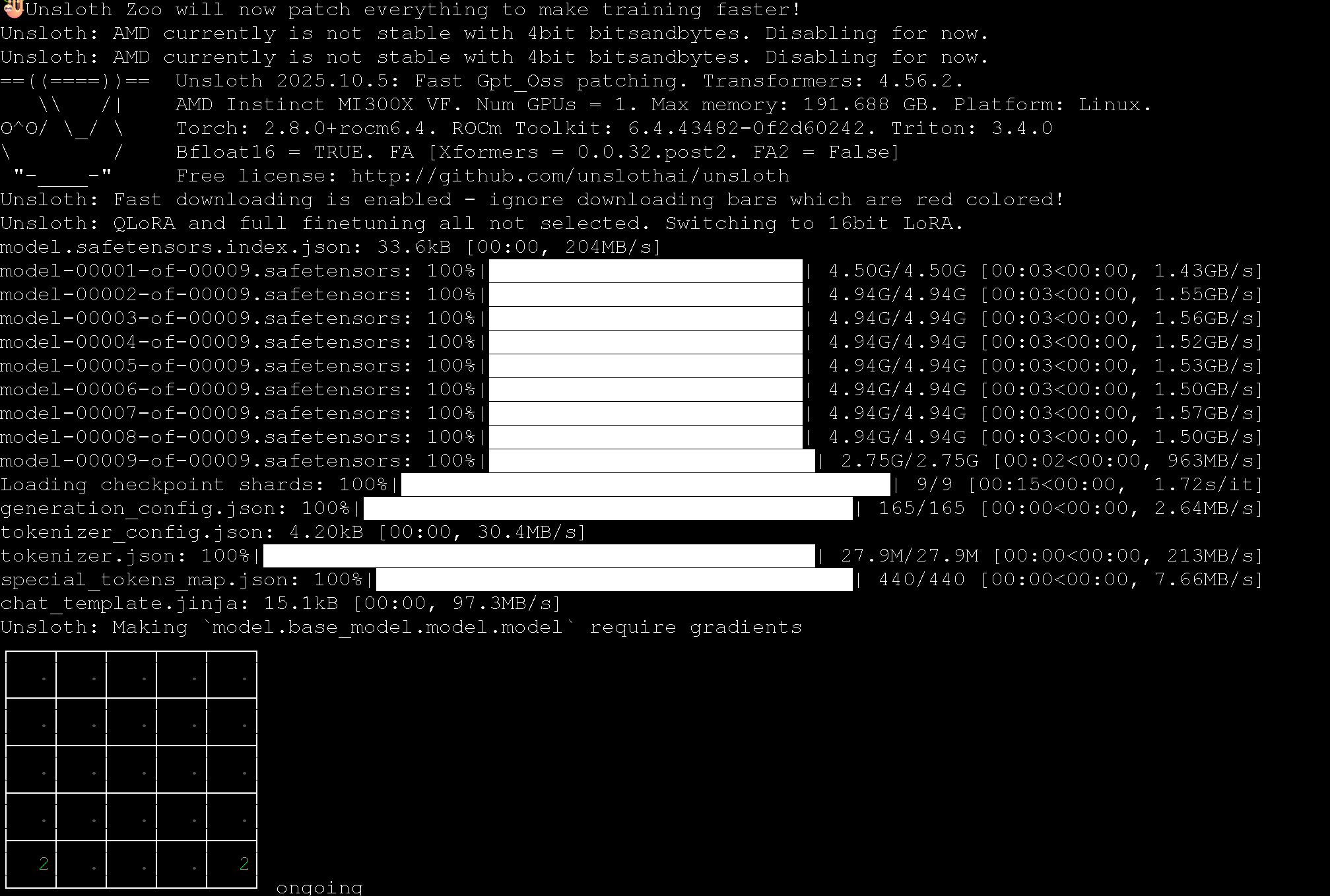
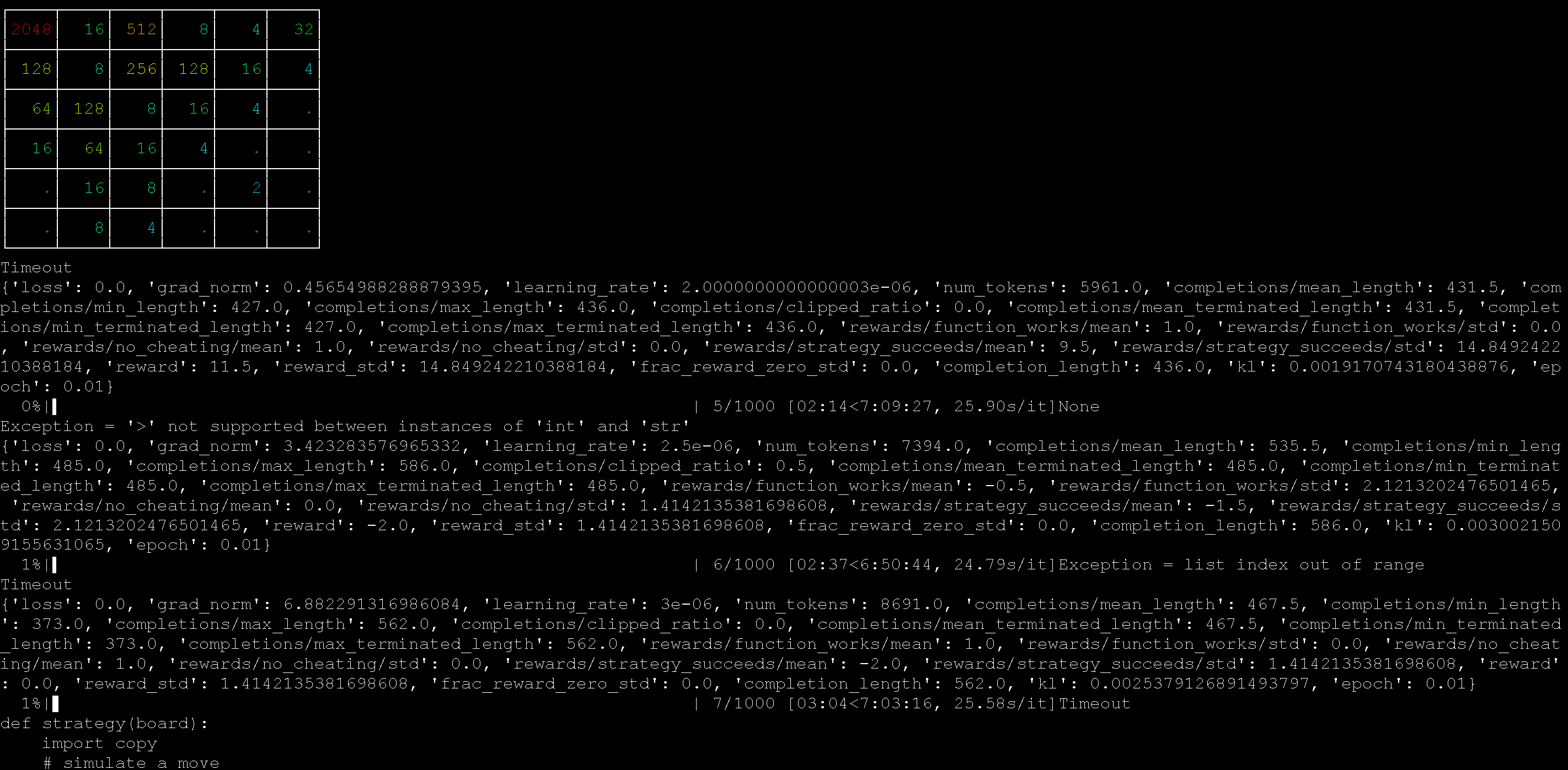


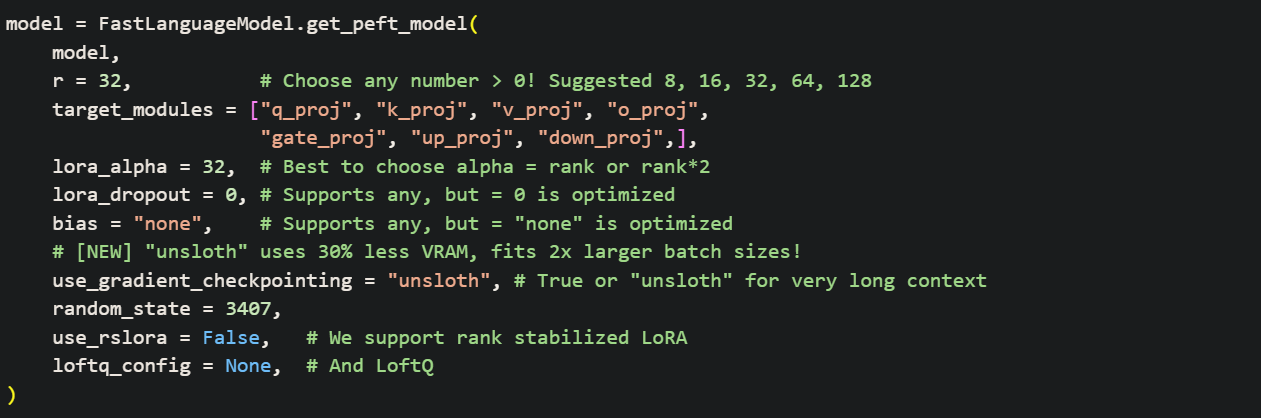





-GRPO.ipynb%20-%20Colab.png?alt=media&token=041c17b1-ab98-4ab6-b6fb-8c7e5a8c07df)


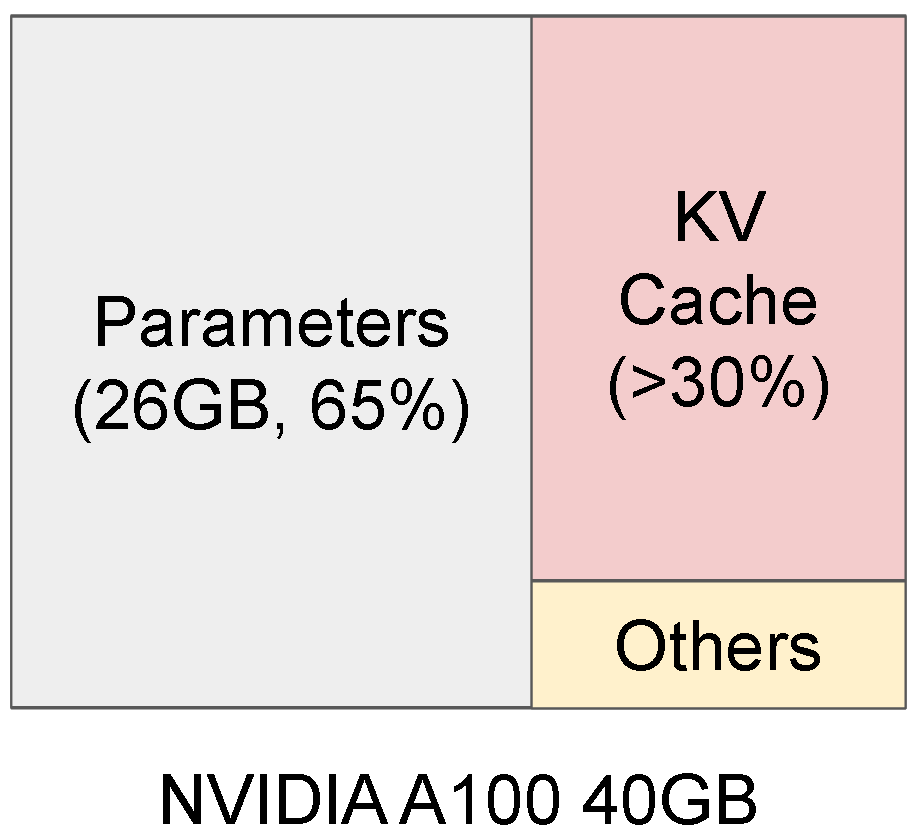
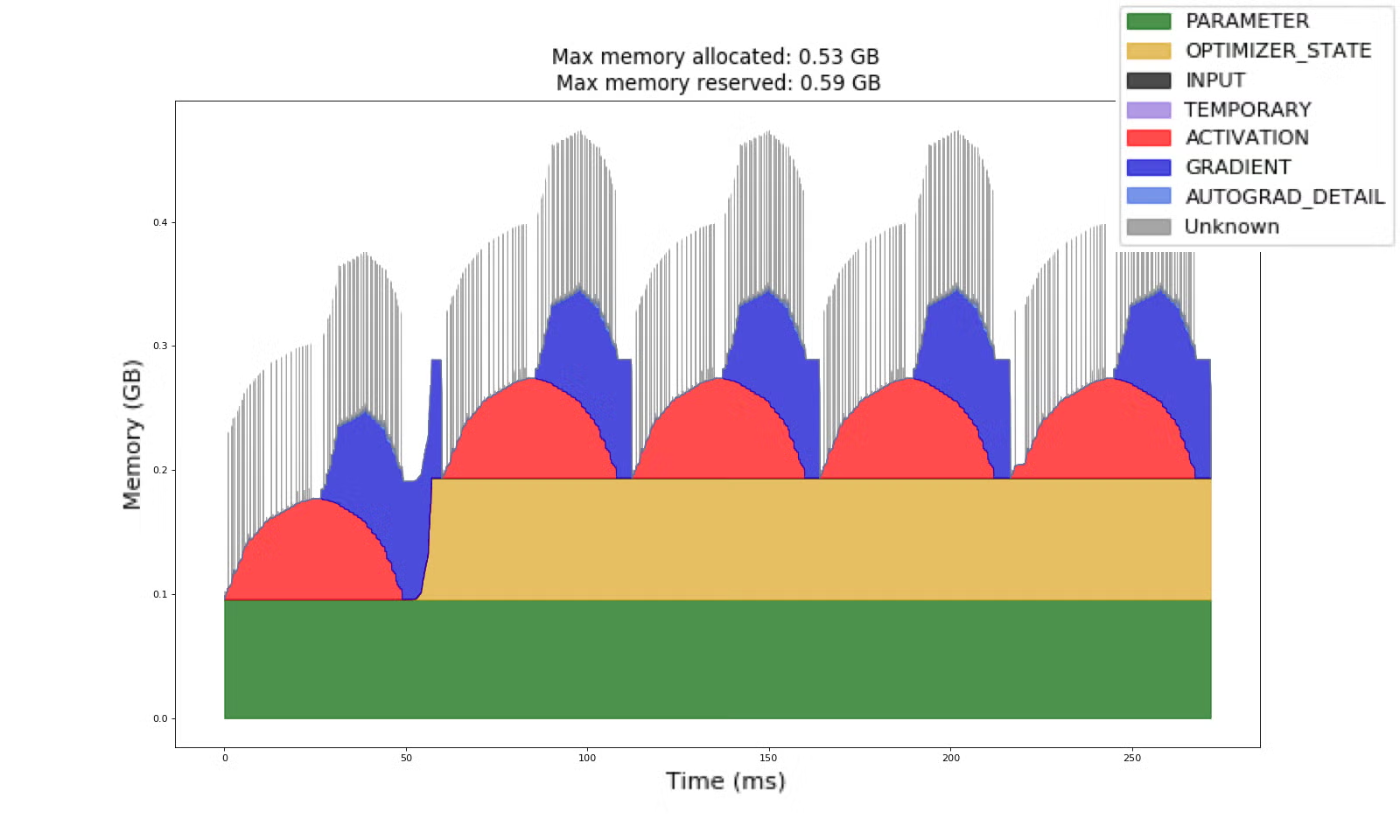
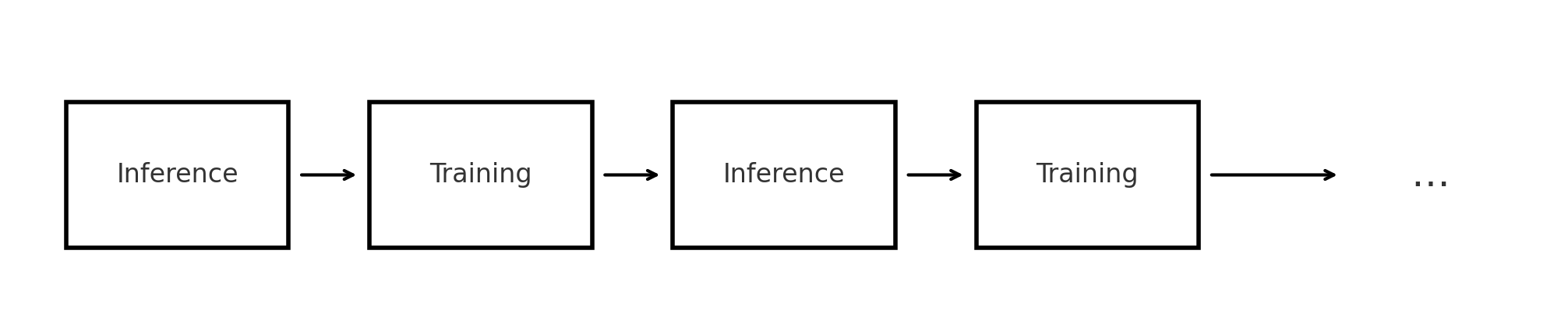
.png?alt=media&token=10f33092-137a-4d60-b652-377b5105af45)
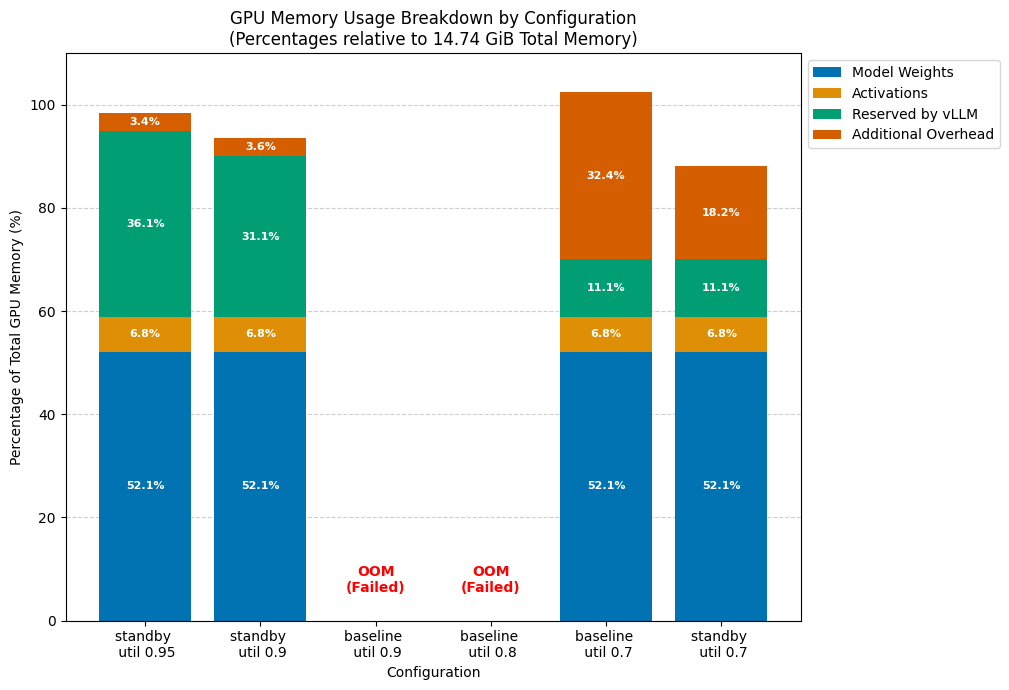

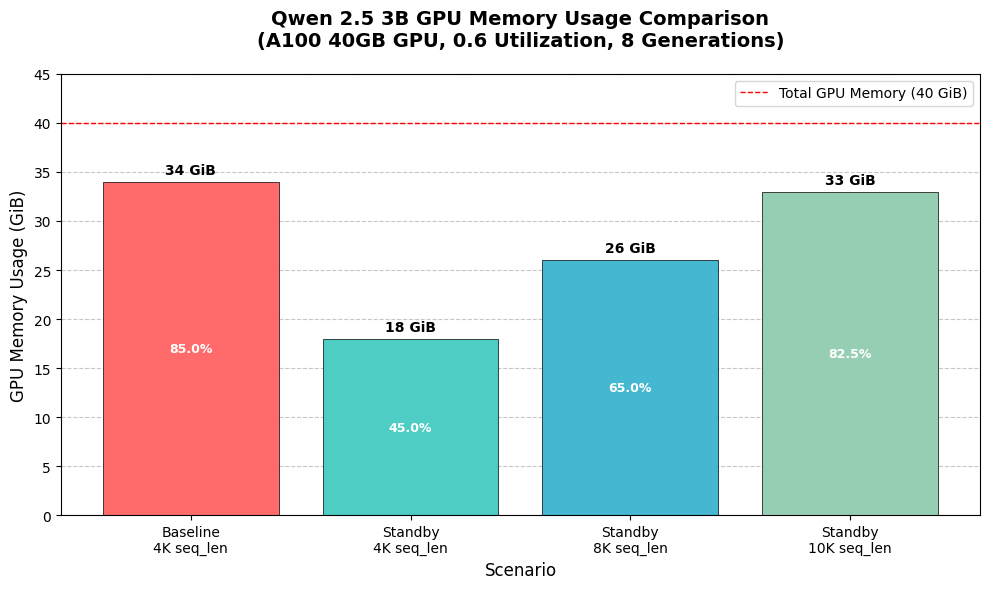


.jpg?alt=media&token=cbfad773-bcc5-4262-a4b5-ef1a178755bd)
.jpg?alt=media&token=89005ac2-d3cd-4d31-b179-2e320c874656)


.png?alt=media&token=3d7cab50-220a-4f99-b593-c32c5ce53a2d)


.png?alt=media&token=5f741769-3591-4a79-bb83-d6d58a4e9818)


.png?alt=media&token=0e0ae6e8-ec44-4b72-a3c8-b376729e841e)


 Standard 2-bit. Fails with background, fails with collision


.svg?alt=media&token=e87db00e-6e3e-4478-af0b-bc84ed2e463b)


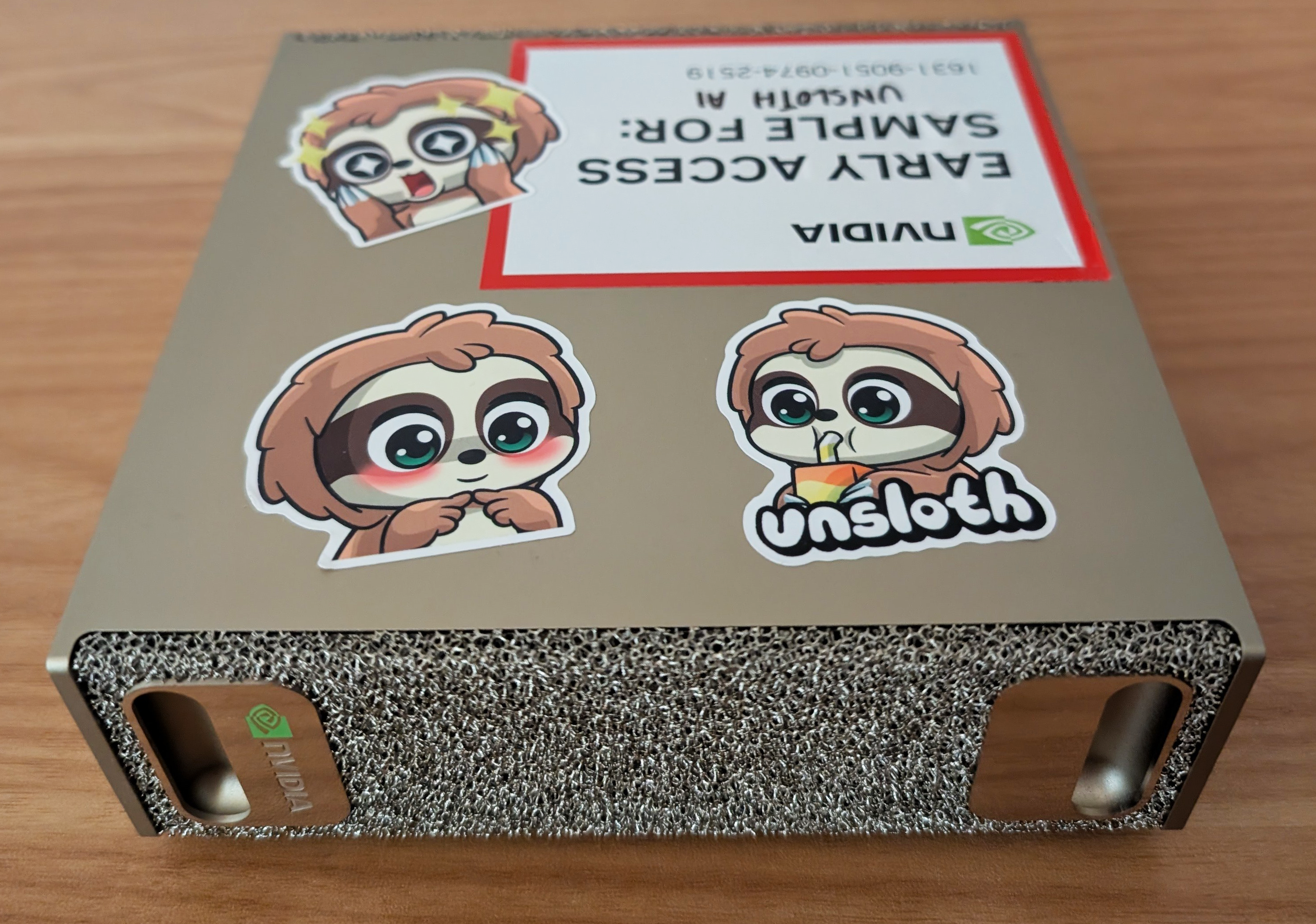
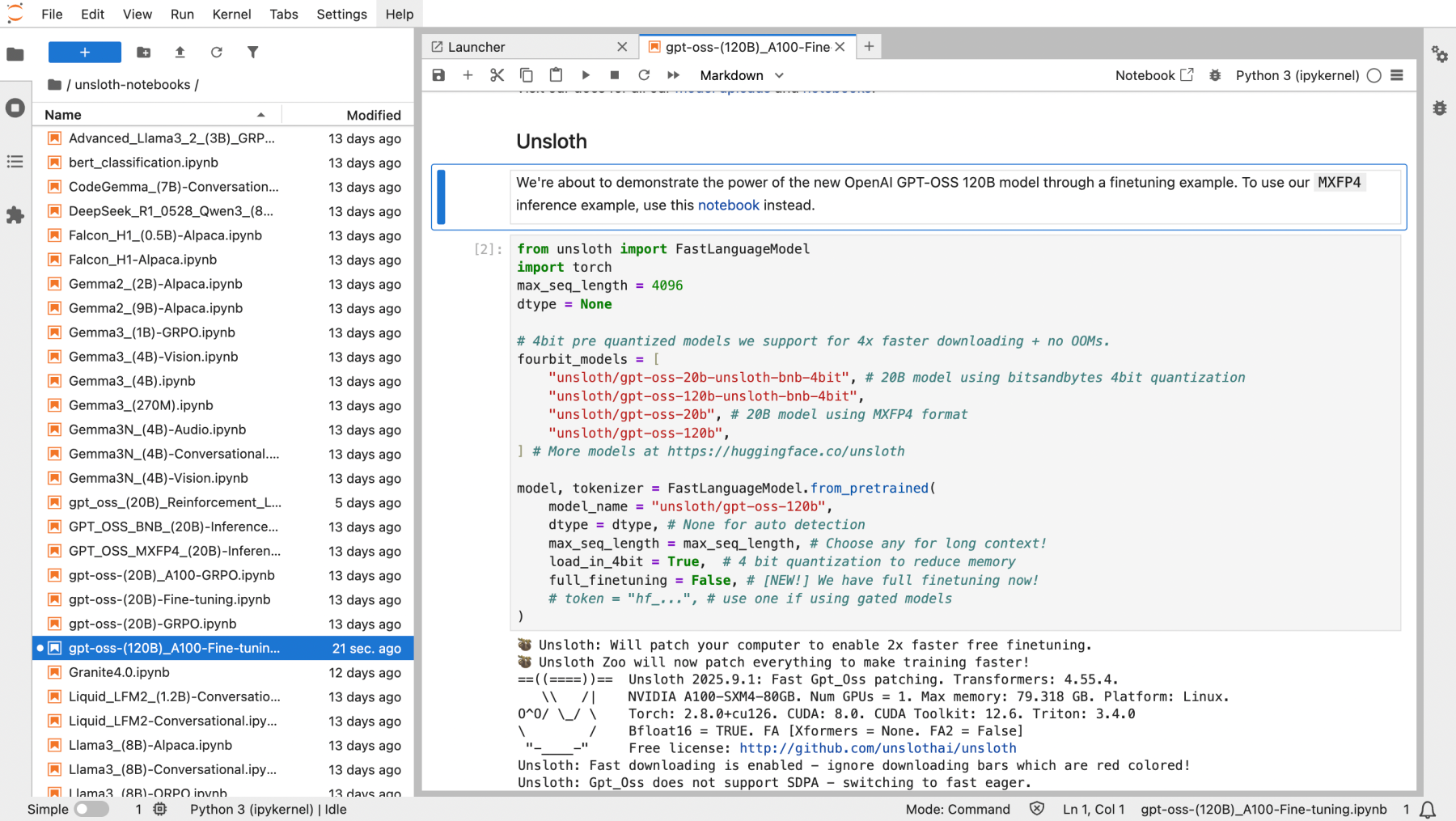
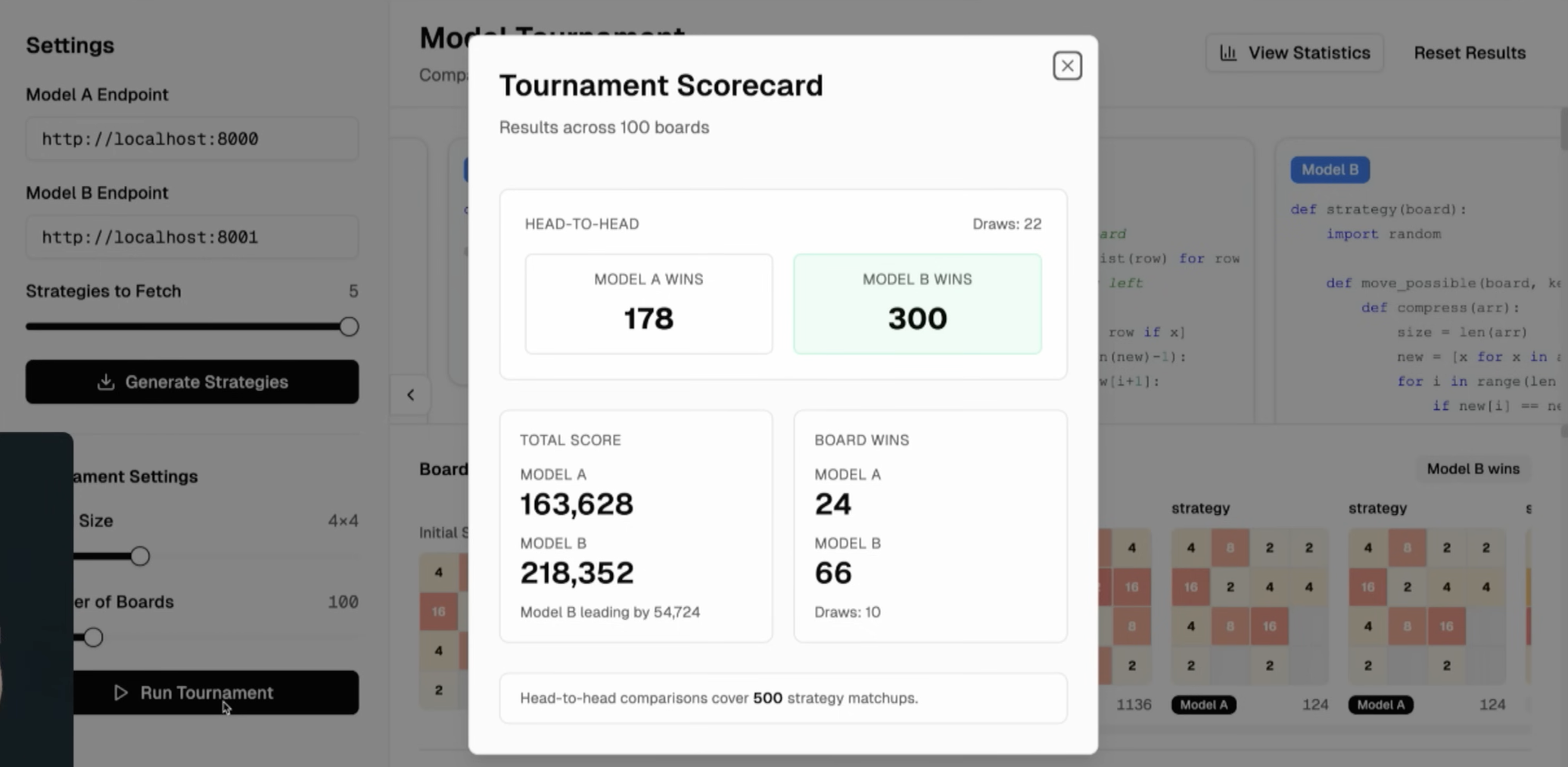
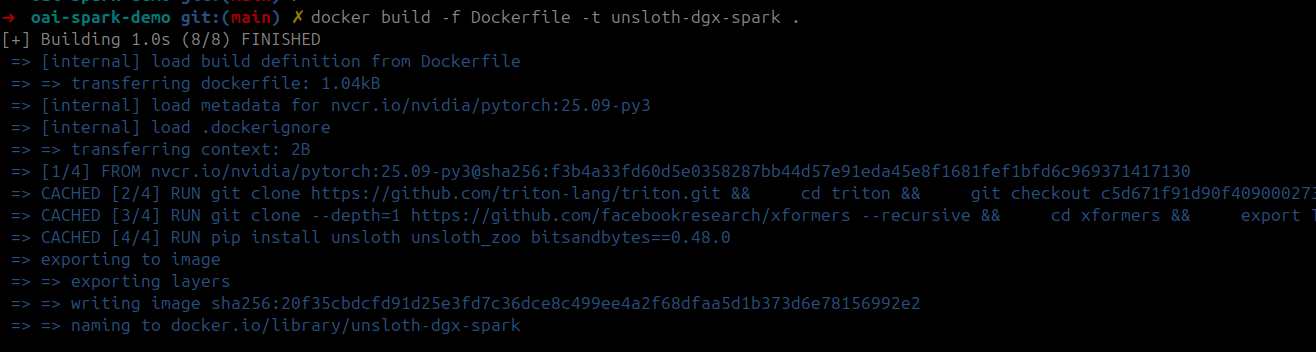
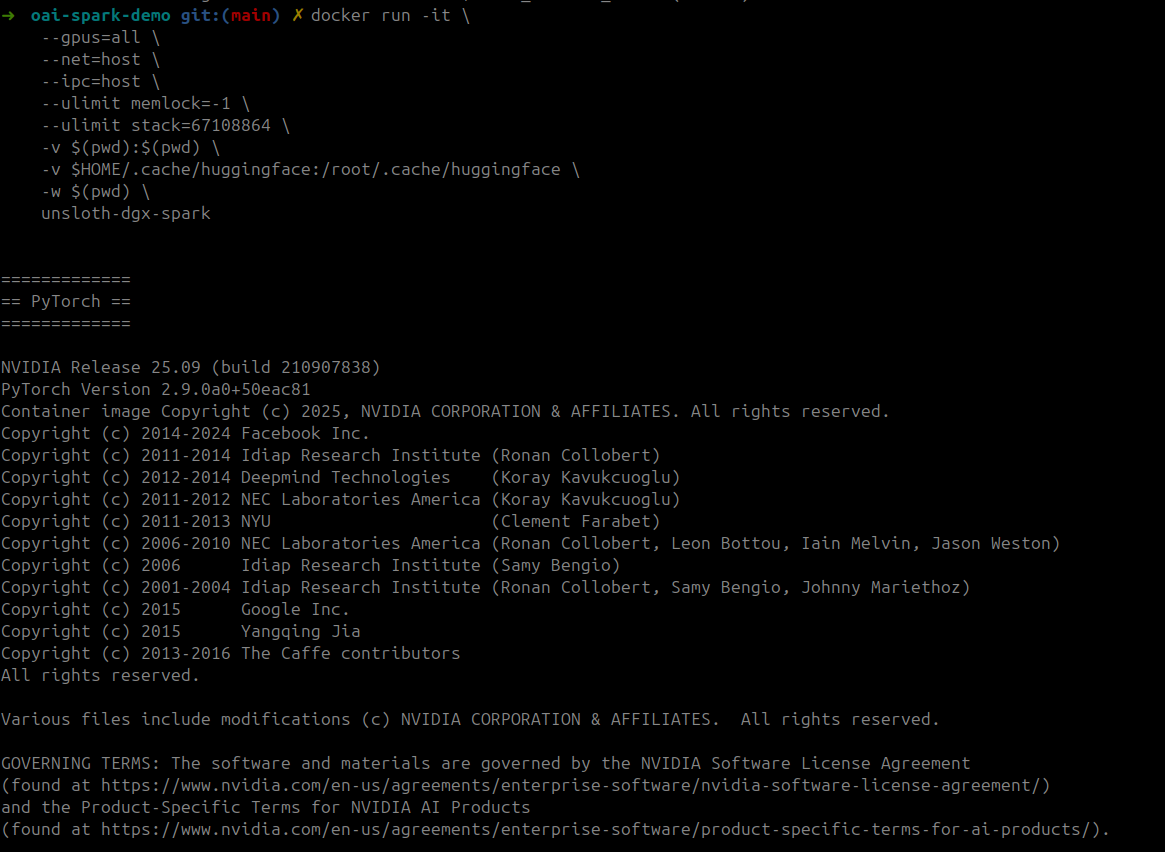
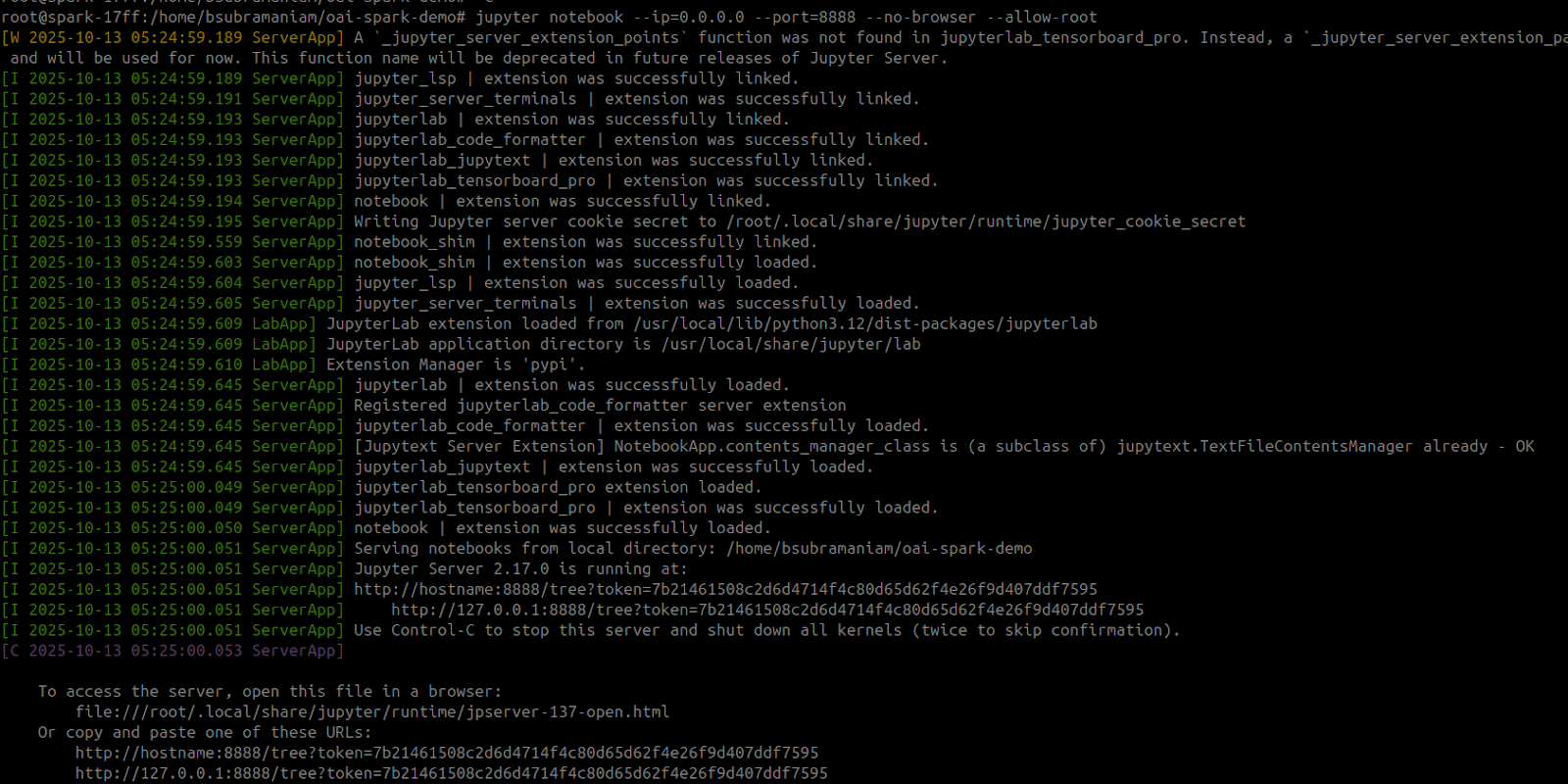
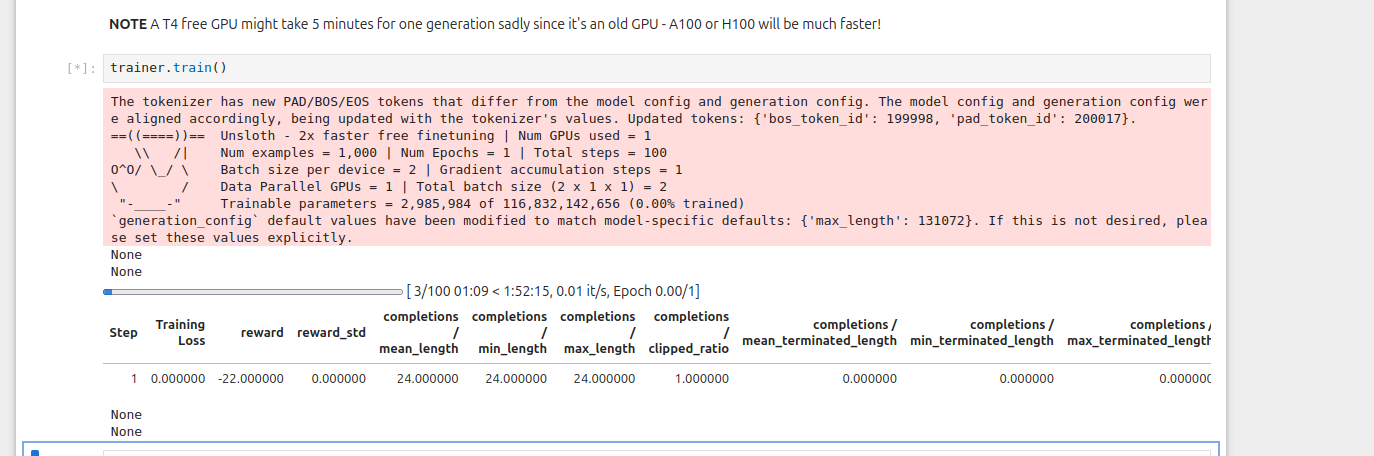
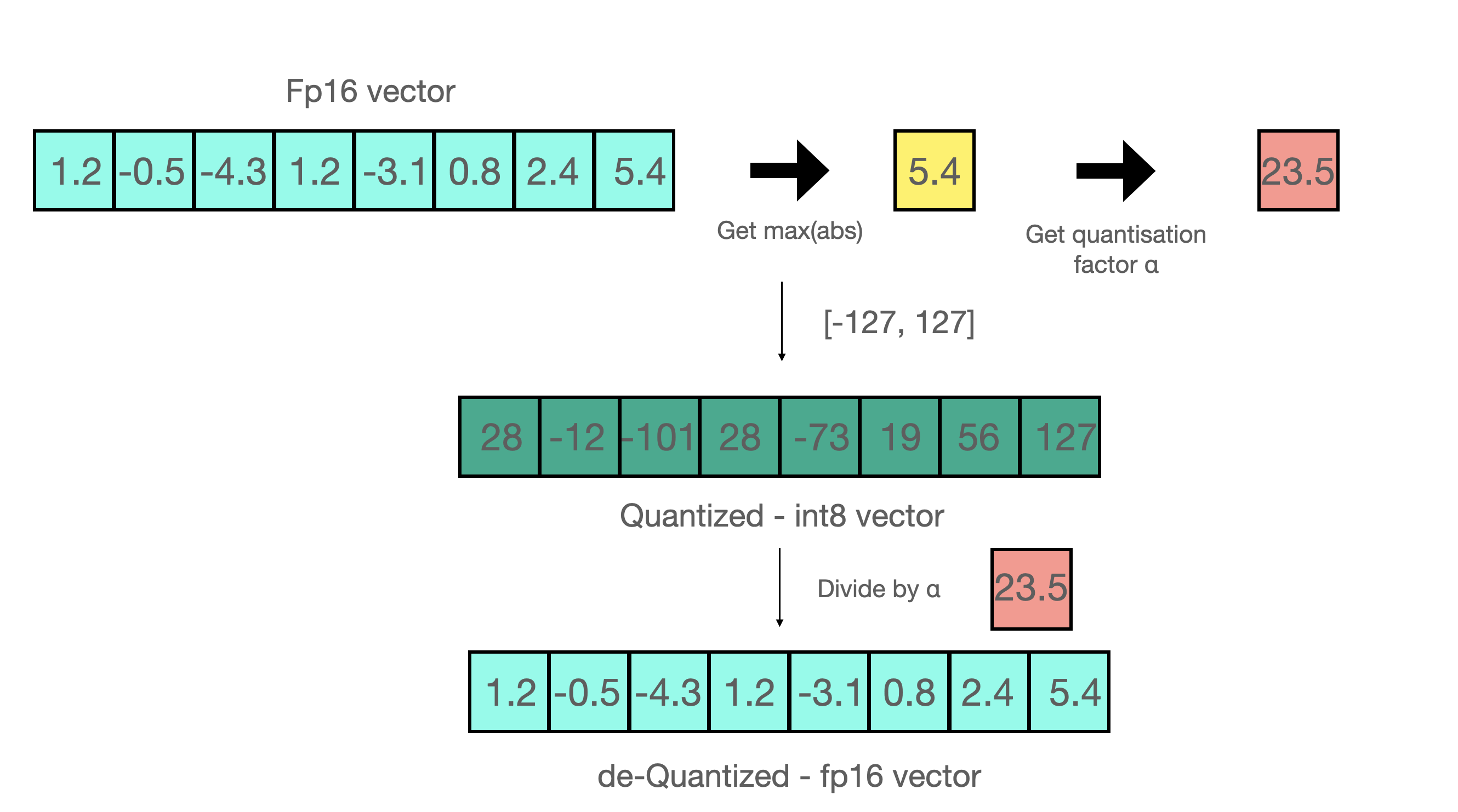
.png?alt=media&token=93c92a1b-e95f-488f-9289-996ffb309054)